
How do AI crawlers distort my traffic and conversion-rate reporting?
Short answer
They inflate the denominator of anything measured server-side while barely touching GA4, because crawlers don't execute JavaScript. That makes log-based and CDN-based conversion rates look worse than reality, and it explains why your hosting dashboard and your analytics disagree. The fix is to exclude verified crawler user agents before computing any server-side rate, and to never compare a log-derived rate against a GA4-derived one.
The distortion is a denominator problem
Conversion rate is conversions divided by visits. Crawlers add to visits and never convert, so every crawler hit pushes the rate down.
The size of the effect depends entirely on where you measure:
| Where the rate is computed | Crawler impact | Why |
|---|---|---|
| GA4 | Minimal | Crawlers don't fire the JavaScript tag |
| Server logs | Large | Every crawler request is a logged hit |
| CDN analytics | Large | Same, often larger due to edge caching behaviour |
| Ad platform pixels | Minimal | Also JavaScript-based |
So a team looking at GA4 sees a 2.1% conversion rate while a team looking at the CDN dashboard sees 0.9%, and both are correctly computing from their own data. The disagreement isn't a bug, it's two different denominators.
The four metrics crawlers actually corrupt
Server-side conversion rate. The headline case above.
Bandwidth and infrastructure cost. This one is real money rather than a reporting artefact. Heavy crawler activity raises origin requests and egress, and it doesn't show in GA4 at all, so the cost appears without an obvious cause.
Page popularity rankings from logs. A page crawled aggressively looks popular in log analysis while having almost no human readership. If you prioritise content work from log-derived page rankings, crawlers will misdirect you.
Cache hit ratios and performance percentiles. Crawlers hit deep, rarely-requested URLs that humans don't, which drags cache efficiency down and skews your slowest-percentile latency figures.
Fix it in four steps
Step 1. Identify verified crawlers, not claimed ones. Filter logs by user agent, then verify by reverse DNS against each vendor's published IP ranges, because user agents are trivially spoofed.
Step 2. Segment rather than delete. Keep crawler hits in their own segment. You need that data to know which pages AI systems fetch.
Step 3. Recompute server-side rates on the human segment only. Every log-derived rate and page ranking should exclude verified crawlers before calculation.
Step 4. Stop comparing across sources. Name one system as your source of truth for conversion rate and state it in the report.
Confirm GA4 is genuinely clean
GA4 filters known bots and spiders by default, but two leaks are worth checking.
Headless browsers that render JavaScript will fire the tag. Their signature is zero engagement time, one page per session, no scroll events, and a flat hourly distribution with no human daily rhythm. Build an Exploration filtered to sessions with zero engagement time and check whether the volume is material.
Separately, confirm internal traffic exclusions are set for your own IPs under Admin → Data Streams → Data filters, since monitoring and synthetic tests can render pages.
For the full separation method, see How do I tell AI bot traffic apart from real visitors in my analytics?.
Don't over-correct: crawl data is worth keeping
The instinct after cleaning this up is to block crawlers entirely. That trades a reporting annoyance for a visibility loss.
Crawlers come in three types with very different consequences. Training crawlers build model corpora and blocking them doesn't affect today's answers. Search index crawlers build the retrieval index an assistant queries, and blocking them removes you from its citations. Live retrieval fetchers pull a page in real time while answering, and blocking them prevents citation at the moment it matters.
A blanket robots.txt block usually hits all three while the team believes it's only opting out of training. Google's documentation on AI features and websites sets out how its AI surfaces fetch content and confirms standard people-first SEO requirements still apply. See also Should I block AI crawlers — and will blocking make my brand disappear from AI answers?.
The chain worth tracking is crawled, then cited, then clicked. Our own state of AI search research, covering more than 22,000 answers and 115,000 citation events, found citation presence reaches 97.4% on Google AI Mode and 93.2% on Perplexity, while the pages actually cited are a narrow slice of everything crawled. Crawl volume tells you you're reachable. It doesn't tell you you're chosen.
Turn crawl volume into a content diagnosis
Once GA4 is verified clean, the more useful question is why AI systems fetch a page repeatedly and cite it rarely. Crawl frequency in your logs tells you the page is reachable. It doesn't tell you it's usable.
The AEO Content Scorecard audits a URL specifically for that, scoring structure, freshness, claim density, proof integration, and claim-to-source mapping. For a heavily crawled page with no citations, the scorecard usually names the reason in terms you can act on, which no traffic metric will.
The Query Fanout Estimator adds the other half, estimating how many related long-tail queries a page could capture through semantic relevance. Google's documentation notes that AI Overviews and AI Mode may issue multiple related searches across subtopics to build a response, so a page with narrow fan-out potential will be crawled and passed over for the subtopics it doesn't address.
An agent that runs the diagnosis across your most-crawled pages:
Start (schedule, monthly) → GSC Top Pages for Site → uncited-pages recipe → Loop / For Each over the top 25 crawled-but-uncited pages → AEO Content Scorecard per page → Query Fanout Estimator per page → Code (rank by crawl frequency against scorecard weakness) → Prompt LLM (produce a prioritised remediation list with the specific gap named per page) → Excel export → Send Email to the content lead.
Pages at the top of that list are being fetched constantly and rejected as source material. Fixing them is usually structural rather than a rewrite, and it's the highest-leverage AEO work available because the reachability problem is already solved.
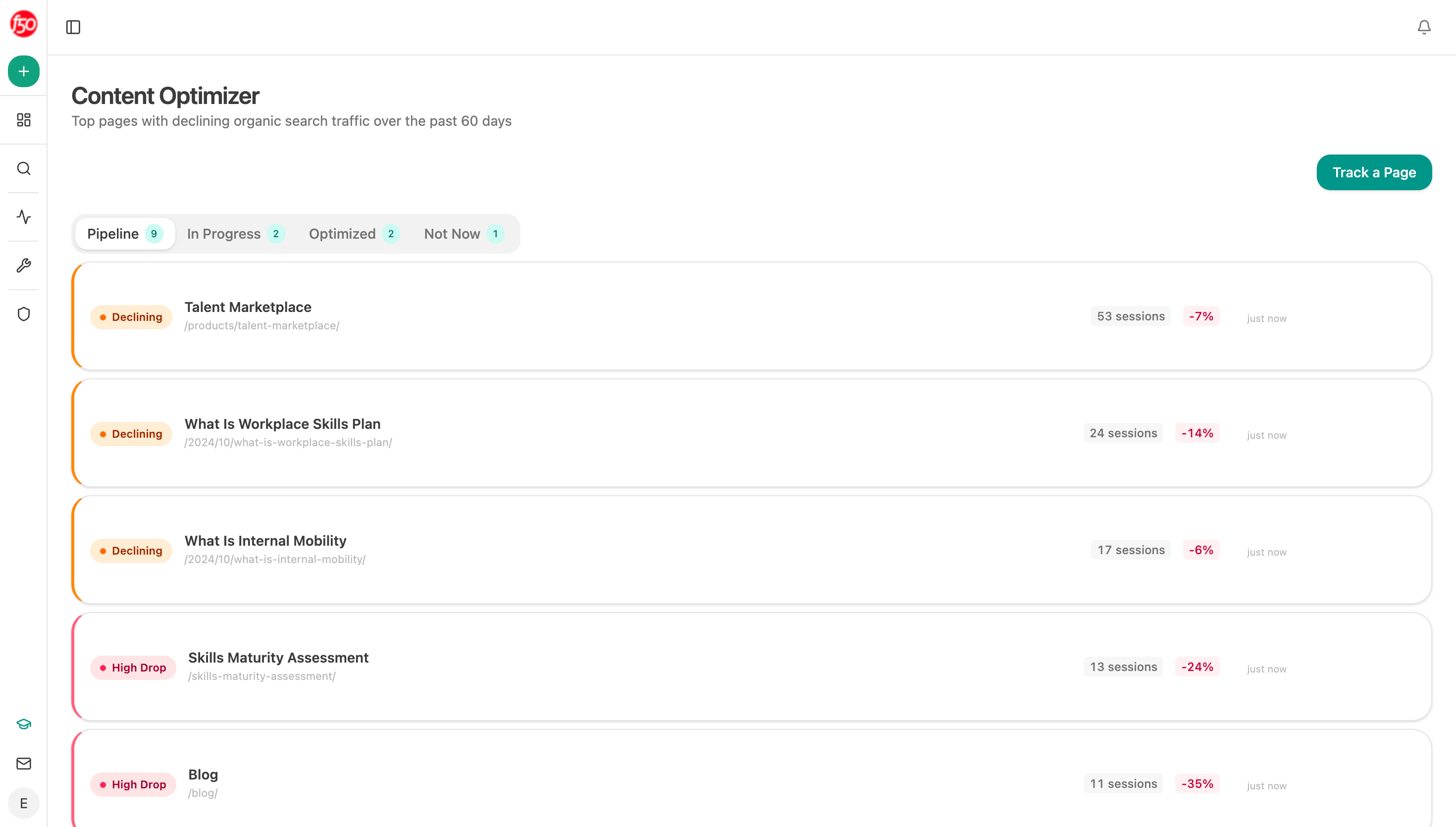
If a page needs more than a structural pass, the Content Optimizer takes it through audit, brief, rewrite, and QA as a tracked pipeline rather than a one-off edit.
FAQ
Related answers
- How do I tell AI bot traffic apart from real visitors in my analytics?
- Do AI-referred visitors actually convert better than search visitors?
- How do I track ChatGPT traffic in GA4?
Want a clean view of which pages AI cites versus which ones just get crawled? Start a free Analyze AI trial and track the full chain in one place.