
How do I attribute phone calls, consultations, and offline sales to organic search?
Short answer
Use dynamic number insertion to swap the phone number per visitor session, so the call carries the landing page and source with it. For offline closes, push the outcome back to your CRM against the same session identifier. The gap most teams leave is the return trip: they capture the call but never send the outcome back, so calls are attributed and revenue never is.
Dynamic number insertion, and its two limits
DNI assigns a different tracking number to each visitor session and forwards it to your real line. When the call connects, the provider knows which session dialled, which means the call inherits landing page, source, medium, and keyword where available.
Two limits worth knowing before you rely on it.
Number pool size. If you have more concurrent visitors than numbers, sessions get recycled and attribution degrades. Size the pool against peak concurrency, not average.
It only covers calls that started on your site. Someone who saw your number in an AI answer, a directory listing, or a Google Business Profile and dialled directly never had a session to attribute.
Consultations and forms
Booked consultations are easier because they involve a form.
Pass first_landing_page, first_source, and first_touch_date as hidden fields on the booking form, and make sure your scheduling tool forwards custom fields into the calendar event and then into the CRM. Most tools support this and most implementations skip the second hop, so the data reaches the calendar and dies there.
Verify by booking a test consultation and checking whether the fields arrive on the CRM record. Ten minutes, and it catches the failure that would otherwise invalidate a quarter of reporting.
The return trip nobody builds
This is where offline attribution actually breaks.
Capturing the call is step one. Step two is pushing what happened back: call duration, outcome, whether it became an opportunity, and eventually the closed-won value. Without step two you can report call volume by source and never revenue by source, which is the version that doesn't survive a budget conversation.
Build it as an event flow rather than a monthly export:
- Call completes, provider fires a webhook
- Webhook payload carries session identifier, duration, and outcome
- Match to the CRM contact by session ID or phone number
- Write call outcome to the contact and associate to the deal
- When the deal closes, the original landing page is already attached
The value of doing this as a webhook rather than a nightly sync is that the enrichment happens while the rep still has context, so the outcome field gets filled accurately instead of reconstructed a week later.
Calls that never had a session
Some share of your inbound calls come from people who never visited the site: they saw you in an AI answer, a directory, or a map listing and dialled.
Our own state of AI search research, covering more than 22,000 answers, found Google AI Mode returns a citation-rich answer in 97.4% of matched B2B queries and Perplexity in 93.2%. Pew Research found that when an AI summary appears, users click a source link in only about 1% of visits.
For these, DNI has nothing to work with. The only instrument is asking, so add a required "how did you hear about us" field to the call script and make it part of qualification rather than an optional note. Reps will skip an optional field every time.
What to report
| Source | Method | Confidence |
|---|---|---|
| Calls from tracked sessions | DNI | High |
| Booked consultations | Hidden form fields | High |
| Offline close value | Webhook return trip | High, once built |
| Calls with no session | Rep-captured question | Moderate, self-reported |
Report the last row separately rather than distributing it proportionally across the others. Proportional distribution invents precision, and it hides the growth of exactly the channel you're trying to measure.
How Analyze AI handles the event side
The piece of this that fits Analyze AI naturally is the return trip, because agents support webhook triggers as a first-class trigger mode alongside manual and scheduled runs. A webhook agent fires when reality changes rather than when someone remembers to run a report, which is precisely the shape of a call-completion event.
The endpoint is HMAC-signed and accepts a payload, so your call-tracking provider posts the completed call directly to the agent.
A workable chain:
Start (webhook, fired on call completion) → Code (parse the payload, extract session ID, duration, outcome) → HubSpot Search Contacts (match on session ID or phone) → Conditional (if no match, branch to the unattributed path) → HubSpot Create Note with the call summary and Log Engagement against the contact → HubSpot Update Contact writing the outcome fields → Send Notification to the rep's queue.
HubSpot's node surface covers 26 operations including search, upsert, note creation, engagement logging, association, and custom behavioural events, so every step of that return trip is a node rather than a custom integration.
For the reporting layer on top, a scheduled agent closes the loop monthly:
Start (schedule, 1st of month) → HubSpot Get CRM Objects (closed-won with call attribution and landing page) → GSC Page-Keyword Breakdown on the pages that generated calls → Prompt LLM (revenue per landing page including offline closes, split attributed versus rep-captured) → CSV export → Send Email to CMO.
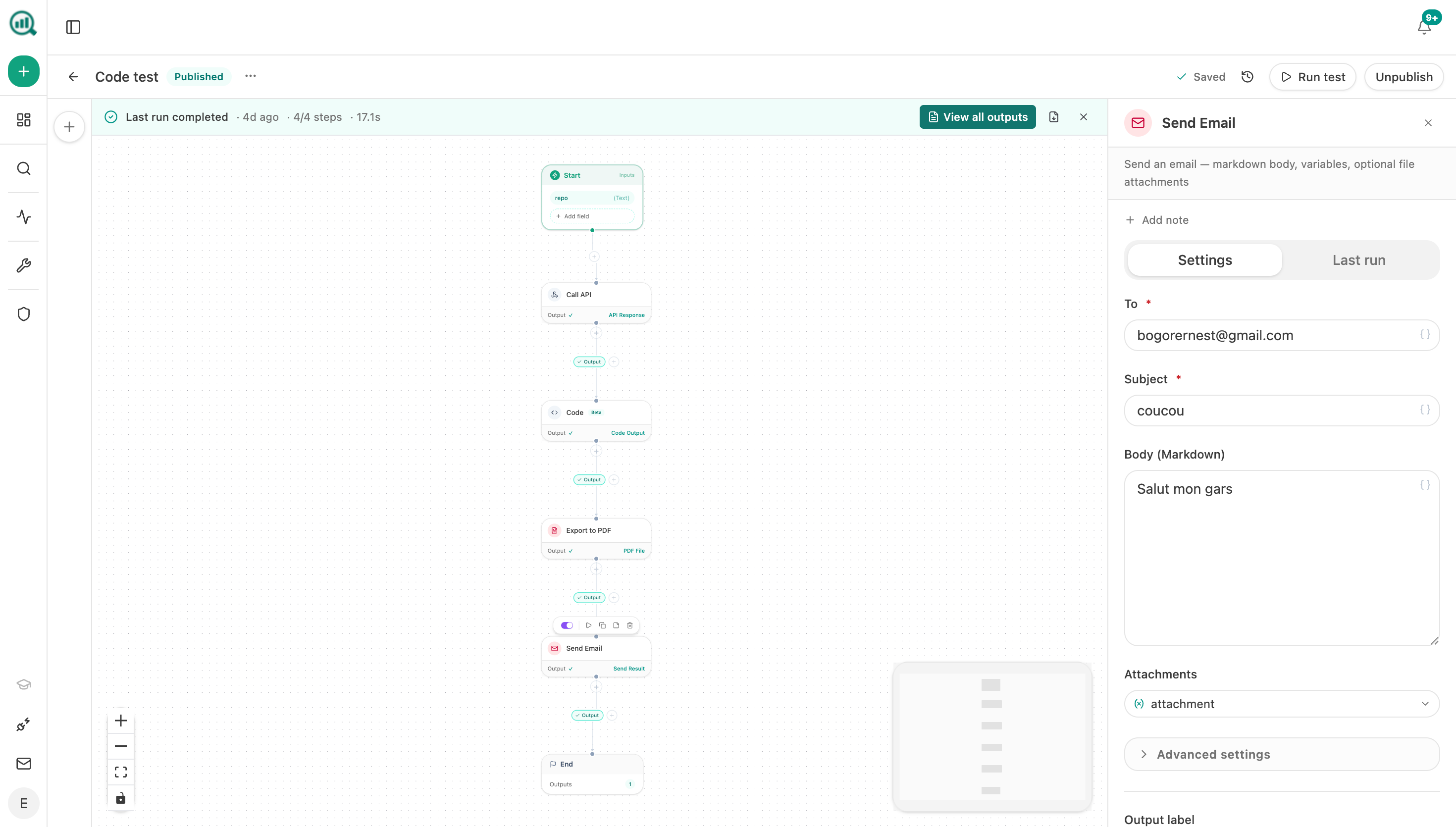
The reason to run the enrichment as a webhook rather than a nightly batch is the same reason the return trip fails manually: latency. An agent that writes the outcome within seconds of the call ending gets a field filled by a rep who still remembers the conversation.
FAQ
Related answers
- How do I map organic landing pages to the customers they eventually produce?
- How do I combine "how did you hear about us?" answers with analytics data?
- How do I prove SEO is generating revenue and not just traffic?
Want call outcomes written back to your CRM the moment the call ends? Start a free Analyze AI trial and build it as a webhook agent.