
How do I map organic landing pages to the customers they eventually produce?
Short answer
Write a first-touch cookie on the visitor's first session, pass it into every form as a hidden field, sync it to the CRM contact, and make sure it survives to the opportunity record. That last step is where most implementations quietly fail, because the field exists on the contact and never gets copied to the deal, which means you can attribute leads but never revenue. Audit ten records before you build any reporting on top.
The build, in the order it has to happen
1. Set a first-touch cookie on the first visit. Capture landing page, source, medium, referrer, and timestamp. Write once, never overwrite, 12-month expiry to match a B2B cycle.
2. Set a separate last-touch cookie. Overwrite this one every visit. You want both, because the gap between them is the insight.
3. Add hidden fields to every form. first_landing_page, first_source, first_touch_date, last_source. Every form, including the ones marketing didn't build.
4. Map them to CRM contact properties. Create the properties first, then map. A form field with no matching property fails silently.
5. Copy them to the opportunity on creation. This is the step that gets skipped. Use a workflow that fires when a deal is created and copies the four fields from the associated contact.
6. Copy from the primary contact when several exist. B2B deals have multiple contacts with different first-touch pages. Pick a rule, document it, and apply it consistently. Earliest first_touch_date on the account is usually the most defensible.
Audit before you report
Pull ten recently created opportunities and check four things.
Are the fields populated? Blank means the mapping isn't firing.
Are the values varied? If every record shows your pricing page, your cookie is overwriting on each visit rather than writing once.
Are the dates plausible? A first_touch_date that matches the deal creation date on every record means you're capturing last touch and labelling it first.
Do multi-contact deals resolve consistently? If the rule isn't deterministic, two people running the same report get different numbers.
Ten records takes fifteen minutes and saves you presenting a report built on a broken field.
Reporting on it
Once the chain holds, three views cover most needs.
Revenue per page. Closed-won grouped by first_landing_page. Sort descending and the top 20 pages usually carry most of the revenue.
Revenue per intent bucket. Roll pages up into bottom-funnel commercial, comparison, product-adjacent, and top-funnel educational. This is the version leadership can act on, because page-level lists invite debate about individual URLs rather than decisions about content mix.
Time-to-revenue per page. Median days from first_touch_date to closed-won, per bucket. Bottom-funnel pages should convert materially faster, and if they don't, your intent classification is wrong.
Two things this method won't give you
Influence. This captures the page that captured the lead, not the pages that persuaded the buying committee. Middle-touch content shows as zero here and often isn't. See How should I value content that influences a deal but doesn't create the lead?.
Awareness that never produced a session. A buyer who read about you in an AI answer, never clicked, and arrived two weeks later through branded search will show your homepage as first_landing_page. The cookie recorded the first visit accurately, and the first visit wasn't the first touch.
Our own state of AI search research, covering more than 22,000 answers, found Google AI Mode returns a citation-rich answer in 97.4% of matched B2B queries, while Pew Research found that when an AI summary appears, users click a source link in only about 1% of visits. High exposure, low click-through, which means a meaningful share of your homepage-first-touch records had an earlier cause you can't see.
Add a signup survey to size that gap. See How do I combine "how did you hear about us?" answers with analytics data?.
How Analyze AI extends the map
Once you have revenue per page, the more useful question is why some pages produce and others don't. Analyze AI adds two dimensions to the same page list.
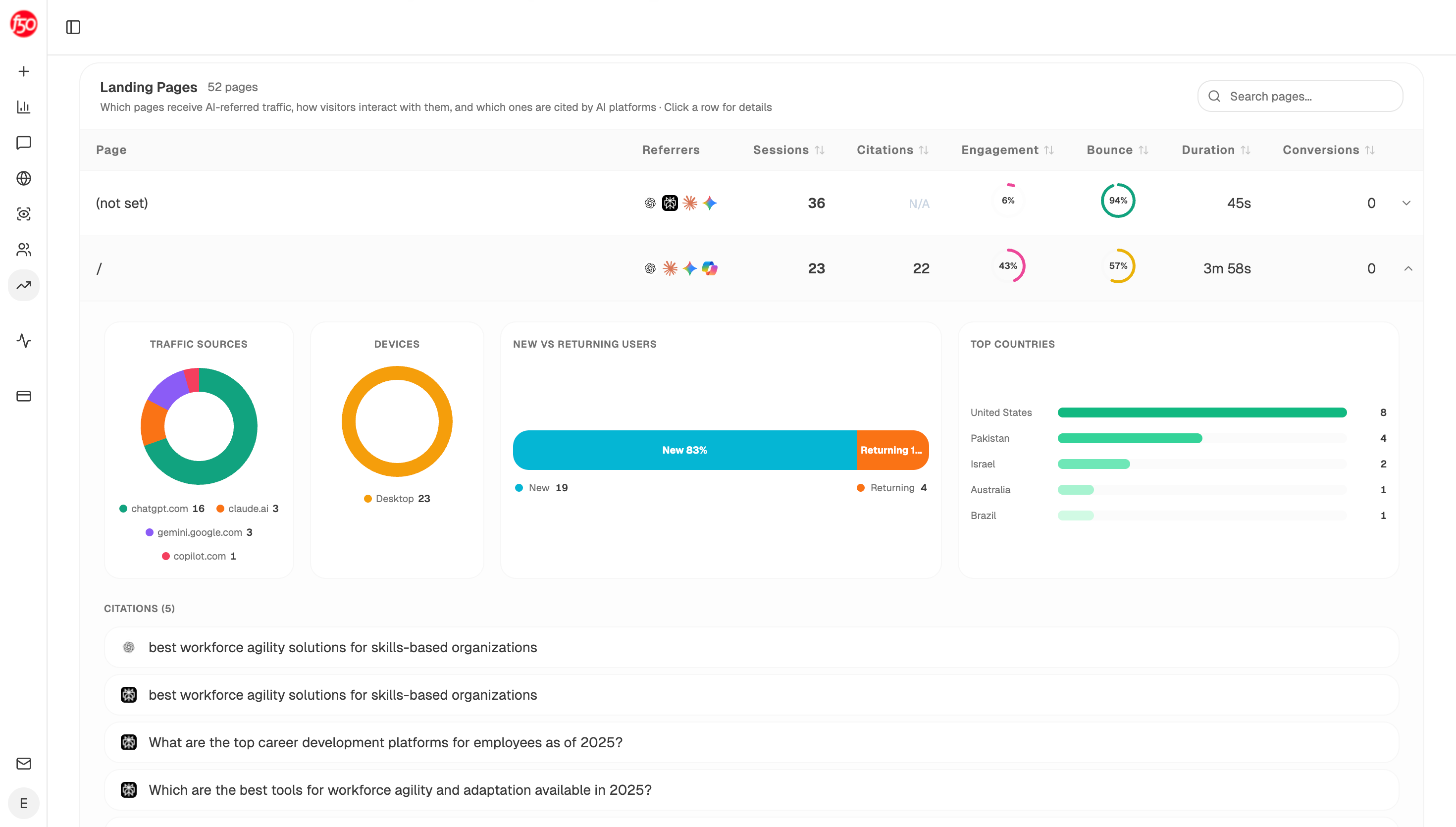
Citation status per page. The Landing Pages view shows AI-referred sessions and citation counts against the same URL, so a page with modest revenue but heavy AI citation reads differently from a page with modest revenue and none.
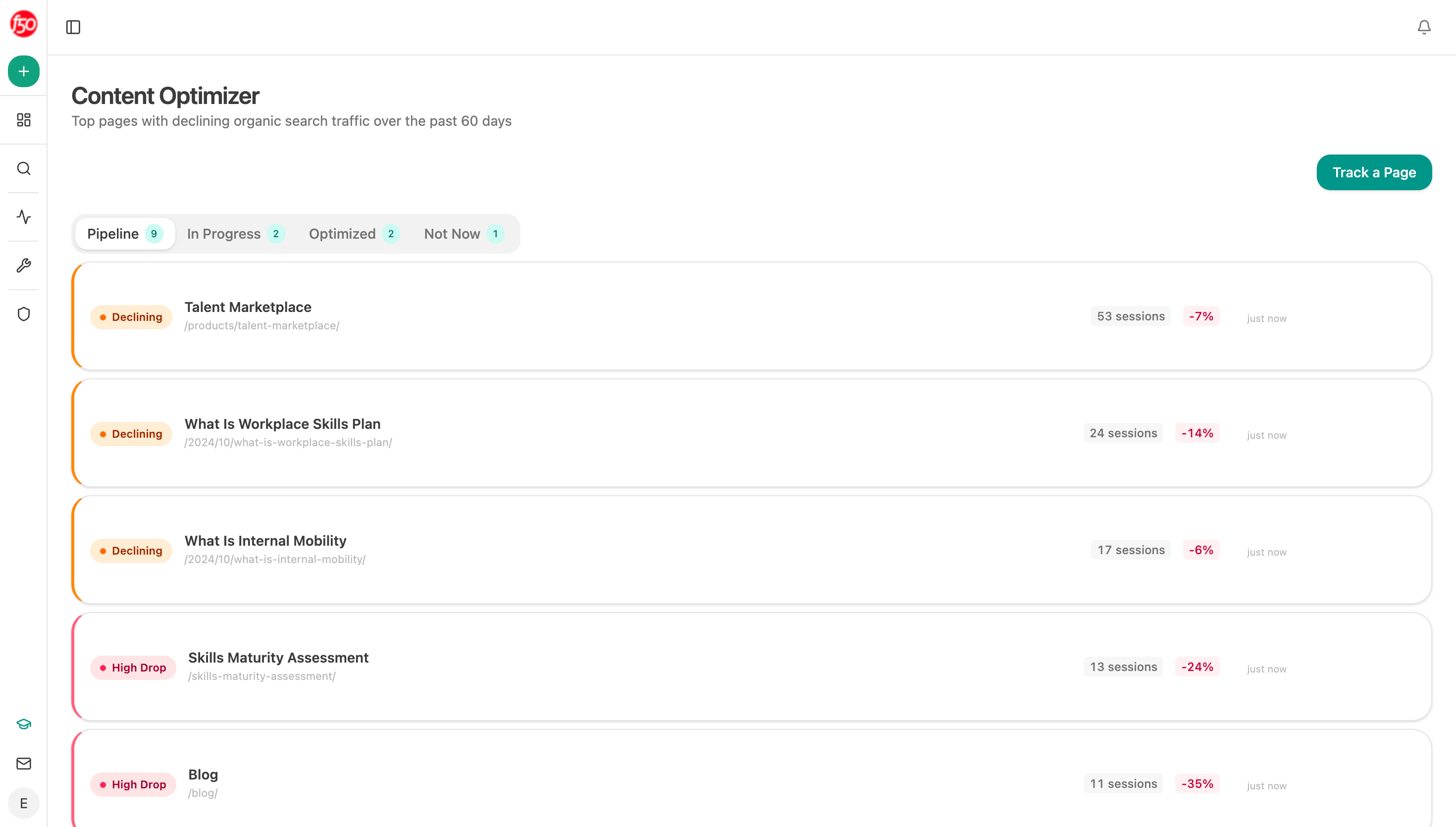
Optimisation gaps per page. The Content Optimizer runs a page through an audit, brief, rewrite, and QA sequence, and the AEO Content Scorecard node scores a URL on structure, freshness, claim density, proof integration, and claim-to-source mapping. For a page that captures leads but is never cited by AI surfaces, that scorecard usually explains why in a way traffic data can't.
To keep the map current without rebuilding it, an agent can loop the analysis across your revenue-producing pages:
Start (schedule, 1st of month) → HubSpot Get CRM Objects (closed-won last 4 quarters with first_landing_page) → Prompt LLM (rank pages by attributed revenue, roll into intent buckets) → Loop / For Each over the top 25 pages → AEO Content Scorecard per page → citation-magnets recipe → Prompt LLM (flag high-revenue pages with weak AEO scores as refresh priorities) → Excel export → Send Email to the content lead.
The Loop plus scorecard combination is the part worth copying. It turns a static revenue list into a prioritised work queue, because the pages earning money with the weakest extractability are exactly the ones most exposed as buyers shift toward AI surfaces.
FAQ
Related answers
- How do I connect Search Console data to CRM opportunities and revenue?
- How do I prove SEO is generating revenue and not just traffic?
- How should I value content that influences a deal but doesn't create the lead?
Want revenue, citations, and AEO scores against the same page list? Start a free Analyze AI trial and connect GA4, GSC, and your CRM.