
How do I see which content an account consumed before a sales conversation?
Short answer
Roll page views up to the account rather than the contact, because the person booking the call is rarely the person who did the research. Then deliver the timeline to the rep before the call rather than to marketing after the quarter. A content history that arrives in a monthly report is analysis. The same history attached to the deal record twenty minutes before discovery is a sales tool.
Account-level, not contact-level
The default view in most CRMs shows page views for the contact record you're looking at. On a B2B deal with five people involved, that's a fifth of the story.
The engineer who read your API documentation three weeks ago never filled in a form. The finance lead who compared your pricing page against two competitors did so from a different device. Neither appears on the timeline of the person who booked the call.
So the roll-up you need is: every contact associated with the account, every page view, every timestamp, merged into one chronological timeline. Three joins have to work, contact to page, contact to account, and account to opportunity, and most stacks have all three available and unconnected.
What the timeline should surface
A raw list of forty page views is worse than nothing, because nobody reads it before a call. Compress it into four things a rep can use in a sentence.
Topic clusters, not URLs. "Three people read integration and security content" beats a list of slugs.
Sequence and acceleration. Views clustered in the last five days mean something different from views spread across three months. Sudden acceleration usually means an internal deadline appeared.
Competitor comparison pages viewed. The single most useful item, because it tells the rep which alternative is live in the room.
Objection-shaped reading. Pricing viewed repeatedly, security or compliance documentation, migration content. Each maps to a known objection, and a rep who knows which one is coming handles it better.
Deliver it before the call, not after the quarter
This is the difference between the analysis being interesting and being used.
The trigger is a deal-stage change. When the opportunity moves to discovery or demo, that event should generate the brief and attach it to the record. A rep opening the deal twenty minutes before the call finds it already there.
Delivered as a monthly marketing report instead, the same data tells you what buyers read in aggregate, which is useful for content strategy and useless for the call happening this afternoon.
The reading you will never see
A committee member who asked an assistant about your category and read a summary citing you leaves nothing on this timeline.
Our own state of AI search research, covering more than 22,000 answers, found Google AI Mode returns a citation-rich answer in 97.4% of matched B2B queries and Perplexity in 93.2%. Pew Research found that when an AI summary appears, users click a source link in only about 1% of visits.
The practical consequence for a rep is that an account showing thin engagement may have done substantial research they simply did it inside an assistant. Treating a sparse timeline as low intent is the mistake this creates, so the qualification question on the call matters more than it used to.
How Analyze AI builds and delivers the brief
This is a webhook-shaped problem rather than a scheduled one, because the useful moment is a deal-stage change rather than a Monday morning.
Agent Builder supports three trigger modes, and the webhook endpoint is HMAC-signed and accepts a payload, so HubSpot posts the deal-stage change directly and the agent runs in seconds.
The chain that produces a usable brief:
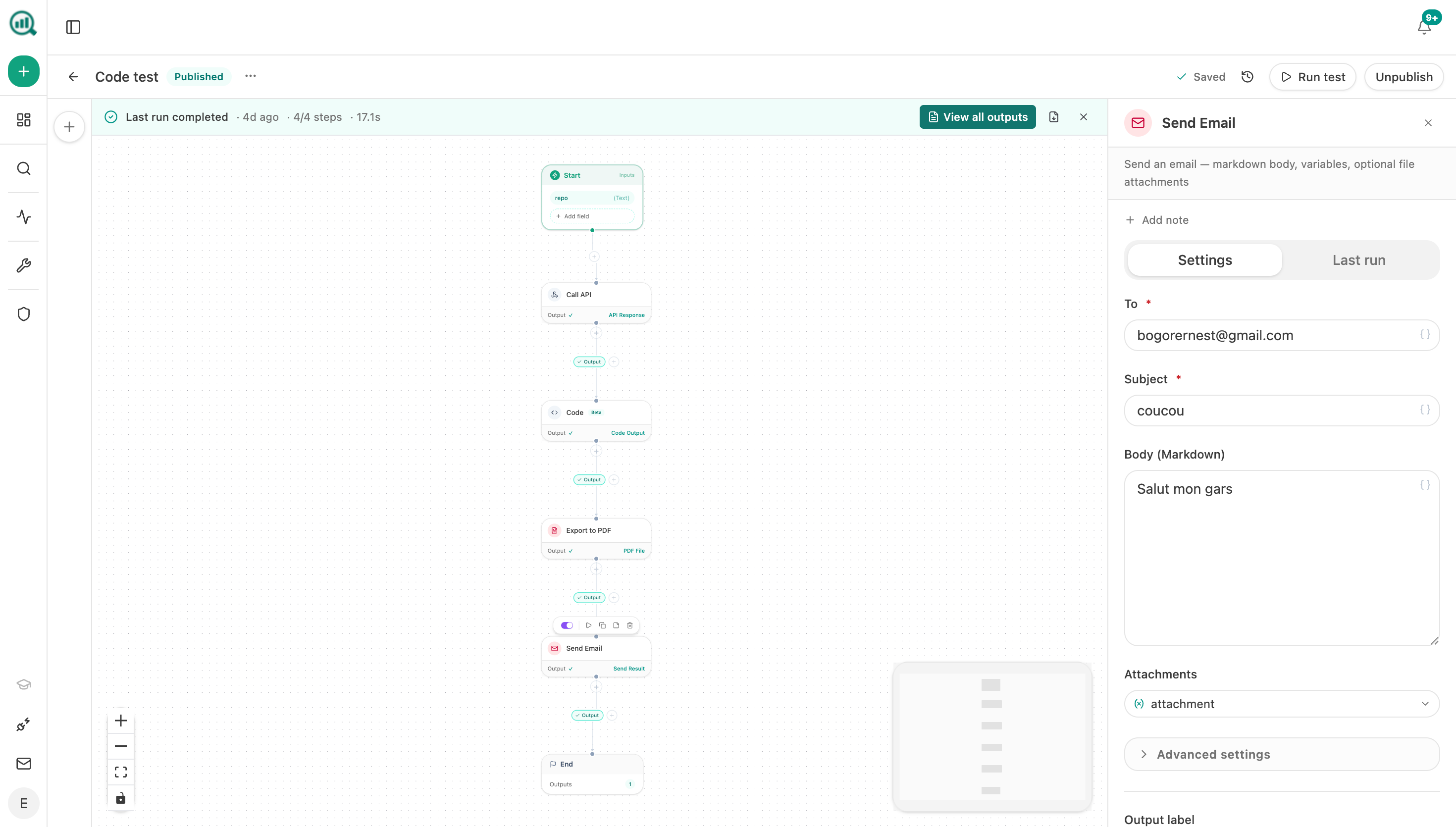
Start (webhook, fired on deal stage change to discovery) → Code (parse payload, extract deal and account IDs) → HubSpot Find Contact and Search Contacts (all contacts associated with the account) → Loop / For Each over contacts → collect page-view history per contact → Code (merge into one chronological timeline, cluster by topic, compute recency weighting) → Inject Brand Context (COMPETITOR_CONTRAST and BUYER_PAIN_POINTS from the Brand Vault) → Prompt LLM (write a one-page brief naming likely objections and the live competitor) → DOCX export → HubSpot Create Note attaching the brief to the deal → Send Notification to the deal owner.
Two parts of that are worth borrowing specifically.
Inject Brand Context pulls named blocks from the Brand Vault into the prompt, so the brief interprets the reading against your actual competitor positioning and known buyer pain points rather than describing page titles back to the rep. The vault holds twelve blocks including COMPETITOR_CONTRAST, BUYER_PAIN_POINTS, PROOF_POINTS, and CASE_STUDIES, and you cherry-pick the subset each agent needs.
The DOCX export plus Create Note combination is what makes it a sales tool. The export becomes a downloadable artifact attached to the run and to the agent's artifact library, and the note puts it on the deal record where the rep already looks.
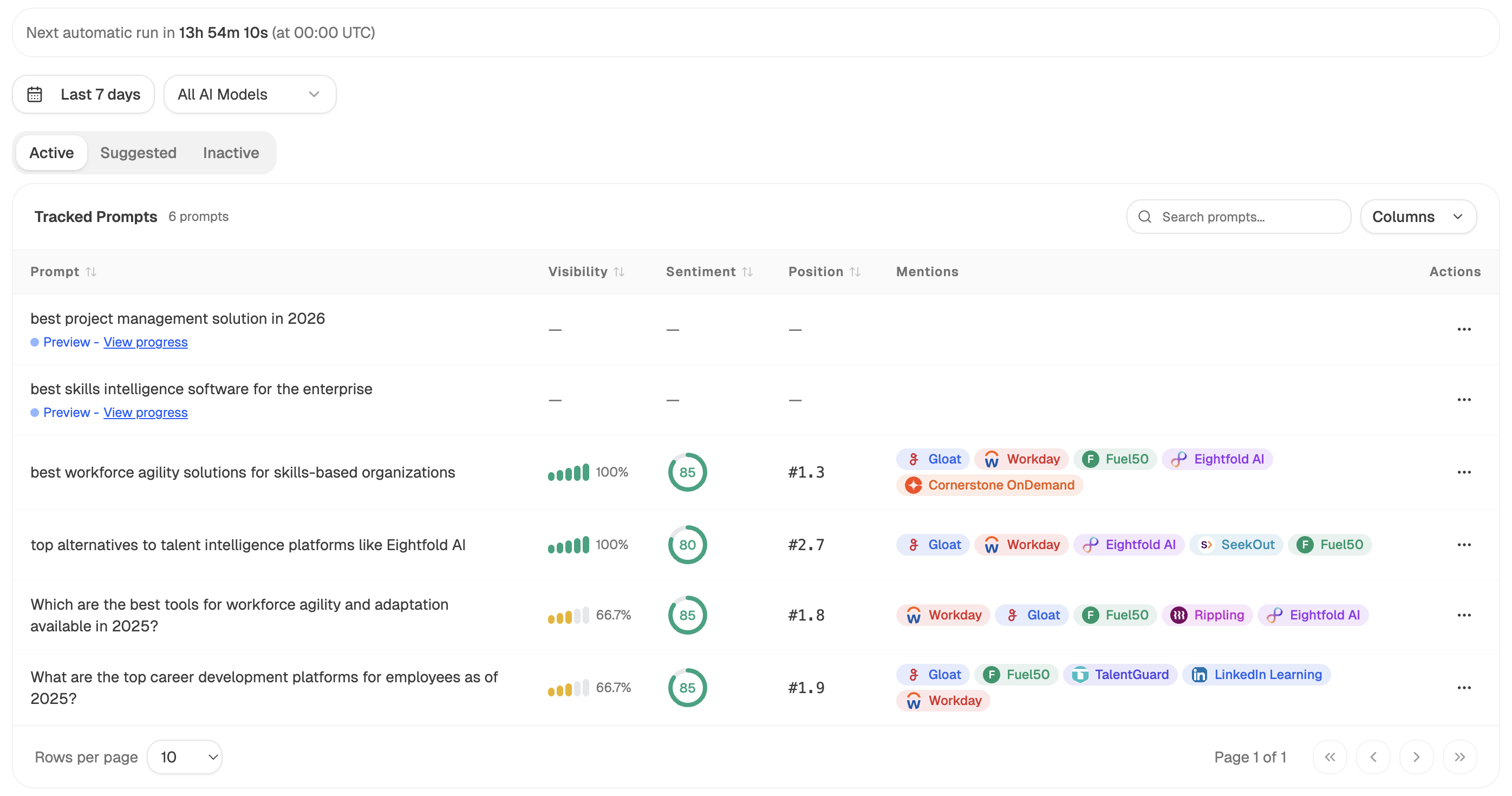
For the AI-search half the timeline can't see, a parallel scheduled agent tracks which prompts in your category cite you, so the rep can be told what an assistant would have said about you to an account that never visited.
FAQ
Related answers
- Which pages and queries influenced a deal even when they weren't the first or last touch?
- How should I value content that influences a deal but doesn't create the lead?
- How do I report marketing contribution when a B2B sale has many touches and decision-makers?
- How do I map organic landing pages to the customers they eventually produce?
Want the account's content history attached to the deal before the call? Start a free Analyze AI trial and build it as a webhook agent.