
How do I estimate the business value of a keyword before writing the content?
Short answer
Follow a year of searchers through your own funnel one step at a time. How many search it, how many click you at the spot you expect to reach, how many of those become sales conversations, how many of those close, and what a customer is worth. Then cut the whole thing down by your real chance of ranking. That last step is the one people skip, and it is usually where the fantasy lives.
Walk one keyword through your funnel
Take a term with 2,400 searches a year and say you are aiming for third place.
- 2,400 searches, and 18 out of 100 people click you at that spot, so 432 visits
- 432 visits, and 3 in 100 start a sales conversation on pages like this, so 13 conversations
- 13 conversations, and you close about 1 in 5, so roughly 3 customers
- 3 customers at $14,000 each, so about $41,000 a year
That is the optimistic version, and it assumes you get to third place.
Now be honest about that. If you already sit on page two for something similar, call your chances even. If you are starting from nothing against the biggest names in your market, one in six is generous.
Halve the $41,000 and you get about $20,000 a year. That is the number worth putting in a planning doc, and it is what lets a small term beat a huge one.
Get your own click rate, not a published one
One input trips almost everybody up, and it is the click rate.
Published charts telling you what third place earns are averages across the whole web. Yours is two clicks away. In Search Console, filter to search terms where your average spot is between 2.5 and 3.5, then divide clicks by impressions. That is what third place is really worth to you, and for most B2B sites it is well below the published figures.
Everything else comes from places you already look. Volume from your keyword tool, checked against your own impressions. Conversion rate from your analytics and CRM, for pages like this one only, not a site-wide average. Close rate and customer value from finance.
Spend your time on the inputs that swing hardest
Not all five numbers deserve the same argument.
| Input | How much it can swing | Worth checking |
|---|---|---|
| Your chance of ranking | 1 in 6 up to 9 in 10 | First, always |
| Conversion rate | Ten times between page types | Second |
| Click rate | About three times by position | Third |
| Customer value | You already know it | Fine as is |
| Search volume | About double between tools | Argue about it least |
Teams spend an hour debating whether a term gets 2,400 or 4,100 searches and thirty seconds on whether they can rank at all. The first argument is worth minutes. The second can be wrong by five times over.
Size the term for AI answers too
There is no volume figure for AI prompts, and there will not be one. So size the term a different way and keep it in its own column.
Analyze AI has two features built for exactly this. The Query Fanout Estimator takes a page idea and estimates how many related questions it could realistically answer, which stops you valuing a page at one keyword when it will serve thirty. Then Ad Hoc Prompt Searches lets you type the question as a buyer would and see live whether assistants name vendors at all.
Be careful what you promise from this. Our own state of AI search research measures whether brands get named and cited across 22,295 answers. It says nothing about clicks, so there is no honest way to turn a citation into a dollar figure. Size it as reach, and remember that one check proves nothing, which is why researchers argue visibility should be measured over many runs rather than one.
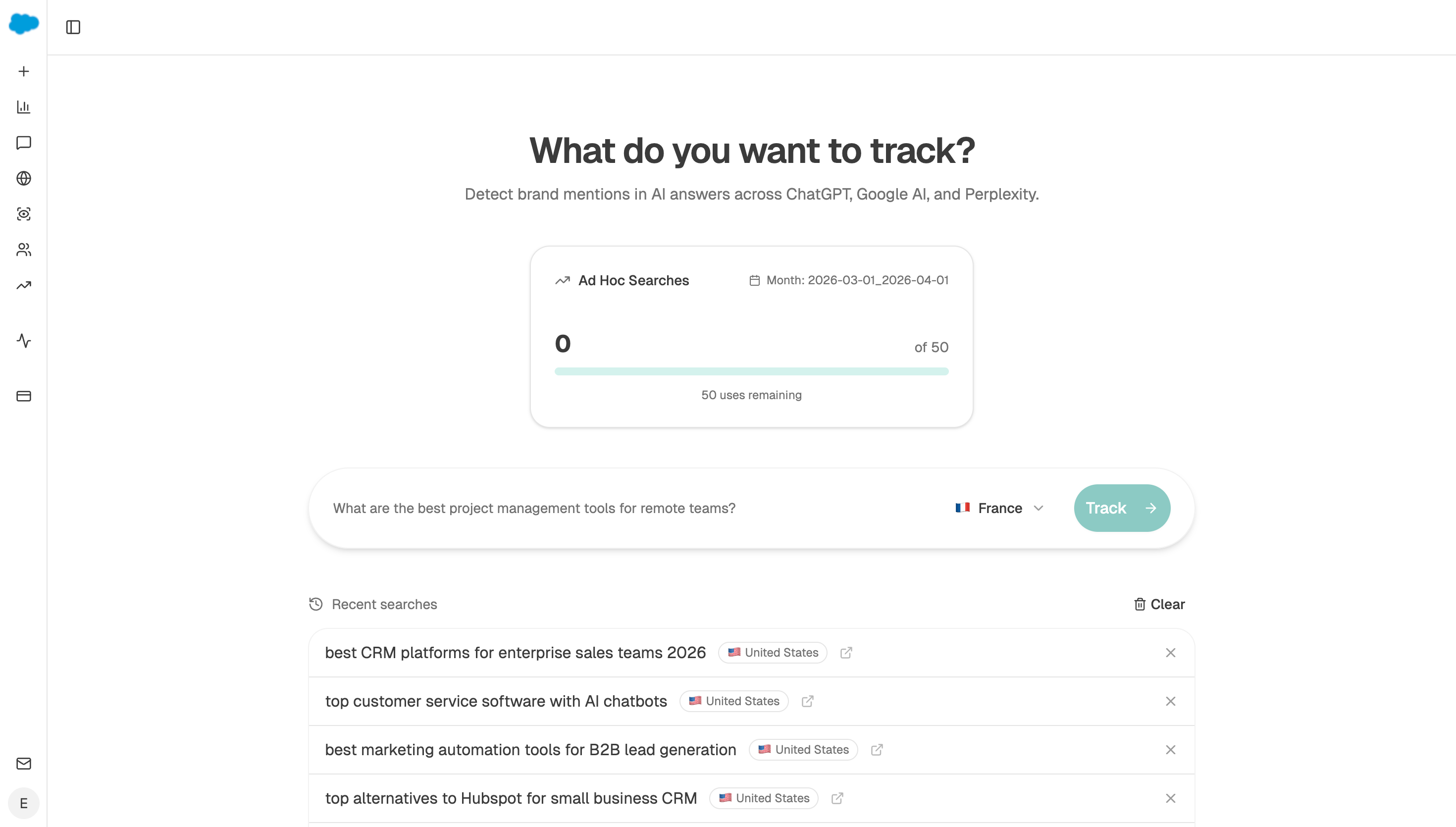 An ad hoc run shows whether assistants answer the question with vendors in it, before you put a number against the topic.
Build the calculator once and reuse it
Doing this by hand for forty terms is where the habit dies, so hand it to an agent.
Start (manual, with your candidate terms as a query-set) → search-demand recipe for volumes → GSC Top Keywords for Page to pull your own click rate at the spot you are targeting → Query Fanout Estimator for the wider question surface → HubSpot Search Deals for close rate and customer value → Code node running the five steps and the cut for your ranking odds → Export Excel.
Add the Query Fanout Estimator on purpose rather than as an afterthought. A page almost never earns its keep from one keyword, and knowing the wider question surface before you write is what stops you turning down a good page because one number looked small.
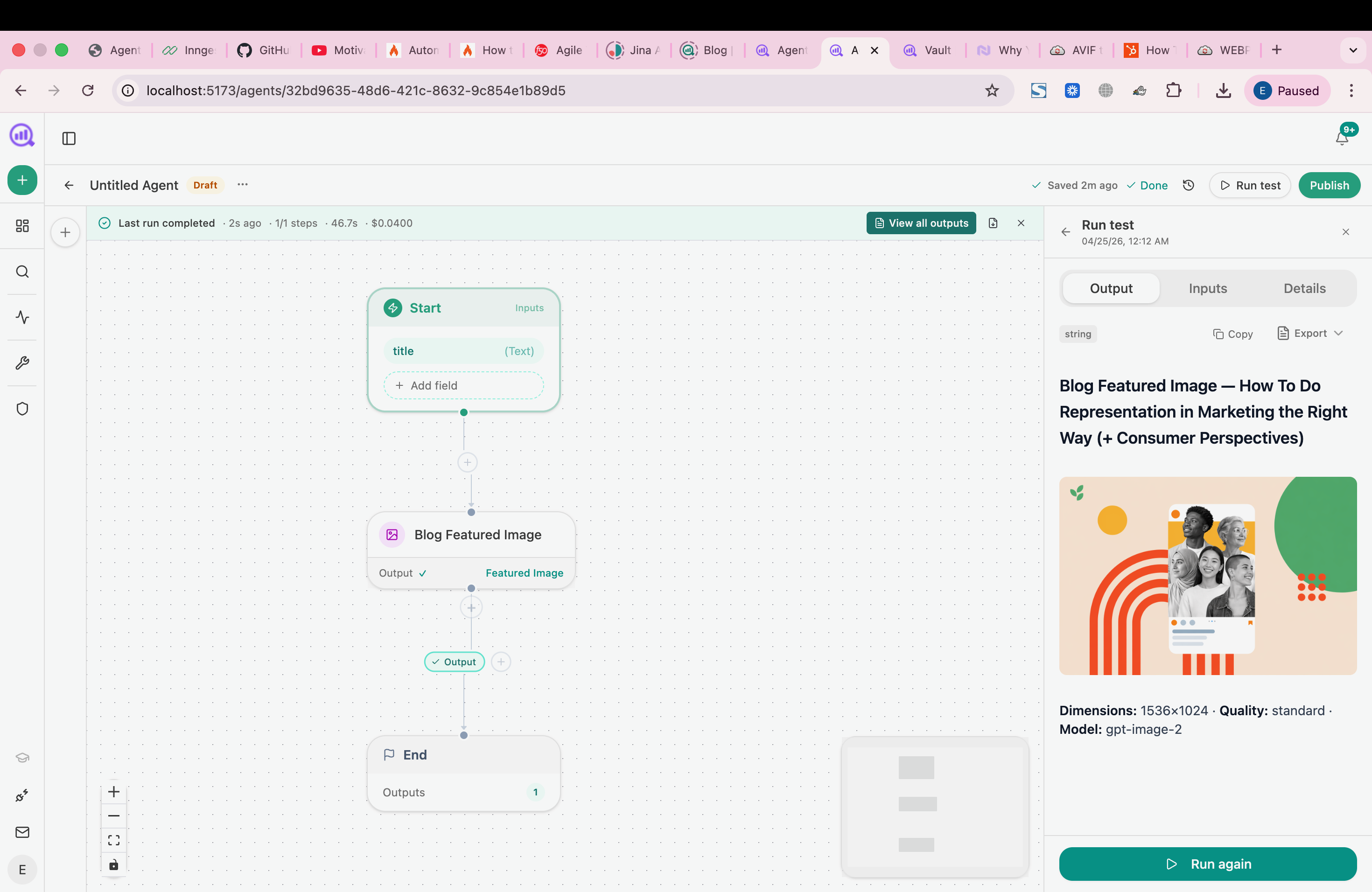 Holding the calculation in a workflow means the demand, click-rate and CRM inputs all refresh in the same run.
FAQ
Related answers
- Which low-volume keywords are most likely to drive revenue?
- How do I prioritize content ideas by expected revenue and effort?
- How can I forecast organic revenue when search performance is uncertain?
- Should I prioritize a high-volume informational topic or a low-volume buying question?
Put a number on the idea before you brief it
Analyze AI pulls demand, your own click rate, and your CRM close rates into one estimate, so your list is ordered by money instead of volume.
Start your free trial