
Which low-volume keywords are most likely to drive revenue?
Short answer
The ones that already start sales conversations, even though almost nobody searches them. Pull every search term that brought you fewer than 400 impressions last year and at least one click. Match those terms to the deals they produced. The winners are nearly always terms where someone names a competitor, names a tool they already use, or describes a problem they are stuck on.
Stop sorting by volume and start sorting by outcome
Your keyword tool says 30 searches a month, so you skip it. Meanwhile a competitor writes that page and closes two deals from it in a quarter.
Here is why that happens. At the small end, the volume numbers barely differ. A term with 40 searches and a term with 90 are the same size once Google rounds them and lumps in close variants. What is completely different is who types them.
So sort on the thing that differs. Count how many sales conversations each term produced for every hundred times you appeared in search.
Count sales conversations per hundred appearances
You need Search Console and your CRM. Nothing else.
- Export the last 12 months of search terms from Search Console with impressions and clicks.
- Keep the terms with fewer than 400 impressions for the year and at least one click.
- Find the page each term sends people to.
- In your CRM, pull the deals created in the same year with the page people first landed on.
- For each term, divide deals by impressions, then multiply by a hundred.
Now you can compare a tiny term against a big one fairly.
| What someone searched | Times you appeared | Deals | Per 100 appearances |
|---|---|---|---|
| "[competitor] alternative for agencies" | 210 | 4 | 1.90 |
| "export search console data to hubspot" | 340 | 5 | 1.47 |
| "attribution for long sales cycles" | 290 | 2 | 0.69 |
| "what is multi touch attribution" | 11,400 | 5 | 0.04 |
The last row looks like your best page in every traffic report you have ever built. It is worth about a fortieth as much per person who sees it.
Know which wordings keep winning
Across the lists we build, four kinds of phrasing sit at the top again and again.
- A competitor plus a detail about themselves. Not "[competitor] alternatives" but "[competitor] alternative for a small agency". The extra words are the buyer describing who they are.
- A tool they already pay for. "In HubSpot", "with GA4", "from Search Console". These people own half your setup already and want to finish the job.
- A limit they are working around. "Without a developer", "for a team of two", "on the free plan". Nobody mentions limits unless they are actually planning to buy.
- Something that is broken. "Not working", "keeps resetting", "why does my report show". This is the closest thing to a support ticket that arrives through Google.
Terms that ask what something means almost never make the top of the list.
Check one big deal is not fooling you
One large customer can make a term look brilliant forever, so add two quick guards.
First, do not rank a term at all until it has produced two separate deals. A score of 1.90 built on one customer is a story about one person.
Second, take out your biggest deal and work out the top ten again. Terms that stay are real. Terms that vanish never were. This is one extra column in your sheet and it stops a whole programme being justified by a fluke.
What happens when the click never comes?
Sometimes it will not, and that limits this method rather than breaking it.
When an AI summary sits on the page, Pew Research found people clicked a source link in about 1% of visits. So a small term can be fully answered without ever sending you the click your score is built on.
For those terms you need a different measure. Analyze AI tracks whether assistants used your page as a source at all, through the Citation Pages and Citation Share views. That tells you the page is being read even when your analytics shows nothing. It is worth saying plainly that this is not traffic and we do not pretend it is. Our own state of AI search research counts 115,843 citations and makes no claim about clicks.
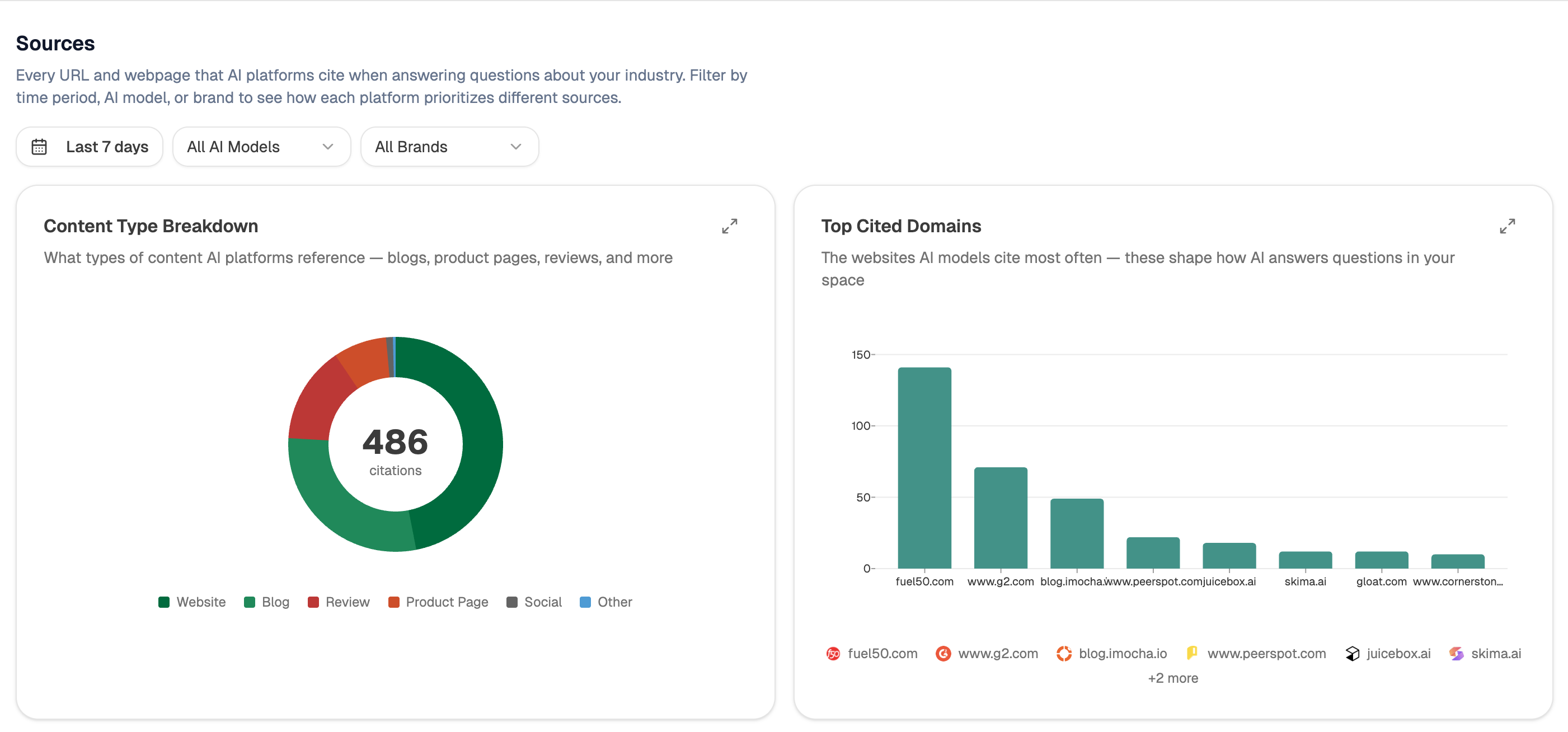 The Sources view lists the pages assistants built their answers from, which is how a small page shows up as used even with no visit recorded.
Let an agent rebuild the list every month
Do it by hand once so you trust it. After that, hand it over.
Start (schedule, first Monday of the month) → GSC Top Keywords for Site and Keyword-Page Breakdown → HubSpot Search Deals for the same period → Code node doing the division and dropping any term under 50 impressions → Branch sorting the results into "write this now", "watch it", and "leave it" → Export Excel attached to the run.
The Code node is where the discipline lives. Doing the sum inside the agent means it runs against fresh CRM data every month, so a term that stops producing deals falls off the list without anyone having to remember. Add the search-demand recipe if you want tool volumes next to your own numbers, and see low-competition keywords for judging how hard each one is to rank for.
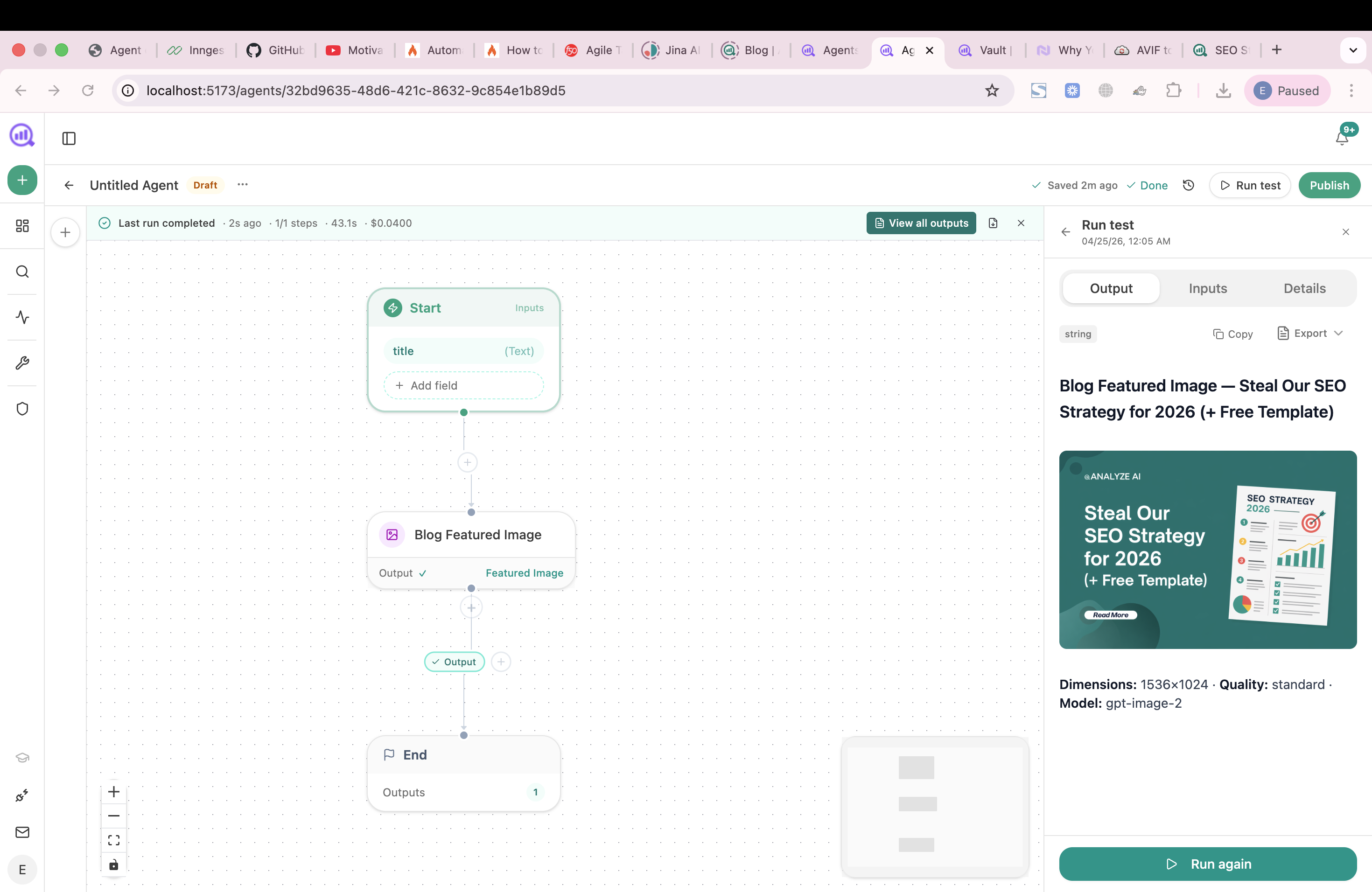 The monthly rebuild is a workflow on this canvas, chaining the Search Console and HubSpot nodes into a Code step.
FAQ
Related answers
- How do I estimate the business value of a keyword before writing the content?
- Are zero-search-volume topics worth writing about?
- Should I prioritize a high-volume informational topic or a low-volume buying question?
- How do I prioritize content ideas by expected revenue and effort?
Find the small terms that bring real deals
Analyze AI joins your Search Console terms to the deals in your CRM and ranks every small term by what it actually brings in.
Start your free trial