
How do I find topics that attract buyers instead of students and researchers?
Short answer
Look at the words people search, not the subject they search about. Buyers use words that name a type of product, compare options, mention money, or name a tool they already use. Students ask what something means and where it came from. Tag your top search terms against that list, then check how many deals each group actually brought in.
Sort by the words, not the subject
Say you write a post about attribution. It does well. Traffic is up and nobody buys anything.
That is because the same subject serves two people. A marketing student writing an essay lands on it, and so does a VP who has just been asked to justify her budget. The subject is the same for both, so picking topics by subject can never tell them apart.
What is different is the words they type. That difference is already sitting in your Search Console, so this is something you can check rather than argue about.
Tag your top hundred search terms
Forty minutes, no new tools.
- In Search Console, set the date range to the last 12 months.
- Export your pages and your search terms, then use the page and keyword breakdown to see the main term for each page.
- Keep the top 100 pages by clicks.
- Tag each term using the list below. If a term fits both, call it a buyer.
| What the words do | Examples | Who is searching |
|---|---|---|
| Name a type of product | "attribution software", "call tracking tool" | Buyer |
| Compare or rank things | "best", "vs", "alternatives", "top 10" | Buyer |
| Mention money or size | "pricing", "cost per seat", "for enterprise" | Buyer |
| Name a tool they use | "in HubSpot", "with GA4", "Search Console API" | Buyer |
| Ask what something means | "what is", "meaning", "definition of" | Researcher |
| Ask where it came from | "history of", "origins", "theory" | Researcher |
| Ask for study material | "examples for students", "thesis", "literature review" | Researcher |
The tagging is deliberately dull. If someone who has never seen your product cannot follow the steps, it is a theory rather than a test.
Check the tags against real deals
Tagging tells you what you think a term means. Your CRM tells you whether you were right.
Pull visits and conversions per page from GA4, match them to your tagged pages, then work out the conversion rate for each group.
A typical split looks like this. Researcher pages bring 34,000 visits and 68 sales conversations. Buyer pages bring 17,000 visits and 386. So the researcher group is two thirds of your traffic and about a seventh of your pipeline. That is why your traffic chart and your pipeline chart tell opposite stories every month.
Two things to watch. Count sales conversations rather than form fills, because a gated PDF collects students very efficiently. And ignore any page with fewer than about 30 conversions, since a rate built on four will swing wildly and send you rewriting the wrong page.
See which questions put vendors in the answer
The same split shows up in AI assistants, and it is even sharper there.
In our own state of AI search research, short questions that mentioned a use case or who the person was named a brand in 76.7% of answers, against 50.8% without that detail. Questions asking for a recommendation or the best option reached 63.1%, against 46.4%.
The use-case figure rests on 7 prompts and the recommendation figure on 22, so treat both as a direction rather than a benchmark. Our own analysis calls these associations rather than causes.
Read that as a sign of who gets mentioned, not of traffic. Buyer-shaped questions are the ones where assistants bring up products at all. A question asking what something means can be answered completely without your type of product ever coming up.
You can test this yourself in Analyze AI. Ad Hoc Prompt Searches lets you type a question the way a buyer would and see the live answers from ChatGPT, Perplexity and Google AI Mode side by side, including whether any vendor is named. Buyer intent keywords covers the same idea for ordinary search.
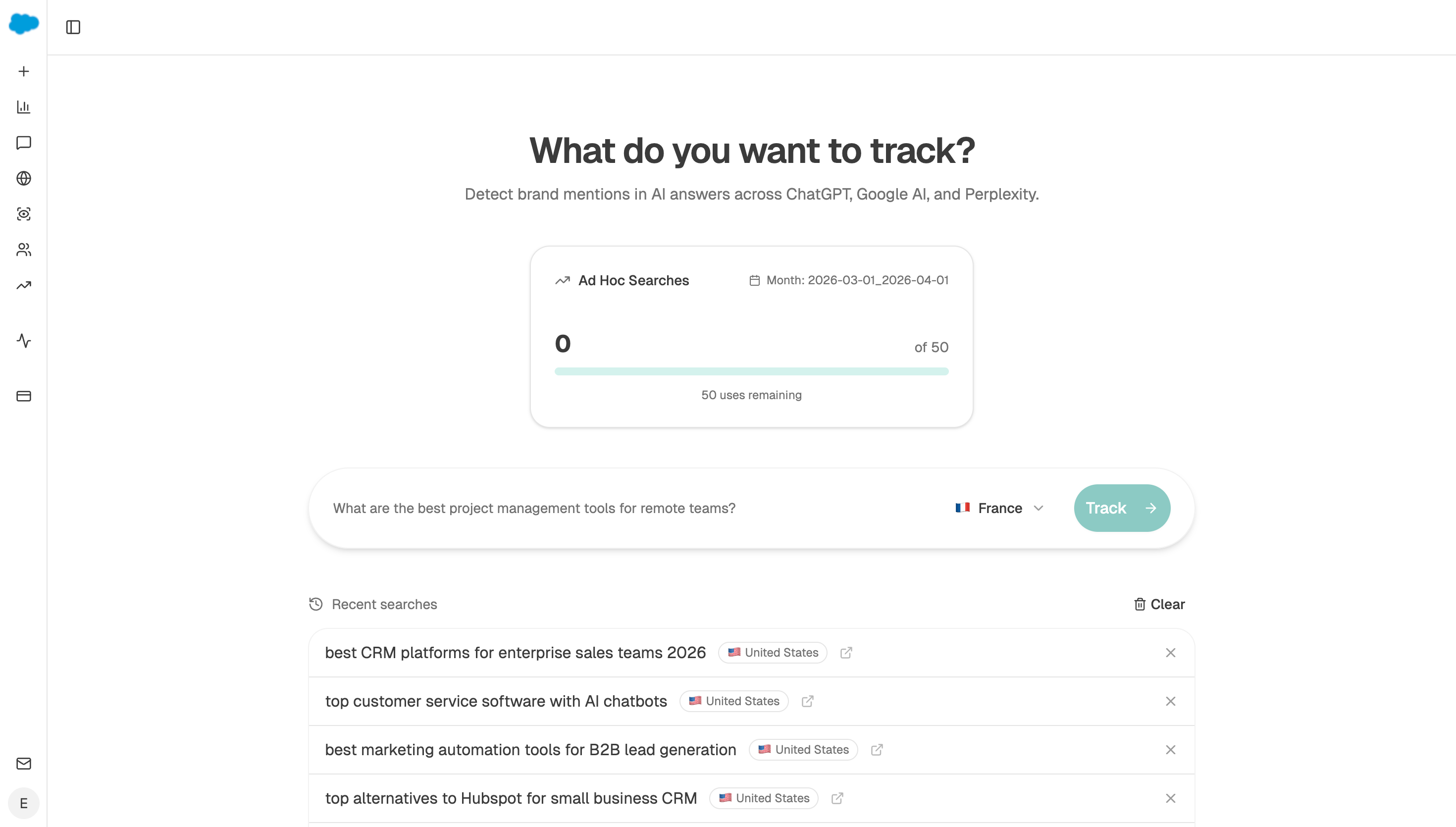 Ad hoc prompt search runs the question live across all three assistants, so you can see for yourself whether any vendor gets named.
Hand the tagging to an agent
Do it by hand once so you trust the output. Then let it run.
Start (manual, your tracked buyer questions as a query-set) → GSC Page-Keyword Breakdown for your top pages → Prompt LLM tagging each term against the table → HubSpot Search Deals to attach closed business to the pages behind those terms → Conditional dropping any page with fewer than 30 conversions → Export CSV attached to the run.
The Conditional is the node people leave out. Without that floor, the agent will happily crown a page with three conversions as your best buyer topic, and that number ends up in a plan nobody checks again. Pair it with the intent-mismatches recipe when you want the pages already ranking for buying words that still read like a lecture.
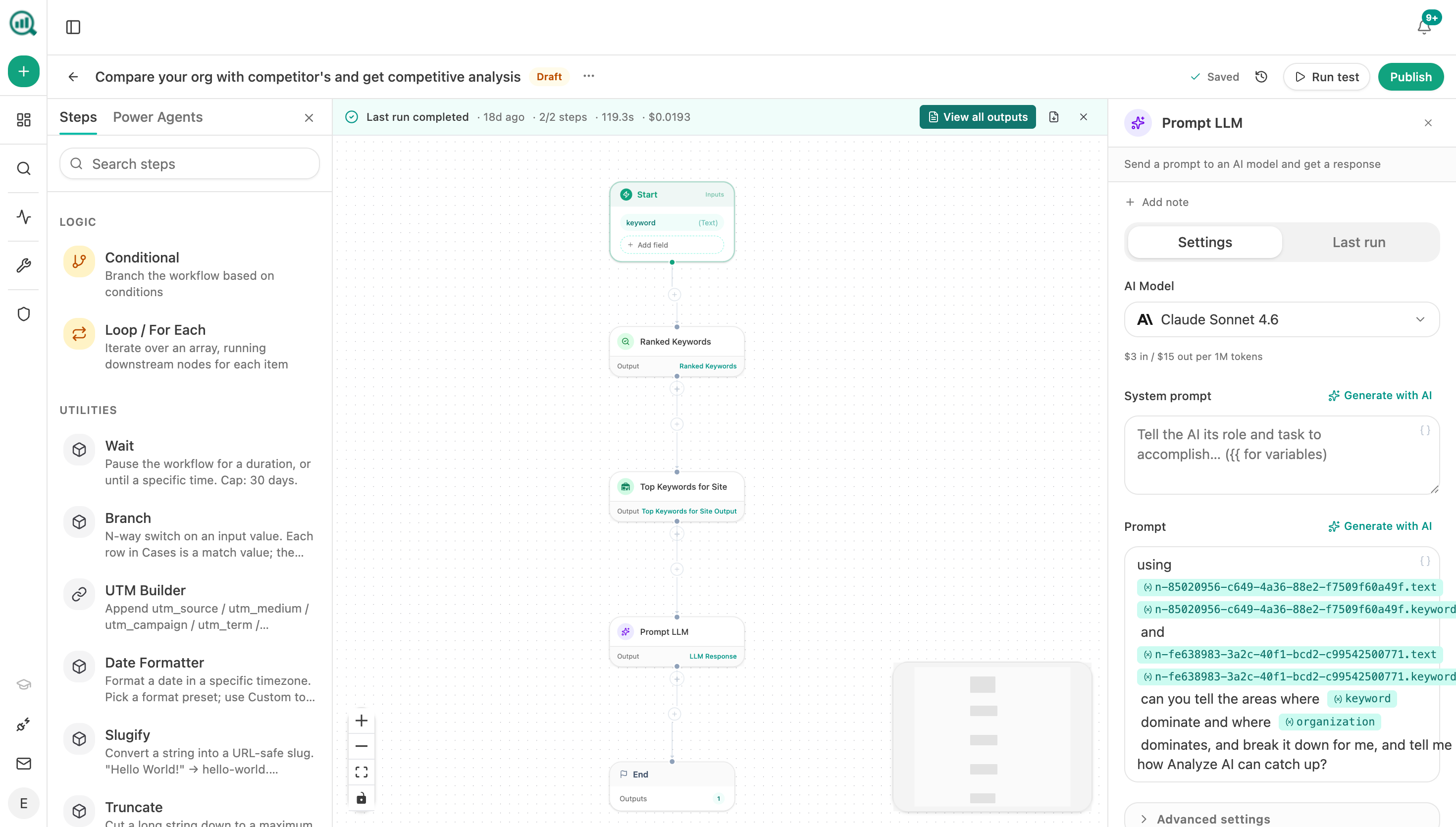 The tagging happens in a Prompt LLM step like this one, sitting after the Search Console nodes that pull your terms.
FAQ
Related answers
- Which low-volume keywords are most likely to drive revenue?
- How do I tell if a topic is relevant to my product or just adjacent?
- How do I use conversion and CRM data to pick my next content topics?
Tell buyers and browsers apart
Analyze AI tags your search terms and prompts by buying language, then matches them to the deals they brought in.
Start your free trial