
How do I maintain hundreds of pages without giving AI full publishing access?
Short answer
Split the work at the approval line. Agents do the finding, the diffing and the drafting, which is nearly all the effort. A person approves each change before anything reaches the CMS. That keeps the throughput of automation and the accountability of a human editor, and it means an agent error costs you a rejected suggestion rather than a wrong price on a live page.
Put the boundary in the right place
The instinct is to decide how much you trust an agent. The better question is which step carries the risk.
| Step | Who does it | Why |
|---|---|---|
| Find pages needing attention | Agent | Volume work, no risk |
| Diagnose what is wrong | Agent | Reversible, and a wrong diagnosis costs one review |
| Draft the change | Agent | Nothing published |
| Approve the change | Person | The only irreversible step |
| Publish | Agent or person | Mechanical once approved |
Everything above the approval line is cheap to get wrong. Everything below it is not. Automating the top four and gating the fifth gives you most of the leverage with almost none of the exposure.
Make the approval cheap enough to actually happen
An approval step that takes twenty minutes per page becomes the new bottleneck, and within a month people start rubber-stamping.
Three things keep it fast.
Show a diff, not a page. The reviewer needs to see what changed, not reread the whole article. Ten changed lines take ninety seconds to check.
Attach the reason. Each proposed change should carry why it was proposed: the claim it contradicts, the stat that expired, the link that broke. A change with a reason is a yes or no. A change without one is an investigation.
Batch by type. Fourteen pages with the same outdated price is one decision, not fourteen. Grouping by finding type is what turns a backlog into an afternoon.
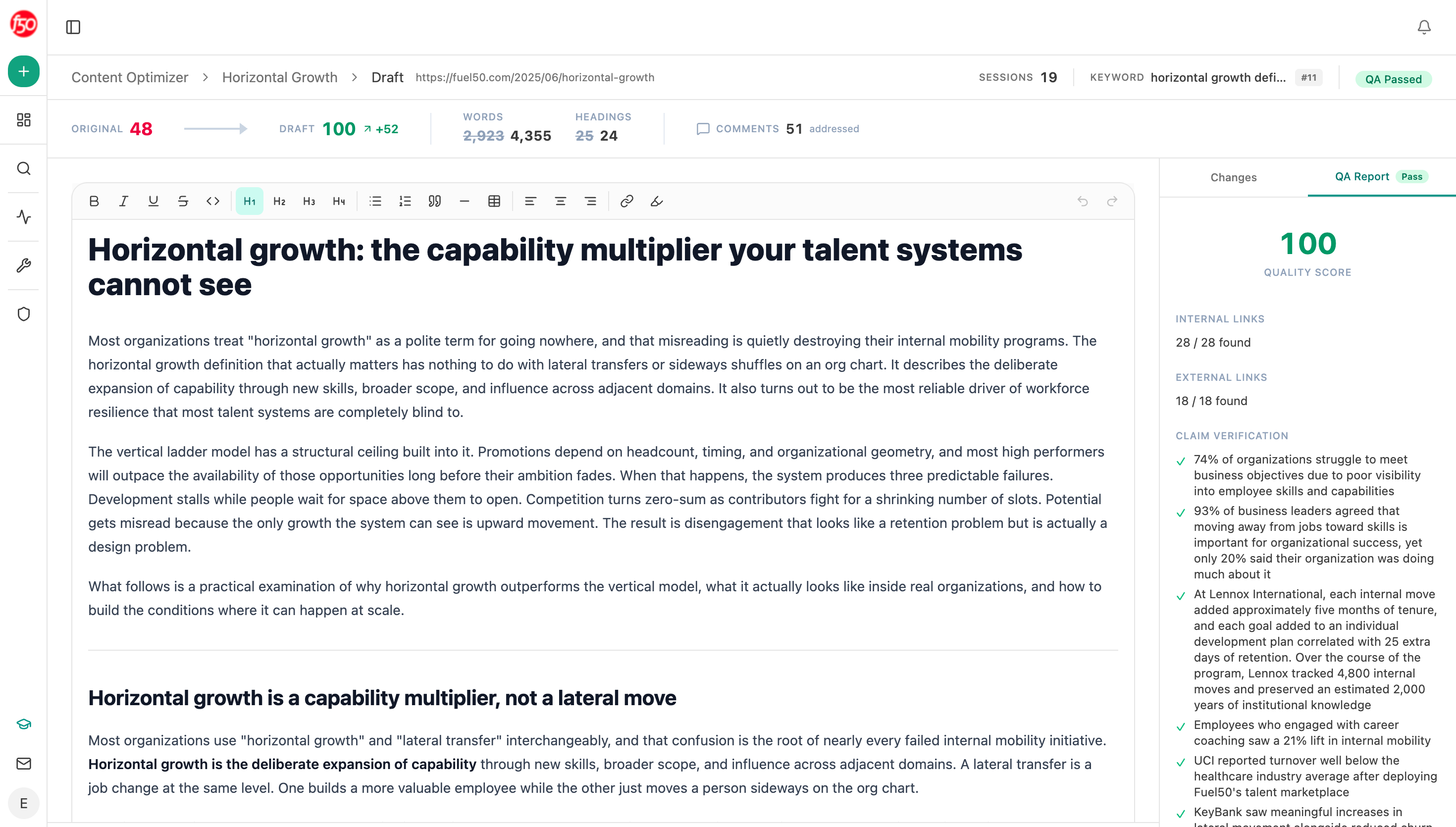 The optimizer returns the rewritten version alongside the original, which is the format an approval step needs.
Build it as a suggest-and-approve chain
Start (schedule, weekly) → stale-content and citation-decay-alert recipes for pages needing attention → Content Optimizer fetching each page and returning its gaps → Inject Brand Context pulling current claims, tone rules and disallowed phrases → Prompt LLM drafting the specific edits with a reason attached to each → proof-gaps recipe flagging any claim the draft makes without evidence → Conditional holding everything for review → Export DOCX with the diff → Send Notification to the editor.
Notice what is not in that chain. There is no WordPress or Notion write node at the end. The agent stops at the export, and publishing happens after a person has said yes.
That is a deliberate design choice rather than a limitation. Analyze AI has write nodes for WordPress, Notion, Sanity and Contentful, and you can wire them in once you trust a specific category of change. The point is that you choose which categories cross the line rather than opening all of them at once.
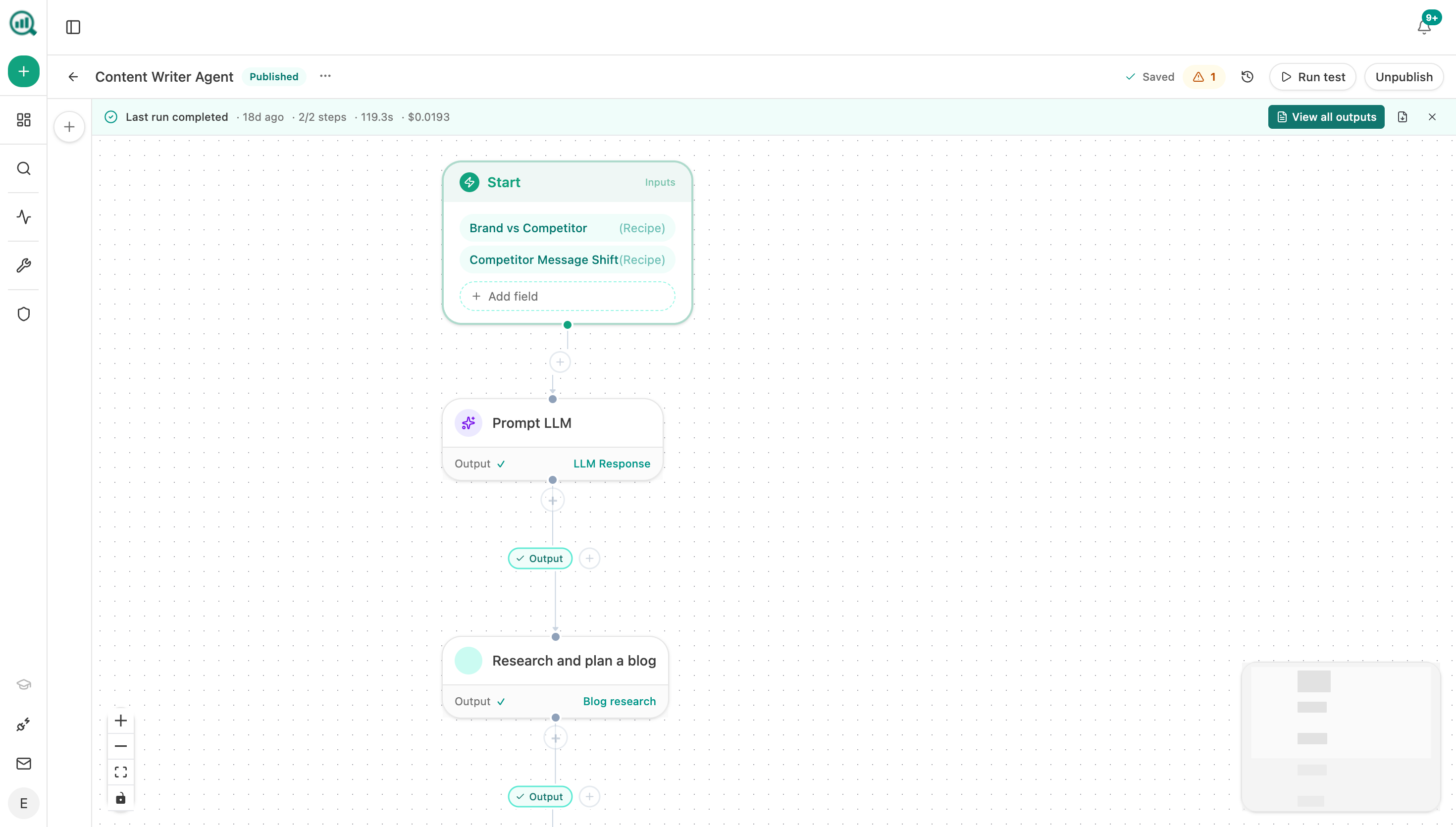 The chain ends at an export and a notification, so nothing reaches the CMS without a person in between.
Open the gate one category at a time
Once the flow is running, you will want to automate some of it further. Do it by category, not by confidence.
Reasonable first candidates, because they are objective and reversible: fixing a broken internal link, updating a date on a page whose content genuinely changed, correcting a figure that has a single authoritative source.
Poor candidates, whatever the quality of the drafting: anything touching pricing, competitor claims, security or compliance statements, and any change to a page your sales team sends in deals. Those keep a human forever, and how do I build a reusable library of approved claims and proof points is what makes the review fast rather than slow.
Keep a record of every change
Automation makes the change log more important, not less, because more changes happen and fewer people remember them.
Record what changed, why, who approved it, and the before-state figures. Without it you cannot tell whether the programme is working, and you cannot roll back a bad batch. That is the record described in how do I record exactly what changed in a refresh so I can prove it worked.
Google's guidance on creating helpful content asks whether a page shows evidence of care and would be trusted by someone researching a purchase. A maintained library with an audit trail is how you answer that at scale.
FAQ
Related answers
- Is there a tool that suggests updates I can approve, instead of auto-rewriting everything?
- How do I keep a client's knowledge base from drifting out of date?
- Who should own content maintenance after publication?
- How do I record exactly what changed in a refresh so I can prove it worked?
Automate the work, keep the approval
Analyze AI finds, diagnoses and drafts the changes, then stops at an export so a person decides what goes live.
Start your free trial