
Should this be an article, comparison page, case study, tool, or service page?
Short answer
Look at what type of page fills the top ten. If six or more are the same type, that is your format, because the result has already settled and a different shape will not get picked. If the top ten is mixed, pick whatever finishes the reader's job fastest. Then check how AI assistants answer the same question, because they lean on very different page types.
Match the format before you worry about quality
A brilliant article cannot win a result where every page is a calculator. The reader wants to do something, and your article is asking them to read about doing it.
Getting this wrong is the most expensive mistake in content, because the work still looks good. You wrote 2,000 careful words and they were the wrong shape.
So spend fifteen minutes on this first.
- Search the keyword in a private window with your target country set.
- Sort each of the top ten into one type: article, comparison, case study, tool, product or service page, or help docs.
- Count the most common type.
- Note where the odd one out sits, because a lone article at number two on a tool-heavy result is usually winning a different search.
| What you see | What it means | Build |
|---|---|---|
| Six or more of one type | Settled | That type, no argument |
| Four or five of one type | Leaning that way | That type, with something extra |
| No clear majority | Nobody has settled it | Whatever finishes the job fastest |
| Two or more calculators or tools | They want an answer, not a read | A tool, with the explanation below |
| Three or more forum posts | Nobody has done this properly | A short, specific article |
The tool row is the one people ignore. A result full of calculators is an instruction, not a hint.
Check what assistants pull from
This is where format choice gets interesting, because the assistants disagree with each other.
Our own state of AI search research, covering 115,843 citations, found this split.
| What got cited | ChatGPT | Perplexity | Google AI Mode |
|---|---|---|---|
| Company sites and product pages | 68.8% | 35.4% | 37.9% |
| Lists, comparisons and reviews | 13.9% | 34.4% | 33.1% |
| Teaching and editorial pages | 11.9% | 25.2% | 23.8% |
Read it as routing. If your buyers lean on Perplexity or Google AI Mode, comparison pages are about a third of everything cited, so a comparison page pulls double duty. If they lean on ChatGPT, your own product pages carry most of the weight, which makes it worth writing those properly rather than as brochures.
Analyze AI shows you which way your own market leans. The Sources view breaks down the pages behind your answers, and the top-sources-landscape recipe ranks the sites and page types that dominate your category. Google's AI features documentation confirms there is no special format to qualify, only a preference in what gets picked.
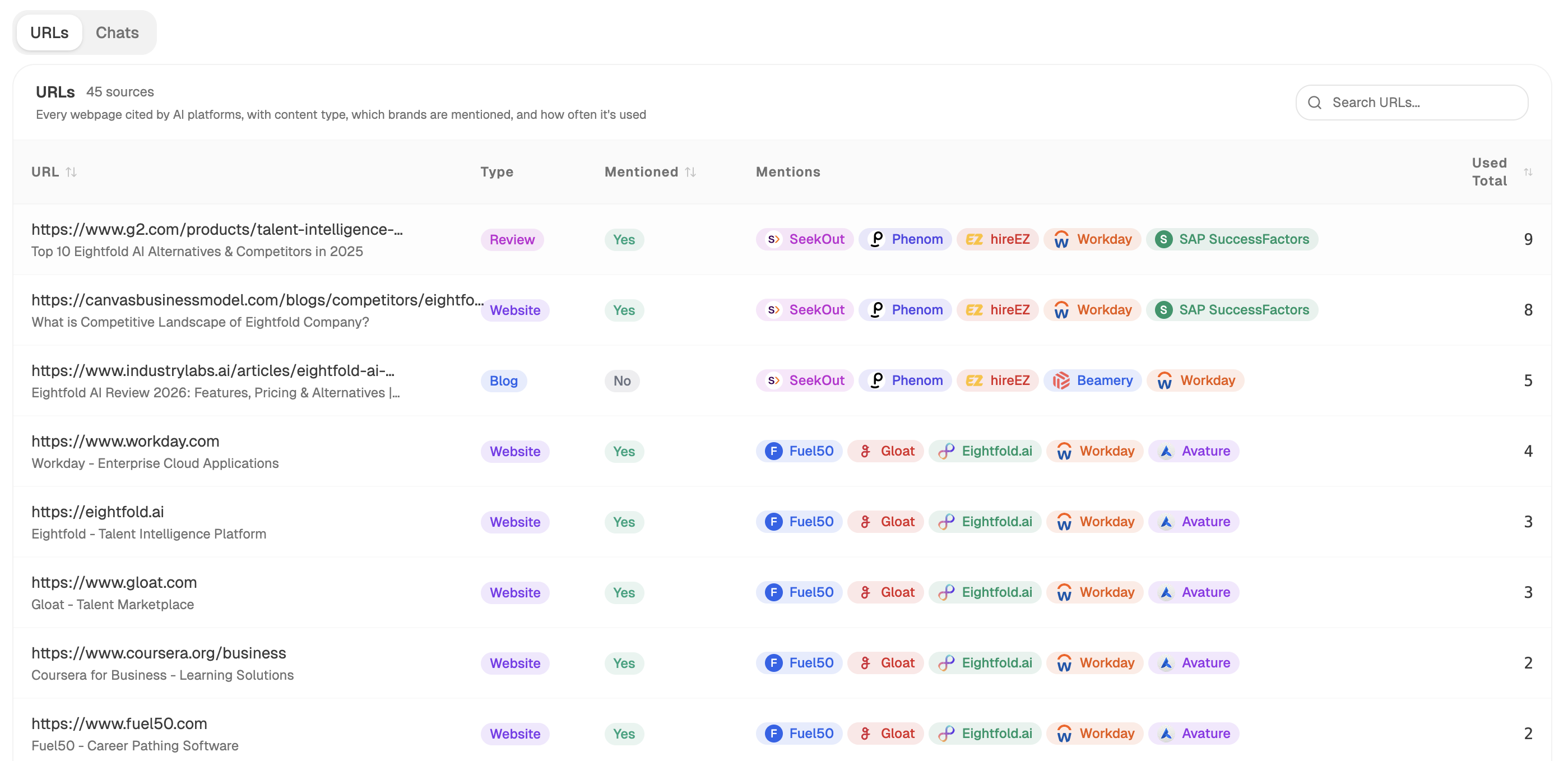 Sources shows which kinds of pages feed the answers in your market, so format choice accounts for both channels.
Pick by the job when the result is mixed
- They need to choose between named options. Comparison page. Include the case where a competitor is the better pick, which is what makes the rest believable.
- They need to believe it works for someone like them. Case study, with a number and a timeframe.
- They need an answer right now. A tool. A calculator that gives a figure beats 2,000 words explaining the sum.
- They need to understand before choosing. An article.
- They are ready to buy and checking fit. Product or service page.
- They need to set it up. Help docs, and resist turning it into a blog post.
The mix matters as much as each choice. A library that is 90% articles has answered one job over and over, which is the pattern behind should a SaaS company prioritize use-case, comparison, integration, or educational pages.
Know what each format needs to be believed
| Format | The minimum it needs |
|---|---|
| Comparison | A case where you lose, current pricing, a clear verdict |
| Case study | A number, a timeframe, and where they started |
| Tool | An answer in three inputs or fewer, no signup wall |
| Article | One thing the top five do not say |
| Product or service page | Details a competitor could not paste onto their own site |
| Help docs | A working example, kept current |
The tool row is where most attempts fail. A calculator behind an email form is a form, and it will not hold a result where free tools rank.
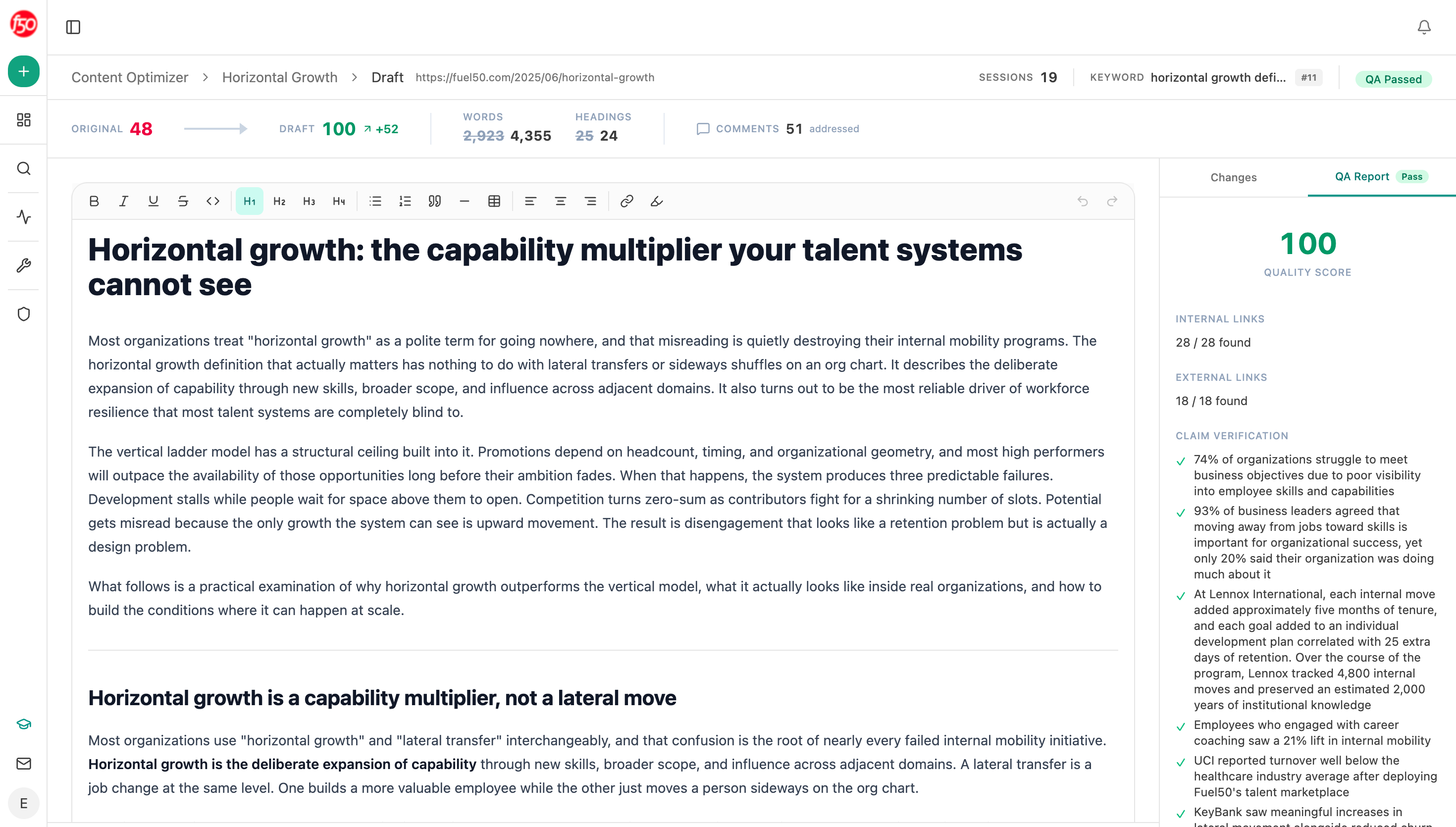 The optimizer returns the rewritten page, which shows what a format was missing rather than just scoring it.
Get the brief shaped correctly by an agent
Start (manual, the keyword typed in) → Google Search returning the live top ten → Prompt LLM sorting each result into a format and counting them → Citation Pages showing which of your pages assistants already use → top-sources-landscape recipe for the page types dominating your category → AEO Content Scorecard on your nearest existing page → Branch with one route per format, each producing a differently shaped brief.
The Branch node is there for a specific reason. One generic brief template is why so many comparison pages read like articles with a table bolted on. Giving each format its own route means the tool brief asks for inputs and outputs, and the case study brief asks for a number and a timeframe, before a writer opens it.
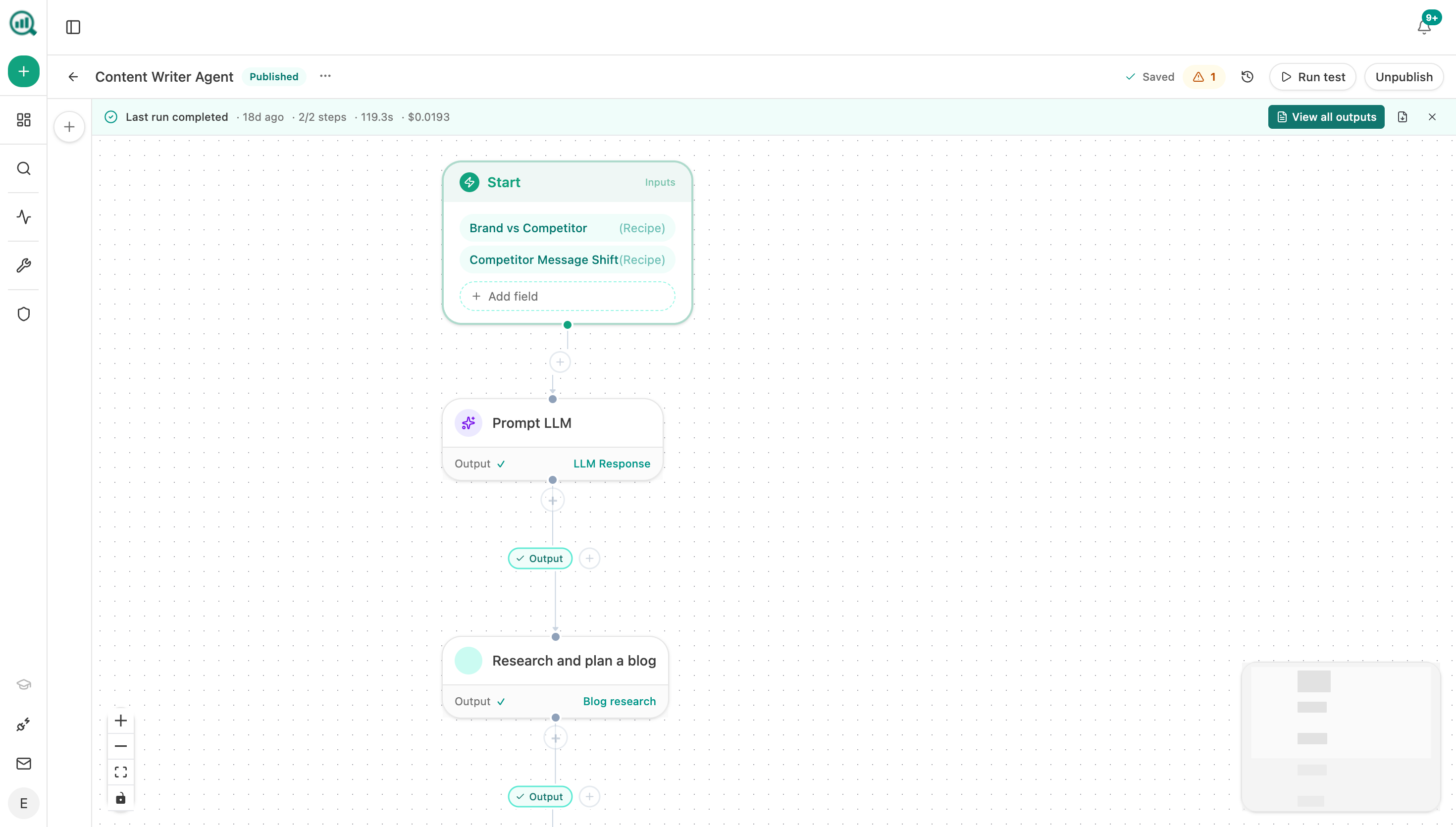 Each format gets its own route through the agent, so the brief arrives shaped for the page you actually need.
FAQ
Related answers
- When does a buyer question deserve its own article instead of an answer on an existing page?
- When is a bottom-of-funnel page worth more than another blog post?
- How do I prioritize content ideas by expected revenue and effort?
Pick the format the result already rewards
Analyze AI reads the live top ten and the page types assistants cite in your market, then returns a brief shaped to win.
Start your free trial