
Are we buying more leads when the real problem is slow follow-up?
Short answer
Check before you spend. Measure how long you take to reach each inbound lead and how often you succeed, then group the results by response time. If the leads you reach within an hour convert several times better than the ones you reach the next day, buying more leads is the expensive way to fix a scheduling problem.
Measure your own response curve
Do not use a published statistic for this. Build it from your own data in an afternoon.
- Export the last 300 inbound leads with the time the form landed and the time of the first genuine contact attempt. A real call or a written reply, not an automated email.
- Work out the gap in minutes for each one.
- Sort them into buckets: under 5 minutes, 5 to 30, 30 to 120, 2 to 24 hours, over a day.
- For each bucket, work out what share you reached, what share booked a meeting, and what share became an opportunity.
The shape is usually steep, and seeing your own version of it ends the argument faster than any benchmark.
| Time to first attempt | Leads | Reached | Became an opportunity |
|---|---|---|---|
| Under 5 minutes | 34 | 71% | 24% |
| 5 to 30 minutes | 61 | 62% | 19% |
| 30 to 120 minutes | 78 | 44% | 11% |
| 2 to 24 hours | 89 | 29% | 7% |
| Over a day | 38 | 14% | 3% |
Compare the two ways to get more opportunities
Now put a cost against each option, using your own numbers.
Say that table represents a month, with 300 leads and about 34 opportunities. Your median response time sits in the 30 to 120 minute bucket.
Option one, buy more leads. To add 10 opportunities at your current blended rate of about 11%, you need roughly 90 more leads. At a cost per lead of $180 that is $16,200 a month, every month.
Option two, respond faster. Move the 205 leads currently taking over 30 minutes into the under 30 minute buckets. At 19% instead of an average of about 8%, that is around 22 extra opportunities. The cost is a rota change, an alerting rule, and possibly one more person on the morning shift.
The second option is usually cheaper by an order of magnitude, and it is almost never the one that gets proposed, because buying leads is a budget line and fixing follow-up is an argument with another department.
Find where the delay actually happens
Before changing anything, find out which part of the gap is real.
Break the delay into three pieces. Time from form to the lead appearing in the CRM, time from appearing to being assigned to a person, and time from assignment to the first attempt.
Most companies assume the third piece is the problem and discover it is the second. Leads sit unassigned overnight, over weekends, or in a queue nobody owns. That is a routing rule, not a performance conversation, and it is usually a day of work.
The other common finding is a coverage gap. If most of your traffic is in one region and your team is in another, a third of your leads arrive while nobody is working. Check response time by hour of day before you conclude anything about your team.
Be honest about what a visibility tool can fix
This one is worth saying plainly, because it would be easy to pretend otherwise.
Analyze AI does not make your team call people faster. Speed to lead is a routing and staffing problem, and it gets fixed in your CRM and your rota, not in a marketing platform.
What Analyze AI can tell you is whether you need more leads at all. If your buying questions already surface you, your comparison pages already rank, and your accepted-lead share is healthy, then more traffic is not your constraint and the follow-up work is where the return is. The funnel-coverage recipe and Visibility Score answer that question in an afternoon, which is enough to stop a six-figure spend that would not have worked.
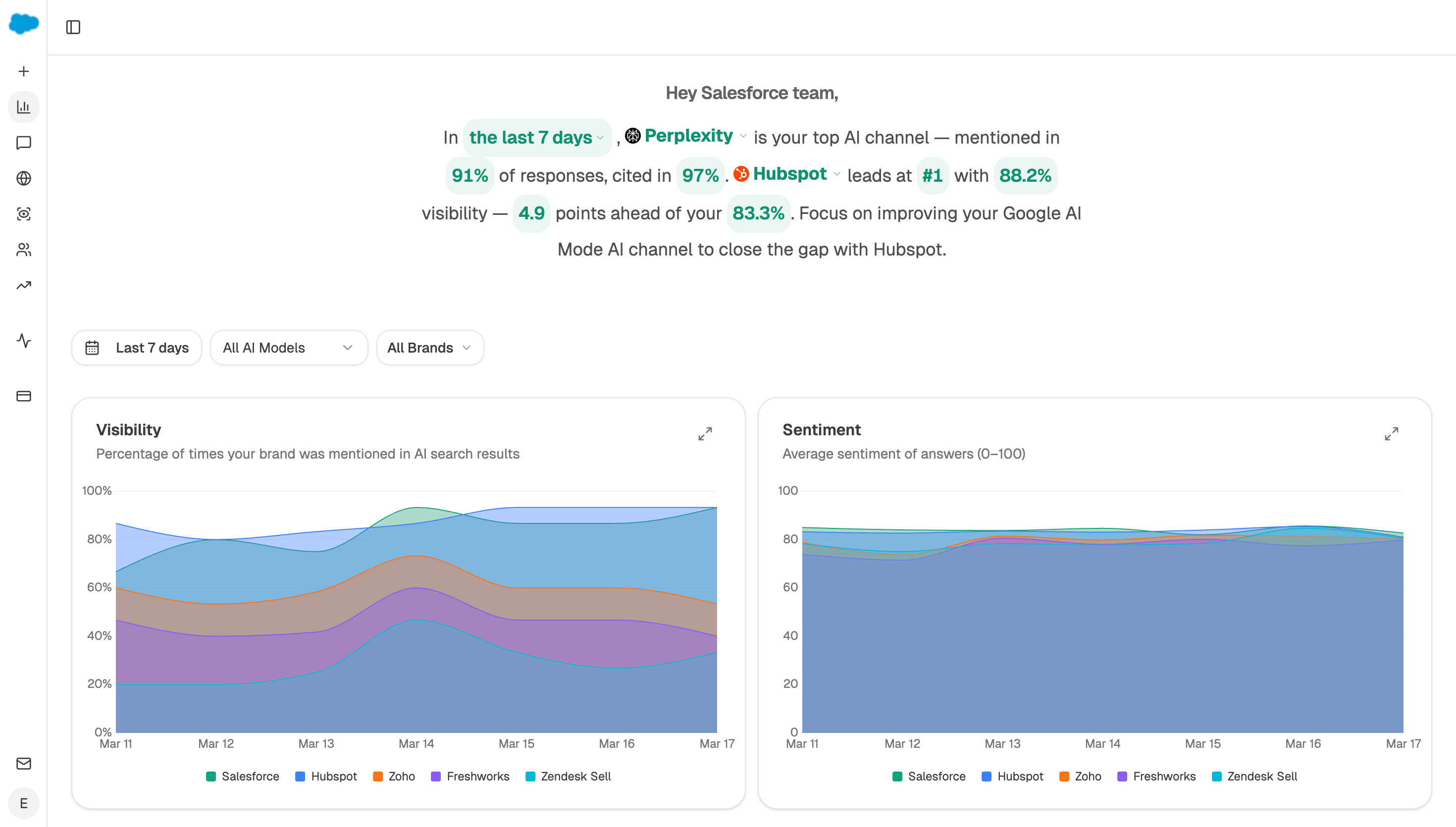 This is the question Analyze AI can answer: whether you are being named often enough for demand to be your real constraint.
Do not let assistant traffic distort the read
One measurement point matters here, because it changes who your fast leads are.
The AI Assistant channel in GA4 only covers dates from 13 May 2026 onward, with nothing backfilled. Perplexity sessions have been landing in Referral, since Perplexity has not been on Google's list of sources. Anything from Google's own AI Overviews or AI Mode counts as Organic Search, and a missing referrer sends the visit to Direct. Read Google's channel definitions instead of trusting a published list.
Buyers arriving from assistants tend to be further along, so they are more likely to respond quickly and more likely to convert. If those leads are scattered across three channels, your response curve will look better or worse than it is depending on where they landed. Analyze AI separates them in AI Traffic Analytics so the comparison is fair.
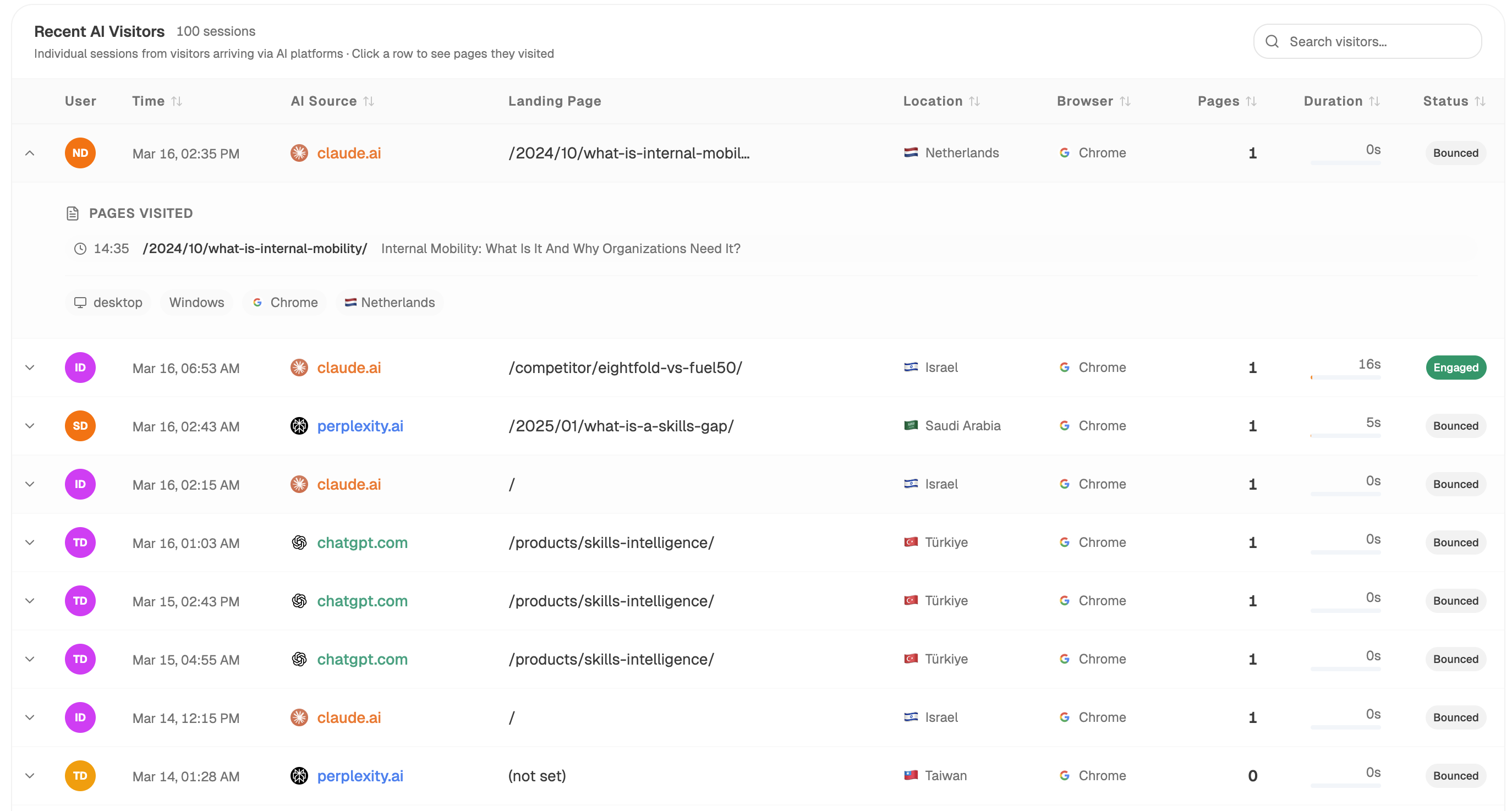 Assistant sessions are separated out, so a response-time comparison is not distorted by mislabelled traffic.
Watch the curve without rebuilding it
Start (schedule, weekly) → HubSpot Search Contacts for leads created with their creation and first-activity timestamps → HubSpot Get Deal with its logged activity for the first genuine contact attempt → Code node bucketing by delay and working out reach and opportunity rates → Conditional firing when the median response time crosses your threshold → Send Notification to the sales lead with the current curve.
Alerting on the median rather than sending the table every week is what keeps it useful. Response time drifts slowly, and it is only worth anyone's attention on the weeks it moves.
FAQ
Related answers
- How do I tell lead volume from lead quality?
- Why do our MQLs never become pipeline?
- Why does our organic traffic not produce demos, calls, or sales?
- Which pages produce qualified opportunities rather than just form fills?
Check whether you need more leads at all
Analyze AI tells you whether demand is your real constraint, so you can stop buying leads to solve a scheduling problem.
Start your free trial