
Why does our organic traffic not produce demos, calls, or sales?
Short answer
Almost always one of four things, and they have to be checked in order. Are you attracting people who buy? Do they land on pages that can sell? Is there a next step they are willing to take? Does anyone follow up quickly? Fixing the fourth gate never helps if the first one is broken, which is why most conversion projects fail.
Check the gates in order
Teams usually start at the end. They redesign the call to action, add a chat widget, and shorten the form. Nothing moves, because the people arriving were never going to buy.
So work through the gates in this order and stop at the first one that fails. Each check takes under an hour.
| Gate | The question | Where to look |
|---|---|---|
| 1 | Are these people buyers? | Search Console terms |
| 2 | Can these pages sell? | GA4 landing pages |
| 3 | Is the next step acceptable? | Call-to-action click rate |
| 4 | Does anyone follow up? | CRM response times |
Gate one: are these people buyers?
Export your top 100 search terms and read them. Count how many name a type of product, compare options, mention money, or name a tool the person already uses. Those are buyers. Terms asking what something means are not.
If more than about 70% of your traffic comes from terms asking what things mean, you have found your problem and nothing further down matters. You are attracting readers, not shoppers.
This is the most common cause by a wide margin, and it is the one nobody wants it to be, because the fix is a year of different topics rather than a week of new buttons. How do I find topics that attract buyers instead of students and researchers is the fix.
Gate two: can these pages sell?
Now list your top 20 landing pages by visits and ask a blunt question about each one. If a ready buyer landed here, could they get to a purchase conversation?
A blog post about a concept usually cannot. A comparison page can. A pricing page can. If your top 20 is all blog posts, your traffic is arriving somewhere with no exit.
Check the split. Add up visits to pages that can sell against visits to pages that only teach. In most B2B sites we look at, the teaching pages take over 80% of traffic, which caps conversion no matter how good your form is.
Two fixes, and they work together. Build the pages that can sell, which is counted in when is a bottom-of-funnel page worth more than another blog post. Then build paths from your teaching pages to them.
Gate three: is the next step acceptable?
Look at how many people who reach your call to action actually click it.
If people are reading the whole page and not clicking, you are asking for too much. Someone who just learned what a term means is not ready to book a 30-minute call with a salesperson. The gap between what the page gave them and what you asked for is too wide.
Give them something smaller. What should the next step be for a visitor who isn't ready for a demo covers what to offer instead.
If they click and then abandon the form, that is a different problem and usually a shorter one to fix. Count your fields and cut the ones nobody uses.
Gate four: does anyone follow up?
Pull your last 100 inbound leads and measure the minutes between the form landing and the first real contact attempt.
If your median is measured in hours or days, you do not have a traffic problem at all. You have leads that went cold while sitting in a queue. This is worth checking before you spend a quarter on content, and are we buying more leads when the real problem is slow follow-up has the sums.
Make sure the data is not lying to you
Before you trust any of this, check that your conversions are landing in the right place.
Google's AI Assistant channel in GA4 started on 13 May 2026 and does not backfill, so anything earlier sits elsewhere. Perplexity has not been on Google's source list, so those visits land in Referral. Google's own AI Overviews and AI Mode clicks are filed under Organic Search rather than any AI channel. Visits with no referrer at all fall into Direct.
The result is that some of your best-converting visitors are probably filed as Direct while your organic numbers look worse than they are. Check Google's channel definitions rather than any published list, because the list moves.
Analyze AI splits this out in the AI Traffic Analytics view, which separates assistant visits from ordinary organic instead of blending them into one number.
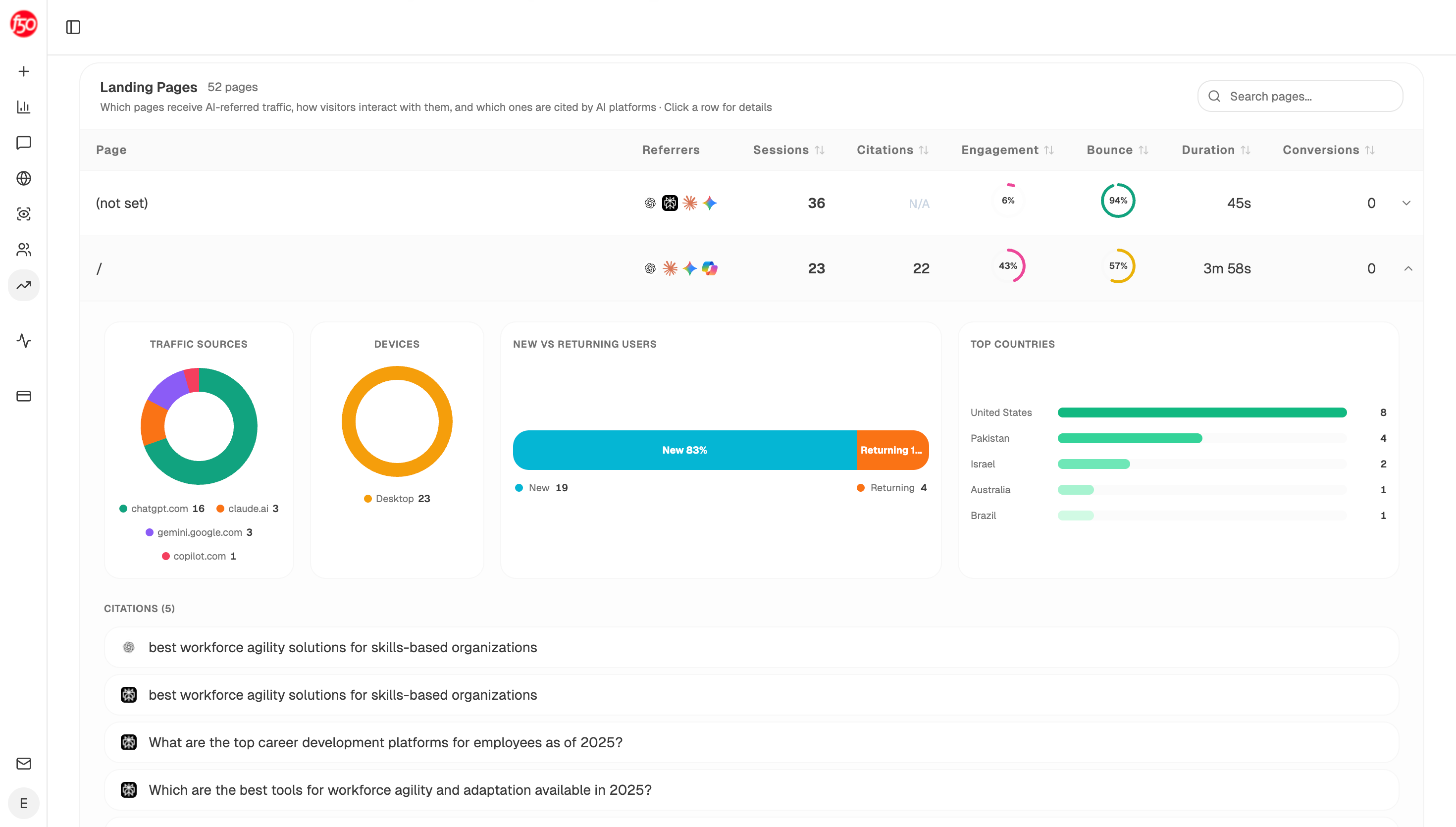 AI traffic analytics keeps assistant sessions separate, so a page is not judged on numbers that quietly exclude some of its visitors.
Run the four gates every month
Start (schedule, monthly) → GSC Top Keywords for Site with Prompt LLM tagging each term as buying or teaching → GA4 Page Breakdown splitting visits between pages that can sell and pages that only teach → HubSpot Search Deals for leads created and time to first contact → Code node working out the pass or fail at each gate → Conditional returning only the first gate that failed → Send Notification naming it.
The Conditional returning only the first failure is the part to copy. A report listing four problems gets you four half-finished projects. Naming one gets it fixed.
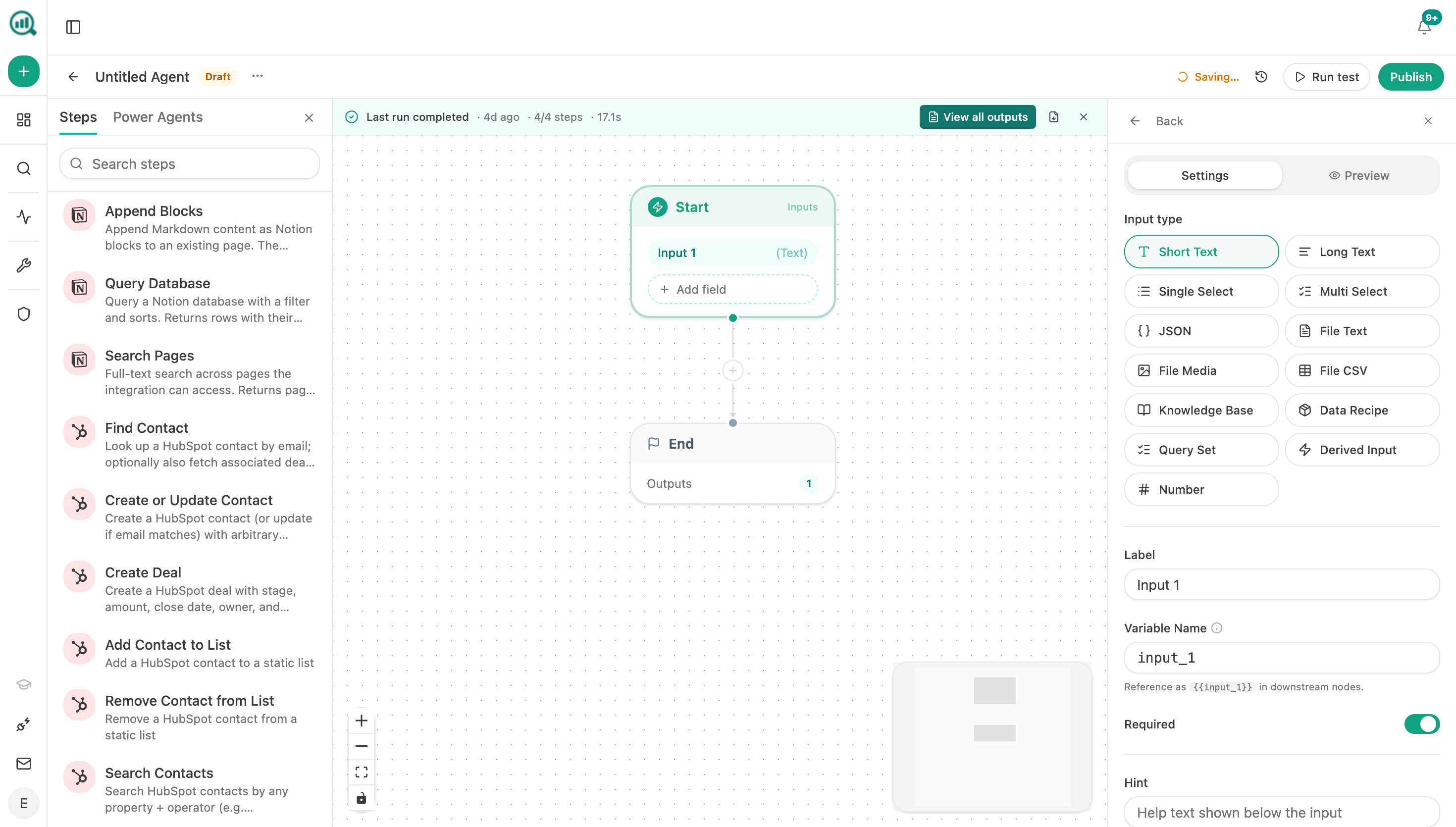 The four checks run as one scheduled agent, which is what stops this becoming an annual project.
FAQ
Related answers
- Where is our organic funnel actually leaking?
- How do I tell whether low conversion is caused by intent, trust, offer, UX, or pricing?
- Which pages produce qualified opportunities rather than just form fills?
- Why do people read our content but never take the next step?
Find the gate that is actually broken
Analyze AI checks who your search terms attract, where they land, and what happens next, then names the first thing to fix.
Start your free trial