
How do I find the outdated stats, links, and product claims across my content?
Short answer
Three sweeps, because they need different detectors. Dated numbers are found by pattern matching for years and figures. Dead links are found by crawling and checking status codes. Stale product claims are found by comparing what pages say against a list of what is currently true. The third is the one nobody automates and the one that damages trust most.
Sweep one: numbers with a date attached
The cheapest sweep and the most visibly embarrassing when skipped.
Crawl your library and flag any page containing a year older than the current one, a phrase like "as of", "in 2024", "last year", or "recently", and any figure presented as current. Sort by traffic so you fix the pages people actually read.
Two categories come out. Numbers that are simply old and need refreshing, and numbers that were true once and are now wrong, which is worse. A statistic that has been superseded makes a reader discount the whole page.
Add a rule going forward: every statistic gets its source and its date next to it in the copy. It costs six words and it makes the next sweep trivial.
Sweep two: links that no longer resolve
Crawl every outbound and internal link and record the status. You are looking for four things.
| What you find | Why it matters |
|---|---|
| 404s | The reader hits a wall, and you look unmaintained |
| Redirect chains | Slow, and internal equity leaks at each hop |
| Links to a competitor's dead page | You are citing something that no longer exists |
| Links to a source that changed its conclusion | Worse than a 404, because it still resolves |
The last row is the one crawlers miss. A live URL whose content changed is invisible to a status check and can leave you citing a page that now says the opposite. Spot-check your most-cited sources once a year by reading them.
Internal links deserve their own pass, covered in how do I find internal links that went stale after site changes.
Sweep three: product claims that stopped being true
This is the sweep almost nobody runs, and it is where the real damage sits.
Your pricing changed, a feature shipped, an integration was deprecated, a limit moved. Meanwhile forty pages still describe the old state, including the comparison pages your sales team sends to prospects.
You cannot pattern match for this, because there is no marker. You need a list of what is currently true to compare against, which is what a claims library is for. How do I build a reusable library of approved claims and proof points covers building one.
Analyze AI does this from both directions. The proof-gaps recipe lists pages making claims with no evidence attached, and Inject Brand Context pulls your documented claims and rules into the check so the comparison runs against a current source rather than someone's memory.
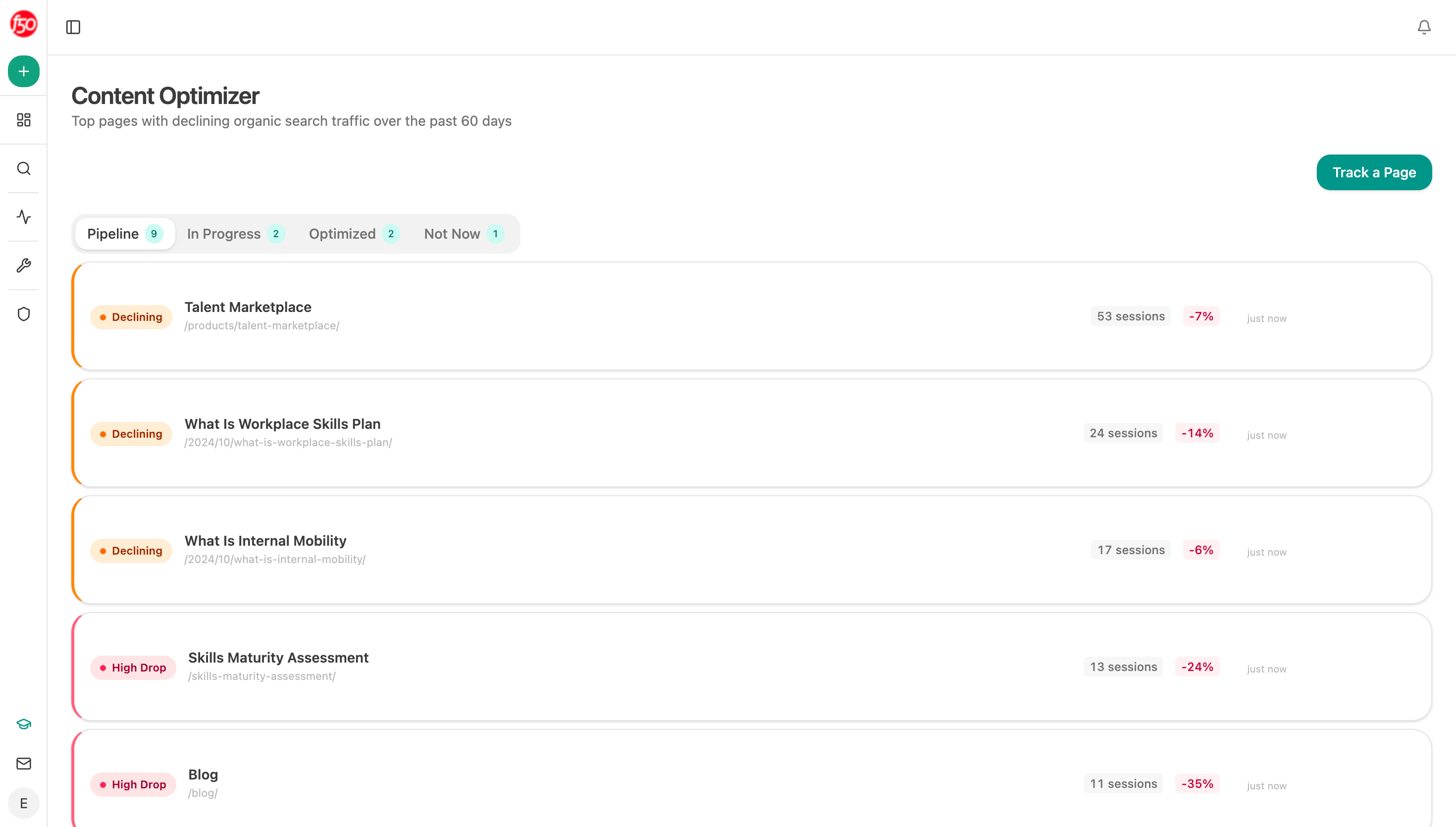 The optimizer reads the live page and names what is wrong on it, which is how a claim sweep produces edits rather than a list of URLs.
Prioritise by who reads the page, not how wrong it is
You will find more than you can fix. Order it by exposure.
Pages your sales team sends in deals come first, because a wrong claim there is caught by a prospect. Then comparison and pricing pages, then high-traffic pages, then everything else.
There is a fourth category worth pulling forward: pages assistants cite. Analyze AI's Citation Pages view lists them, and a stale claim on a page that feeds AI answers gets repeated to people who never visit you. Google's AI features documentation confirms eligibility follows ordinary indexing, so a cited page is simply a page that is being read more than you think.
Run all three sweeps as one agent
Start (schedule, quarterly) → Get Sitemap for the full URL list → Loop over each page → Web Page Scrape returning the live content → Code node pattern matching for dated figures and checking every link's status → Inject Brand Context pulling current claims and disallowed phrases → Prompt LLM comparing what the page asserts against what is currently true → proof-gaps recipe for unsupported claims → Conditional ranking findings by page traffic and sales usage → Export Excel grouped by finding type.
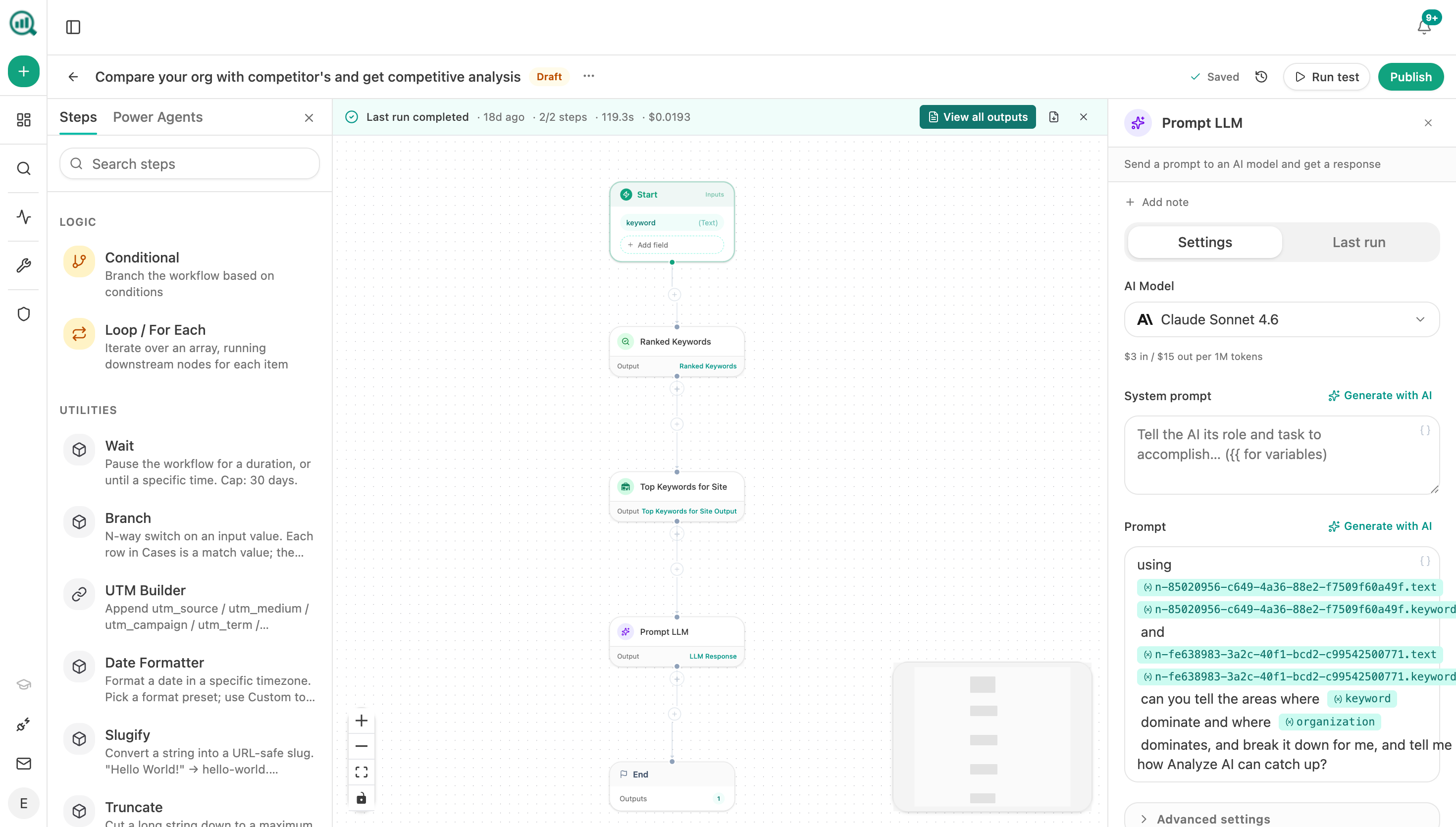 The claim check runs in a Prompt LLM step with your brand context injected, so it compares against a current source rather than a guess.
Grouping the output by finding type rather than by page is what makes it fixable. Sixty scattered issues across forty pages is a project nobody starts. "Fourteen pages quote the old pricing" is one afternoon.
FAQ
Related answers
- How do I build a reusable library of approved claims and proof points?
- How do I find internal links that went stale after site changes?
- How often should high-value pages be reviewed for freshness?
- How do I maintain hundreds of pages without giving AI full publishing access?
Find the claims that stopped being true
Analyze AI reads your live pages against your current claims and evidence, and groups what it finds into work you can finish.
Start your free trial