
How do I find internal links that went stale after site changes?
Short answer
Crawl every internal link and check four things: whether it resolves, whether it passes through a redirect, whether the anchor text still describes the destination, and whether pages that should be linked have been orphaned. The third one is invisible to a status check and is the most common failure after a site change.
Crawl your own links first
Start with the mechanical checks, because they are quick and they clear the noise.
- Crawl the site and record every internal link with its source page, anchor text, and destination.
- Check each destination's status code.
- Flag anything returning 404 or 410.
- Flag anything returning 301 or 302, and record how many hops before it lands.
Redirect chains are the quiet cost here. Each hop adds latency and internal links pointing at a chain are doing less work than they should. After a migration you will typically find a few hundred, and rewriting them to point at the final URL is an afternoon with a find and replace.
Check the failure a crawler cannot see
This is the one that matters after a restructure.
A link can return 200 and still be stale, because the page it points at is no longer the page the anchor text promised. You merged two guides, you renamed a product, you split a page into three, and forty links across your site still say "read our guide to X" while landing somewhere that no longer covers X.
Find it by comparing anchor text against the destination's current title and H1. Where they diverge sharply, flag it for a human. The fix is usually the anchor text rather than the link.
| Failure | How you find it | Fix |
|---|---|---|
| 404 destination | Status check | Repoint or remove |
| Redirect chain | Status check, count hops | Point at the final URL |
| Anchor no longer matches destination | Compare anchor to destination title | Rewrite the anchor |
| Orphaned page | Count inbound internal links | Add links from relevant pages |
Find the pages nothing points at
The reverse problem is easy to miss because nothing is broken.
Count inbound internal links per URL. Anything with zero or one, that is not deliberately isolated, is orphaned. After a navigation change or a category removal this can be dozens of pages, and they will slowly lose ranking because nothing on your site vouches for them.
Prioritise by whether the page matters. An orphaned pricing page is urgent. An orphaned 2021 news post is not.
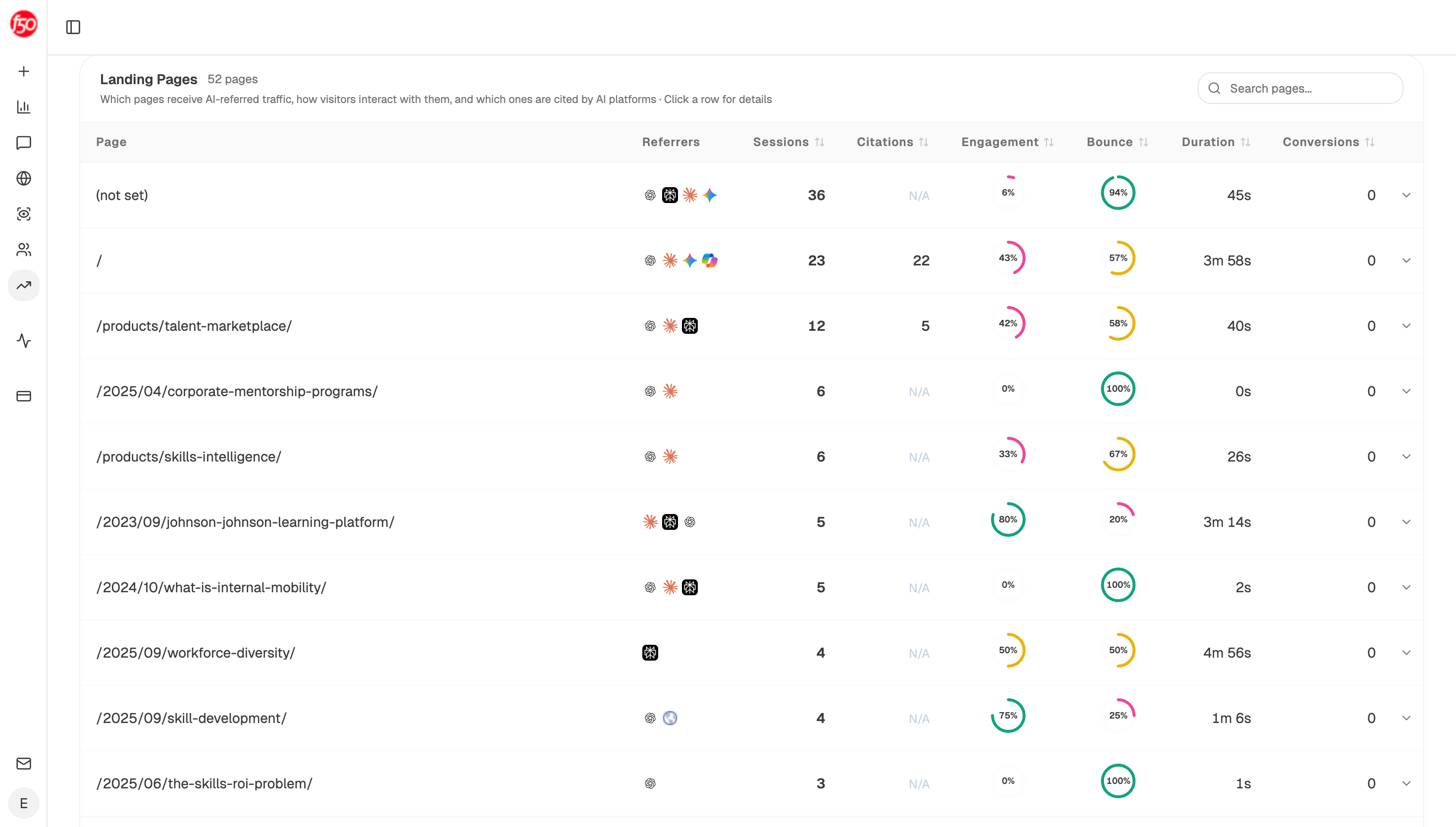 Assistant sessions are reported per page, which is how you spot an orphaned page still being reached from somewhere you forgot about.
Time the sweep to your own changes
Internal link rot is event-driven, not gradual. Run the crawl after anything that moves URLs.
- A migration or replatform
- A navigation or category restructure
- Bulk deletions or merges
- A product rename
- Any month you consolidated pages, which is the work in which of two overlapping pages should win
Outside those events, quarterly is enough. Running it weekly finds nothing and trains people to ignore the report.
Check what the change did to your citations
There is a second consequence of a restructure that most audits miss entirely.
When URLs move, the pages assistants were citing move with them, and a redirect is not always followed the way you expect. Analyze AI's Citation Pages view lists the pages currently being used as sources, and citation-decay-alert returns pages losing citations faster than traffic.
Run both after any migration. Google's AI features documentation explains eligibility follows ordinary indexing, so a URL that is slow to be recrawled is temporarily unavailable as a source, and a page you moved without a redirect is permanently so.
Automate the crawl
Start (schedule, quarterly, plus webhook on deploy) → Get Sitemap for the current URL list → Loop over each page → Web Page Scrape returning links and anchor text → Code node checking status codes, counting redirect hops, and comparing each anchor against its destination title → Conditional flagging pages with zero or one inbound internal link → Citation Pages cross-referenced so moved URLs are checked → Export CSV grouped by failure type.
Firing on deploy as well as on a schedule is the part worth copying. Link rot is created by a change, so checking after the change catches it while whoever made it still remembers what they moved.
FAQ
Related answers
- How do I find the outdated stats, links, and product claims across my content?
- When is deleting or redirecting old content better than updating it?
- How do I find pages that compete with each other?
- Why did my page lose its AI citations, and how do I win them back?
Find the links that broke when the site moved
Analyze AI crawls your internal links, checks anchors against destinations, and flags what your migration left behind.
Start your free trial