
How do I find the questions prospects ask during active vendor evaluation?
Short answer
Take your last 20 won deals and last 20 lost deals, and pull every question asked in the final third of each one. That window is where buying questions live, and the lost deals hold the ones your content never answered. Count how often each question comes up, then check which ones have a page, which have a buried sentence, and which have nothing.
Look where these questions are actually asked
Buying questions get asked out loud, on calls, to a salesperson. They rarely get typed into Google, because the buyer has someone faster sitting in front of them.
That is why the searches you can see lean towards early research and away from decisions. This list lives in your call recordings, your CRM notes and your support queue, and none of that reaches a keyword tool. You have to go and get it.
Not all of that evidence is worth the same, either.
| Where to look | How close to the money | What you get |
|---|---|---|
| Last third of lost calls | Closest | The objections that actually cost you deals |
| Won calls, same window | Very close | The proof that closed them |
| Security, legal and procurement threads | Very close | Questions no marketer thinks of |
| Support tickets during a trial | Middling | What frustrates people before they commit |
| Comparison searches and AI questions | Middling | The public version of the same worries |
Start at the top. The lost-deal window is uncomfortable reading and worth more than the other four together, because every question in it is one your content had a chance to answer and did not.
Pull the questions out
- Export your last 20 lost and 20 won deals with the dates they opened and closed.
- Work out the final third of each one by date, and pull the calls, notes and emails inside that window.
- Turn anything spoken into text.
- Pull out every sentence ending in a question mark, plus anything starting with "worried", "not sure" or "how would we".
- Tidy them into one wording each and count how many separate deals each appears in.
- Note whether each one shows up more in lost deals, won deals, or both.
Anything appearing in five or more of your forty deals is a question your buyers care about. In most libraries, about half of those have no page at all, and another chunk have one sentence buried on a feature page where no buyer will find it.
Check the four questions almost everyone misses
The same gaps turn up again and again, and all four sit late in the deal where content rarely reaches.
- "What happens to our data if we leave?" Export formats, how long you keep things, who owns what. Procurement asks constantly and almost nobody answers publicly.
- "Who does the work in month one?" Not a feature list. A split of who does what, with hours attached.
- "What does this cost when we are twice the size?" Buyers plan ahead, and most pricing pages stop at the tier the buyer is in today.
- "What breaks when we turn it on?" The honest problems and how people get round them. This one converts well precisely because no competitor will write it.
These are cheap to write and sit closer to a signature than anything currently on your list.
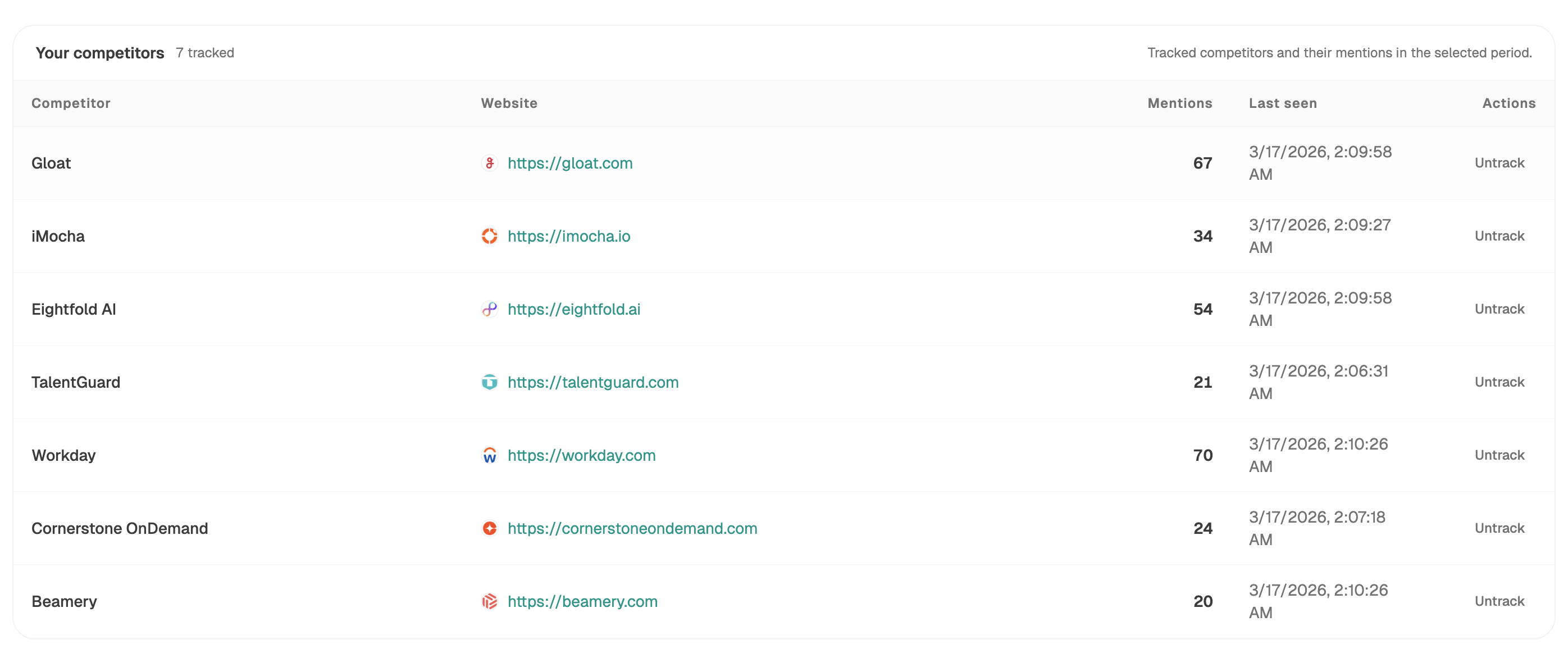 Competitor views show who is named on each buying question today, which decides whether you write, update, or go and earn a mention.
Decide which ones belong on your own site
Not all of them, and this is where teams overcorrect. Split the list three ways.
Own it. Setup, integrations, migration, how pricing works, security. You are the right source and buyers expect a straight answer.
Earn it elsewhere. Head-to-head verdicts and "is this vendor any good" questions. Your own page counts for less here than a review site, which is the split in which buyer questions belong on our site.
Fix the product. Some questions are not content problems. Pass those on rather than writing around them.
See where assistants get their evaluation answers
The same questions get asked to AI, and where the answers come from tells you where to spend.
In our own state of AI search research, lists, comparisons and reviews made up 34.4% of what Perplexity cited and 33.1% of what Google AI Mode cited, but only 13.9% of ChatGPT, where product pages and company sites made up 68.8%.
That is a routing instruction. Buying questions asked on Perplexity and Google AI Mode get answered largely from other people's comparison pages, so being missing from those removes you from the answer no matter how good your own page is. And since a source link gets clicked in roughly 1% of visits when an AI summary appears, the words in the answer are the thing that matters, not the click.
Analyze AI shows you which sites those are through Citation Domains and the competitor-sources recipe, which lists the pages that cite your rivals and have never cited you.
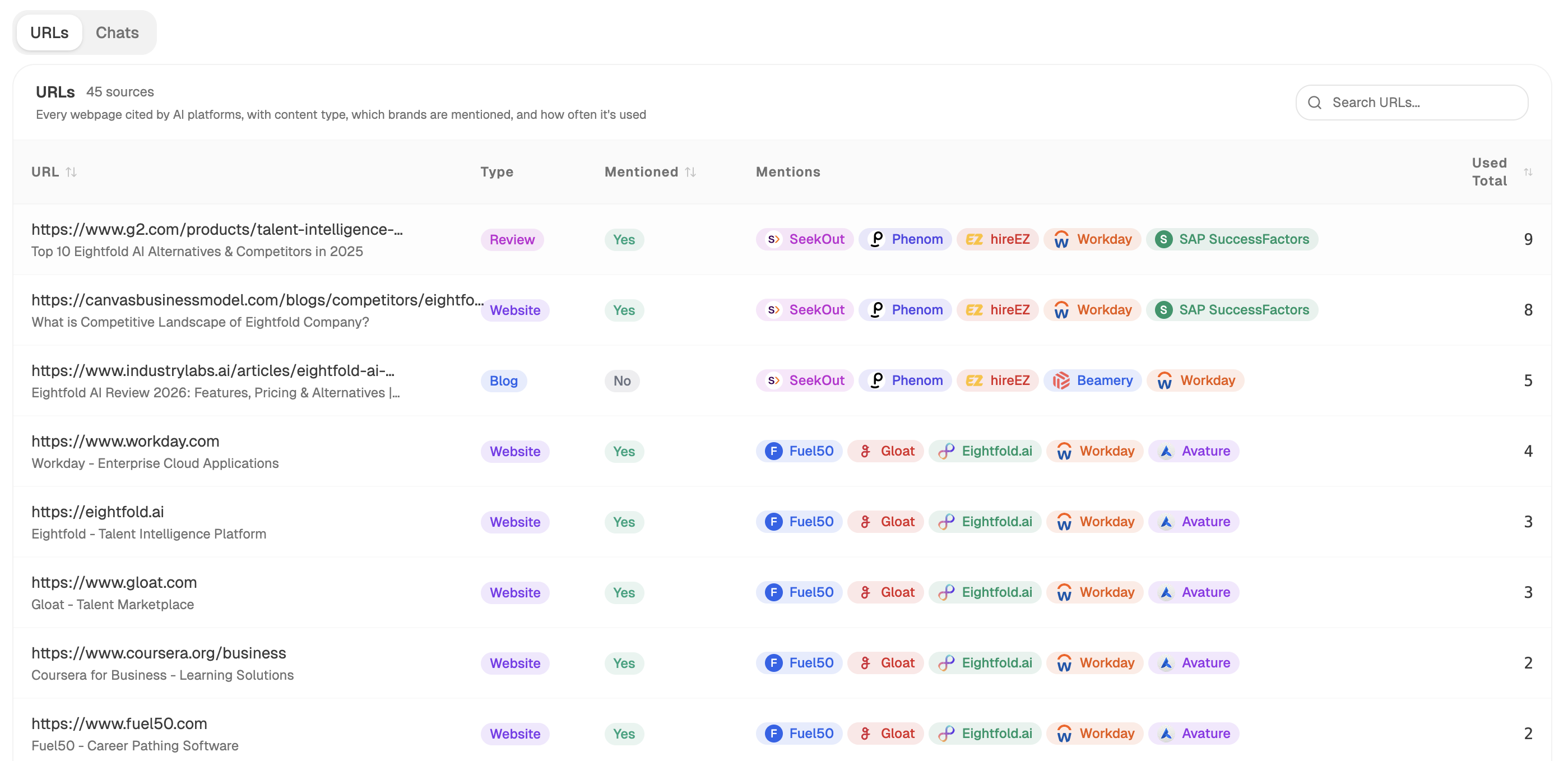 Sources breaks down what kind of pages the answers were built from, which tells you whether your own page can even compete for the slot.
Keep the list current automatically
This decays fast, because buying questions follow your competitors' releases.
Start (webhook, fired when a deal closes either way) → HubSpot Get Deal with its notes and logged activity for that final-third window → Transcribe Audio on any call recordings → Prompt LLM pulling out and tidying the questions → competitor-gaps recipe for questions rivals already own → proof-gaps recipe flagging pages that claim things without evidence → Send Notification to your content channel with anything new.
The trigger is the choice that matters. A monthly schedule means an objection that started costing you deals in week one turns up in week six. Firing on the deal itself gets it to you while it is still fresh.
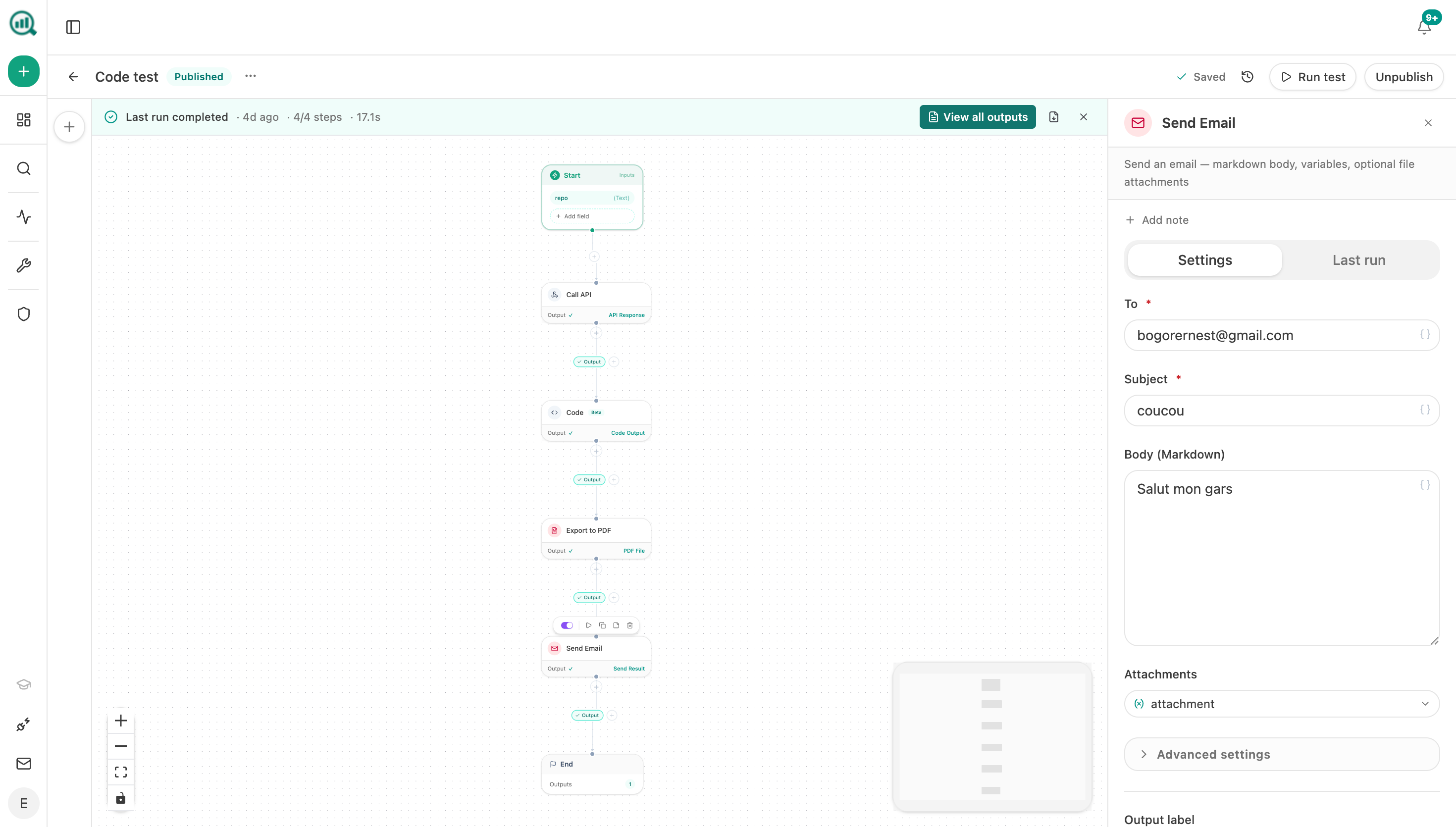 A notification step pushes each new question to your content channel as the agent finds it.
FAQ
Related answers
- How can sales-call language improve my topic research?
- Which buying roles and objections are missing from our content library?
- What content do finance, security, and procurement need before approving a purchase?
Answer the questions that decide your deals
Analyze AI pulls buying questions out of your closed deals, shows how assistants answer them today, and names the rival who owns each one.
Start your free trial