
What content do finance, security, and procurement need before approving a purchase?
Short answer
Roughly three documents each, and most should be public rather than gated. Finance needs total cost over time, contract terms, and a business case. Security needs where data lives, who can see it, and your certifications. Procurement needs standard terms, references, and an exit plan. Missing any of these stalls a deal your champion has already won.
Find out where your deals actually stall
Before building anything, look at where deals sit longest.
Pull your last 30 deals that reached a late stage and measure how many days each spent in the final stage or two. Then read the notes on the slowest ten. You are looking for the specific request that paused things: a security questionnaire, a legal review, a request for a business case.
Most companies find the same two or three requests over and over. That list is what to build, and it is usually shorter than the generic checklist below.
Give finance the numbers they will build anyway
Finance is going to build a model whether you help or not. If you do not give them the numbers, they will guess, and guesses are conservative.
- Total cost over three years. Not your price today. What it costs as they grow, including the tier they will hit next year and any charges for extra usage or seats.
- Contract terms in plain words. Length, notice period, what happens on renewal, whether the price can rise and by how much.
- A business case they can adapt. A worked example with the assumptions visible, so their CFO can change the numbers rather than distrust yours.
The third one is the least common and the most useful. A model with your assumptions exposed reads as confidence. A one-page PDF claiming a 300% return reads as marketing and gets ignored.
Give security the answers before they ask
Security reviews stall deals more than any other stage, and almost all of it is avoidable.
- A data page. Where data is stored, which regions, how long you keep it, what happens when a customer leaves.
- Access and controls. Who at your company can see customer data, how access is logged, whether you support single sign-on and role permissions.
- Certifications and reports. Whatever you hold, and an honest note about what you do not hold and when you expect it.
Make all three public. Gating security documentation behind a form is the single most common self-inflicted delay in B2B, because the security reviewer is not your lead and will not fill in your form. They will email your champion, who will email you, and you have lost a week.
If you have a standard questionnaire already filled in, publish that too. What should an implementation guide include for a risk-conscious buyer covers the related document.
Give procurement a path that does not need you
Procurement's job is to reduce risk and time. Everything you publish that removes a negotiation removes a delay.
- Standard terms, published. Your default contract, available to read without asking. Legal teams review faster when they can start early.
- References they can actually reach. Named customers of similar size in a similar industry, and a clear route to speaking with one.
- An exit plan. How to export data, in what formats, and how long you keep it afterwards.
The exit plan feels counterintuitive and it converts. A buyer who can see the way out commits more easily, because the decision stops feeling permanent.
Make sure these pages exist where buyers look
There is a reason to make all of this public beyond convenience.
Buying committee members research quietly, and increasingly they ask an AI assistant rather than your website. Our own state of AI search research found company sites and product pages made up 68.8% of what ChatGPT cited, while lists, comparisons and reviews made up 34.4% of Perplexity and 33.1% of Google AI Mode.
Google's AI features documentation explains that eligibility follows ordinary indexing, and a page behind a form is not indexed. Gated documents therefore cannot be cited by anything. So a security page behind a form is invisible to the assistant your buyer's IT director is asking, and the answer gets built from whatever else is available, which may be a competitor's comparison page.
You can check this directly. Use Ad Hoc Prompt Searches in Analyze AI to ask the questions a security or finance reviewer would ask about you, and read what comes back. The Perception view then shows whether the description is confident or hedged, and the proof-gaps recipe flags pages making claims you have not evidenced.
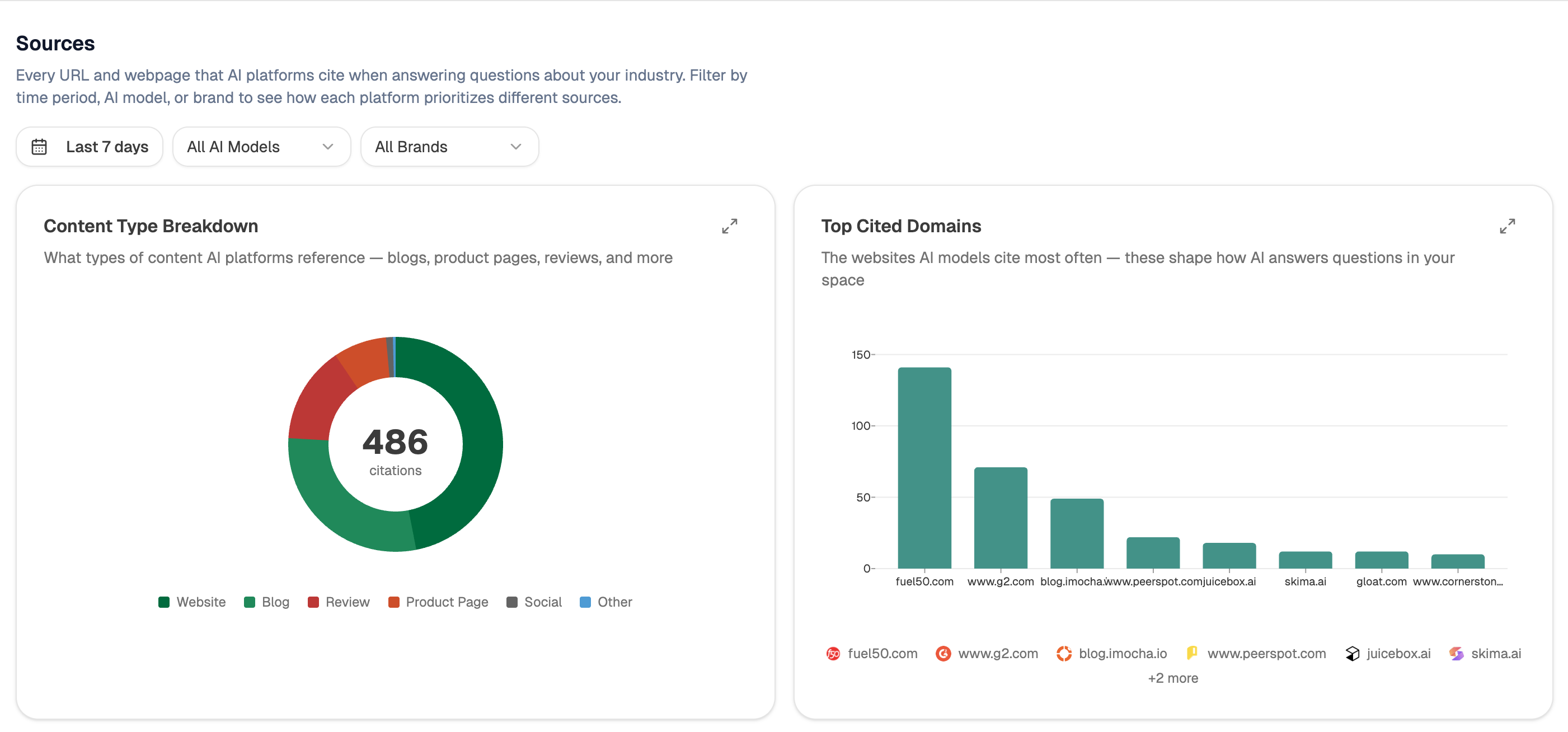 Sources shows which pages assistants can actually reach, which is how you find out whether your security page is visible to them at all.
Keep the list driven by real stalls
Start (webhook, fired when a deal enters your final stage) → HubSpot Get Deal with notes and engagements → Transcribe Audio on any recorded review calls → Prompt LLM pulling out every document or answer that was requested → Code node counting requests across deals → Conditional flagging any request appearing in three or more deals with no page to answer it → Send Notification to the content channel.
Counting requests across deals rather than reacting to each one is what keeps this proportionate. One buyer asking for an unusual document is a one-off email. The same request in three deals is a page.
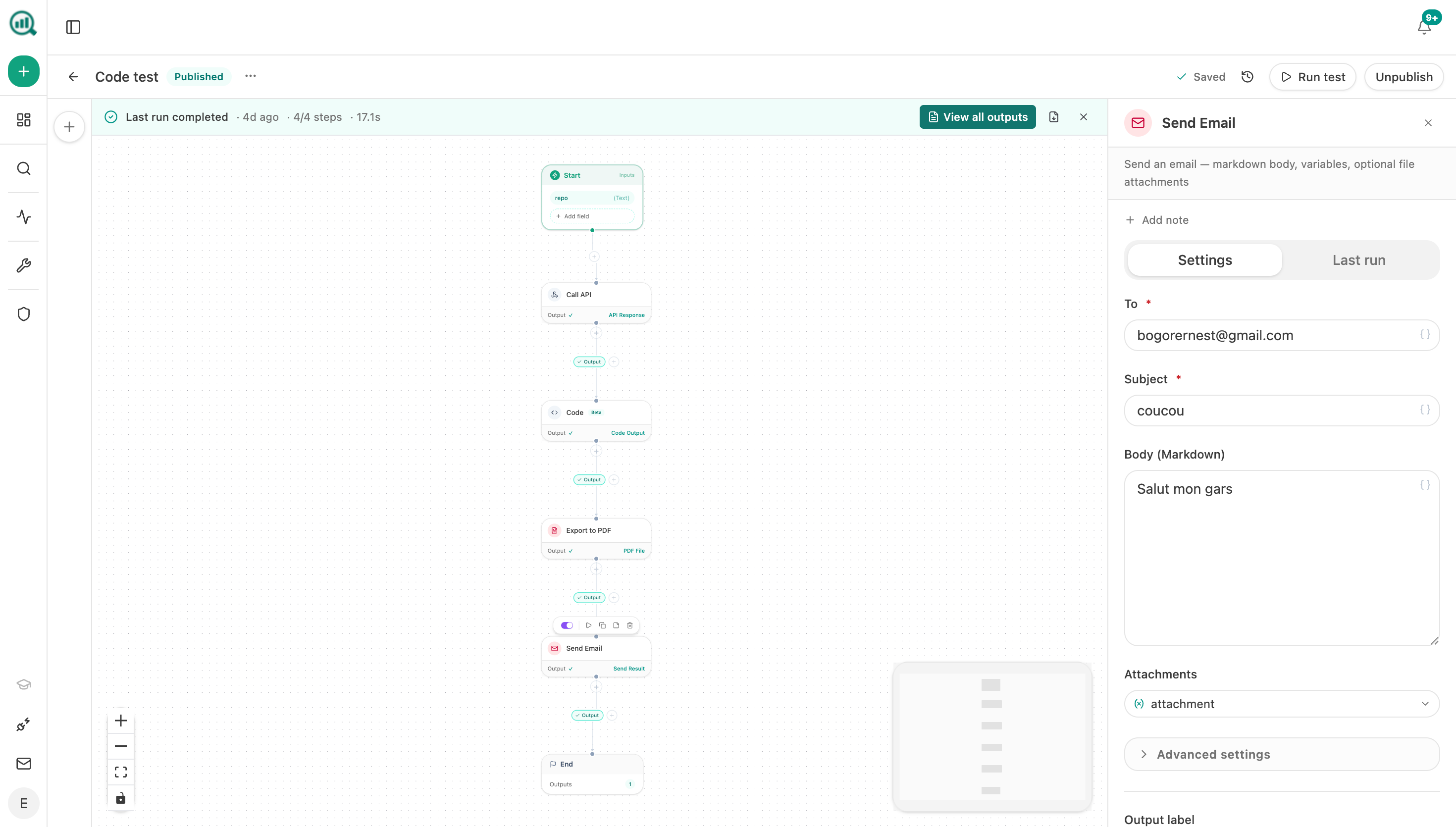 A notification step surfaces a document request the third time it appears, rather than waiting for someone to notice the pattern.
FAQ
Related answers
- What kinds of evidence make a B2B buyer trust a vendor?
- How do I reach decision-makers who never talk to sales?
- How do I find the questions prospects ask during active vendor evaluation?
- Which buying roles and objections are missing from our content library?
Stop losing weeks at the approval stage
Analyze AI tracks the documents your deals keep asking for and checks whether buyers can find them at all.
Start your free trial