
Why do some AI referrals show up in GA4 while others don't?
Short answer
Four variables decide it: whether the platform is on Google's recognised list, whether it sets a restrictive referrer policy, whether the visit came from a web browser or a native app, and whether the user clicked a link or copied a URL. The same assistant can appear in one session and vanish in the next because the device and rendering changed, not because anything on your side did.
The four variables
Work through them in order when a source is missing.
1. Is the platform on Google's recognised list?
GA4's AI Assistant channel classifies traffic only from referrers Google has chosen to recognise. Anything outside that list still arrives with its referrer intact, but gets filed under Referral rather than AI Assistant.
Google's published list has shifted since the May 2026 launch, and Perplexity in particular has not been part of the native definition despite being a high-intent source. Because the list moves, check Google's channel group documentation rather than any static list.
Symptom: the assistant appears in your Referral report by hostname but never in AI Assistant.
2. Does the platform set a restrictive referrer policy?
A site controls how much referrer information browsers pass using the Referrer-Policy header. Under no-referrer, nothing is sent. Under strict-origin-when-cross-origin, the browser sends only the origin, so you see the hostname but not the specific page or query.
You have no influence over what another platform sets, and platforms change it without announcement.
Symptom: sessions appear in Direct rather than Referral, and the volume shifts abruptly with no change on your side.
3. Web browser or native app?
Links tapped inside a native mobile app frequently arrive with no referrer header at all. Assistant usage skews heavily mobile, so this is usually the single largest cause of missing referrals.
Symptom: your mobile Direct sessions on deep pages are disproportionately high compared to desktop.
4. Clicked link or copied URL?
Some assistants display a full URL in the answer. Users copy it and paste it into a new tab, which produces a visit with no referrer because there was no click.
This affects the assistants that show URLs most, which are often the ones sending your best-qualified visitors.
Symptom: deep-page Direct sessions on pages you know are being cited.
Diagnosing a missing source in ten minutes
Step 1. Build a Free-form Exploration with Session source / medium as dimension and Sessions as metric, last 30 days.
Step 2. Scan the Referral rows for AI hostnames. Those are variable 1, where the referrer survived but Google doesn't recognise it. Add them to a custom channel group.
Step 3. For assistants you know cite you but can't find, filter to Direct and add Landing page + query string, then Device category. Deep-page Direct with a heavy mobile skew confirms variables 3 and 4 are doing the work.
What this means for your reporting
The practical consequence is that AI referral volume in GA4 is not comparable across platforms. One assistant may pass referrers cleanly on desktop and not at all on mobile. Another may pass nothing anywhere. Ranking assistants by GA4 sessions measures their referrer policy as much as their traffic contribution.
So don't tell your leadership that one assistant sends more traffic than another based on GA4 rows. What you can say is which assistants are visible, which are invisible, and roughly how large the invisible pool is.
Why the invisible pool is the bigger story
Referrer mechanics only govern the visits that happen at all. The larger issue is that most AI exposure produces no visit.
Our own state of AI search research, covering more than 22,000 answers, found Google AI Mode returns a citation-rich answer in 97.4% of matched B2B queries and Perplexity in 93.2%. Pew Research found that when an AI summary is present, users click a source link in only about 1% of visits.
Your GA4 AI number is therefore a measurement of a small tail, shaped by referrer policies you don't control. That's worth stating plainly whenever the number reaches an executive.
Produce the list of sources you're structurally blind to
The useful artifact here isn't a channel report. It's a two-column comparison: assistants that cite you, against assistants visible in your analytics. The difference is your blind spot, and it's the list worth bringing to a channel review.
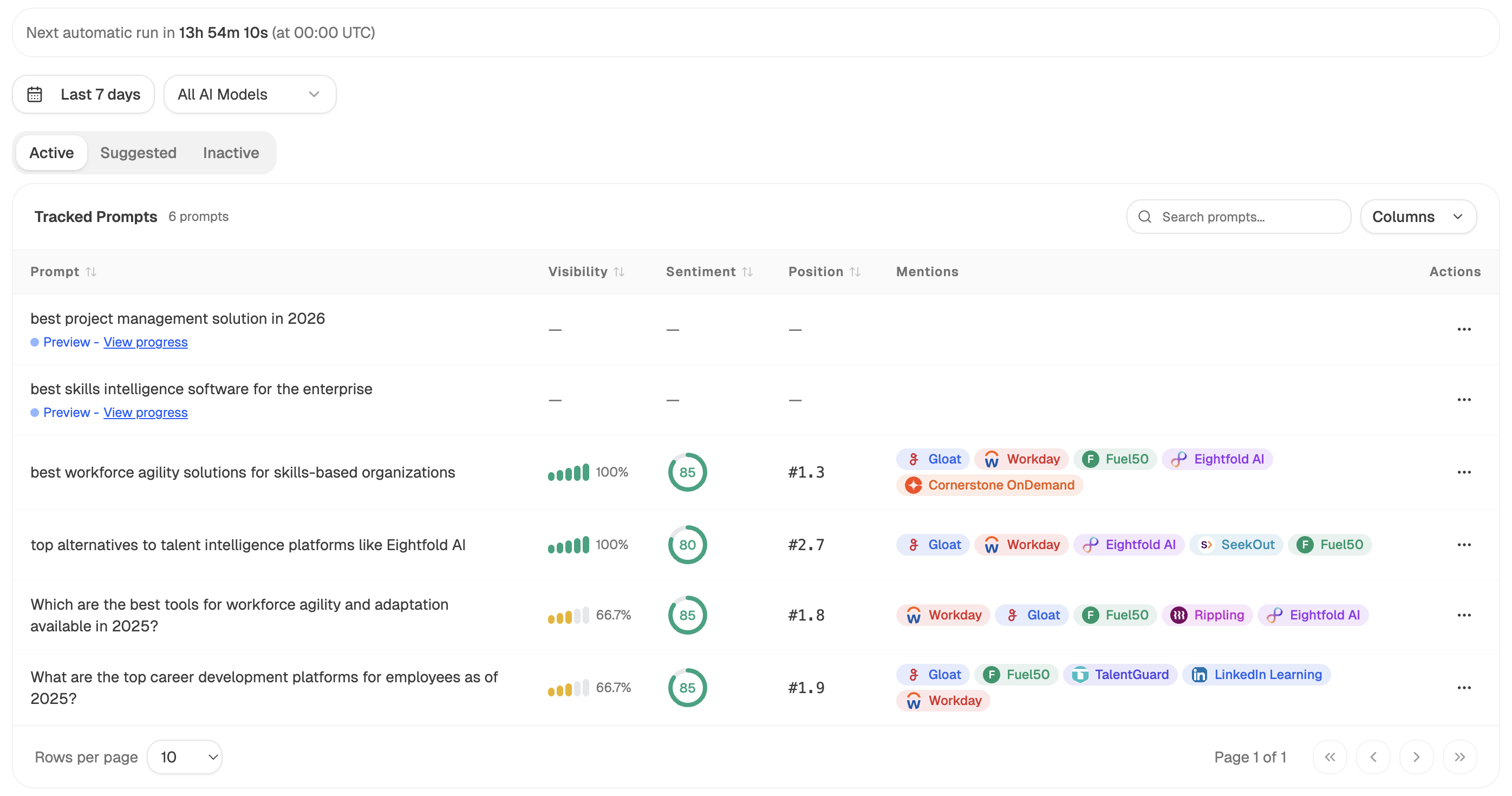
The left column comes from prompt-level tracking. Prompt Responses returns the raw executions across surfaces and Prompt Volumes returns the share mentioning your brand, so you know which assistants are positioned to send traffic at all.
The right column comes from the GA4 side, where Recent AI Visitors shows session-level source detail rather than a blended channel total.
Build the comparison as an agent so it refreshes rather than decaying:
Start (schedule, monthly) → Prompt Responses (tracked commercial set, 30 days) → Citation Domains → GA4 AI Traffic Overview → Recent AI Visitors → Code (build the two source lists, difference them, and compute a citations-to-sessions ratio per surface) → Prompt LLM (name the surfaces citing you with no corresponding sessions, and flag any new hostname appearing in Referral that should be added to the custom channel group) → Excel export → Send Email to the SEO lead.
Two outputs earn their keep. The blind-spot list tells you which assistants your analytics will never account for, which is what stops someone concluding a surface doesn't matter because it shows zero sessions. And the new hostname flag catches assistants appearing in Referral before your regex covers them, which is the maintenance task that otherwise gets forgotten until a quarterly audit.
For a one-off check rather than a scheduled run, ad-hoc prompt search lets you query a single prompt across surfaces immediately and see who's cited, which is faster than waiting for the next scheduled observation.
FAQ
Related answers
- How do I track ChatGPT traffic in GA4?
- Why does AI traffic show up as Direct in Google Analytics?
- What does GA4's AI Assistant channel measure — and what does it miss?
- How can I estimate how much AI-influenced traffic is hidden in my Direct channel?
Want to know which AI sources cite you but never appear in GA4? Start a free Analyze AI trial and compare citations against clicks in one view.