



Summarize this blog post with:


In this article, you’ll learn what faceted navigation is, how it works under the hood, and why it creates some of the most damaging technical SEO problems a site can face. You’ll also get a step-by-step process for diagnosing faceted navigation issues on your own site, five methods for fixing them (with tradeoffs for each), a prevention-first approach for new implementations, and a strategy for turning faceted navigation into a long-tail traffic engine. Finally, you’ll see how faceted navigation intersects with AI search crawlers — and how to make sure your most valuable filtered pages show up in both traditional and AI-generated results.
Table of Contents
What Is Faceted Navigation?
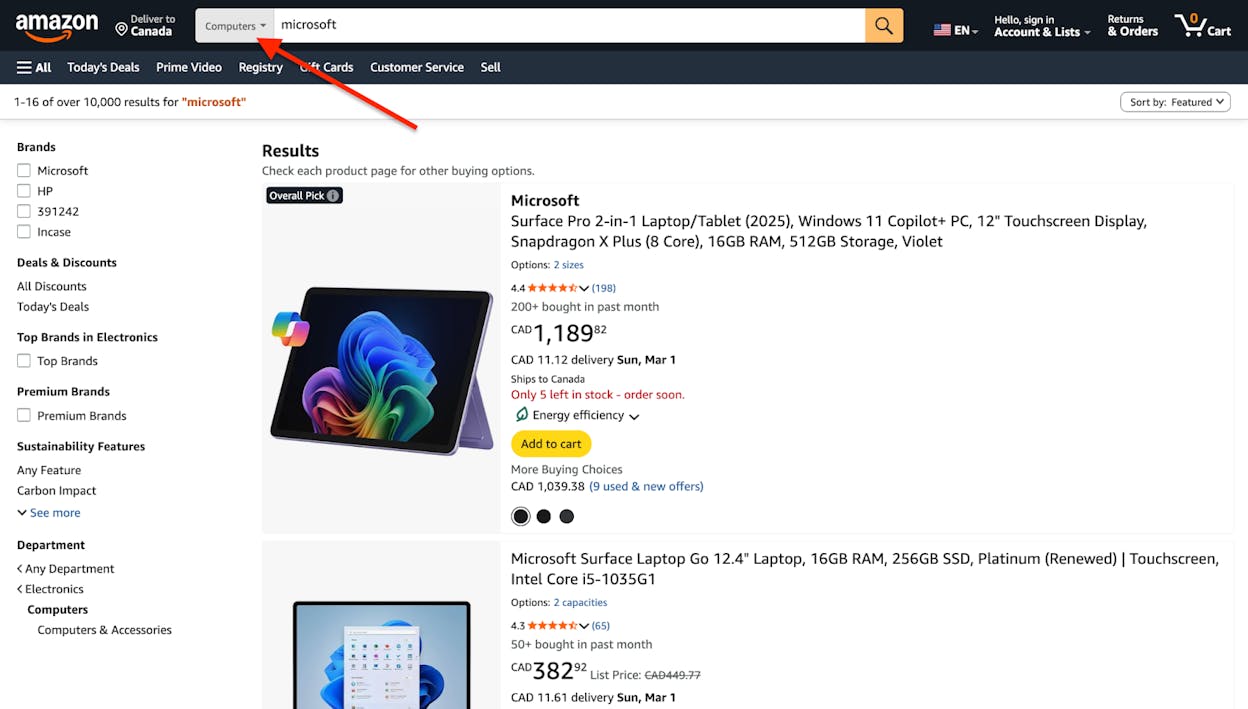
Faceted navigation is a filtering system on category or archive pages that lets users narrow down listings by selecting specific attributes. It is most commonly found on sites with large inventories — ecommerce stores, job boards, real estate portals, travel booking platforms, and library catalogs.
You have almost certainly used faceted navigation before. When you visit a shoe store online and filter by size, color, brand, and price range, you are using faceted navigation. When you search for flights and narrow by airline, number of stops, and departure time, that is faceted navigation too.
The terms “faceted navigation,” “faceted search,” and “filters” are used interchangeably across the industry. They all describe the same UX pattern: letting users combine multiple attribute selections to find exactly what they need without scrolling through hundreds or thousands of results.
Here are common examples across different site types:
|
Site Type |
Typical Facets |
|---|---|
|
Ecommerce |
Color, size, brand, price range, material, rating |
|
Job boards |
Location, salary, experience level, job type, industry |
|
Real estate |
Price, bedrooms, square footage, amenities, neighborhood |
|
Travel |
Dates, airline, stops, cabin class, departure time |
|
SaaS directories |
Pricing model, integrations, features, company size |
The pattern is simple from a user perspective. From an SEO perspective, it is one of the most complex technical challenges you will face.
How Does Faceted Navigation Work?
Faceted navigation works by filtering the listings on a category page based on user-selected attributes. The listings themselves — products, jobs, hotels, properties — each have a set of attributes assigned to them by site administrators. The site displays those attributes as selectable options in a sidebar or top-bar filter panel.
When a user selects a filter, one of four things typically happens:
-
JavaScript updates the listings instantly. The page does not reload. The product grid refreshes in place to reflect the selection. This is the most modern and user-friendly approach.
-
The full page reloads with new listings. The browser navigates to a new URL, and the server returns a page with the filtered results. This is the traditional server-side approach.
-
Selections queue until the user clicks “Apply.” Nothing changes until the user explicitly applies their filters. This is common when users tend to select multiple filters before wanting results.
-
A combination of the above. Some sites use JavaScript for instant preview but generate a new page load on apply.
What matters for SEO is what happens to the URL when filters are applied. There are four common URL behaviors:
No URL change. The listings update, but the URL stays the same. This is the safest option for SEO but makes filtered views unbookmarkable and unshareable.
URL parameters are appended. The URL becomes something like /washing-machines/?color=silver&brand=samsung. This is the most common approach and the one that causes the most SEO problems at scale.
A hash fragment is appended. The URL becomes /washing-machines/#color=silver. Google typically ignores everything after the hash, making this a relatively safe option.
A new static URL is created. The URL becomes something like /washing-machines/silver/samsung/. This creates clean, readable URLs but can also create massive amounts of indexable pages if not managed properly.
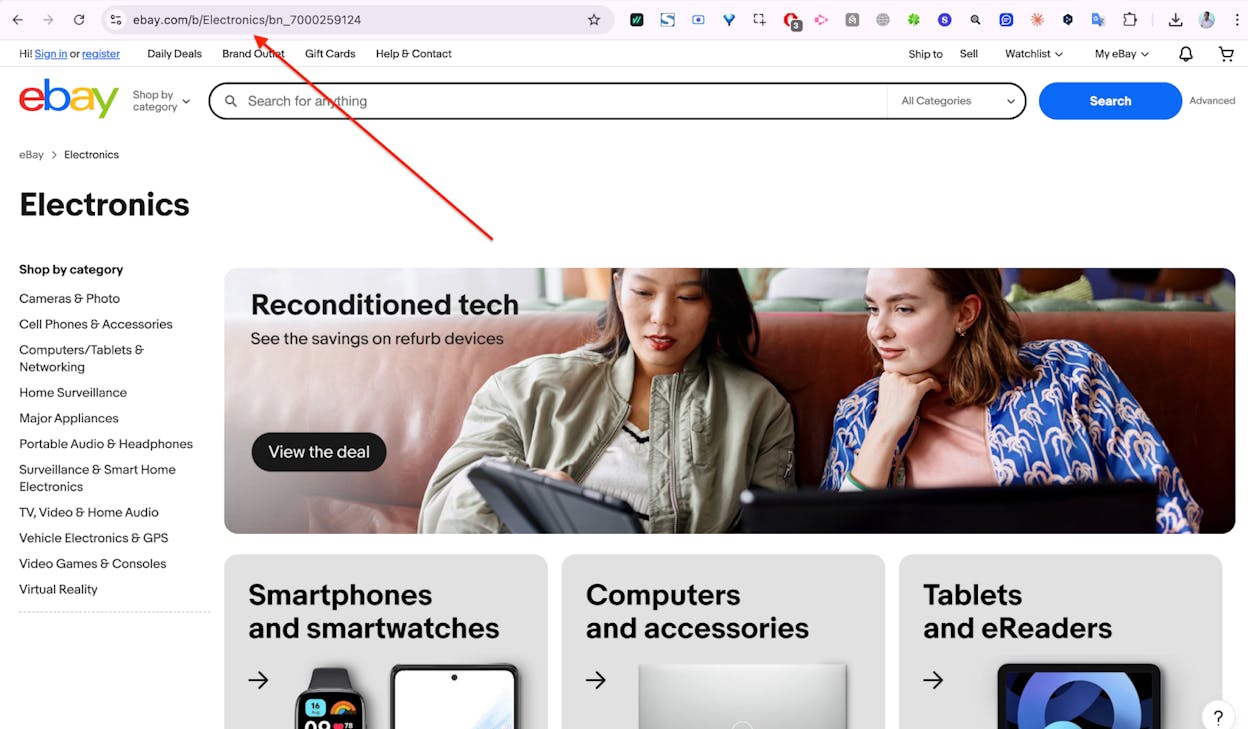
The combination of multiple filter options and multiple URL behaviors is what makes faceted navigation so dangerous for SEO. A category page with 5 filter groups, each containing 10 options, can theoretically produce tens of thousands of unique URL combinations — each one a potential page for Google to crawl and index.
What SEO Issues Can Faceted Navigation Cause?
Faceted navigation can silently wreck your site’s SEO performance in four specific ways. Each problem compounds the others, so sites with faceted navigation issues rarely have just one.
Duplicate Content
Duplicate content occurs when the same or very similar content is accessible at multiple URLs. Faceted navigation is one of the most prolific generators of duplicate content on the web.
Here is why. Take a category page for “HP PC Monitors.” The page has a header, a grid of product listings, and a block of SEO copy at the bottom about HP monitors. Now apply a filter for “4K resolution.” The product grid updates to show only 4K HP monitors. The URL changes. But the SEO copy at the bottom? It stays exactly the same. The H1 might change slightly, but the page content is 80-90% identical to the unfiltered version.
Now multiply this across every filter combination available on that one category page. Then multiply it across every category page on the site. A mid-size ecommerce store with 200 categories and 20 filters per category can easily generate millions of near-duplicate pages.
Duplicate content is not a direct ranking penalty. Google’s John Mueller has confirmed this. But it causes two serious downstream problems. First, it leads to keyword cannibalization — multiple pages competing against each other for the same queries, with none ranking as well as a single consolidated page would. Second, it dilutes ranking signals. Instead of all backlinks, internal links, and engagement signals flowing to one strong page, they scatter across dozens of near-identical variations.
Index Bloat
Index bloat happens when search engines index pages on your site that have no search value. Every indexed page sends a quality signal to Google about your site overall. When a large percentage of your indexed pages are thin, duplicate, or irrelevant, it can drag down Google’s perception of your entire domain.
Consider a freestanding washing machine category page. A user applies filters for Samsung, silver, large drum, quick wash feature, and energy rating A. The filtered page shows exactly one washing machine. The faceted navigation has done its job perfectly for that user.
But would anyone ever type “large silver samsung freestanding washing machine with quick wash feature and energy rating A” into Google? No. The parent term “freestanding washing machines” only gets about 50 searches per month in the UK. A hyper-specific combination like that gets zero.
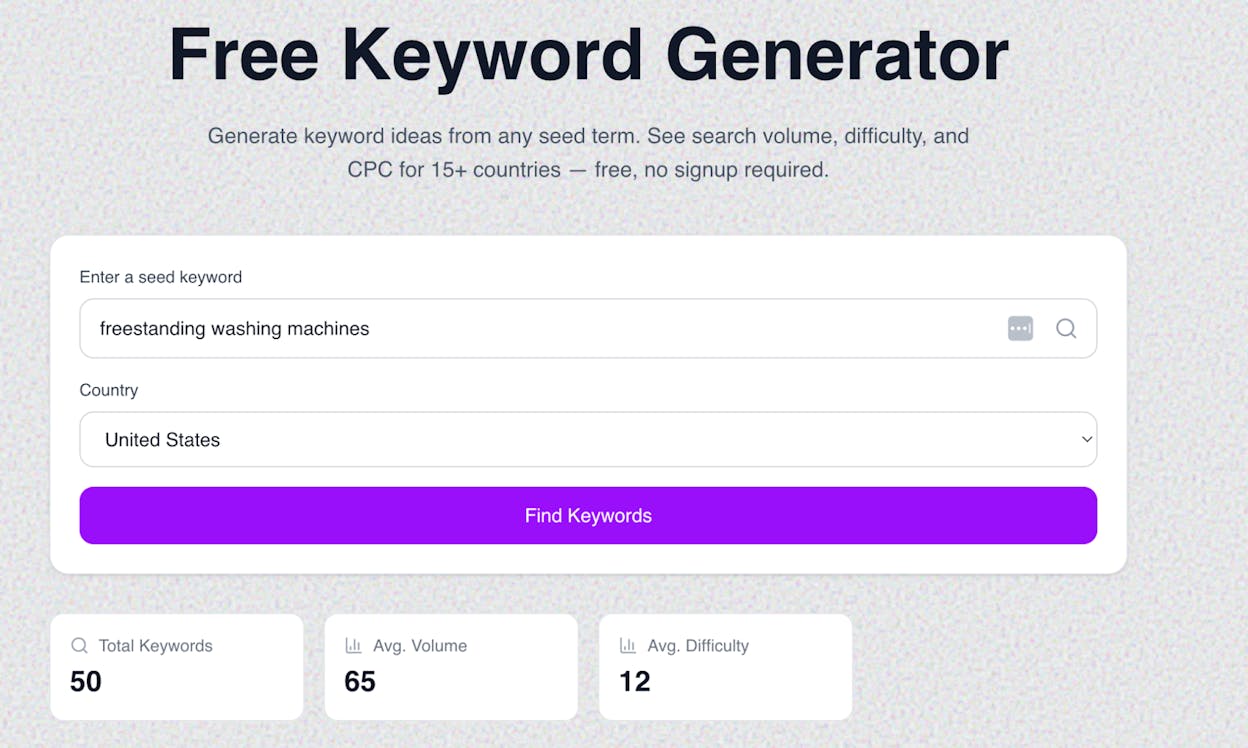

Having thousands of these zero-search-volume pages indexed tells Google that a significant portion of your site is low-quality content. This is the kind of signal that core algorithm updates target.
Important note: Maintain a consistent order for your filter parameters. If the parameter order can change — for example, ?color=blue&size=10 versus ?size=10&color=blue — you double the number of duplicate URLs for every filter combination.
Crawl Budget Wastage
Google can only dedicate a finite amount of resources to crawling your site. This is your crawl budget. Google’s own guidance says crawl budget management is primarily a concern for large sites (1M+ unique pages) or medium sites (10K+ pages) with rapidly changing content.
Here is the catch: a site with only 5,000 products and 200 categories might think it does not need to worry about crawl budget. But if the faceted navigation generates crawlable links for every filter combination, those 5,000 products can spawn millions of faceted URLs. Suddenly, crawl budget is a very real problem.
When Google spends its crawl budget on millions of low-value faceted URLs, it has fewer resources left for the pages that actually matter — your product pages, your category pages, your content. New products might take longer to get indexed. Updated prices might not get recrawled for weeks. Critical pages might fall out of the index entirely.
This is what SEOs call a “crawler trap” — a technical issue that creates an effectively infinite number of URLs for bots to crawl, wasting resources on pages that provide no value.
Dilution of PageRank
PageRank flows through internal links. It is divided by the total number of links on a page. A category page with 50 product links and 10 navigation links distributes PageRank across 60 links. But add a faceted navigation sidebar with 200 filter links, and that same PageRank is now split across 260 links.
The result: your product pages and subcategory pages receive a fraction of the PageRank they would get without the filter links. Instead, PageRank flows to low-value faceted URLs that do not help your search traffic.
This is one of the quieter faceted navigation problems, but on large sites with deep faceted navigation, it can measurably reduce the ranking power of your most important pages.
How to Check for Faceted Navigation Issues
Before you can fix anything, you need to understand the scope of the problem. Here is a three-step diagnostic process.
Step 1: Run a Quick Site Search
The fastest way to check for index bloat is with the site: search operator in Google. Type site:yourdomain.com into the search bar, click on tools, and note the number of results.
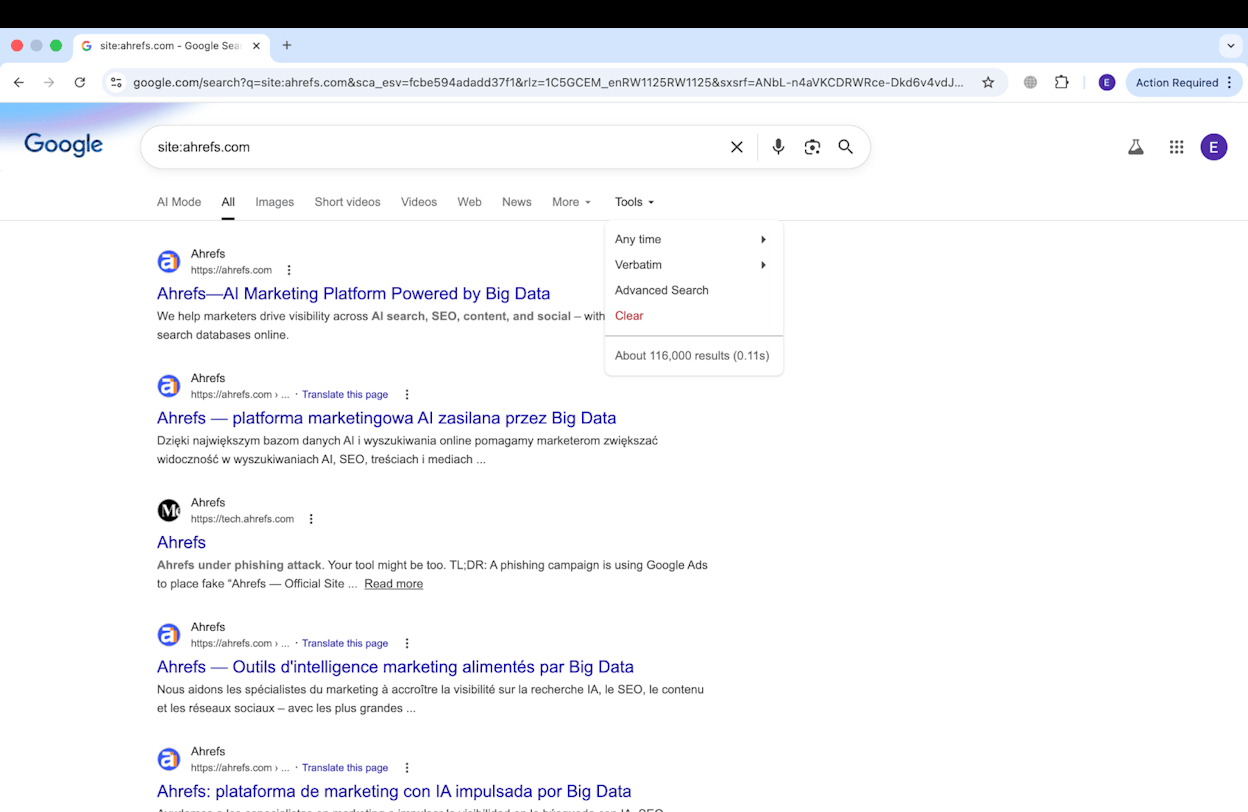
Compare that number to the actual number of pages your site should have. If you have 10,000 products and 300 category pages, but Google shows 500,000 results, you likely have a faceted navigation problem.
This is a rough check — Google’s reported numbers here are estimates, not precise counts. But a large discrepancy is a clear warning sign.
Step 2: Validate with Google Search Console
Google Search Console’s Pages report (previously called Coverage) gives you a much more accurate picture. Navigate to Indexing > Pages and look at the “Valid” count. This tells you how many pages Google has actually indexed.
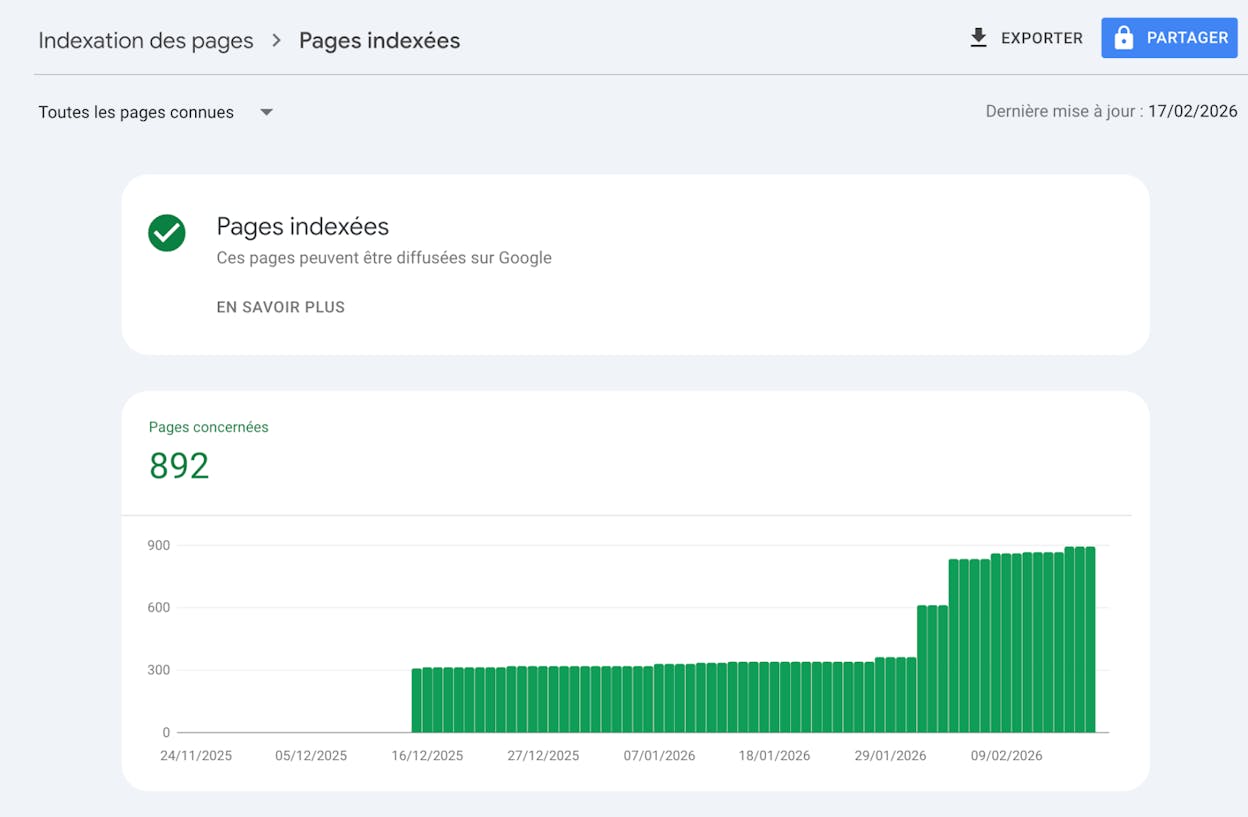
If that number seems high, dig deeper. If you have uploaded accurate XML sitemaps, GSC will split indexed URLs into two categories in the table below the chart:
-
Submitted and indexed — pages you intentionally submitted via sitemap.
-
Indexed, not submitted in sitemap — pages Google found on its own that were not in your sitemap.
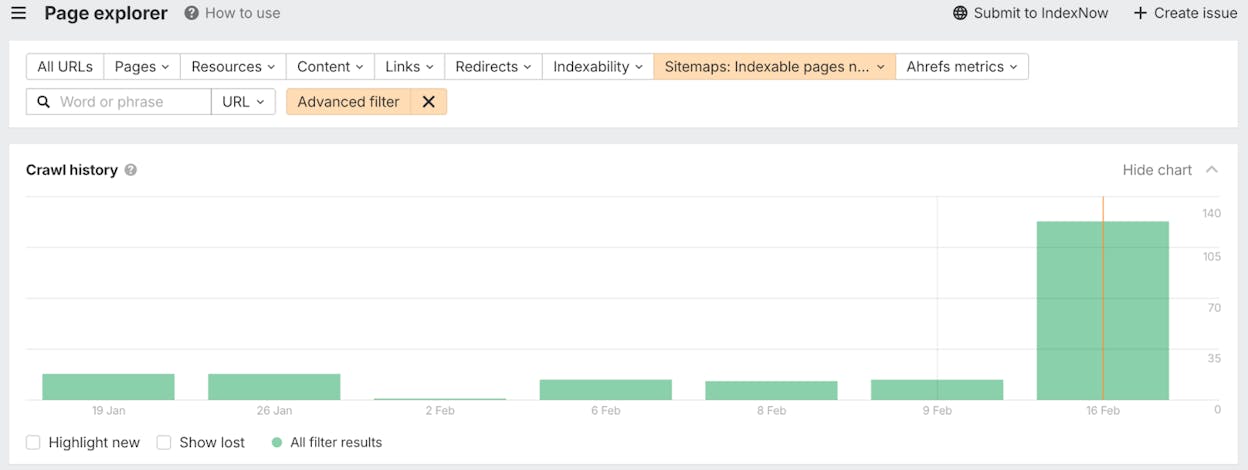
A large number in the “Indexed, not submitted in sitemap” category is a strong signal that Google is indexing faceted URLs you did not intend to be indexed.
Next, switch to the Excluded filter and look at “Crawled — currently not indexed.” These are URLs Google found and crawled but decided not to index. If you see thousands of faceted URLs here, Google is wasting crawl budget discovering pages it ultimately does not value.
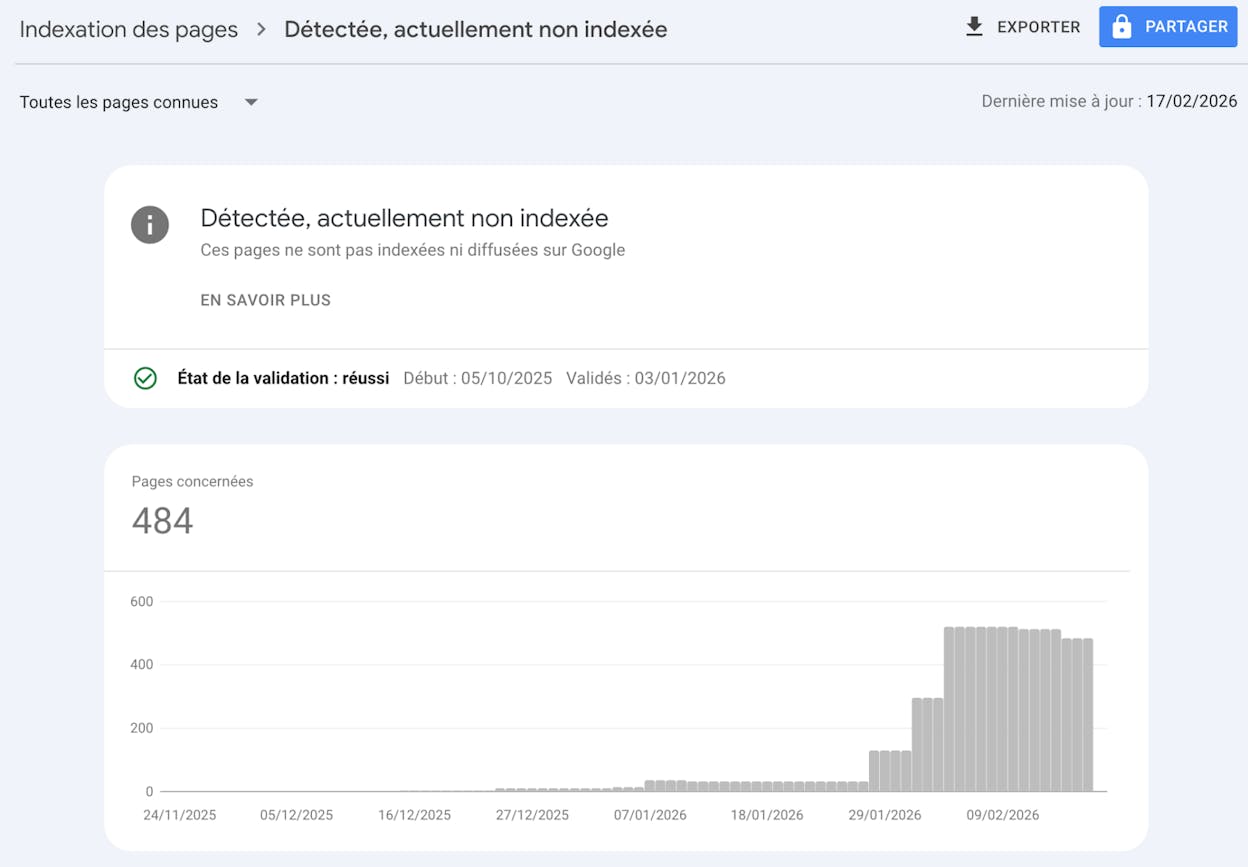
Over time, these numbers can scale dramatically. Sites with severe faceted navigation issues often show hundreds of thousands of URLs in “Crawled — currently not indexed” or “Indexed, not submitted in sitemap.”
Step 3: Audit with a Crawling Tool
A site search and GSC give you a quick read, but neither surfaces every indexable URL or helps you spot patterns. A dedicated site auditing tool — like Screaming Frog, Ahrefs Site Audit, or Sitebulb — can crawl your site the way Google does and return detailed data on every URL it discovers.
Run a crawl and head to the indexability report. You are looking for two things:
If your faceted navigation causes crawl budget waste: You will see a disproportionate number of non-indexable URLs relative to indexable ones. A ratio of 30 or 40 non-indexable URLs for every indexable URL is a clear sign of a crawling problem, likely caused by a crawler trap from your faceted navigation.
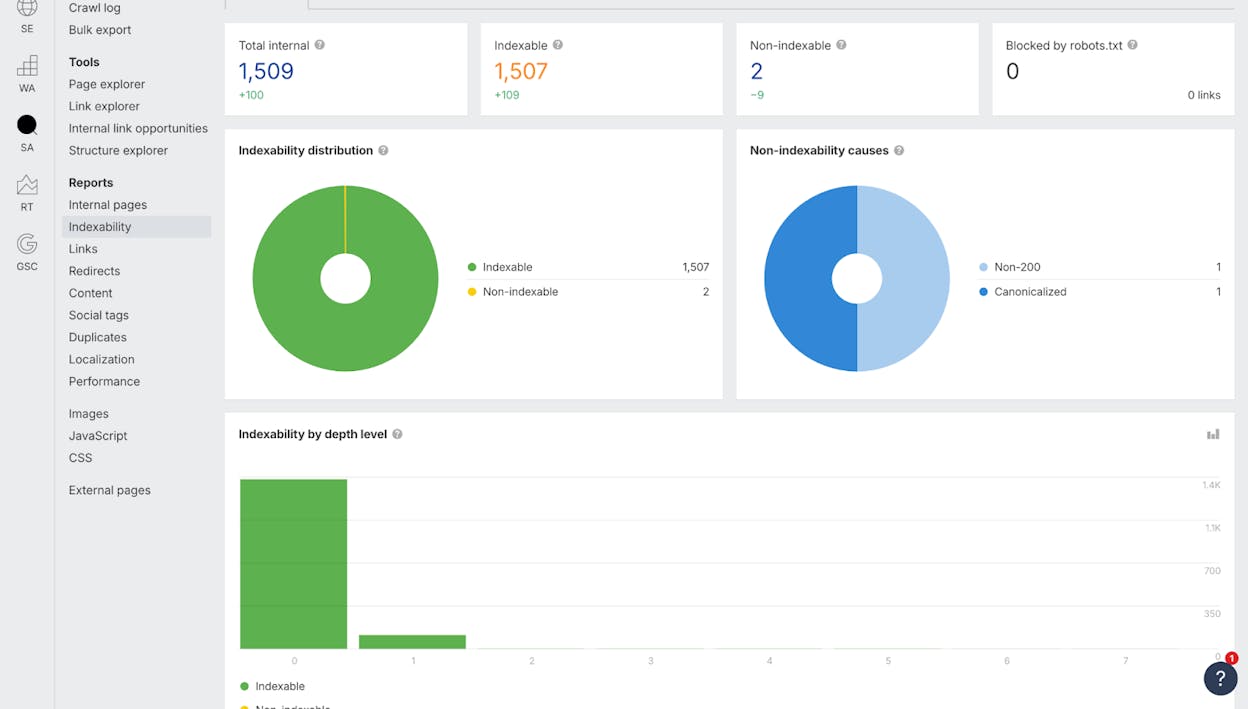
If your faceted navigation causes index bloat: You will see a massive number of indexable URLs — far more than the actual number of pages your site should have.
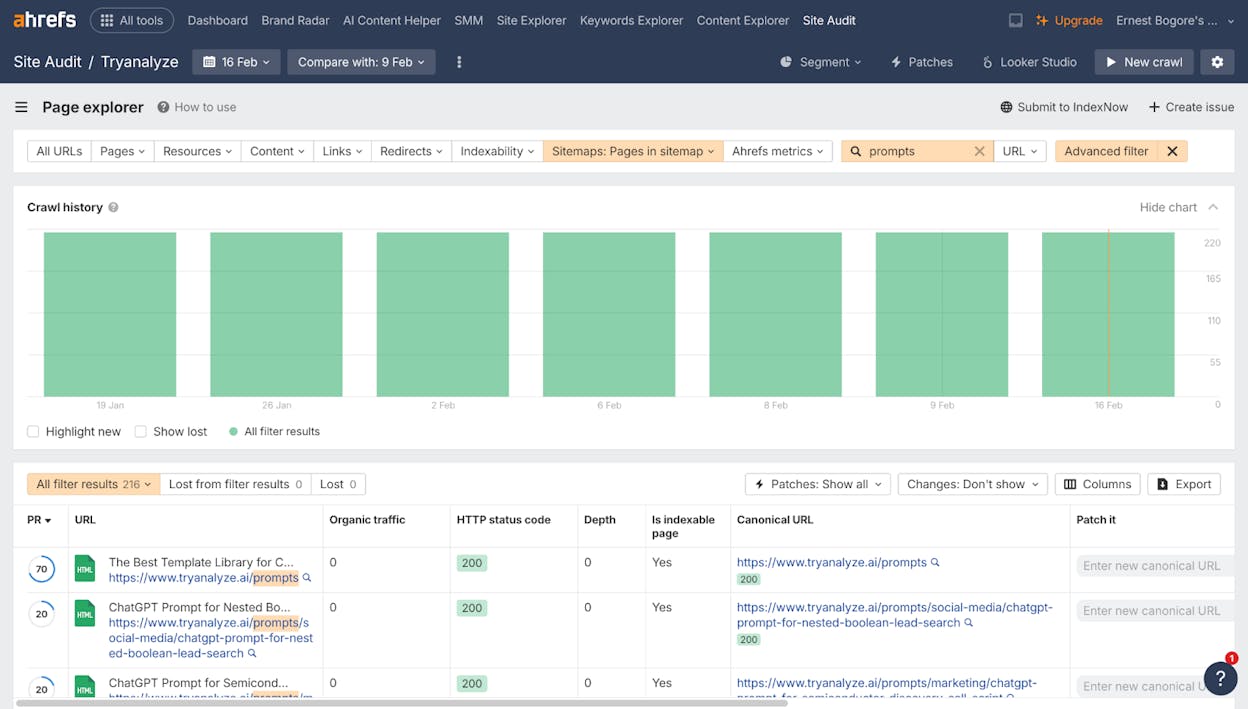
To confirm faceted navigation is the cause, filter the URL list and look for patterns. If the majority of URLs contain filter parameters (like ?color=, ?size=, ?sort=) or follow a faceted directory structure (like /category/brand/color/size/), you have found your problem.
How to Fix Faceted Navigation Issues
Once you have diagnosed the problem, here are five approaches to fix it. Each has specific strengths and tradeoffs, so the right choice depends on your situation.
The table below gives you a quick comparison before we dive into each method:
|
Fix Method |
Solves Indexing |
Solves Crawling |
Consolidates Signals |
Difficulty |
|---|---|---|---|---|
|
Canonical tags |
Yes |
No |
Yes |
Easy |
|
Robots.txt |
No (indirectly) |
Yes |
No |
Easy |
|
Nofollow internal links |
Partially |
Partially |
No |
Medium |
|
Noindex tag |
Yes |
No (needs crawling) |
No |
Easy |
|
404 for empty results |
Yes |
Yes |
N/A |
Easy |
1. Fix Indexing with the Canonical Tag
If you are facing indexing issues but your crawl budget is not severely strained, the canonical tag is your best first option. It tells search engines that a faceted URL is a variant of the main category page and that all ranking signals should be consolidated there.
Here is how to implement it. Say your category page URL is:
https://example.com/washing-machines/samsung/
When a user applies filters, the faceted URL becomes:
https://example.com/washing-machines/samsung/?drumsize=16kg&color=silver&energyrating=A
On that faceted URL, add a canonical tag pointing back to the category page:
<link rel="canonical" href="https://example.com/washing-machines/samsung/" />
Or in the HTTP headers:
Link: <https://example.com/washing-machines/samsung/>; rel="canonical"
The upside is that any backlinks or signals pointing to the faceted URL get passed to the category page, potentially strengthening its rankings.
The downside is that canonical tags are suggestions, not directives. Google may choose to ignore them if:
-
The pages differ significantly in content (different titles, headers, or body text between filtered and unfiltered versions).
-
You have many internal links pointing to the canonicalized faceted URL, which signals to Google that the page is important.
If you implement canonical tags and do not see your “Indexed, not submitted in sitemap” count decreasing in GSC within a few weeks, move on to the next method.
2. Fix Crawling with Robots.txt
If crawl budget waste is your primary concern and you do not need to consolidate link signals, use your robots.txt file to block Google from crawling faceted URLs entirely.
Add a disallow rule targeting the parameter patterns your faceted navigation uses:
User-agent: *
Disallow: *color=*
Disallow: *size=*
Disallow: *sort=*
If your faceted navigation uses directory-based URLs instead of parameters, use:
User-agent: *
Disallow: */color/*
Disallow: */size/*
There are two situations where robots.txt does not work well. First, if your faceted URLs do not follow a predictable pattern — each page uses unique or randomized parameters. Second, if you want to allow some faceted URL patterns to be crawled (for long-tail keyword targeting, which we will cover later) while blocking others. You can technically mix Allow and Disallow rules, but this gets complex and fragile on large sites.
Critical caveat: Blocking crawling does not guarantee Google will not index the URL. If external sites link to a blocked faceted URL, Google may still index it based on anchor text and link context alone. For most sites this is not a problem, but be aware of it.
3. Nofollow and/or Remove Internal Links to Faceted URLs
If blocking crawling is not enough, the next step is to cut off the internal link signals that lead Google to faceted URLs in the first place.
There are two sources of these links:
Links within your faceted navigation. If your filter checkboxes or buttons are built with standard <a href="..."> links, every filter option is an internal link that Google can follow. Applying a blanket rel="nofollow" to all filter links tells Google to deprioritize crawling them.
However, since Google changed nofollow to a “hint” rather than a directive in 2019, this approach is less reliable than robots.txt. Google may still choose to crawl nofollowed links if it believes the pages are valuable.
A more surgical approach is to selectively nofollow only the facets you do not want indexed, while leaving links to valuable faceted pages (like brand-specific filters with search demand) as followed links. This requires more technical work but gives you finer control.
Links from elsewhere on your site. Blog posts, content pages, or other navigation elements may link directly to faceted URLs. Find these using any SEO crawling tool’s internal links report, filter for links pointing to faceted URLs, and remove or redirect them.
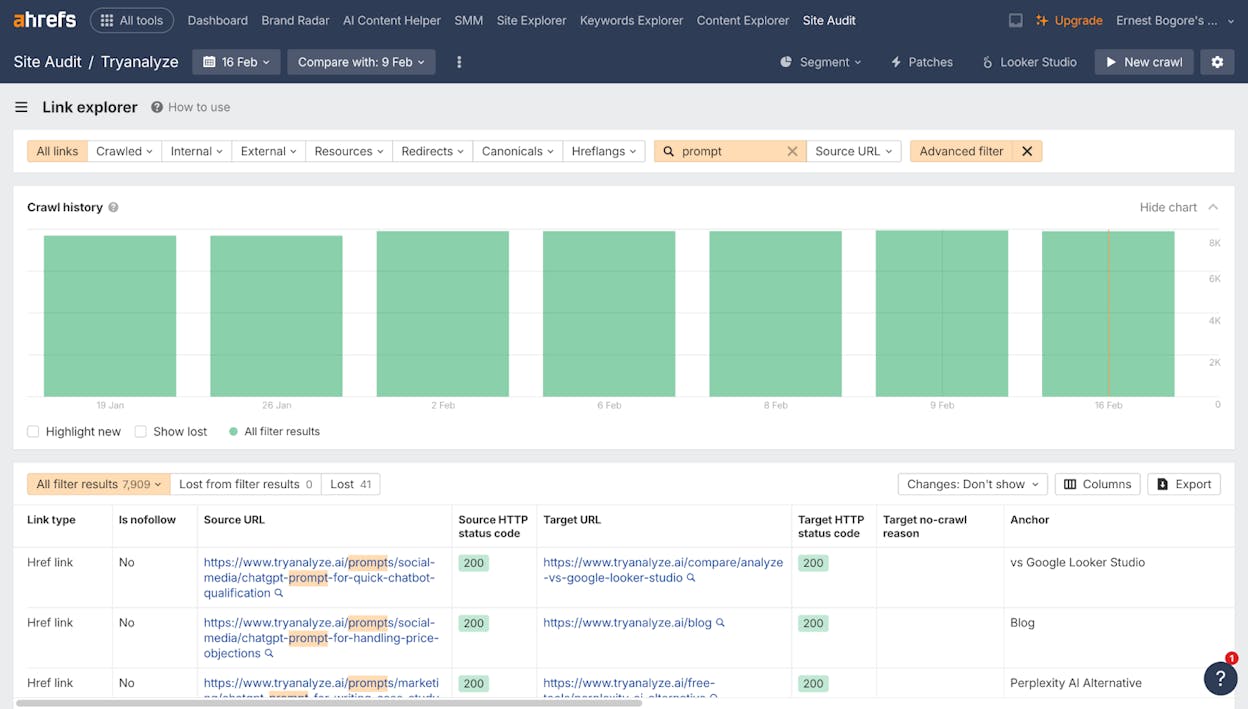
Note: Nofollowing links does not recover the PageRank they consume. PageRank is still divided among all links on the page, including nofollowed ones. To fix PageRank dilution, you need to remove the links entirely or switch to an AJAX implementation that does not generate <a href> links at all.
4. Fix Indexing with the Noindex Tag
If canonical tags are being ignored and you need a definitive way to keep faceted pages out of Google’s index, the noindex meta tag is your failsafe.
Add it to the <head> of every faceted URL:
<meta name="robots" content="noindex">
Or via HTTP headers:
X-Robots-Tag: noindex
This is a stronger signal than canonical tags — Google will reliably deindex pages with a noindex tag.
However, there are two tradeoffs. First, you lose signal consolidation. Unlike canonical tags, noindex does not pass link signals to another URL. Any backlinks pointing to a noindexed faceted page are effectively wasted. Second, Google may eventually reduce crawling of noindexed pages over time, meaning any internal links on those pages (to products, subcategories, etc.) may stop passing value.
Critical implementation note: If you have previously blocked faceted URLs via robots.txt, you must remove those blocks before adding noindex. If a URL is blocked by robots.txt, Google cannot crawl it, which means it can never see the noindex tag. The page will remain indexed.
5. Return a 404 for Filter Combinations with No Results
When a specific filter combination returns zero products, serve a 404 HTTP status code instead of showing an empty page. This tells search engines the page does not exist, which prevents them from indexing thin, empty pages.
Without this, empty faceted pages waste crawl budget and contribute to index bloat with pages that provide zero value to users.
One exception: if the empty results are temporary (a product is out of stock but will return), a 200 status with a helpful message and related product suggestions may be a better UX choice. But for permanently invalid combinations — like filtering men’s shoes by “maternity” — a 404 is the correct response.
How to Prevent Faceted Navigation Issues from the Start
Every fix method described above has drawbacks. If you are building a new faceted navigation system — or have the opportunity to rebuild an existing one — you can sidestep all of these issues with a prevention-first approach.
1. Build with AJAX and Avoid Crawlable Links
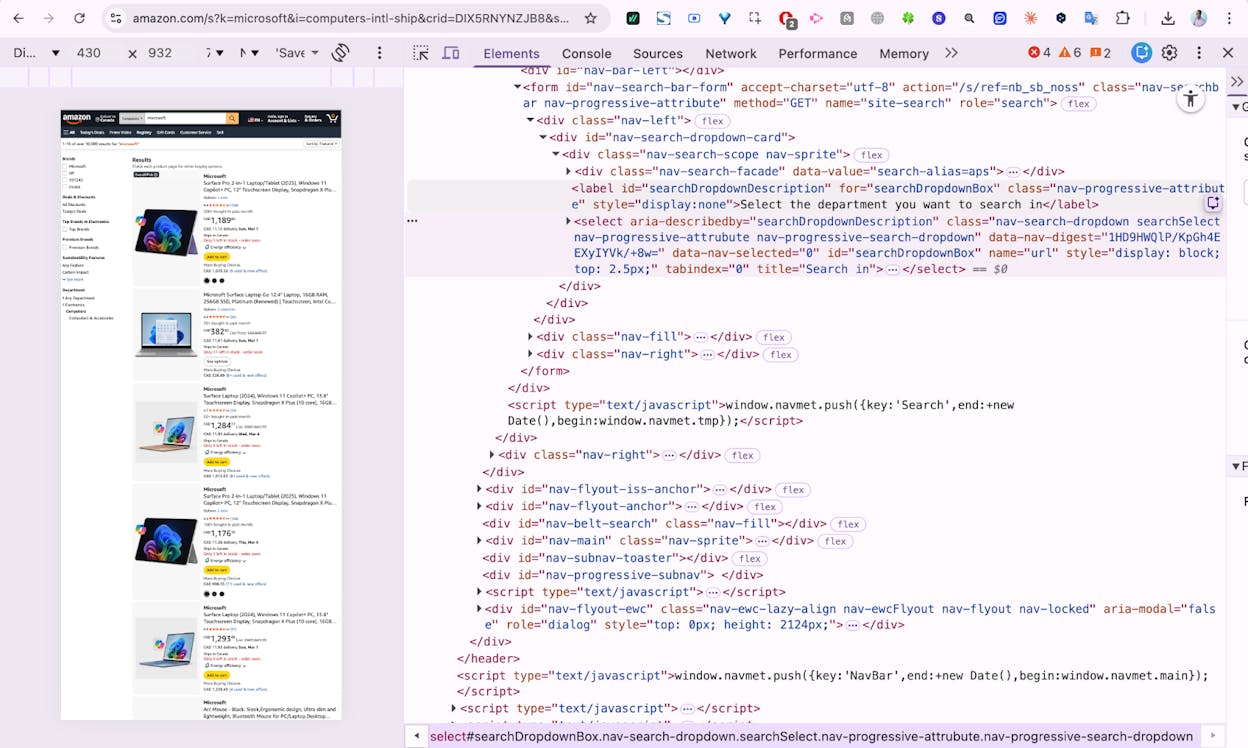
The single most effective prevention strategy is to build your faceted navigation with AJAX (or any modern JavaScript framework) and ensure that no filter element generates a standard <a href="..."> link.
When you do this, three things happen simultaneously:
-
Google does not discover faceted URLs through internal links, so it does not crawl them.
-
Since they are not crawled, they are not indexed.
-
No PageRank flows to faceted URLs, so there is no dilution.
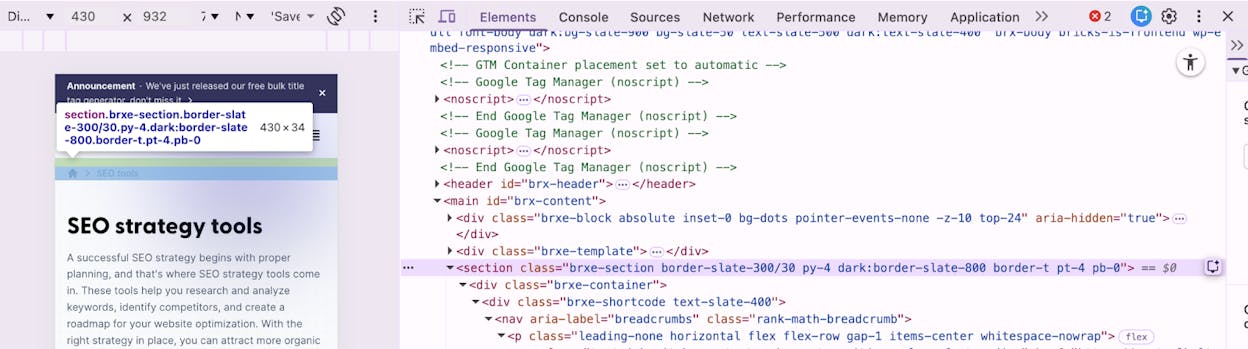
This is not theoretical. The WP Grid Builder WordPress plugin, for example, implements faceted navigation this way. When you inspect the filter checkboxes, there are no <a href> links in the HTML. Google has nothing to crawl, so none of the standard faceted navigation problems apply.
2. Keep Filtered URLs Shareable
Even though you do not want Google crawling every faceted URL, users still need to be able to bookmark, share, and link to filtered views. When someone applies a “blue, size 10” filter and copies the URL to send to a friend, the friend should see the same filtered results.
The best approach is URL hash fragments. When a filter is applied, update the URL to something like:
https://example.com/shoes/#color=blue&size=10
Google ignores everything after the # character, so these URLs are functionally invisible to search engines while still being fully shareable for users.
If your implementation uses query parameters instead (?color=blue&size=10), add a self-referencing canonical tag on the unfiltered version and a canonical pointing to the unfiltered version on every filtered variant. Since these parameter URLs are not internally linked (because the AJAX implementation does not create <a href> links), Google is unlikely to discover them, and even if it does, the canonical tag provides a safety net.
3. Create Separate Crawl Paths for High-Value Filtered Pages
Some filtered views have real search potential. “Chrome extensions for SEO” or “black running shoes for women” are the kind of long-tail queries that filtered pages can target effectively.
For these high-value variations, create dedicated subcategory pages with their own crawlable, internally linked URLs. These are not faceted pages — they are purpose-built landing pages that happen to show the same filtered product set.
This approach gives you the best of both worlds. The faceted navigation handles dynamic, user-driven filtering without SEO risk. The subcategory pages capture long-tail search traffic with clean, optimized URLs.
How to Use Faceted Navigation to Get More Traffic
Up to this point, we have treated faceted navigation as a problem to manage. But it can also be a significant growth lever when paired with a long-tail keyword strategy.
The data backs this up. Research consistently shows that keywords with fewer than 1,000 monthly searches account for the vast majority of total search demand. These long-tail queries are less competitive, more specific, and often higher-intent. Faceted pages — which create more specific versions of broader category pages — are a natural fit for capturing this traffic.
Here is how to do it.
Step 1: Identify Long-Tail Keyword Variations
Start with a category you already have on your site. Enter it into a keyword research tool — Ahrefs Keywords Explorer, SEMrush, or Google’s Keyword Planner all work.
For example, enter “high rise jeans.”
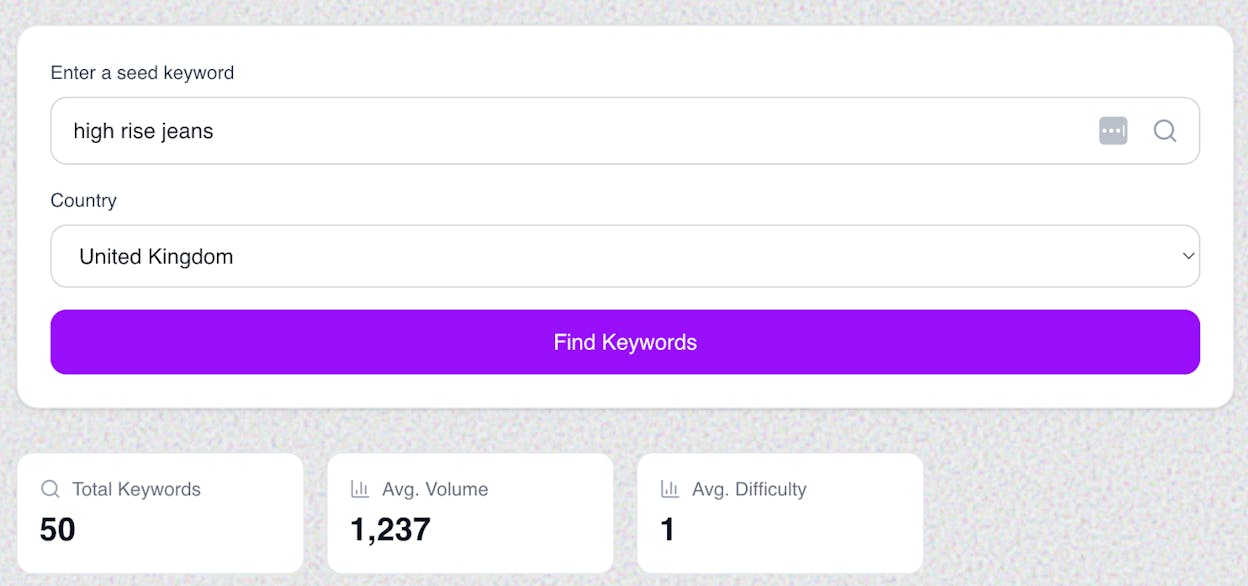
Navigate to the related keywords or matching terms report. Then group the results by parent topic to see which keyword clusters share the same SERP, meaning they can be targeted with a single page.
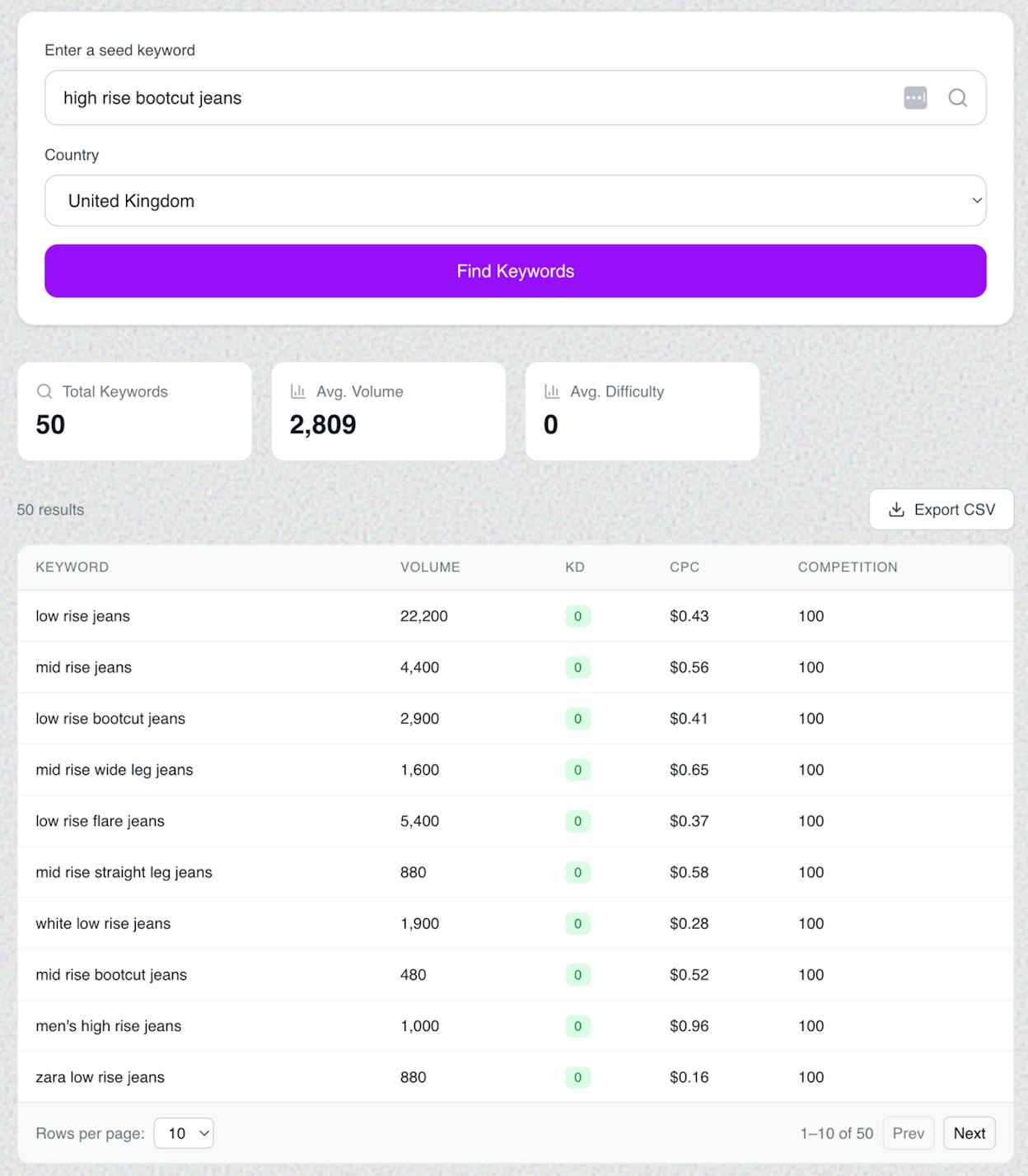
Scan this list for keyword clusters that match filter combinations you can create with your faceted navigation. In the example above, potential faceted pages include:
-
Low rise jeans (22,200 searches/mo)
-
Mid rise jeans (4,400 searches/mo)
-
Mid rise wide leg jeans (1,600 searches/mo)
-
White low rise jeans (1, 900 searches/mo)
-
Zara low rise jeans (880 searches/mo)
Each of these represents a filter combination (parent category + fit type) that has real search demand and could bring in targeted, high-intent traffic.
You can also use Analyze AI’s free keyword generator tool to brainstorm long-tail variations of your category terms, or the keyword difficulty checker to evaluate which variations are worth targeting based on competition.
Step 2: Make Those Pages Indexable
How you make these pages indexable depends on your faceted navigation implementation.
If your faceted navigation already generates internal links (the non-ideal setup), you need to selectively “opt in” specific faceted URLs for indexing. For each URL you want indexed:
-
Set the canonical tag to self-referencing (not pointing to the parent category).
-
Remove any noindex tag.
-
Remove or adjust any robots.txt disallow rules that block the URL.
-
Ensure internal links to the page are followed (no rel="nofollow").
If your faceted navigation uses AJAX without internal links (the ideal setup), you cannot rely on the faceted navigation to create these pages. Instead, create dedicated subcategory pages. Most ecommerce platforms support this natively. The key is to base each subcategory’s product set on the parent category’s listings, filtered by the relevant attribute — so you get the benefit of automatic merchandising without manual product assignment.
For example, a “high rise skinny jeans” subcategory would inherit the “high rise jeans” product listings and show only products with the “skinny” fit attribute.
Step 3: Optimize Those Pages for Search
Once you have indexable URLs for your high-value faceted pages, treat them like any other landing page. The fundamentals apply:
-
Clean, readable URLs. Use /jeans/high-rise/skinny/ rather than /jeans/high-rise/?fit_variant=skinny.
-
Optimized title tags and meta descriptions. Include the target keyword naturally.
-
Unique H1 tags. Each faceted page should have a distinct H1 that matches search intent.
-
Unique body content. Add a paragraph or two of genuinely helpful content specific to that filter combination. Do not just copy the parent category’s content block.
-
Add the URL to your XML sitemap. This signals to Google that you consider this page important.
-
Internal linking. Link to these pages from relevant blog posts, buying guides, and parent category pages.
The main complication is that faceted pages are inherently dynamic. Most platforms do not make it easy to add custom metadata or unique content to a URL that is generated by a filter. You may need custom development work or a platform that supports per-filter content management.
Use the SERP checker to see what is currently ranking for your target long-tail keywords and identify gaps your faceted pages can fill.
Faceted Navigation and AI Search: What You Need to Know
Everything above covers how faceted navigation interacts with traditional search engines. But there is a new dimension to consider: AI search engines.
Platforms like ChatGPT (with browsing), Perplexity, Google AI Overviews, and Microsoft Copilot are sending increasing amounts of referral traffic to websites. Analyze AI’s research across 83,670 AI citations shows that AI engines cite specific, well-structured pages — and the pages they prefer are not random.
Here is why this matters for faceted navigation.
AI Crawlers Behave Differently Than Googlebot
AI search engines use their own crawlers to access web content. Perplexity’s crawler, ChatGPT’s browse mode, and others do not follow the same conventions as Googlebot. Some respect robots.txt. Some do not. Some render JavaScript. Some do not.
This means that your traditional faceted navigation controls — robots.txt blocks, canonical tags, noindex directives — may not apply consistently across all AI crawlers. A faceted URL that is blocked for Googlebot might still be accessible to an AI crawler, which could then cite it in a response, sending users to a thin or duplicate page.
The prevention-first AJAX approach described earlier is the most robust solution here too. If faceted URLs are never generated as <a href> links in the HTML, no crawler — traditional or AI — can discover them through internal linking.
AI Engines Prefer Specific, Well-Structured Pages
Analyze AI’s citation data reveals a consistent pattern: AI engines tend to cite pages that answer specific queries with clear, structured information. This aligns perfectly with the long-tail strategy for faceted pages.
A well-optimized faceted landing page for “women’s waterproof hiking boots under $150” is exactly the kind of specific, high-intent content that AI engines pull into their answers. But only if the page is indexable, has unique content, and is structured in a way AI models can parse.
This means the pages you optimize for long-tail search traffic double as candidates for AI citation. Invest in unique content, clear headings, and structured data (like product schema markup) on your high-value faceted pages, and you position them for visibility in both traditional and AI search results.
Track Which Filtered Pages Get AI Traffic
One of the most practical things you can do is identify which of your existing pages — including filtered or faceted pages — are already receiving traffic from AI search engines. This data tells you which page formats and content structures AI engines prefer, so you can create more pages like them.
Analyze AI’s Landing Pages from AI Search report shows you exactly which URLs on your site are receiving sessions from AI-powered search engines like ChatGPT, Perplexity, Claude, and Copilot. You can see the landing page, the referring AI engine, session counts, and key events.
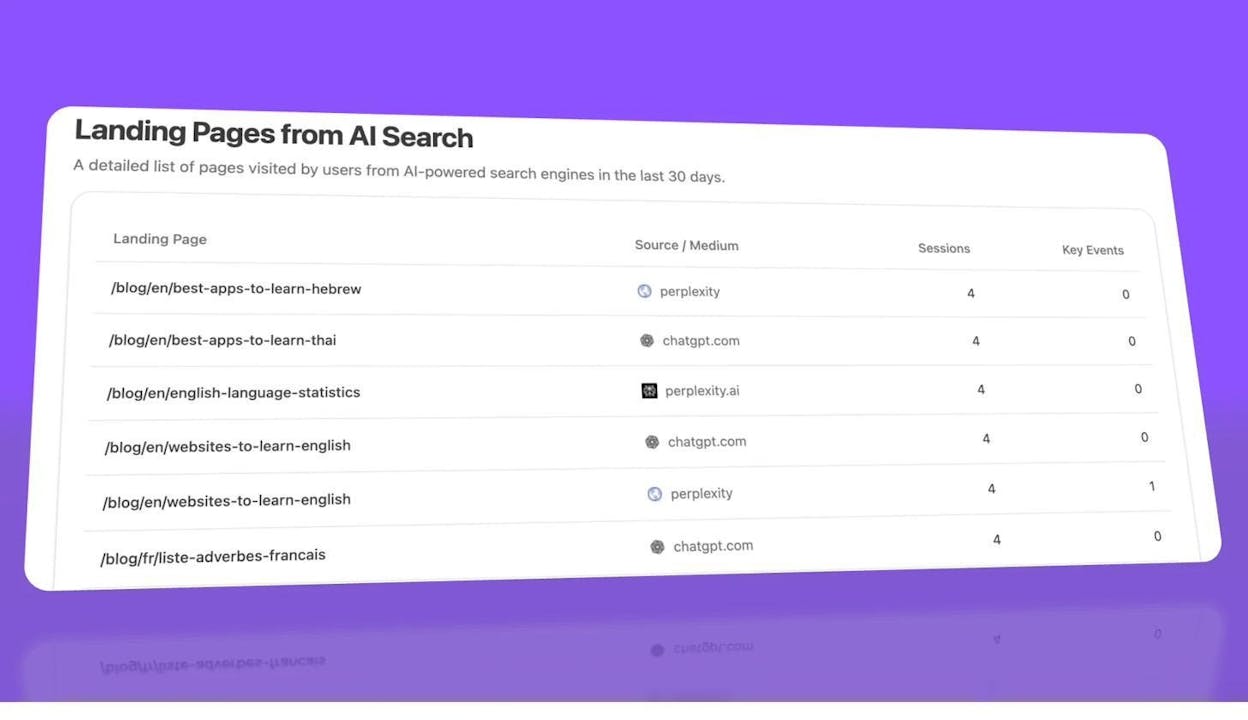
If you notice that certain product category pages or filtered views are already attracting AI traffic, that is a strong signal to invest more in those pages — add richer content, improve structured data, and ensure they are not accidentally blocked or canonicalized away.
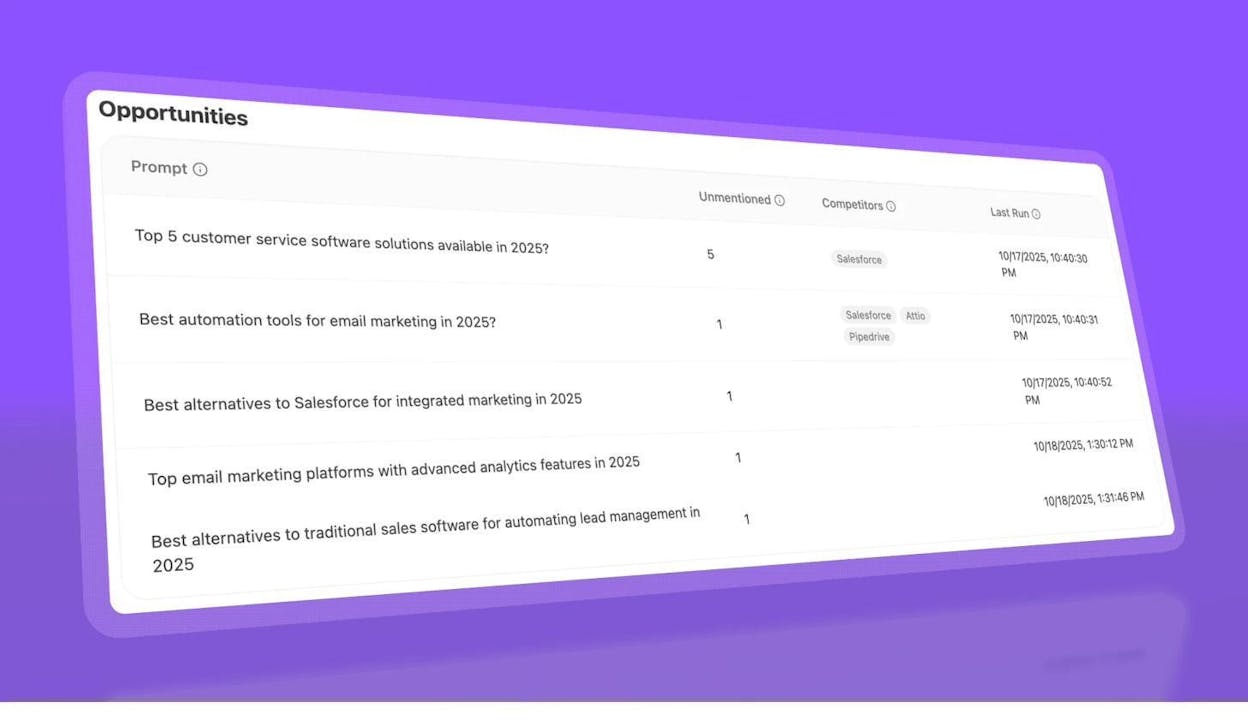
You can also use Analyze AI’s citation analytics to see which of your URLs AI models cite in their responses, and identify gaps where competitors are being cited but you are not.
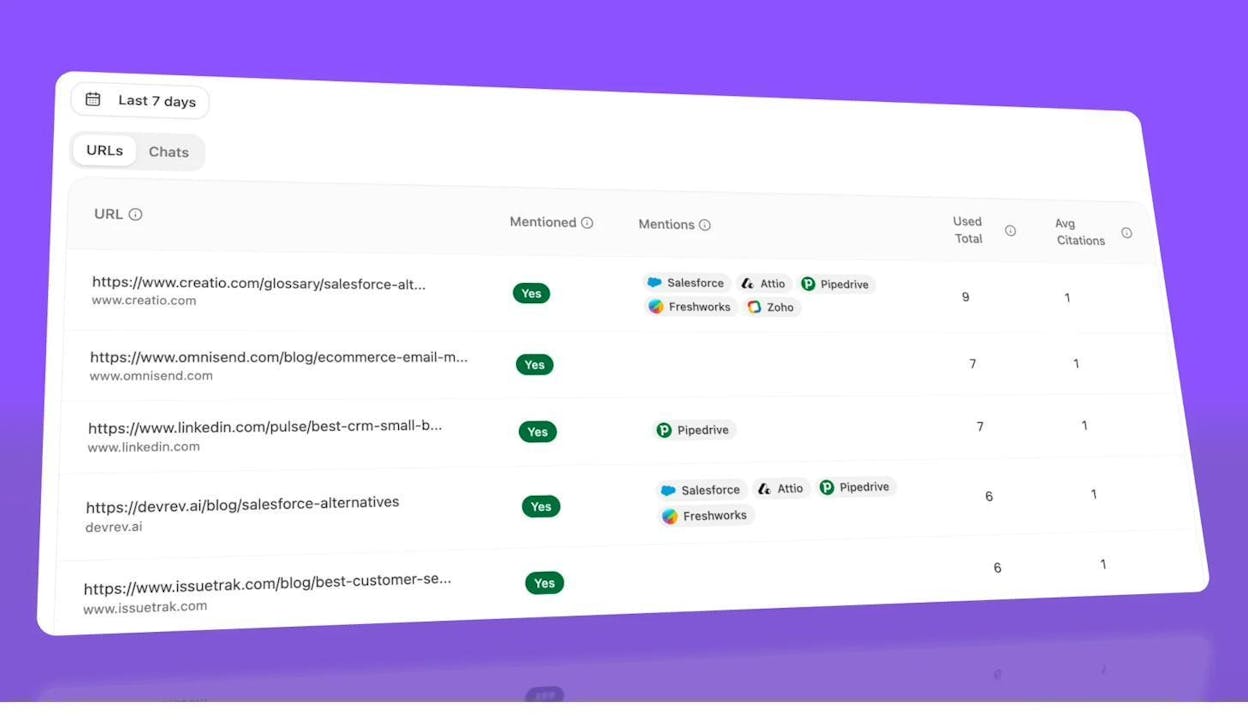
This competitive view helps you prioritize which faceted pages to build out first. If a competitor’s “men’s running shoes under $100” page is getting cited by ChatGPT and Perplexity but yours is not, that is a clear opportunity to create or improve your equivalent page.
Make Your Product Pages AI-Friendly
Beyond faceted navigation specifically, there are structural choices that help all your product and category pages perform better in AI search:
Use clear, descriptive headings. AI models parse headings to understand page structure. A heading like “Samsung 4K Monitors Under $500” is far more useful to an AI model than “Our Selection.”
Add structured data. Product schema markup, FAQ schema, and breadcrumb schema help AI models understand your page’s content and context. This is especially important for faceted pages, where the content may otherwise look similar to other pages on your site.
Write genuinely unique content for each faceted page. A paragraph of helpful buying advice specific to that filter combination — not just recycled category copy — gives AI models something meaningful to cite.
Ensure fast load times. AI crawlers, like traditional crawlers, may deprioritize slow-loading pages. Keep your faceted pages lean.
For a comprehensive guide to making your ecommerce site visible in AI search, see our complete ecommerce SEO guide.
Faceted Navigation SEO Checklist
Use this as a quick reference when auditing or building faceted navigation:
Diagnosis:
-
Run site:yourdomain.com and compare indexed count to expected page count
-
Check GSC Pages report for “Indexed, not submitted in sitemap” URLs
-
Check GSC for “Crawled — currently not indexed” faceted URLs
-
Run a site crawl and analyze the indexable vs. non-indexable ratio
-
Identify the URL pattern your faceted navigation uses (parameters, directories, hashes)
Fixing existing issues:
-
Implement canonical tags on faceted URLs pointing to parent category pages
-
Block low-value faceted URL patterns in robots.txt
-
Nofollow or remove internal links to faceted URLs from blog posts and navigation
-
Add noindex to faceted URLs if canonical tags are not being respected
-
Return 404 for filter combinations that produce zero results
-
Enforce a consistent parameter order to prevent order-based duplicates
Prevention (new implementations):
-
Build faceted navigation with AJAX — no <a href> links on filter elements
-
Use URL hash fragments for bookmarkable/shareable filtered views
-
Create dedicated subcategory pages for high-search-volume filter combinations
-
Add unique content, metadata, and structured data to each subcategory page
-
Include high-value subcategory pages in your XML sitemap
AI search optimization:
-
Track AI referral traffic to identify which page types AI engines prefer
-
Add product schema markup to key faceted/subcategory pages
-
Write unique, descriptive content on each indexable faceted page
-
Monitor competitor citations in AI search to find faceted page opportunities
-
Verify that AJAX implementation prevents AI crawler access to low-value faceted URLs
If your faceted navigation handles more than a few hundred filter combinations, audit it quarterly. Filter inventories grow as you add products, attributes, and categories — and small issues compound into large ones fast.
For tracking how your pages perform across both traditional and AI search channels, Analyze AI gives you the data to see what is working and where to invest next.

Ernest

Ibrahim


