Analyze AI - AI Search Analytics Platform
Blog

11 Best Keyword Tracking Tools for 2026 (Reviewed)

11 Best Keyword Tracking Tools for 2026 (Reviewed)

Summarize this blog post with:

In this article, you’ll learn which keyword tracking tools are worth your budget in 2026, how each one handles rank monitoring differently, what features separate good trackers from great ones, and why tracking your visibility in AI search engines is now just as important as tracking your Google rankings.

Table of Contents

What to Look for in a Keyword Tracking Tool

Before you pick a tool, know what actually matters. Not every feature on a pricing page translates to useful data.

Here are the things that make a real difference in practice.

Accuracy of rank data. Some tools scrape rankings from a single data center. Others pull from multiple locations and devices. The difference shows up when you compare your tool’s data to what Google Search Console reports. If they don’t roughly match, your tracking is unreliable.

Update frequency. Daily updates are the standard for paid tools. Some offer weekly or even hourly tracking. Daily is enough for most sites. If you’re in a competitive niche where positions shift multiple times per day (think news, finance, or travel), faster updates might justify the cost.

Location and device tracking. Local businesses need city-level or even zip-code-level tracking. National brands need country-level data for desktop and mobile separately. Mobile rankings often differ significantly from desktop, so tracking only one gives you half the picture.

SERP feature tracking. Rankings alone don’t tell the full story. You need to know if your keyword triggers featured snippets, People Also Ask boxes, video carousels, or AI Overviews. A position-three result with a featured snippet often gets more clicks than position one without it.

Competitor comparison. Good trackers let you benchmark against competitors on the same keywords. Great ones show you share of voice across your entire keyword set.

Reporting and alerts. You need to share progress with stakeholders. Look for scheduled email reports, custom dashboards, and alerts when rankings drop or spike.

AI search visibility. This is the one most tools still miss entirely. Millions of searches now happen inside ChatGPT, Perplexity, Claude, and Google AI Mode. If your brand gets recommended in those answers, that drives traffic and conversions. If it doesn’t, you’re invisible to a growing segment of buyers. Tools like Analyze AI now let you track this visibility alongside traditional rank tracking.

The 11 Best Keyword Tracking Tools

Here is every tool worth considering, organized by what each one does best.

Tool

Best for

Starting price

AI search tracking

Analyze AI

SEO + AI search tracking in one platform

Custom pricing

Yes

Ahrefs Rank Tracker

All-around SEO rank tracking

$129/mo (Lite)

Limited (Brand Radar)

Google Search Console

Free rank monitoring

Free

No

SEMrush Position Tracking

Agency-level SEO campaigns

$139.95/mo (Pro)

No

SE Ranking

Budget-friendly daily tracking

$65/mo

No

AccuRanker

Fast, high-volume rank tracking

$129/mo

No

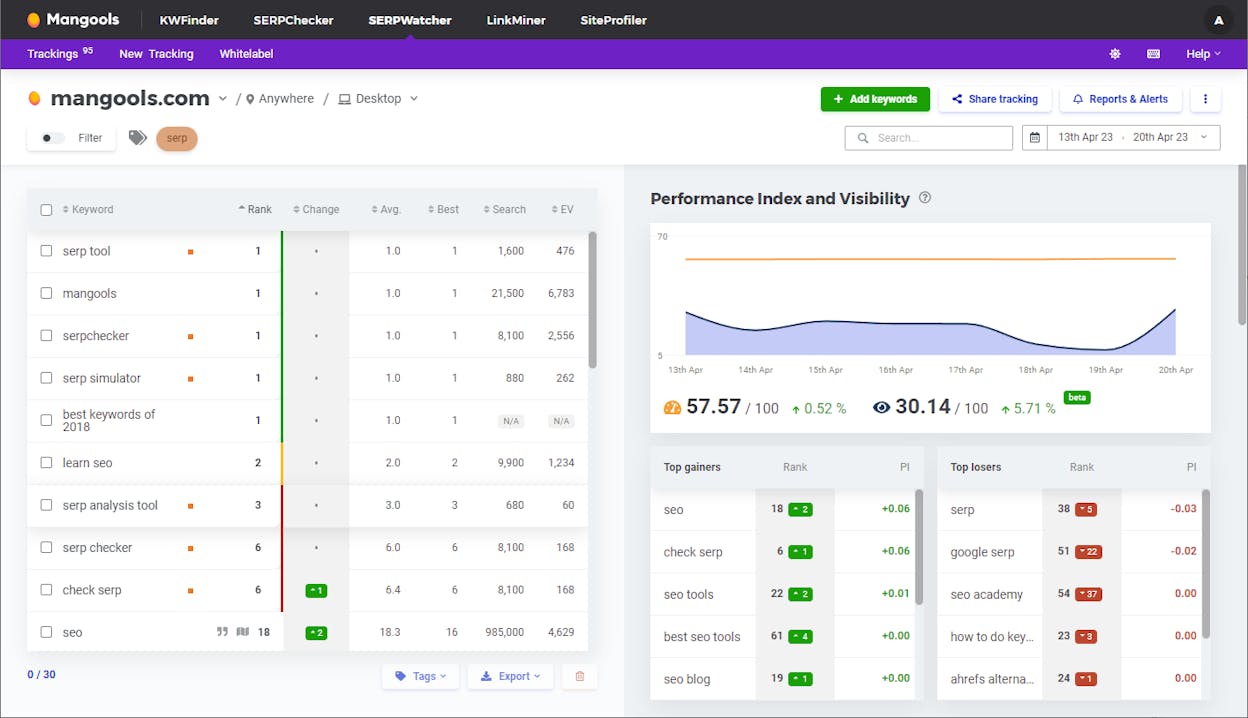
Mangools SERPWatcher

Solo entrepreneurs and beginners

$29.90/mo

No

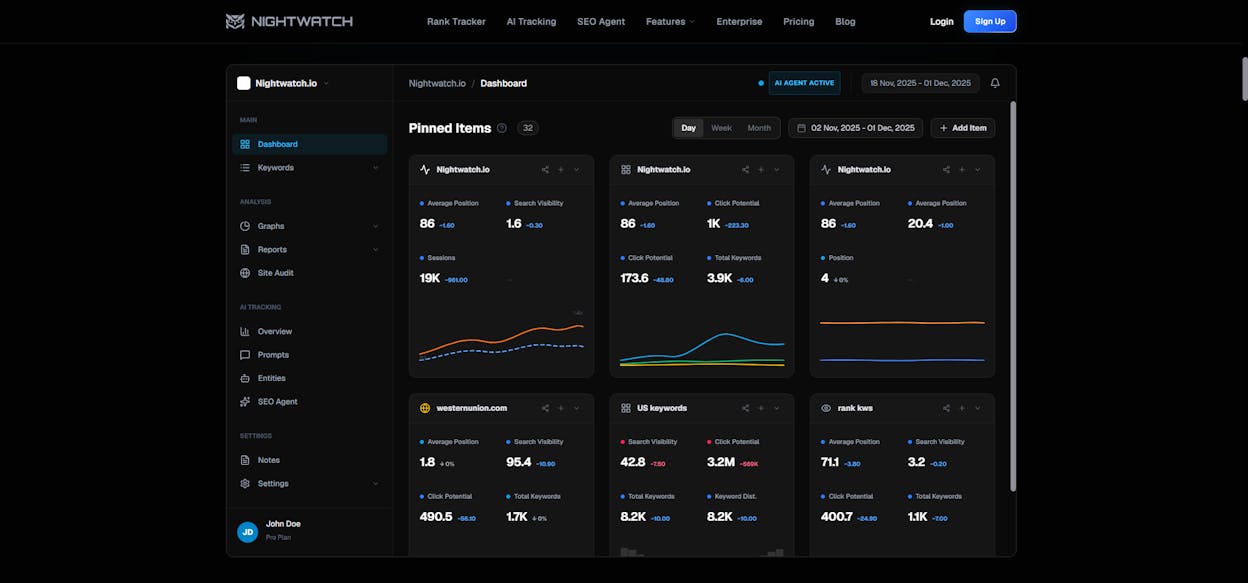
Nightwatch

Local rank tracking

$32/mo

No

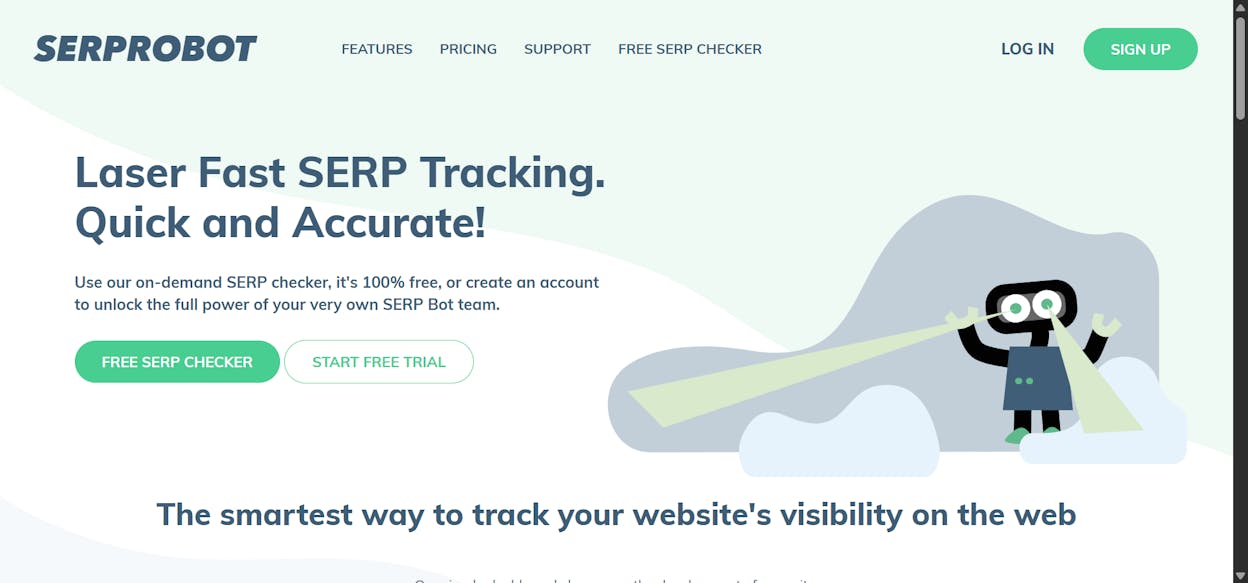
SERPRobot

Free automated rank checks

Free

No

Nozzle

Frequent tracking intervals

~$49/mo

No

Wincher

Simple, affordable tracking

$49/mo

No

1. Analyze AI. Best for tracking keywords in both Google and AI search

Analyze AI is the only platform on this list built to track keyword performance across traditional search and AI search engines from a single dashboard. While every other tool on this list focuses on Google rankings, Analyze AI adds a layer that none of them offer. It shows you how your brand appears when people ask ChatGPT, Perplexity, Claude, Gemini, and Copilot questions in your industry.

Here’s why that matters. When someone searches “best CRM for small businesses” on Google, you can track your position with any rank tracker. But when they ask the same question in ChatGPT or Perplexity, you have no idea if your brand gets mentioned, what position you appear in, or what competitors are being recommended instead. Analyze AI solves that.

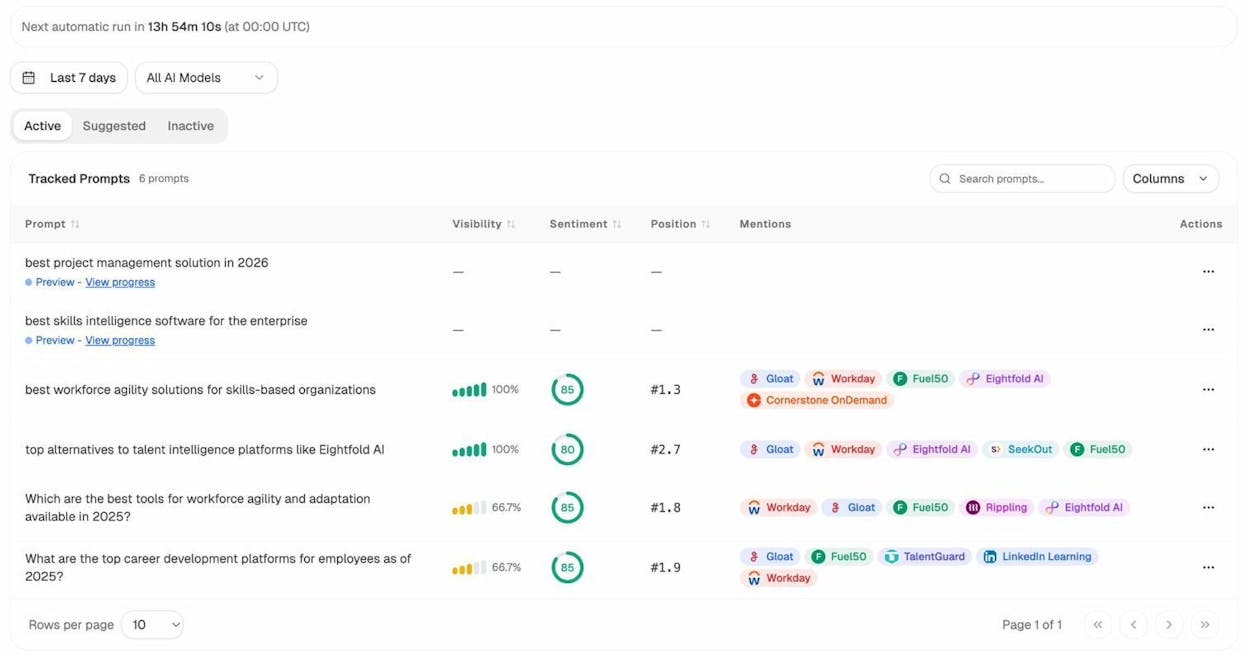
Prompt Tracking for AI Search

The Prompt Tracking feature lets you add the prompts (queries) that matter to your business and track your visibility across AI models automatically. For each prompt, you see your visibility percentage, your average position in AI answers, the sentiment of how AI describes your brand, and which competitors get mentioned alongside you.

Analyze AI Prompt Tracking dashboard showing tracked prompts with visibility, sentiment, position, and competitor mentions across AI models

This works like traditional rank tracking but for AI answers. You add prompts like “best project management tools for remote teams” or “top alternatives to HubSpot CRM.” Analyze AI runs those prompts across multiple AI engines daily and reports back where your brand stands.

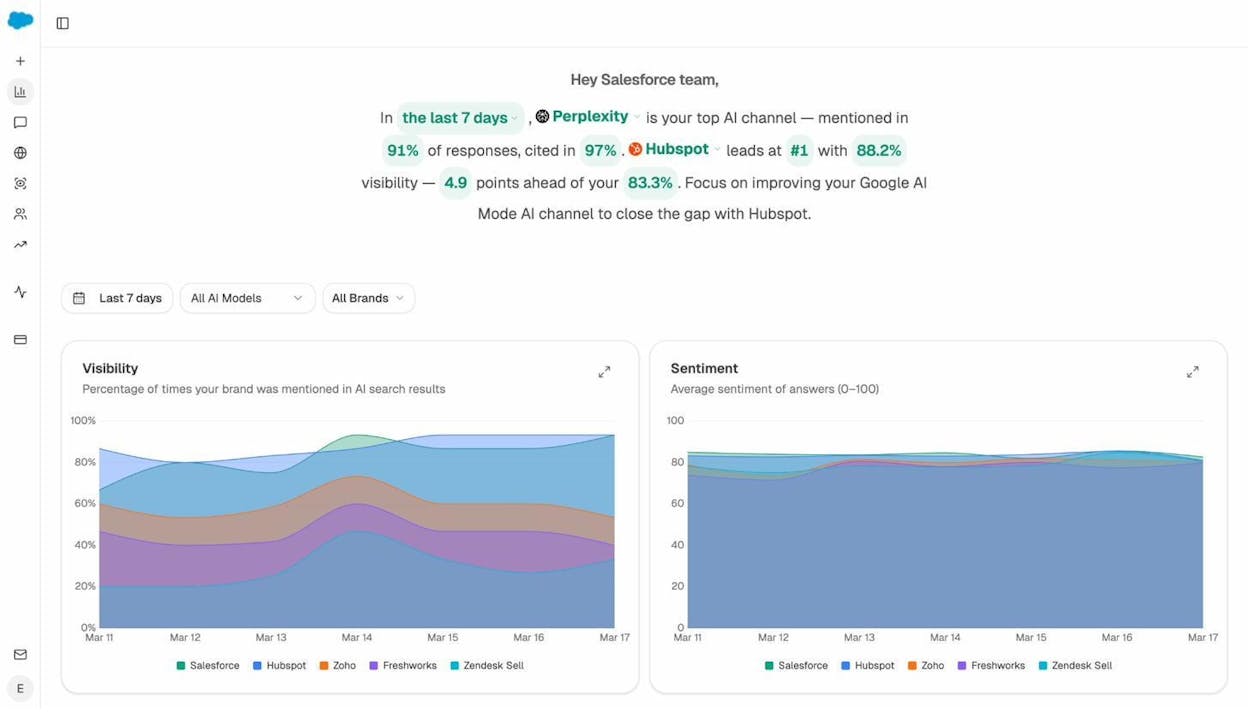
AI Visibility Overview

The Overview dashboard gives you a high-level snapshot of your brand’s presence across all AI platforms. You see your overall visibility percentage, sentiment score, how you compare against competitors, and which AI engine gives you the most visibility.

Analyze AI Overview dashboard showing visibility and sentiment trends across brands and AI models

You can drill down by AI model to compare performance on ChatGPT versus Perplexity versus Google AI Mode. This level of detail helps you spot patterns. For example, you might find that Perplexity cites your brand in 91% of responses while Google AI Mode barely mentions you. That tells you exactly where to focus your optimization efforts.

Analyze AI visibility chart filtered by ChatGPT showing brand comparison over time

Competitive Intelligence in AI Search

The Competitor Intelligence feature shows you every brand that AI models mention alongside yours. You see how many times each competitor gets mentioned, which prompts trigger those mentions, and whether those mentions are increasing or decreasing.

Analyze AI Competitors dashboard showing tracked competitors with mention counts and last seen dates

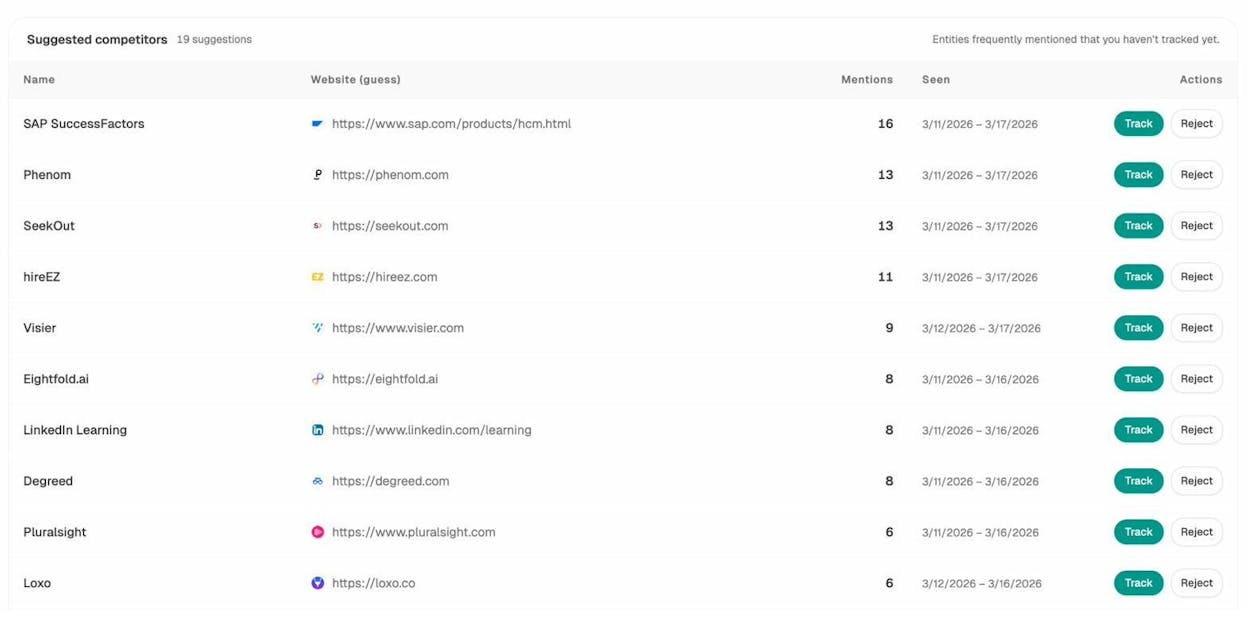
Analyze AI also surfaces competitors you might not be tracking yet. The Suggested Competitors tab shows brands that frequently appear in AI answers for your industry, even if you haven’t added them to your tracking list.

Analyze AI suggested competitors showing entities frequently mentioned with mention counts

This is competitive intelligence you simply can’t get from a traditional rank tracker. It tells you who is winning the AI search conversation in your space.

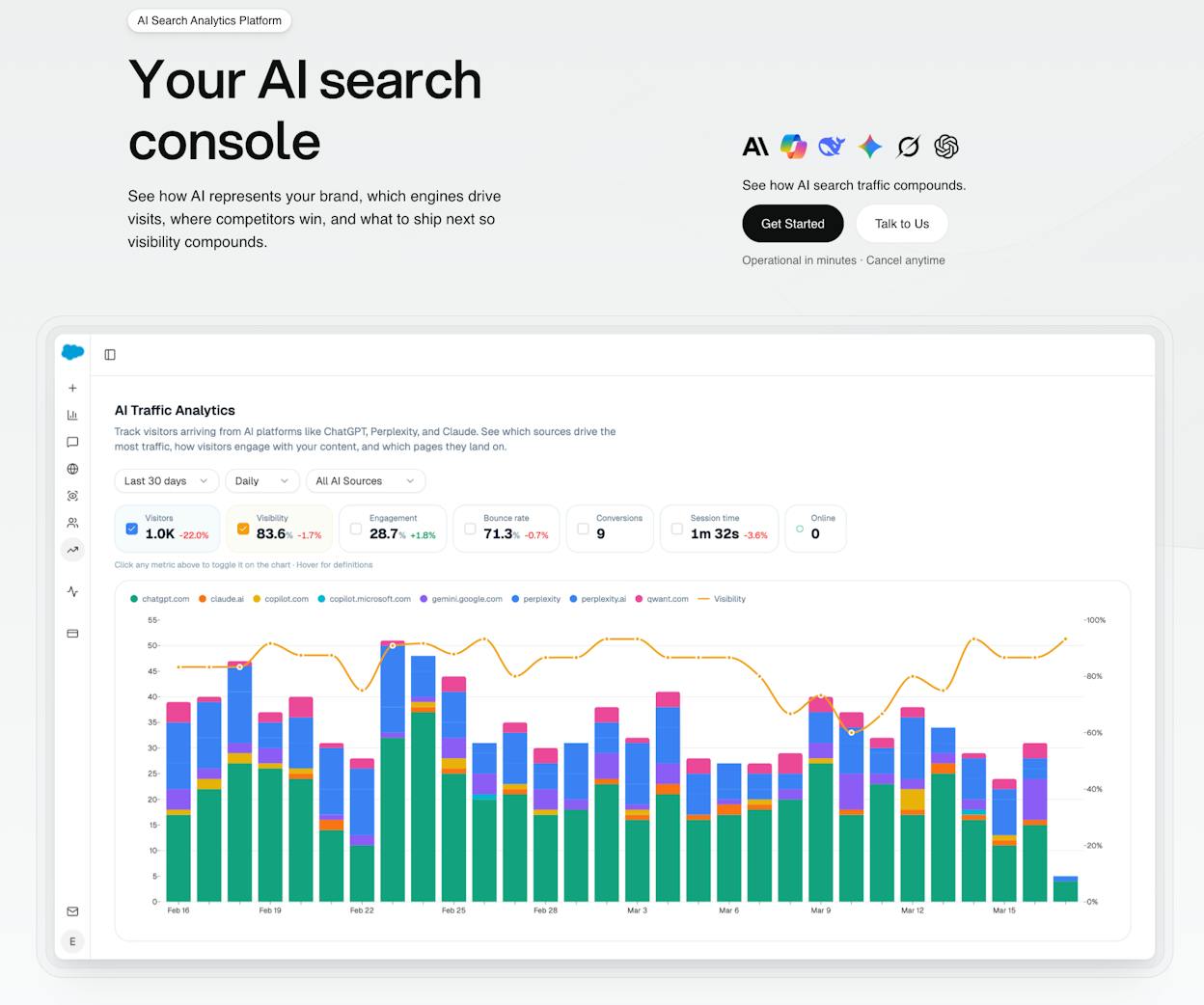
AI Traffic Analytics

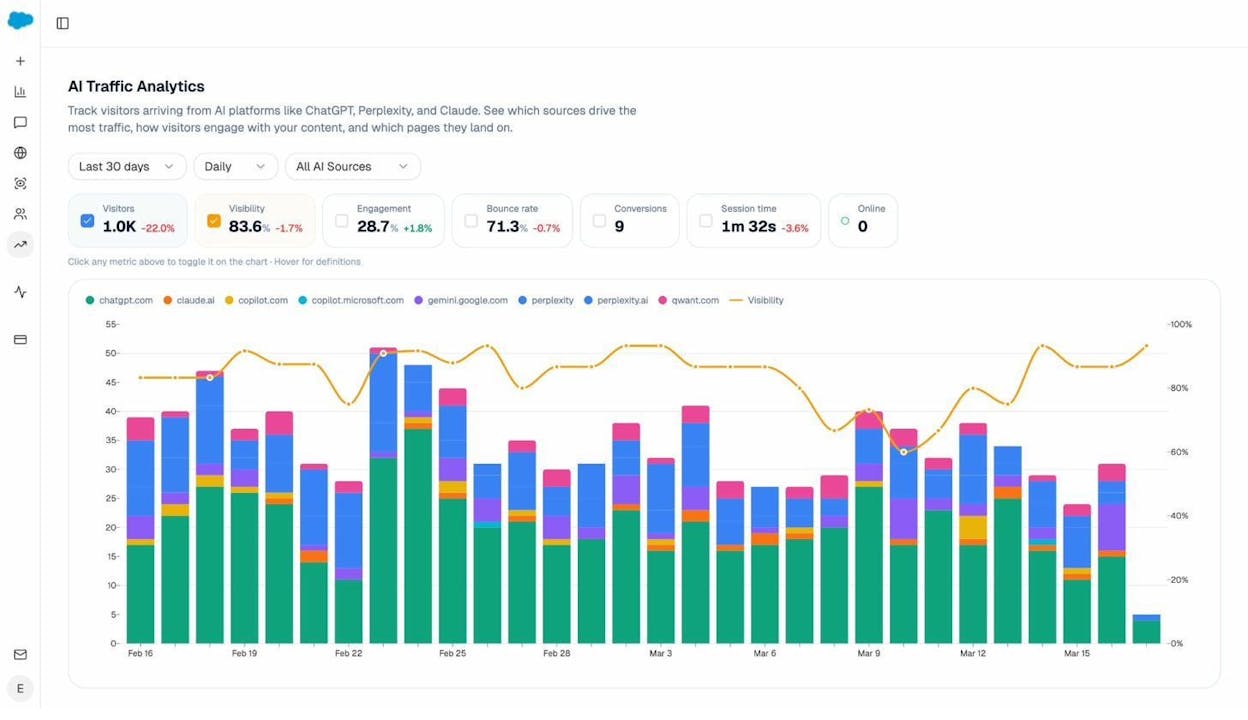
Beyond visibility, Analyze AI connects AI search mentions to actual website traffic through AI Traffic Analytics. You see how many visitors arrive from AI platforms like ChatGPT, Claude, Gemini, and Copilot. You see engagement metrics like bounce rate, session duration, and conversions for that traffic.

Analyze AI Traffic Analytics dashboard showing visitors, engagement, bounce rate, and conversions from AI platforms

The Landing Pages view shows which of your pages receive AI-referred traffic, which AI platforms cite them, and how visitors from each platform behave on your site. This is where keyword tracking meets revenue tracking.

Analyze AI Landing Pages view showing pages with AI-referred sessions, citations, engagement, and bounce rates

If you see that your /products/talent-marketplace/ page gets 12 sessions from AI referrals with 42% engagement and a 58% bounce rate, that’s actionable data. You can optimize that page to convert more of that AI-driven traffic. Or you can study what makes it get cited and replicate that approach across other pages.

Citation and Source Analytics

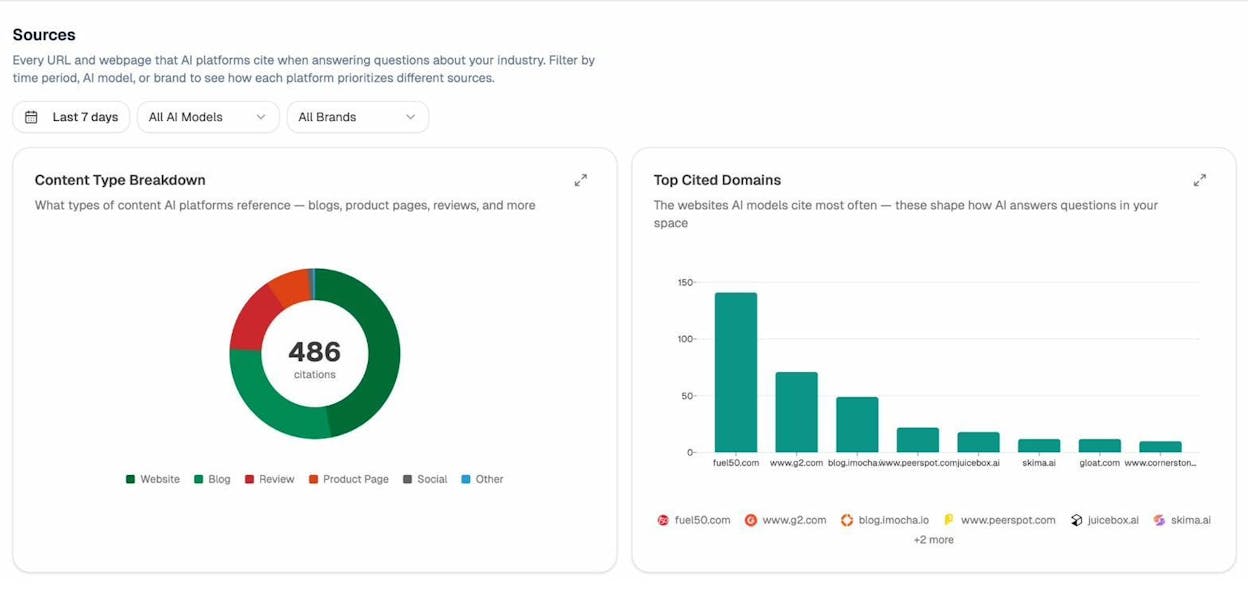
The Citation Analytics feature breaks down which types of content AI models cite most often in your space. You see whether AI engines prefer blogs, product pages, review sites, or other content types. You also see which domains get cited most frequently.

Analyze AI Sources dashboard showing content type breakdown and top cited domains

This tells you where to invest your content efforts. If AI models in your industry heavily cite G2 reviews and blog posts but rarely cite product pages, that shapes your content strategy.

Ad Hoc Prompt Searches

Need to quickly check how AI engines answer a specific question about your brand? The AI Search Explorer lets you run ad hoc searches across multiple AI platforms at once and see the results side by side.

Analyze AI Ad Hoc Prompt Searches interface showing search bar with recent queries and track option

Type in any prompt, select a country, and see how ChatGPT, Perplexity, Google AI, and others respond. If you like what you see, hit Track to add that prompt to your automated tracking.

Weekly Email Digests

Analyze AI sends weekly email reports that summarize your AI visibility changes without requiring you to log in. Each email shows your visibility score, average rank, sentiment, citation count, AI traffic, pages gaining or losing citations, and specific recommendations for what to prioritize that week.

Analyze AI weekly email digest showing visibility metrics, pages improving, and citation momentum

Perception Map

The Perception Map plots your brand and competitors on a two-axis grid. The X-axis measures visibility (how often AI mentions the brand) and the Y-axis measures narrative strength (how compellingly AI describes it). You want to be in the top-right quadrant: Visible and Compelling.

Analyze AI Perception Map showing brands plotted on visibility vs narrative strength axes

This visual makes it easy to communicate competitive positioning to stakeholders. In one glance, you can see if a competitor is more visible but has a weaker narrative, or if a smaller player is building a strong story that AI models are starting to pick up.

Pricing: Analyze AI offers custom pricing based on the number of tracked prompts, competitors, and features you need. You can request a demo to see the platform in action.

Best for: Marketing teams and SEO professionals who want to track performance across both traditional search and AI search from a single platform. Especially valuable for brands in competitive B2B markets where AI recommendations influence buying decisions.

2. Ahrefs Rank Tracker. Best all-around SEO rank tracker

Ahrefs is one of the most popular SEO toolsets, and its Rank Tracker is a solid option for monitoring your Google rankings. It’s bundled into every Ahrefs plan, so if you already use Ahrefs for keyword research or backlink analysis, you get rank tracking included.

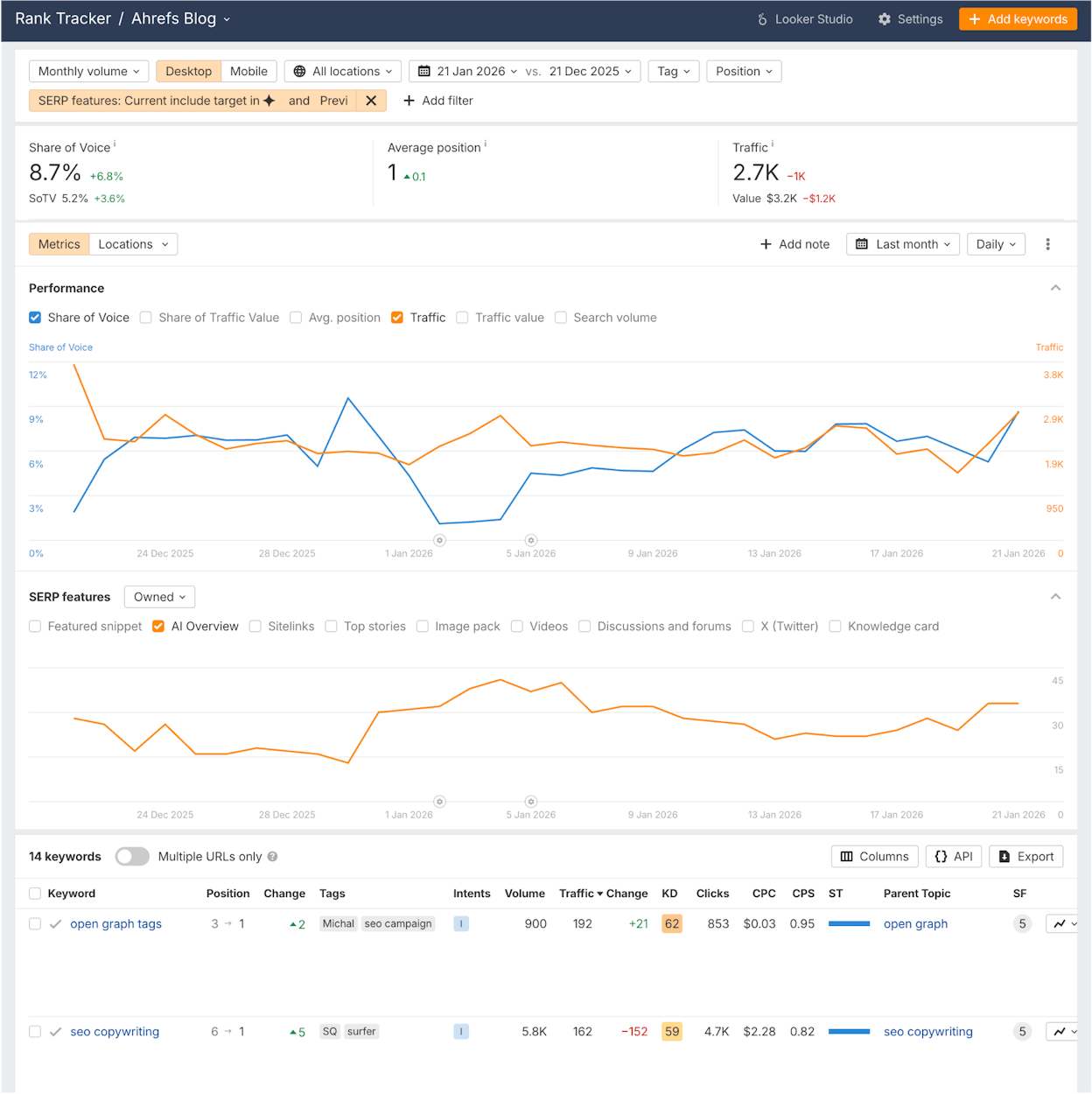
[Screenshot: Ahrefs Rank Tracker overview dashboard showing organic keywords, average position, and traffic trends]

Here’s what you can do with it.

Track keywords across locations and devices. You add keywords to a project and select whether to track them on desktop, mobile, or both. You can track at the country, state, or city level.

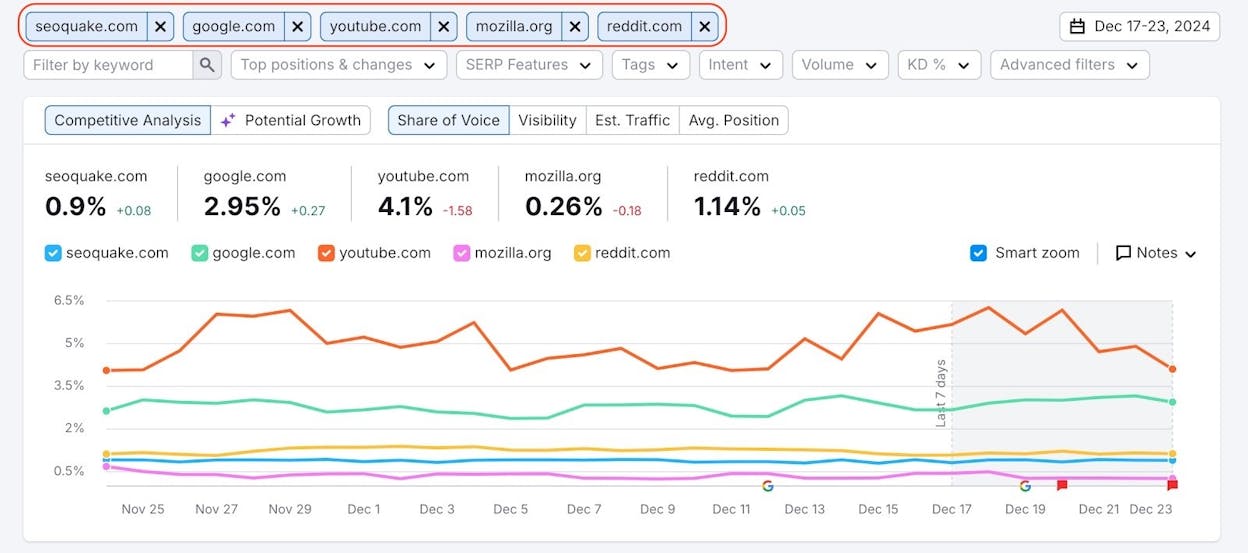
Monitor share of voice. Share of voice shows you how much of the total click potential in your keyword set goes to your site versus competitors. This is a better metric than average position because it accounts for search volume and click-through rate together.

Track SERP features. Ahrefs tracks 15 different types of SERP features including featured snippets, People Also Ask, video results, sitelinks, and shopping results. You can filter to see which of your keywords trigger these features and whether you own them.

[Screenshot: Ahrefs Rank Tracker showing SERP features tracking for a project with competitors compared]

Use keyword tags for grouping. Tags let you group keywords by topic, funnel stage, product line, or any category you choose. You can then see performance at the group level, which is useful for understanding which parts of your site perform well and which need work.

[Screenshot: Ahrefs Rank Tracker tag group performance view showing grouped keywords]

Compare against competitors. Add competitor domains to see how their rankings compare to yours across your entire keyword set. The Competitors tab shows you who ranks higher and where you have opportunities to overtake them.

Ahrefs also has a free keyword rank checker that lets you spot-check rankings without a subscription. Enter your keyword and domain, and it shows you the top results along with Domain Rating, backlink counts, and organic traffic estimates for each result.

What it lacks. Ahrefs Rank Tracker focuses entirely on Google. It recently added Brand Radar for AI Overview monitoring, but it doesn’t track brand visibility across ChatGPT, Perplexity, Claude, or other AI search engines the way a dedicated AI tracking tool would.

Pricing: Starts at $129/month for the Lite plan (750 tracked keywords). The Standard plan at $249/month gives you 2,000 keywords with more frequent updates.

Best for: SEO professionals who already use Ahrefs for their broader SEO workflow and want rank tracking integrated into the same tool.

3. Google Search Console. Best free rank monitoring tool

Google Search Console (GSC) is the most reliable source of keyword ranking data because it comes directly from Google. It’s free, and every website owner should have it set up regardless of what other tools they use.

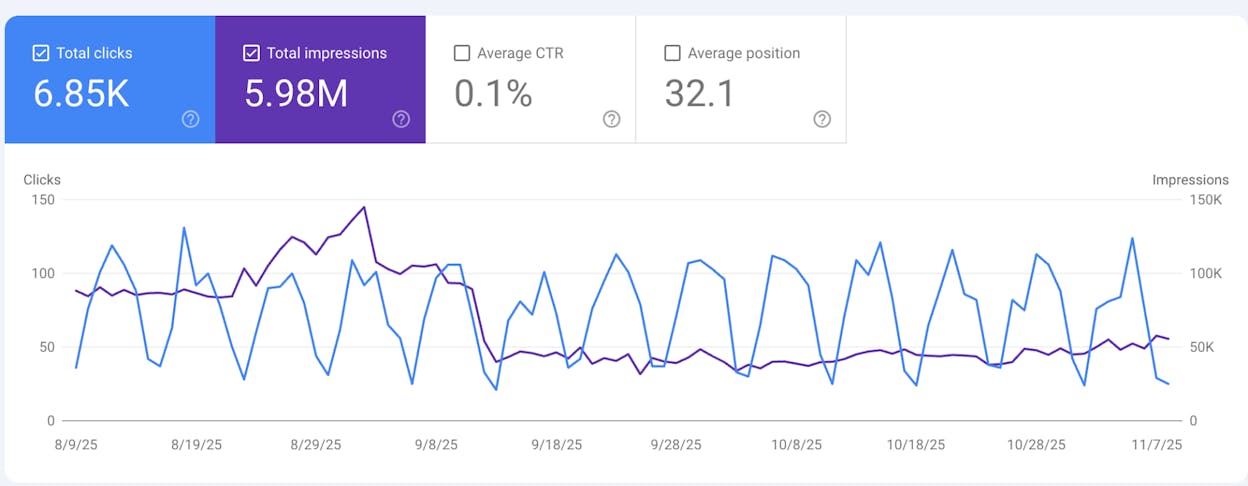
[Screenshot: Google Search Console Performance tab showing clicks, impressions, CTR, and average position charts]

Here’s how to use it for keyword tracking.

Step 1. Go to Google Search Console and verify your website. The easiest method is DNS verification or connecting through your Google Analytics account.

Step 2. Once verified, click the Performance tab. You’ll see your total clicks, impressions, average CTR, and average position over time.

Step 3. Click on Average position to enable it in the chart. Now you can see how your rankings trend over time.

Step 4. Scroll down to the Queries table to see individual keywords. Click any keyword to see its position, clicks, and impressions over your selected date range.

[Screenshot: Google Search Console Queries tab showing individual keywords with position, clicks, impressions, and CTR columns]

Step 5. Use the Pages tab to see which URLs rank for each keyword. This helps you spot keyword cannibalization issues where multiple pages compete for the same query.

Step 6. Filter by device (desktop vs. mobile) and country to get more granular data.

What makes GSC valuable. The data is straight from Google. No scraping, no estimates. You see exactly how many impressions and clicks each keyword generates. You also get 16 months of historical data.

What it lacks. GSC doesn’t track competitors. It doesn’t let you organize keywords into groups or tags. It doesn’t send ranking alerts. And it reports average position over a date range, which can mask daily fluctuations. There is no ability to track how your brand shows up in AI search engines.

Pro tip. You can build a keyword tracking dashboard by connecting GSC to Google Looker Studio. This lets you schedule automated reports and share them with your team. For a step-by-step guide, see our list of SEO reporting tools.

Pricing: Free.

Best for: Every website owner. Use it as your baseline data source and supplement it with a paid tool for competitor tracking and more granular monitoring.

4. SEMrush Position Tracking. Best for agency-level campaigns

SEMrush is one of the largest SEO platforms, and its Position Tracking tool is built for managing multiple projects and clients at scale.

[Screenshot: SEMrush Position Tracking dashboard showing keyword positions, visibility trend, and estimated traffic]

Set up tracking by project. You create a project for each website, add your target keywords, select locations, and choose devices to track. You can set up tracking for Google, Bing, and Baidu.

Track SERP features. SEMrush tracks featured snippets, reviews, local packs, video results, and more. It also tracks your competitors’ SERP feature ownership so you can see where they win features you don’t.

Cannibalization reports. SEMrush flags keywords where multiple pages from your domain compete in the SERP. This helps you consolidate content and avoid splitting your ranking potential across pages.

Automated reports. You can schedule branded PDF reports and send them to clients automatically. This is a major time-saver for agencies managing 10 or more client projects.

[Screenshot: SEMrush Position Tracking report showing branded PDF export options and scheduling interface]

What it lacks. The interface can feel overwhelming for beginners. Position Tracking is one of dozens of tools in the SEMrush suite, and navigating between them takes time. No AI search tracking beyond basic Google AI Overview reporting.

Pricing: Starts at $139.95/month for the Pro plan (500 tracked keywords across 5 projects). The Guru plan at $249.95/month unlocks 1,500 keywords and 15 projects.

Best for: Agencies and in-house teams managing multiple websites who need robust reporting and multi-project management in one platform.

5. SE Ranking. Best budget-friendly daily tracking

SE Ranking is a full-featured SEO platform with competitive pricing that makes it accessible to smaller teams and freelancers. Its rank tracking is solid for the price.

[Screenshot: SE Ranking rank tracker showing keyword positions with daily tracking, SERP features, and competitor comparisons]

Daily rank updates. Even on the base plan, SE Ranking provides daily position updates. Some competitors only offer weekly tracking at similar price points.

Track Google, Bing, and Yahoo. Unlike tools that only support Google, SE Ranking lets you track rankings across three search engines. This is useful if your audience uses Bing (which is more common for enterprise and older demographics than many marketers assume).

Local tracking down to zip code. You can track rankings at the country, city, or zip code level. This is especially valuable for businesses with multiple locations.

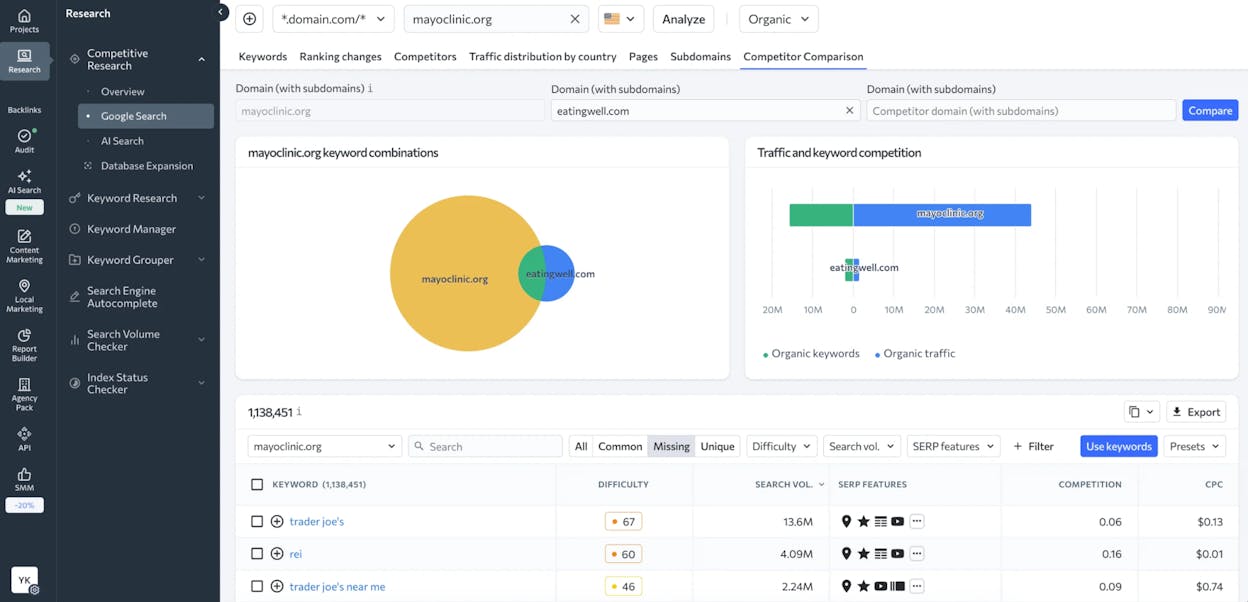
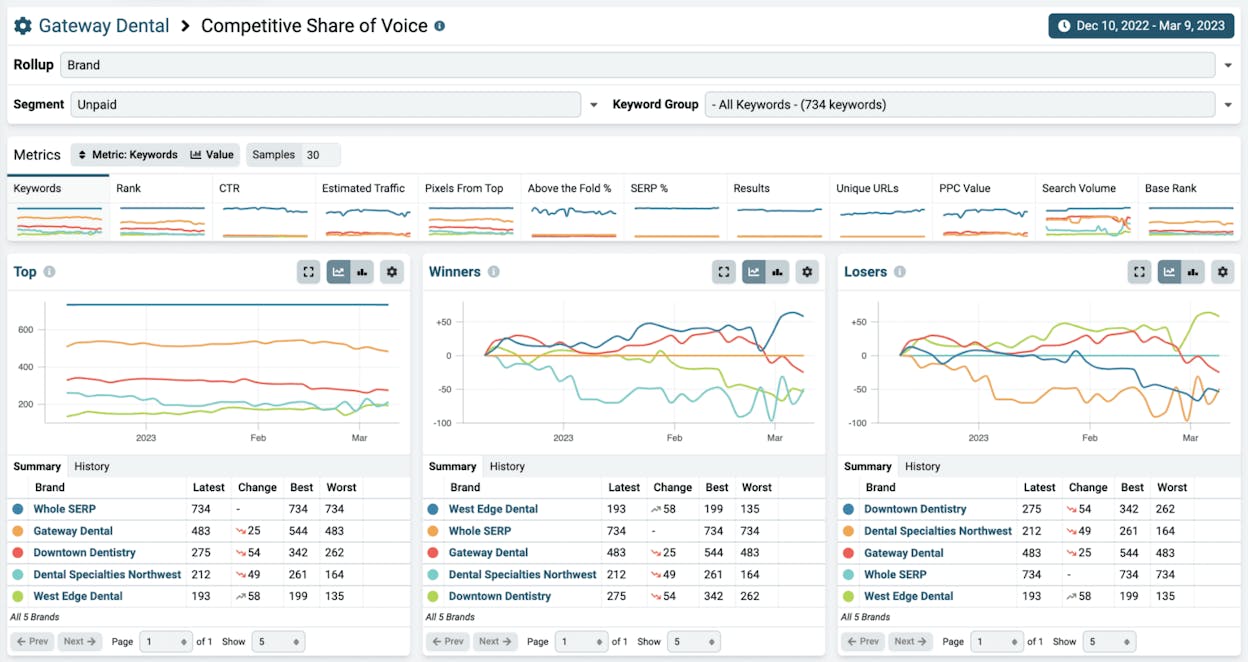
Built-in competitor research. The tool compares your visibility against up to five competitors per project. You see overlap, unique keywords, and share of voice.

What it lacks. The data depth doesn’t match Ahrefs or SEMrush in areas like backlink analysis and content gap research. SE Ranking is a good all-around tool, but it’s not best-in-class for any single feature. No AI search tracking.

Pricing: Starts at $65/month for 500 tracked keywords with daily updates. The Pro plan at $119/month gives you 2,000 keywords.

Best for: Freelance SEOs and small marketing teams who need daily rank tracking without paying enterprise prices.

6. AccuRanker. Best for high-volume rank tracking

AccuRanker is a dedicated rank tracker (not an all-in-one SEO suite) built for speed and volume. If rank tracking is the primary thing you need, this tool does it well.

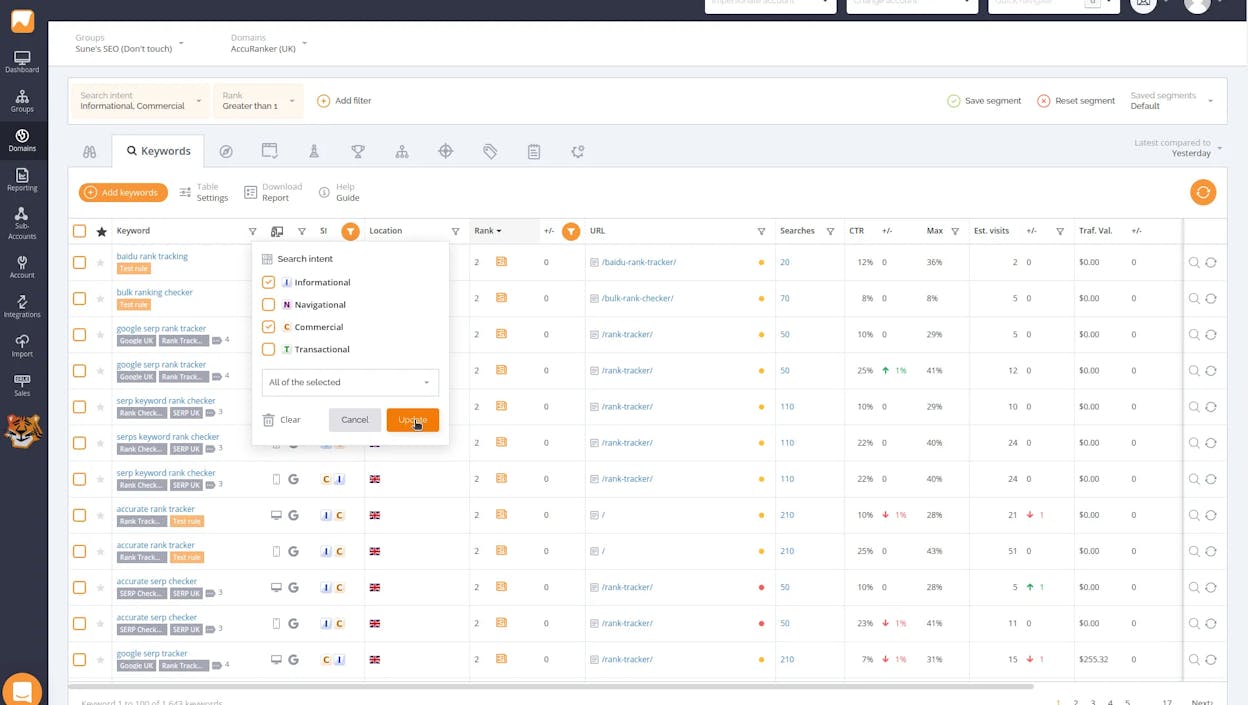
[Screenshot: AccuRanker dashboard showing keyword rankings with on-demand refresh, SERP feature annotations, and competitor graph]

On-demand rank updates. Most tools update rankings once per day. AccuRanker lets you refresh rankings on demand whenever you need the latest data. This is useful during site migrations, algorithm updates, or competitive pushes.

Handle large keyword sets. AccuRanker is designed for tracking thousands of keywords. The interface stays fast even when you’re monitoring 10,000+ terms.

Share of Voice. AccuRanker calculates share of voice using search volume and CTR models. You can segment by keyword tags, landing pages, or competitors to see who owns the most visibility in each segment.

API access. If you want to pull rank data into your own dashboards or reporting tools, AccuRanker has a well-documented API that makes integration straightforward.

What it lacks. Since AccuRanker is a standalone rank tracker, you’ll need separate tools for keyword research, backlink analysis, and site auditing. This means managing multiple subscriptions. No AI search tracking of any kind.

Pricing: Starts at $129/month for 1,000 keywords. Volume discounts are available for larger keyword sets.

Best for: SEO teams and agencies that track thousands of keywords and need on-demand rank refreshes with fast performance.

7. Mangools SERPWatcher. Best for beginners

Mangools is a suite of five SEO tools, and SERPWatcher is its rank tracking component. It’s known for clean design and simplicity.

[Screenshot: Mangools SERPWatcher showing a clean keyword tracking dashboard with performance index and position flow chart]

Simple setup. Mangools markets itself as going “from setup to daily rankings in 30 seconds.” The interface is uncluttered and easy to navigate even if you’ve never used a rank tracker before.

Performance Index. Instead of just showing you raw position numbers, SERPWatcher calculates a Performance Index that combines rank position with search volume to give you a single score for how well your keywords are performing.

Track desktop and mobile. You can track rankings separately for desktop and mobile, which matters since Google uses mobile-first indexing.

Keyword tags. Group your keywords by topic, product, or any category to analyze performance at the group level.

What it lacks. The keyword limit on the basic plan is low (200 tracked keywords). The tool is part of a bundle, so you’re paying for tools you might not use (KWFinder, SERPChecker, LinkMiner, SiteProfiler). No AI search tracking.

Pricing: Starts at $29.90/month for 200 tracked keywords. The Premium plan at $44.90/month gives you 700 keywords.

Best for: Solo entrepreneurs, affiliate marketers, and SEO beginners who want a clean, affordable rank tracker without a steep learning curve.

8. Nightwatch. Best for local rank tracking

Nightwatch positions itself as a rank tracker that can “track search rankings from any location on earth.” Its strength is in accurate, granular local tracking.

[Screenshot: Nightwatch rank tracker interface showing local rank tracking with location-specific SERP results]

Precise local tracking. Nightwatch tracks rankings across 107,296+ locations globally. You can set tracking at the street level, which is as granular as it gets.

Google, Bing, YouTube, and DuckDuckGo. Unlike tools that only track Google, Nightwatch supports multiple search engines including YouTube. If video SEO is part of your strategy, this is useful.

SERP feature tracking. Nightwatch monitors featured snippets, local packs, and other SERP features. You can see when you gain or lose these features.

White-label reports. At higher price points, Nightwatch offers white-label reporting. This lets agencies send branded reports to clients.

What it lacks. The interface feels more technical than tools like Mangools. It’s not the most beginner-friendly option. No AI search tracking.

Pricing: Starts at $32/month for 250 keywords.

Best for: Local businesses and agencies that work with local clients. The granular location tracking is the standout feature here.

9. SERPRobot. Best free automated rank checker

If your budget is zero and you need more than occasional spot checks, SERPRobot is a solid free option.

[Screenshot: SERPRobot interface showing free keyword rank checking with daily automated updates]

Free daily tracking. SERPRobot lets you track a small set of keywords with daily automated updates at no cost. This puts it ahead of most “free” tools that only do manual, one-time checks.

Simple interface. There’s no learning curve. Enter your domain, enter your keywords, and see your rankings. That’s it.

Position history. Even on the free plan, you get historical position data so you can see trends over time.

What it lacks. The free plan limits the number of keywords you can track. There are no competitor tracking features, no SERP feature monitoring, and no reporting capabilities. No AI search tracking.

Pricing: Free for a limited number of keywords. Paid plans available for higher volumes.

Best for: Bootstrapped startups and personal bloggers who need basic, automated keyword tracking at no cost.

10. Nozzle. Best for frequent tracking intervals

Nozzle is a keyword tracker built for power users who want granular SERP data and high-frequency tracking.

[Screenshot: Nozzle dashboard showing luminescent-style SERP monitoring with competitor visibility data]

Track keywords as often as every five minutes. If you work in a fast-paced industry where rankings change throughout the day, Nozzle’s high-frequency tracking captures those movements. Most tools update once per day.

Unlimited competitor tracking. Unlike tools that limit competitors to 5 or 10 per project, Nozzle lets you track unlimited competitors at no extra cost. This is valuable for industries with dozens of active players.

Full SERP data capture. Nozzle captures the entire SERP for each keyword, including every result, snippet, and feature. This gives you a complete picture of what the SERP looks like, not just where you rank.

What it lacks. The interface has a steep learning curve. Nozzle is built for data-heavy users who want raw SERP data, not a polished dashboard. Reports require more setup than simpler tools. No AI search tracking.

Pricing: Starts at approximately $49/month. Enterprise plans go up to ~$5,000/month for large-scale tracking.

Best for: Enterprise SEO teams and data-focused marketers who need high-frequency SERP monitoring with unlimited competitor tracking.

11. Wincher. Best for simple, affordable tracking

Wincher is a straightforward rank tracker that does the basics well without trying to be an all-in-one SEO suite.

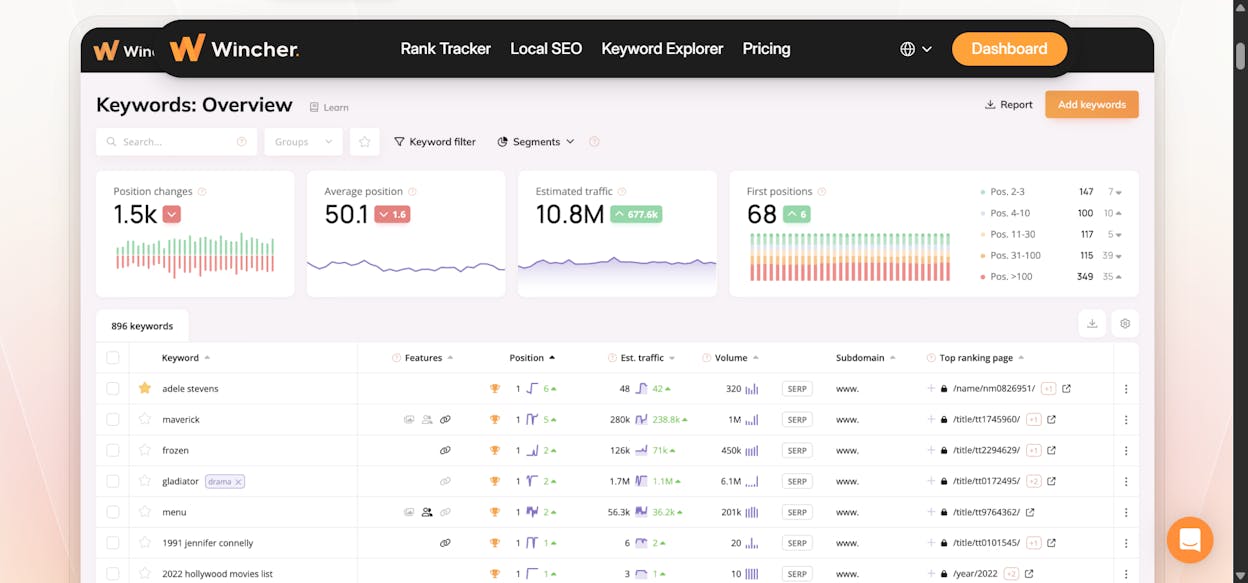
[Screenshot: Wincher keyword tracking interface showing clean position graphs with daily updates and competitor comparison]

Daily rank tracking. Wincher updates rankings daily and displays clean, easy-to-read position graphs.

Keyword suggestions. The tool suggests additional keywords you should track based on your site’s current rankings. This helps you find keywords you might be missing in your tracking list.

Google Search Console integration. Wincher pulls in your GSC data and overlays it with its own tracking data. This gives you a more complete picture of your search performance.

Automated email reports. Schedule weekly or monthly email reports that summarize your ranking changes.

What it lacks. Wincher is intentionally minimal. It doesn’t offer competitive intelligence, content analysis, or site auditing. If you need those capabilities, you’ll need additional tools. No AI search tracking.

Pricing: Starts at $49/month for 500 tracked keywords.

Best for: Small businesses and solo marketers who want a no-fuss, affordable rank tracker that handles daily updates and basic reporting.

Why You Need to Track Keywords in AI Search Too

Every tool above tracks one thing: where you rank in traditional search results. That matters. It will continue to matter. SEO is not dead.

But search behavior is splitting. A growing percentage of people now ask their questions directly to AI platforms. When a VP of Marketing asks ChatGPT “what are the best keyword tracking tools for SEO teams,” the AI gives a direct answer with brand recommendations. If your brand isn’t in that answer, you’re invisible to that buyer.

This isn’t replacing SEO. It’s an additional organic channel. The brands that understand this early will compound their advantage as AI search usage grows. The brands that wait will eventually find themselves investing heavily just to catch up.

Here’s how to start tracking your brand’s visibility in AI search.

Step 1. Identify the prompts that matter to your business.

Think about what your ideal customer would type into ChatGPT, Perplexity, or Google AI Mode. These are different from traditional keywords. They tend to be longer, more conversational, and more specific. Instead of “keyword tracking tools,” a buyer might ask “what are the best keyword tracking tools for a small marketing team on a budget?”

Use the Analyze AI Prompt Discovery feature to find the prompts where your brand and competitors already appear in AI answers.

Step 2. Track those prompts across AI engines.

Add your priority prompts to Analyze AI’s Prompt Tracking. The platform automatically checks how ChatGPT, Perplexity, Claude, Gemini, and Copilot answer those prompts on a regular basis. For each prompt, you see whether your brand gets mentioned, your position in the answer, the sentiment of the mention, and which competitors appear.

Step 3. Understand which pages get cited.

AI models pull their recommendations from real web content. The Citation Analytics feature shows you which of your pages AI engines cite and what content types they prefer. Use this to understand what kind of content earns AI citations in your industry.

Step 4. Measure AI-referred traffic.

Connect your analytics to Analyze AI’s AI Traffic Analytics to see how many visitors arrive from AI platforms. Track which landing pages they hit, how they engage, and whether they convert.

Step 5. Optimize based on the data.

If a competitor consistently appears above you in AI answers for a key prompt, study what content they have that you don’t. Use the Analyze AI Content Writer or Content Optimizer to create or improve content that addresses the gaps.

How to Choose the Right Tool for Your Budget

The “best” keyword tracking tool depends on three things: how many keywords you need to track, whether you need AI search tracking, and how much you can spend.

If you have no budget. Start with Google Search Console and SERPRobot. GSC gives you the most accurate Google data available. SERPRobot adds basic automated tracking. Together, they cover the fundamentals. Supplement with Analyze AI’s free Keyword Rank Checker and SERP Checker for on-demand spot checks.

If you have a small budget ($30 to $70/month). Mangools SERPWatcher or SE Ranking give you daily tracking with clean interfaces at accessible prices. Mangools is simpler. SE Ranking gives you more features for a slightly higher price.

If you have a standard SEO budget ($100 to $250/month). Ahrefs or SEMrush make sense if you also need keyword research, backlink analysis, and site auditing in the same platform. AccuRanker is the better choice if rank tracking is your primary need and you want speed and volume.

If you need AI search tracking. Analyze AI is the clear choice. It’s the only tool on this list that monitors your brand visibility across ChatGPT, Perplexity, Claude, Gemini, and Google AI Mode. Pair it with a traditional rank tracker like Ahrefs or GSC for complete coverage of both channels.

If you’re an agency. SEMrush or Ahrefs for traditional rank tracking across multiple client projects. Add Analyze AI for clients who want to understand their AI search presence. This combination gives you a differentiator that most agencies can’t offer yet.

Frequently Asked Questions

How often should I check my keyword rankings?

Daily tracking is the standard and is sufficient for most sites. Checking rankings multiple times per day is only useful if you’re in an extremely competitive niche or going through a site migration. What matters more than frequency is tracking over time. Weekly or monthly trends tell you more than daily fluctuations.

How many keywords should I track?

Track the keywords that matter to your business outcomes. For most sites, that’s 50 to 500 keywords covering your core product terms, brand terms, and top content pages. Don’t track thousands of long-tail variations just to inflate your numbers. Focus on the terms that drive qualified traffic and conversions.

Do keyword tracking tools affect my SEO?

No. Keyword tracking tools check your rankings by querying search engines. They don’t interact with your website in any way that would affect your SEO positively or negatively.

Should I track the same keywords in AI search?

Not exactly. AI search prompts tend to be longer and more conversational than traditional keywords. Instead of tracking “keyword tracking tools” in AI search, you’d track prompts like “what are the best keyword tracking tools for agencies” or “which SEO tool has the best rank tracker.” Analyze AI’s Prompt Discovery helps you find the right prompts to track.

Is it worth paying for a keyword tracker when Google Search Console is free?

GSC is essential, but it only shows your own data. It doesn’t show competitor rankings, share of voice, or SERP feature tracking. Paid tools add those capabilities. If you’re running an SEO campaign with specific goals and competitors to beat, a paid tracker pays for itself by helping you find and act on opportunities faster.

Final Thoughts

Keyword tracking tools keep your SEO efforts accountable. Without them, you’re guessing whether your content investments are paying off. The right tool depends on your budget, team size, and how many keywords you need to monitor.

But here’s the thing that most roundups won’t tell you. Tracking only Google rankings in 2026 gives you an incomplete picture of your organic visibility. A growing number of your potential customers are getting their answers from AI search engines. If you’re not tracking how your brand shows up in those answers, you’re missing an entire channel.

The smartest approach is to combine a traditional rank tracker for Google with an AI visibility platform like Analyze AI for the rest. That way, you see the full picture: where you rank on the SERP, where you get recommended in AI answers, and where you have gaps.

SEO is evolving. AI search is not replacing it. It’s extending it. The marketers who track both channels now will have a compounding advantage over those who wait.

Want to see how your brand appears in AI search? Try Analyze AI and track your visibility across ChatGPT, Perplexity, Claude, Gemini, and Google AI Mode.

Ernest

Ernest

Writer
Ibrahim

Ibrahim

Fact Checker & Editor
Back to all posts
Get Ahead Now

Start winning the prompts that drive pipeline

See where you rank, where competitors beat you, and what to do about it — across every AI engine.

Operational in minutesCancel anytime

0 new citations

found this week

#3

on ChatGPT

↑ from #7 last week

+0% visibility

month-over-month

Competitor alert

Hubspot overtook you

Hey Salesforce team,

In the last 7 days, Perplexity is your top AI channel — mentioned in 0% of responses, cited in 0%. Hubspot leads at #1 with 0.2% visibility.

Last 7 daysAll AI ModelsAll Brands
Visibility

% mentioned in AI results

Mar 11Mar 14Mar 17
Sentiment

Avg sentiment (0–100)

Mar 11Mar 14Mar 17
SalesforceHubspotZohoFreshworksZendesk