
How do I move a reader from an educational article into product evaluation?
Short answer
With a path of pages, not a button. Someone who just learned what a term means is two steps away from evaluating you, so give them the middle step. Article, then the page about their specific situation, then the comparison or trial. Measure how many readers open a second page, because that number tells you whether the path exists at all.
Build the middle step
The usual setup has a gap in it. An article teaches a concept, then a button asks for a demo. Between those two things sits a decision the reader has not made yet, which is whether this kind of product is for them at all.
The middle step answers that. It is a page about their situation rather than about the concept or about you.
| Stage | Page type | The question it answers |
|---|---|---|
| One | The article | What is this and why does it matter? |
| Two | Use case or "for [role]" page | Does this apply to someone like me? |
| Three | Comparison, pricing or trial | Is it you, and is it worth it? |
Most content libraries have plenty of stage one and stage three and almost nothing at stage two. That missing middle is why the demo button on a blog post gets ignored.
Measure the second page first
Before building anything, find out whether readers currently go anywhere.
In GA4, build a path exploration starting from your top ten articles and look at the next page people open. Two numbers matter. What share open a second page at all, and which second pages come up.
If under about 15% open anything else, your articles are closed rooms and the links are either missing or invisible. If they do move but only to other articles, you have a path that circles rather than progresses.
The second pages that recur are worth more attention than any survey. Those are the questions your article leaves people with, and each one is a page worth building properly. How do I use conversion and CRM data to pick my next content topics covers mining that pattern for topics.
Link forward in the body, not just at the end
Where you put the link changes how many people take it.
A link at the bottom only reaches people who finish. A link placed at the exact moment the reader realises the concept applies to them reaches people mid-thought, and that is a much larger group. Put it in the paragraph where you describe the problem for their specific situation.
Two rules keep this from becoming clutter. Use language that describes what they will find, not "learn more". And limit yourself to two forward links in a body, because a page with nine internal links is a page with none.
Write the stage two page around a person, not a feature
Stage two pages fail when they are feature pages wearing a costume. The reader wants to see their own situation described, and a list of capabilities does not do that.
Open with the situation. Name the role, the size of team, the tools they already run, and the specific version of the problem they have. Then show what changes. Feature names come last, if at all.
Analyze AI can build this from evidence rather than imagination. The Content Writer researches a topic and produces an outline based on what actually ranks and what assistants cite, and Inject Brand Context pulls your documented buyer pains into the brief so the page uses your buyers' words rather than generic ones.
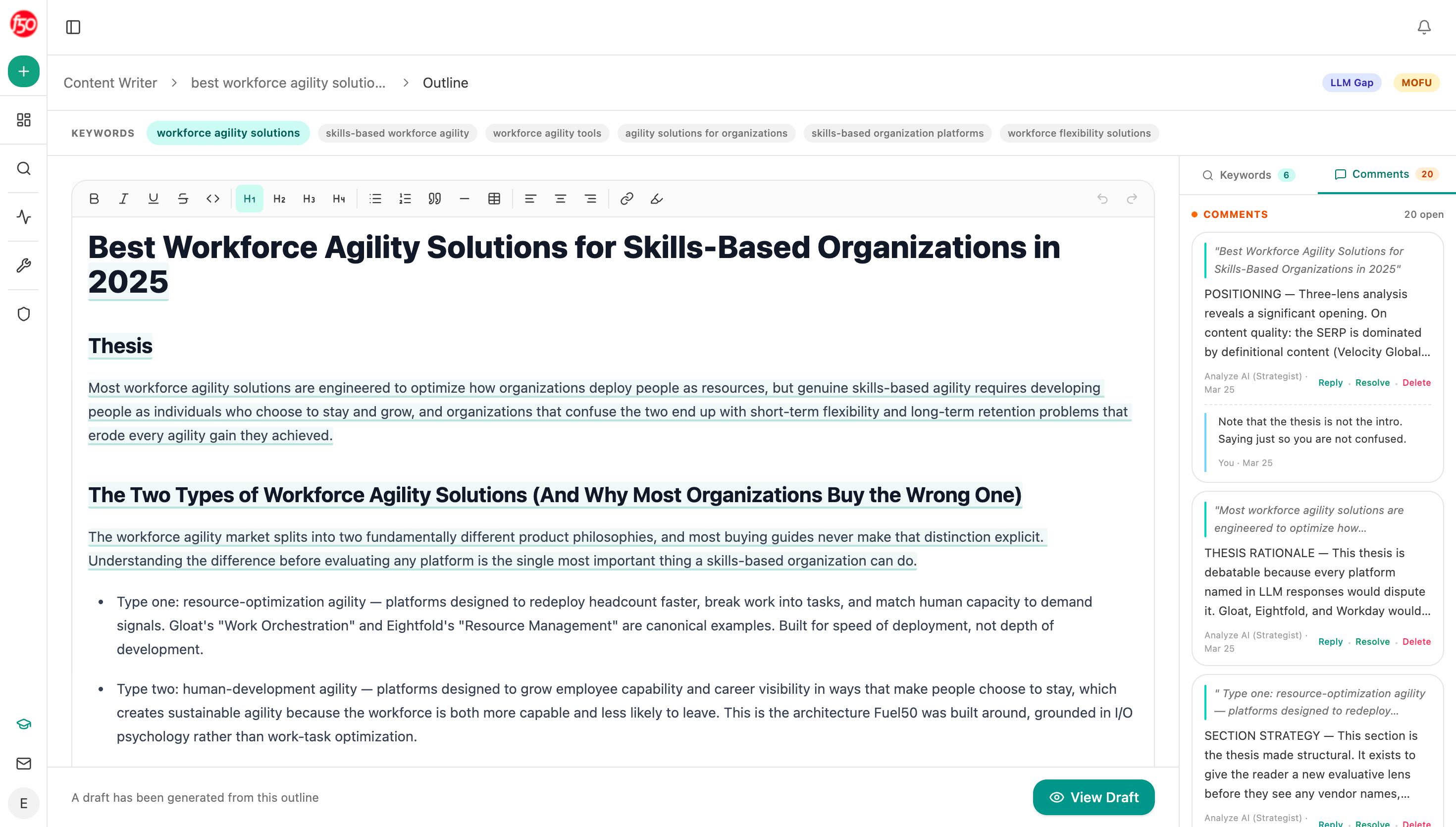 Building the outline from research is what keeps a stage two page from turning into a feature list.
Expect some readers to skip the path entirely
A growing share of buyers do stage one somewhere else and arrive at stage three directly.
Our own state of AI search research found assistants lean heavily on comparison content on some surfaces. Lists, comparisons and reviews were 34.4% of what Perplexity cited and 33.1% of Google AI Mode. On ChatGPT, company sites and product pages made up 68.8% of citations.
Google's AI features documentation confirms eligibility follows ordinary indexing, so this is about which of your pages get chosen rather than which qualify. Two things follow. Your stage three pages need to stand alone, because people will land on them cold with no article read first. And your stage one articles are doing work you cannot see, feeding answers that send people straight to the end of the path. Analyze AI's Citation Pages view shows which of your articles get used that way, which often reveals that a quiet blog post is your most valuable page.
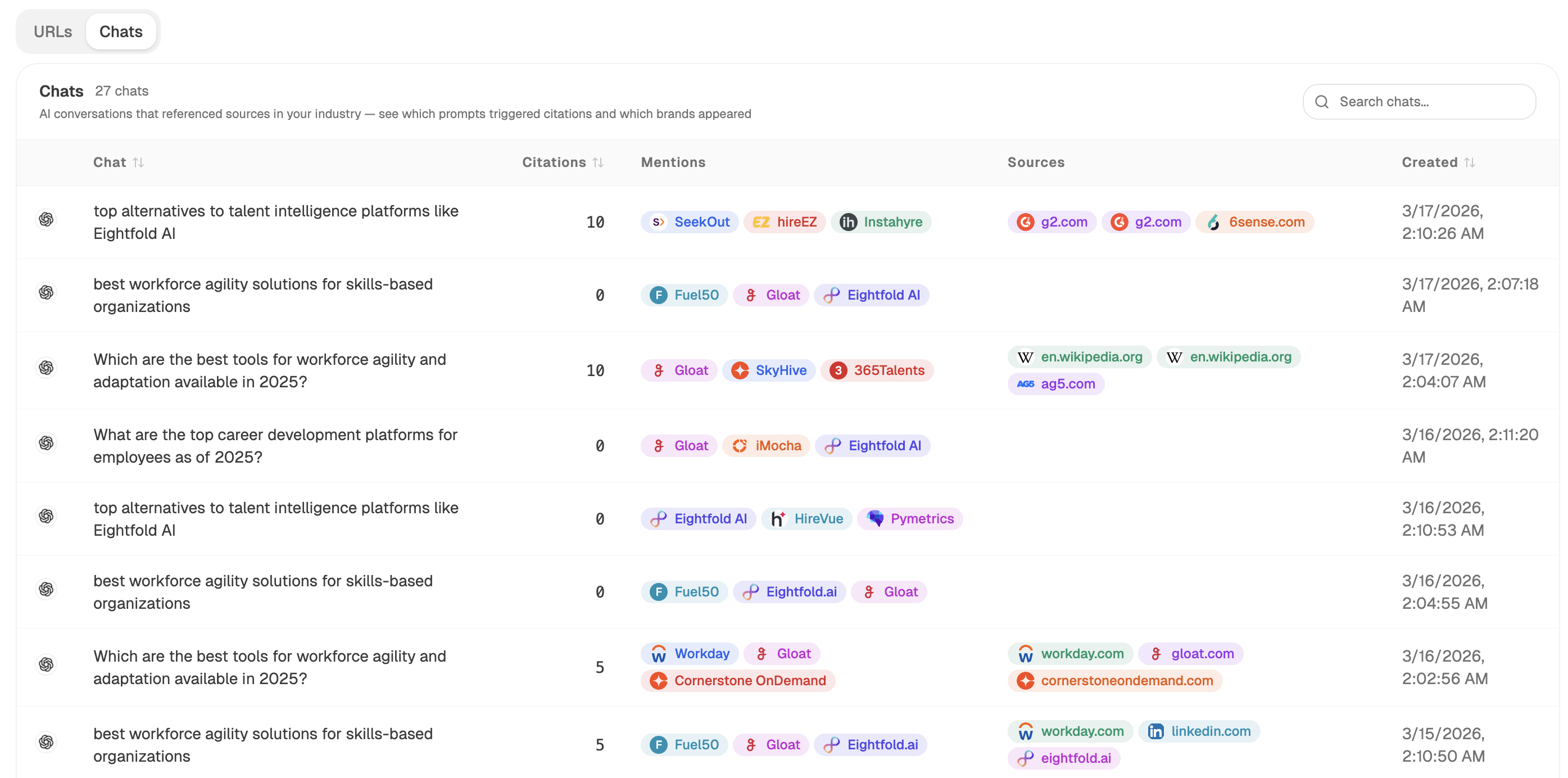 Sources shows which of your articles get used as references, which often reveals that a quiet post is doing the most work.
Build and check the paths with an agent
Start (schedule, monthly) → GA4 Page Breakdown with page paths from your top articles → Conditional flagging articles where under 15% of readers open a second page → GSC Top Keywords for Page returning what each stranded article ranks for → content-suggestions recipe proposing the stage two page each one needs → Content Writer drafting the outline → Export Markdown.
Flagging on the second-page rate is what keeps this honest. A team asked to "improve internal linking" will add links everywhere. A list of eleven articles that strand their readers gets eleven specific fixes.
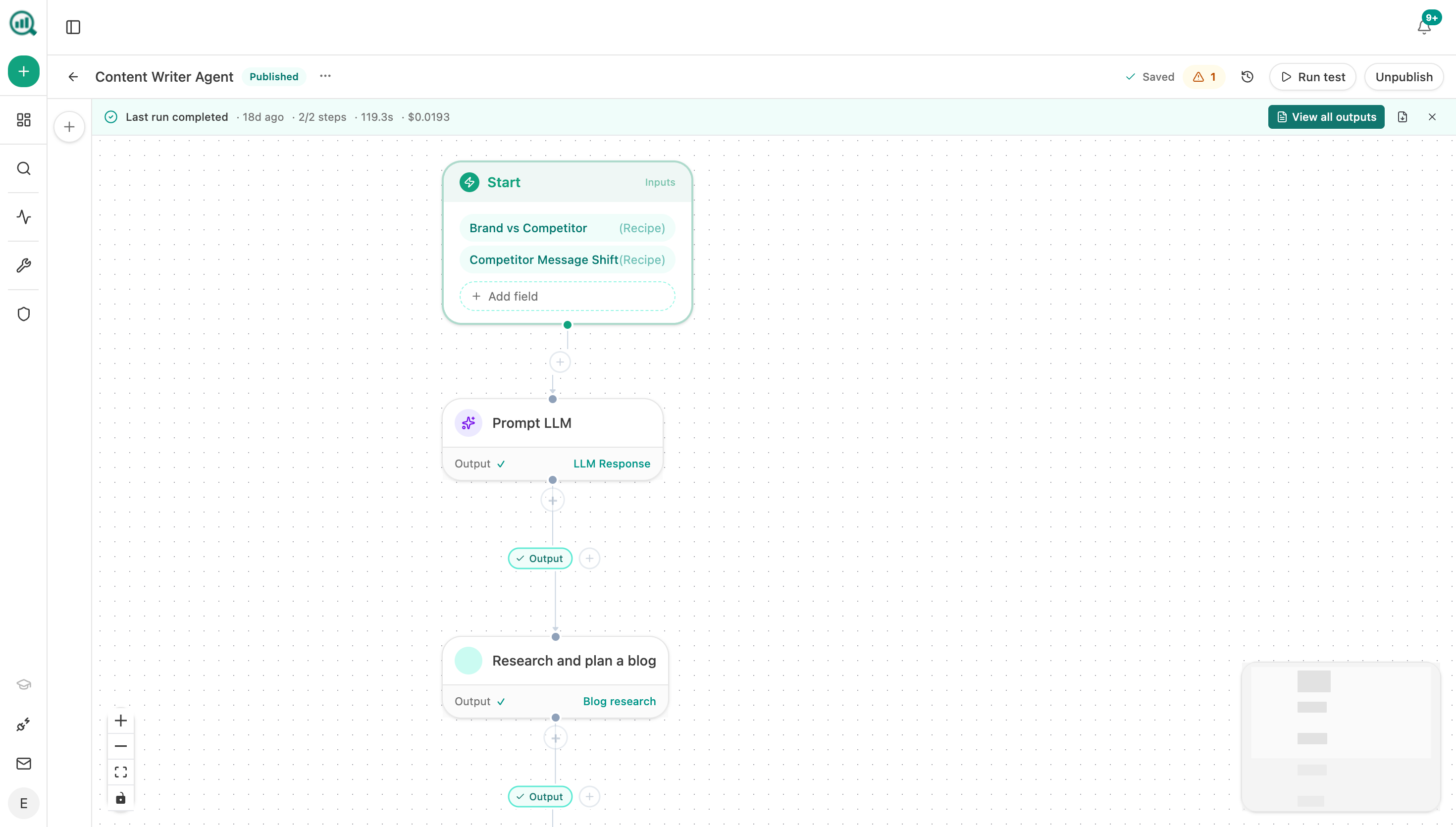 The agent turns a list of dead-end articles into the specific middle pages they are missing.
FAQ
Related answers
- What should the next step be for a visitor who isn't ready for a demo?
- Why do people read our content but never take the next step?
- Should different search intents get different CTAs?
- How do I tell whether our content actually helps a buyer decide?
Build the middle step your readers are missing
Analyze AI finds the articles that strand their readers and drafts the pages that would carry them forward.
Start your free trial