
How do I tell whether low conversion is caused by intent, trust, offer, UX, or pricing?
Short answer
Each cause leaves a different trace. An intent problem shows short visits and no scrolling. A trust problem shows long visits, a trip to your pricing page, and no submit. An offer problem shows people reaching your button and not clicking. A UX problem shows clicks and abandoned forms. A pricing problem shows completed forms and people who go quiet afterwards.
Match the pattern instead of guessing
The five causes feel similar from the outside, because all five end with nobody buying. They look completely different once you check how far people got before they stopped.
So find the last thing your visitors did, and read it off this table.
| Cause | What you see | What you do not see |
|---|---|---|
| Intent | Short visits, little scrolling, terms that ask what things mean | Anyone reaching your button |
| Trust | Full reads, visits to pricing and about pages, repeat visits | Any form submitted |
| Offer | People reach the button and stop | Clicks on the button |
| UX | Clicks on the button, forms started | Forms finished |
| Pricing | Forms finished, first call happens | A second call |
The middle column is what you look for. The right column is what makes each one distinct, and it is the part people skip.
Get the three numbers you need
Everything above comes from three measurements, and you probably have two already.
- How far people get down the page. In GA4, add scroll tracking if you have not. Compare people who scroll past 75% against total visits.
- How many reach and click your button. Track the button as an event, not just the form submit. Without this you cannot tell an offer problem from a UX problem.
- What happens after the form. Pull first calls and second calls from your CRM. Without this you cannot see a pricing problem at all.
That second one is the gap in most setups. When you only track submits, an offer problem and a UX problem look identical, and teams spend months shortening a form that was never the issue.
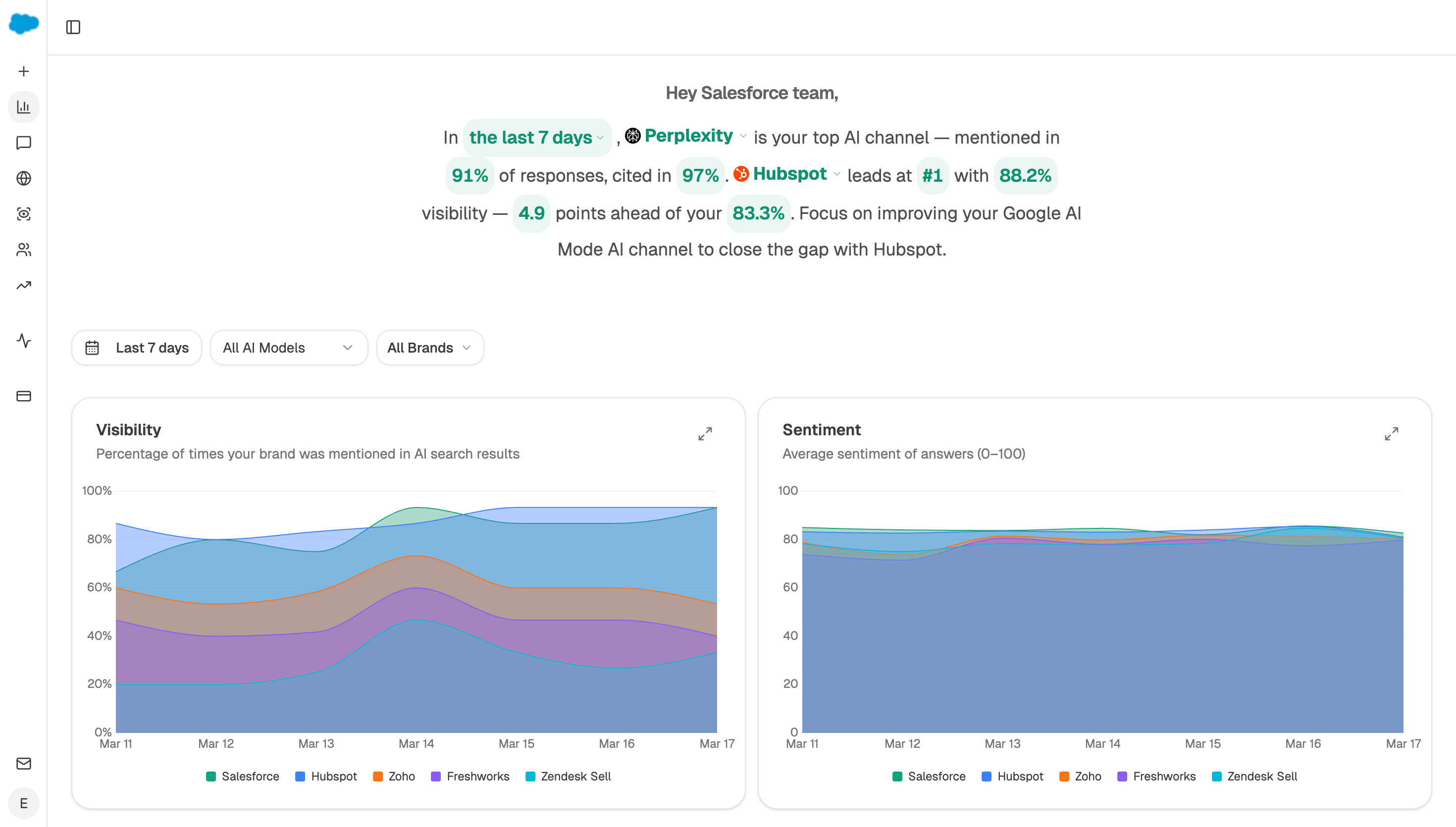 The visibility dashboard shows how often you are named against rivals, which rules a trust problem in or out before you touch the page.
Work through a real example
A page gets 4,000 visits a month and two demos.
Scroll data shows 68% of people read past three quarters of the page, so it is not intent. They are interested. Button views are high and clicks are 0.4%, so almost nobody presses it. Form completion for the few who click is 71%, which is healthy.
That pattern points at one row. People read the whole thing, reach the button and refuse it. The offer is wrong for where they are, not the form and not the traffic.
The page teaches someone what a term means and then asks for a 30-minute call with a salesperson. Swap it for something smaller and the number moves. What should the next step be for a visitor who isn't ready for a demo covers what to put there.
Test for a trust problem separately
Trust is the one cause that hides, because it looks like every other cause from the outside. Someone who does not believe you behaves exactly like someone who is not interested.
Three signs give it away together. People read fully, they visit your pricing and about pages, and they come back more than once without ever submitting anything. That is somebody trying to talk themselves into it and failing.
What fixes it is evidence rather than persuasion. Named customers, real numbers, a security page that exists, and comparisons that admit where you lose. What kinds of evidence make a B2B buyer trust a vendor covers what counts.
Analyze AI helps here in a way analytics cannot. The Perception view shows how AI assistants describe your company when someone asks about you, and the Sentiment Score tracks whether that description is warm or cautious. If assistants describe you as unproven or hard to verify, your buyers are hearing the same thing before they ever reach your site.
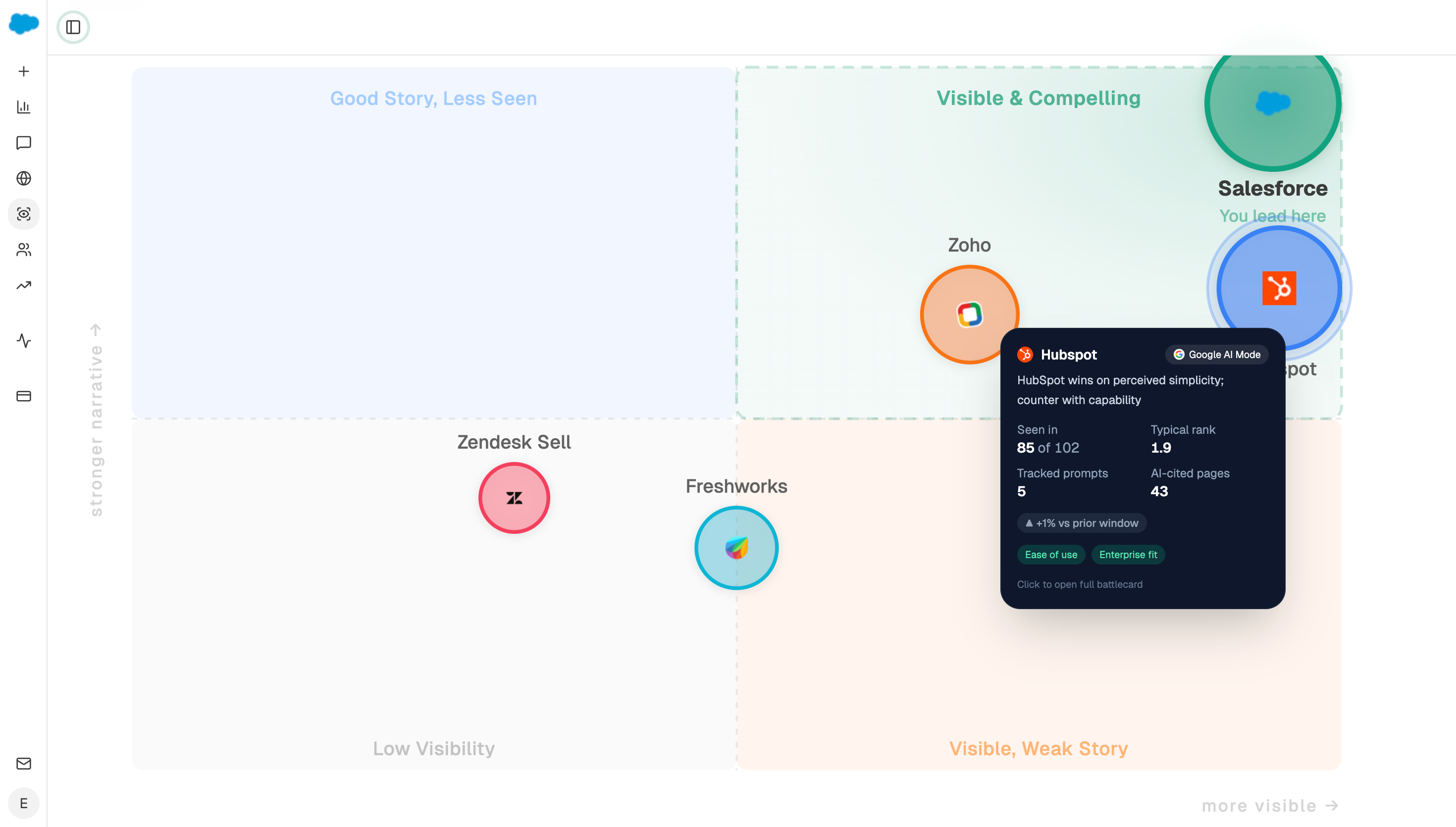 Perception shows what buyers are told about you elsewhere, which is often where a trust problem starts.
Check whether the question even reaches you
One more cause sits outside the five, and it is worth ruling out.
If buyers are getting their answer inside an AI assistant, they may never arrive in a state where any of this applies. Pew Research found people clicked a source link in about 1% of visits when an AI summary appeared.
Use Ad Hoc Prompt Searches in Analyze AI to ask your buying questions the way a customer would, and read what comes back. If assistants recommend competitors and never mention you, your conversion rate is fine and your problem is earlier than the website.
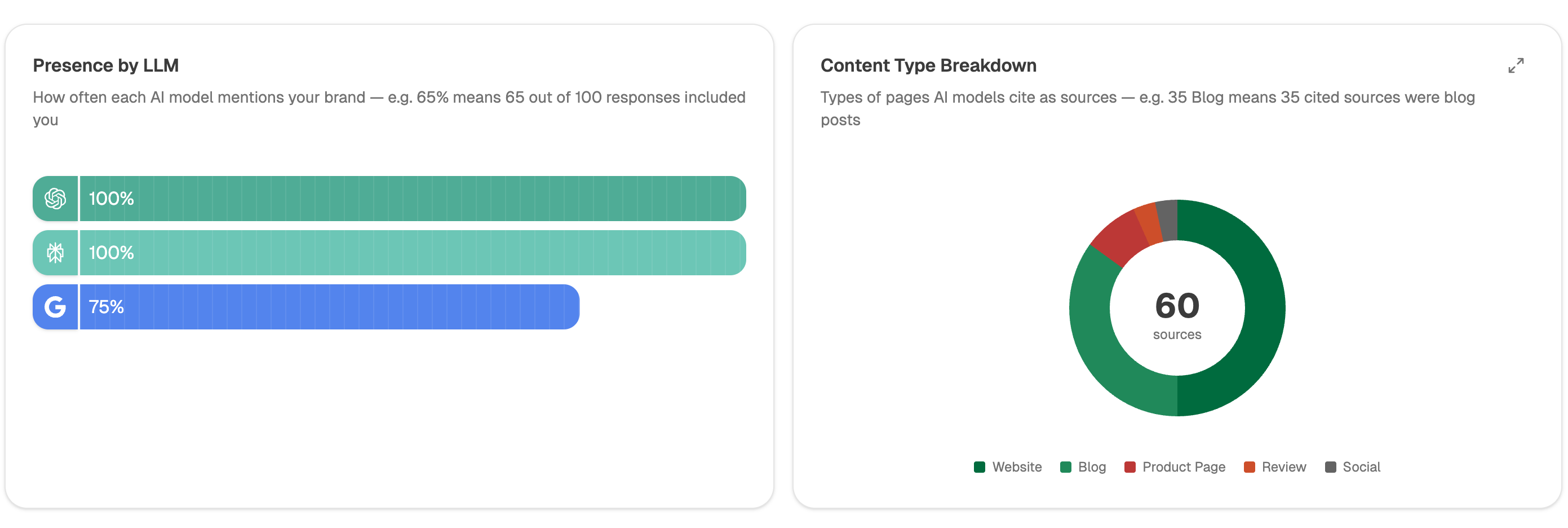 Tracked questions show who gets named on your buying questions, which tells you whether the loss happened before anyone reached your site.
Have an agent watch all five
Start (schedule, weekly) → GA4 Page Breakdown with scroll and button events for your top 20 pages → HubSpot Search Deals for first and second meetings → GSC Top Keywords for Page for the terms sending each page its traffic → Prompt LLM matching each page's pattern to one of the five rows → Branch routing each page to the right fix → Export CSV.
Matching the pattern inside the agent is what stops this becoming an opinion. Five people looking at the same dashboard will name five different causes, because everyone reaches for the one they know how to fix.
FAQ
Related answers
- Why does our organic traffic not produce demos, calls, or sales?
- Where is our organic funnel actually leaking?
- Why do people read our content but never take the next step?
- What kinds of evidence make a B2B buyer trust a vendor?
Name the cause instead of arguing about it
Analyze AI reads your pages, your traffic and what assistants say about you, then points at the cause that fits the evidence.
Start your free trial