
How do I prioritize refreshes by past value, demand, conversion, and effort?
Short answer
Multiply what the page used to earn by whether the demand still exists and whether it ever converted, then divide by the hours it needs. The four inputs pull in different directions, which is the point. A page with huge lost traffic on a dead topic scores low, and a small page that used to produce sales conversations on a live topic scores high.
Score the four inputs
Each one comes from somewhere you already look.
| Input | Where it comes from | What good looks like |
|---|---|---|
| Past value | Clicks lost against the same period last year | Absolute numbers, not percentages |
| Demand | Category impressions across everyone, this year vs last | Flat or rising |
| Conversion | Sales conversations this page produced historically | Any, from CRM |
| Effort | Hours from your scarcest person | Median of your last five refreshes |
Two notes that decide whether this works.
Use absolute clicks lost rather than percentage. A drop from 4,000 to 2,500 matters more than one from 90 to 20, and percentages invert that.
Use category demand, not yours. If everyone's impressions fell, the topic died and the page is not recoverable. If only yours fell, you lost ground and can take it back.
Work an example
Four candidates, scored.
| Page | Clicks lost | Demand | Converted | Hours | Score |
|---|---|---|---|---|---|
| Comparison against a rival | 900 | Rising | 14 deals | 4 | Highest |
| Guide to a deprecated method | 3,100 | Collapsed | 2 deals | 6 | Skip |
| Integration setup page | 240 | Flat | 9 deals | 2 | High |
| Broad category explainer | 1,800 | Flat | 0 deals | 8 | Low |
The second row is the trap. It lost the most traffic by a distance and it is the worst use of six hours, because the demand went away rather than moving to a competitor.
The third row is the one teams skip. Two hours, small traffic, and it has produced nine sales conversations. That is the best return on the list.
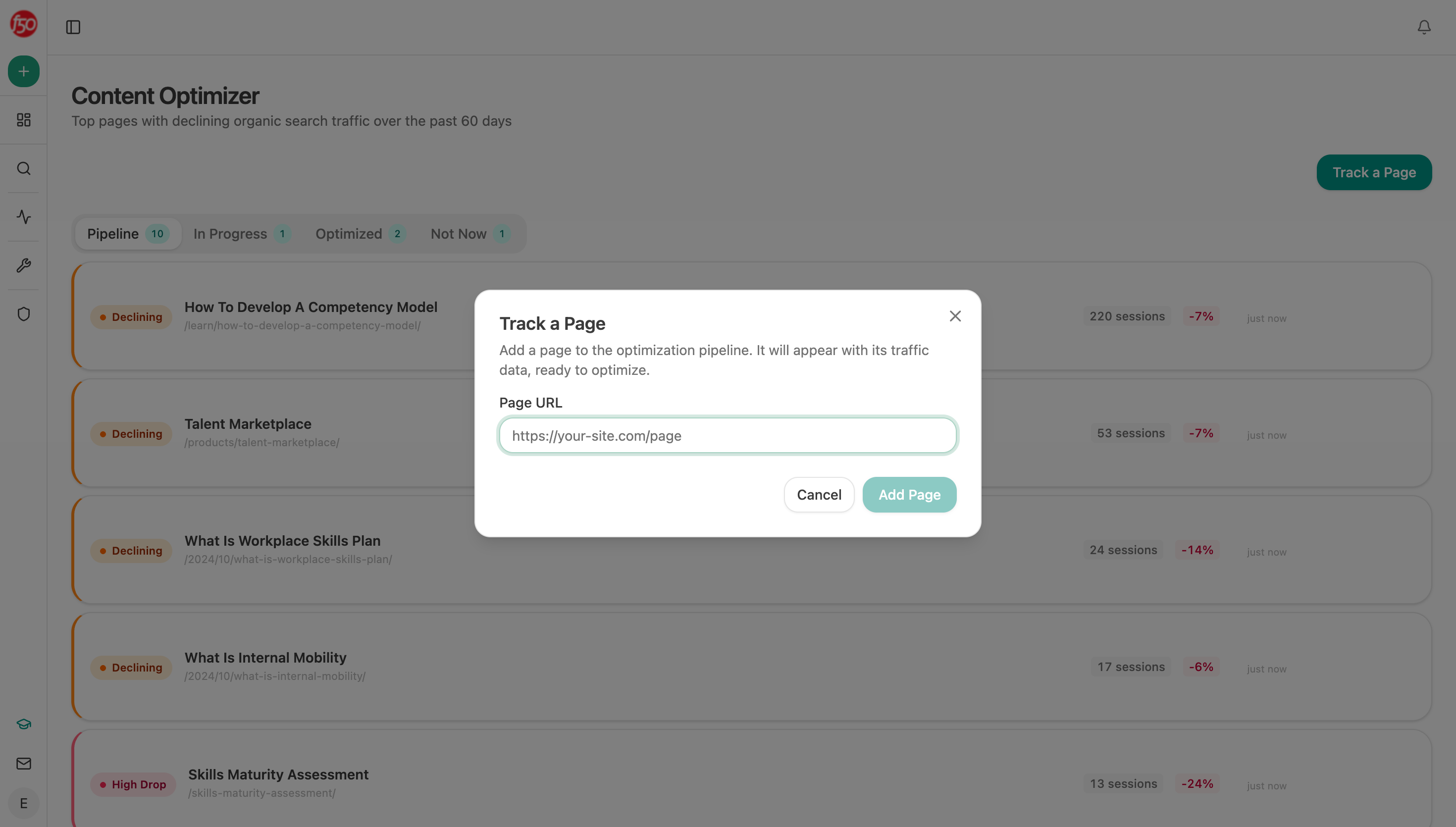 The optimizer pipeline holds declining pages with their session change, which supplies the past-value input for every candidate.
Set the two gates that stop bad work
Scores alone will still send you at pages you cannot win.
Position gate. Anything now below about position 20 is a rewrite, not a refresh. Score it separately or it will absorb a week.
Sample gate. Ignore conversion figures built on fewer than about 10 sales conversations. Below that the number swings enough to reorder your whole queue on noise.
Both gates exist because the score is a ranking device, not a truth. Its job is to put twelve pages in a defensible order, not to predict what any one of them will earn.
Add the fifth input almost nobody uses
There is a fifth signal worth folding in, and it usually reorders the top five.
Analyze AI's citation-decay-alert recipe returns pages losing citations faster than they lose traffic, and citation-magnets returns the pages assistants keep coming back to. A page in the first list is declining where you cannot see it. A page in the second is doing work your CRM never records.
Weight both up. A page that still earns citations is proving it answers the question well, which makes it a cheaper refresh than a page nobody references.
 Holding the ranked queue where the data is keeps it current, since a scored list in a spreadsheet ages within a month.
Handle the two cases the score gets wrong
Any scoring model has edge cases, and these two come up constantly.
The page that must exist. Your security page, your pricing page, and your main comparison pages have to be current whether or not they score well. Take them out of the ranking entirely and put them on a fixed review cycle, which is the tiering in how often should high-value pages be reviewed for freshness.
The page with a factual error. A wrong price or a deprecated feature jumps the queue regardless of score, because the cost is a prospect catching it rather than a ranking. How do I find the outdated stats, links, and product claims across my content finds these.
Everything else can wait for its turn in the ranking. Keeping these two exceptions explicit stops people overriding the queue on instinct, which is how a scored list quietly turns back into whoever shouts loudest.
Be honest about what the score predicts
The score orders work. It does not forecast outcomes, and presenting it as though it does will cost you credibility the first time a top-ranked refresh does nothing.
Two reasons. Recovery depends on what competitors do next, which is not in your data. And the click-through effect of a changing result page can swamp anything you write, since Pew Research found a source link was clicked in about 1% of visits when an AI summary appeared.
Report it as a ranked queue with reasons attached, not as a forecast. That framing survives the month where the top three all miss.
Rebuild the queue monthly
Start (schedule, monthly) → GSC Top Pages for Site for the trailing 3 months and the same period last year → declining-pages recipe for pages losing sessions and engagement → HubSpot Search Deals for sales conversations attributed to each page → citation-decay-alert and citation-magnets merged in → Code node scoring the four inputs and applying both gates → workflow-memory recipe holding last month's order → Export Excel with movement marked.
Marking movement rather than resending the ranking is what keeps it read. A queue that arrives identical each month becomes wallpaper, and a note saying three pages entered the top five gets opened.
FAQ
Related answers
- Which of my old posts should I update first?
- How do I prioritize content ideas by expected revenue and effort?
- How do I spot content decay before it becomes a big traffic loss?
- How do I prove maintenance created more value than new content?
Order the backlog on four inputs, not one
Analyze AI scores your declining pages on lost value, surviving demand, CRM outcomes and citation movement, then marks what moved.
Start your free trial