



Summarize this blog post with:


CrewAI is a powerful multi-agent framework. But it was built for developers. If you are a content lead, a marketing ops manager, or an agency owner trying to automate content production, keyword research, or link outreach at scale, you will hit a wall fast. CrewAI requires Python knowledge, API key management, and infrastructure setup. That is a lot of overhead when what you actually need is a workflow that takes a keyword, researches it, drafts an article, and publishes it to WordPress.
In this article, you’ll learn which CrewAI alternatives actually work for content and marketing use cases, what each tool does well (and where it falls short), how to evaluate them based on your team’s technical comfort and budget, and which platforms let you build content workflows, keyword research pipelines, and publishing agents without writing a single line of code.
Table of Contents
What to Look for in a CrewAI Alternative for Content Work
The criteria for general-purpose agent builders and content-specific ones are different. Here is what matters when the goal is marketing output.
Content-native features. Does the platform understand SEO data, keyword research, content scoring, or AI visibility? Or is it a blank canvas where you have to wire everything from scratch?
LLM flexibility. Can you use Claude, GPT, Gemini, or Perplexity depending on the task? Content teams need different models for different jobs. A research step might need Perplexity. A drafting step might need Claude.
No-code or low-code builder. Most content teams do not have a Python developer on staff. Drag-and-drop visual builders dramatically lower the barrier.
Data integrations for SEO and marketing. Does it connect to Google Search Console, GA4, Semrush, DataForSEO, HubSpot, WordPress, or Notion natively? Every integration you do not have to build is hours saved.
Scheduling and triggers. Can you schedule a content refresh agent to run every Monday? Can a webhook fire when a new brief is approved in Notion? One-click manual runs are useful. Scheduled and event-driven agents are what turn a tool into an operations layer.
Output quality. For content teams, the final output matters more than the workflow complexity. You need drafts that read well, follow your brand voice, and pass editorial review.
Pricing transparency. Execution-based billing sounds cheap until you realize a 10-step workflow burns 10 executions per run. You need to understand the real cost at your expected volume.
8 Best CrewAI Alternatives for Content and Marketing Teams
Here are the eight tools worth evaluating in 2026.
-
Analyze AI
-
n8n
-
Make
-
Zapier
-
StackAI
-
LangChain
-
AutoGen
-
Relay.app
1. Analyze AI
-
Best for: Content teams, SEO teams, and agencies that need content production, optimization, and AI search visibility in one platform
-
Pricing: Starts at $99/month (Growth), $250/month (Pro), Custom for enterprise. Free trial available.
-
Standout feature: A programmable agent builder with 180+ nodes, 34 pre-built data recipes, and native connections to GA4, GSC, Semrush, DataForSEO, HubSpot, WordPress, Notion, Mailchimp, and every major LLM
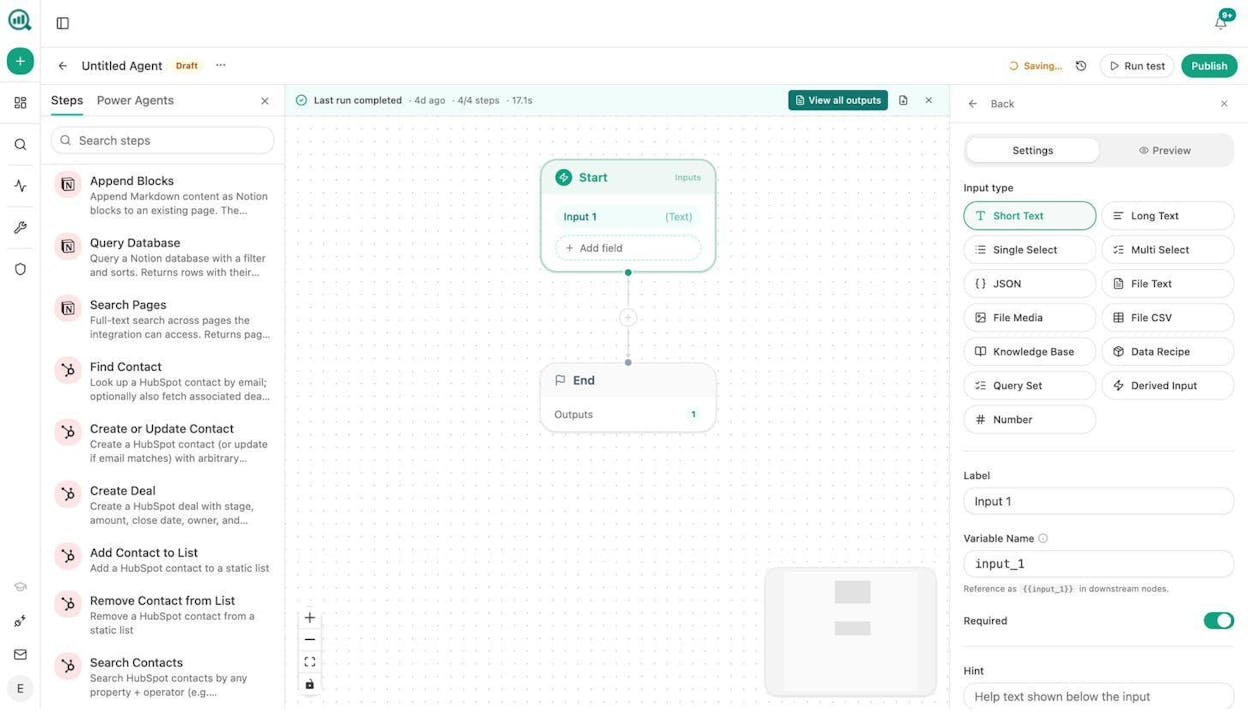
Analyze AI is the agentic platform for SEO, AEO, content, and GTM ops. It is not a generic automation tool. Every node, data recipe, and integration was designed for the work marketing teams actually do.
The difference starts with context. When you build an agent in Analyze AI, the platform already has your AI visibility data, your GSC keywords, your GA4 traffic, your competitor landscape, and your brand voice guidelines loaded. You are not wiring four API calls to get the input you need. The data is already in the room.
How the Agent Builder works for content teams
The Agent Builder is a visual drag-and-drop canvas. You connect nodes into a workflow, set a trigger (manual, scheduled, or webhook), and run it.
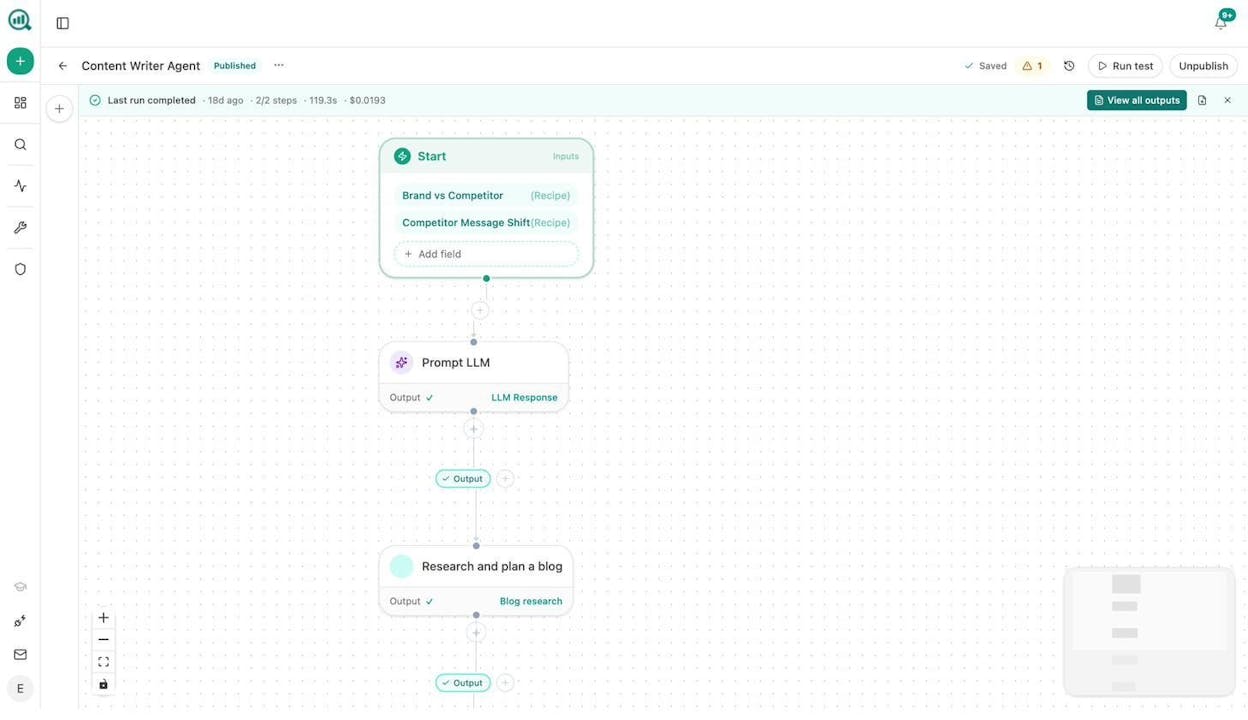
Here is what a content team can build with it.
Content writing at scale. Build an agent that takes a keyword, runs competitive research via DataForSEO and Semrush, generates a research brief, creates an outline with editorial comments, drafts the full article using your brand voice from the Brand Vault, scores it with the AEO Content Scorecard, and publishes to WordPress if the score passes your threshold. Schedule it to process a batch of keywords every Sunday night. Your editorial calendar fills itself.
Content refresh at scale. Wire a scheduled agent that pulls your declining pages from GA4, scrapes each page, rewrites it with freshness signals and brand voice, runs a diff, and pushes updates to WordPress. The pages that quietly lose rankings stop doing that.
Keyword research at scale. Use the DataForSEO and Semrush nodes to pull keyword ideas, search volumes, difficulty scores, and SERP competitors for any seed term. Loop over a list of seed keywords from a CSV upload. Export results to a Sheets view or Notion database.
Internal linking at scale. Schedule a weekly agent that loops over your sitemap, pulls GSC top keywords per page, and uses an LLM to suggest three internal links per page based on topical relevance. Push tasks to Notion or create PRs via the Call API node.
Link outreach. Build an agent that monitors brand mentions via DataForSEO, finds the author’s email with Tomba Author Finder, personalizes an outreach pitch using your brand kit, and sends the email. Log every touchpoint to HubSpot automatically.
Image and infographic creation. The agent builder includes Blog Featured Image, Infographic Generator, Social Media Image, and Illustrate Any Text nodes. All are brand-kit-aware. Build an agent that takes an article title and generates a featured image, three social media assets, and an infographic in one run.
These are not hypothetical. The platform ships 34 pre-built data recipes (like keyword-opportunities, declining-pages, competitor-gaps, and stale-content) that you drop into any agent as a one-line input. The Brand Vault auto-injects your tone, style, messaging rules, and disallowed phrases into every draft. A CMO can click Run and get the output without configuring anything.
The Content Writer and Content Optimizer
Beyond the Agent Builder, Analyze AI has dedicated Content Writer and Content Optimizer tools.
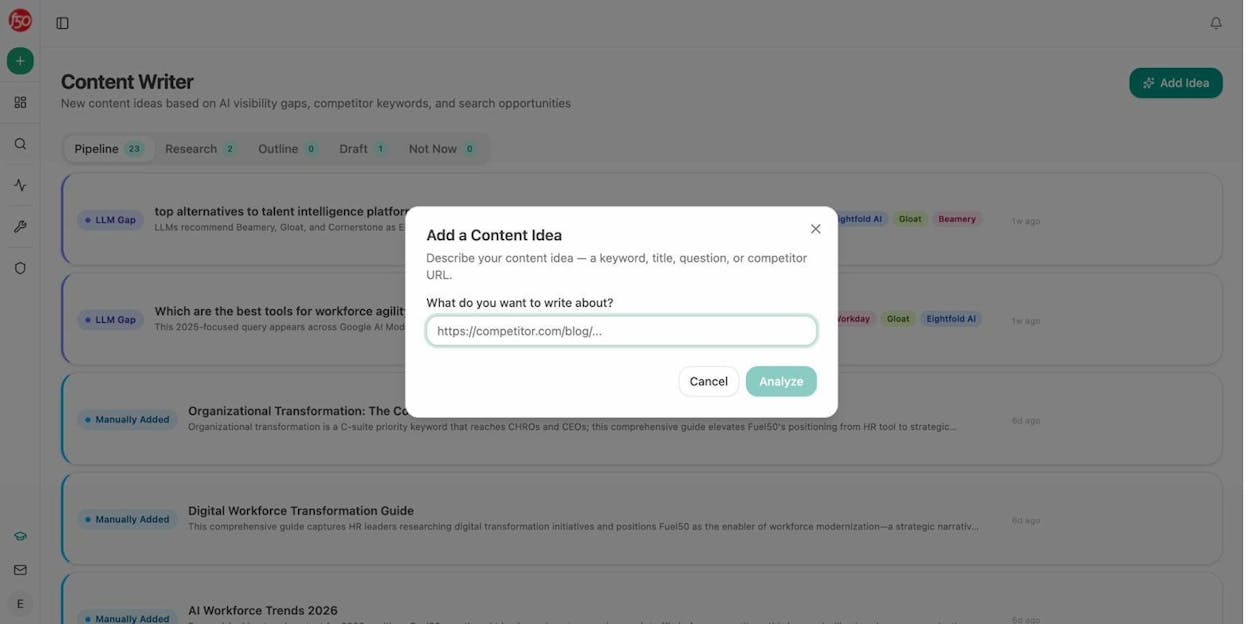
The Content Writer takes a keyword, a title, or a competitor URL and walks through a multi-step pipeline. It researches the topic (with editorial comments explaining what it found), builds an outline, and generates a full draft with tracked keywords, SERP analysis, and internal linking suggestions built into the sidebar.
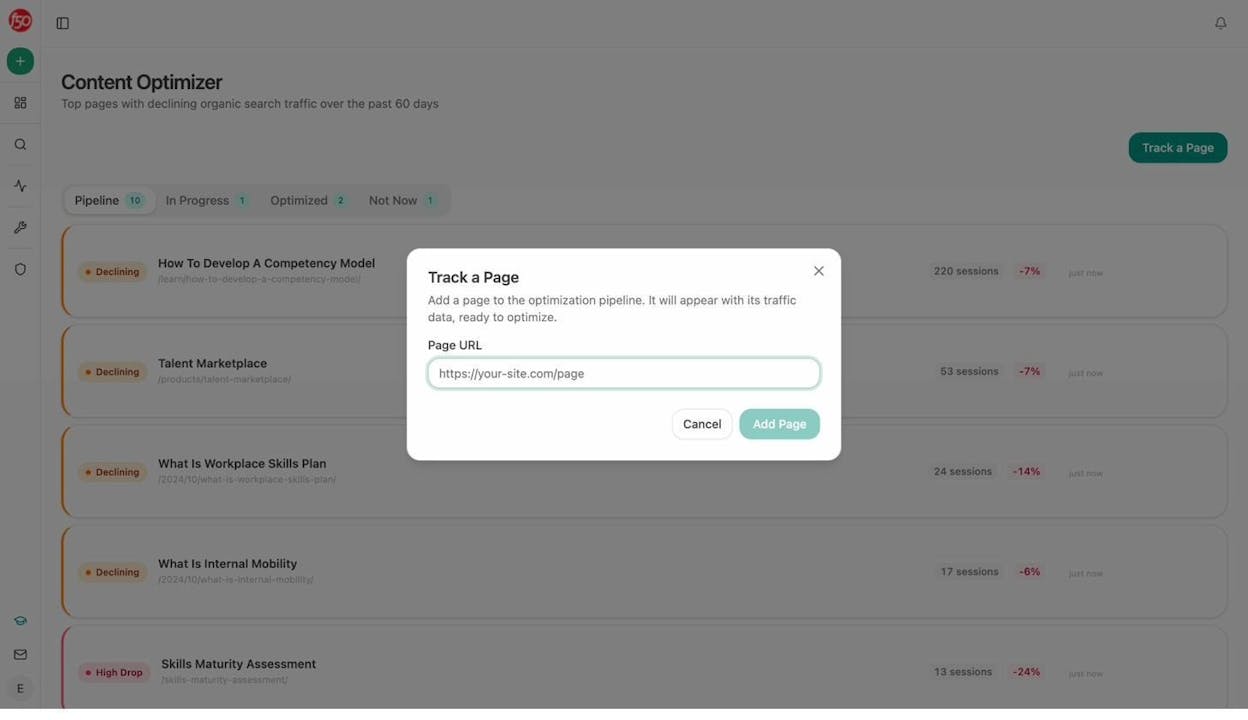
The Content Optimizer surfaces your pages with declining traffic from GA4, runs an audit on each one, identifies content gaps and optimization opportunities, and generates a rewritten version. This is not a generic rewriter. It uses your brand voice, your proof points, and the AEO Content Scorecard to make sure the refreshed version is better for both search engines and AI answer engines.
Most competing tools either give you a content writer or an automation builder. Analyze AI gives you both, wired to the same data layer.
Pricing
Analyze AI pricing is straightforward. Growth is $99/month. Pro is $250/month. Custom plans are available for enterprise. All plans include unlimited seats and unlimited competitor tracking. A free trial is available with no credit card required.
Compare that to CrewAI, where the cheapest paid plan is $99/month for just 2 crews with 100 executions, and the next tier jumps to $6,000/year. With Analyze AI, you get the agent builder, content writer, content optimizer, AI visibility tracking, and attribution analytics in one subscription.
2. n8n
-
Best for: Technical content teams that want to self-host their workflows
-
Pricing: Free (self-hosted Community Edition), cloud starts at $24/month for 2,500 executions
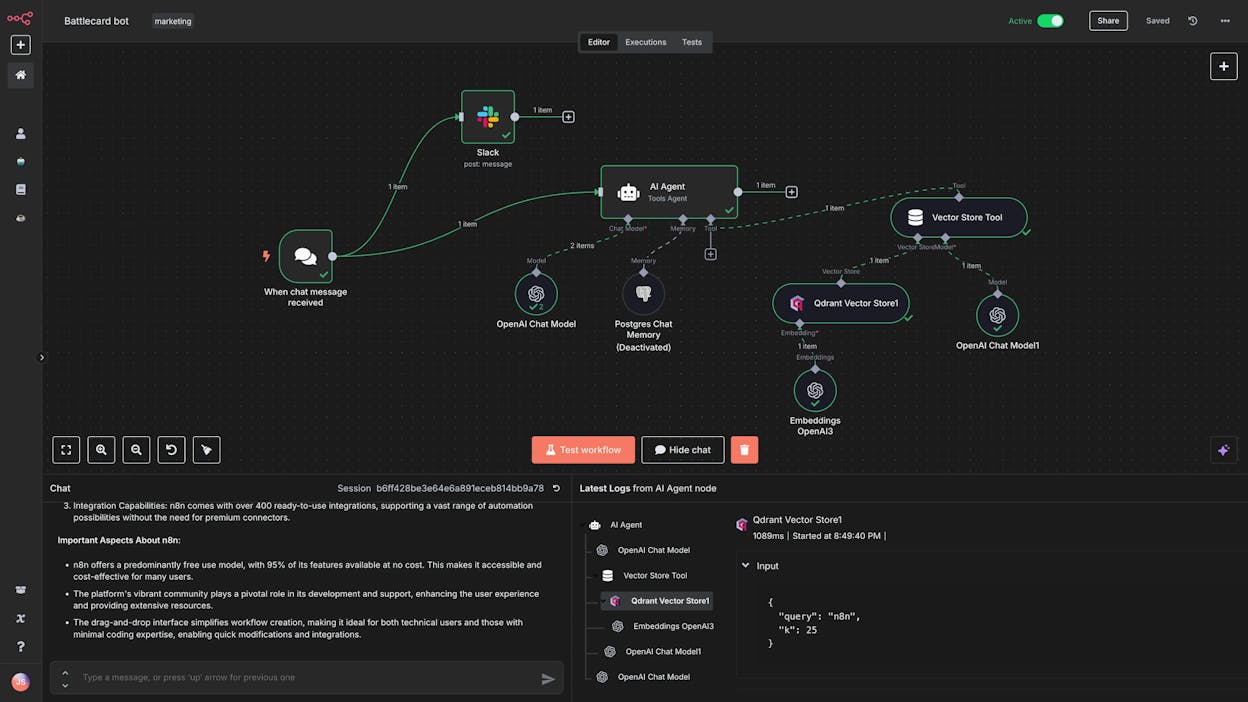
n8n is an open-source workflow automation platform with a visual drag-and-drop builder. It connects to hundreds of apps and lets you add LLM nodes for AI-powered steps.
For content teams, n8n can handle workflows like scraping competitor content, running it through an LLM for analysis, and posting summaries to Slack. The community template library has pre-built SEO and content workflows you can duplicate and customize.
The trade-off is setup time. n8n is a general-purpose automation tool. It has no native understanding of SEO data, content scoring, or AI visibility. You build everything from primitives. For a content refresh workflow, you would need to wire up a GA4 API call, a scraping node, an LLM node, a WordPress API call, and error handling for each step. In Analyze AI, the same workflow uses three nodes and a pre-built data recipe.
Self-hosting is n8n’s biggest advantage. If your organization requires data to stay on your own infrastructure, n8n is the strongest option on this list for that constraint.
Pricing note: The $24/month Starter plan includes only 2,500 executions. A single polling trigger checking every 5 minutes uses roughly 8,640 executions per month on its own. Budget carefully.
3. Make
-
Best for: Budget-conscious marketing teams getting started with automation
-
Pricing: Free plan available, paid plans start at $10.59/month
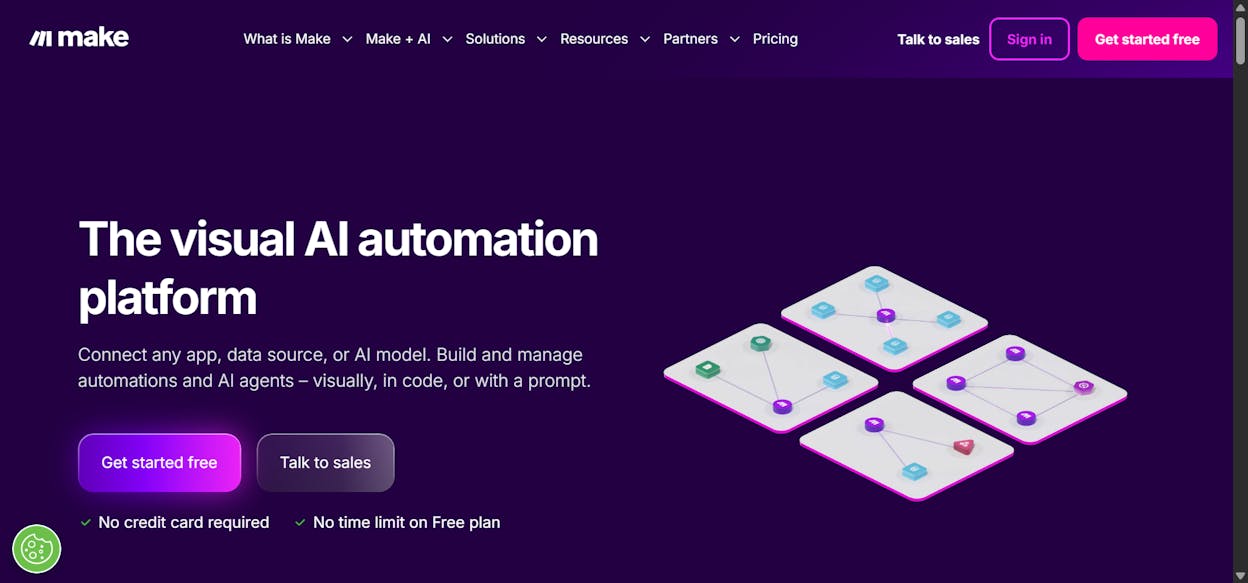
Make (formerly Integromat) connects to over 3,000 apps and has one of the most visual workflow builders on the market. It is one of the most affordable ways to start automating content workflows.
For marketing use cases, Make works well for distribution workflows. You can build a flow that takes a published blog post, generates social media copy via an LLM, and posts to LinkedIn, Twitter, and Buffer. It also handles CRM sync, email triggers, and webhook-based automations.
Where Make falls short for content teams is depth. It has no built-in content scoring, no SEO data integrations (you need to build API calls manually), and no brand voice enforcement. It is a strong connector, not a content operations platform.
You also need your own LLM API keys for AI features. That is an additional cost on top of the subscription.
4. Zapier
-
Best for: Teams already using Zapier for other automations who want to add AI on top
-
Pricing: Free plan (100 tasks/month), paid plans start at $29.99/month. Agents add-on is $50/month.
Zapier has the largest integration library in the space with over 10,000 connected apps. If a tool exists, Zapier probably connects to it.
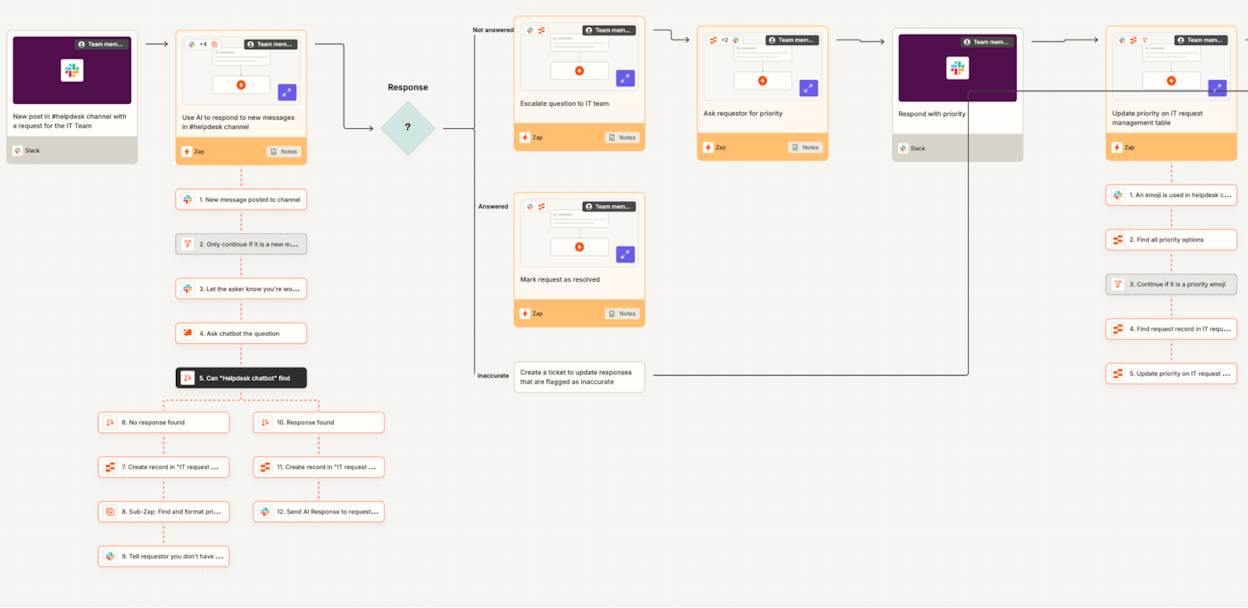
For content work, Zapier is strong at glue workflows. When a Google Doc is marked “approved,” publish it to WordPress and notify the team in Slack. When a new lead fills a Typeform, enrich it and log to HubSpot. These are the straightforward triggers-and-actions that Zapier does better than anyone.
The newer Agents feature lets you build multi-step AI workflows. But it feels bolted on. Zapier was built as an automation platform, and the AI capabilities are an addition, not the foundation. For content-specific use cases like keyword research pipelines, content scoring, or brand voice enforcement, you will hit limitations quickly.
Pricing also scales steeply. Complex workflows with many steps consume tasks fast, and the Agents add-on is an additional $50/month on top of your base plan.
5. StackAI
-
Best for: Enterprise teams focused on document processing and internal operations
-
Pricing: Free plan (500 runs/month), Enterprise is custom pricing
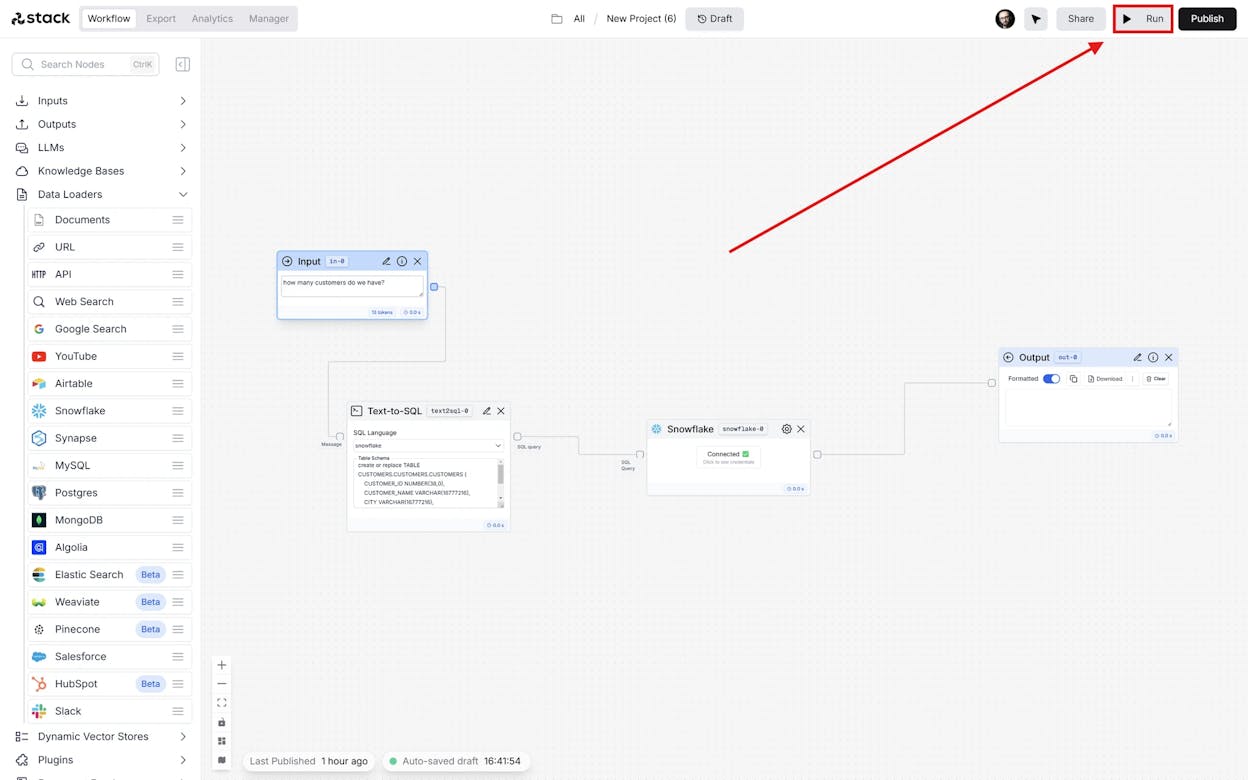
StackAI has one of the cleanest interfaces for building AI agents. It shines at document processing use cases with built-in RAG, OCR, and data extraction.
For content teams, StackAI is useful if your workflow involves processing large volumes of documents (research reports, PDFs, transcripts) and turning them into content briefs or summaries. The platform is SOC2, GDPR, and HIPAA compliant, which matters for enterprise content teams in regulated industries.
The limitation is scope. StackAI is built for enterprise operations, not content marketing specifically. It has no SEO data integrations, no content scoring, and no publishing workflows to WordPress or other CMS platforms.
6. LangChain
-
Best for: Developer teams building custom content automation with full code control
-
Pricing: Free (open-source). LangSmith starts free, then $39/seat/month for teams.
LangChain is the most widely adopted LLM framework for developers. With over 90 million downloads and 123k+ GitHub stars, it has the largest ecosystem of any tool on this list.
For content teams with developers on staff, LangChain enables highly custom workflows. You can build a chain that does keyword research, competitive analysis, content generation, and publishing in a single pipeline with full control over every step.
The cost is complexity. LangChain requires significant Python knowledge and infrastructure management. There is no visual builder, no drag-and-drop, and no pre-built content recipes. Everything is code. For most marketing teams, this is the wrong trade-off.
7. AutoGen
-
Best for: Research teams and developers building experimental multi-agent systems
-
Pricing: Free (open-source). You pay for LLM API costs.
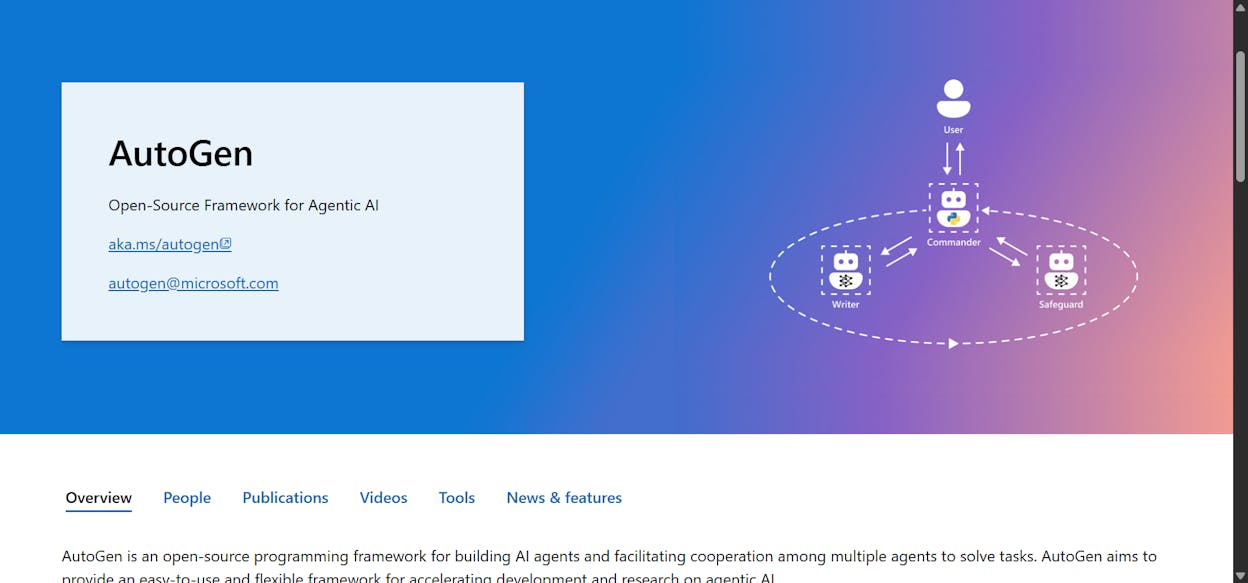
AutoGen is Microsoft’s open-source framework for building multi-agent systems. It excels at tasks where multiple agents need to collaborate, debate, and iterate on a problem.
For content work, AutoGen is interesting for research-heavy use cases. You could build a system where one agent researches a topic, another writes a draft, and a third reviews it for accuracy. The agents communicate asynchronously and can request human review at any step.
The practical limitation is the same as LangChain. You need engineering resources to build, deploy, and maintain these workflows. And without native SEO or content integrations, every data connection is custom work.
8. Relay.app
-
Best for: Small marketing teams that want simple automations with minimal setup
-
Pricing: Free plan (500 AI credits/month), paid plans start at $38/month
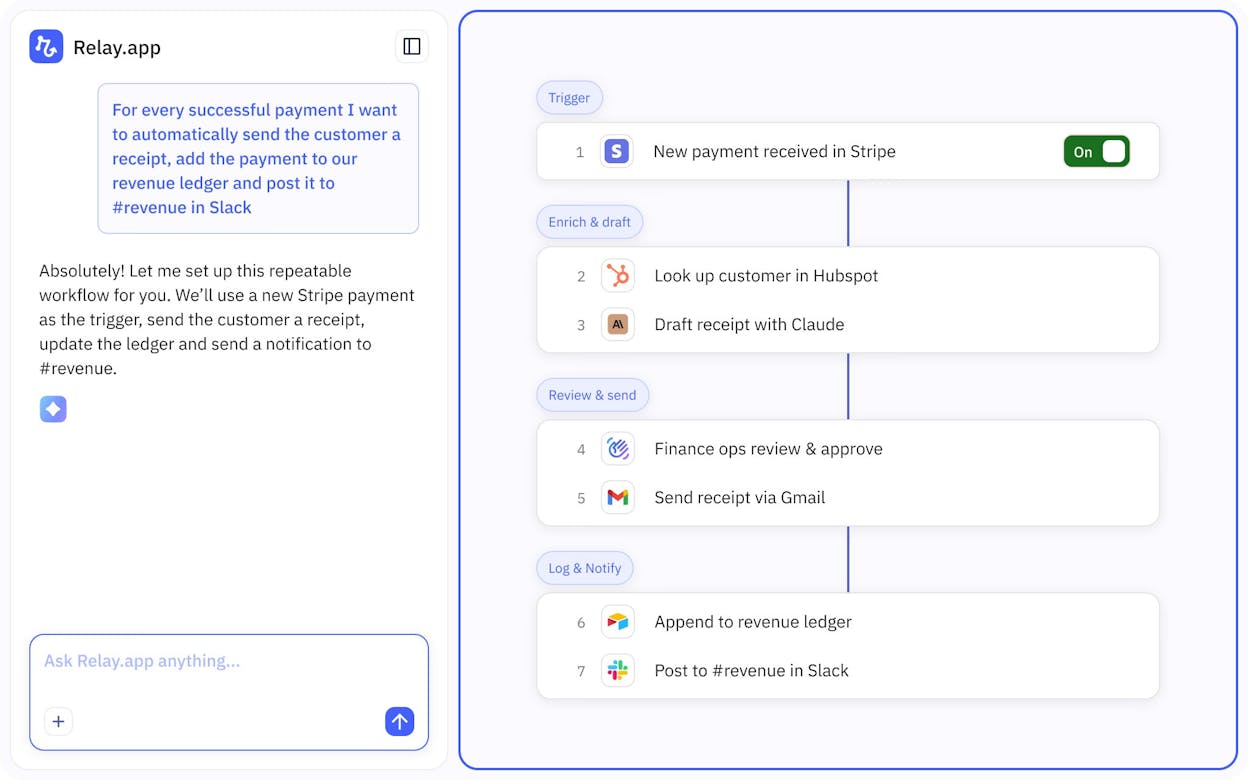
Relay.app is the simplest tool on this list. It has a clean drag-and-drop builder, a template library with marketing-relevant workflows (social media posting, meeting follow-ups, competitor reports), and a genuinely low learning curve.
For content teams, Relay.app works for lightweight distribution and coordination workflows. It handles the “when X happens, do Y” patterns well. Where it falls short is at scale. It is not designed for complex content pipelines, has no SEO data integrations, and feels more like a simple automation tool than an agent builder.
If your needs are straightforward and you want to start fast, Relay.app is worth testing.
Quick Comparison
|
Tool |
Best For |
No-Code |
SEO/Content Integrations |
Content Writer/Optimizer |
Agents |
Starting Price |
|---|---|---|---|---|---|---|
|
Analyze AI |
Content and marketing ops |
Yes |
GA4, GSC, Semrush, DataForSEO, HubSpot |
Yes (built-in) |
180+ node builder |
$99/mo |
|
n8n |
Self-hosted technical teams |
Yes |
Manual API setup |
No |
Basic AI nodes |
$24/mo (cloud) |
|
Make |
Budget-conscious teams |
Yes |
Manual API setup |
No |
No |
$10.59/mo |
|
Zapier |
Teams in Zapier ecosystem |
Yes |
Via 10k+ integrations |
No |
Add-on ($50/mo) |
$29.99/mo |
|
StackAI |
Enterprise document processing |
Yes |
No |
No |
Visual builder |
Free / Custom |
|
LangChain |
Developer teams |
No (code) |
Manual |
No |
Full framework |
Free (OSS) |
|
AutoGen |
Research and experiments |
No (code) |
Manual |
No |
Multi-agent framework |
Free (OSS) |
|
Relay.app |
Simple marketing automations |
Yes |
No |
No |
No |
$38/mo |
Which CrewAI Alternative Should You Choose?
The right tool depends on what you are trying to automate and who is doing the building.
If your primary use case is content and marketing operations, and you want a platform where the SEO data, content tools, AI visibility tracking, and agent builder all share the same data layer, Analyze AI is built for exactly that. The combination of a Content Writer, Content Optimizer, and a programmable agent builder with 180+ nodes means you can start with the guided tools and graduate to fully custom workflows as your needs grow. Start with a free trial and build your first content agent in minutes.
If you need to self-host everything for compliance reasons, n8n is the strongest option.
If you are on a tight budget and want to start automating basic content distribution, Make gives you the most value per dollar.
If you already use Zapier for other workflows and want to add AI on top, extending what you have makes more sense than switching platforms.
If your team has Python developers and you want full code control, LangChain gives you the most flexibility. AutoGen is worth exploring for research-heavy multi-agent experiments.
If you just want something simple and fast to set up, Relay.app will get you running in minutes.
The best tool is not the one with the most features. It is the one that produces the output your team needs, consistently, without burning hours on setup and maintenance. Pick two or three from this list, run the same workflow on each, and go with the one that delivers.

Ernest

Ibrahim


