



Summarize this blog post with:


In this article, you will learn how to build an SEO AI agent that handles real work across your entire SEO and content operation. You will see seven specific agent workflows you can build today, from keyword research and competitor analysis to content refresh and internal linking at scale. And you will learn why the best SEO AI agents now need to cover both traditional search and AI search to stay ahead.
Table of Contents
What Is an SEO AI Agent?
An SEO AI agent is an automated workflow that connects your SEO tools, data sources, and LLMs into a single system that can run tasks without you clicking through five different tabs.
The key difference between an AI agent and a regular automation is decision-making. A standard automation follows rigid if-then rules. An AI agent can interpret data, prioritize tasks, and generate outputs based on the instructions and guardrails you give it.
For example, instead of manually pulling your Google Search Console data, cross-referencing it with competitor rankings, and writing a report, an SEO AI agent does all three in one run. It pulls the data, sends it to an LLM for analysis, and outputs a report to Slack, Notion, or email.
But here is the part most people miss. The best SEO AI agents in 2026 do not just cover traditional search. They also monitor how your brand appears in AI search engines like ChatGPT, Perplexity, and Gemini. AI search is not replacing SEO. It is an additional organic channel. And the teams that build agents covering both channels are the ones compounding their visibility while everyone else debates acronyms.
Can You Do SEO With AI?
Yes. But with an important caveat.
AI is not a replacement for SEO strategy. It will not generate a keyword list that matches your product positioning, and it will not write content that sounds like your brand without serious guardrails. What AI does exceptionally well is take data you already have and help you synthesize it, prioritize it, and act on it faster.
Here is where AI actually helps with SEO.
Data synthesis. You have Google Analytics, Search Console, Semrush, and AI visibility data sitting in different dashboards. An AI agent pulls all of it into one place and tells you what matters.
Repetitive execution. Tasks like generating meta descriptions for 200 pages, checking internal links across a 2,000-page site, or formatting SEO reports for 10 clients follow the same logic every time. Agents handle this without you touching a spreadsheet.
Pattern recognition. AI can spot declining pages, keyword cannibalization, and content gaps faster than any human scanning rows of data.
Where AI fails is unsupervised content creation and strategic decision-making. Use it as the execution layer, not the brain. Your expertise drives the strategy. The agent handles the grunt work.
How to Build an SEO AI Agent (Step by Step)
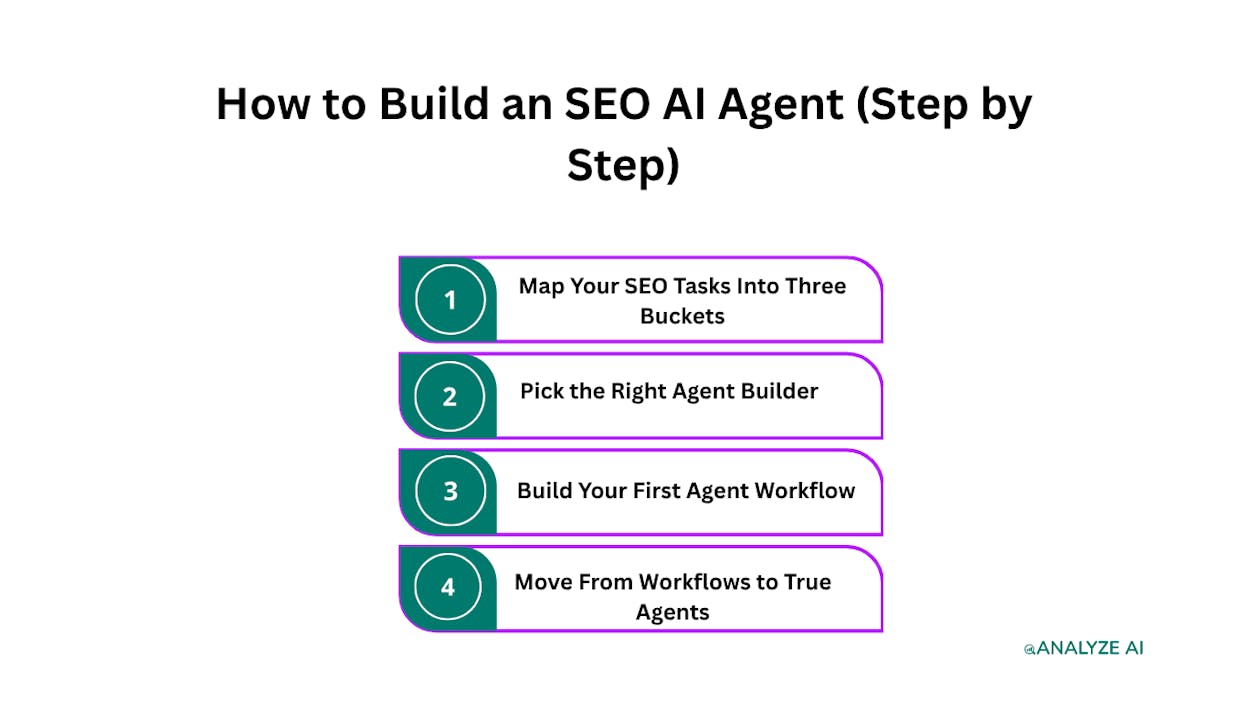
Step 1. Map Your SEO Tasks Into Three Buckets
Before you build anything, write down every task you do across your SEO operation. Group them into three categories.
Research and strategy. This includes keyword research, competitor analysis, content research, SERP analysis, and identifying content gaps. These are the tasks where you decide what to go after.
Creation and publishing. This covers content briefs, drafts, optimization, image creation, internal linking, and publishing to your CMS. These are the tasks where you produce and ship work.
Analytics and optimization. This includes tracking rankings, monitoring traffic, generating reports, auditing existing content, and refreshing pages that are losing steam. These are the tasks where you measure and improve.
Every SEO workflow fits into one of these buckets. And within each bucket, some tasks are better suited for AI agents than others.
The rule of thumb is simple. If a task requires pulling data from a tool, processing it through a repeatable logic, and producing a structured output, it is a strong candidate for an agent. If it requires original thinking, brand judgment, or creative decisions, keep it with a human.
Step 2. Pick the Right Agent Builder
Most teams start with ChatGPT or Claude for one-off prompts. That works for quick tasks, but it breaks down when you need to connect multiple data sources, run tasks on a schedule, and send outputs to different destinations.
For that, you need a platform purpose-built for agent workflows. A good SEO AI agent builder should meet these criteria.
Native data connectors. The platform should connect directly to Google Analytics, Google Search Console, Semrush, DataForSEO, and your CMS without requiring custom API work.
LLM flexibility. You should be able to swap between Claude, GPT, Gemini, and other models depending on the task. Some models are better at analysis. Others are better at generation.
Trigger options. The best agents are not ones you click to run. They run on a schedule (every Monday at 7am), fire on a webhook (when a blog post is published), or trigger from an event (when a HubSpot deal closes).
Brand context injection. Your agent should know your brand voice, your messaging rules, and your competitive positioning without you pasting a style guide into every prompt.
Analyze AI’s Agent Builder is a programmable platform with 180+ nodes, 34 pre-built data recipes, 13 input types, and 3 trigger modes. It connects to GA4, Google Search Console, Semrush, DataForSEO, HubSpot, Notion, WordPress, Slack, and every major LLM. You are not picking from a template library. You are composing from primitives, with billions of possible workflow configurations.
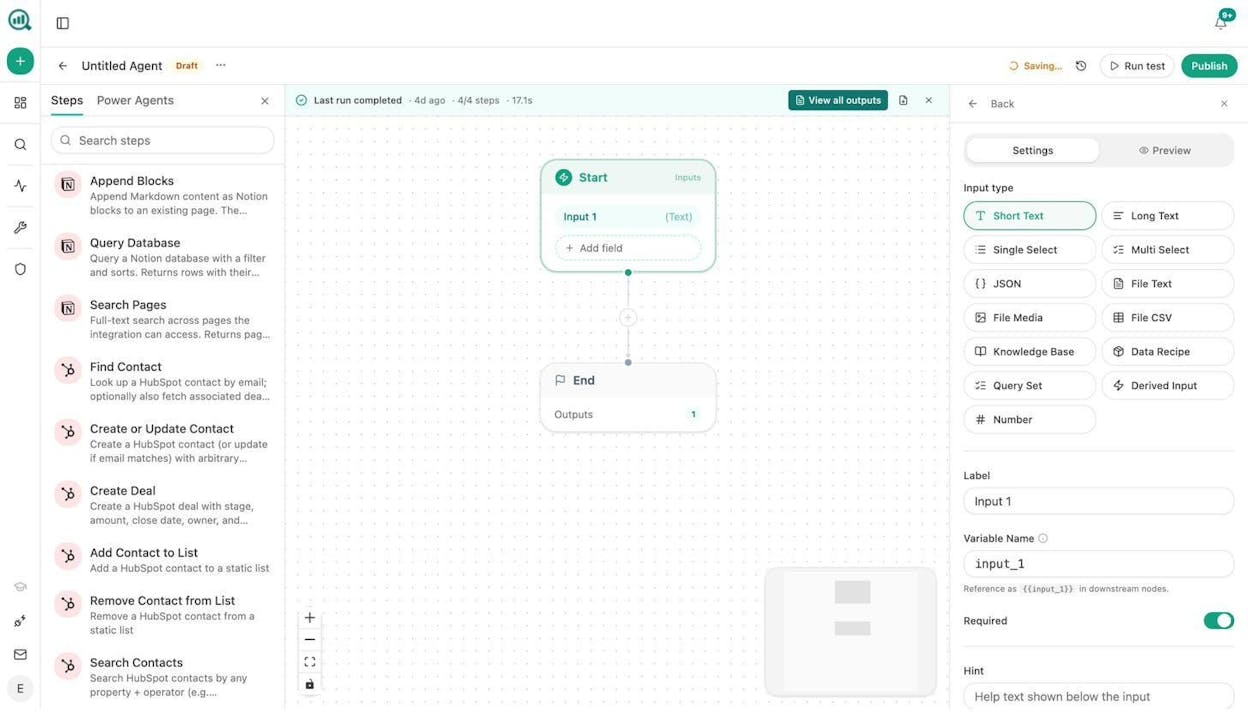
What sets this apart from general-purpose automation tools is that the data is already in the room. Your AI visibility scores, your competitor gaps, your GA4 traffic, your brand voice rules. All of it is accessible as nodes and data recipes you drop into any workflow. You do not need a separate “integration” step.
Step 3. Build Your First Agent Workflow
Now comes the actual building. Let us walk through seven specific agent workflows you can create, grouped by the three buckets from Step 1.
Workflow 1. Automated Competitor Analysis Report
Bucket: Research and strategy
This agent pulls ranked keywords and top pages for your site and a competitor, sends both datasets to an LLM, and produces a gap analysis showing where the competitor dominates and where you can catch up.
Here is what the workflow looks like in Analyze AI.
Start (input: competitor keyword or domain) → Ranked Keywords node (pulls your data) → Top Keywords for Site node (pulls competitor data) → Prompt LLM (compares both, identifies gaps and priorities) → End (outputs the report).
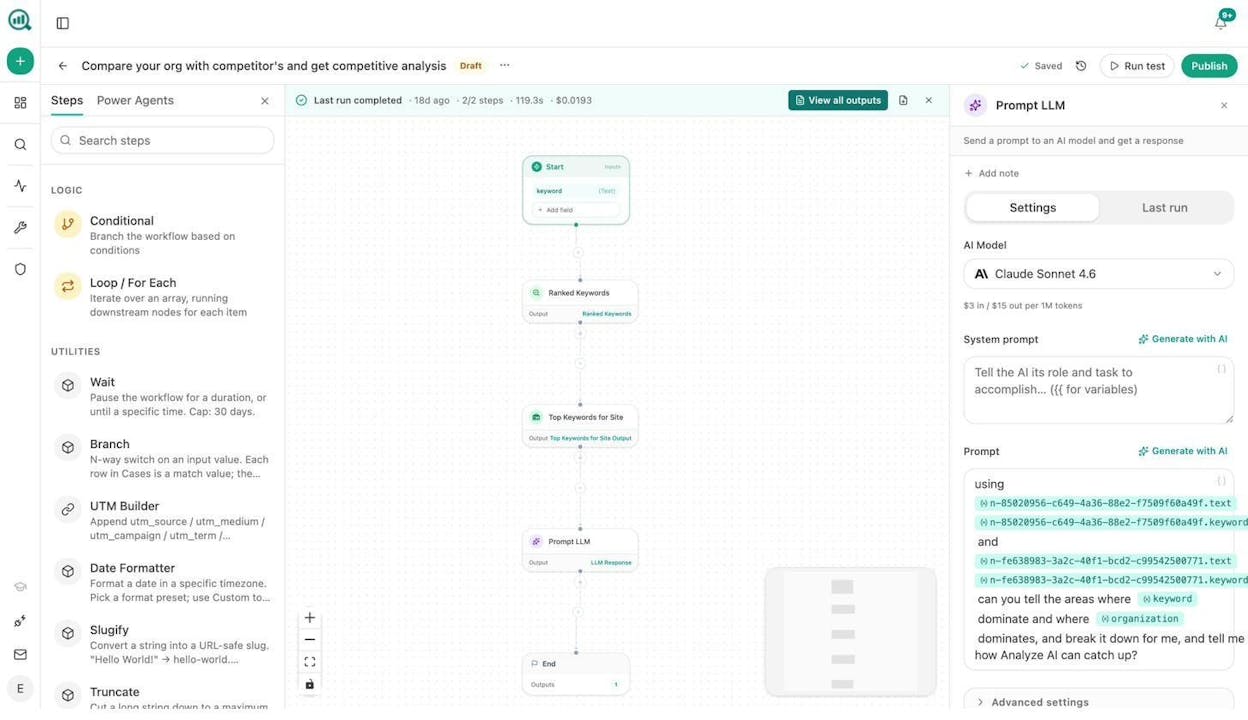
Set this on a weekly schedule and you have a competitive intelligence brief landing in Slack every Monday without anyone lifting a finger.
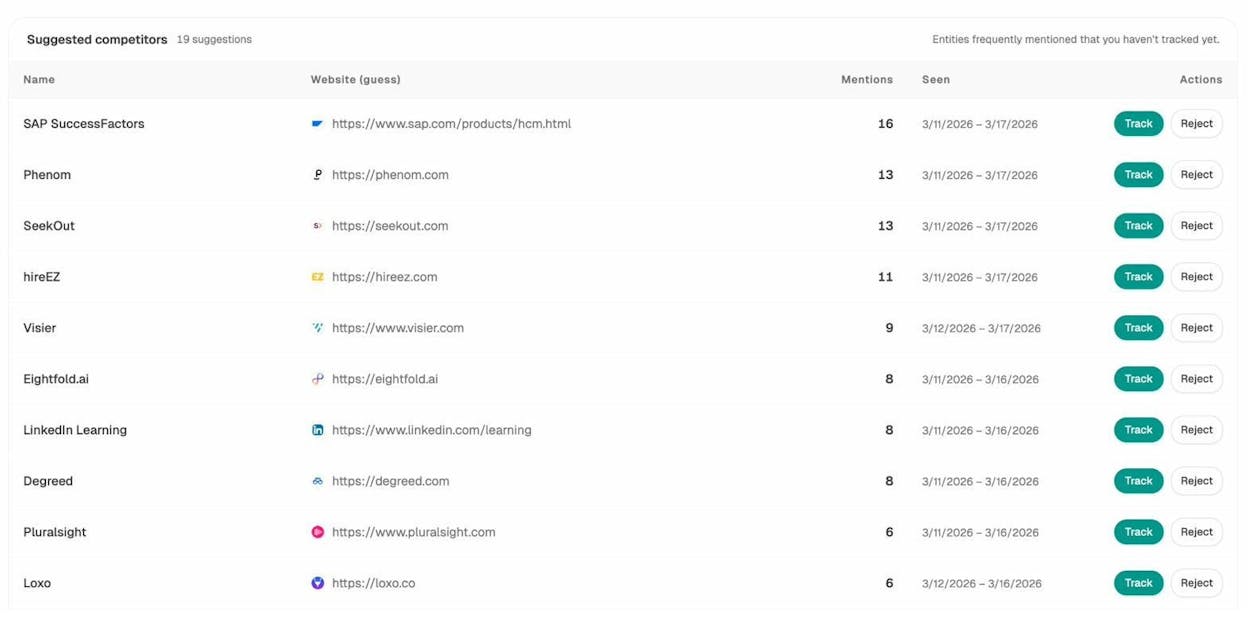
And here is the AI search angle that most tools miss. Analyze AI’s Competitors dashboard shows you how competitors perform not just in Google, but across ChatGPT, Perplexity, Gemini, and other AI engines. You can see which prompts cite competitors but never mention your brand, and use that data to build content that closes the gap in both channels.
Workflow 2. Keyword Research at Scale
Bucket: Research and strategy
Instead of manually pulling keyword ideas one seed term at a time, this agent takes a batch of seed keywords from a spreadsheet, runs each through DataForSEO’s Keyword Ideas and Search Volumes nodes, filters by difficulty and volume thresholds using a Conditional node, and exports a prioritized list to CSV or Notion.
Start (input: CSV of seed keywords) → Loop/For Each → Keyword Ideas → Get Search Volumes → Conditional (filter by KD < 40, volume > 500) → Export to CSV → End.
You can also layer in Analyze AI’s keyword-opportunities data recipe, which automatically surfaces high-volume, low-competition keywords from DataForSEO without you configuring the filters manually.
For an even quicker start, Analyze AI offers a free Keyword Generator and Keyword Difficulty Checker you can use before committing to a full agent build.
Workflow 3. Content Brief to Published Draft Pipeline
Bucket: Creation and publishing
This is where most teams spend the most manual hours. This agent takes a content idea, runs research, generates an outline, writes a full draft with brand voice injected, scores it for AI search readiness, and publishes it to WordPress if it passes the quality gate.
Start (input: content idea or competitor URL) → Generate Research → Generate Outline → Generate Full Draft (with Brand Vault injected for tone, messaging rules, and proof points) → AEO Content Scorecard (scores the draft for structure, freshness, and AI engine optimization) → Conditional (if score > 80: WordPress Create Post + Blog Featured Image. If < 80: Slack notification to the writer with gaps to fix) → End.
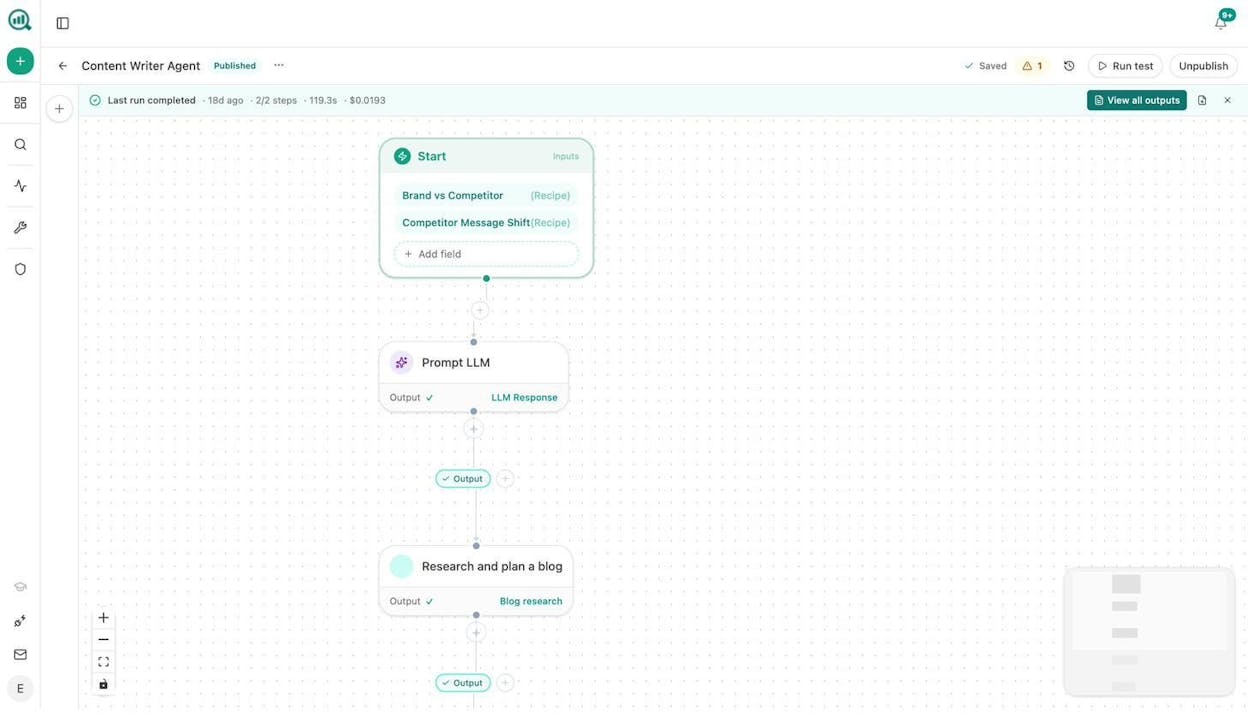
The Content Writer in Analyze AI is not just a text generator. It follows a multi-step pipeline of research, outline, and draft, with each step feeding the next. And the AEO Content Scorecard gates every piece before it goes live, so nothing publishes without meeting your quality bar.
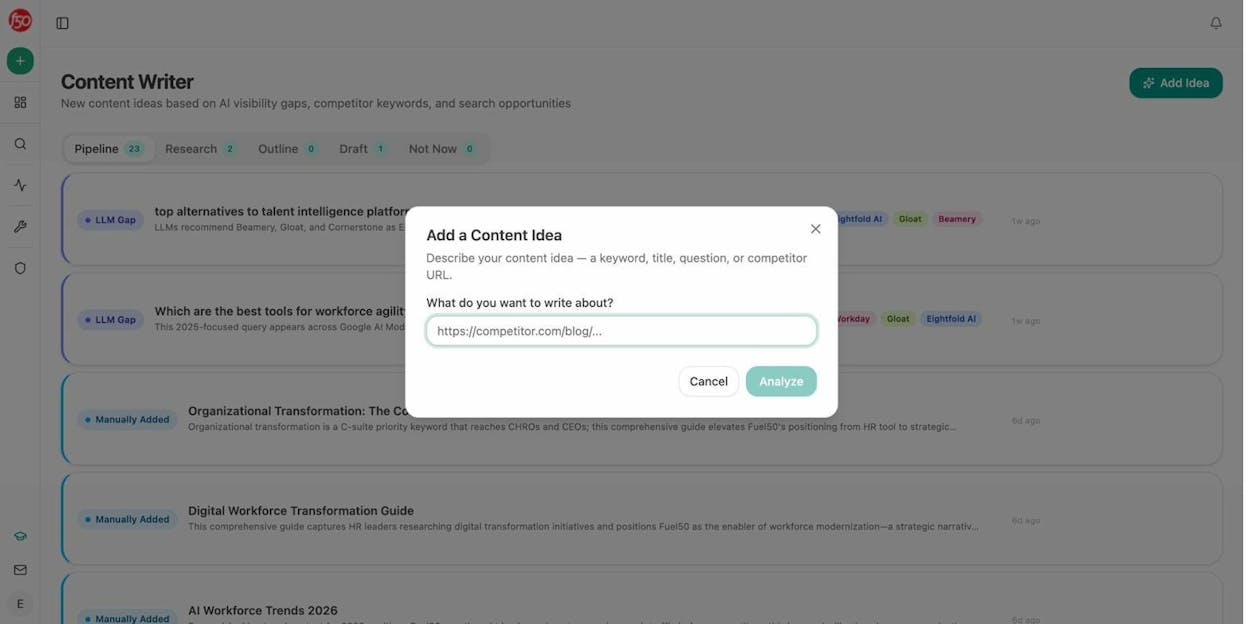
You can trigger this agent from a webhook when a Notion card moves to “approved,” so your editorial calendar runs itself.
Workflow 4. Content Refresh at Scale
Bucket: Analytics and optimization
Every site has pages that ranked well six months ago and are quietly losing traffic. This agent finds them and fixes them.
Start (scheduled weekly) → stale-content data recipe (surfaces pages not updated in N days) + declining-pages recipe (flags pages losing sessions) → Loop/For Each → Web Page Scrape (fetches current content) → Prompt LLM (rewrites for freshness, adds updated data points, injects brand voice) → Conditional (if changes are substantive: WordPress Update Post. If minor: Slack notification for review) → End.
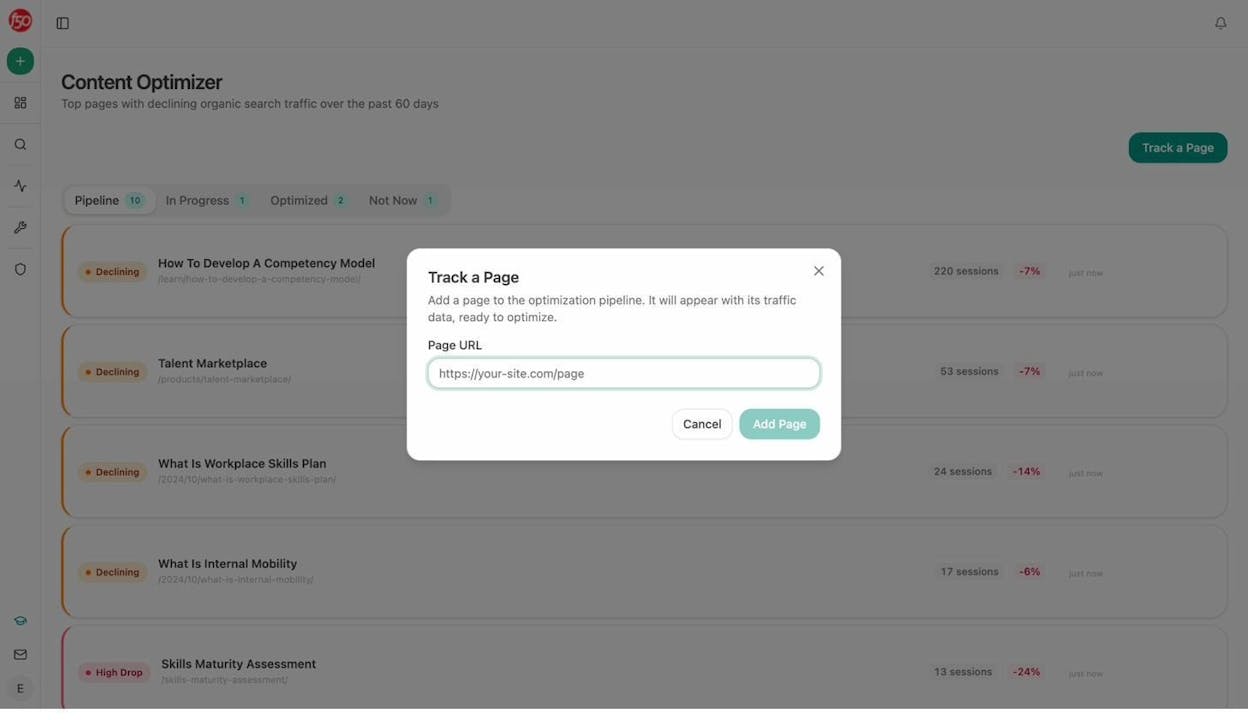
You can use the Content Optimizer to manage this visually. It shows your top pages with declining organic search traffic over the past 60 days, with one-click access to start optimizing each one.
Workflow 5. Internal Linking Maintenance
Bucket: Analytics and optimization
On large sites with hundreds or thousands of pages, internal linking breaks down fast. Pages get published without links to relevant cluster content. Old posts never link to newer, better pages. This agent fixes that continuously.
Start (scheduled weekly) → Get Sitemap → Loop/For Each (iterate through pages) → On-Page SEO Analysis + GSC Top Keywords for Page → Prompt LLM (suggest 3 internal links per page based on keyword overlap and topical relevance) → Notion task or WordPress Update Post → End.
For more on the strategy behind this, see 10 Internal Linking Tips for SEO Explained.
Workflow 6. SEO Reporting on Autopilot
Bucket: Analytics and optimization
If you run an agency or manage SEO for multiple brands, reporting is a time sink. This agent builds and sends reports without anyone compiling data.
Start (scheduled monthly, 1st of month) → Loop (over client list) → exec-one-pager data recipe + GA4 Traffic Overview + GSC Top Pages + AI Visibility Score → Prompt LLM (format as executive summary with brand voice) → Export to DOCX → Send Email to each client’s account team → End.
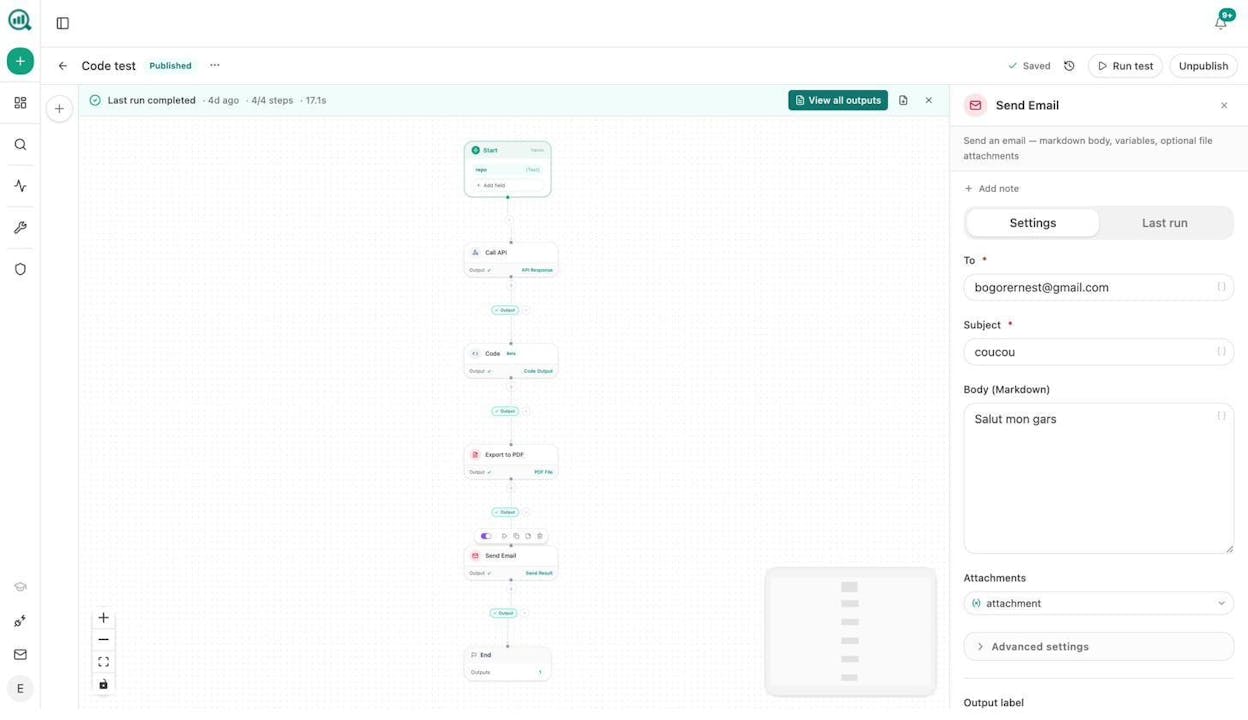
For agencies, this is where the margin lives. One workflow runs per client, triggered by a cron schedule. Reporting day stops existing.
Workflow 7. AI Visibility Monitoring
Bucket: Analytics and optimization
This is the workflow most SEO teams are not building yet, and it is the one that will matter most over the next two years.
Start (scheduled daily) → visibility-losers data recipe (prompts where your brand visibility dropped) → Conditional (if any drops exceed threshold) → Prompt LLM (draft a counter-content brief targeting the lost prompts) → Slack notification with the brief → End.
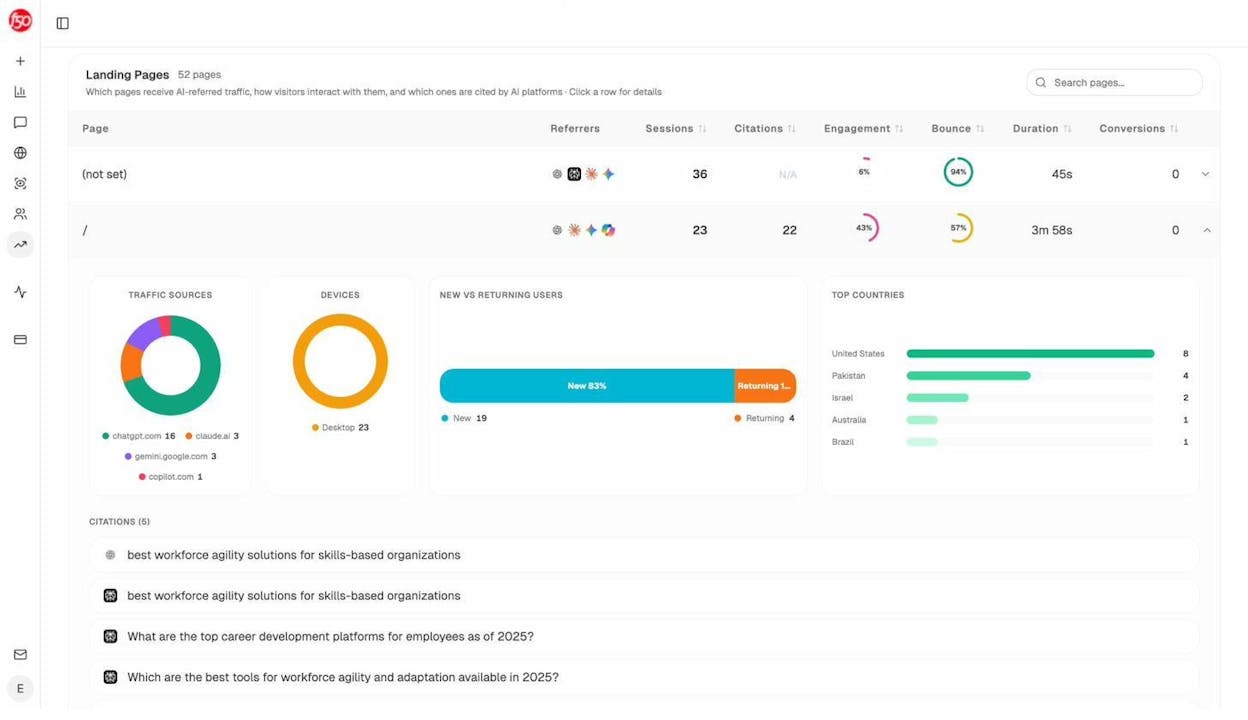
Analyze AI’s AI Traffic Analytics shows you exactly which landing pages receive traffic from AI search engines. You can see patterns in what types of content AI engines prefer to cite, and then build agents that double down on what works.
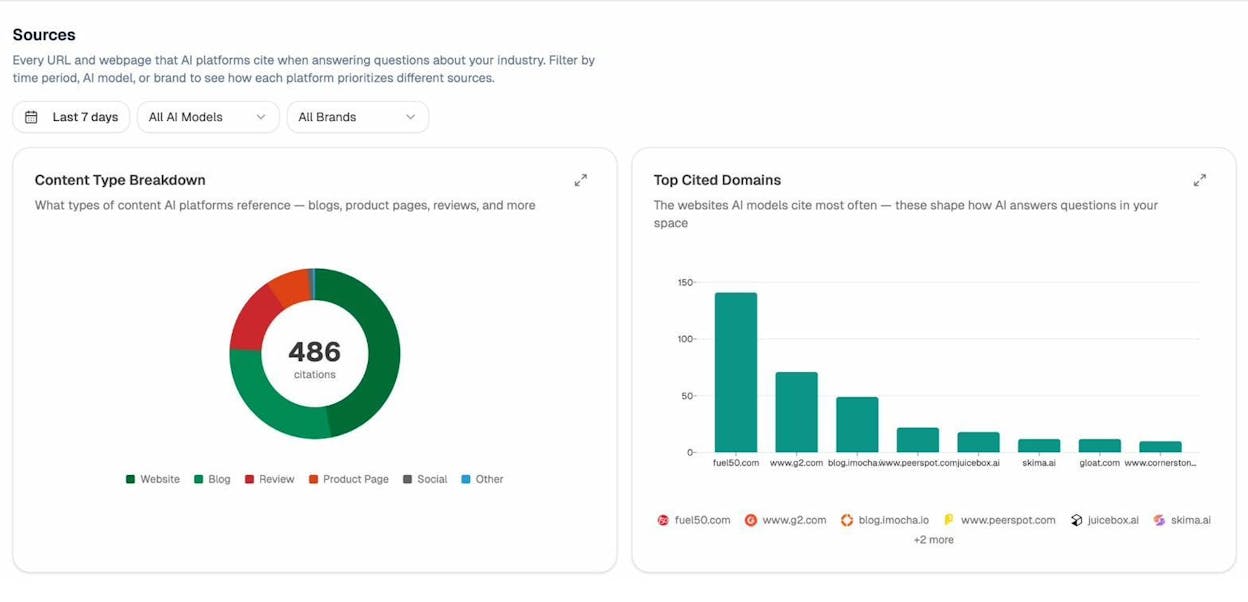
You can also use the Sources dashboard to see which websites AI engines cite most in your space. This tells you where to place content, earn mentions, and build authority in both traditional and AI search.
Step 4. Move From Workflows to True Agents
The seven workflows above follow fixed logic. They run the same steps every time. That is the right starting point.
But a true AI agent adds a decision-making layer on top. Instead of following a rigid sequence, the agent can evaluate outputs, decide what to do next, and adjust its approach based on what it finds.
In Analyze AI, you do this by combining the Prompt LLM node with Conditional and Branch nodes. The LLM analyzes the data, and the conditional logic routes the workflow based on what the LLM found.
For example, an AI agent for competitor monitoring might work like this. It pulls competitor-gaps and rising-threats data recipes. It sends both to the LLM with instructions to classify each gap by urgency (immediate, next sprint, backlog). Based on the classification, the Conditional node routes “immediate” gaps to a Slack alert, “next sprint” gaps to a Notion board, and “backlog” gaps to a monthly digest.
That is not a workflow. That is an operator that runs continuously, makes judgment calls within your guardrails, and never forgets to check.
What Makes a Good SEO AI Agent Platform
Not all agent builders are built for SEO and content operations. Here is what to look for when evaluating platforms.
|
Criteria |
What to look for |
|---|---|
|
Data connectors |
Native GA4, GSC, Semrush, DataForSEO, HubSpot nodes, not just generic HTTP requests |
|
LLM options |
Claude, GPT, Gemini, Perplexity, with configurable temperature and output format |
|
Trigger modes |
Manual, scheduled (cron), and webhook triggers |
|
Brand context |
A vault or knowledge base that injects brand voice, messaging rules, and proof points into any prompt |
|
Content pipeline |
Built-in research, outline, draft, and optimization steps, not just a single “generate text” node |
|
AI search data |
Visibility tracking, citation analytics, and prompt monitoring across AI engines |
|
Export formats |
CSV, DOCX, PDF, Markdown, HTML for reports and deliverables |
Analyze AI covers all seven. It is the agentic platform for SEO, AEO, content, and GTM ops with a free trial available.
For teams evaluating other tools in the space, see how Analyze AI compares against other platforms.
Start Building Your First SEO AI Agent
You do not need to automate your entire SEO operation on day one. Start with the workflow that eats the most time. For most teams, that is reporting or content refresh.
Build one agent. Run it for a week. See what it produces. Then build the next one. Within a month, you will have a small fleet of agents handling the repetitive work while your team focuses on strategy, creativity, and the calls that actually move the needle.
The teams that win in 2026 are not the ones replacing themselves with AI. They are the ones building agents that make their existing expertise 10x more productive, across both traditional search and the AI search engines that are growing every quarter.
Check the SEO and AI Visibility Checklist for 90+ action items you can start building agents around today.

Ernest

Ibrahim


