



Summarize this blog post with:


In this article, you’ll learn how to automate tasks with AI in four steps, from picking the right platform to building workflows that run on autopilot. You’ll see real examples across content writing, keyword research, internal linking, outreach, image design, and more. And you’ll learn how to extend automation beyond traditional SEO into AI search, the organic channel most teams are ignoring.
Table of Contents
What Makes AI Automation Different From Traditional Automation
Traditional automation tools like Zapier and IFTTT move data between apps using rigid if-then rules. “When a form is submitted, add a row to a spreadsheet.” That is useful, but it cannot handle anything that requires judgment.
AI automation is different because it adds reasoning to the pipeline. Instead of “move data from A to B,” you can now say “read this page, compare it against our brand guidelines, rewrite the sections that are off, and publish the update to WordPress.” The AI reads, interprets, decides, and acts.
This matters for marketing teams specifically because so much of the work is judgment-heavy. Writing content briefs, analyzing competitors, prioritizing keywords, personalizing outreach, refreshing old blog posts. These tasks follow patterns, but they are not formulaic. They require context. And that is exactly what large language models add to the equation.
The catch is that you still need a platform that connects LLMs to your existing tools. A standalone ChatGPT conversation cannot pull your Google Search Console data, cross-reference it with competitor visibility, draft a content brief, and push it to Notion. You need a platform that wires the reasoning to your stack.
That brings us to step one.
How to Automate Tasks with AI (in 4 Steps)
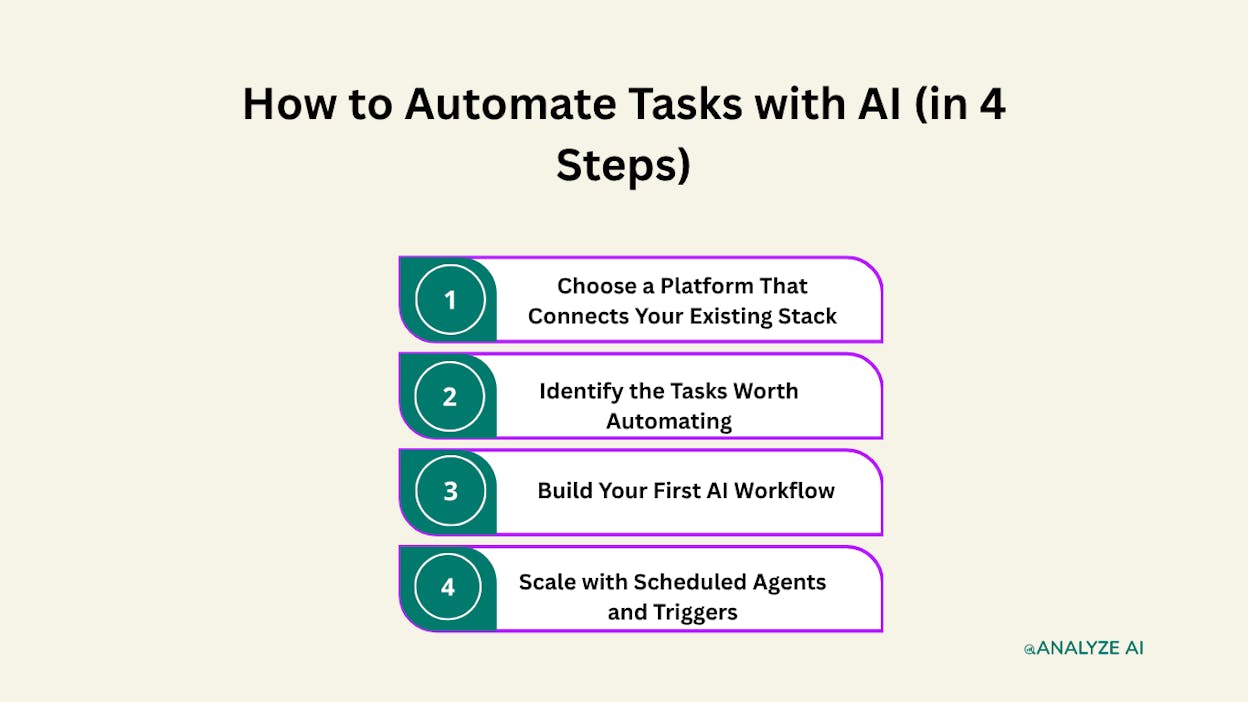
Step 1. Choose a Platform That Connects Your Existing Stack
The platform you choose determines what you can automate. Here is what to look for.
Integrations with your actual tools. Not just a few popular apps. You want native connections to your CRM (HubSpot, Salesforce), your CMS (WordPress, Contentful, Sanity), your analytics (GA4, Google Search Console), your SEO tools (Semrush, DataForSEO), and your communication channels (Slack, email). If the platform cannot reach the tools where your data lives, you will spend more time moving data manually than you save.
Access to multiple LLMs. Different models are better at different tasks. GPT-4o handles structured data extraction well. Claude is strong at long-form writing. Gemini is fast for quick classification. A good platform lets you pick the right model for each step in your workflow.
A visual builder, not just a chat interface. Chat-based AI tools are useful for one-off tasks. But for repeatable workflows, you need a canvas where you can drag nodes, set conditions, add loops, and see the entire pipeline at a glance.
Scheduling and triggers. If you still have to click “run” every time, you have not automated anything. You have built a shortcut. Real automation runs on a schedule (every Monday at 7am) or fires on an event (a new deal closes in HubSpot, a form is submitted, a blog post is published).
Analyze AI is built for this. The Agent Builder is a programmable platform with 180+ nodes, 34 pre-built data recipes, 13 input types, and 3 trigger modes (manual, scheduled, webhook). It connects GA4, Google Search Console, Semrush, DataForSEO, HubSpot, Notion, WordPress, Contentful, Mailchimp, and every major LLM. It is not a template library. It is a substrate where you compose workflows from primitives.
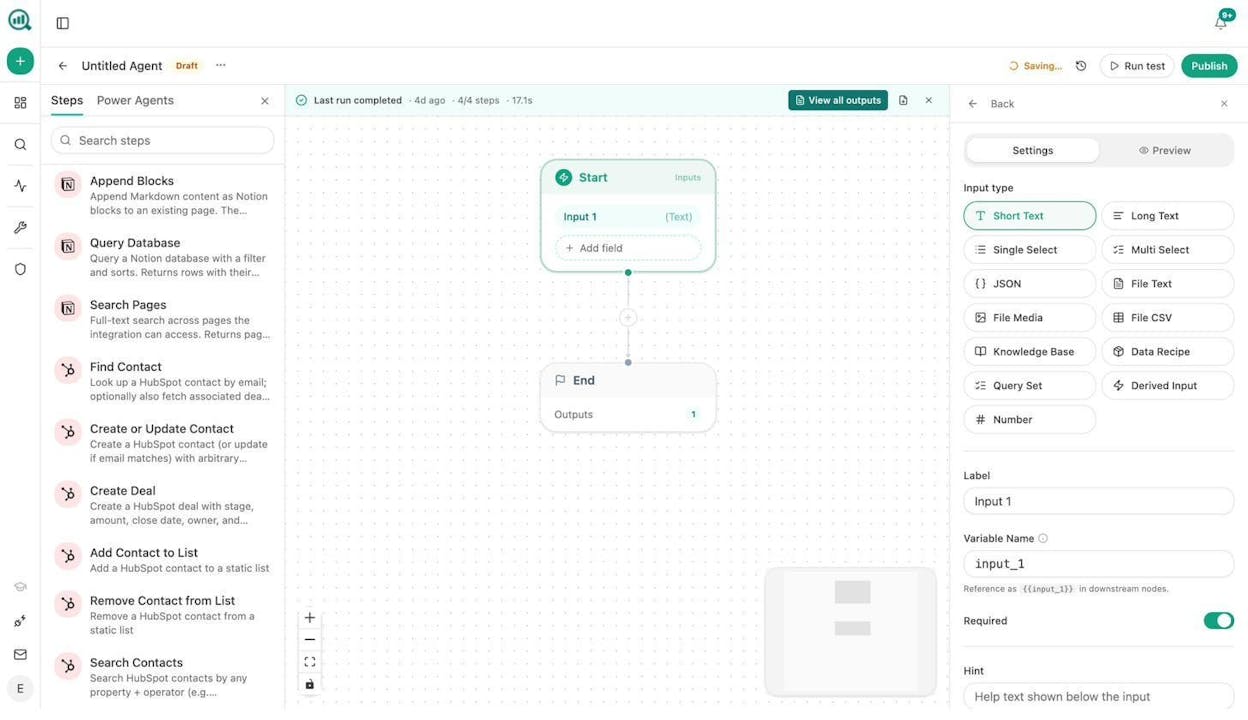
The sidebar in the Agent Builder shows nodes for Notion (Append Blocks, Query Database, Search Pages), HubSpot (Find Contact, Create or Update Contact, Create Deal, Add Contact to List, Search Contacts), and dozens more. You drag them onto the canvas, wire them together, and hit Run.
Step 2. Identify the Tasks Worth Automating
Not everything should be automated. The best candidates share three traits.
The task is repeatable. You do it more than once a week, and the steps are the same each time. Content brief creation, keyword research pulls, weekly reporting, link prospecting, social media image generation.
The task is documentable. If you can write the steps on a notepad and hand them to a junior team member, an AI agent can do it. If the task requires senior-level strategic judgment that changes every time, keep it manual.
The task is a bottleneck. It sits in your queue while you handle higher-value work. Or it blocks other people. The Monday board prep that takes four hours. The competitor analysis your writer needs before they can start. The outreach list that sales has been waiting on for a week.
Here is a quick framework to score your tasks.
|
Question |
If Yes, Score +1 |
|---|---|
|
Do you do this task more than once per week? |
Frequency |
|
Does it take more than 15 minutes each time? |
Time cost |
|
Are you copying data between tools manually? |
Glue work |
|
Could you explain the decision logic in if/then rules? |
Structured logic |
|
Does it involve reading, summarizing, or extracting info? |
AI-native work |
|
Would you hand this off to an intern if you had one? |
Low judgment threshold |
Score 4 or higher? Automate it. Score 2-3? Automate a section of it. Score 0-1? Keep it manual.
Here are specific examples by function.
Content teams: Writing content briefs at scale. Refreshing stale blog posts. Generating featured images and social media graphics for every new article. Running internal linking audits across 500+ pages. Translating articles into multiple languages.
SEO teams: Pulling keyword research data from multiple sources, deduplicating, and scoring by intent. Monitoring ranking changes and drafting response plans. Running technical audits and pushing findings to a project board.
Marketing ops: Enriching inbound leads with company data before the AE sees them. Building weekly reports that pull from GA4, Search Console, and your AI visibility dashboard. Syncing campaign data across HubSpot and your analytics stack.
Outreach and PR: Prospecting journalists by topic area, finding their emails, and drafting personalized pitches. Monitoring brand mentions across news and social, then routing negative coverage to the right team.
Step 3. Build Your First AI Workflow
Let’s walk through building a real workflow. Say your content team writes 10 blog posts per month. Each post needs a content brief that includes keyword data, competitor analysis, a suggested outline, and brand voice guidelines. Today, that takes 45 minutes per brief. Over a month, that is 7.5 hours of brief-writing.
Here is how you build this as an agent in Analyze AI’s Agent Builder.
Start node. Set the input to a short text field where you type the topic or target keyword.
Step 1: Research. Add a Keyword Research node (powered by DataForSEO or Semrush) to pull search volumes, difficulty scores, and related terms for your keyword. Add a Parallel Web Search node to scrape the top 5 ranking pages for that keyword.
Step 2: Review competitors. Add a Prompt LLM node (Claude or GPT-4o) with a system prompt that says: “Given this keyword data and these competitor pages, identify the content gaps, the arguments every competitor makes, and the arguments nobody is making yet. Return structured JSON.”
Step 3: Generate the brief. Add another Prompt LLM node. Feed it the research output, the competitor analysis, and your brand voice from the Brand Vault (which auto-injects your tone, messaging rules, proof points, and disallowed phrases). Prompt it to generate a full content brief with title suggestions, outline, target word count, and internal linking recommendations.
Step 4: Distribute. Add a Notion node to create a new page in your editorial database. Or a WordPress node to create a draft. Or a Send Email node to notify your writer.
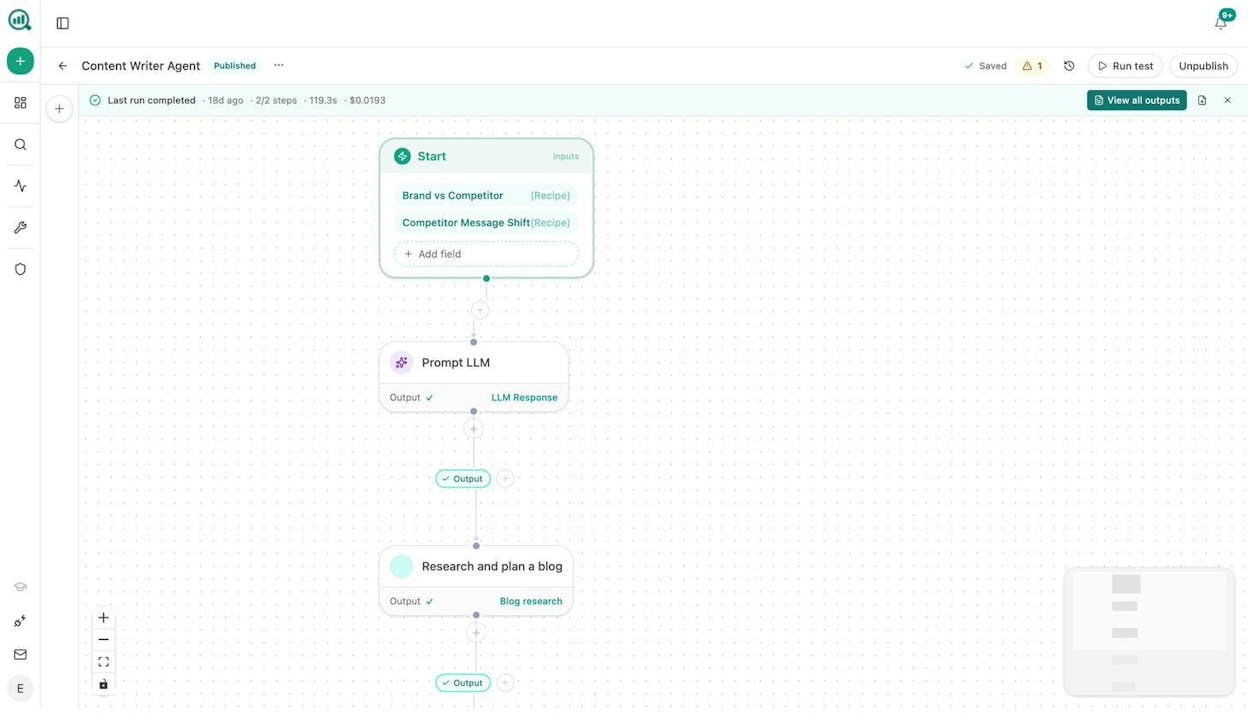
The screenshot above shows a real Content Writer Agent in Analyze AI. The Start node pulls Brand vs Competitor and Competitor Message Shift data recipes automatically. No manual input needed for the competitive context. The agent runs through an LLM prompt, then a research-and-plan step, and produces a complete blog draft. Cost per run: $0.02.
Now schedule it. Set the trigger to run every Monday at 7am. Feed it next week’s editorial calendar from Notion. Every Monday morning, your team opens Slack and the briefs are done.
Step 4. Scale with Scheduled Agents and Triggers
One workflow is a shortcut. A system of workflows is an operations layer.
Here is where the real leverage lives. Once you have your first agent working, you start chaining them together and setting them to run automatically.
Scheduled agents replace recurring tasks. A content refresh agent that runs weekly, pulls your declining pages from GA4, scrapes each one, rewrites the stale sections using your brand voice, and pushes updates to WordPress. A weekly reporting agent that assembles your AI visibility score, competitor movement, citation changes, and traffic data into a DOCX, then emails it to leadership.
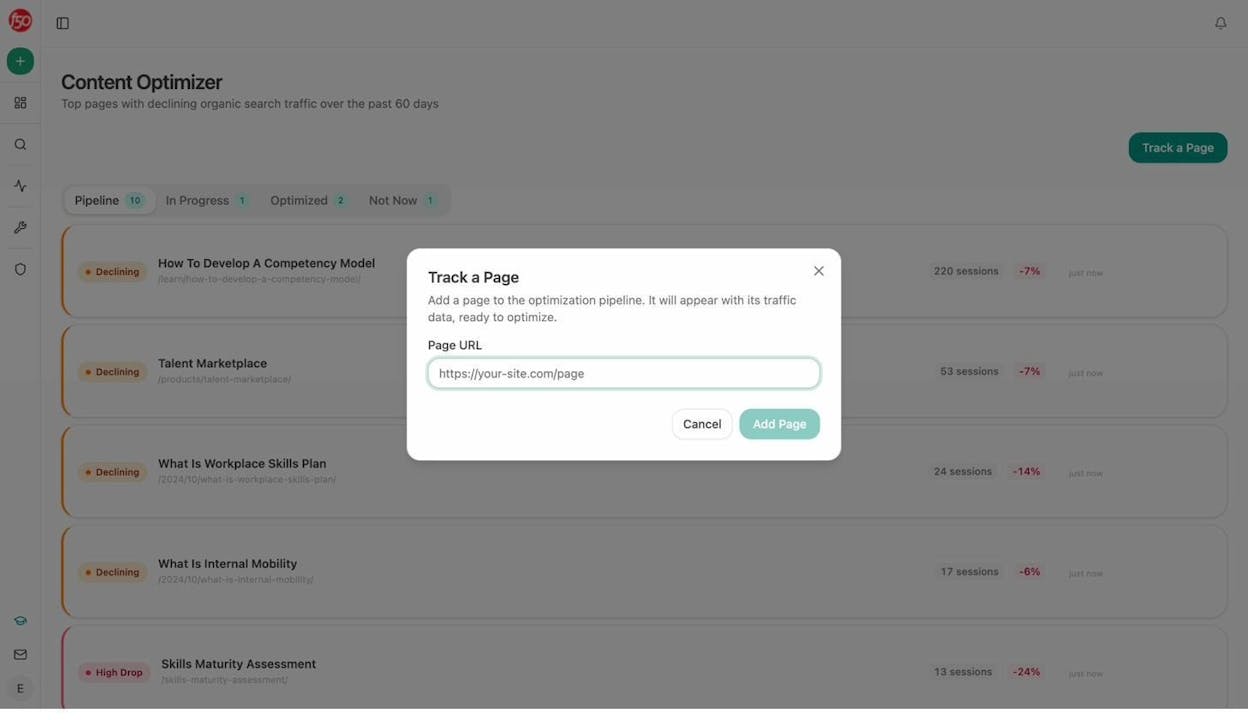
Webhook agents react to events in real time. A new deal closes in HubSpot and a case study draft starts generating within seconds. A journalist publishes negative coverage and your PR team gets a Slack alert with three draft response options before the CEO even sees it.
Manual agents handle on-demand requests. “Research this prospect before my call.” “Generate a featured image for this blog post.” “Rewrite this landing page for AI search optimization.” One click, done.
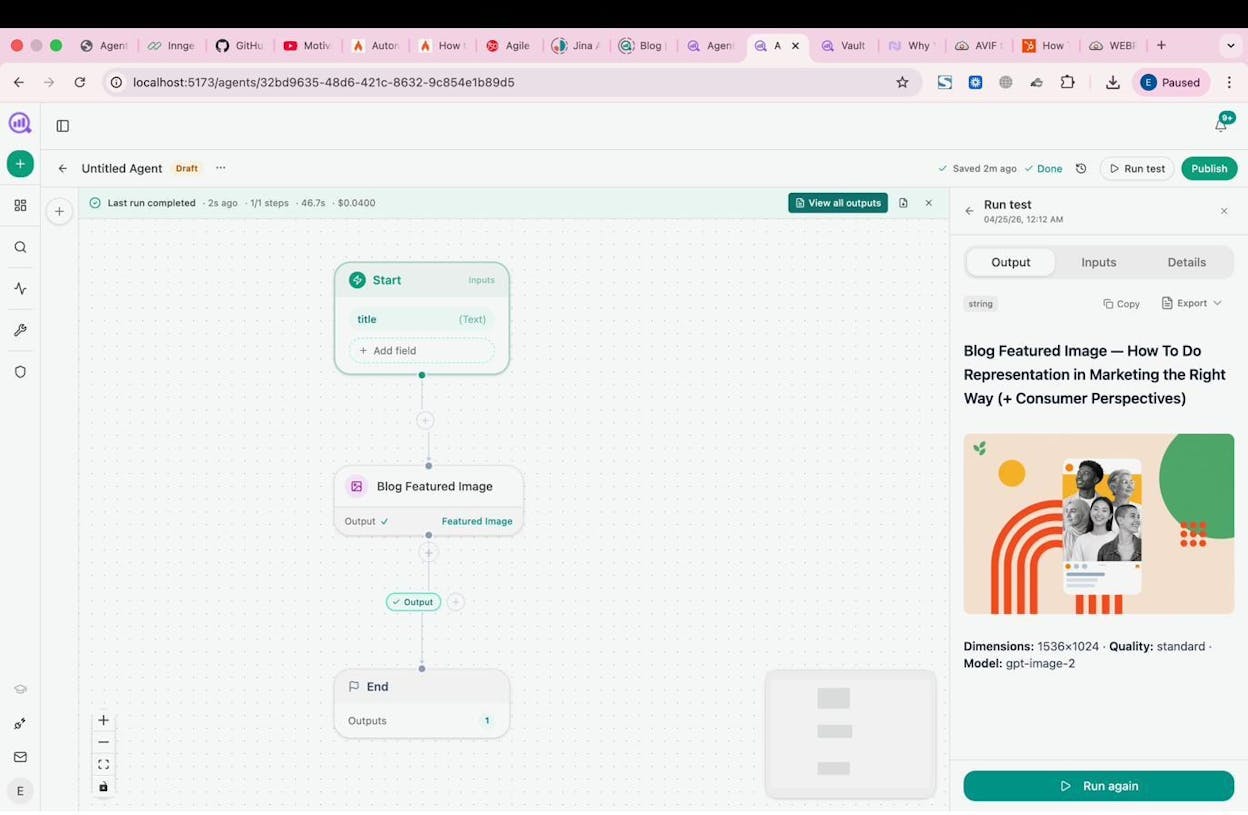
The image above shows a simple agent. Type in a blog title, click Run, and get a brand-kit-aware featured image in 46 seconds for $0.04. Now imagine that node sitting inside a larger content pipeline where the image generates automatically after the draft is approved.
Stack these three trigger types across your marketing org and you stop “doing” most of the operational work. You review it.
Real Examples Of What Marketing Teams Automate With AI
Here are workflows that teams build with Analyze AI’s Agent Builder and Sheets.
Content writing at scale. Start → Keyword Research → Competitor Scrape → Generate Research → Generate Outline → Generate Full Draft (with Brand Vault injected for voice and messaging) → AEO Content Scorecard (quality gate) → if score > 80, publish to WordPress. If < 80, Slack the writer with the gaps. No piece goes live without passing the gate.
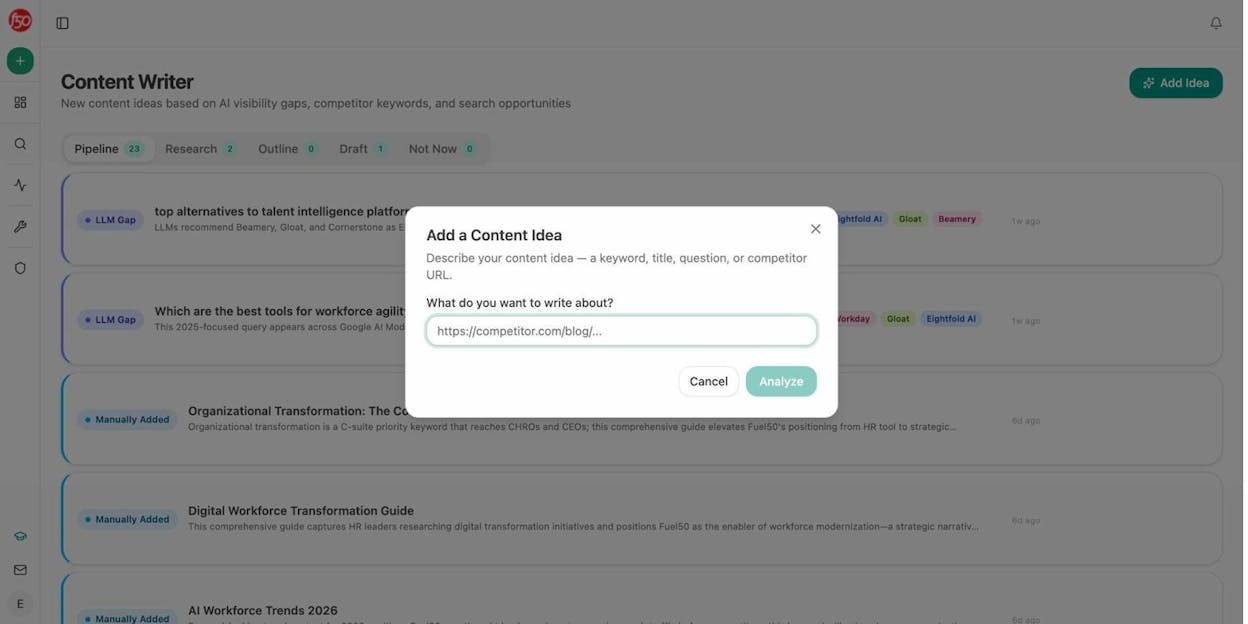
Content refresh at scale. Schedule (weekly) → pull stale content + declining pages from GA4 → loop through each page → scrape the current version → Prompt LLM (rewrite for freshness, brand voice, AI search readiness) → diff against original → if substantive change, update via WordPress.
Keyword research at scale. Input a seed list of 50 terms → DataForSEO Keyword Ideas → Semrush Keyword Research → merge and deduplicate → Prompt LLM (score by intent, group by topic cluster) → export to CSV or push to Notion editorial calendar.
Internal linking at scale. Schedule (weekly) → Get Sitemap → loop through pages → On-Page SEO analysis + GSC Top Keywords for each page → Prompt LLM (suggest 3 internal links per page based on topical relevance) → push to Notion as tasks or auto-create PRs via the Call API node.
Link outreach. DataForSEO Brand Mentions (find sites that mention your topic but not your brand) → Tomba Author Finder (get the writer’s email) → Inject Brand Context → Prompt LLM (personalized pitch) → Send Email → log to HubSpot.
Image and infographic design. Blog Featured Image, Social Media Image, Infographic Generator, and Illustrate Any Text nodes are all brand-kit-aware. Wire them into your content pipeline so every post gets a featured image, an Open Graph image, and a set of social cards automatically.
Social media content creation. Webhook (from WordPress when a post publishes) → scrape the article → Prompt LLM (extract 5 social posts in brand voice, one per platform) → Social Media Image (per-platform formatting) → push to your scheduling tool via Call API.
ABM account research. Manual or webhook (from HubSpot deal-stage change) → DataForSEO Domain Overview + Semrush Backlinks Overview + News Research + Tomba Domain Search → Prompt LLM (compile into a 1-page account brief) → DOCX export → attach to HubSpot deal.
These are not theoretical. They are workflow patterns built from the same 180+ nodes available in the Agent Builder. You can use Analyze AI’s Sheets feature to run batch operations across hundreds of inputs at once, turning any single-run agent into a fleet that processes your entire content library, prospect list, or keyword portfolio in one pass.
Analyze AI Can Do More Than That
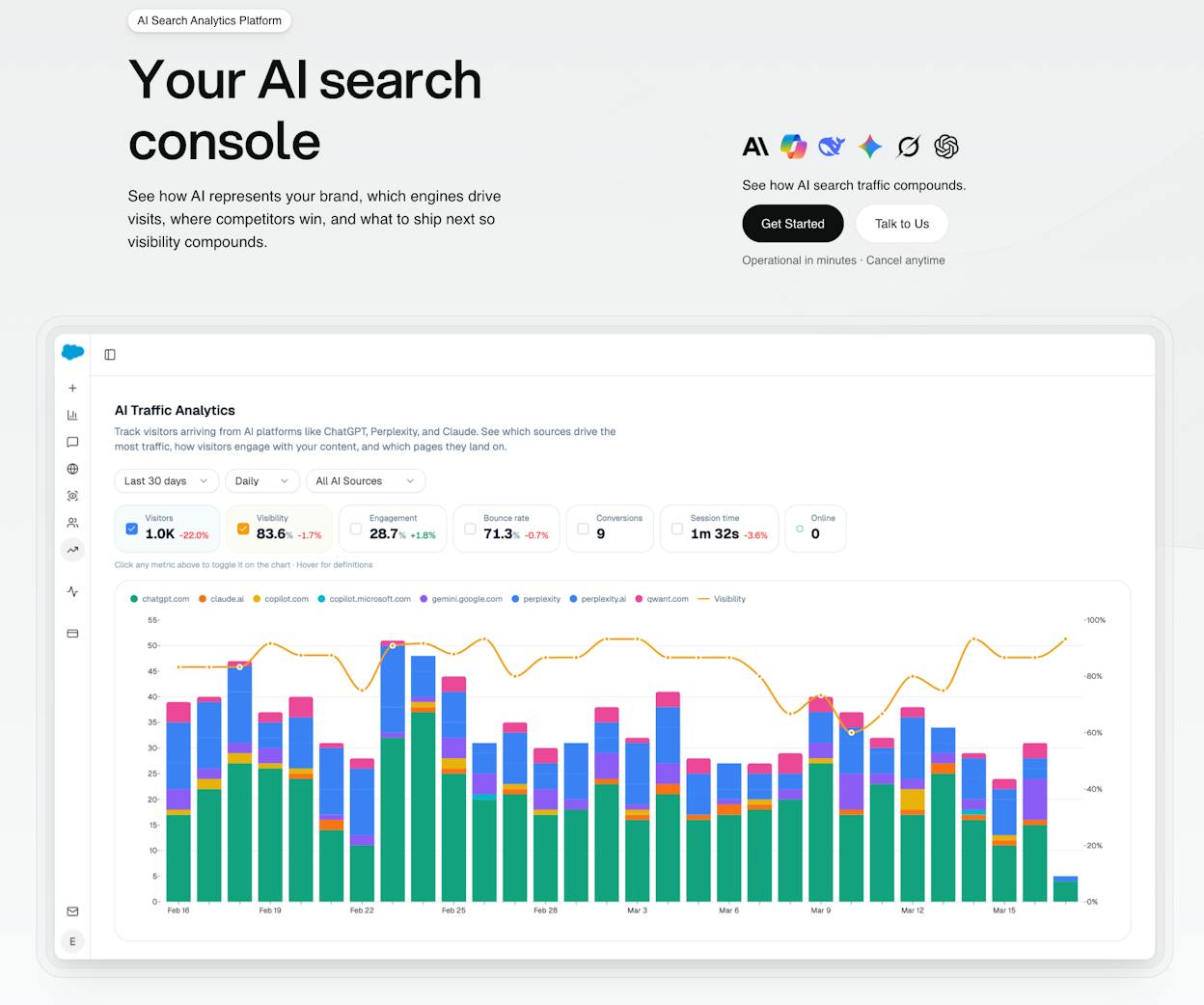
Most automation guides stop at traditional SEO and marketing ops. But there is an entire organic channel that most teams are not automating for yet: AI search.
When someone asks ChatGPT, Perplexity, or Gemini a question in your space, your brand either shows up or it does not. AI search is not replacing traditional SEO. It is an additional channel that compounds alongside it. The teams that monitor and optimize for both will win more visibility than those focused on one alone.
Here is what this looks like in practice.
Automated AI visibility monitoring. Schedule a daily agent that pulls your AI Visibility Score across ChatGPT, Gemini, Perplexity, and Copilot. If visibility drops on any prompt, the agent drafts a counter-content brief and posts it to Slack. You wake up to a plan instead of discovering the drop three weeks later.
Citation gap detection. A weekly agent runs the Competitor Sources recipe, which surfaces URLs that cite your competitors but never cite you. Cross-reference those with your keyword opportunities. The output is a ranked list of pages worth creating or updating to earn citations from the sources that AI engines trust.
AI-ready content scoring. Before any piece publishes, run it through the AEO Content Scorecard node. It audits structure, freshness, claim density, proof integration, and claim-to-source mapping. Only content that passes the score threshold gets published. This gates quality at the workflow level, not after the fact.
AI traffic attribution. Connect GA4 to see how many visitors come from AI engines, which landing pages they hit, and which ones convert. Then build agents that double down on the page patterns that work. If a page gets AI traffic and converts above 3%, create more content in that cluster.
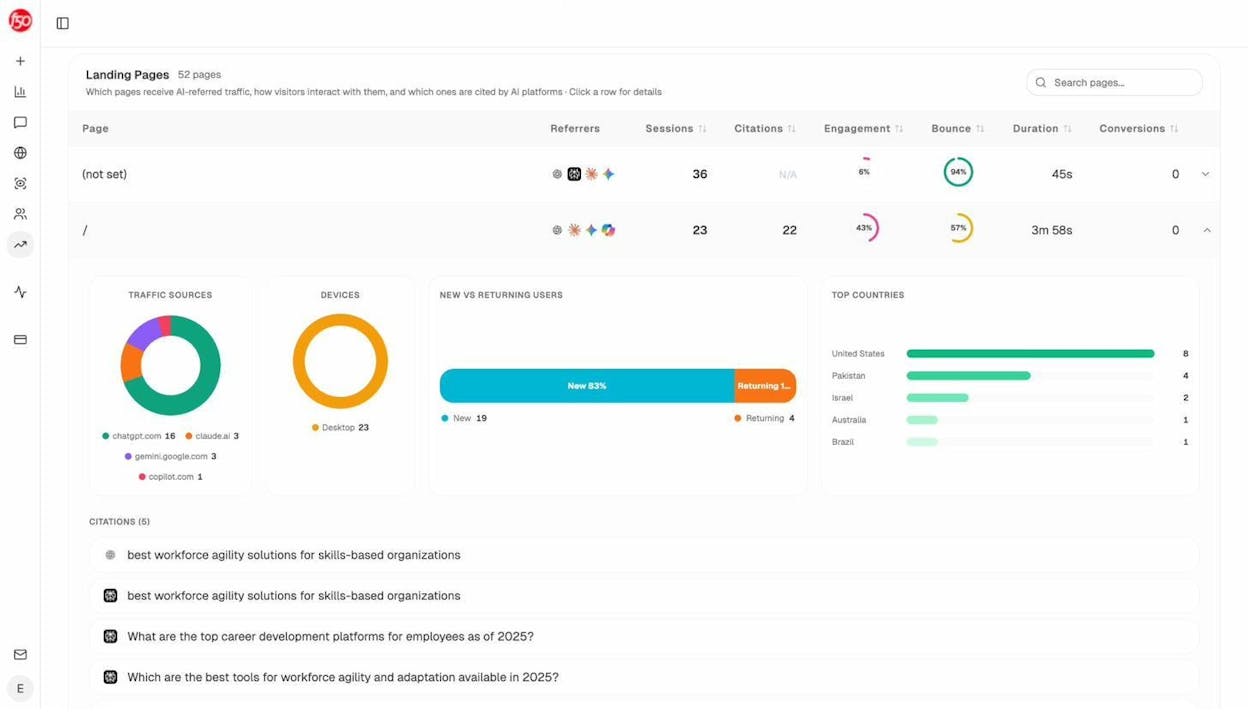
This is the compounding layer. Automate your content creation and distribution with AI. Then automate the measurement and optimization of how that content performs in AI search. The loop closes itself.
Start Building
You do not need to automate everything at once. Start with one workflow that saves you 30 minutes a week. Get comfortable with the platform. Then add a second. Then schedule the first one to run on its own.
Within a month, you will have a handful of agents handling the operational work that used to eat your calendar. You review outputs instead of producing them. You catch issues before they become problems. And you spend your time on the judgment calls that actually move the business.
Analyze AI offers a free trial so you can build your first agent today. No credit card needed to start.

Ernest

Ibrahim


