



Summarize this blog post with:


Dust is a solid AI workspace for connecting LLMs to your internal knowledge base. You link Notion, Slack, Google Drive, and other tools, then create agents that search and summarize your company data.
But here is the gap. If you are a content team, an agency, or a marketing org, you do not just need an AI chatbot that reads your docs. You need agents that research keywords, write drafts, optimize existing content, track your AI visibility, enrich leads, publish to your CMS, and run on a schedule without anyone clicking “run.”
Dust does not do that. It is a knowledge-base assistant, not a content and marketing operations platform.
In this article, you will learn which Dust alternatives are worth your time if you need AI agents that go beyond answering questions from company docs. You will see how each tool handles content creation, SEO workflows, keyword research, and marketing ops. And you will walk away knowing which platform fits your team, your budget, and your actual day-to-day work.
Table of Contents
What to Look for in a Dust Alternative
Before you start comparing feature lists, get clear on the job you are hiring this tool to do. A CMO looking for executive reporting needs different capabilities than a content lead who wants to automate brief-to-publish pipelines.
Here are the criteria that matter most for content and marketing teams.
Can it actually produce content? Not summarize docs. Not answer questions. Produce research, outlines, drafts, and optimized articles that pass editorial review. Most “AI agent” tools stop at summarization.
Does it connect to your marketing stack? HubSpot, WordPress, Google Search Console, GA4, Semrush, Notion. If the tool can not read from and write to these systems, you are still doing glue work.
Can agents run without you? Scheduled agents and webhook-triggered agents are what separate a productivity toy from an operations layer. If you have to click “run” every time, you have not automated anything.
How does pricing scale? Some platforms charge per user, some per workflow run, some per AI credit. Understand the model before you commit. Per-user pricing punishes growing teams. Per-run pricing punishes high-volume content ops.
Does it handle both SEO and AI search? This is 2026. Your content needs to rank on Google and get cited by ChatGPT, Perplexity, and Gemini. If the tool only thinks about one channel, it is already behind. SEO is not dead. AI search is an additional organic channel that compounds what already works.
7 Best Dust Alternatives for Content and Marketing Workflows
-
Analyze AI
-
StackAI
-
n8n
-
CrewAI
-
Make
-
Botpress
-
Relay.app
1. Analyze AI
-
Best for: Content teams, agencies, and marketing orgs that need agents for SEO, AEO, content production, and GTM ops
-
Pricing: Starts at $99/month (Growth). Free trial available.
-
Standout feature: A programmable Agent Builder with 180+ nodes, 34 data recipes, and connections to GA4, GSC, Semrush, DataForSEO, HubSpot, Notion, WordPress, and every major LLM
Analyze AI is an agentic platform for SEO, AEO, content, and GTM operations. Unlike Dust, which focuses on connecting LLMs to your internal knowledge base, Analyze AI is built around doing the actual work that content and marketing teams spend their weeks on.
The platform ships with a Content Writer that moves ideas through a research, outline, and draft pipeline. You can feed it a keyword, a competitor URL, or an AI visibility gap, and it produces a publishable draft grounded in real search data.
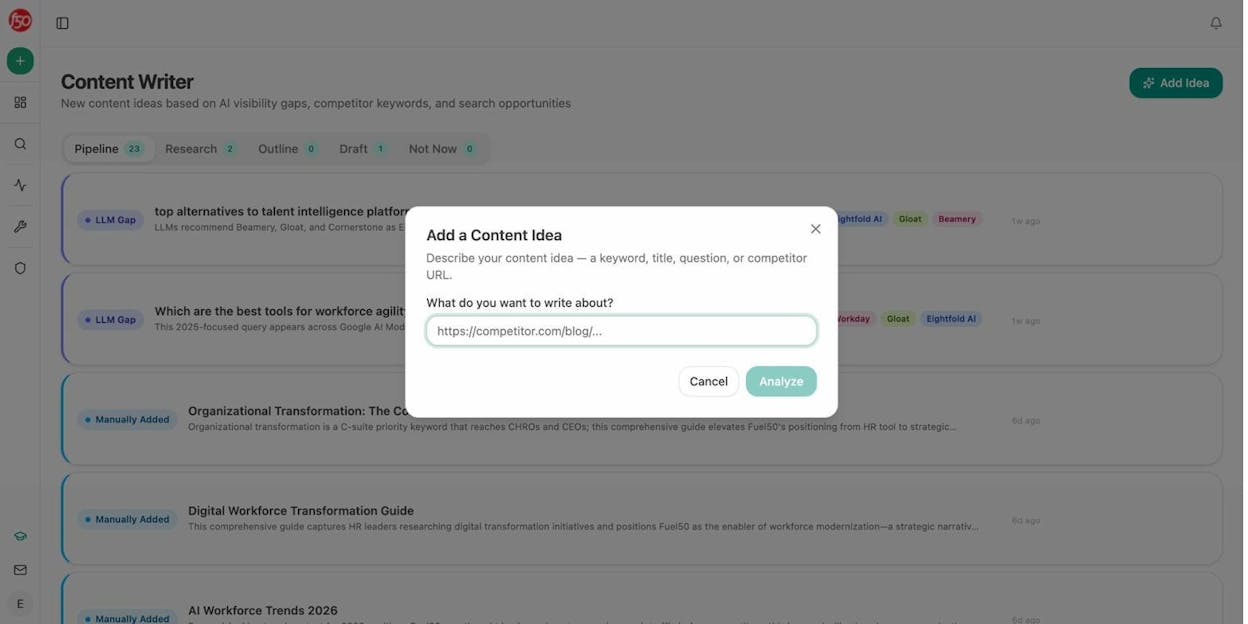
There is also a Content Optimizer that audits existing pages for structure, freshness, proof density, and AI-engine readiness, then rewrites them while preserving your brand voice through a built-in Brand Vault.
But the real differentiator is the Agent Builder.
How the Agent Builder Works
Most people hear “agent builder” and think automation layer. That undersells it. The Analyze AI Agent Builder is a programmable substrate with 180+ nodes across 16 categories. You are not picking from a template library. You are composing from primitives.
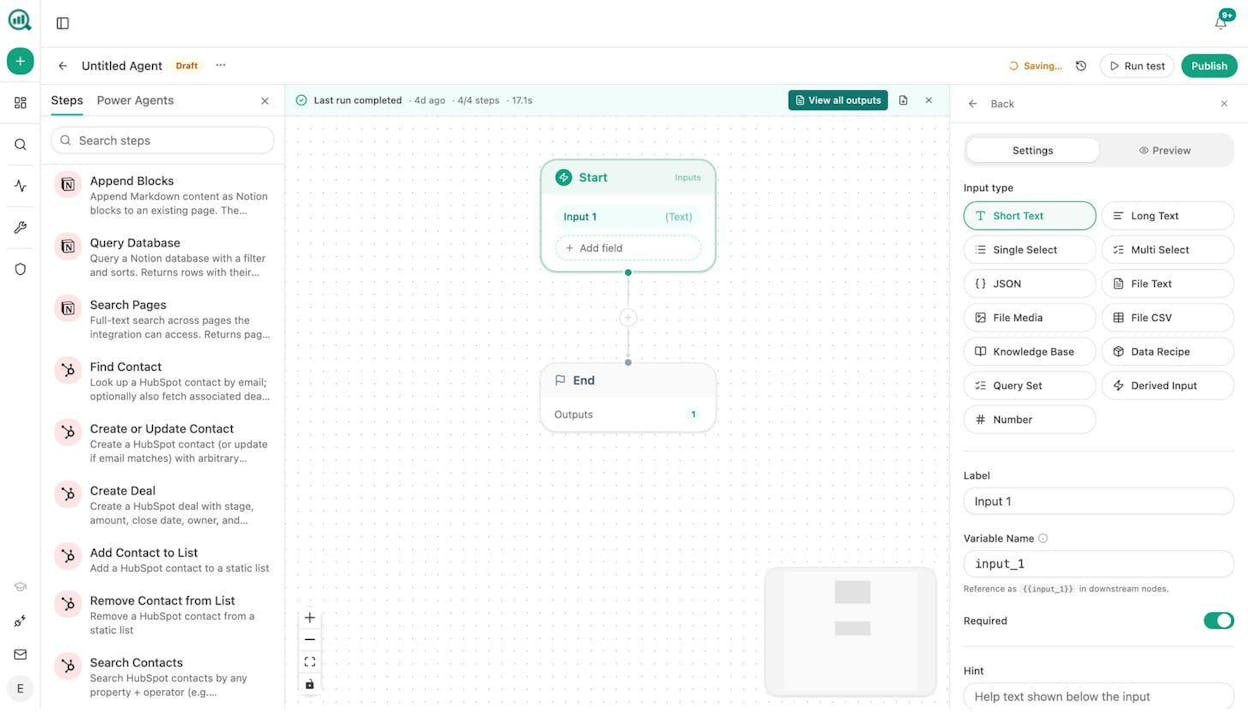
The builder connects to GA4, Google Search Console, Semrush, DataForSEO, HubSpot, Notion, WordPress, Sanity, Contentful, Mailchimp, and every major LLM (Claude, GPT, Gemini, Perplexity). It includes nodes for web scraping, keyword research, SERP analysis, on-page SEO audits, brand-mention tracking, email enrichment via Hunter and Tomba, image generation, and full CRM read/write.
Three trigger modes make agents genuinely autonomous. Manual triggers work for on-demand tasks. Scheduled triggers run agents on cron expressions, so your Monday competitive report, your weekly content refresh fleet, or your daily AI visibility alert just happens. Webhook triggers fire when reality changes, like a HubSpot deal closing, a form fill landing, or a CMS publish event.
Here is what a content writing agent actually looks like in the builder.
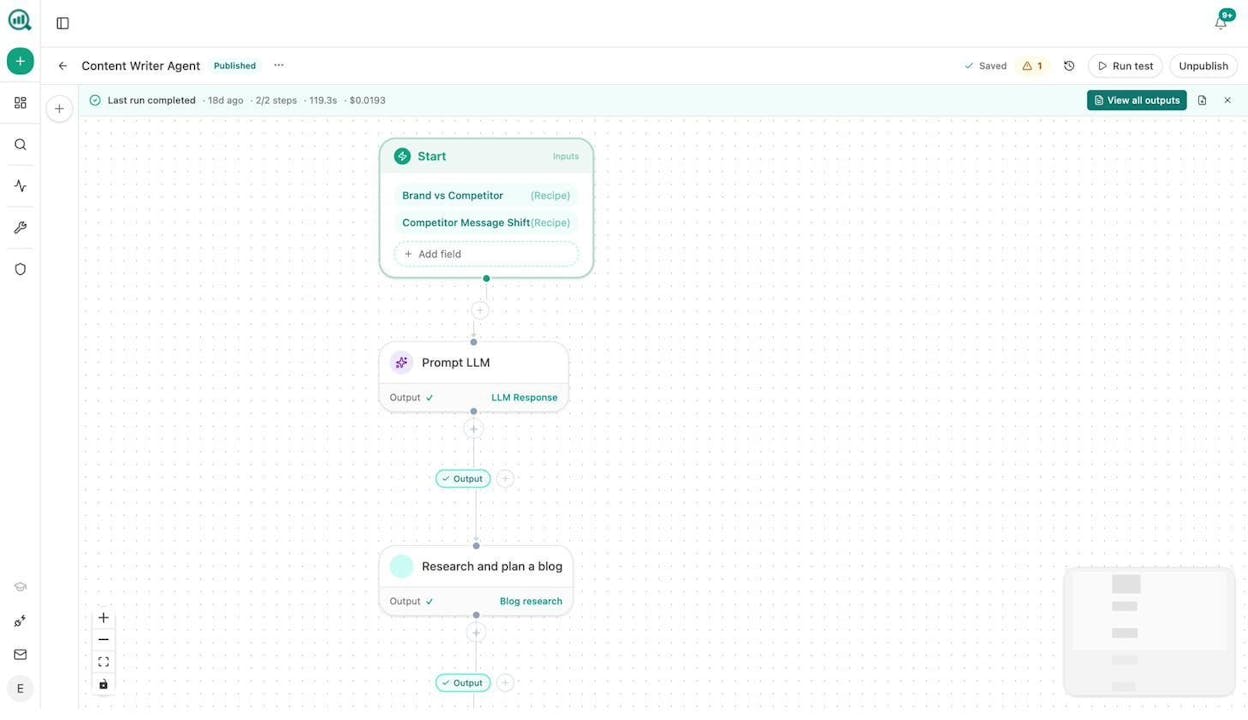
The start node pulls in data recipes (pre-baked data pipelines like “Brand vs Competitor” or “Competitor Message Shift”). Those feed into an LLM prompt node, which feeds into a research-and-plan step. Downstream, you can add outline generation, full draft creation, an AEO Content Scorecard gate, and a WordPress publish node. If the score is below 80, the agent sends the gaps to Slack instead of publishing. The entire pipeline runs on schedule, unattended.
What Teams Actually Build
Here are real workflows that content and marketing teams run with this builder.
Content refresh at scale. Schedule a weekly agent that pulls your declining pages from GA4 and stale content from the Brand Vault, loops through each page, scrapes the current version, rewrites it for freshness and AI-engine readiness, and pushes updates to WordPress. The pages that quietly lose rankings stop losing them.
Keyword research at scale. Use DataForSEO and Semrush nodes to pull keyword ideas, search volumes, difficulty scores, and competitor domains for any seed term. The agent clusters them into editorial themes and pushes a content calendar to Notion.
Internal linking at scale. Schedule an agent to loop through your sitemap, pull GSC top keywords for each page, run an on-page SEO analysis, and use an LLM to suggest three internal links per page. Output goes to a Notion task board or directly to your CMS.
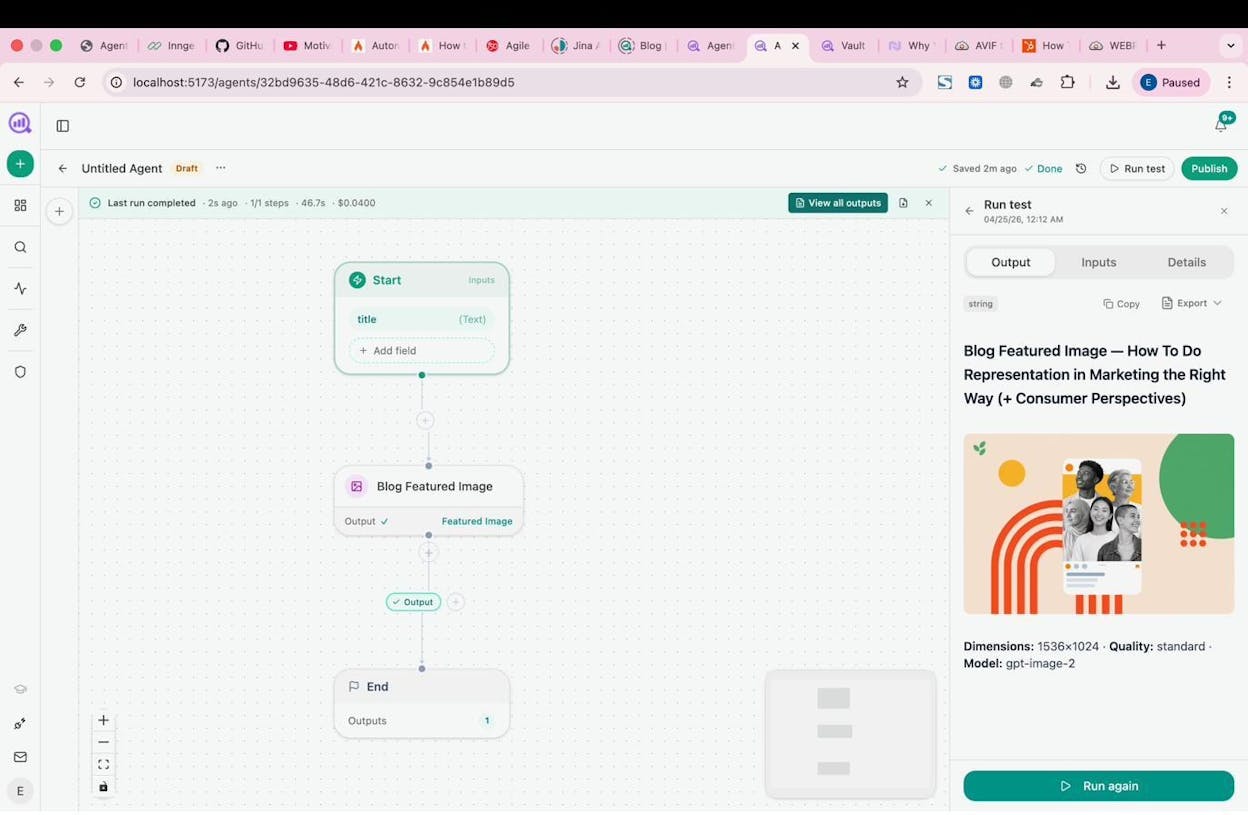
Image and infographic creation. The builder includes Blog Featured Image, Social Media Image, Infographic Generator, and Illustrate Any Text nodes. All of them are brand-kit-aware, meaning they pull your visual identity from the Brand Vault automatically.
Link outreach. An agent discovers new articles in your space via DataForSEO news research and brand-mention tracking, finds author emails via Tomba, personalizes a pitch using your brand context, sends the email, and logs the engagement to HubSpot. Scheduled daily.
Social media content. Feed an agent your week’s published posts. It generates platform-specific social copy using your brand voice, creates accompanying images sized for each platform, and pushes everything to a Notion content queue for review.
On top of these workflows, Analyze AI Sheets lets you run bulk operations on spreadsheet-style data. Upload a CSV of 500 URLs and run keyword extraction, content scoring, or competitor analysis across all of them in parallel.
Beyond Agents: AI Search Visibility
Analyze AI also tracks how your brand appears across ChatGPT, Perplexity, Gemini, Claude, Copilot, and Google AI Mode. You get AI Traffic Analytics that connect to GA4 and show which landing pages receive AI-referred visits, which engine sent them, and what conversion events those visits trigger. Prompt Tracking shows you the exact prompts where your brand gets mentioned or missed. The Competitors dashboard shows where rivals outrank you in AI answers, and the Perception Map plots your brand against competitors on a presence-versus-narrative-strength quadrant.
None of these features exist in Dust.
When to Choose Analyze AI Over Dust
-
You need agents that produce content, not just summarize it
-
Your workflows touch GA4, GSC, Semrush, HubSpot, WordPress, or any CMS
-
You want scheduled and webhook-triggered agents that run without you
-
You care about AI search visibility alongside traditional SEO
-
You are an agency managing multiple clients and need per-client agent loops
Analyze AI Pricing
|
Plan |
Price |
AI Engines |
Tracked Prompts/Day |
Content Writer Workflows |
Content Optimizer Workflows |
|---|---|---|---|---|---|
|
Growth |
$99/mo |
3 |
25 |
1 |
1 |
|
Pro |
$250/mo |
4 |
35 |
10 |
5 |
|
Custom |
Custom |
All |
Custom |
Unlimited |
Unlimited |
All plans include unlimited seats, competitor tracking, and a free trial. You can explore the full plan comparison on the pricing page.
2. StackAI
-
Best for: Enterprise teams in regulated industries (finance, healthcare, government) that need document-heavy AI workflows with compliance built in
-
Pricing: Free plan available. Enterprise pricing is custom.
StackAI is an enterprise AI agent platform with one of the cleanest builder interfaces in the category. You drag nodes for data extraction, OCR, RAG, and LLM processing onto a visual canvas and connect them together.
The platform leans heavily into document workflows. It is strong at extracting data from PDFs, processing financial reports, and drafting RFPs. Security is a first-class feature, with HIPAA, SOC 2 Type II, and GDPR compliance from day one.
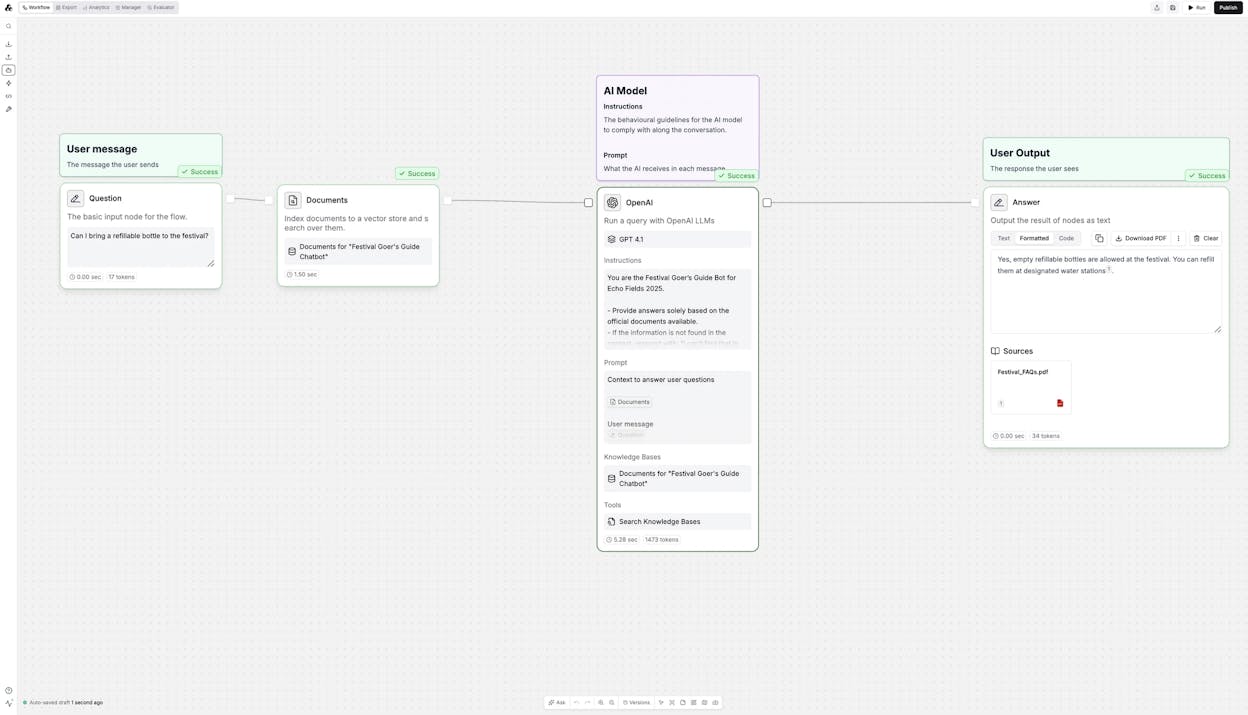
The tradeoff is scope. StackAI is not built for content production or marketing ops. It does not connect to Google Search Console, Semrush, or WordPress. If your job is extracting structured data from legal documents in a regulated environment, StackAI is excellent. If your job is producing 20 blog posts a month and tracking how they perform in AI search, look elsewhere.
Pricing: Free plan includes 500 runs/month and 2 projects. Enterprise is custom.
3. n8n
-
Best for: Technical teams that want open-source, self-hosted workflow automation with full code-level control
-
Pricing: Starts at $24/month. Self-hosted option available.
n8n is a low-code, open-source automation platform with a massive community and a library of thousands of workflow templates. You drag nodes onto a canvas, connect APIs, and add JavaScript or Python code wherever you need custom logic.
For technical teams, n8n offers what most agent builders do not. You get self-hosting, Docker deployment, git control, and the ability to encrypt secrets. It is affordable at scale, especially if you self-host.
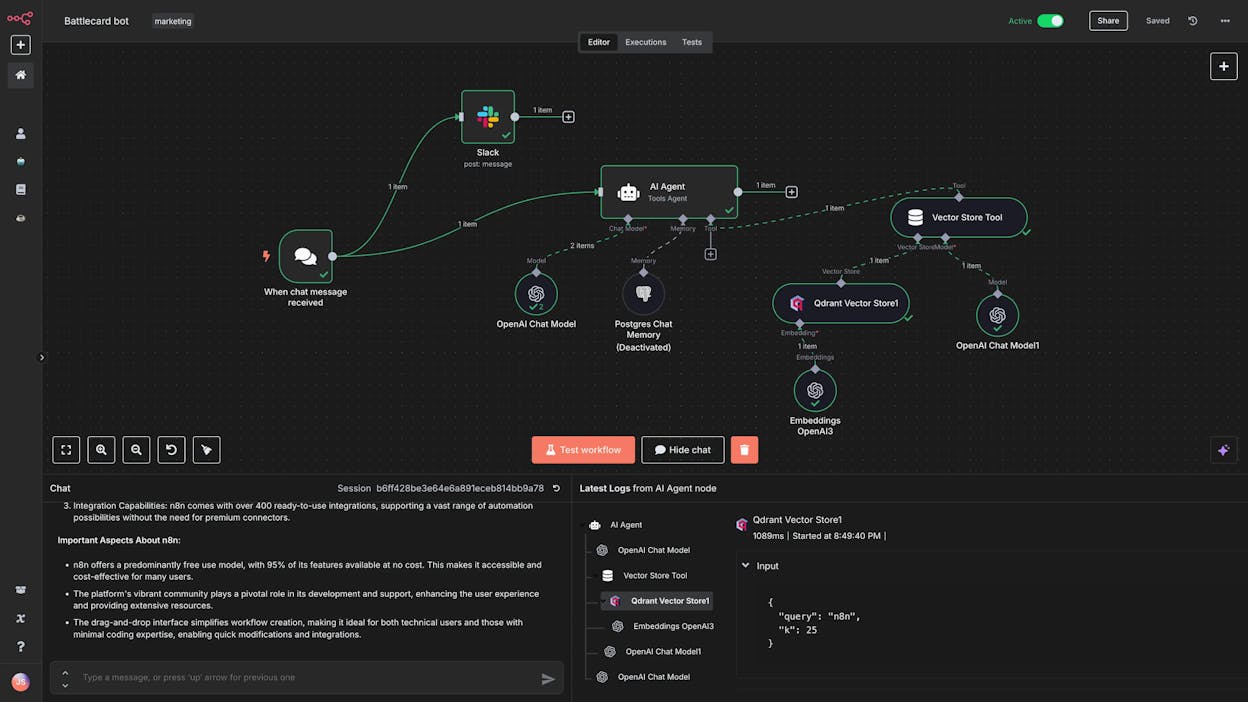
The limitation for content teams is that n8n is a general-purpose automation tool, not a content platform. It has no built-in content writer, no SEO research nodes, no AI visibility tracking, and no brand voice management. You can build content workflows in n8n, but you are wiring everything from scratch using API calls and custom code. You also need your own LLM API keys.
Pricing: Starter at $24/month (2,500 executions). Pro at $60/month (10,000 executions). Enterprise is custom.
4. CrewAI
-
Best for: Enterprise companies that want to orchestrate multiple AI agents working together as a team
-
Pricing: Free plan available. Professional at $25/month.
CrewAI is built around the concept of multi-agent orchestration. You create a “crew” of agents, give each one a role, connect them to your tools, and define how they collaborate on complex tasks.
The platform gives you both a visual builder and code-level access, which makes it flexible for technical teams. It supports SOC 2 compliance, SSO, and self-hosted deployment via Kubernetes.
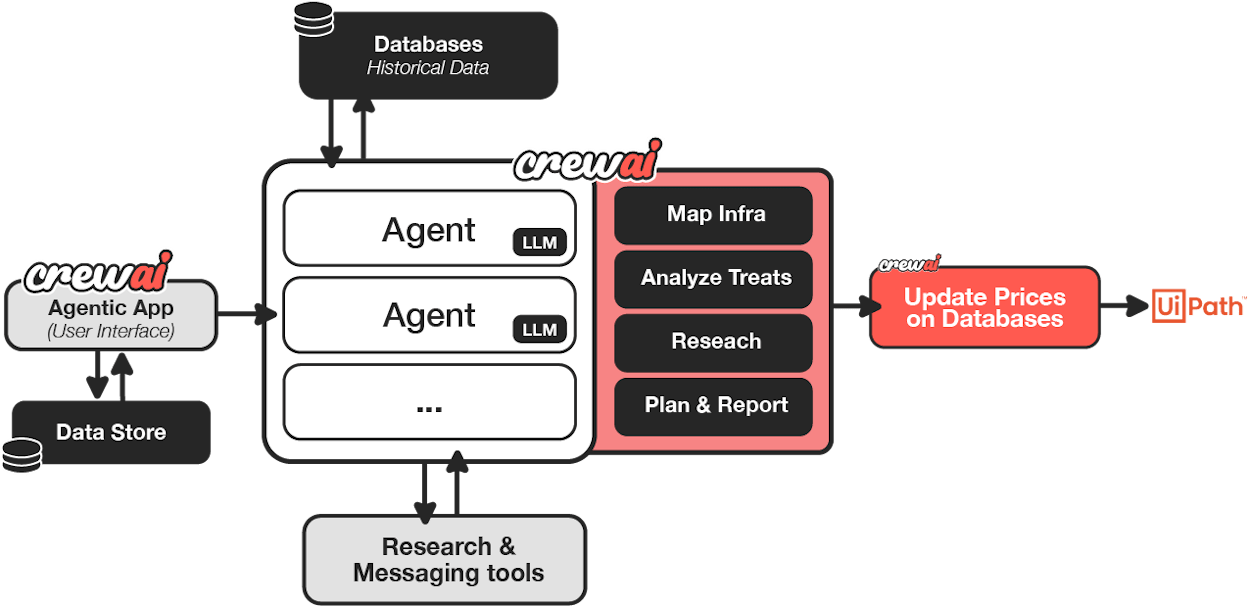
The challenge is complexity. CrewAI requires you to build fully custom solutions. There are no pre-built content workflows, no SEO data integrations, and no AI search tracking. Setup time is significant. For enterprise teams with dedicated engineering resources, CrewAI offers deep customization. For a content team that needs to ship work this week, it is overkill.
Pricing: Basic is free (50 executions/month). Professional at $25/month (100 executions). Enterprise is custom.
5. Make
-
Best for: Startups, freelancers, and small agencies that want budget-friendly automation with thousands of app integrations
-
Pricing: Free plan available. Starts at $10.59/month.
Make (formerly Integromat) connects to over 3,000 apps and has a massive community with tutorials across YouTube. Its visual canvas lets you build multi-step automated workflows without code.
Make recently added an AI agent feature, but it functions more as a flexible add-on to existing workflows than a native AI-first platform. The pricing is extremely accessible, making it a strong choice for solo operators and small teams.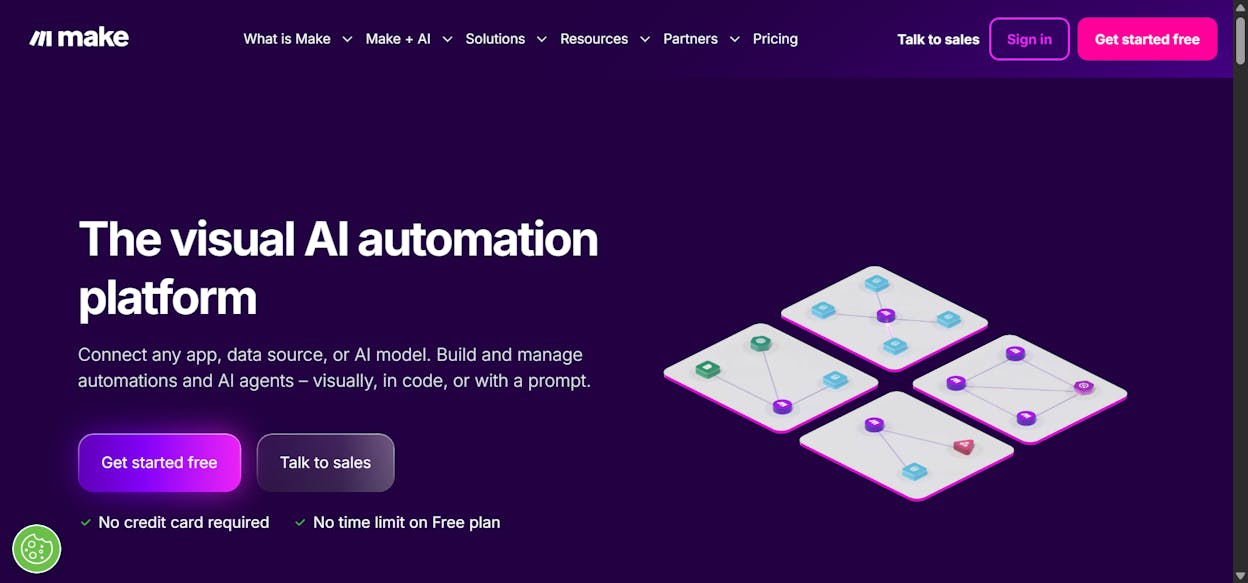
For content marketing workflows, Make can handle distribution and notification tasks, like posting to social media when a WordPress article publishes or sending a Slack alert when a form fills. But it does not have content creation, SEO research, or AI visibility features built in. The AI capabilities feel bolted on rather than foundational.
Pricing: Free plan (1,000 credits/month). Core at $10.59/month. Pro at $18.82/month. Teams at $34.12/month.
6. Botpress
-
Best for: Enterprise companies deploying conversational AI agents for customer support and marketing chatbots
-
Pricing: Free pay-as-you-go plan (plus AI spend). Plus starts at $79/month.
Botpress is a conversational AI platform for building and deploying chatbot agents. The Agent Studio gives you a visual builder with a built-in emulator so you can test agent responses before going live.
The platform is strong for customer-facing chatbots. It integrates with most CRMs, supports multiple LLMs, and offers detailed conversation analytics.
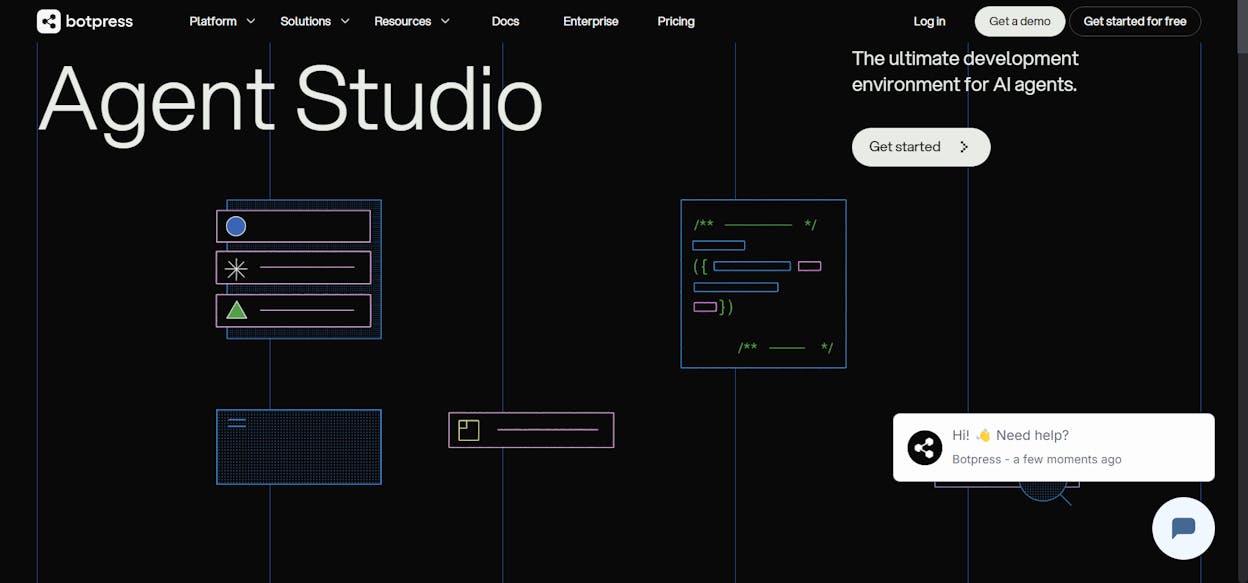
The gap for content teams is that Botpress builds conversational agents, not operational agents. It can answer customer questions. It cannot research keywords, write articles, audit pages for AI readiness, or publish to your CMS. If your primary use case is a customer support chatbot, Botpress is a serious option. For content and marketing ops, it is the wrong tool.
Pricing: Pay-as-you-go is free (plus AI spend). Plus at $79/month. Team at $445/month. Enterprise is custom.
7. Relay.app
-
Best for: Teams that want AI-powered workflows with human-in-the-loop approval before tasks execute
-
Pricing: Free plan available. Professional at $38/month.
Relay.app takes a human-in-the-loop approach to AI automation. You define agents with skills (workflows), connect them to tools like HubSpot, Gmail, and Notion, and set approval gates where team members review and approve before tasks run.
This makes Relay strong for teams that are not ready for fully autonomous agents. You get the efficiency of AI-powered workflows with the safety net of human oversight at critical steps.
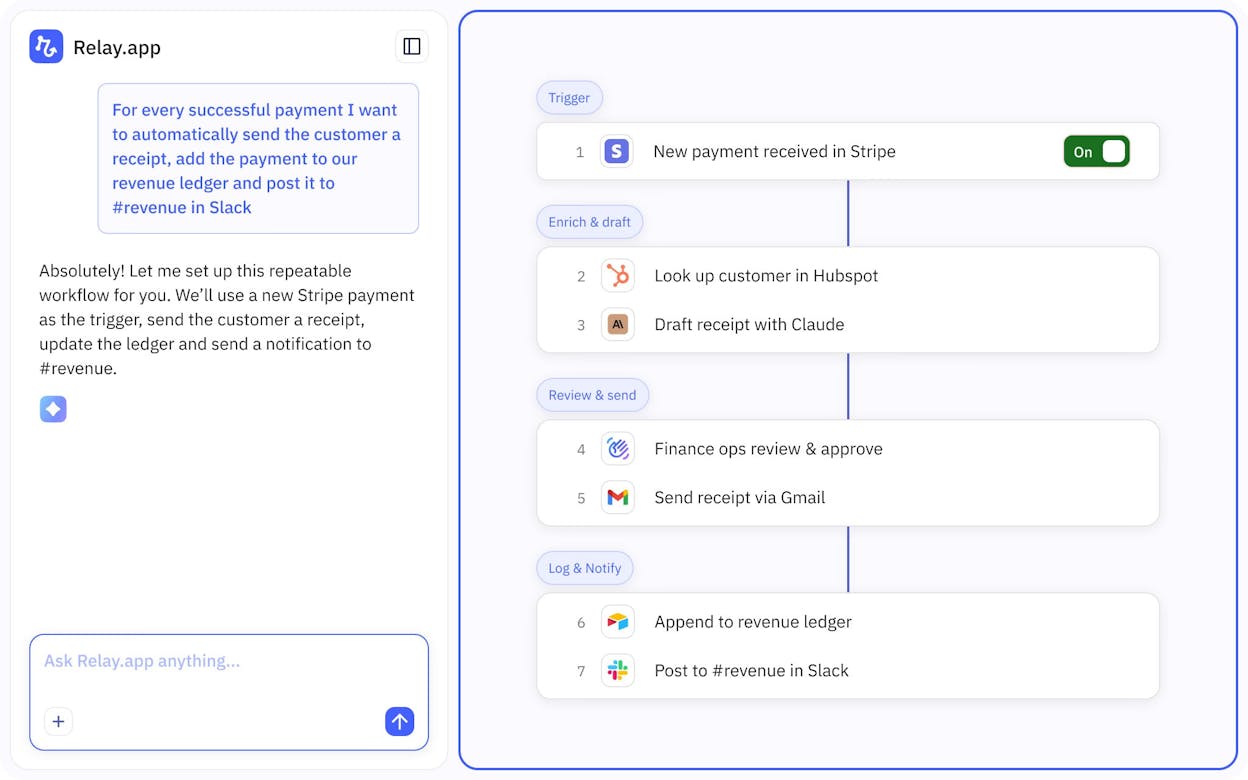
The limitation is autonomy. Relay is built for repeatable playbooks with manual checkpoints, not for high-volume content production. Step limits can add up quickly, and the platform lacks content creation, SEO, or AI visibility features. For operationalizing SOPs that mix automation and manual steps, Relay works well. For scaling content output, you need more.
Pricing: Free (500 AI credits/month). Professional at $38/month (750 steps/month). Team at $138/month (2,000 steps/month).
Which Dust Alternative Fits Your Team?
The right choice depends on the job.
If you run a content team, an agency, or a marketing org and you need agents that handle keyword research, content creation, optimization, internal linking, AI visibility tracking, CRM enrichment, and publishing, all on a schedule, Analyze AI is the platform built for that work. The Agent Builder gives you billions of workflow combinations with nodes already wired to the data sources marketing teams actually use. And you get a free trial to test it.
If you are in a regulated industry and need document-heavy AI workflows with compliance controls, StackAI is the right fit.
If you are a technical team that wants open-source, self-hosted automation with code-level control, n8n gives you that flexibility.
If budget is the top constraint and you need basic automation across thousands of apps, Make is the most affordable entry point.
The tools on this list all use AI to help teams work faster. The difference is what they are built to do. Dust builds AI assistants that read your company docs. Analyze AI builds agents that run your content and marketing operations.
Pick the one that matches the job.

Ernest

Ibrahim


