



Summarize this blog post with:


Flowise is a solid open-source tool for building LLM chains and RAG pipelines. But most content and marketing teams do not need prompt graphs and vector databases. They need agents that research topics, write drafts, optimize pages, generate images, and publish to a CMS without managing Docker containers.
In this article, you’ll learn which Flowise alternatives are actually built for content and marketing teams, what separates a prototype-friendly tool from one that handles production workflows, and how to evaluate each option based on your team’s workflow, budget, and need for AI search visibility.
Table of Contents
What to look for in a Flowise alternative
How fast can you build something useful? Flowise requires you to understand LLM chains, embedding models, and node types before you build anything. A good alternative should let a content strategist build a working workflow within an hour.
Does it connect to your marketing stack? The agent is only useful if it can pull data from Google Search Console, push drafts to WordPress, update HubSpot contacts, or send a Slack notification. Check whether integrations are native or require bolting on a third-party connector.
Can it run without you? Scheduled and webhook triggers separate a tool from a toy. If your agent only runs when someone clicks “Run,” you still have a human bottleneck.
Does it support multi-step content workflows? Building a chatbot is easy. Building an agent that researches a topic, writes a draft with brand voice, scores it for AI search visibility, and publishes to your CMS if it passes a quality gate is hard. Most tools cannot do this.
What does pricing look like at real volume? A $10/month tool sounds cheap until you realize a single content workflow consumes 15 operations per run. Multiply that by 50 articles per month and the math changes fast.
Can it help you show up in AI search? SEO is not dead. But AI search is a new organic channel running alongside traditional search. Tools that help you track how AI engines recommend your brand and attribute AI referral traffic to revenue give you an edge that pure automation tools cannot.
7 best Flowise alternatives for content and marketing teams
Here are the tools worth evaluating:
-
Analyze AI
-
n8n
-
Make
-
Relay.app
-
StackAI
-
Dust
-
Zapier
1. Analyze AI
-
Best for: Content teams, agencies, and marketing ops that need agents wired to SEO, AI search, and content data
-
Pricing: Starts at $99/month (Growth), $250/month (Pro), Custom for enterprise. Free trial available.
-
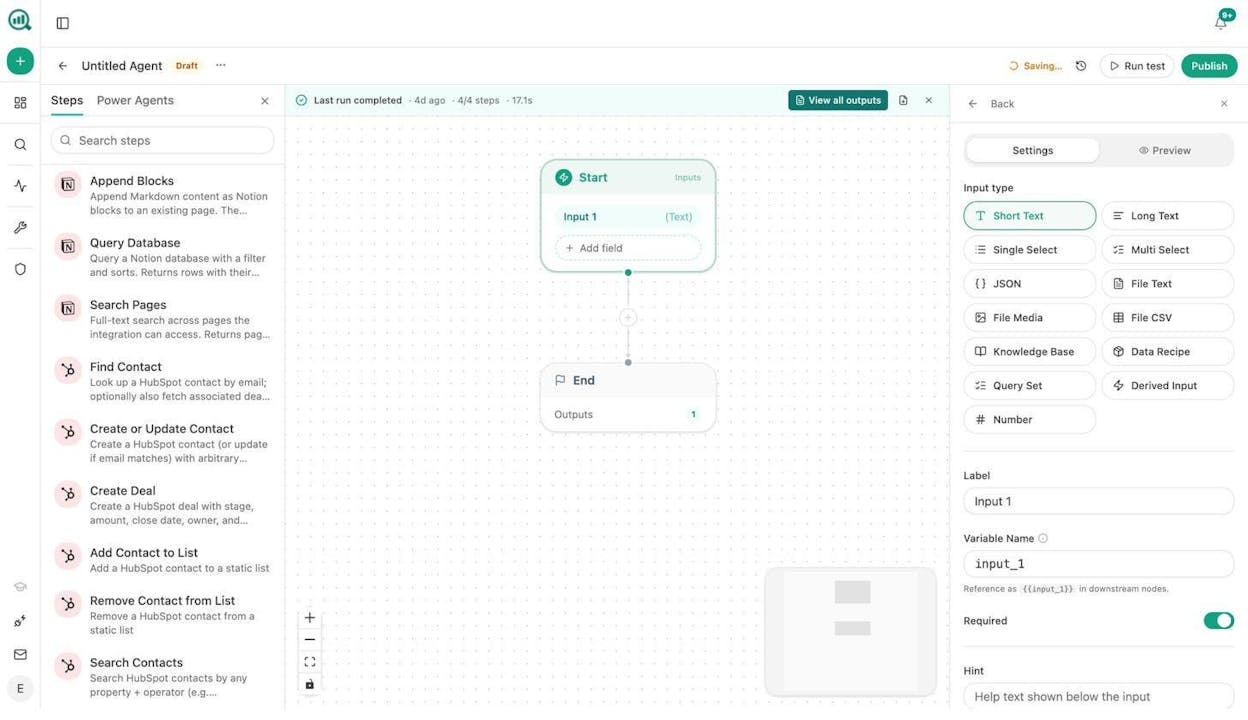
Standout: A programmable agent builder with 180+ nodes, 34 pre-built data recipes, and native connections to GA4, GSC, Semrush, DataForSEO, HubSpot, Notion, WordPress, and all major LLMs
Analyze AI is an agentic platform for SEO, AEO, content, and GTM ops. Where Flowise gives you a canvas for LLM chains, Analyze AI gives you a canvas where the LLM nodes sit alongside nodes for keyword research, on-page SEO audits, competitor visibility tracking, content generation, image creation, CRM updates, and email distribution, all in one workflow.
The difference is not just the node count. It is what the nodes are connected to. When you drop a “Keyword Opportunities” data recipe into your agent, it pulls live data from DataForSEO and cross-references it with your AI visibility gaps. When you add an “AEO Content Scorecard” node, it audits a URL for structure, freshness, claim density, and proof integration. These are not generic API wrappers. They are pre-wired to the data your content and SEO team already needs.
How content teams use it. Here is a concrete example. You build a “content refresh” agent. You set it on a weekly schedule. It pulls your declining pages from GA4, cross-references them with pages losing AI citations, scrapes each page, rewrites for freshness and brand voice using your Brand Vault, runs the draft through the AEO Content Scorecard, and if the score passes 80, publishes to WordPress automatically. If it does not pass, the agent sends the writer a Slack message with the gaps. The “quietly losing rankings” problem solves itself.
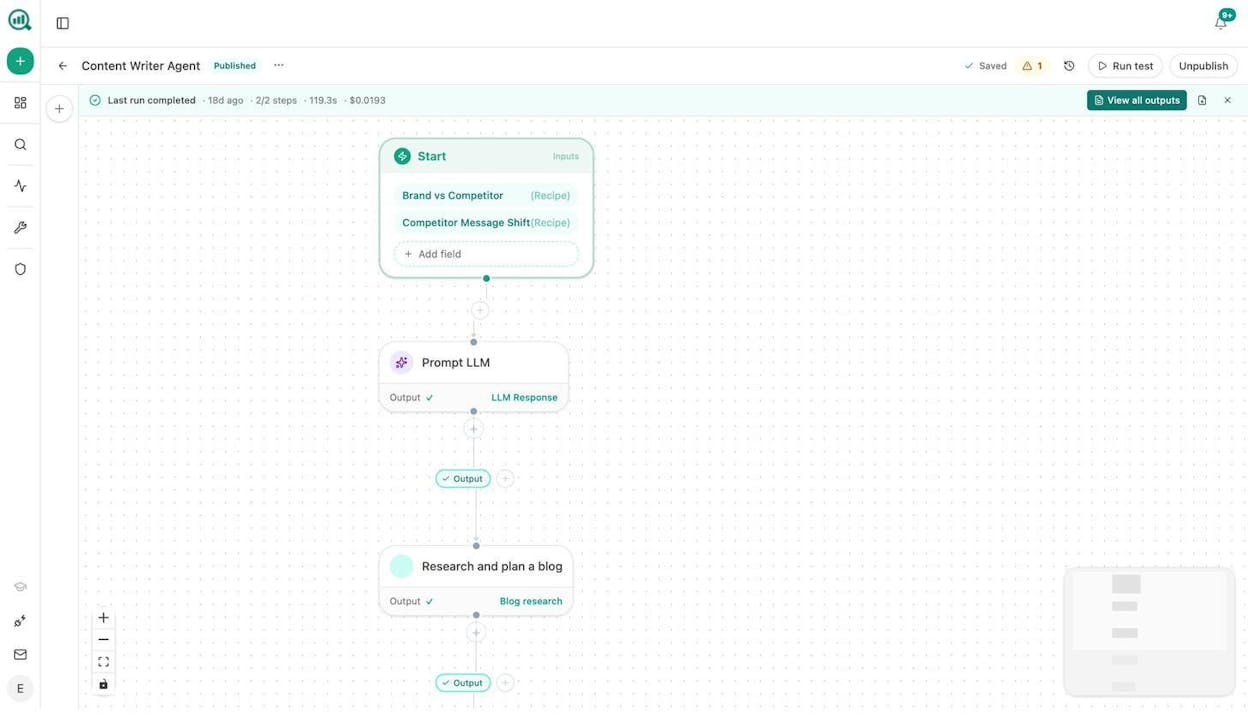
The agent builder is not an automation layer. It is a programmable substrate with 13 input primitives, three trigger modes (manual, scheduled via cron, webhook with HMAC signing), logic nodes for conditional branching, loops, and wait steps, plus 27 DataForSEO nodes, 7 Semrush nodes, 8 Google Search Console nodes, 26 HubSpot nodes, and full CRUD for Notion, WordPress, Sanity, Contentful, and Mailchimp.
That means a single agent can do things like this:
-
Keyword research at scale. Pull seed keywords from GSC, expand with DataForSEO Keyword Ideas, filter by difficulty and search volume, cross-reference with AI prompt gaps where competitors show up and you do not, and push the final list to Notion with one card per cluster.
-
Content writing at scale. Loop over a list of approved briefs, generate research, build outlines, write full drafts with Brand Vault voice rules injected, score each draft, generate featured images and inline graphics with the built-in image nodes, and publish passing pieces to WordPress.
-
Internal linking at scale. Loop your sitemap weekly, run On-Page SEO analysis and GSC Top Keywords for each page, prompt the LLM to suggest three internal links per page, and push the suggestions to Notion or auto-create a PR via the Call API node.
-
Link outreach. Discover new articles in your space via DataForSEO Brand Mentions, find the author’s email with the Tomba Author Finder node, personalize a pitch using the LLM with brand context injected, and send the email, all logged to HubSpot.
-
Social media content creation. Take a published blog post URL, scrape it, prompt the LLM to extract the three most shareable points, generate a Social Media Image for each platform (LinkedIn, Twitter, Instagram), and push the copy and images to your scheduling tool via the Call API node.
-
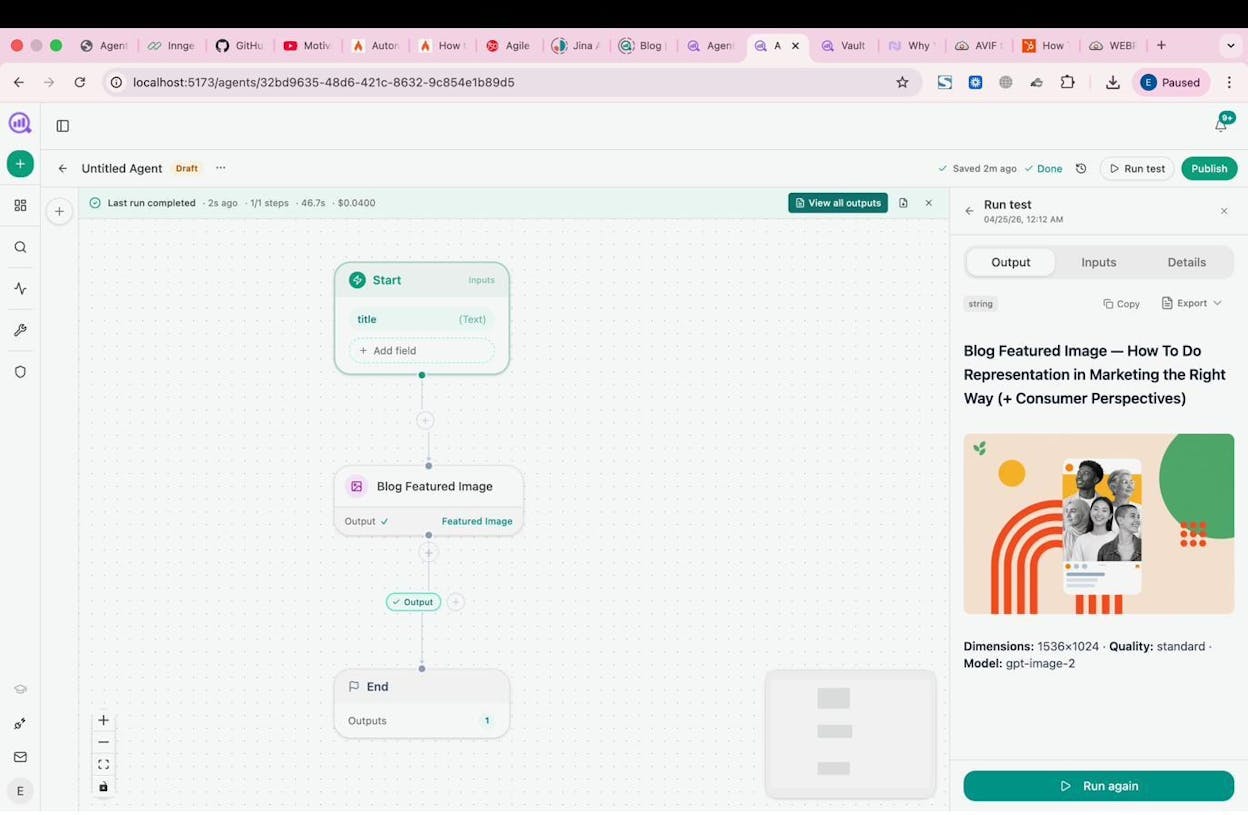
Image and infographic design. Use the Infographic Generator, Blog Featured Image, Illustrate Any Text, and Social Media Image nodes, all brand-kit-aware, to produce visual content at scale without touching Canva.
Beyond the agent builder, Analyze AI also ships a dedicated Content Writer that walks through research, outline, and draft stages with editorial comments at every step. And a Content Optimizer that fetches your existing page, identifies argument gaps and AI visibility blind spots, and produces an optimized version with annotations explaining every change.
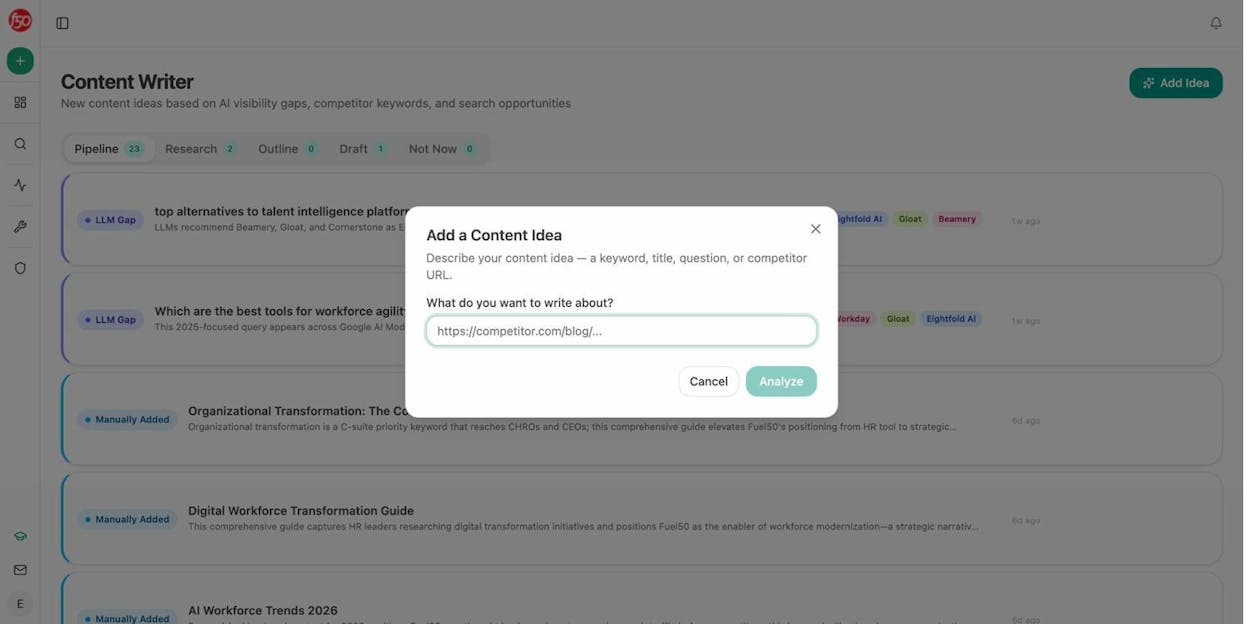
Both the Writer and Optimizer produce better outputs than most standalone tools because the process is multi-step (research, then outline, then draft, not a single prompt) and because brand voice, proof points, and competitive context are injected from your Brand Vault at every stage.
Where it fits in your AI search strategy. Analyze AI tracks your brand visibility across ChatGPT, Perplexity, Gemini, Copilot, and other AI engines. It shows you which prompts competitors win and you do not, which sources AI models cite, and which landing pages receive AI referral traffic. You can wire all of this data directly into your agents, so a weekly agent that pulls visibility losers and drafts counter-content is a few nodes away.
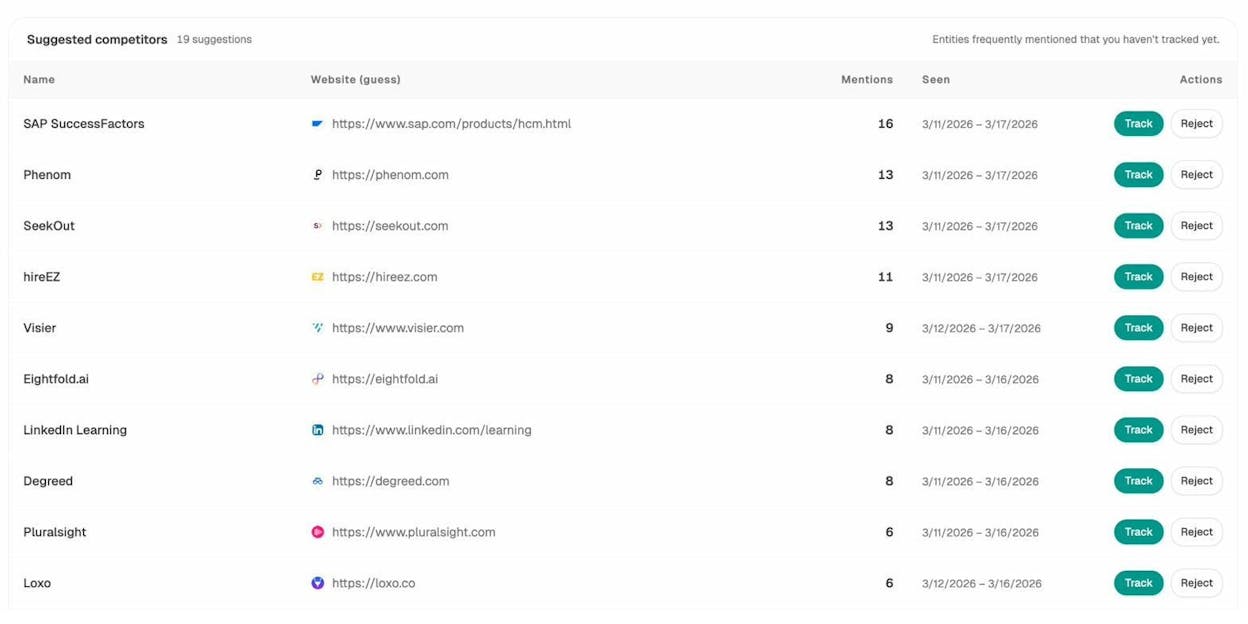
What could be better. Slack and Gmail nodes are coming soon but not live yet. Building your first complex agent takes time to learn. And the platform’s strength is marketing and content ops specifically, not general-purpose IT automation.
Analyze AI pricing. Growth starts at $99/month with 3 AI engines, 25 tracked prompts/day, and content workflows. Pro is $250/month with 4 AI engines, more tracked prompts, 10 Writer workflows, 5 Optimizer workflows, and AI Traffic Analytics via GA4. Custom plans include all engines, unlimited workflows, and a dedicated account manager. All plans include unlimited seats and a free trial.
2. n8n
-
Best for: Developers and technical teams who want self-hosting and open-source flexibility
-
Pricing: Free (self-hosted Community Edition), Cloud starts at $24/month
-
Standout: Open-source core, massive template library, and self-hosting with no execution limits
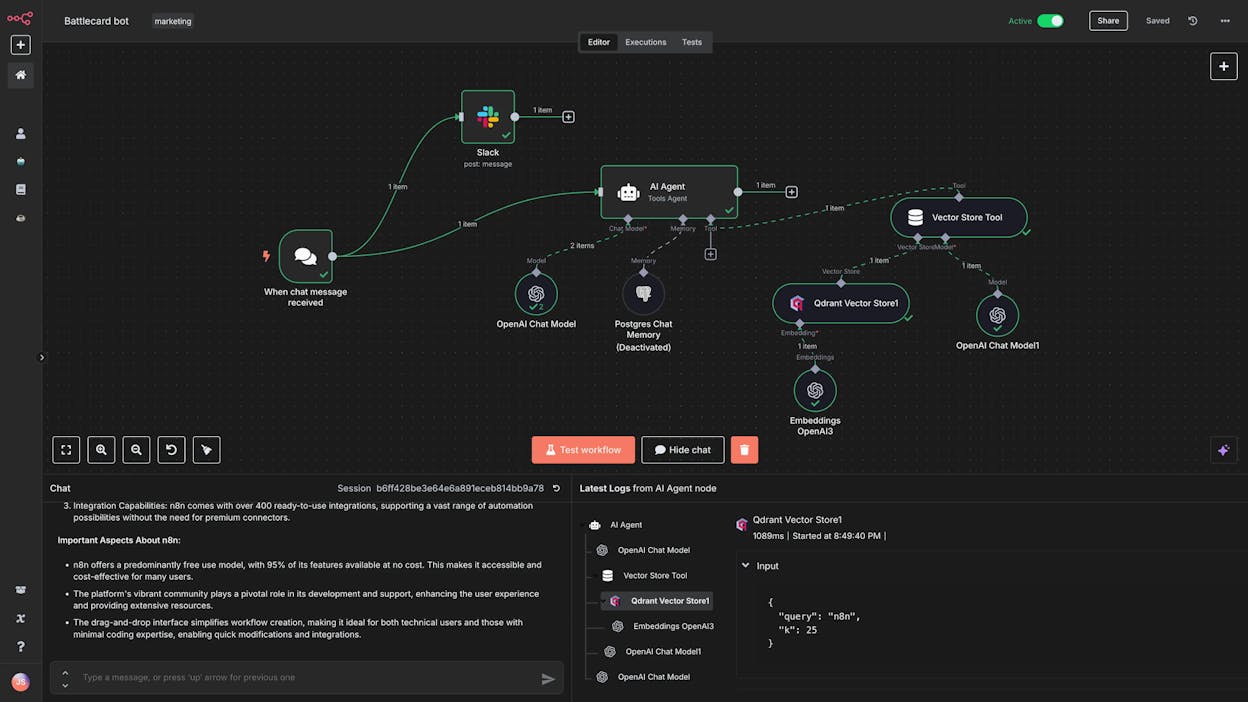
n8n is a workflow automation and AI agent builder aimed at technical teams. It is the closest alternative to Flowise in philosophy. Both are open-source, both support self-hosting, and both assume you are comfortable reading docs and debugging workflows.
You get 500+ integrations, support for any LLM (bring your own API keys), and a visual canvas for connecting nodes. The AI agent nodes support multi-step workflows with tool-calling, memory, and retrieval. The templates library and active YouTube community make it easier to get started than Flowise.
For content teams, n8n can handle things like scraping competitor blogs, summarizing them with an LLM, and pushing summaries to Slack. Or pulling new leads from a form, enriching them, and creating deals in your CRM.
What could be better. The UI feels more utilitarian than polished. You need your own API keys for every LLM. And the content and SEO nodes that Analyze AI ships natively (keyword research, on-page audits, AI visibility scoring) do not exist in n8n. You would need to build those integrations from scratch using HTTP request nodes. For a content team that does not have a developer on staff, that is a dealbreaker.
n8n pricing. The self-hosted Community Edition is free with unlimited executions. Cloud starts at $24/month (Starter, 2,500 executions), $60/month (Pro, 10,000 executions), and $800/month (Business, 40,000 executions with SSO). Enterprise is custom. All cloud plans include unlimited users and workflows.
3. Make
-
Best for: Small teams and agencies that need budget-friendly app-to-app automation with some AI
-
Pricing: Free plan, then starts at $10.59/month
-
Standout: 3,000+ app integrations, affordable pricing, and a visual builder with routers, iterators, and error handlers
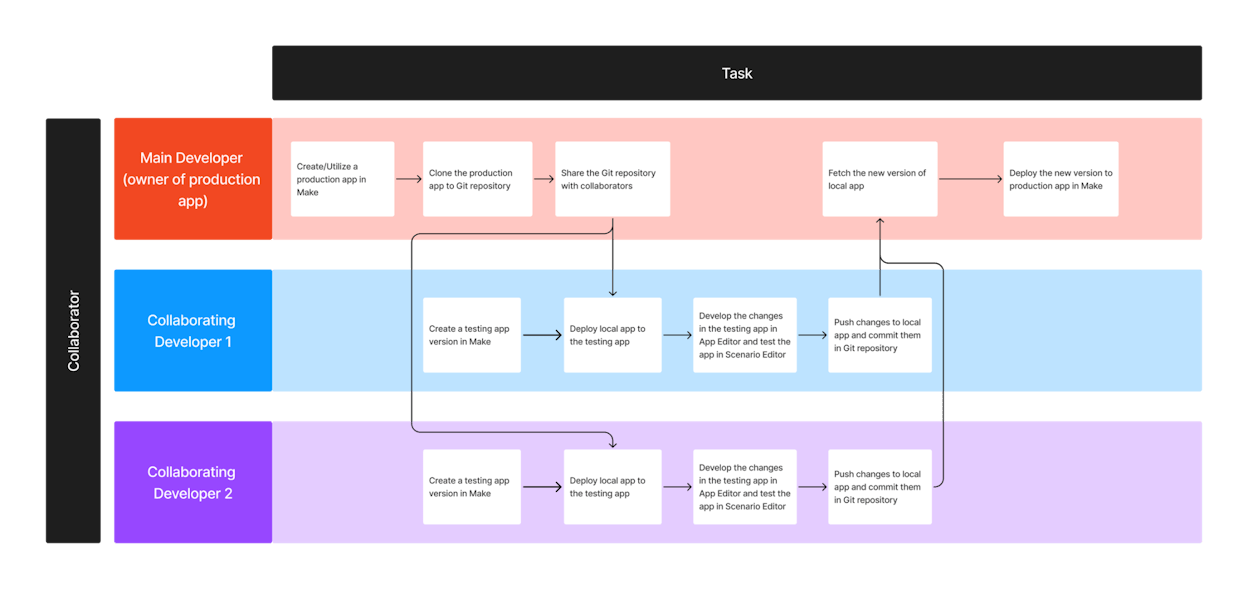
Make (formerly Integromat) is a no-code automation platform popular with startups and small agencies. It connects tools together with a visual builder that supports branching logic, loops, and detailed execution logs.
For content teams, you can build a scenario that watches a Google Sheet for new briefs, triggers a ChatGPT call to generate a draft, and pushes it to WordPress. Make recently added AI modules and reusable AI agents. The pricing is hard to beat for teams that primarily need app-to-app automation with occasional AI steps.
What could be better. Make is a horizontal automation tool. It does not have native SEO, content, or AI search nodes. There is no keyword research module, no content scoring, no AI visibility tracking. If you need those capabilities, you are back to chaining HTTP requests and parsing JSON manually. For a pure content and marketing automation use case, you will outgrow Make quickly.
Make pricing. Free with 1,000 operations/month. Core is $10.59/month (10,000 operations). Pro is $18.82/month (10,000 operations with priority execution). Teams is $34.12/month with team roles. Enterprise is custom. All plans include unlimited active scenarios and 3,000+ integrations.
4. Relay.app
-
Best for: Go-to-market and ops teams that want human-in-the-loop approval steps built into AI workflows
-
Pricing: Free, then starts at $38/month
-
Standout: Human approval steps, AI steps without API keys, and clean multiplayer workspace
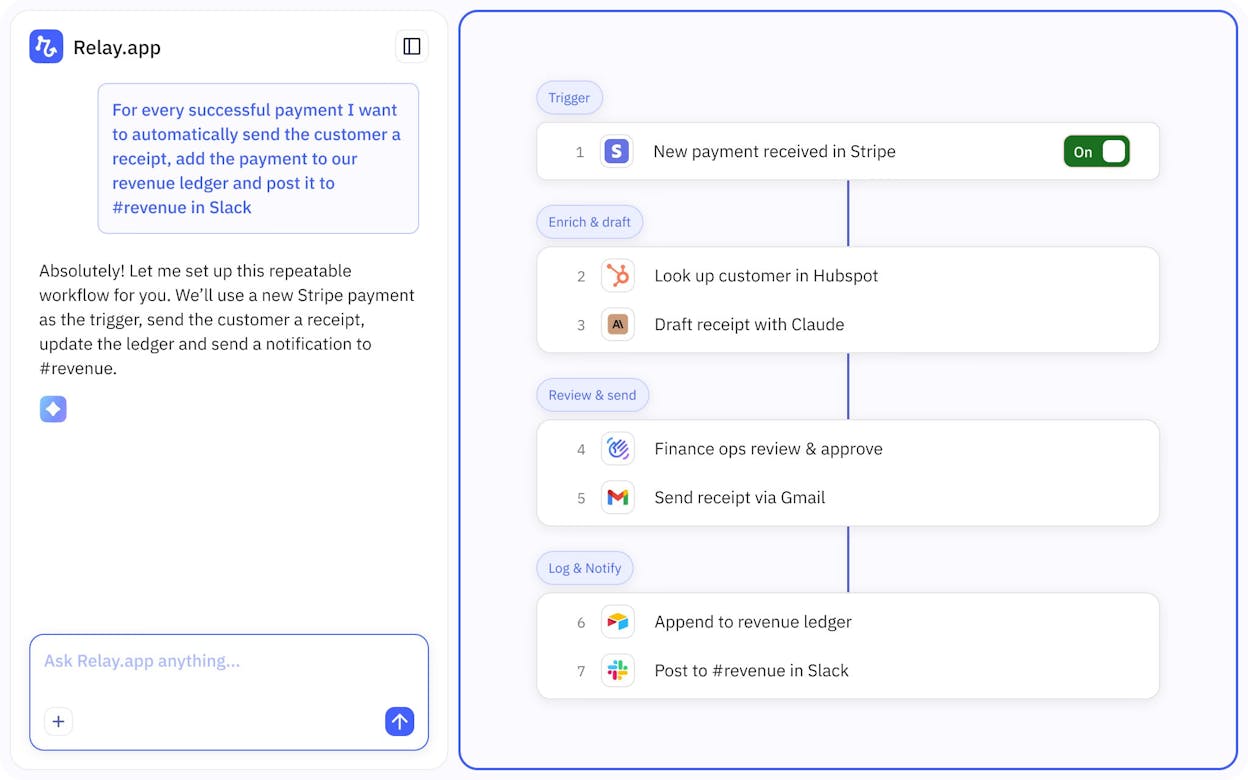
Relay.app is a no-code automation platform that combines tools like Gmail, HubSpot, and Notion with AI steps that summarize, classify, and generate content inside your workflows.
The defining feature is human-in-the-loop approvals. You can build a workflow that uses AI to draft a customer response, then pauses for a human to review before sending. AI steps work with ChatGPT, Claude, and Gemini without your own API keys, which lowers the barrier for non-technical teams.
What could be better. Relay.app is focused on business ops workflows. If you need low-level LLM control, custom chains, or vector stores, this is not the tool. It does not have SEO or content-specific nodes. It does not support AI search visibility tracking. And the pricing structure (steps-based at $38/month for 750 steps) can feel limiting once you start running content workflows at any real volume.
Relay.app pricing. Free for 1 user with 500 AI credits/month. Professional is $38/month for 1 user with 5,000 AI credits and 750 steps/month. Team is $138/month for 10 users. Enterprise is custom.
5. StackAI
-
Best for: Enterprise teams in regulated industries (healthcare, finance, government) that need compliance certifications
-
Pricing: Free plan (500 runs/month), Enterprise is custom
-
Standout: SOC 2 Type II, HIPAA, GDPR, ISO 27001 compliance, and on-premise deployment
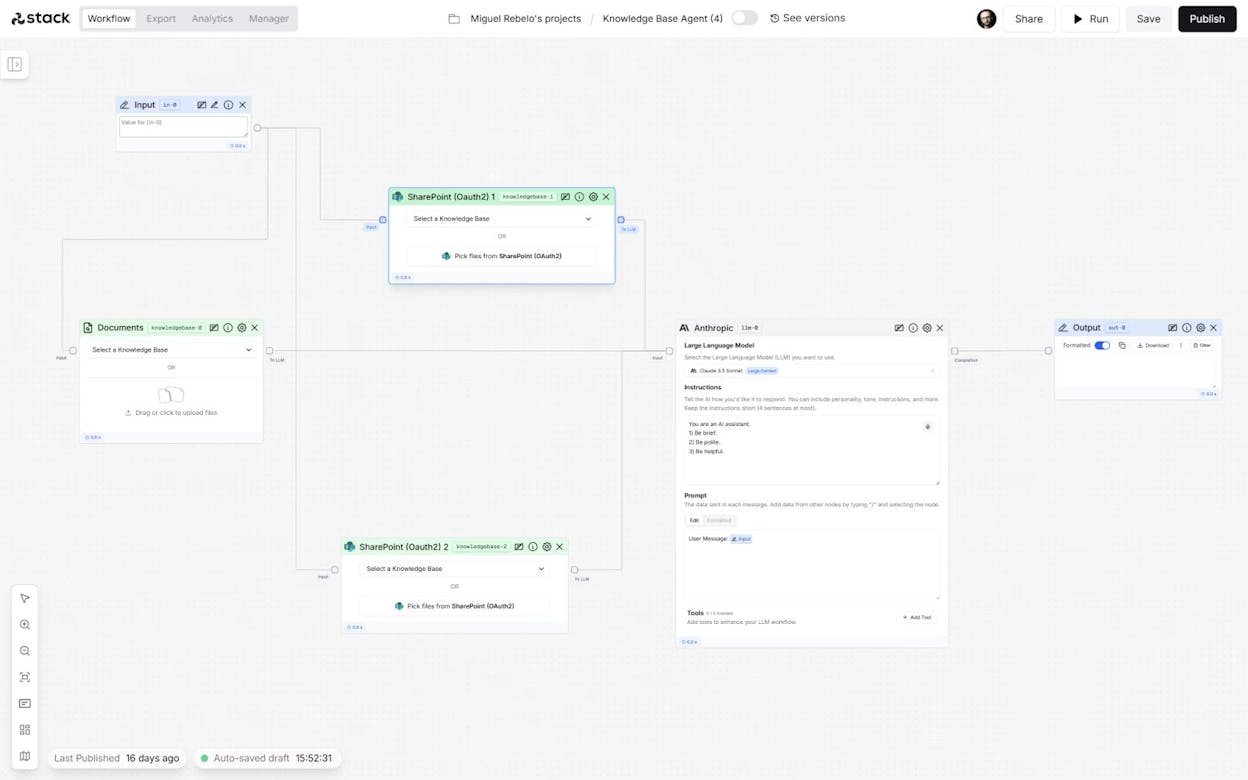
StackAI is an enterprise AI agent builder targeting large organizations in regulated industries. The UI is clean, and the platform comes with 100+ integrations and support for deploying agents as chatbots, forms, APIs, or Slack bots.
If you work in healthcare, government, or finance and need on-premise deployment with governance and audit trails, StackAI is worth a look.
What could be better. There is no transparent mid-tier pricing. You get a limited free plan (500 runs, 2 projects, 1 seat) and then jump straight to custom enterprise quotes. There are no native SEO or content workflow nodes. And if you are a startup or a solo marketer, the platform is overkill. It is built for IT and operations teams at mid-to-large companies, not for content teams shipping blog posts.
StackAI pricing. Free with 500 runs/month, 2 projects, 1 seat. Enterprise is custom with unlimited runs, dedicated infrastructure, SSO, and on-premise deployment.
6. Dust
-
Best for: Mid-market teams that want AI agents connected to internal knowledge across departments
-
Pricing: $29/user/month (Pro), Enterprise from 100+ users
-
Standout: Deep integrations with internal tools (Slack, Notion, Google Drive, Confluence) and agents grounded in company data
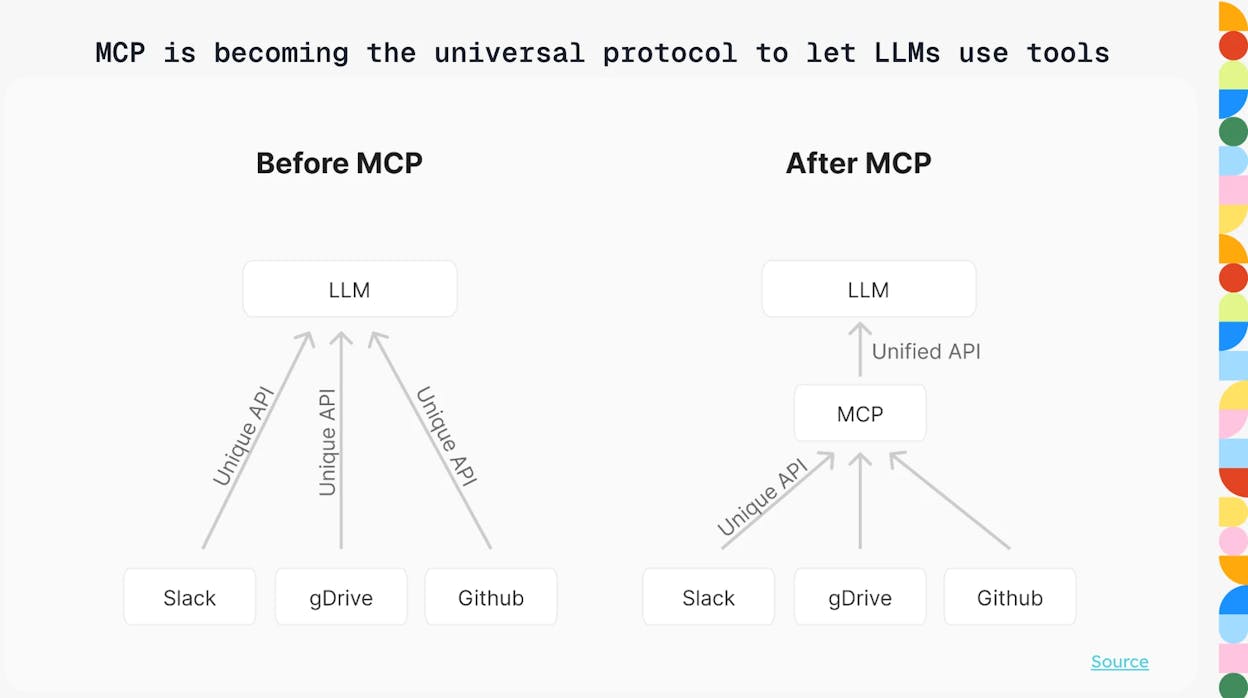
Dust is a platform for deploying multi-agent systems across departments. Instead of wiring up individual LLM chains, you define what an agent can do, what data it can access, and what tools it can use.
Dust connects to Slack, Google Drive, Notion, Confluence, GitHub, Salesforce, HubSpot, and more. Your agents pull from actual internal docs, tickets, and CRM data. For teams that want agents answering internal questions grounded in real company knowledge, Dust does that well.
What could be better. Per-seat pricing at $29/user/month adds up fast for larger teams. It is SaaS-only with no self-hosting. The Enterprise plan requires a 100+ user minimum. And there is no content workflow pipeline, no SEO research nodes, and no AI search visibility tracking. Dust is built for internal knowledge agents, not for content production or SEO automation.
Dust pricing. Pro is $29/user/month starting from 1 user with access to advanced AI models, custom agents, and data connections. Enterprise is custom for 100+ users with SSO, SCIM, and dedicated support.
7. Zapier
-
Best for: Non-technical teams that need to connect 8,000+ apps with lightweight AI on top
-
Pricing: Free plan, then starts at $29.99/month. Agents add-on is $50/month.
-
Standout: The largest app integration library in automation, battle-tested reliability, and new AI agent capabilities
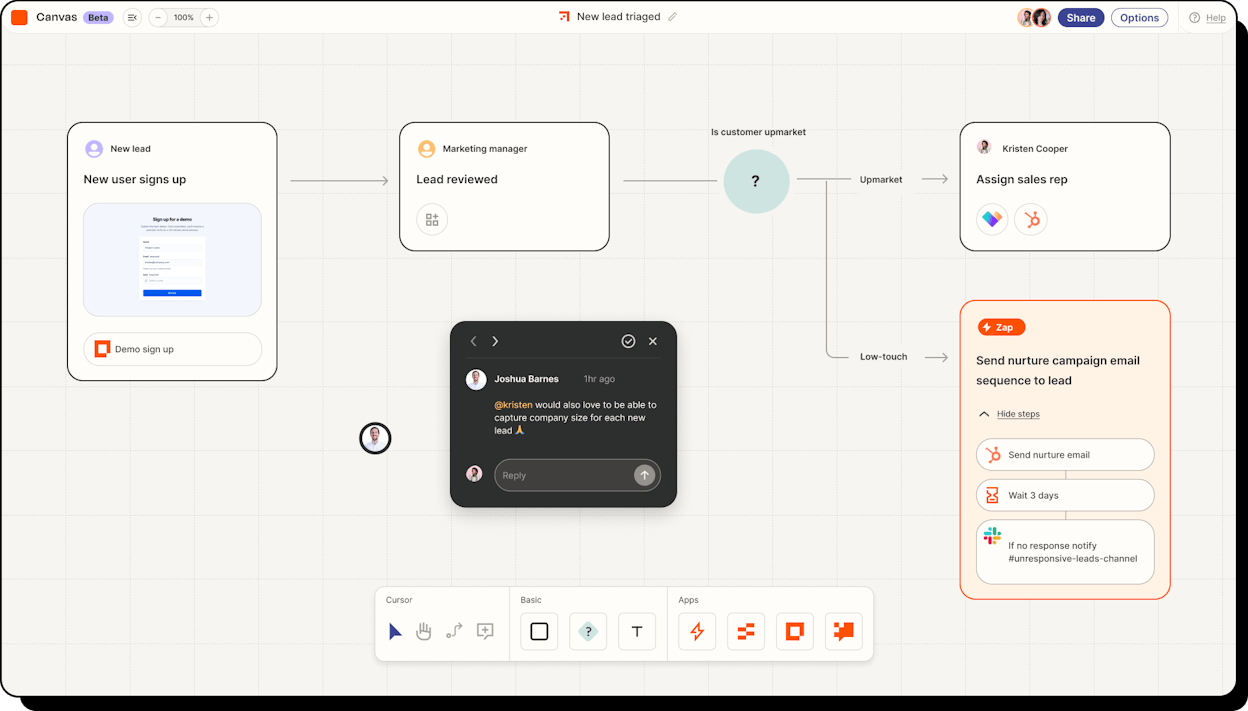
Zapier has been the go-to no-code automation tool for over a decade. The new Agents feature adds AI reasoning on top of the existing automation engine, letting you create AI teammates that decide which actions to take across your connected apps.
With 8,000+ app connections, it works with any tool in your stack. For content teams already using Zapier, adding AI steps without switching platforms is convenient.
What could be better. AI and agent features feel like an add-on, not a core capability. You do not get access to prompt chains, vector databases, or the granular AI control that Flowise offers. The Agents add-on is priced separately at $50/month on top of your existing plan. And there are no content-specific or SEO workflow nodes. Zapier solves “these tools don’t talk to each other,” but it is not the tool for building sophisticated content production pipelines or tracking your brand visibility in AI search.
Zapier pricing. Free with 100 tasks/month. Professional starts at $29.99/month with multi-step Zaps. Team starts at $103.50/month for up to 25 users. Enterprise is custom. The Agents add-on is $50/month (Pro) on top of your plan.
How to pick the right Flowise alternative
If your primary need is content and marketing ops at scale, with agents wired to SEO data, AI search visibility, keyword research, and content production pipelines, Analyze AI is the strongest fit. The agent builder is not just an add-on. It is the actual product.
If you are a developer who wants open-source flexibility, n8n is the closest to Flowise in philosophy.
If you need budget-friendly app-to-app automation, Make is hard to beat on price.
If you want human-in-the-loop approvals, Relay.app is designed for that.
If you work in a regulated industry, StackAI ships the compliance certifications you need.
If you need agents grounded in internal company knowledge, Dust handles that well.
If your tools just don’t talk to each other, Zapier’s 8,000+ integrations are the broadest in the market.
Pick one or two from this list and build a real workflow. Not a demo. A workflow that solves a problem your team has this week. That is what separates a tool evaluation from a tool decision.

Ernest

Ibrahim


