



Summarize this blog post with:


In this article, you’ll see what Conductor AI actually delivers in 2026, where it earns its enterprise price tag, and where the cost, complexity, and rigid architecture quietly push teams toward better-fit tools. You’ll get a real pricing breakdown using public Vendr and TrustRadius benchmarks, a fit matrix to decide if Conductor matches your team size and budget, and a side-by-side look at how Analyze AI covers the same ground with a programmable layer that Conductor does not have.
Table of Contents
The quick verdict on Conductor AI
|
Question |
Answer |
|---|---|
|
Who is Conductor for? |
Enterprise marketing teams with 5+ SEO/content practitioners, multi-domain footprints, and a six-figure organic budget |
|
Median annual contract (Vendr data) |
~$48,950, with mid-market deals landing $40K–$70K and enterprise rollouts past $150K |
|
What it does well |
AEO/SEO intelligence on 10+ years of proprietary data, AI-assisted content workflows, 24/7 site monitoring |
|
What it does poorly |
Steep learning curve, opaque pricing, rigid module structure, no programmable automation layer |
|
Alternative if you need flexibility |
Analyze AI, an agentic SEO and content platform with a 180+ node agent builder on top of the same AEO data |
If you already know Conductor sits beyond your budget, jump to the Analyze AI section. If you’re seriously considering signing the contract, read the limitations section carefully first.
What Conductor AI actually is in 2026
Conductor calls itself the only end-to-end enterprise AEO platform. Underneath the marketing, the product is three modules sold as a unified suite.
|
Module |
What it does |
|---|---|
|
Conductor Creator |
AI-assisted content generation, optimization, and editorial workflows |
|
Conductor Intelligence |
Keyword research, AI search visibility tracking (ChatGPT, Perplexity, Gemini, Google AI Overviews), competitive analysis, and unified analytics |
|
Conductor Monitoring |
24/7 technical site auditing, change tracking, and alerting |
Customers include SAP, FedEx, Mastercard, Citi, Airbnb, and 1-800-Contacts. Conductor was named a Leader in the 2025 Forrester Wave for SEO platforms. The product is built for enterprise-scale organic search operations, not for teams running lean.
Three things Conductor AI does well
Conductor’s reputation comes from depth. Each of these features has been refined over more than a decade, and that maturity shows up in how the modules connect.
Conductor Creator handles content at scale
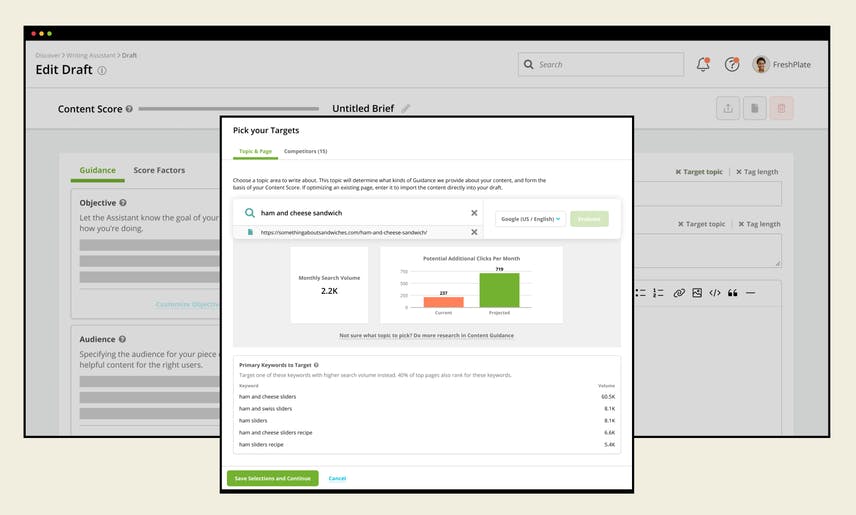
Conductor Creator learns your site structure and past content performance, then uses that context to generate briefs and drafts that match your topical patterns. The tool produces outlines based on what already ranks in your domain, weaves in tone guidelines, and points writers toward gaps that matter strategically.
For enterprise content teams managing dozens of writers across product lines, this is genuinely useful. The drafts come out closer to publishable than generic AI output because the model is grounded in your sitemap, your existing copy, and competitor coverage in the same cluster.
The catch is that Creator is a fixed pipeline. You get the workflow Conductor designed, with the inputs Conductor exposes. There is no way to bolt on a custom research step, plug in your own data source, or branch the flow based on a brief score. Most users will not care. Teams running content automation at higher levels of sophistication will hit the wall fast.
Conductor Intelligence tracks SEO and AI search in one view
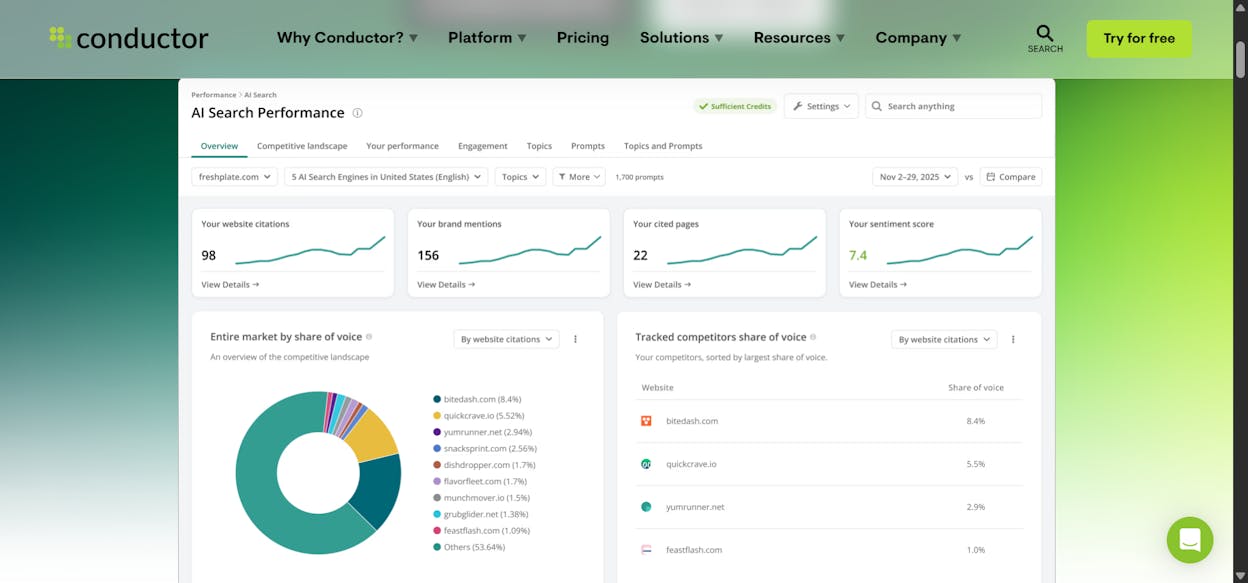
Intelligence is where Conductor delivers on its enterprise positioning. You get keyword research backed by 20+ billion commercially-focused keywords across 1,000+ location and device combinations, competitor tracking on up to 50 rivals, and AI search visibility monitoring that covers ChatGPT, Perplexity, Google AI Overviews, and Gemini.
The visibility module shows where your brand appears in AI answers, which prompts triggered the appearance, and which sources the model cited. Layered on traditional rank tracking and competitive benchmarking, it gives you a clean picture of how each piece of content performs across both organic surfaces.
For teams that have spent years stitching this together from Semrush, Brightedge, and a homemade GA4 dashboard, having one source of truth is a real productivity unlock. The tradeoff is that the data is locked inside Conductor’s reporting model. You can pull it via API, but mid-market teams rarely have the engineering capacity to build their own pipelines on top.
Conductor Monitoring catches technical issues before they ship
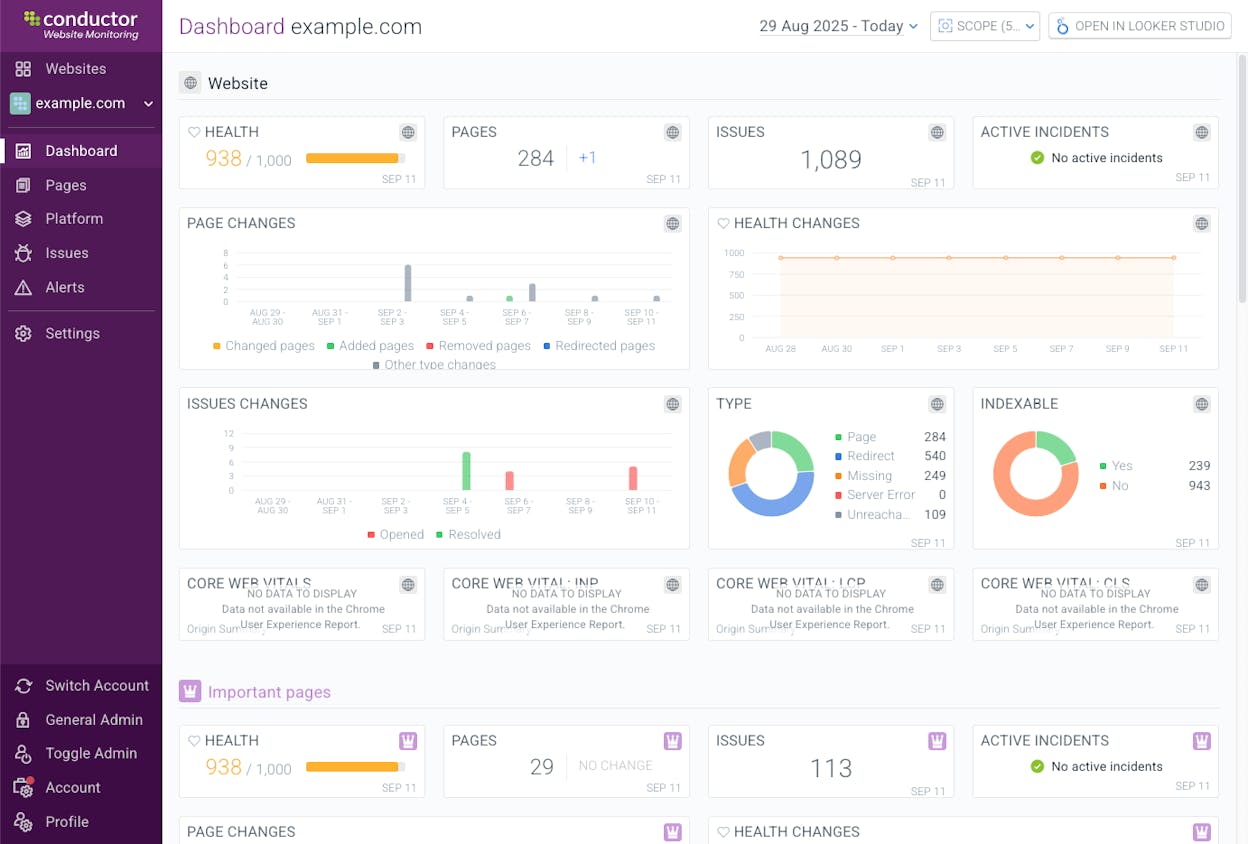
Monitoring runs continuously and flags broken links, indexing problems, sudden drops in Largest Contentful Paint, schema errors, redirect chains, and other technical issues that quietly tank rankings. For a 50,000-page enterprise site with a thin technical SEO bench, this is the feature that justifies the contract on its own.
If you want a free starting point for the same kind of audit, the Broken Link Checker and Website Authority Checker tools give you a sanity baseline before deciding whether you need 24/7 enterprise monitoring.
Four limitations Conductor users keep flagging
Conductor’s depth is real. So are the friction points that show up in G2 reviews and TrustRadius transcripts. The four below are the ones that decide whether the contract feels like an investment or a regret.
The pricing floor is high and opaque
Conductor does not publish prices. Every buyer goes through a custom quote. Across 13 documented Vendr transactions, contracts range from $26,800 to over $500,000 per year, with a median of $48,950 for mid-market deployments. Madx Digital’s review reports an average closer to $61,000, with enterprise deals reaching $180,000.
For a 50,000-employee company tracking 10,000 keywords across multiple domains, that math works. For a 200-person SaaS company with one SEO lead, paying $40K+ before knowing whether the team can fully use the platform is hard to justify.
The learning curve is steep without a dedicated SEO lead
Conductor was built for SEO specialists. The dashboards assume you understand how to read crawl data, interpret share-of-voice scores, segment keyword cohorts, and tune visibility filters. People coming from Ahrefs or Semrush often spend the first month asking what each module is supposed to do.
Without an in-house SEO expert to drive setup and train the team, lighter modules get used and the rest sit untouched. At renewal, leadership notices the gap between the contract value and what the team actually opened in the platform.
The interface is dense and the setup is heavy
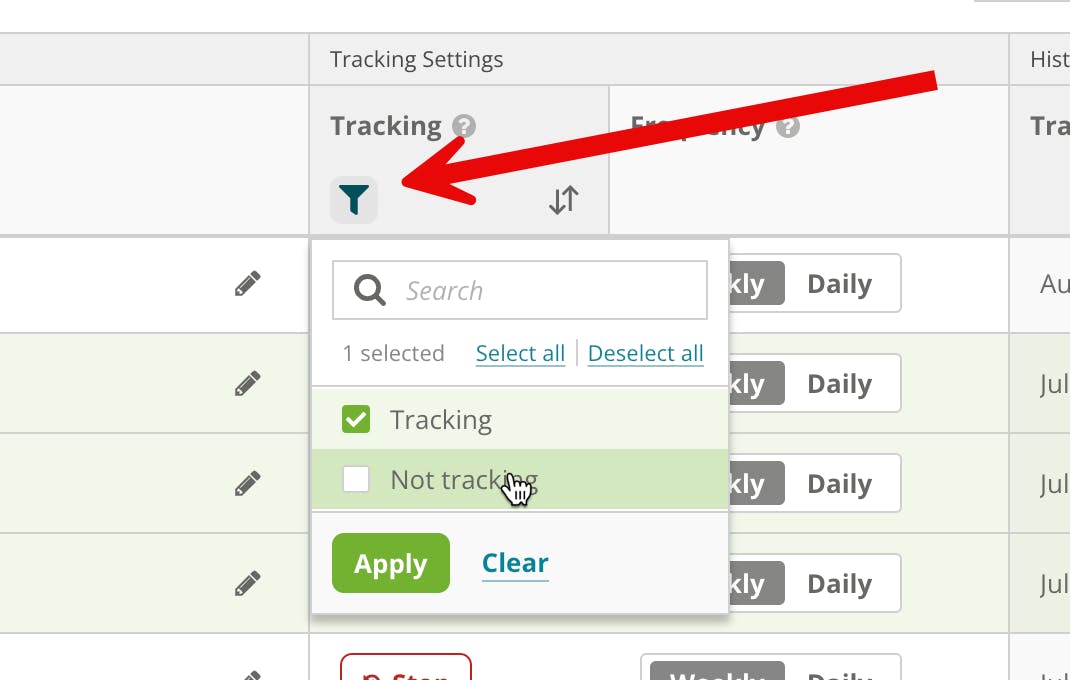
The first few weeks inside Conductor feel demanding. You pick what to track, structure workspaces, configure alerts, connect data sources, and decide how to segment dashboards. Each step assumes the right answer is already in your head. Wrong choices early on compound and make later configuration painful.
Once everything runs, day-to-day use stays heavy. Moving between insights takes several clicks. Similar metrics show up across modules in slightly different cuts. Bigger companies absorb this with training and documentation. Smaller teams notice the cost in time and end up using Conductor as a backup tool rather than a daily driver.
There is no programmable automation layer
This is the limitation Conductor’s positioning hides best. Conductor gives you three modules and the workflows inside them. If you want a Monday morning report combining AI visibility, GA4 sessions, GSC top movers, and HubSpot deal data, you cannot build it inside Conductor. If you want a webhook that triggers a content brief when a competitor publishes, you cannot build that either.
The data is in Conductor. The hooks to act on it programmatically are not.
For enterprise teams running mature SEO automation stacks, this is where Conductor stops scaling. The platform is a great pre-built suite. It is not a substrate you can extend.
Conductor AI pricing in 2026: what teams actually pay
Vendr’s anonymized contract data and TrustRadius reviews give us a far cleaner picture than the marketing pages do. Here is what enterprise buyers should actually budget.
|
Tier |
Profile |
Typical annual price |
|---|---|---|
|
Entry / pilot |
1–2 domains, 3 SEO practitioners, modest content output |
$26,800 – $35,000 |
|
Mid-market |
2–5 domains, 3–5 SEO practitioners, active content operation, GA4 + Adobe Analytics |
$40,000 – $70,000 |
|
Mid-enterprise |
Multiple domains, 10K+ tracked keywords, full Creator usage |
$75,000 – $150,000 |
|
Enterprise |
Multi-domain, multi-region, custom integrations, dedicated CSM |
$150,000 – $500,000+ |
Pricing scales with domain count, page volume, keyword tracking depth, Creator content output, and AI search tracking surface area. Conductor offers unlimited user seats on most plans, which softens the cost for large teams but adds nothing for small ones.
A useful side note from the TrustRadius archive: across 379 reviews, zero customers complained about deceptive billing or surprise renewal hikes. The complaint pattern is consistent. Pricing is high. Billing is fair. Both can be true.
Who Conductor is and is not for
|
You should consider Conductor if… |
You should look elsewhere if… |
|---|---|
|
You manage 3+ enterprise domains |
You run a single domain and a small content team |
|
Your team has at least one dedicated SEO lead |
You expect content marketers to drive the tool |
|
You spend $40K+/year on organic infrastructure already |
Your total SEO software budget is under $20K |
|
You need 24/7 technical monitoring across thousands of pages |
You optimize 50–500 pages and audit them quarterly |
|
You want a single platform replacing 4–5 point tools |
You want a flexible substrate you can extend with custom workflows |
If most of the right column describes your situation, Conductor will feel oversized and overpriced no matter how good the data is. The next section is where you should focus.
Analyze AI: the agentic SEO and content platform built for flexibility
Most reviews put Conductor and “AI search visibility tools” in different boxes. We do not see it that way. Conductor is a fixed enterprise suite for traditional SEO and AEO. Analyze AI covers the same surface (content production, content optimization, AI visibility, citations, AI traffic attribution, technical SEO research) and adds a 180+ node agent builder on top so you can extend the platform into anything else your team actually needs.
This matters because the work doesn’t stop at “track my AI visibility.” Real teams need Monday morning reports, brief-to-publish pipelines, crisis early-warning alerts, lead enrichment flows, and competitor diff snapshots. Conductor gives you three modules. Analyze AI gives you the modules and the substrate.
Here’s what you actually get.
A Content Writer that thinks in pipelines, not prompts
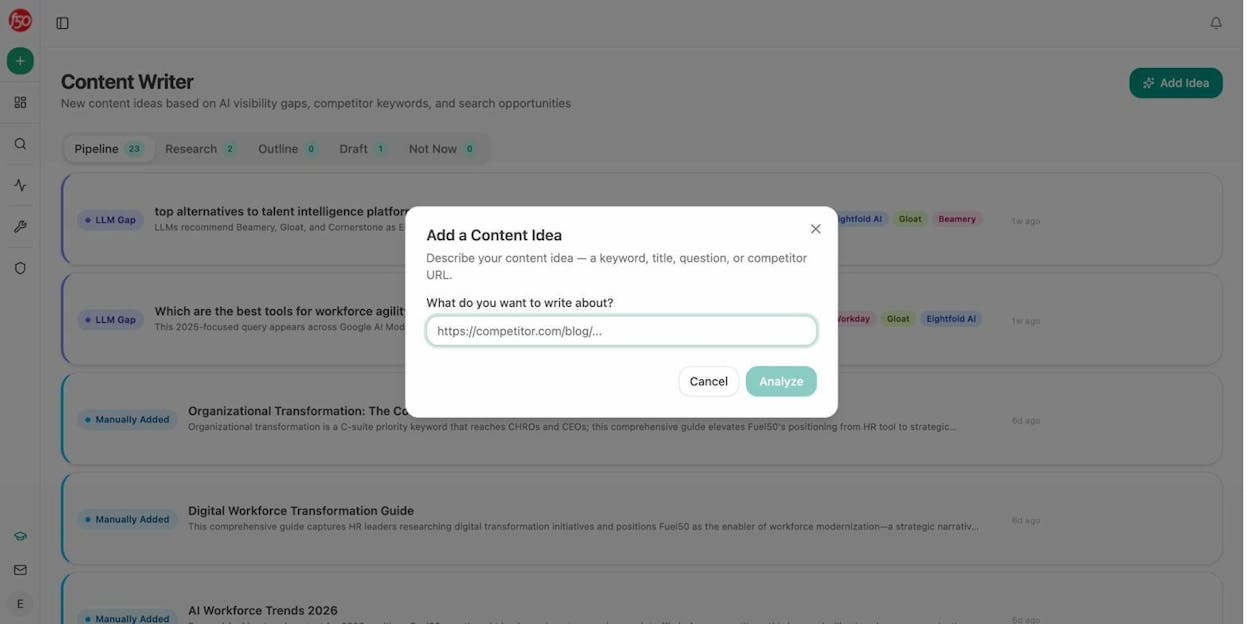
Most AI writers stop at “give me a brief, then a draft.” Analyze AI’s Content Writer runs a four-step pipeline. Each step is a discrete artifact you can review, edit, and approve before the next one starts.
The pipeline tracks every idea through four stages.
-
Idea capture. You paste a competitor URL, a keyword, or a question. Analyze AI mines its prompt suggestion engine, your tracked competitors, and your AI visibility gaps to score the idea before you commit time.
-
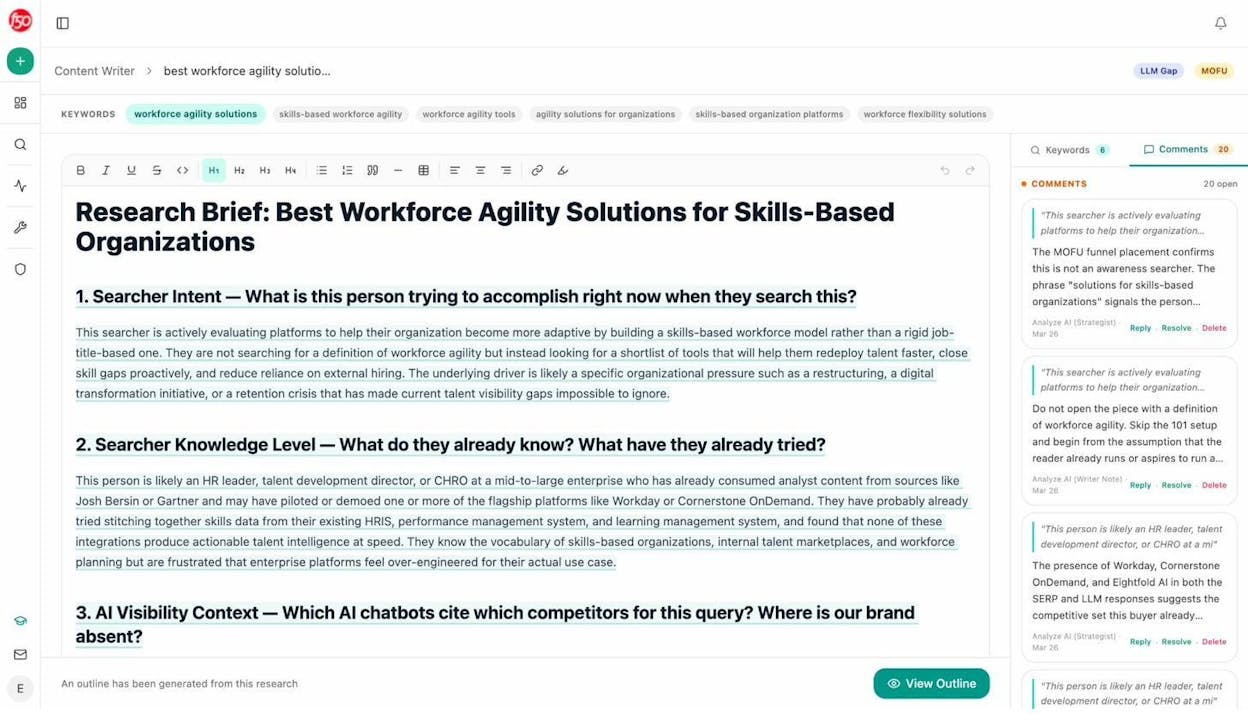
Research. The system pulls source material, competitor coverage, and prompt-level performance data, then attaches inline editorial comments on what to lean on and what to ignore.
-
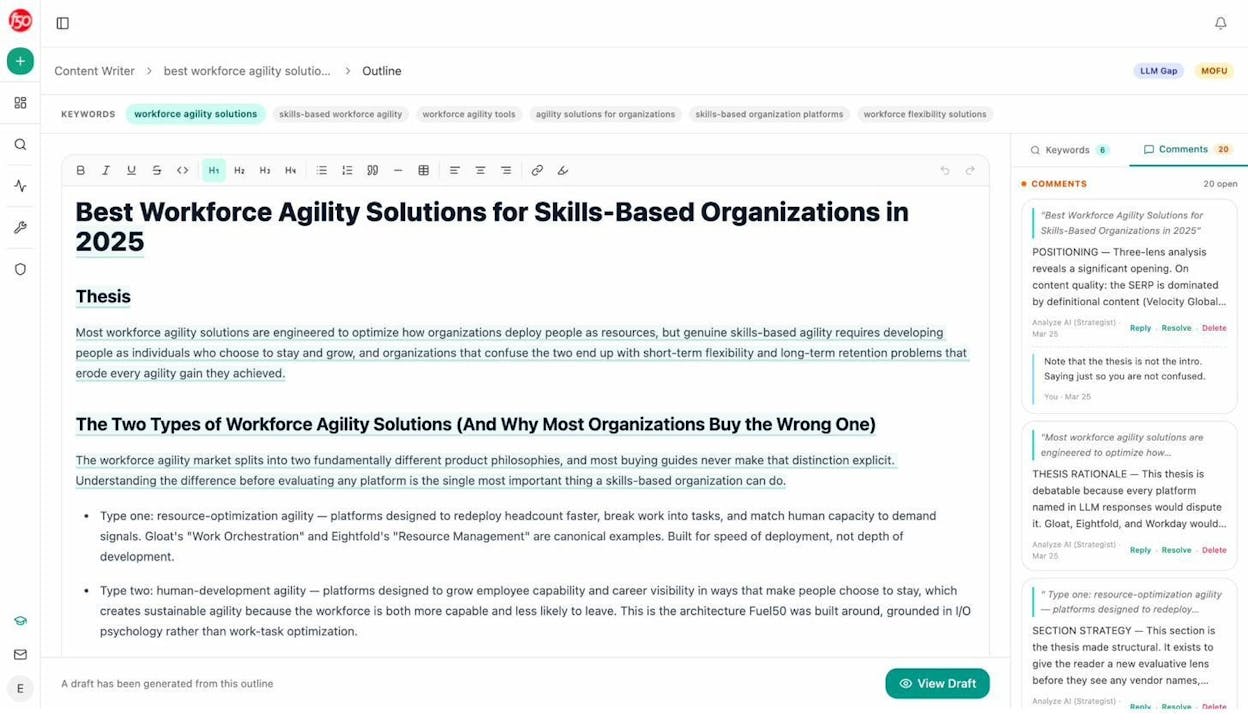
Outline. You get a structured outline shaped by the research, with the system flagging where to add proof, where to differentiate, and where competitors are weak.
-
Draft. The full draft is built off the outline, with brand voice rules from your knowledge base injected automatically.
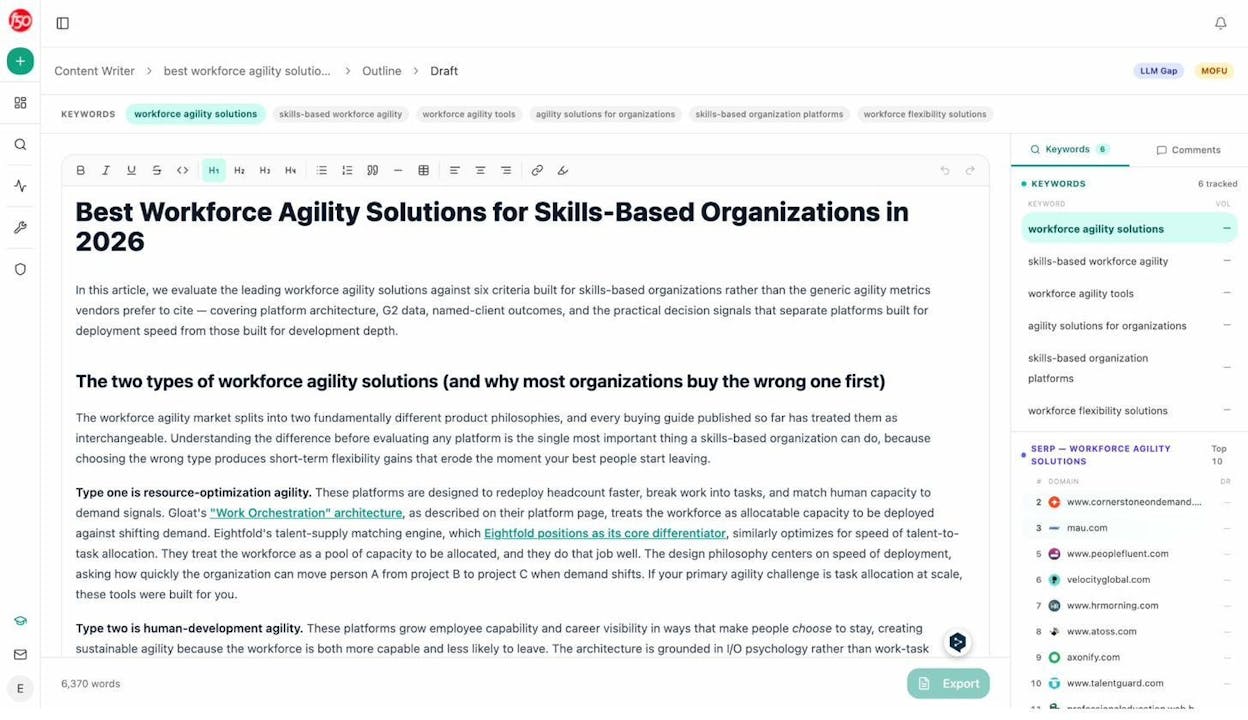
Conductor Creator generates a draft. Analyze AI generates a defensible draft, with the editorial reasoning visible at every step. For content teams who care why a piece is structured a certain way, the difference shows up in the final output.
A Content Optimizer that reads like a senior editor
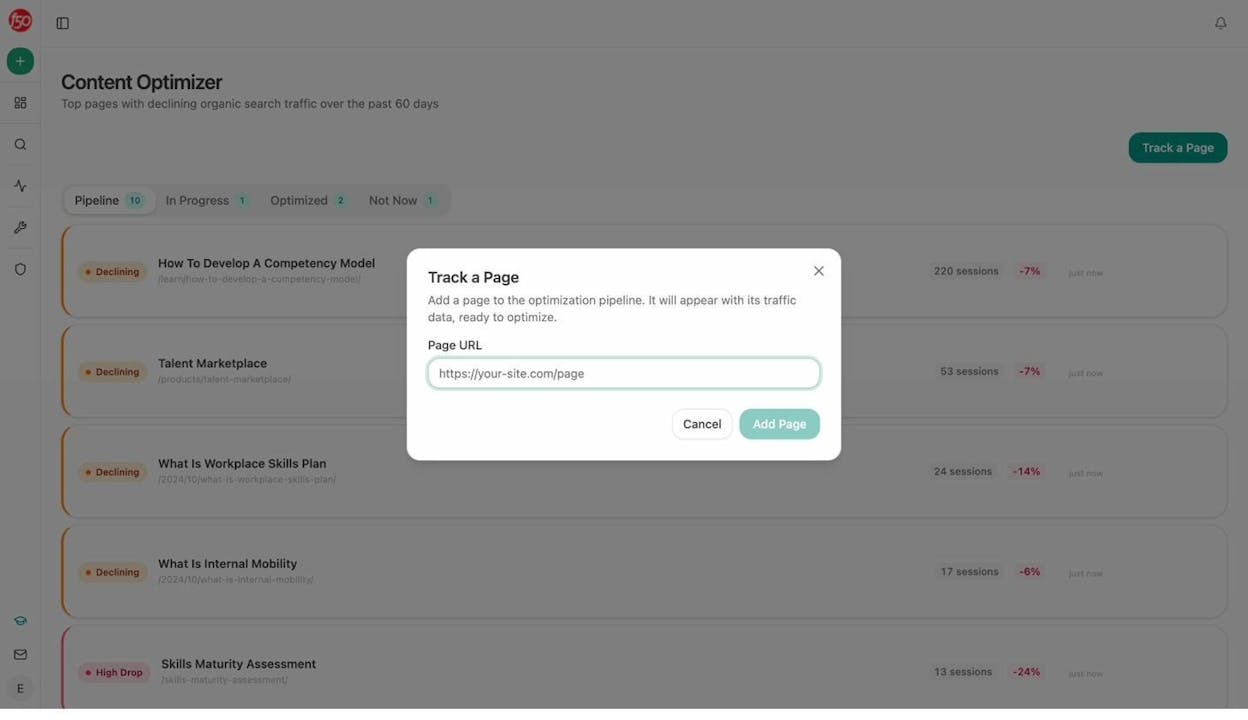
Content Optimizer starts where most optimization tools end. You add a URL. The system fetches the live content, scores it across argument, flow, clarity, and polish, then leaves line-by-line comments that read like a senior editor sat down with the page.
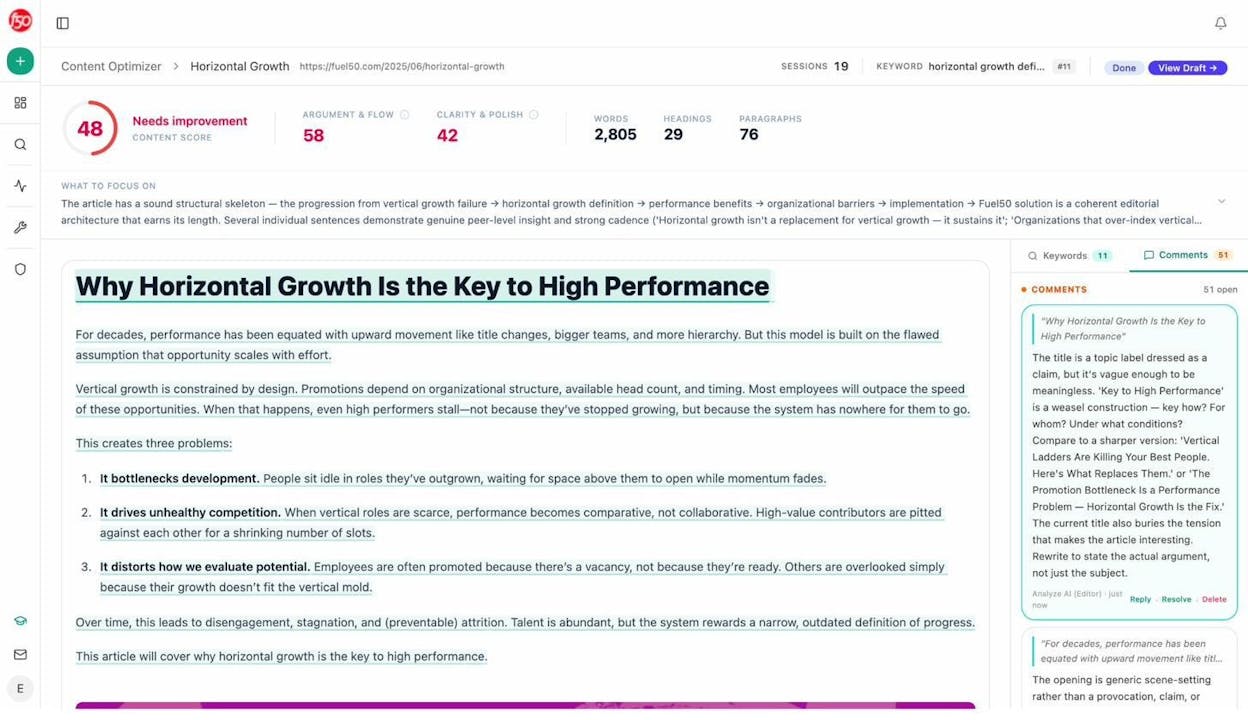
Each comment is specific. “The title is a topic label dressed as a claim, but it’s vague enough to be meaningless.” “The opening is generic scene-setting rather than a provocation.” This is the level of feedback you’d expect from a Grow and Convert or Animalz editor, not from a software product.
When you’re ready, the system rewrites the page section by section, keeping your structure intact and surfacing exactly what changed.
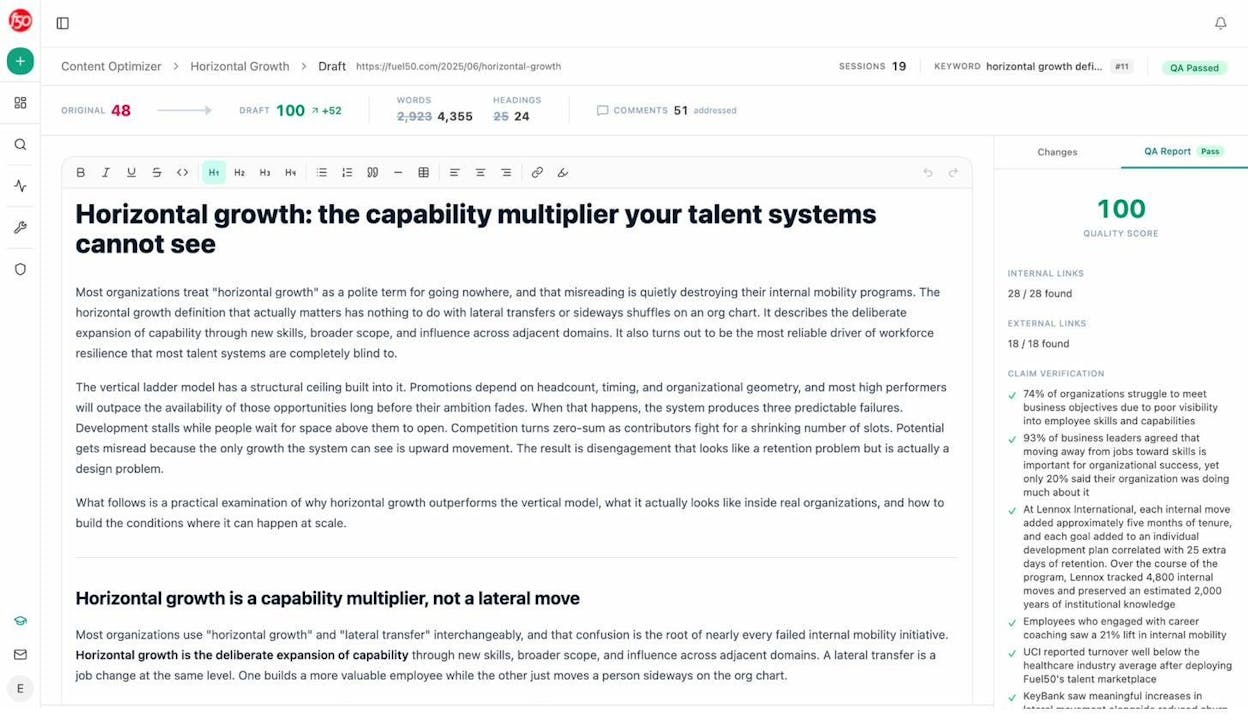
For teams running content pruning or republishing campaigns at scale, this is where the platform pays for itself.
AI visibility, citations, and traffic attribution in one place
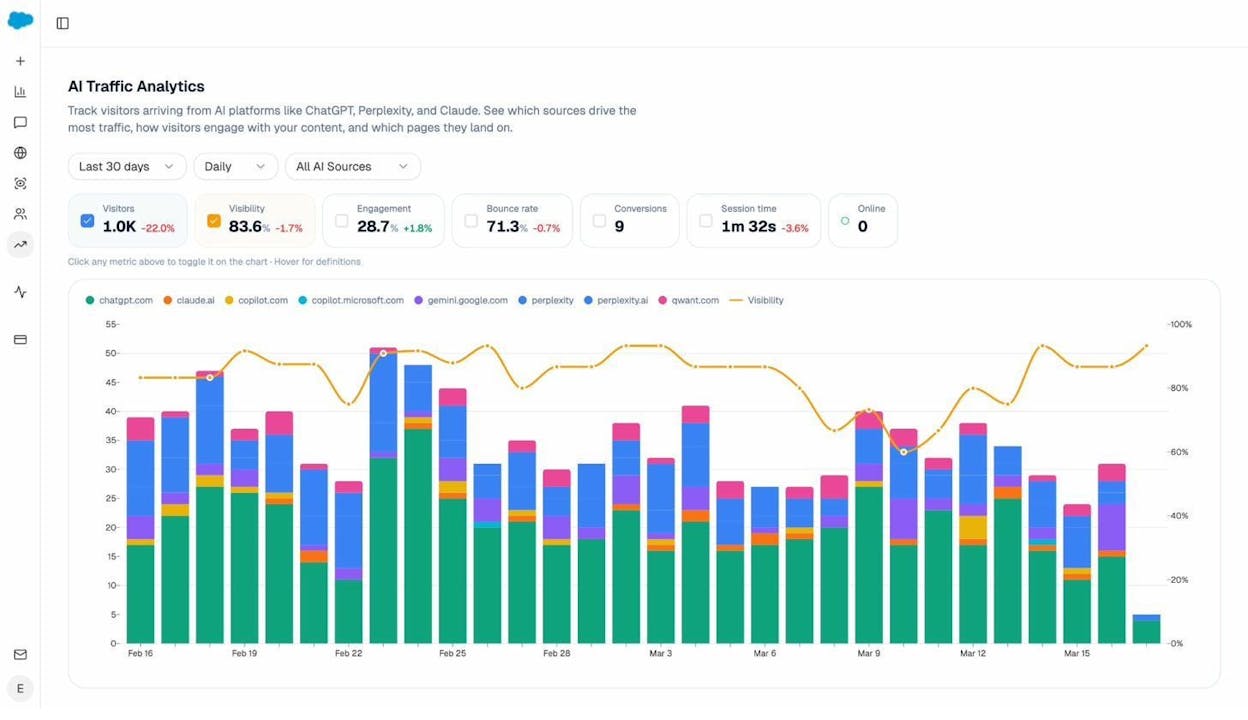
Conductor tells you where your brand appears in AI answers. Analyze AI tells you the same thing, then ties it to the actual sessions, landing pages, and conversions those answers drove.
The AI Traffic Analytics view attributes every AI-referred session to its source engine. The Landing Pages report shows which pages absorb that traffic, the engagement on each, and which ones convert.
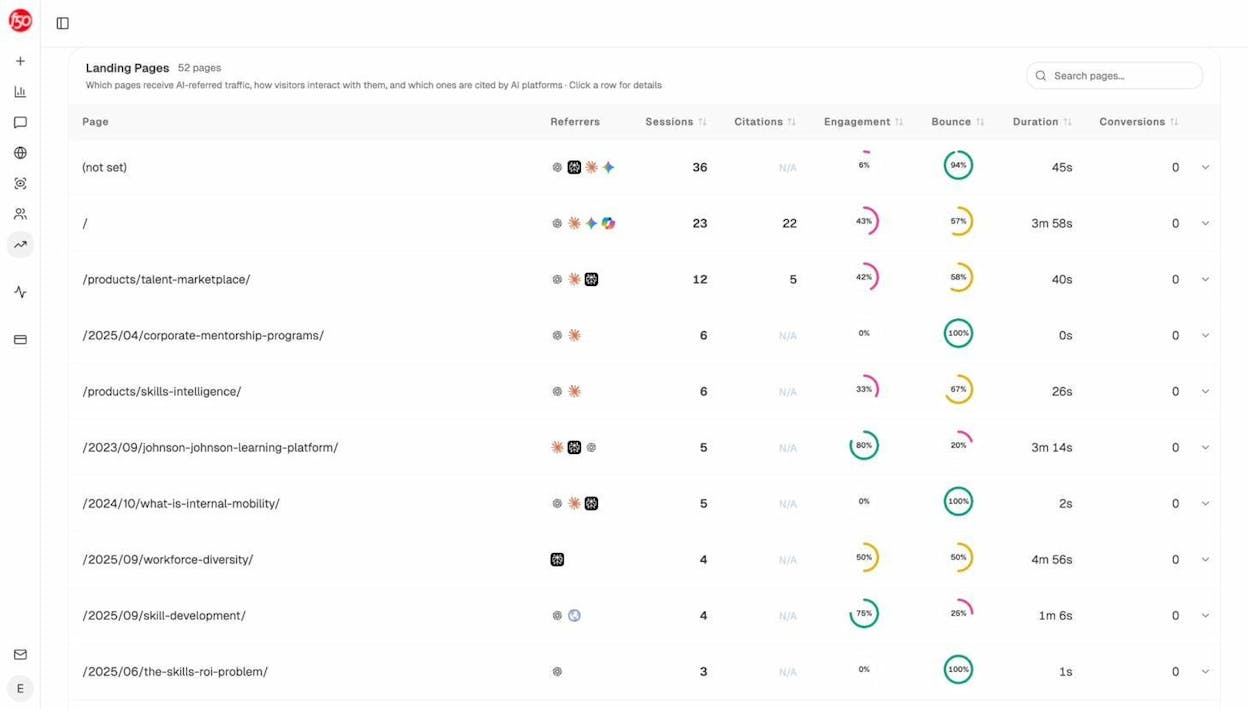
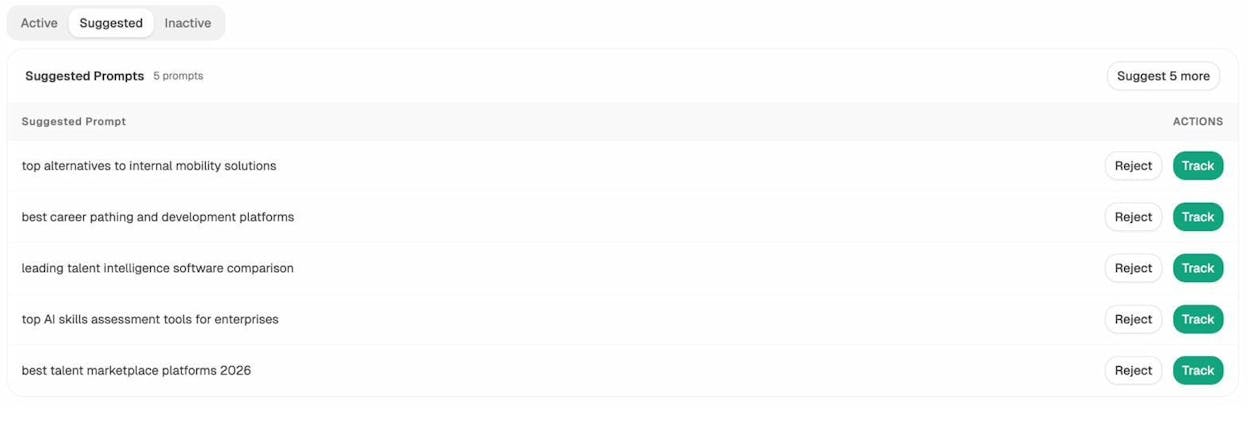
You also get a prompt suggestion engine that surfaces the bottom-of-funnel queries you should be tracking, so your visibility list isn’t a guess.
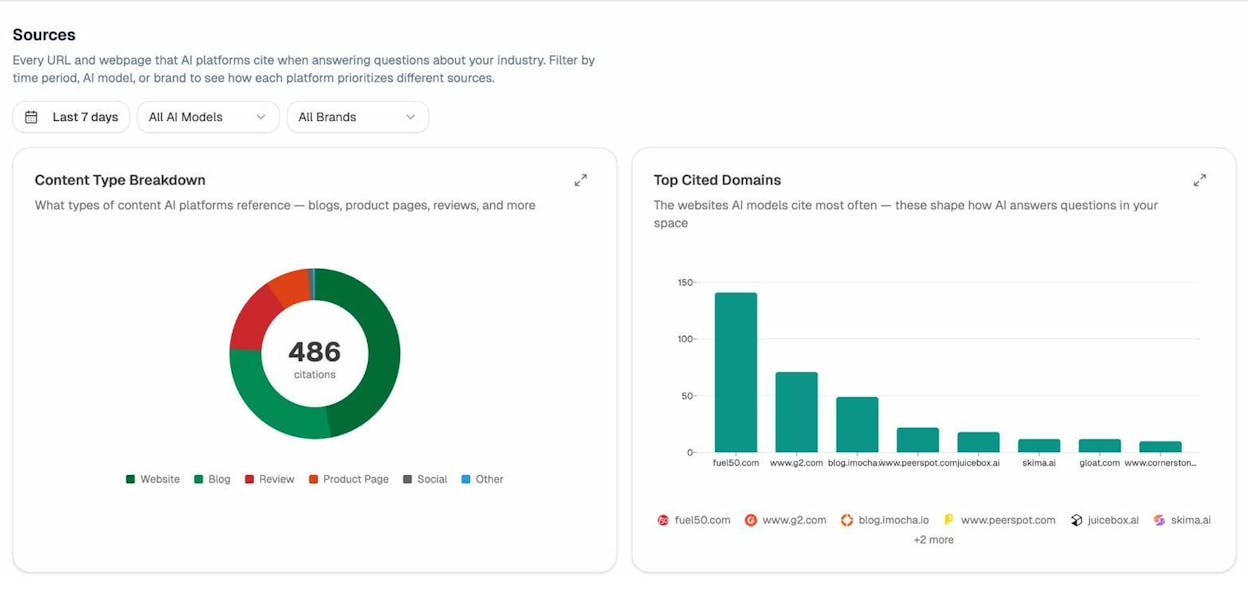
Citation Analytics shows the domains AI engines pull from when answering questions in your category, so you know exactly where to invest in PR or guest content rather than guessing at link building.
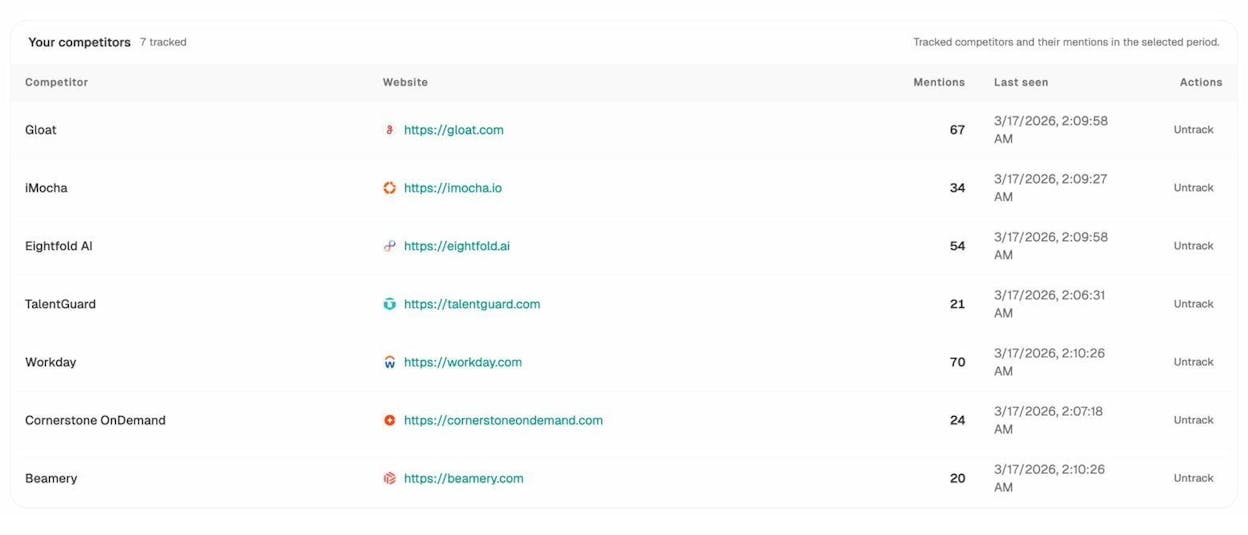
The Competitor Intelligence module tracks who appears alongside you on every prompt and surfaces suggested competitors based on co-mentions you might be missing.
The Agent Builder: where Analyze AI breaks past every other AEO tool
This is the part of the platform that has no Conductor equivalent. The Agent Builder gives you 180+ pre-built nodes covering AI visibility, GSC, GA4, DataForSEO, Semrush, HubSpot, Notion, WordPress, Mailchimp, Hunter, Tomba, and 50+ more integrations, plus 34 pre-baked data recipes that pull share-of-voice, competitor gaps, citation magnets, and content opportunities in one line.
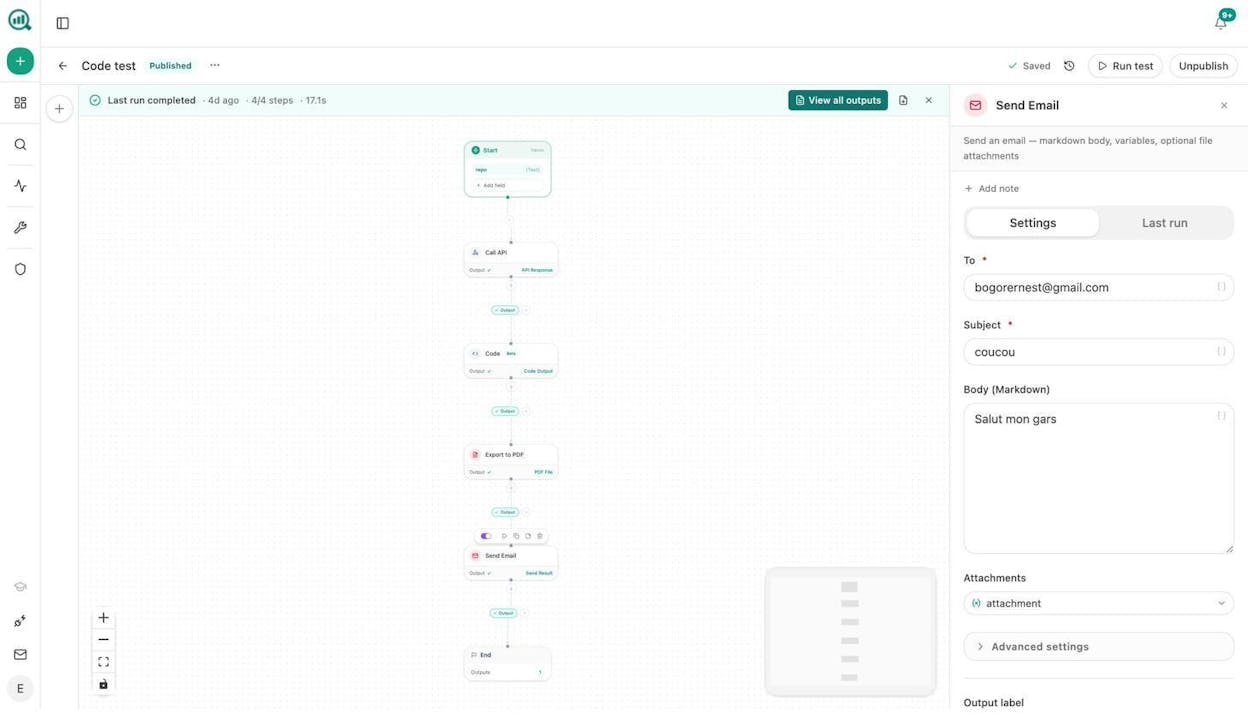
You wire those nodes into agents that run three ways.
-
Manual. Click to run an on-demand specialist (research a target, draft a brief, audit a page).
-
Schedule. A cron expression turns the agent into a virtual employee. The “Monday board prep” agent assembles share-of-voice, GA4 AI traffic, GSC top movers, and HubSpot deals into a DOCX and emails leadership before you wake up.
-
Webhook. An event triggers the agent. A press hit triggers a response brief. A deal closes and triggers a case-study draft. A form fill triggers an enriched lead.
Real teams build agents like these.
|
Agent |
What it replaces |
|---|---|
|
Editorial calendar autopilot |
A weekly planning meeting plus 3 hours of brief writing |
|
Brief-to-publish pipeline with AEO gate |
Manual handoffs across writer, editor, optimizer, and CMS |
|
Daily visibility regression alert |
A 30-minute morning dashboard check that nobody actually does |
|
Crisis early-warning |
An hours-late “did anyone see this?” Slack message |
|
Monday client briefing pack (per account) |
A whole agency reporting day |
|
Inbound-form to enriched lead |
A 20-minute manual research task per inbound |
|
Internal-linking maintenance across the sitemap |
A quarterly “we’ll get to it” project |
Conductor gives you Conductor’s workflows. Analyze AI gives you the workflows plus the ability to build any other workflow your team is currently doing in Zapier, n8n, or hand. That distinction is the difference between a tool and a substrate.
If you want to see the full picture of what’s possible, the 10 Ways to Use Analyze AI article walks through real-world configurations.
Conductor AI vs Analyze AI side by side
|
Capability |
Conductor AI |
Analyze AI |
|---|---|---|
|
AI search visibility tracking |
✅ ChatGPT, Perplexity, Gemini, Google AI Overviews |
✅ ChatGPT, Claude, Copilot, Gemini, Perplexity, Meta AI, DeepSeek |
|
AI traffic attribution to sessions and conversions |
⚠️ Limited via integrations |
✅ Native via GA4, by engine and landing page |
|
Prompt-level competitor benchmarking |
✅ |
✅ |
|
Citation analytics |
✅ |
✅ |
|
AI content writer |
✅ Conductor Creator |
✅ With four-step research → outline → draft pipeline |
|
Content optimizer with editorial-grade comments |
⚠️ Score-based feedback |
✅ Line-by-line senior-editor comments |
|
Technical SEO monitoring |
✅ 24/7 |
⚠️ Audit nodes via Agent Builder, not 24/7 yet |
|
Programmable agent builder |
❌ |
✅ 180+ nodes, 34 data recipes, 3 trigger modes |
|
Pricing transparency |
❌ Custom quote only |
✅ Public plans |
|
Time to first value |
4–8 weeks |
Operational in minutes |
|
Fits |
Enterprise SEO operations |
Mid-market through enterprise teams running modern AEO + content + automation |
Bottom line: which one should you pick?
If your company is genuinely enterprise (multiple domains, dedicated SEO and content teams, six-figure organic budget already approved), and you want an end-to-end suite with deep proprietary data and 24/7 technical monitoring, Conductor is a defensible choice. The Forrester rating is real. The customer list is real. The product depth is real.
If any of the following applies, Analyze AI is the better fit.
-
You want pricing you can see before a sales call.
-
You want a Content Writer and Optimizer that work the way an editor does, not the way a template does.
-
You want to extend the platform with your own workflows, not be limited to what the vendor shipped.
-
You want AI traffic, conversions, and revenue tied to engine and landing page out of the box.
-
You want to put a competent operations layer in place without standing up a Zapier and n8n stack on the side.
Most teams reading this article will be in the second group. If that’s you, start a project and have your first AI visibility baseline running in minutes, or book a walkthrough if you want to see the agent builder live.

Ernest

Ibrahim


