Best SEO Software for 2026: Overview & How to Choose
Written by
Ernest Bogore
CEO
Reviewed by
Ibrahim Litinine
Content Marketing Expert

In this blog post, we reviewed 8 of the best SEO software tools you should try in 2026. And if you want to go further and understand how LLMs talk about your brand or blog, we included a small bonus section that shows how to track and improve your visibility across AI search.
TL;DR
|
Tool |
Best for |
Core strength / focus |
Main limitations |
Approx. starting price* |
Standout use cases |
|
Ahrefs |
Backlink-led SEO and competitor research |
Huge backlink index, Site Explorer, strong keyword research |
Expensive; learning curve; lighter for local/PPC |
$129/mo (Lite) |
Link building, competitor link audits, keyword + content gap analysis |
|
SE Ranking |
Budget-friendly all-round SEO with daily ranks |
Daily rank tracking, audits, keywords, basic backlinks |
Smaller backlink index; less depth than Semrush/Ahrefs |
~$65/mo (Essential) |
Daily position tracking, simple audits, SMB and agency starter SEO stack |
|
Moz Pro |
Beginners and local-focused teams |
Beginner-friendly UI, DA metric, local SEO add-ons |
Shallower data; slower updates; weaker for large/enterprise |
~$99/mo (Standard) |
Learning SEO, local ranking tracking, basic audits and backlink checks |
|
Surfer SEO |
On-page and content optimization |
Real-time content editor, SERP-driven scoring, topical maps |
No deep backlinks or technical SEO; risk of “score chasing” |
Tiered by content credits |
Optimizing drafts, refreshing old posts, building topical clusters |
|
Semrush |
Full-stack SEO + PPC + competitive intel |
Huge keyword DB, strong competitor tools, audits, PPC modules |
Pricey; can feel overwhelming; plan limits push upgrades |
~$139.95/mo (Pro) |
Multi-channel SEO/PPC strategy, domain vs. domain comparisons, large-site tracking |
|
Majestic |
Deep backlink profiling and trust analysis |
Trust Flow / Citation Flow, Fresh & Historic link indexes |
Backlinks only; no on-page, rank tracking, or tech SEO |
Tiered by link data access |
Evaluating link quality, competitor link audits, prospect vetting for outreach |
|
Clearscope |
High-quality content optimization at scale |
Real-time content grades, NLP term suggestions, doc/WordPress add-ons |
No technical SEO or backlinks; premium pricing |
~$189/mo+ |
Building briefs, optimizing articles for SERP intent, keeping large content teams aligned |
|
MarketMuse |
Advanced content strategy and topic planning |
Topic + intent modeling, AI scoring, briefs, cluster planning |
No full SEO suite; built for strategy, not daily ops |
Higher, enterprise-leaning |
Long-term content roadmaps, cluster design, prioritizing pages by effort vs. upside |
|
Analyze |
AI SEO / GEO and answer-engine visibility |
Tracks AI engine referrals, prompts, citations, and revenue |
Focused on AI search; needs pairing with classic SEO tools |
$99 |
Measure ChatGPT/Perplexity/Claude/Copilot/Gemini traffic, prompts, sentiment, ROI |
Table of Contents
Ahrefs: best SEO software for backlink-led competitor research

Key Ahrefs standout features
-
Huge live and historic backlink index for deep link research
-
Site Explorer that reveals traffic, links, and top pages for any domain
-
Keywords Explorer with click metrics, parent topics, and long-tail ideas
-
Site Audit to detect and fix technical issues before rankings slip
-
Content Explorer for proven topics, link prospects, and content gaps
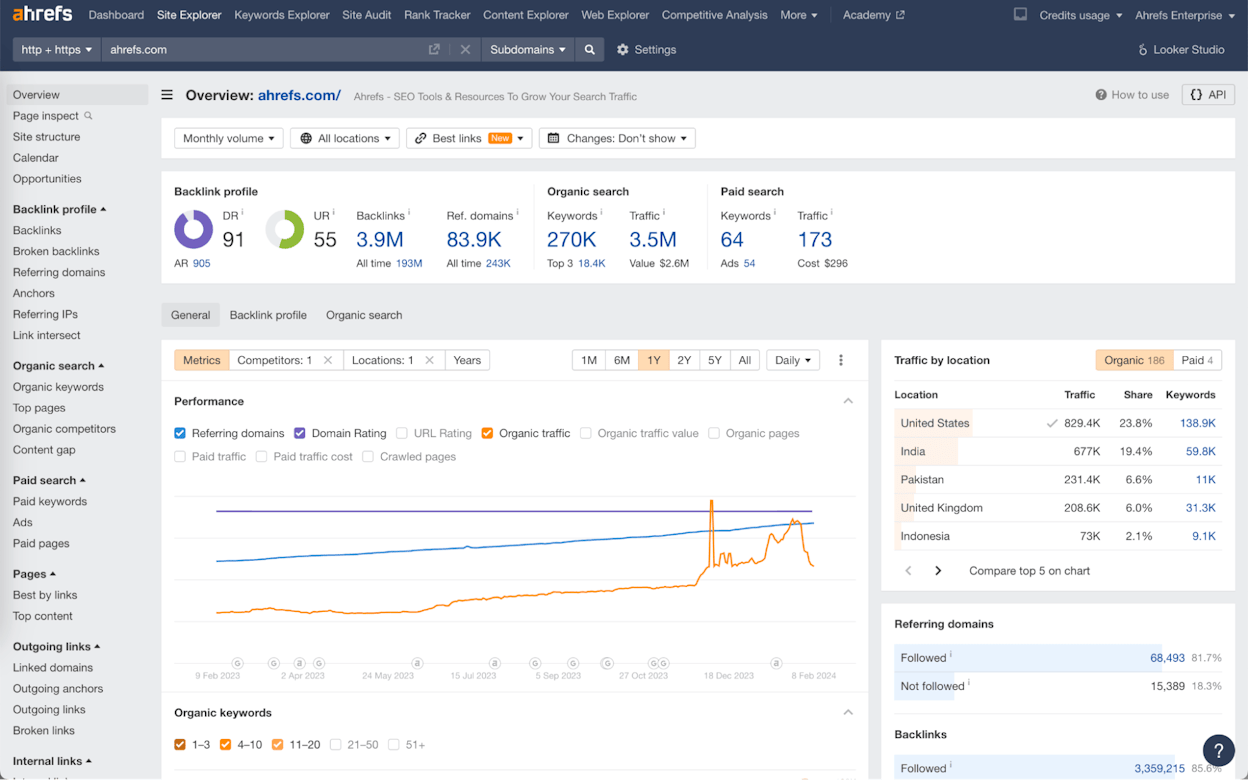
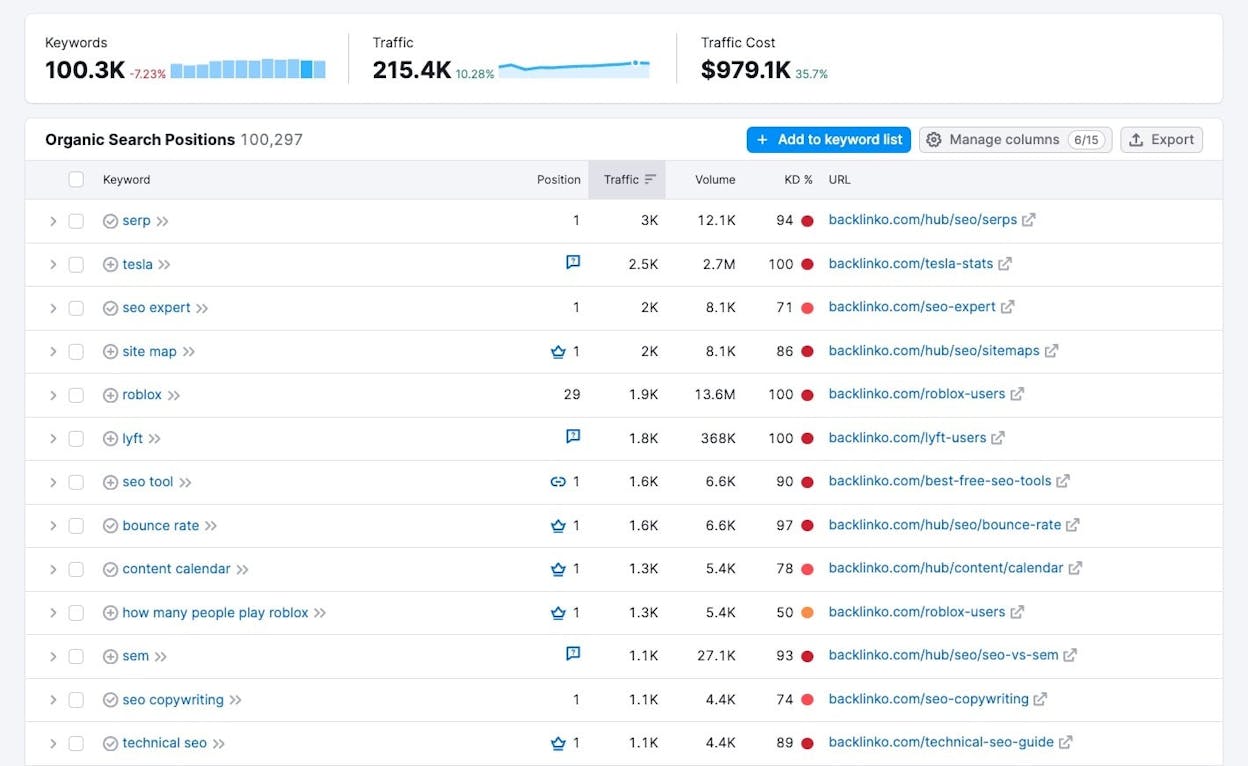
Ahrefs gives teams a clear and deep look at how links and content shape real rankings. It blends backlink data, keyword research, and competitor insights into one place, which makes it easy to see how top pages earn trust and why certain domains rise faster than others. This level of visibility helps teams choose actions that match search demand rather than guess what might work next.
That view of the market also improves day-to-day SEO work. You can run audits, track keywords, study rival pages, and map link opportunities with a system that always ties the numbers back to real URLs. Outreach planning, content updates, and competitive tracking become smoother because every move rests on clear data.
The power of that system comes with real costs. Pricing sits high compared with many SEO tools, and the credit model can create friction for small teams that want to scale slowly. Users often move to higher tiers sooner than expected when they start running more crawls, tracking more keywords, or adding more projects.

The learning curve is also something to plan for. New users often need time to understand how each report works, which views matter most, and how to avoid misreading link graphs or traffic estimates. Local-only teams or PPC-heavy teams may also feel that Ahrefs does not go deep enough into map packs or ad data, so they pair it with more specialized tools.
Ahrefs pricing plans
Ahrefs groups its plans by the level of data and scale you need. The Lite plan starts at $129/month and fits small sites that need basic keywords, audits, and link checks. The Standard plan costs $249/month and works for freelancers or small agencies that manage many pages and want deeper reports. The Advanced plan costs $449/month and suits in-house teams that run big crawls, track many keywords, and manage large sites with long ranking history.
|
Plan |
Best for |
Projects |
Tracked keywords |
Crawl credits (monthly) |
Why it matters for SEO |
|
Lite |
Solo marketers and small businesses |
5 |
750 |
100,000 |
Enough to track a few key sites in detail |
|
Standard |
Freelancers and small agencies |
20 |
2,000 |
500,000 |
Supports several clients and deeper audits |
|
Advanced |
In-house teams and growing agencies |
50 |
5,000 |
1,500,000 |
Ideal for large sites and active campaigns |
Best-fit use cases
-
Study competitor backlinks and copy proven link patterns
-
Plan digital PR and link-building campaigns in hard niches
-
Build keyword clusters and long-term content roadmaps
-
Run ongoing technical audits across many sites
Ahrefs delivers strong backlink and competitor insight that gives teams clear direction. It works best for groups that want depth and can handle the higher price.
SE Ranking: best SEO software for budget-friendly depth and daily rank accuracy

Key SE Ranking standout features
-
Daily rank tracking across global, national, and local levels
-
Competitor research tools that show traffic, keywords, and gaps
-
Site Audit that checks crawl issues, speed, mobile health, and structure
-
Backlink monitoring with new/lost links, anchors, link types, and domain metrics
-
Keyword databases across 188 countries with AI-powered insights
SE Ranking gives teams a wide set of SEO tools without the heavy price or complexity seen in larger platforms. It brings rank tracking, site audits, keywords, and backlinks into one clean system, which helps users stay on top of both technical and content issues. That mix of features works well when you need solid data but want a smoother learning curve and lower cost than enterprise tools.
This balanced approach helps with planning and reporting. You can watch how keywords move each day, see where competitors gain ground, and fix technical issues before they slow growth. The system also surfaces gaps in keywords and backlinks, so you know where to focus next. This leads to simple workflows that guide teams toward clear wins without drowning them in extra tools or complex dashboards.
Still, the platform leaves room to grow. Some users find that SE Ranking’s data depth does not match tools like Semrush or Ahrefs, especially for backlink research and large-scale content analysis. The backlink index is smaller, so deep link audits may feel thin for teams working in very competitive niches.

The interface can also feel busy for new users. Because most features sit in one dashboard, beginners can take time to learn where each view sits and which reports matter most. Teams with large sites or heavy research needs often pair SE Ranking with another specialized tool to fill those gaps.
SE Ranking pricing plans
SE Ranking keeps its pricing simple and clear. The Essential plan starts around $65/month and fits small teams that need daily ranks, keyword checks, and basic audits. The Pro plan sits near $119/month and works for agencies or teams that track many keywords across locations. The Business plan costs about $259/month and suits groups that manage several domains, large audits, and advanced reporting. A 14-day free trial helps you test the workflows before committing.
|
Plan |
Best for |
Keyword tracking scale |
Audit capacity |
Why it matters for SEO |
|
Essential |
Small sites and beginners |
Moderate daily tracking |
Standard |
Enough to guide growth with clear ranks and clean data |
|
Pro |
Freelancers and small agencies |
Larger keyword sets |
Expanded |
Supports deeper research across many locations |
|
Business |
Growing teams with many domains |
Very large keyword sets |
High |
Works well for multi-site audits and rich reporting |
Best-fit use cases
-
Track daily keyword shifts across countries and devices
-
Run audits to fix crawl issues, speed problems, and mobile gaps
-
Watch competitor moves in keywords, traffic, and backlinks
-
Build simple SEO workflows without heavy enterprise cost
SE Ranking offers strong daily tracking and solid all-round tools at a friendly price. It fits teams that want reliable data without the bulk or cost of larger SEO suites.
Moz Pro: best SEO software for beginners and local-focused teams

Key Moz Pro standout features
-
Keyword Explorer for simple keyword research and intent checks
-
Link Explorer for backlinks, anchors, and domain metrics like DA
-
Rank Tracker for steady weekly position tracking across locations
-
Site Crawl to find issues with speed, crawlability, and mobile setups
-
Local SEO add-ons that help small businesses improve map and listing visibility
Moz Pro gives teams a clean and simple way to learn and manage SEO without feeling lost. It blends keyword tools, rank tracking, link analysis, and audits in a layout that guides beginners through each step. The platform focuses on clarity over complexity, which helps users understand what to fix and why it matters. This makes it helpful for small marketing teams that want a tool that explains SEO rather than overwhelming them.
That ease of use extends to local SEO work. You can track local rankings, review listing health, and use the tool’s guidance to improve on-page and off-page signals. The local add-ons also make it easier for small businesses to manage their online presence when they do not have deep SEO experience. The educational material built into Moz supports steady learning, which helps new users get value faster.
There are still limits to consider. Data depth and update speed tend to be lighter than in tools like Semrush or Ahrefs, which becomes noticeable when you work in fast-moving or very competitive markets. The backlink index, keyword volume, and tracking speed may not satisfy advanced teams that depend on wide datasets.

Some users also note that Moz Pro struggles with advanced PPC insights, very large sites, or enterprise-grade SEO workflows. Reports load more slowly when datasets grow, and some teams often feel the need to add another tool for deeper technical or competitor insights. For local SEO and everyday site management, though, the platform remains easy to use and reliable.
Moz Pro pricing plans
Moz Pro keeps its pricing accessible for small teams. The Standard plan usually starts around $99/month, which gives users the core tools for keyword research, audits, and basic tracking. Higher plans provide more queries, more campaigns, and deeper limits for keyword and link data. A free trial is often available, helping beginners test the workflow before choosing a tier.
|
Plan |
Best for |
Keyword depth |
Tracking strength |
Why it matters for SEO |
|
Standard |
Small teams and beginners |
Basic to mid |
Weekly tracking |
Enough to learn SEO and manage early growth |
|
Medium/Plus |
Growing sites and small agencies |
Larger limits |
Wider tracking |
Supports more campaigns and bigger keyword sets |
|
Higher tiers |
Multi-site teams with bigger workloads |
High |
Stronger limits |
Helps with deeper audits and long-term expansion |
Best-fit use cases
-
Learn and manage SEO with simple tools and guided steps
-
Track rankings for small businesses or local service companies
-
Run basic audits to fix crawl, speed, and mobile issues
-
Review backlinks with clear metrics like Domain Authority
Moz Pro works well when you want an easy SEO tool that teaches as you grow. It fits small teams that value clarity over deep datasets.
Surfer SEO: best SEO software for on-page and content optimization

Key Surfer SEO standout features
-
Real-time content editor with a live SEO score and guided suggestions
-
SERP and topic analysis that compares your draft to top-ranking pages
-
Content Audit, Topical Map, and AI-assisted writing for updates and planning
-
NLP signals that highlight entities, structure, and semantic gaps
-
Fast loading reports and an interface that helps beginners stay on track
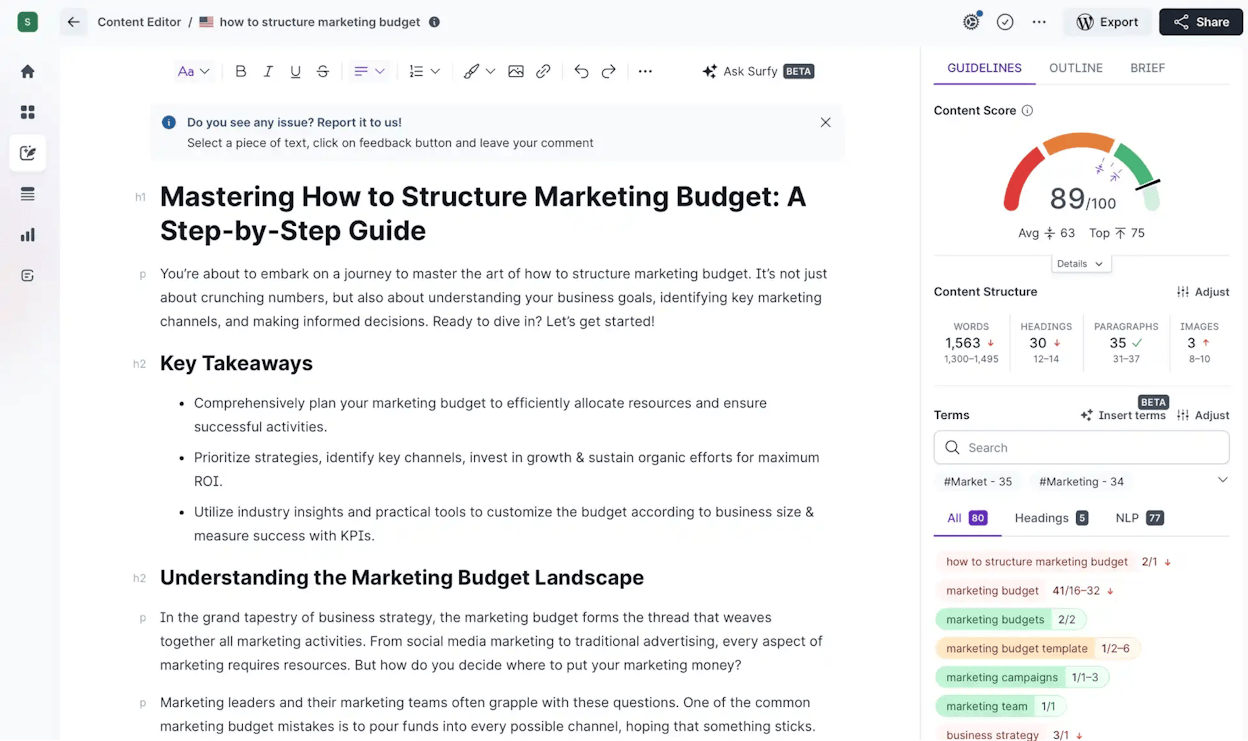
Surfer SEO gives writers and SEO teams a simple way to build content that follows what already works in search. It studies the top-ranking pages, pulls out the patterns, and turns them into clear steps inside the content editor. As you write, the score updates and the guidance shifts, which helps teams move faster and keep drafts aligned with search demand. This system reduces guesswork and supports writers who want direction without spending hours in raw SERP analysis.
That focus on real-time insights also supports larger content workflows. You can use audits to refresh old posts, build topical maps for clusters, and plan briefs that match search expectations across dozens of pages. The NLP-driven suggestions help teams catch semantic gaps that often slow ranking growth, which makes Surfer helpful for anyone scaling content output or improving existing pages.

There are areas where the tool needs support. Surfer does not include strong backlink research, deep keyword datasets, or full technical audits, so teams often pair it with other platforms to fill those gaps. Large campaigns that depend on domain authority signals or complex audits may outgrow Surfer quickly if it is their only SEO tool.
Another issue comes from the scoring system itself. Some users rely on the score too much, which can push drafts toward keyword stuffing or rigid formatting. This happens when teams chase numbers instead of focusing on clarity and reader value. Surfer can guide strong writing, but it still needs human judgment to avoid over-optimization.
Surfer SEO pricing insights
Surfer’s plans shift based on how many articles you want to optimize each month. Entry plans fit small teams that write a few posts per week and need strong guidance while drafting. Mid-tier options serve content teams that publish at scale or refresh older pages often. Higher tiers support agencies or large companies that need many audits, briefs, and AI-assisted updates.
|
Plan level |
Best for |
Content capacity |
Key workflow support |
Why it matters for SEO |
|
Starter tiers |
Solo writers and small teams |
Low to mid volume |
Real-time editor and content scoring |
Helps improve content quality without large budgets |
|
Mid tiers |
Growing content teams |
Higher volume |
Audits, topical maps, and structured briefs |
Supports planning and updating many pages each month |
|
Top tiers |
Agencies and large in-house teams |
Very high volume |
Scaled audits and many content credits |
Fits teams that manage dozens of clients or large sites |
Best-fit use cases
-
Write and optimize content with clear, real-time guidance
-
Update old posts with structured audits and fresh SERP insights
-
Build topic clusters with Topical Map and NLP-driven suggestions
-
Support content teams that want speed and consistency
Surfer SEO shines for content and on-page work that needs data-backed structure. It pairs well with other tools when teams want deeper backlinks or technical insights.
Semrush: best SEO software for full-stack visibility and deep competitive insight

Key Semrush standout features
-
Keyword Magic Tool with one of the largest keyword databases in the market
-
Domain Overview and Keyword Gap for fast, high-level competitive insights
-
Site Audit and Technical SEO reports for fixing crawl, speed, and structure issues
-
Position Tracking to monitor rankings across devices, locations, and intent groups
-
Traffic Analytics, PPC tools, and market intelligence modules for multi-channel teams
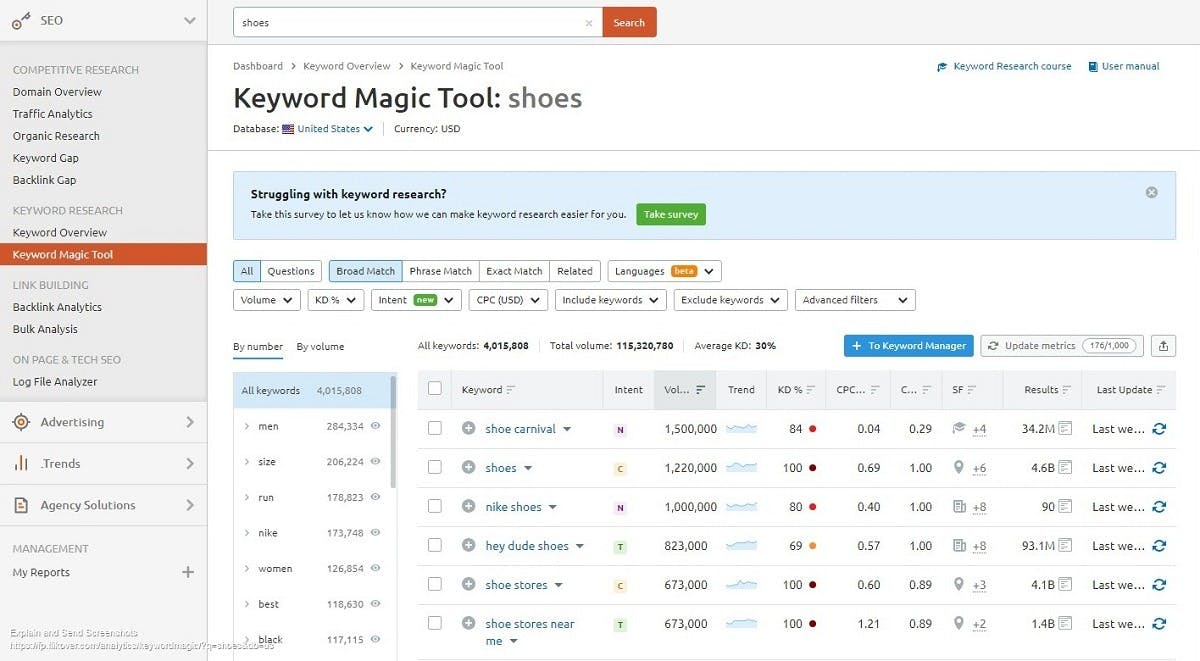
Semrush gives teams a complete view of how their site performs and how competitors gain ground across search and paid channels. It blends research, auditing, tracking, and competitive intelligence into one system that supports broad marketing work, not just SEO. This helps growing businesses and agencies follow every signal that shapes visibility, from keywords and backlinks to ads and traffic trends.
This wide coverage also improves strategic planning. You can map keyword clusters, compare domains, check content gaps, and audit technical issues without switching platforms. The PPC and content tools add another layer of clarity, letting teams understand how organic and paid search work together. These combined insights reduce blind spots and give teams the confidence to plan campaigns with real market data rather than guesswork.

There are factors worth weighing before adopting Semrush as your main platform. Pricing sits high for freelancers or small teams, and feature limits on lower plans can push users to upgrade earlier than expected. The platform also includes many modules, which may feel heavy during the first weeks of use. Teams that prefer simple workflows often need time to learn which paths inside the tool matter most.
Larger campaigns that rely on wide datasets will appreciate Semrush’s depth, but beginners sometimes find the volume of reports confusing. Because it tries to serve SEO, PPC, content, and competitive research at the same time, the interface can feel dense until you build habits around it. For some users, adding Semrush means accepting that there is a learning curve before the value becomes clear.
Semrush pricing plans
Semrush structures its plans around team size and data needs. The Pro plan starts at about $139.95/month and works for freelancers or small teams running core SEO tasks. The Guru and Business tiers expand data limits, add historical metrics, unlock white-label reporting, and support client management at scale. These higher tiers suit agencies or companies that want many projects, stronger insights, and deeper competitive coverage.
|
Plan |
Best for |
Data depth |
Tracking limits |
Why it matters for SEO |
|
Pro |
Freelancers and small teams |
Moderate |
Basic to mid |
Enough for keyword research, audits, and steady tracking |
|
Guru |
Small agencies and growing in-house teams |
High |
Larger limits |
Adds content tools, historical data, and wider visibility |
|
Business |
Large agencies and multi-site companies |
Very high |
Expanded scale |
Supports full competitive research and heavy client demands |
Best-fit use cases
-
Compare domains and uncover keyword or backlink gaps at scale
-
Track rankings across many devices, locations, or intent categories
-
Run technical audits to fix crawl, speed, and on-site issues
-
Build strategies that connect SEO, PPC, and market insights
Semrush offers broad coverage and deep competitive insight for teams that want one powerful system. It delivers the most value when used by groups that can grow into its full toolkit.
Majestic: best SEO software for deep backlink profiling and trust analysis

Key Majestic standout features
-
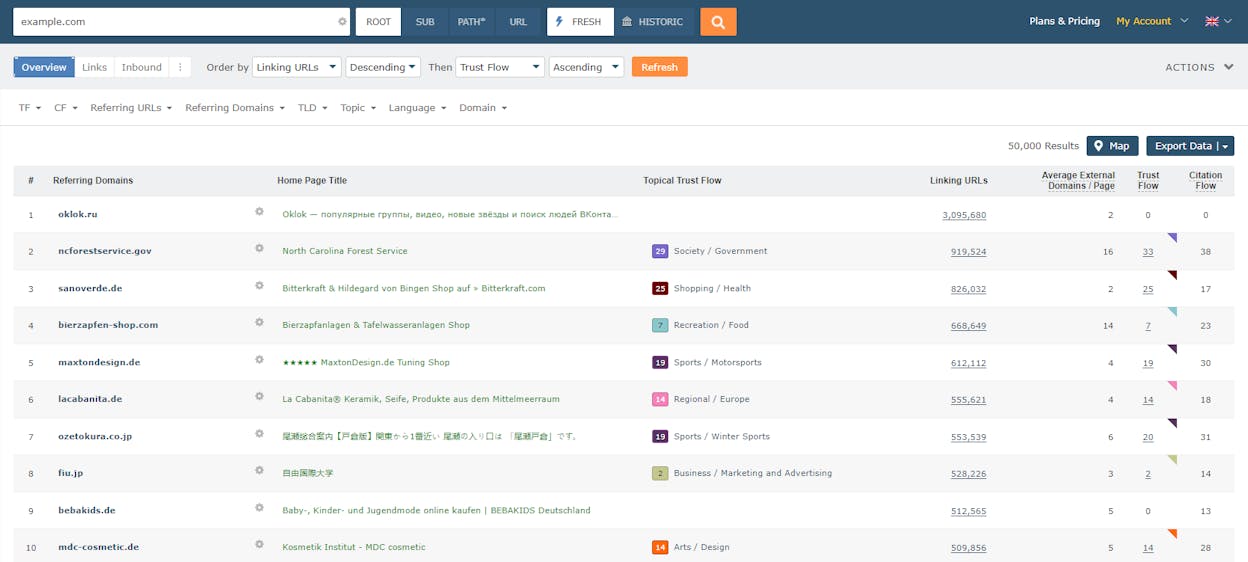
Trust Flow and Citation Flow metrics that score backlink quality and volume
-
Topical Trust Flow to show which subject areas link to a site
-
Historic and Fresh Indexes for long-term and real-time backlink analysis
-
Site Explorer for full link profiles, anchors, and referring domains
-
Comparator tools for checking backlink strength across multiple sites
Majestic focuses on backlinks with a level of depth that many full SEO suites cannot match. Its metrics help teams see not only how many links a site has but also how strong and trustworthy those links are. Trust Flow and Citation Flow make it easier to judge authority without sifting through raw link lists, which speeds up research for link-building campaigns and competitor reviews. These metrics also support quick decisions when evaluating new opportunities or vetting domains.
This focus becomes even more powerful with the platform’s index choices. You can switch between Fresh and Historic data to understand how a backlink profile evolves over time. This helps teams detect sudden link spikes, long-term patterns, or quality drops that may signal risk. The comparator tools extend this by letting you check many sites at once, giving a clearer picture of the competitive landscape around links and authority.

That specialization comes with limits. Majestic does not cover on-page SEO, rank tracking, keyword research, or technical audits, so it works best when paired with a broader platform. Teams that need full visibility across content, rankings, and site health often rely on another tool for daily SEO management. Majestic’s strength sits squarely in the backlink layer, which may feel narrow for users seeking an all-in-one system.
Some workflows also take extra setup time because Majestic focuses heavily on raw link data. Beginners may need practice interpreting Trust Flow, Citation Flow, and topic signals before using them for strategy. Link-only dashboards can feel overwhelming at first, especially for teams used to platforms that mix many types of data into simple summaries.
Majestic pricing insight
Majestic groups its plans by data access depth and index size. Lower tiers give access to core metrics and Site Explorer for everyday backlink checks. Higher tiers unlock larger volumes of analyzed URLs, advanced reports, richer index access, and API usage for agencies or developers. This makes pricing scale with the intensity of link research rather than general SEO needs.
|
Plan level |
Best for |
Link data access |
Reporting depth |
Why it matters for SEO |
|
Starter tiers |
Freelancers and small site owners |
Core metrics |
Basic |
Enough to judge link quality and run simple backlink checks |
|
Mid tiers |
Growing teams focused on link building |
Larger datasets |
Expanded |
Supports deep research for outreach and competitive audits |
|
Top tiers |
Agencies and technical teams |
Full index + API |
Advanced |
Fits high-volume research, auditing, and automation |
Best-fit use cases
-
Evaluate backlink quality with clear metrics (TF/CF)
-
Compare competitors’ authority, anchors, and link sources
-
Track long-term backlink trends with historic indexes
-
Vet link prospects during outreach or digital PR
Majestic is the strongest option when backlink depth and trust signals guide your strategy. It works best as the link intelligence layer in a broader SEO stack.
Clearscope: best SEO software for high-quality content optimization at scale

Key Clearscope standout features
-
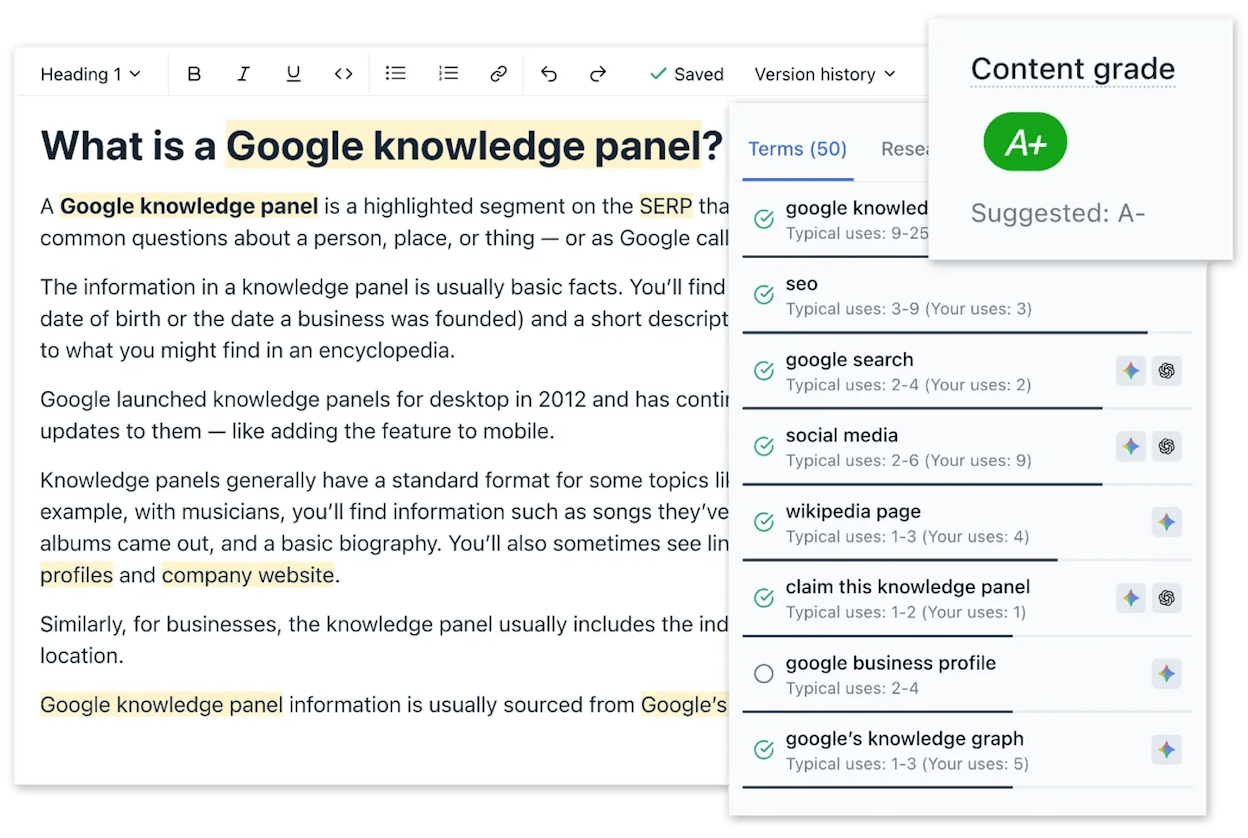
Real-time content grades that compare your draft to top-ranking pages
-
NLP-driven term suggestions and topic clustering for semantic depth
-
Google Docs and WordPress integrations for smooth writing workflows
-
Content briefs, readability checks, and optimization insights in one editor
-
Competitive content data to guide updates and refresh projects
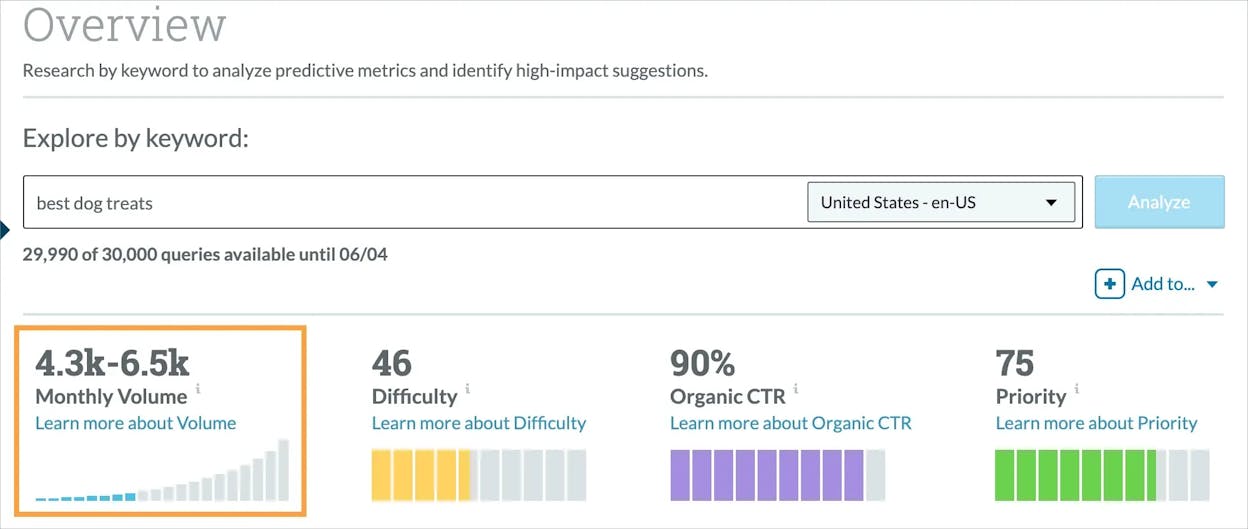
Clearscope helps teams build content that aligns with what search engines reward by turning SERP analysis into simple, real-time guidance. The platform studies top-ranking pages, extracts the common structures and topics, and uses that data to score your draft as you write. This gives writers a clear idea of how complete or competitive their content is without needing to inspect dozens of SERPs or spreadsheets. It also brings consistency across teams because each person follows the same signals when planning or revising content.
That structure becomes even more useful when plugged into daily writing tools. The integrations with Google Docs and WordPress allow writers to optimize content inside familiar environments. Teams can create briefs, review readability, and check keyword coverage without switching between apps. These smooth workflows make Clearscope effective for organizations that publish often and want to maintain strong quality across many writers.

There are trade-offs, especially for teams looking for a full SEO suite. Clearscope focuses on content and does not include link analysis, technical audits, or deep keyword databases. Users who need those layers often combine Clearscope with broader platforms or rely on external tools for backlink or technical insights. The premium pricing also presents a barrier for smaller teams, especially since higher usage requires more report credits.
Another drawback comes from dependence on optimization scores. Writers who take the grades too literally may focus on hitting numbers rather than creating clear and useful content. This can lead to rigid drafts or unnatural phrasing if teams do not balance the score with editorial judgment. Clearscope provides powerful guidance, but it still requires thoughtful writing choices to avoid over-optimizing.
Clearscope pricing insight
Clearscope places its pricing around the needs of content teams. Plans have historically started near $189/month, with higher tiers offering more report credits and collaboration features. This structure supports teams that produce frequent content and need many optimization reports each month. Pricing shifts may adjust entry costs depending on report volume and workflow demands.
|
Plan level |
Best for |
Report volume |
Workflow support |
Why it matters for SEO |
|
Starter tiers |
Solo writers and small teams |
Low to mid |
Editor + integrations |
Ideal for a few optimized articles per month |
|
Mid tiers |
Growing content programs |
Higher volume |
Briefs, audits, deeper data |
Enables consistent optimization across many drafts |
|
Top tiers |
Agencies and large editorial teams |
Very high |
Collaboration + advanced use |
Fits teams managing many clients or large content output |
Best-fit use cases
-
Optimize articles with real-time suggestions that match ranking pages
-
Build structured content briefs for teams or external writers
-
Refresh outdated content with clear semantic and competitive gaps
-
Use Google Docs or WordPress integrations to streamline writing workflows
Clearscope elevates content quality with precise, real-time guidance. It fits teams that publish often and want consistent, high-ranking content without managing heavy technical SEO.
MarketMuse: best SEO software for advanced content strategy and topic planning

Key MarketMuse standout features
-
Automated topic identification and keyword intent modeling for smarter planning
-
AI-driven content scoring that predicts how competitive a topic will be
-
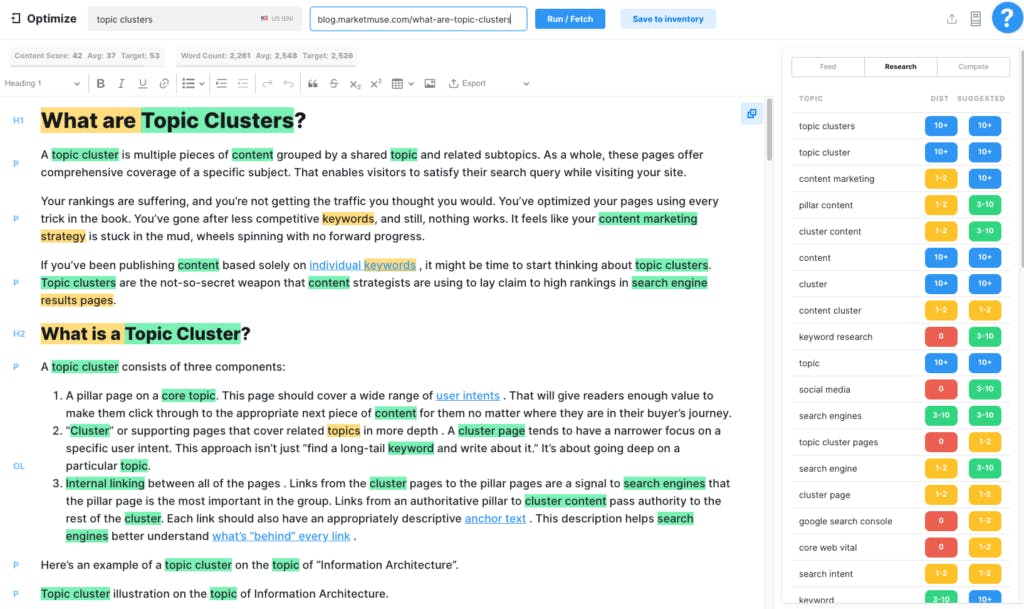
Content Briefs, Topic Clusters, and Gap Analysis to focus editorial work
-
Deep topic modeling that shows what top-ranking pages cover
-
Tools that support large-scale planning and prioritization for content teams
MarketMuse gives teams a structured way to plan and improve content by using AI to uncover the topics, angles, and depth needed to compete. It looks at the pages already ranking, identifies where your site stands, and maps the effort required to close the gap. This helps teams choose which topics deserve attention and how much work each page will need to rank. The system reduces guesswork by turning complex SERP signals into simple recommendations for creating or refreshing content.
These insights become even more valuable when managing large content libraries or multi-writer teams. Topic Clusters and Content Briefs bring order to long-term planning, helping editors keep many projects aligned with strategy. The platform supports prioritization by showing which ideas offer the best opportunity with the least effort. This makes MarketMuse well suited to organizations that want to scale their editorial program with a clear sense of direction.

There are limitations to consider. MarketMuse focuses on strategy, not the full SEO stack, so users must rely on other tools for technical audits, backlink research, or rank tracking. Teams looking for an all-in-one SEO solution may find the platform too narrow for daily visibility tasks. The system shines when guiding content decisions, but it does not replace tools built for site health or link intelligence.
Beginners may also find alternatives like RankIQ easier to start with, especially if they need light planning rather than deep strategy. MarketMuse fits teams that already understand SEO basics and want tools that elevate their planning to an advanced level. Its depth can overwhelm smaller teams that do not yet need a full strategic workflow.
MarketMuse pricing insight
MarketMuse’s pricing reflects its focus on enterprise-level planning. Plans start at higher price points than typical content tools because they include AI-driven audits, content scoring, and large topic datasets. Costs increase with report volume and collaboration needs, making it most economical for teams that publish at scale or manage large content inventories.
|
Plan level |
Best for |
Strategy depth |
Report credits |
Why it matters for SEO |
|
Starter tiers |
Small teams exploring strategic planning |
Moderate |
Limited |
Helps test AI-driven briefs and topic modeling |
|
Mid tiers |
Teams with active publishing schedules |
High |
Larger pool |
Supports cluster planning and ongoing optimization |
|
Top tiers |
Enterprises and large editorial operations |
Very high |
Many credits |
Fits teams handling complex content programs and large sites |
Best-fit use cases
-
Build long-term content strategies with topic and intent modeling
-
Create detailed Content Briefs for large writing teams
-
Prioritize pages with AI predictions of ranking difficulty
-
Map topic clusters for large or expanding content libraries
MarketMuse excels when strategy and planning drive your content program. It works best for teams that need deep topic intelligence rather than a full SEO suite.
Analyze: Not SEO software in the classic sense, but the answer-engine attribution layer modern SEO stacks miss

Analyze is not SEO software in the classic sense of the term. It will not replace your rank tracker, backlink index, or technical crawler, and it does not aim to. Analyze exists to cover what traditional SEO platforms still struggle to report clearly: how AI answer engines talk about your brand, what they cite, and whether that visibility drives sessions, conversions, and revenue.
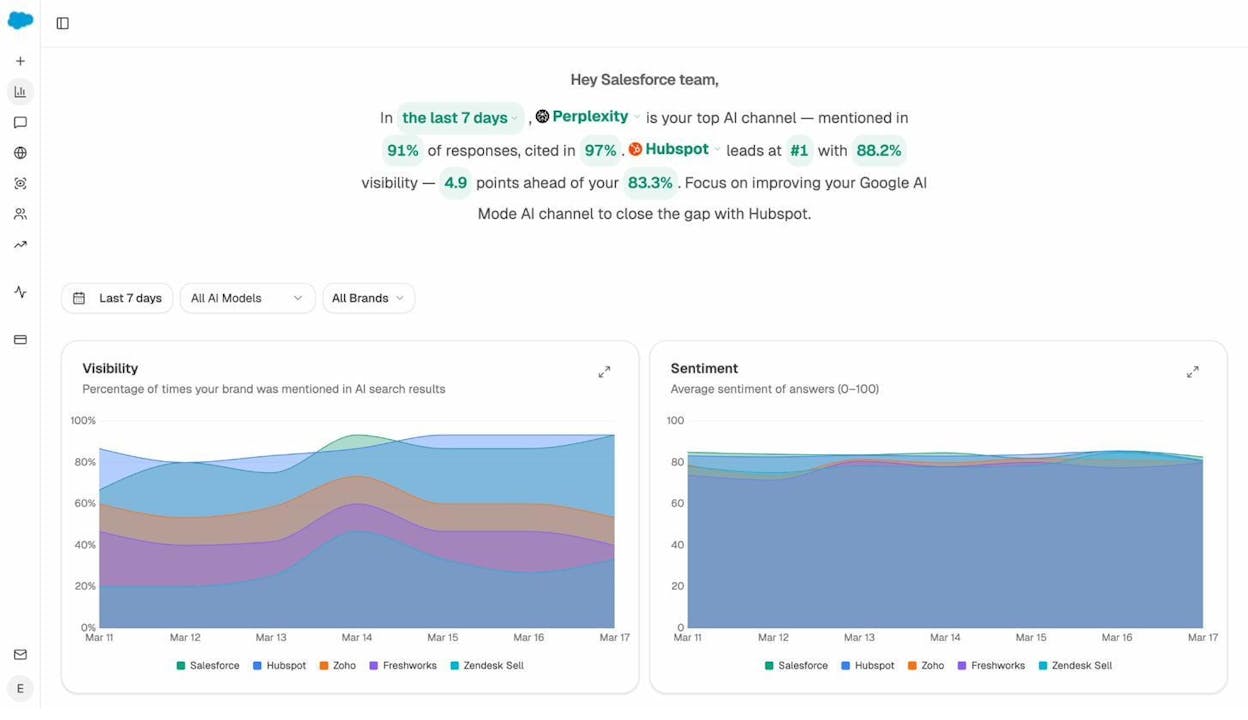
Most GEO tools tell you whether your brand appeared in a response, then stop at a visibility score and sometimes sentiment. That framing collapses the moment you need to make SEO decisions with financial accountability, because a mention in Perplexity does not behave like a citation in Claude, and neither behaves like a response in ChatGPT. The difference shows up in click-through behavior, landing pages, and conversion rates, yet visibility-only reporting treats it as the same event.
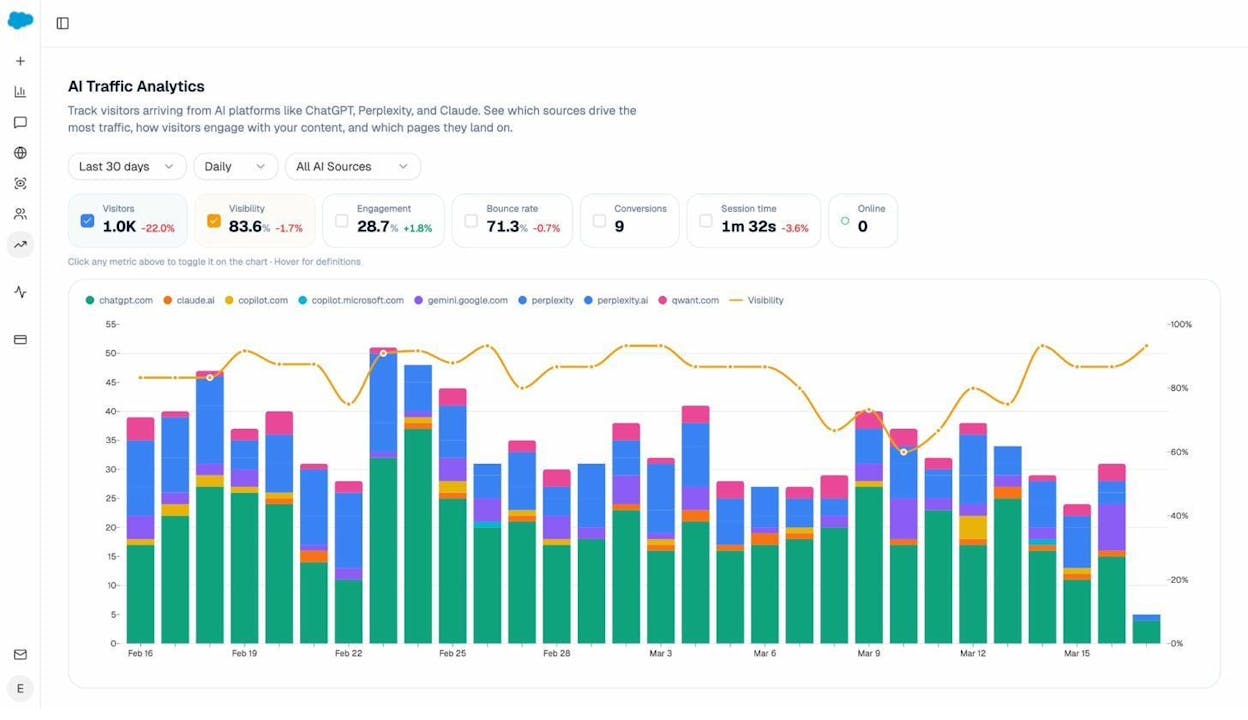
Analyze closes that reporting gap by connecting answer-engine visibility to outcomes. You can see which engines send traffic to your site (Discover), where that traffic lands, what actions visitors take, and how much revenue those sessions influence (Monitor). That makes AI search measurable as a channel, because you can evaluate prompt-level performance across ChatGPT, Perplexity, Claude, Copilot, and Gemini using the same lens you use for other acquisition work: conversion rate, assisted revenue, and ROI by referrer.
From there, you can move beyond observation. Analyze helps you improve the AI traffic you already earn (Improve) while tracking wider market movement so you understand whether positioning and sentiment are shifting over time (Govern).
The practical result is that AI search stops being a vague “visibility” conversation and becomes part of your 2026 SEO stack: you can prove which engines deserve investment, which prompts influence pipeline, and which mentions are noise that never turns into customers.
Key Analyze features
-
See actual AI referral traffic by engine and track trends that reveal where visibility grows and where it stalls.
-
See the pages that receive that traffic with the originating model, the landing path, and the conversions those visits drive.
-
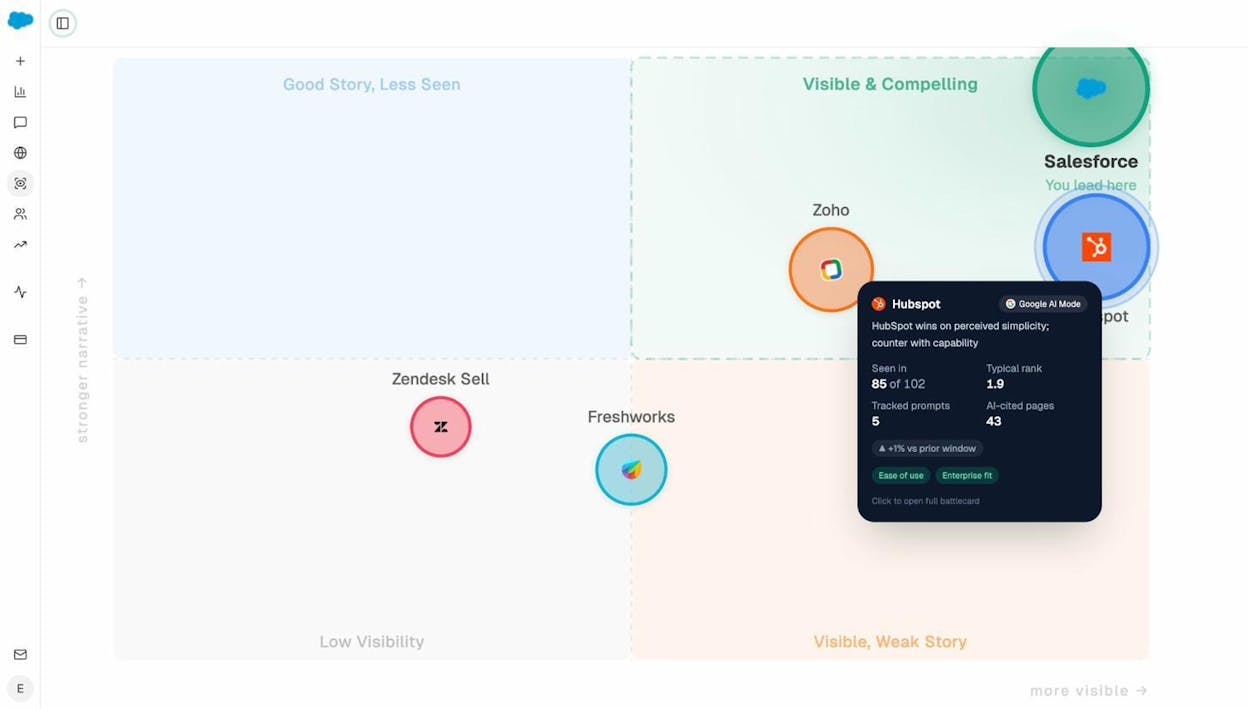
Track prompt-level visibility and sentiment across major LLMs to understand how models talk about your brand and competitors.
-
Audit model citations and sources to identify which domains shape answers and where your own coverage must improve.
-
Surface opportunities and competitive gaps that prioritize actions by potential impact, not vanity metrics.
Here are in more details how Analyze works:
See actual traffic from AI engines, not just mentions

Analyze attributes every session from answer engines to its specific source—Perplexity, Claude, ChatGPT, Copilot, or Gemini. You see session volume by engine, trends over six months, and what percentage of your total traffic comes from AI referrers. When ChatGPT sends 248 sessions but Perplexity sends 142, you know exactly where to focus optimization work.

Know which pages convert AI traffic and optimize where revenue moves

Most tools stop at "your brand was mentioned." Analyze shows you the complete journey from AI answer to landing page to conversion, so you optimize pages that drive revenue instead of chasing visibility that goes nowhere.
The platform shows which landing pages receive AI referrals, which engine sent each session, and what conversion events those visits trigger.
For instance, when your product comparison page gets 50 sessions from Perplexity and converts 12% to trials, while an old blog post gets 40 sessions from ChatGPT with zero conversions, you know exactly what to strengthen and what to deprioritize.
Track the exact prompts buyers use and see where you're winning or losing

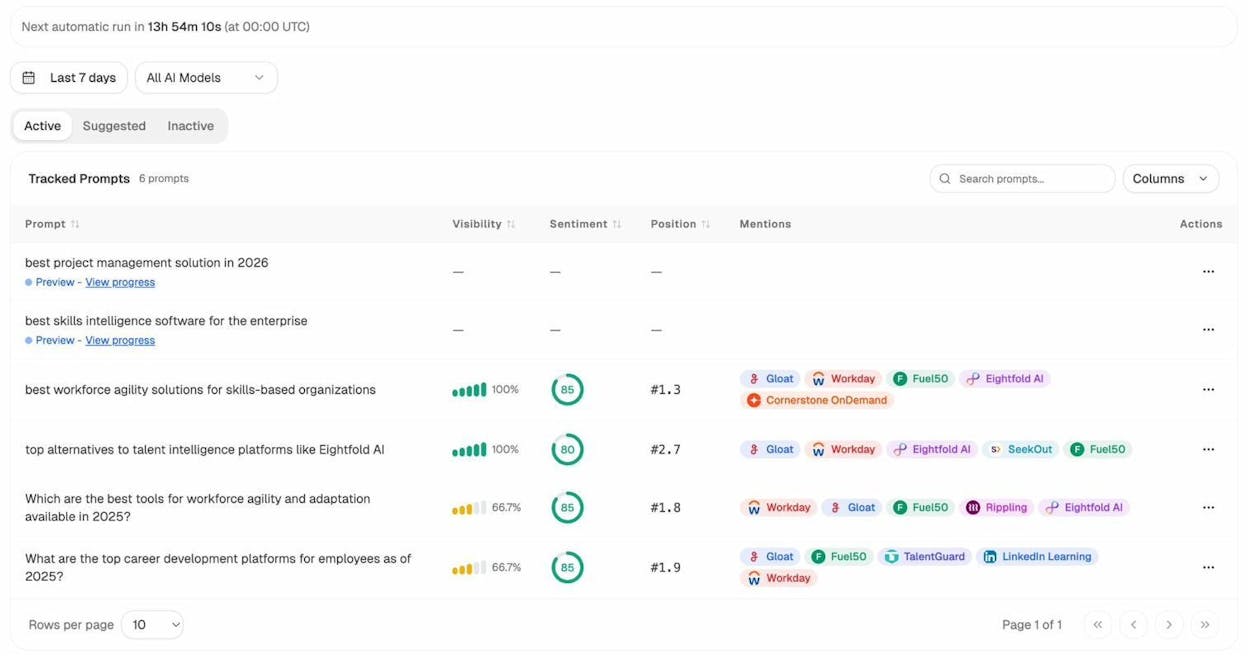
Analyze monitors specific prompts across all major LLMs—"best Salesforce alternatives for medium businesses," "top customer service software for mid-sized companies in 2025," "marketing automation tools for e-commerce sites."

For each prompt, you see your brand's visibility percentage, position relative to competitors, and sentiment score.
You can also see which competitors appear alongside you, how your position changes daily, and whether sentiment is improving or declining.

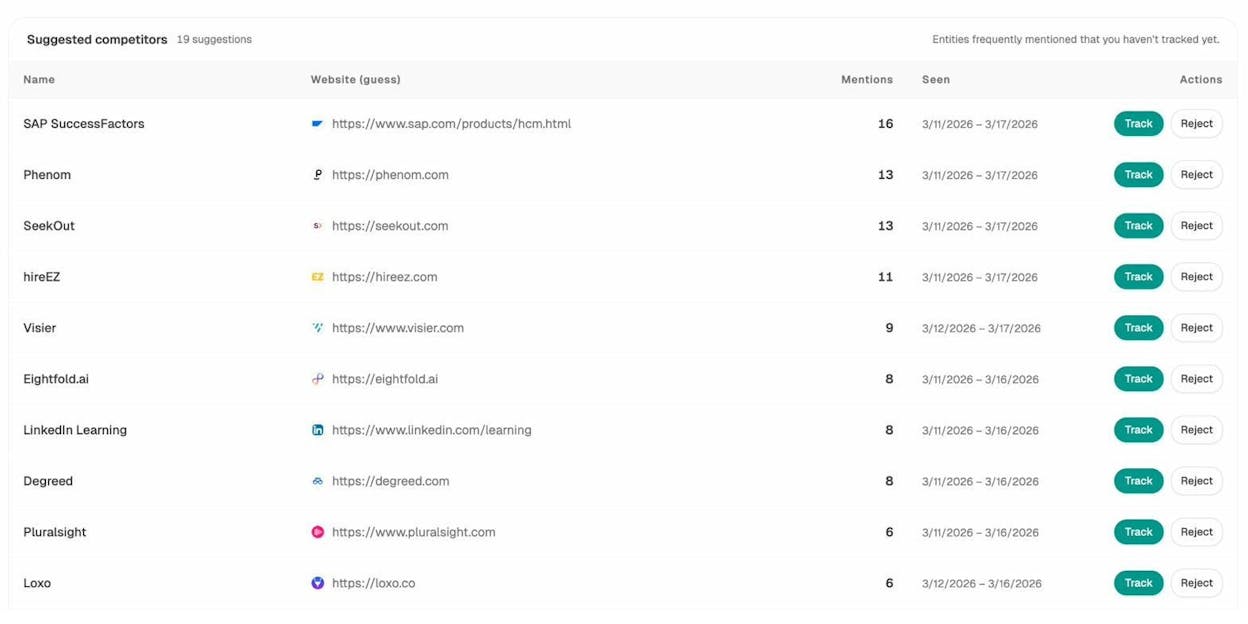
Don’t know which prompts to track? No worries. Analyze has a prompt suggestion feature that suggests the actual bottom of the funnel prompts you should keep your eyes on.
Audit which sources models trust and build authority where it matters

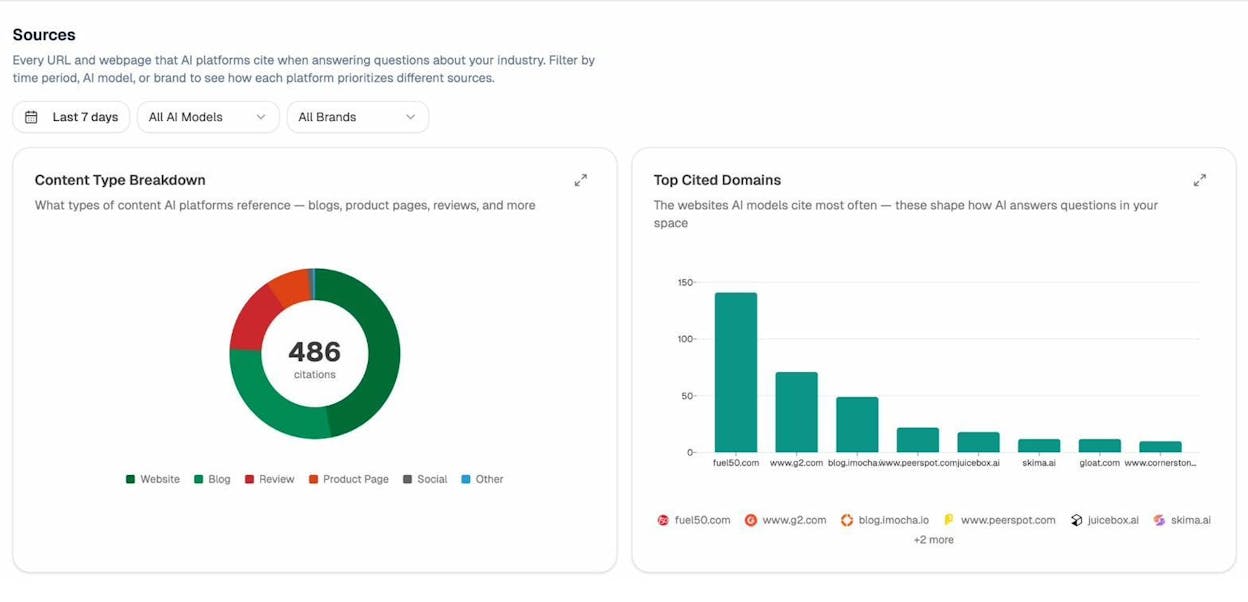
Analyze reveals exactly which domains and URLs models cite when answering questions in your category.
You can see, for instance, that Creatio gets mentioned because Salesforce.com's comparison pages rank consistently, or that IssueTrack appears because three specific review sites cite them repeatedly.

Analyze shows usage count per source, which models reference each domain, and when those citations first appeared.

Citation visibility matters because it shows you where to invest. Instead of generic link building, you target the specific sources that shape AI answers in your category. You strengthen relationships with domains that models already trust, create content that fills gaps in their coverage, and track whether your citation frequency increases after each initiative.
Prioritize opportunities and close competitive gaps

Analyze surfaces opportunities based on omissions, weak coverage, rising prompts, and unfavorable sentiment, then pairs each with recommended actions that reflect likely impact and required effort.
For instance, you can run a weekly triage that selects a small set of moves—reinforce a page that nearly wins an important prompt, publish a focused explainer to address a negative narrative, or execute a targeted citation plan for a stubborn head term.
Tie AI visibility toqualified demand.
Measure the prompts and engines that drive real traffic, conversions, and revenue.
Similar Content You Might Want To Read
Discover more insights and perspectives on related topics

The 9 Best Backlink Building Tools in 2026

Profound vs Otterly: Which AI Search Visibility Tool Gives You the Edge in 2026?

5 Best AI Sentiment Analysis Tools For AI Search Monitoring

Conductor AI Review: Is This Enterprise SEO Platform Worth the Investment in 2026

The 8 Best AirOps alternatives for AI search visibility in 2026