



Summarize this blog post with:


Dify is a solid open-source platform for building LLM applications. It has a visual workflow builder, built-in RAG pipelines, and support for multiple AI models.
But if your primary use case is content and marketing operations, Dify has some clear gaps. It was designed for developers building AI apps, not for marketing teams running editorial calendars, content refreshes, keyword research, or AI search visibility campaigns. The learning curve is steep. The content-specific tooling is thin. And scaling repeatable marketing workflows requires a lot of custom configuration.
In this article, you will learn which platforms actually handle content and marketing workflows better than Dify, what to look for when evaluating each one, and how to pick the right tool for your team’s size, technical skill, and content production goals.
Table of Contents
What to look for in a Dify alternative for content workflows
Before comparing tools, get clear on what actually matters for content and marketing teams. Here is what to evaluate.
Content creation and optimization tooling. Does the platform have purpose-built features for writing, optimizing, and publishing content? Or are you stitching together generic LLM prompts and hoping for the best?
SEO and AI search integration. Can the tool connect to Google Search Console, GA4, Semrush, or DataForSEO? Can it track how your content performs in AI search engines like ChatGPT, Perplexity, and Gemini? This matters because AI search is now an additional organic channel alongside traditional SEO.
Workflow automation depth. How much of your content pipeline can you automate? Look for scheduled triggers, webhook-based execution, looping over datasets, conditional logic, and CMS publishing nodes.
LLM flexibility. Can you swap between GPT-4o, Claude, Gemini, and Perplexity without rebuilding your workflows?
Integration breadth. Does the tool connect to your CMS (WordPress, Sanity, Contentful), your CRM (HubSpot), your project management tool (Notion), and your email platform (Mailchimp)?
Ease of use. Can your content team actually use it, or does every workflow require an engineer?
Pricing transparency. Dify’s cloud plans start at $59/month for Professional (5,000 messages) and $159/month for Team (10,000 messages), plus separate LLM API costs on top. That dual-cost structure adds up quickly. Look for platforms with simpler pricing.
Not every tool here checks every box. But these criteria will help you avoid picking a general-purpose automation tool when you need a content operations platform.
7 best Dify alternatives for content and marketing workflows
-
Analyze AI
-
n8n
-
Make
-
Zapier
-
LangChain
-
Flowise
-
StackAI
1. Analyze AI
-
Best for: Content teams, SEO managers, and agencies who need content production, optimization, and AI search visibility in one platform
-
Pricing: Growth at $99/month, Pro at $250/month, Custom for enterprise. Free trial available.
Analyze AI is an agentic platform for SEO, AEO, content, and GTM operations. Where Dify gives you a blank canvas to build LLM applications, Analyze AI gives you the canvas plus the data, the content tools, and the marketing-specific nodes already wired in.
The platform has three layers that work together.
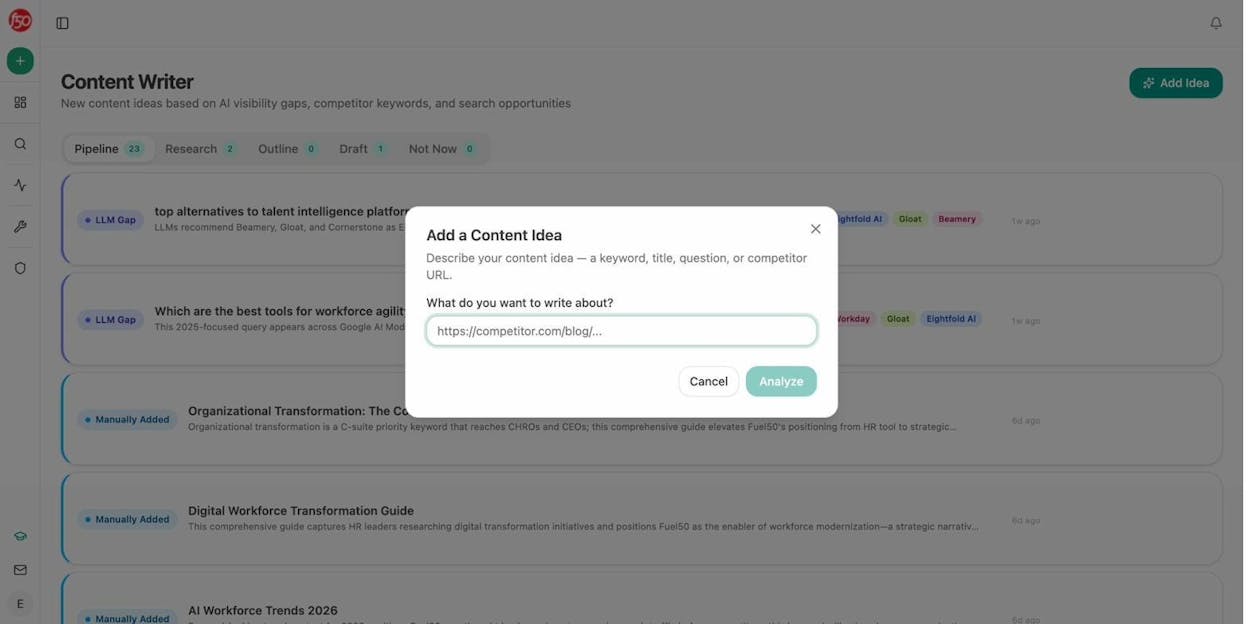
First, the content creation and optimization tools. The Content Writer takes you from idea to research to outline to draft in a structured pipeline. It is not a generic prompt wrapper. Each step builds on the previous one, injecting competitor data, AI visibility gaps, and editorial comments along the way.
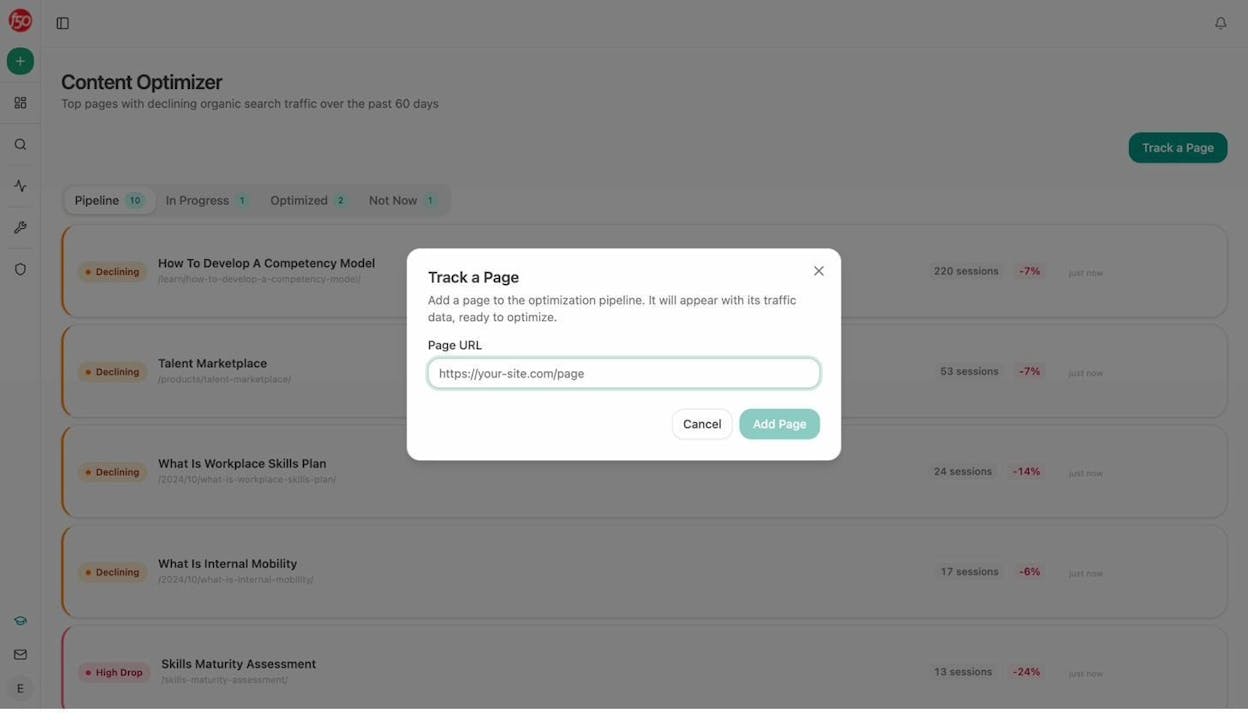
The Content Optimizer works in the opposite direction. You give it a URL with declining traffic, and it audits the page, identifies content gaps, and produces a rewritten version with your brand voice applied. For teams managing hundreds of pages, this is how you stop losing rankings without manually reviewing every post.
Second, the AI search visibility layer. Analyze AI tracks how your brand appears across ChatGPT, Perplexity, Gemini, Copilot, and other AI engines. You see your visibility score, citation analytics, competitor rankings, and AI traffic analytics connected to your GA4 data. This means you can trace an AI-referred visit from the prompt that triggered it all the way to a conversion event.
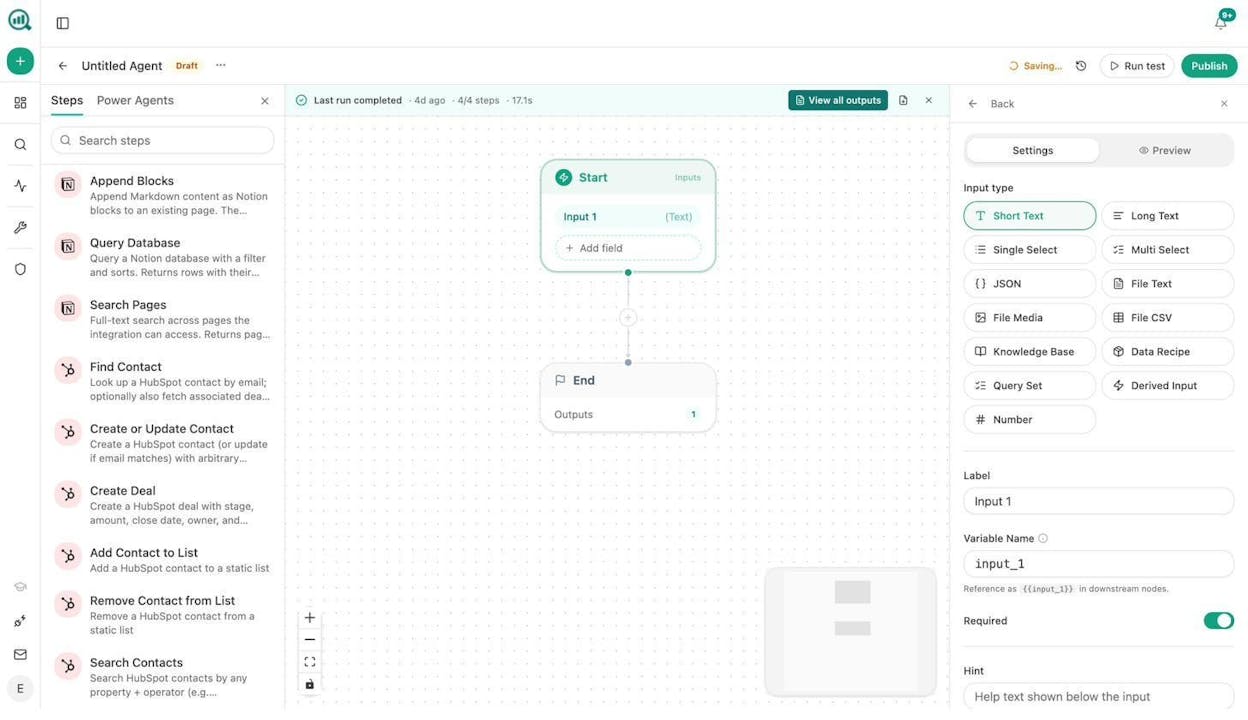
Third, the Agent Builder. This is where Analyze AI pulls away from everything else on this list.
The Agent Builder is a programmable substrate with 180+ nodes, 34 pre-built data recipes, 13 input primitives, and 3 trigger modes (manual, scheduled, webhook). It connects to GA4, Google Search Console, Semrush, DataForSEO, HubSpot, Notion, WordPress, Sanity, Contentful, Mailchimp, and every major LLM.
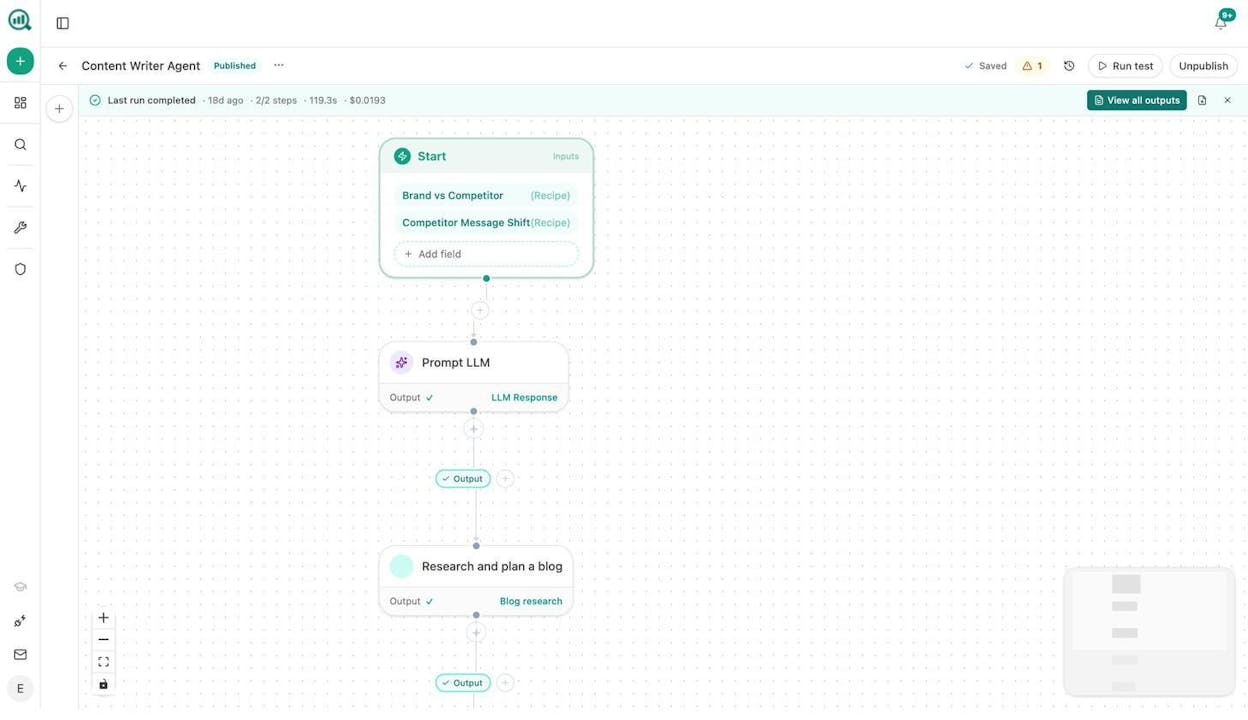
Here is what that means in practice for content and marketing teams.
Content writing at scale. Build an agent that runs on a schedule. Every Sunday night, it pulls uncovered prompts from your AI visibility data, generates keyword research, creates content briefs, and pushes them into Notion as individual cards. Your editorial calendar fills itself.
Content refresh at scale. Set up a weekly agent. It checks GA4 for declining pages, scrapes the current content, rewrites it with brand voice injected, scores it against an AEO scorecard, and publishes the update to WordPress if it passes the quality gate. If it does not pass, it sends the gaps to Slack. Pages stop quietly losing rankings.
Keyword research at scale. Use the DataForSEO and Semrush nodes to pull keyword opportunities, search volumes, and difficulty scores. Loop over a seed list. Export the results to a CSV or push them straight to your project management tool.
Internal linking at scale. Build an agent that loops over your sitemap, pulls GSC top keywords for each page, and uses an LLM to suggest three internal links per page. Push the suggestions to Notion or auto-submit via the Call API node.
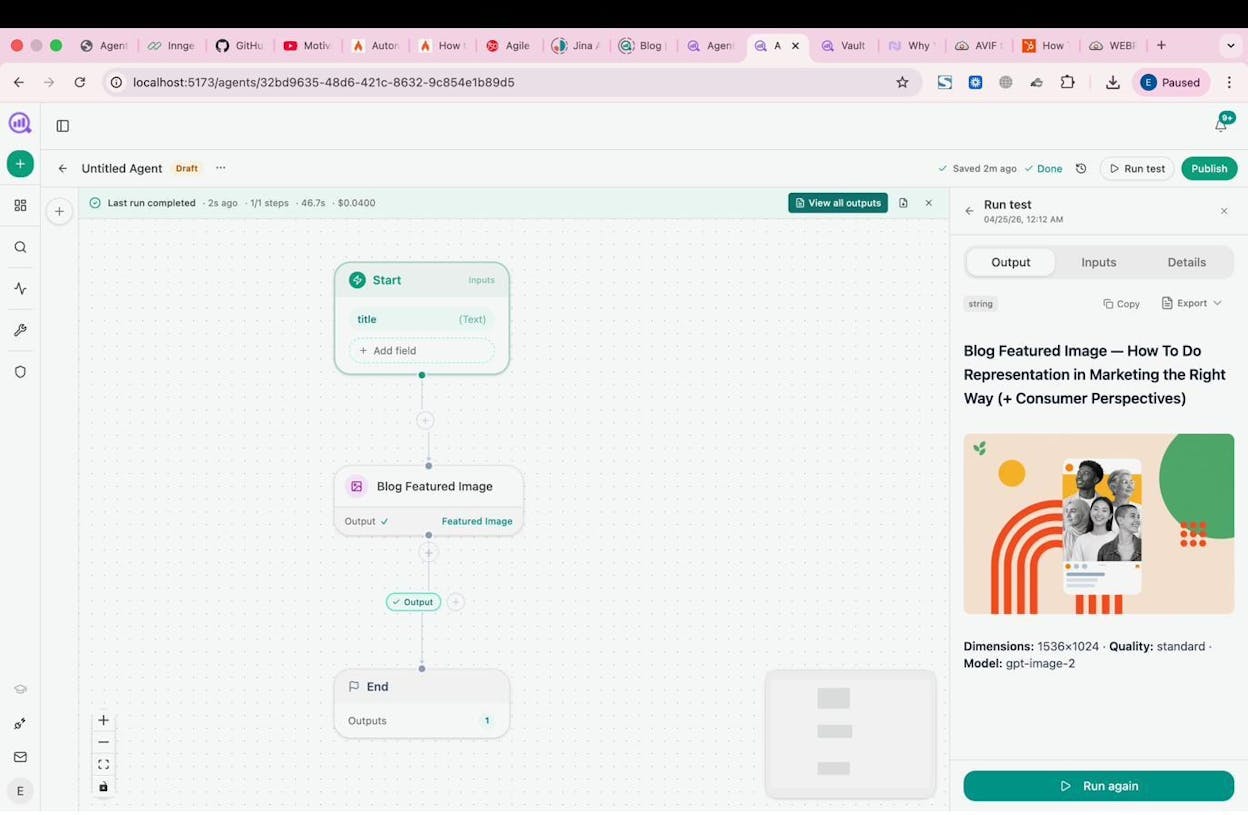
Image and infographic creation. The Agent Builder includes Blog Featured Image, Infographic Generator, Social Media Image, and Illustrate Any Text nodes. All of them are brand-kit-aware. You can generate images as part of a content pipeline, not as a separate tool.
Link outreach. Combine DataForSEO Brand Mentions with Tomba Author Finder and Hunter Email Verifier. The agent finds relevant articles, identifies the author’s email, drafts a personalized pitch using your brand vault, and sends it. Log the interaction to HubSpot.
And these are just starting points. With 180+ nodes and billions of possible configurations, you can compose any workflow your team needs from primitives, not from a curated template library.
On top of all of this, Analyze AI offers a suite of free SEO tools including a Keyword Generator, Keyword Difficulty Checker, SERP Checker, Website Traffic Checker, and a Broken Link Checker.
Why choose Analyze AI over Dify for content workflows:
-
Purpose-built Content Writer and Content Optimizer replace the “string together generic prompts” approach.
-
The Agent Builder has 180+ nodes across 16 categories, including SEO research, B2B enrichment, CRM, CMS, and image generation. Dify does not have marketing-specific nodes.
-
AI search visibility tracking is native. You get prompt tracking, perception maps, AI battlecards, and sentiment monitoring without any additional integrations.
-
Scheduled and webhook triggers turn agents into always-on operators. A content refresh agent runs every Monday. A PR crisis agent fires when a negative mention is detected. You stop relying on people remembering to do things.
-
Pricing is simpler. $99/month for Growth, $250/month for Pro, both with free trials. No separate LLM API billing to manage.
Analyze AI pricing:
|
Plan |
Price |
AI Engines |
Tracked Prompts/Day |
Content Writer |
Content Optimizer |
|---|---|---|---|---|---|
|
Growth |
$99/mo |
3 |
25 |
1 workflow |
1 workflow |
|
Pro |
$250/mo |
4 |
35 |
10 workflows |
5 workflows |
|
Custom |
Custom |
All |
Custom |
Unlimited |
Unlimited |
All plans include unlimited seats, unlimited competitor tracking, and a free trial. See full pricing details.
2. n8n
-
Best for: Technical teams who want a self-hosted, open-source automation platform they can layer AI on top of
-
Pricing: Free (self-hosted), cloud plans from $24/month
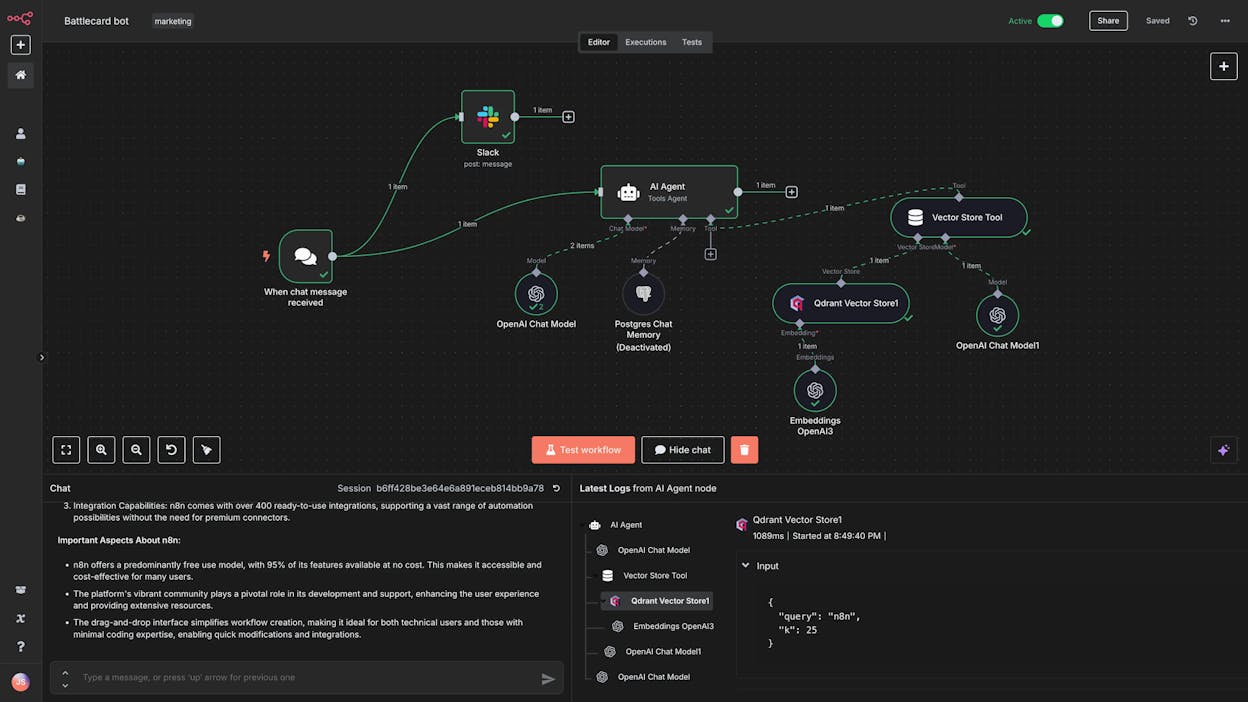
n8n is a low-code workflow automation platform. It is general-purpose, not content-specific. But it has a visual drag-and-drop builder, a large integration library, and a massive community template marketplace.
For content teams, n8n works best as a glue layer. You can connect your CMS, your email tool, and your analytics platform into automated sequences. Add an OpenAI node and you have AI-assisted content workflows.
The trade-off is that you are building everything from scratch. There are no pre-built content writing pipelines, no SEO research nodes, and no AI visibility data. You bring the data, configure the prompts, and manage the quality control. If your team has engineering support, that is fine. If not, the setup time is significant.
n8n also lacks native AI search tracking. If you want to know how your content performs in ChatGPT or Perplexity, you need a separate tool.
n8n pricing: Free community edition (self-hosted), Starter at $24/month (2,500 executions), Pro at $60/month, Business at $960/month. See full pricing.
Ratings: G2: 4.8/5 (225+ reviews), Capterra: 4.6/5 (41+ reviews).
3. Make
-
Best for: Non-technical marketing teams who need affordable workflow automation with a clean interface
-
Pricing: Free plan (1,000 credits/month), paid from $10.59/month
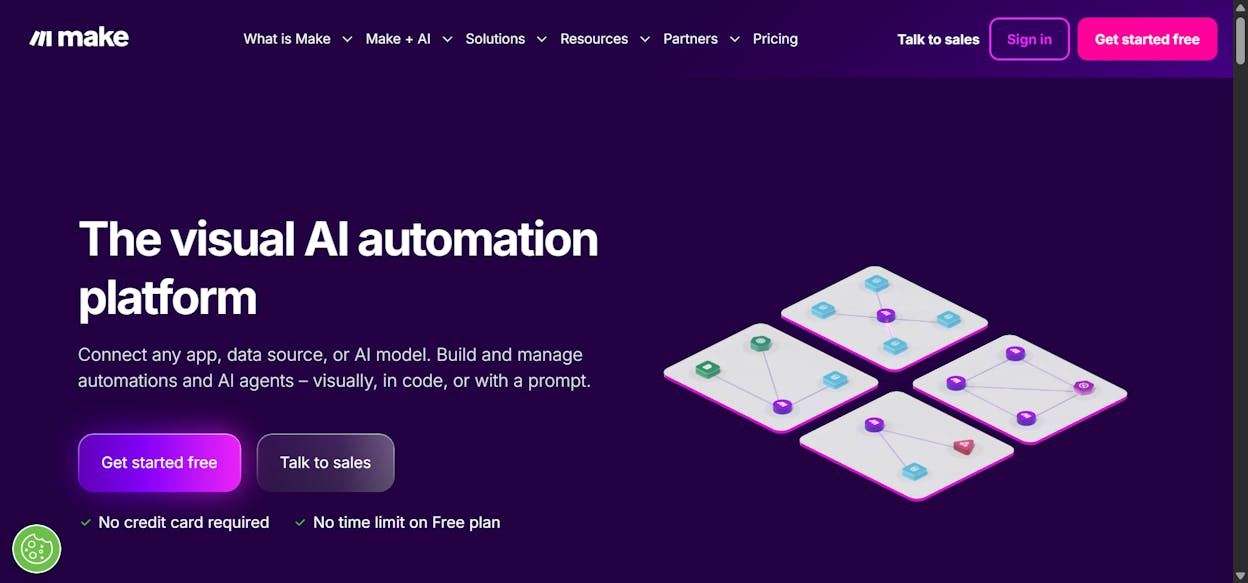
Make (formerly Integromat) connects over 3,000 apps through a visual builder. It is accessible to non-technical users and has native AI modules for classification, summarization, and content generation using OpenAI.
For content workflows, Make works well for the connective tissue. Trigger a workflow when a Google Sheet row is added, generate a draft using an LLM module, and push it to WordPress. The scheduling and conditional logic features are solid.
Where Make falls short for content teams is depth. The AI modules are basic. There is no built-in content scoring, no SEO research integration, and no content optimization pipeline. You also cannot track AI search visibility. Make is a good automation backbone, but it is not a content operations platform.
Make pricing: Free ($0, 1,000 credits), Core at $10.59/month (10k credits), Pro at $18.82/month, Teams at $34.12/month. See full pricing.
Ratings: G2: 4.6/5 (273+ reviews), Capterra: 4.8/5 (406+ reviews).
4. Zapier
-
Best for: Non-technical teams who want the largest app library and simple linear automations
-
Pricing: Free (100 tasks/month), paid from $29.99/month
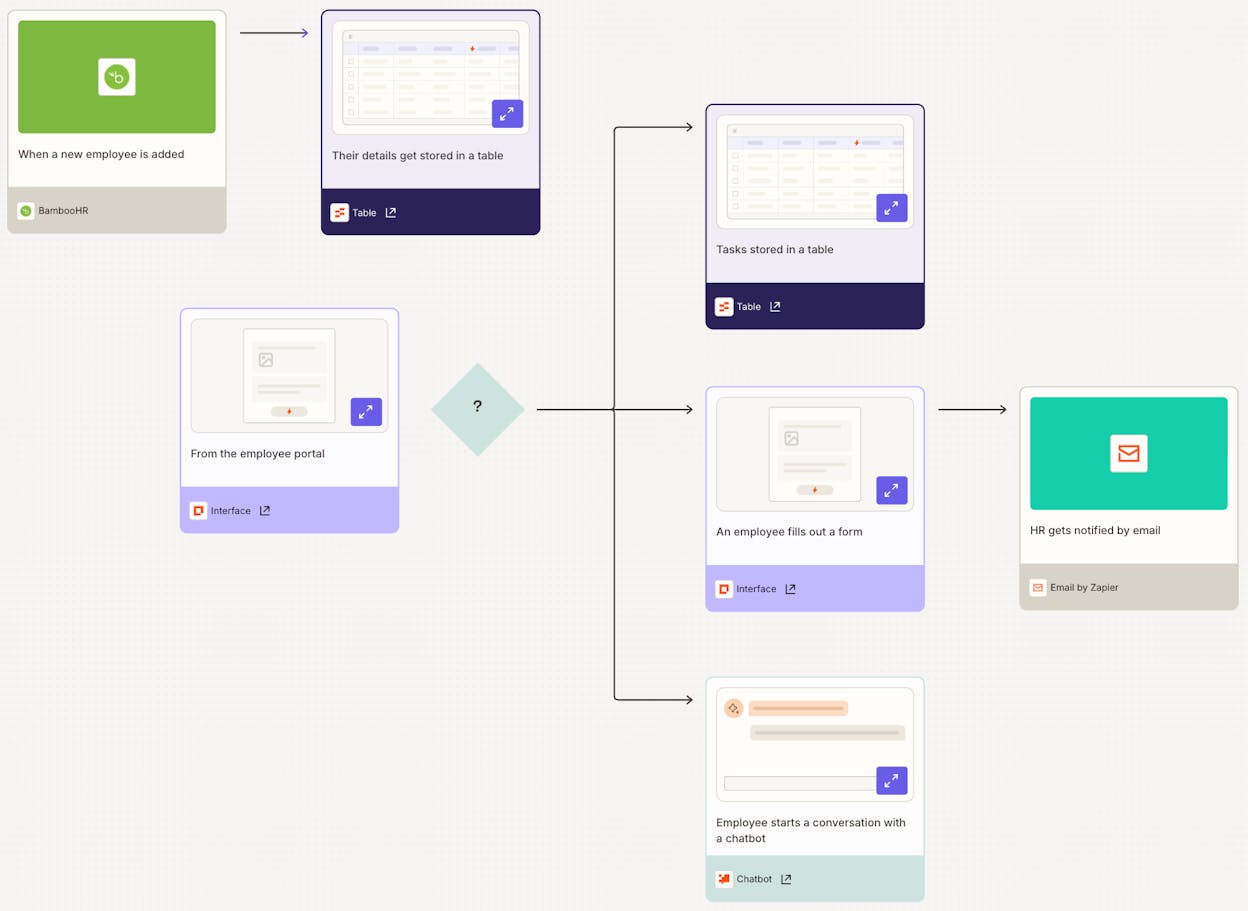
Zapier has the largest integration catalog in this space and the lowest learning curve. If your content workflow is mostly about moving data between tools you already use, Zapier handles that well.
Recent updates added AI fields, Zapier MCP, and natural language automation builders. You can summarize content, classify inputs, and generate text within your Zaps. For simple, linear content workflows like lead routing, notification triggers, or basic data enrichment, Zapier is fast to set up.
But Zapier is not built for complex agentic logic. Multi-step content pipelines with quality gates, conditional branching, and looping over datasets will push against its limits. Task-based pricing also adds up when you chain many small actions together. And there is no SEO or AI search integration.
Zapier pricing: Free ($0, 100 tasks), Professional at $29.99/month, Team at $103.50/month (25 users). See full pricing.
Ratings: G2: 4.5/5 (1,821+ reviews), Capterra: 4.7/5 (3,039+ reviews).
5. LangChain
-
Best for: Engineering teams who want full programmatic control over AI agents
-
Pricing: Free (open-source), LangSmith from $39/seat/month
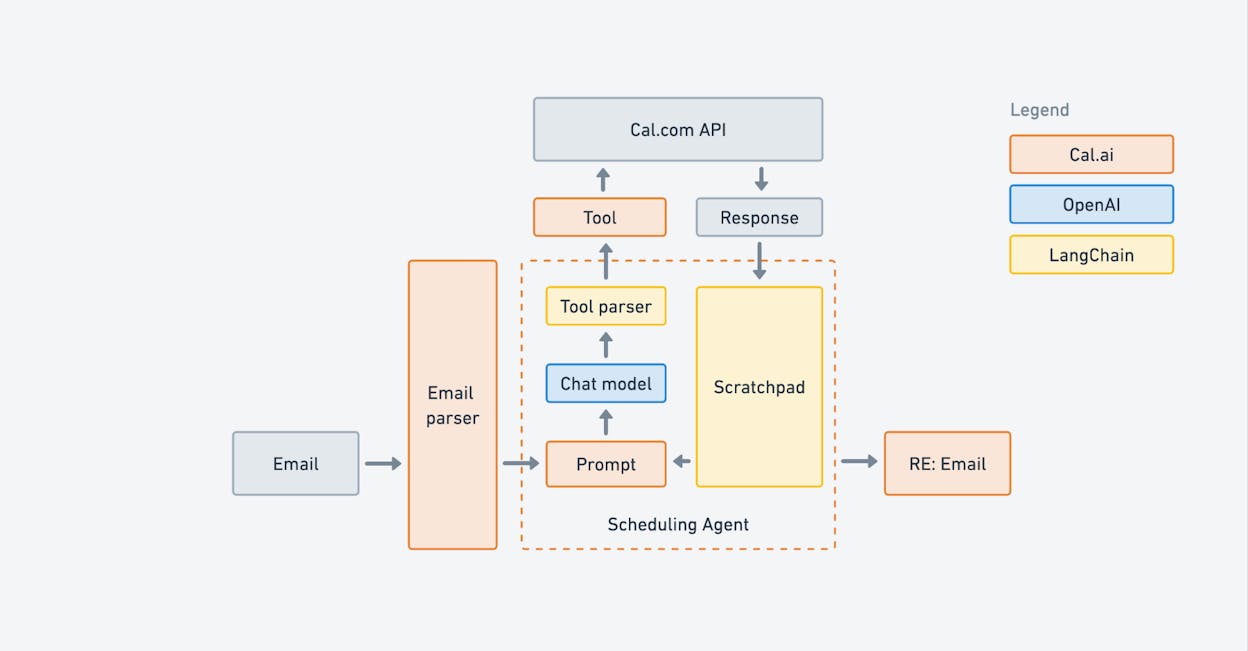
LangChain is a Python/TypeScript library for building custom AI applications. It gives you low-level control over chains, agents, RAG pipelines, memory, and tool calling.
For content teams, LangChain is overkill unless you have dedicated engineering resources. You can absolutely build a sophisticated content pipeline with it, but you are writing code, managing infrastructure, handling deployments, and building your own monitoring. There is no visual builder, no content-specific features, and no AI search tracking.
LangChain makes sense for teams building AI-powered content products (like an internal writing assistant or a custom editorial tool). It does not make sense for marketing teams who need to publish 20 blog posts a month.
LangChain pricing: Free open-source. LangSmith: Developer at $0 (5k traces), Plus at $39/seat/month. See full pricing.
Ratings: G2: 4.7/5 (38+ reviews), GitHub: 129k+ stars.
6. Flowise
-
Best for: Developers who want an open-source visual builder for LLM agent systems
-
Pricing: Free (self-hosted), cloud from $35/month
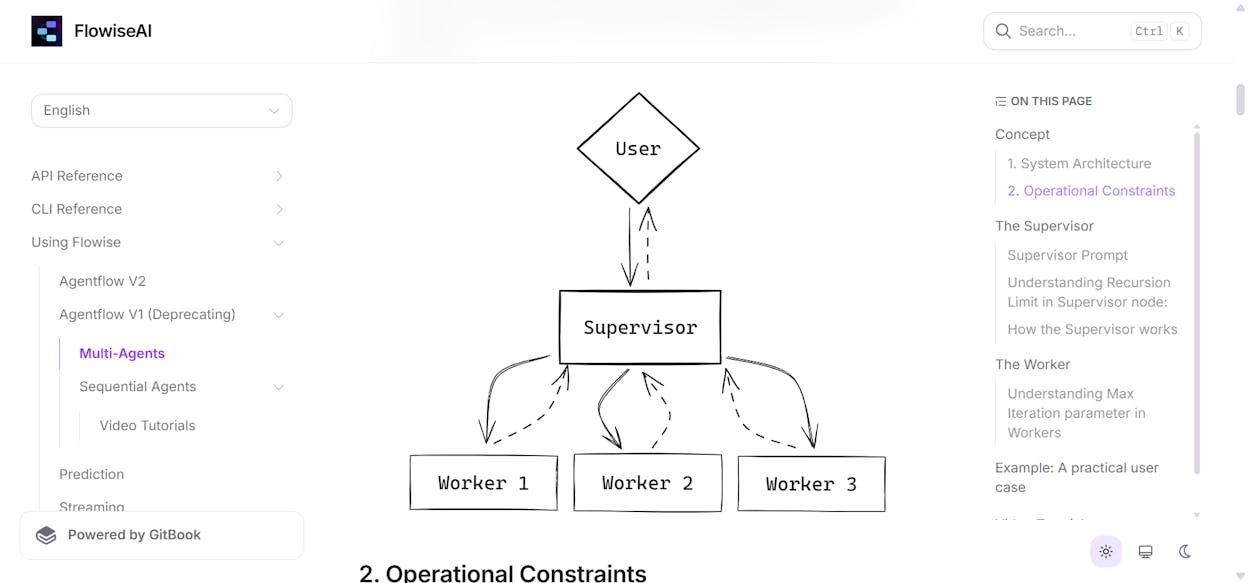
Flowise is an open-source AI agent builder with a visual node editor. It supports multi-agent orchestration, tool calling, and knowledge retrieval. The platform is owned by Workday and focuses on building chat assistants and multi-step agent graphs.
For content use cases, Flowise lets you build document-processing agents, Q&A bots that reference your content library, and multi-step research pipelines. The visual graphs make it easier to iterate than pure code.
But Flowise is developer-oriented. There are no content writing or optimization features, no CMS publishing nodes, and no marketing-specific integrations. Self-hosting and scaling also require real DevOps work.
Flowise pricing: Free (self-hosted), Starter at $35/month (10,000 predictions), Pro at $65/month (50,000 predictions). See full pricing.
7. StackAI
-
Best for: Enterprise teams in regulated industries who need compliance-first AI agent infrastructure
-
Pricing: Free (500 runs/month), Enterprise pricing is custom
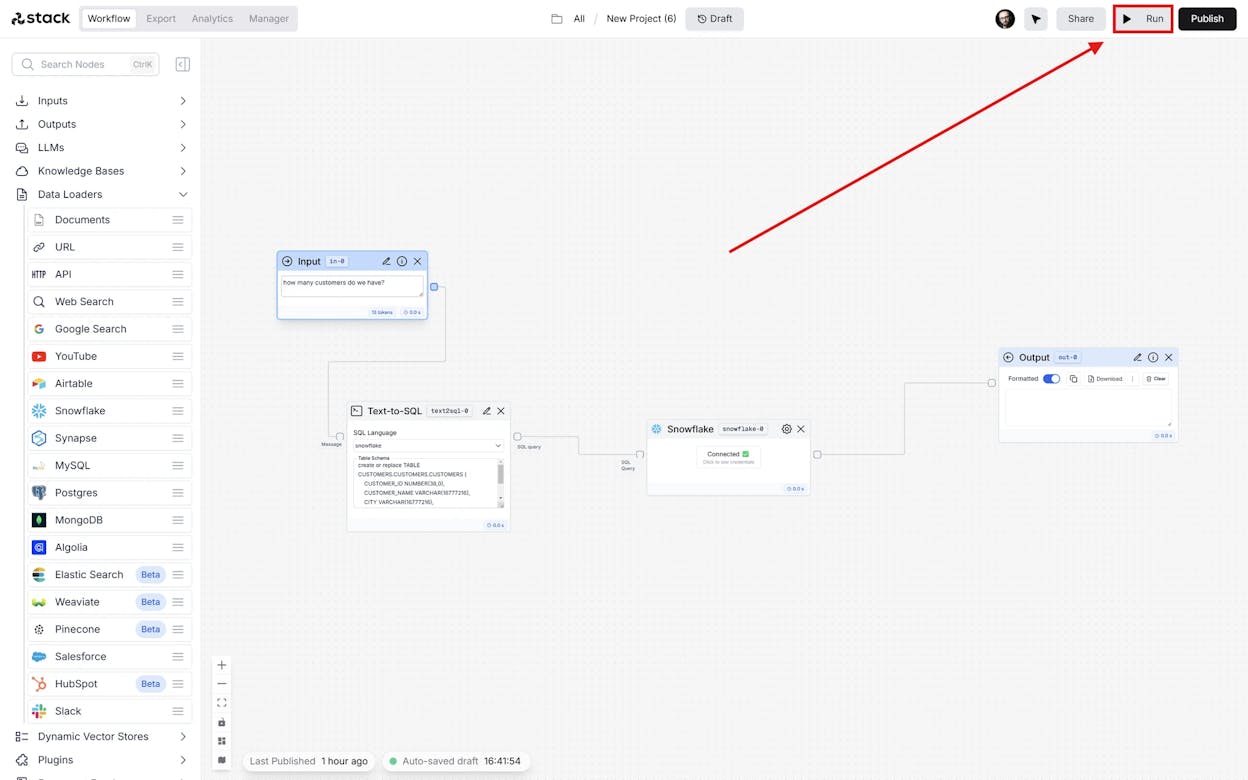
StackAI is built for mid-market and enterprise teams in regulated industries (finance, healthcare, government). It ships with SOC 2, HIPAA, GDPR, and ISO 27001 compliance out of the box, plus PII masking, audit logs, and on-prem deployment options.
For content workflows, StackAI is more than most marketing teams need. Its strengths are document processing, contract analysis, and internal operations. If you are a content team at a large enterprise with strict compliance requirements and you need AI-powered document workflows, StackAI is worth evaluating. For most content operations, it is overkill.
StackAI pricing: Free ($0, 500 runs/month, 2 projects), Enterprise pricing is custom. See full pricing.
Ratings: G2: 4.5/5 (38+ reviews).
Which Dify alternative should you choose?
Here is how to decide.
If your team runs content and marketing operations and you want content writing, content optimization, SEO research, AI search visibility, and programmable agents all in one platform, go with Analyze AI. It is the only tool on this list built specifically for content and marketing workflows. The Agent Builder alone replaces entire categories of tools, and the AI search tracking gives you a channel most competitors are still ignoring. Plus, there is a free trial so you can test everything before committing.
If you need a self-hosted, general-purpose automation platform with community templates, go with n8n.
If you want the simplest possible setup with the largest app library, Zapier or Make will get you started fastest.
If you are an engineering team building a custom AI application from code, LangChain gives you the most flexibility.
And if compliance in a regulated industry is the priority, StackAI is built for that.
The best approach is to pick one or two from this list, build the same workflow in both, and compare the results. For content and marketing teams specifically, start with Analyze AI. The content engineering and marketing use cases are where it is strongest, and you will see the difference within your first workflow.

Ernest

Ibrahim


