



Summarize this blog post with:


In this article, you’ll learn how to automate lead generation using AI agents that connect your entire marketing stack. You’ll get a five-step process to go from manual prospecting to a system that finds, qualifies, enriches, and reaches leads on autopilot. You’ll also see how to use content, competitive intelligence, and AI search data as lead gen channels most teams overlook.
Table of Contents
What Is Automated Lead Generation?
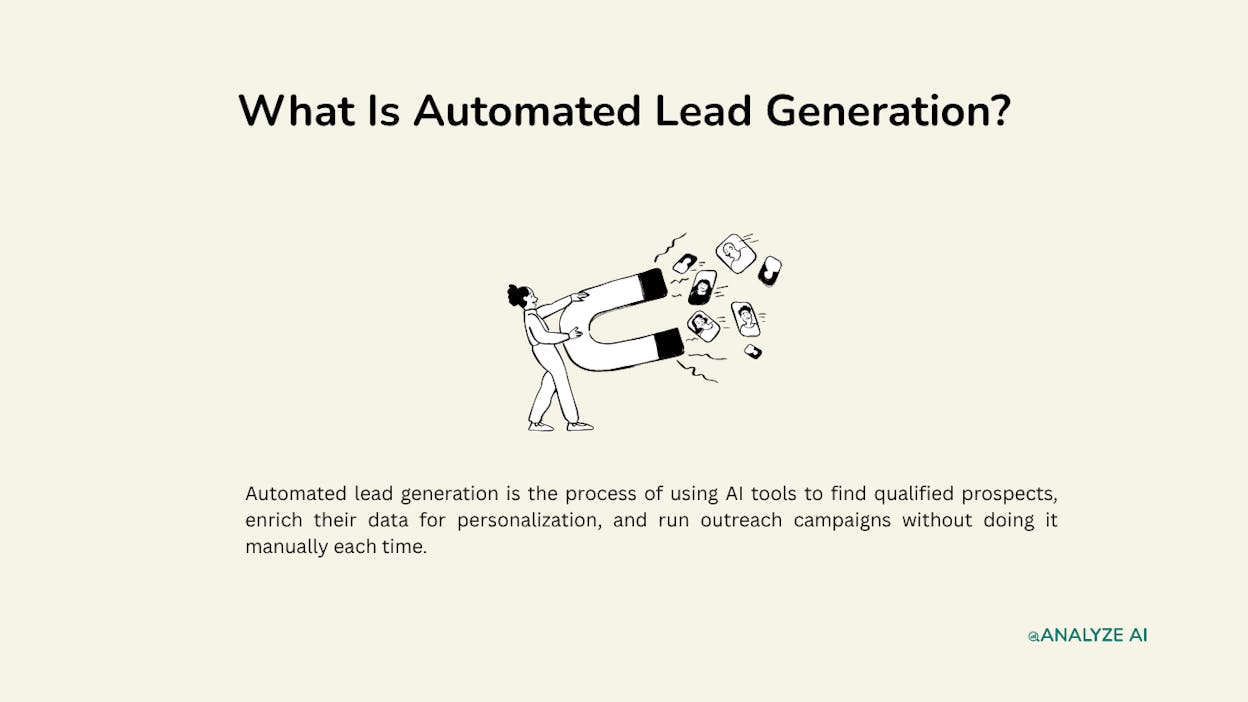
Automated lead generation is the process of using AI tools to find qualified prospects, enrich their data for personalization, and run outreach campaigns without doing it manually each time.
The goal is a repeatable system. Instead of spending hours jumping between LinkedIn, your CRM, enrichment tools, and your email platform, you build a workflow that handles the repetitive parts. You focus on conversations, relationships, and closing.
There are two types of automation most teams run.
Outbound automation handles prospecting, enrichment, and outreach. You define criteria (industry, company size, job title, funding stage), and the system finds matches, pulls contact info, and sends personalized messages.
Inbound automation handles the content and SEO pipeline that attracts leads to you. This includes publishing content at scale, optimizing for both search engines and AI answer engines, and routing inbound leads into your CRM with full enrichment before a sales rep ever sees them.
Most automation guides only cover outbound. That’s a mistake. The teams generating the highest quality leads are running both in parallel, and AI agents make that possible without doubling headcount.
When Should You Automate Lead Generation?
Not every team should automate right away. If you haven’t closed a single deal through manual prospecting, automation will just scale your confusion.
Here are the signs you’re ready.
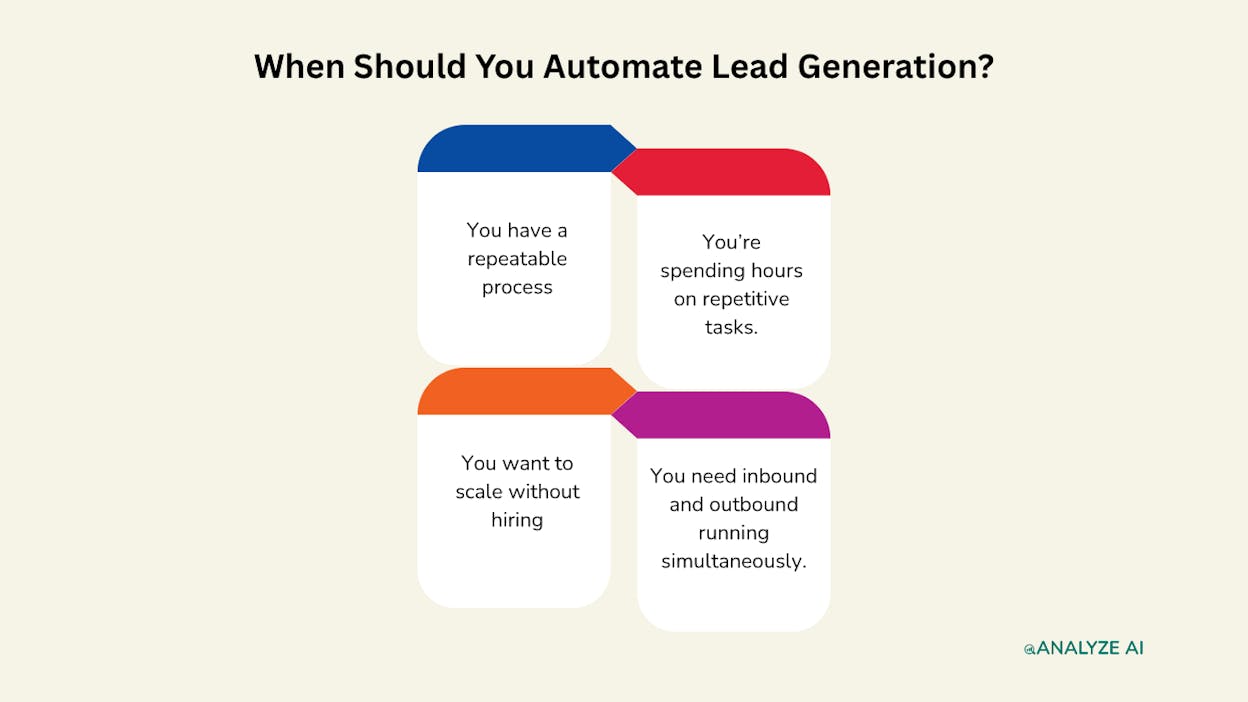
You have a repeatable process. You know your ICP. You know where to find them. You know what messaging gets responses. Automation scales what already works.
You’re spending hours on repetitive tasks. Copying data from LinkedIn to spreadsheets, hunting for email addresses, sending the same follow-up sequence. If the task is the same every time, it should be automated.
You want to scale without hiring. You want 10x the outreach volume but can’t afford a full sales team. An AI agent handles the legwork at a fraction of the cost.
You need inbound and outbound running simultaneously. Publishing content, enriching inbound form fills, tracking which AI engines are sending you traffic, and prospecting new accounts. Doing all of this manually burns out even the best teams.
If your sales process is too complex to explain to a new hire, it’s probably too complex to automate. Start by simplifying. Once you can teach someone the workflow, you can teach an AI agent to run it.
How to Automate Lead Generation in 5 Steps
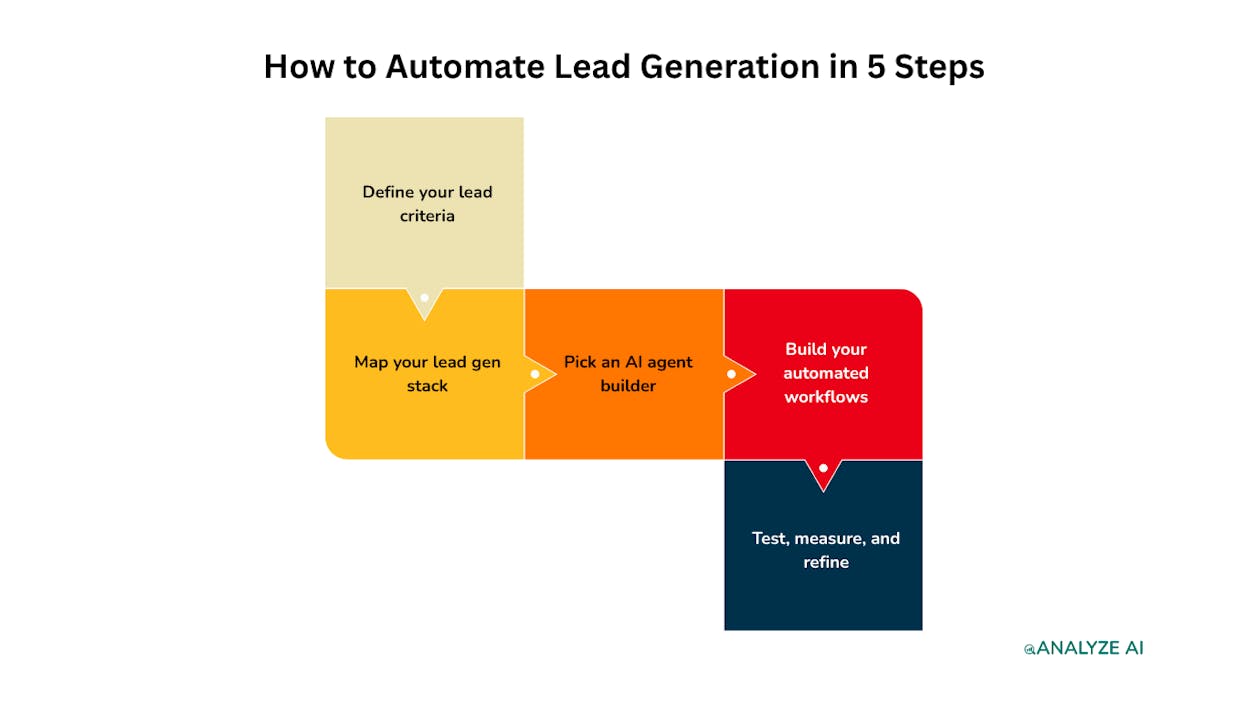
Here is the step-by-step process.
-
Define your lead criteria
-
Map your lead gen stack
-
Pick an AI agent builder
-
Build your automated workflows
-
Test, measure, and refine
1. Define Your Lead Criteria
Start with who you’re targeting. This step has nothing to do with tools. It’s about getting crystal clear on what a qualified lead looks like for your business.
Work through these questions.
-
What industry are they in?
-
What company size? (Revenue, headcount, or funding stage)
-
Which job titles should you target?
-
Does geography matter?
-
What budget range fits your product?
Then go one level deeper. Define the difference between a qualified and unqualified lead. A Series A SaaS company with 50 employees might look perfect on paper, but if they just hired an in-house team for the exact thing you sell, they’re not a lead. You need criteria that go beyond demographics.
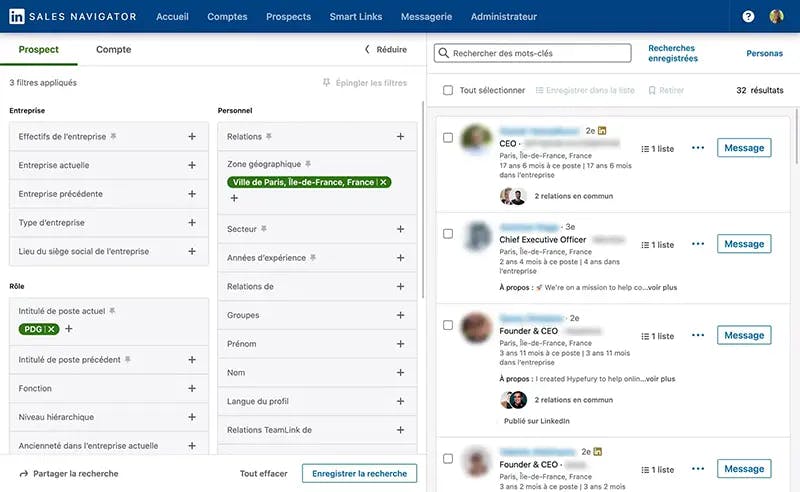
Next, figure out your lead sources. Where do these people actually spend time? Options include LinkedIn, Crunchbase, industry directories, review sites like G2 or Capterra, job boards (companies hiring for roles related to your product are often in buying mode), and even AI search results.
That last one is worth noting. A growing number of B2B buyers are using ChatGPT, Perplexity, and Gemini to research solutions. If your brand shows up in those AI answers, you’re generating leads from a channel most competitors don’t even know exists. More on this in step 4.
You cannot automate what you cannot articulate. Write down your lead criteria before you touch a single tool.
2. Map Your Lead Gen Stack
Now list every tool involved in your lead generation process. This includes tools you already use and any you plan to add.
Your stack generally falls into four categories.
|
Category |
Purpose |
Example tools |
|---|---|---|
|
Lead sourcing |
Finding prospects |
LinkedIn, Apollo, Crunchbase, Hunter.io, industry directories |
|
Enrichment |
Filling data gaps |
ZoomInfo, Clearbit, Clay, Tomba |
|
CRM / database |
Storing and managing leads |
HubSpot, Salesforce, Pipedrive, Google Sheets |
|
Outreach |
Reaching prospects |
Lemlist, Instantly, Apollo, LinkedIn outreach tools |
But here is where most teams hit a wall. These tools don’t talk to each other natively. You end up building mini-workflows inside each tool, and context gets lost between them. You scrape a list in Apollo, export a CSV, upload it to your CRM, then manually trigger an email sequence.
That is not automation. That is copy-paste with extra steps.
AI agents solve this. An agent acts as the connective layer between all your tools. It pulls data from one source, reasons about it (qualifying, scoring, personalizing), and pushes the output to the next step. No CSV exports. No manual handoffs.
The key is picking an agent builder that integrates with the tools you already use, so you’re composing workflows from your existing stack instead of ripping it out and starting over.
3. Pick an AI Agent Builder
The agent builder you choose determines how powerful and flexible your automation can be. Here is what to look for.
Native integrations with your stack. If you use HubSpot, your agent builder should have full read/write access to contacts, deals, tickets, and lists. Not just a webhook. Same for your CMS, email platform, and data providers.
Built-in AI reasoning. The builder should let you drop an LLM (Claude, GPT, Gemini) into any step of the workflow. This is what separates an agent from a dumb automation. The AI can read a prospect’s website, understand their pain points, and write a personalized message, all inside the workflow.
Multiple trigger modes. You need manual triggers (run on demand), scheduled triggers (run every Monday at 7am), and webhook triggers (run when a form is submitted or a deal stage changes). Each serves a different use case.
Content creation and optimization. The best lead generation is a combination of outbound prospecting and inbound content. Your agent builder should be able to research topics, write drafts, optimize pages, and publish, not just scrape and email.
Analyze AI Agent Builder is built for this. It’s a programmable platform with 180+ nodes across 16 categories, including HubSpot (26 nodes for full CRM control), DataForSEO, Semrush, Google Search Console, GA4, WordPress, Notion, Mailchimp, and every major LLM. It also includes 34 pre-built data recipes for competitive intelligence, content performance, and AI perception, all ready to drop into any workflow.
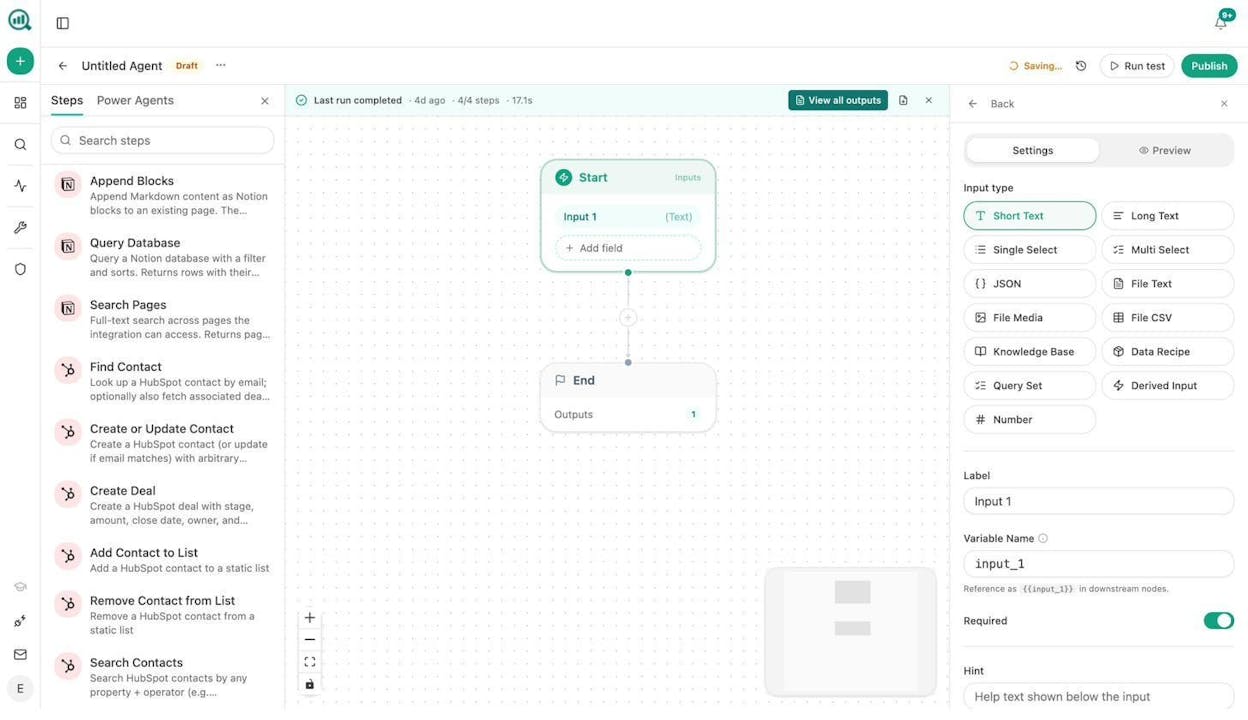
This is not just an automation layer. With 168 production-ready nodes and control flow primitives (conditionals, loops, branches, waits), you can compose workflows for any scenario. Lead enrichment, content writing at scale, competitive research, outreach email personalization, CRM hygiene, and more.
Tools like Make and n8n are solid for basic integrations. But they lack native SEO and AI visibility data, content creation pipelines, and the brand vault system that keeps every output on-voice. If lead generation is a core function for your team, you need a platform that does more than connect APIs.
4. Build Your Automated Workflows
With your criteria defined, your stack mapped, and your agent builder chosen, it’s time to build. Here are four workflows that cover the full lead generation spectrum: outbound prospecting, inbound form enrichment, content-driven lead gen, and ABM content.
Workflow 1: Outbound prospecting agent
This is the classic lead gen use case. The agent finds prospects, enriches their data, qualifies them, and pushes them into your CRM.
The flow: Start (input: target industry + company size + job title) → DataForSEO Domain Overview (research each prospect’s website) → Hunter.io Email Finder → Tomba Email Verifier → Prompt LLM (score the lead based on your ICP criteria and write a personalized reason to reach out) → HubSpot Create or Update Contact → Conditional (if score > 80: Slack the sales rep, if not: add to nurture list).
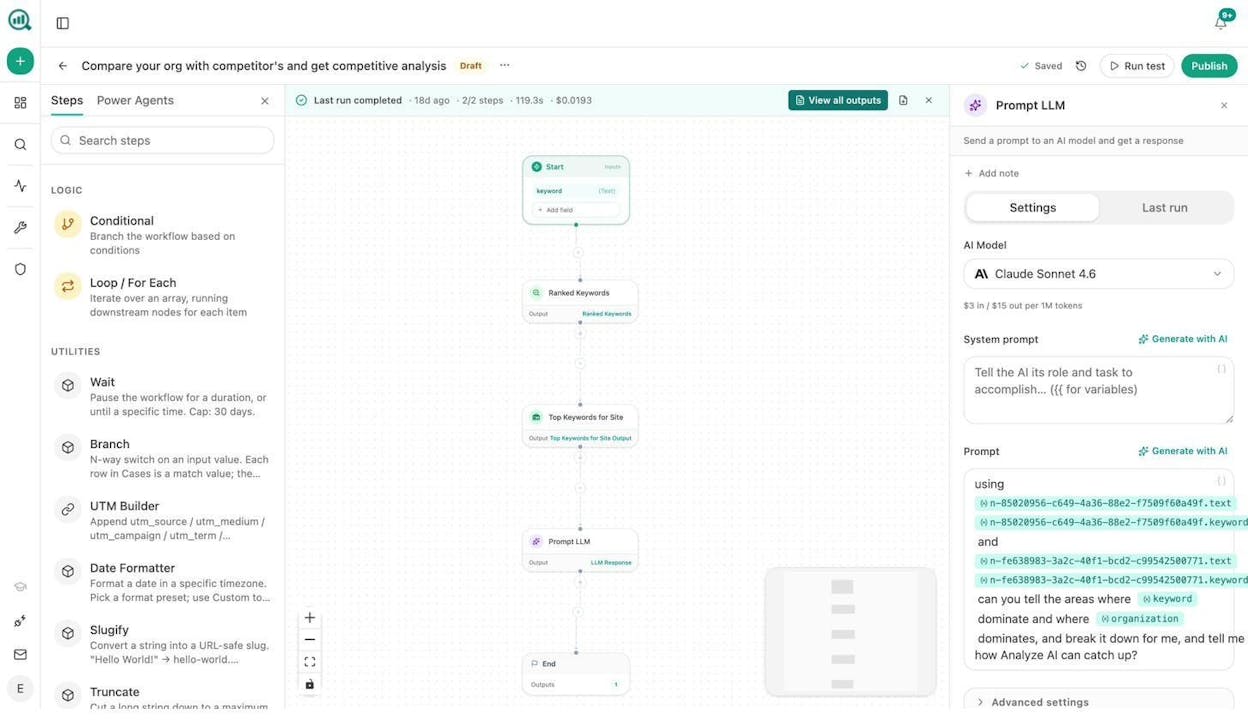
You can schedule this to run daily or trigger it via webhook when a new target account is added to your CRM. The agent handles research, enrichment, and qualification. Your sales rep only sees leads that meet the threshold.
Workflow 2: Inbound form enrichment
When a prospect fills out a form on your site, most teams get a name and email. An agent can turn that into a full profile in seconds.
The flow: Webhook (from Typeform, HubSpot form, or inbound email via Mailgun) → Hunter Email Verifier → DataForSEO Domain Overview + Lighthouse audit on the prospect’s website → Prompt LLM (summarize the company, their tech stack, and potential pain points) → HubSpot Upsert Contact + Create Note → Slack the account executive.
The lead arrives in your CRM fully enriched before the sales rep even opens the notification. No manual research. No tab-hopping.
Workflow 3: Content-driven lead generation at scale
This is where most automation guides fall short. Content is the highest-leverage lead generation channel for B2B teams, but producing it at scale is painful. An agent fixes that.
The flow: Schedule (every Sunday night) → keyword-opportunities data recipe (pulls high-volume, low-competition keywords from DataForSEO) → Prompt LLM (generate an editorial calendar for the week) → Loop: for each topic, run Generate Research → Generate Outline → Generate Full Draft (with brand vault injected for voice consistency) → AEO Content Scorecard (check if the piece is optimized for both search and AI engines) → Conditional: if score > 80, publish to WordPress. If below 80, Slack the writer with specific gaps to fix.
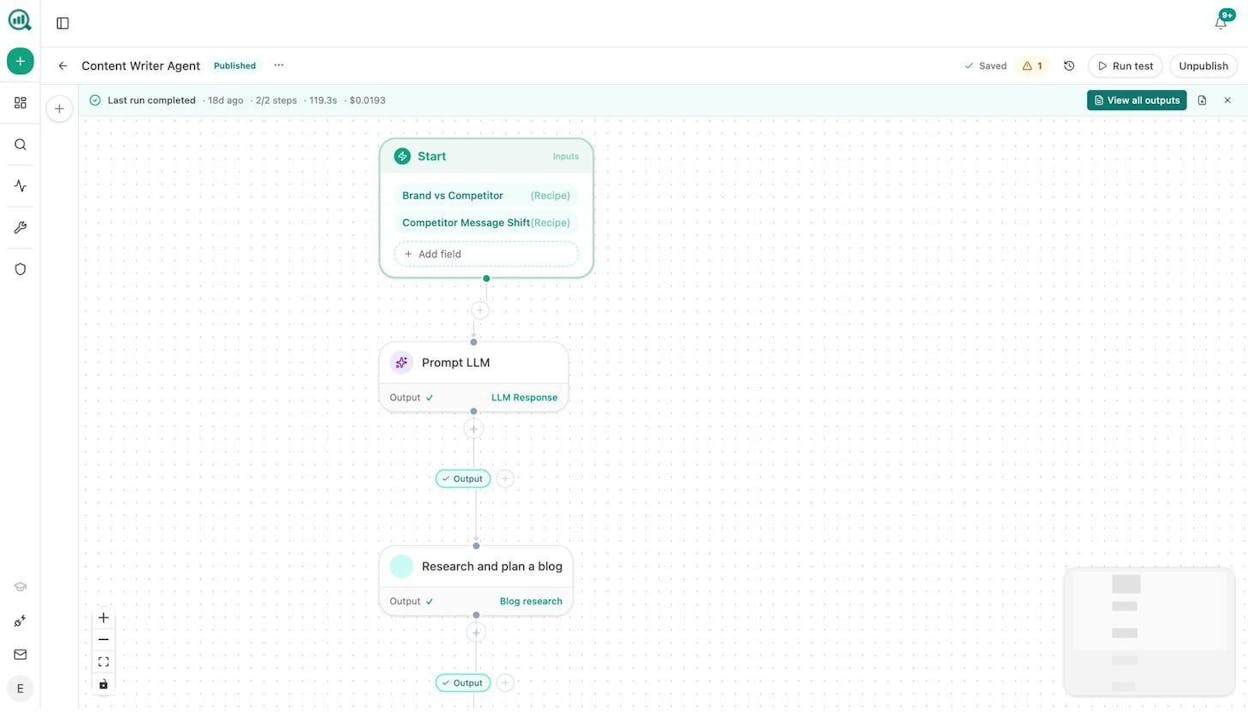
This is not a “generate 100 blog posts and pray” approach. Every piece runs through the Content Optimizer, which audits structure, claim density, proof integration, and entity coverage. The brand vault ensures every draft matches your tone, messaging rules, and required phrases without anyone copy-pasting a style guide.
You can also build a content refresh workflow that runs weekly. It pulls your declining pages from GA4, scrapes the current content, rewrites for freshness and AI visibility, and updates the post automatically. The “quietly losing rankings” problem solves itself.
Workflow 4: ABM content and outreach
For account-based marketing, you need personalized content for each target account. An agent makes that scalable.
The flow: Start (input: target company domain) → Web Page Scrape (their website + recent blog posts) → DataForSEO Brand Mentions + News Research (what’s being said about them) → Prompt LLM (identify their top challenges and how your product solves them) → Generate Article (personalized case study or landing page) → Social Media Image (branded graphic for LinkedIn) → Send Email (personalized pitch with the content attached).
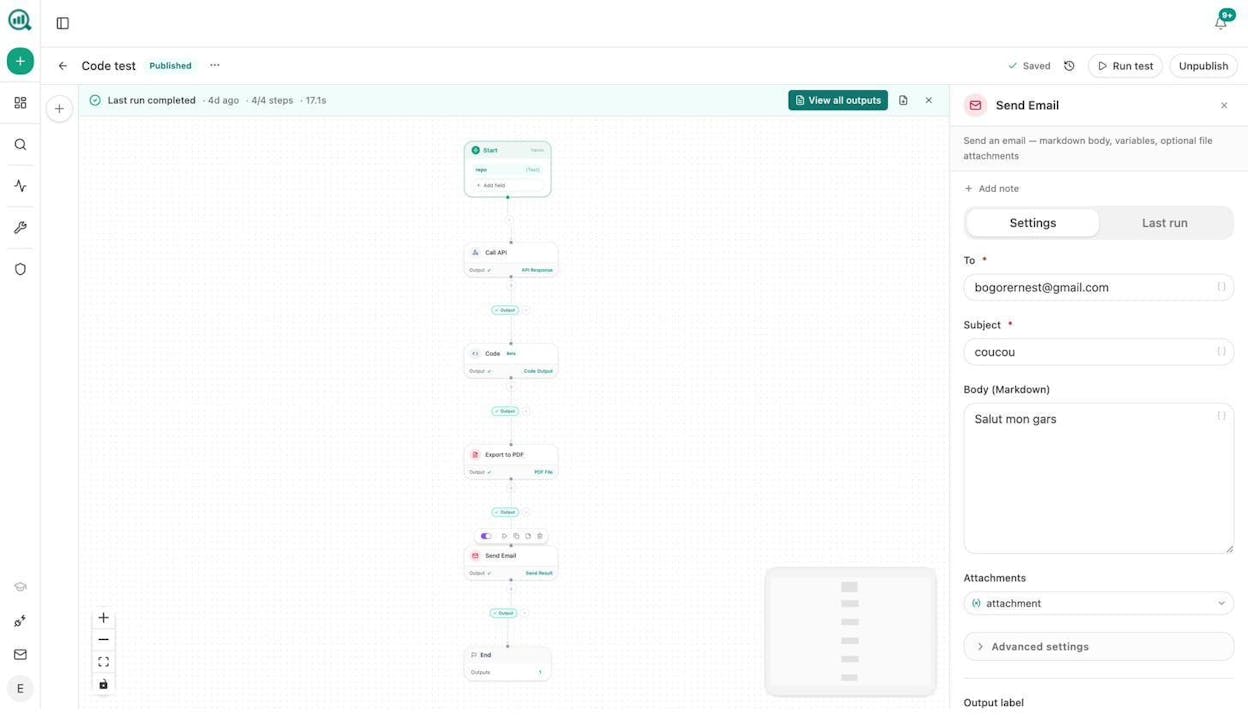
This workflow turns a three-day research and content creation process into a 90-second automated run. You feed it a domain, and it returns a personalized pitch with supporting content and visuals.
Bonus: Use AI search as a lead generation channel
Here is something most teams miss entirely. AI search engines like ChatGPT, Perplexity, and Gemini are sending real traffic to websites right now. And that traffic converts at higher rates than traditional search because users arrive with specific intent.
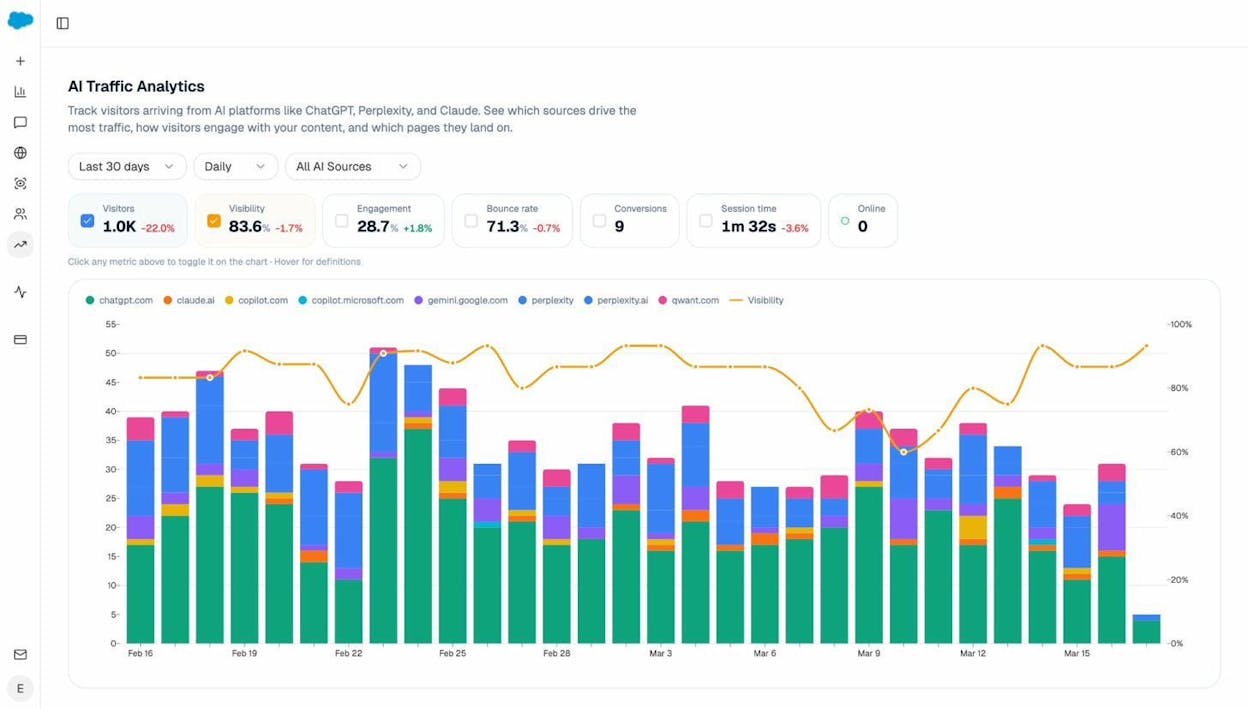
You can track which AI engines send traffic to your site, which pages they land on, and which prompts trigger those visits using AI Traffic Analytics. From there, double down on the pages that work. Create more content in the same format and topic cluster. Use the Citation Analytics dashboard to see which domains AI engines trust most in your space, and earn citations from those sources.
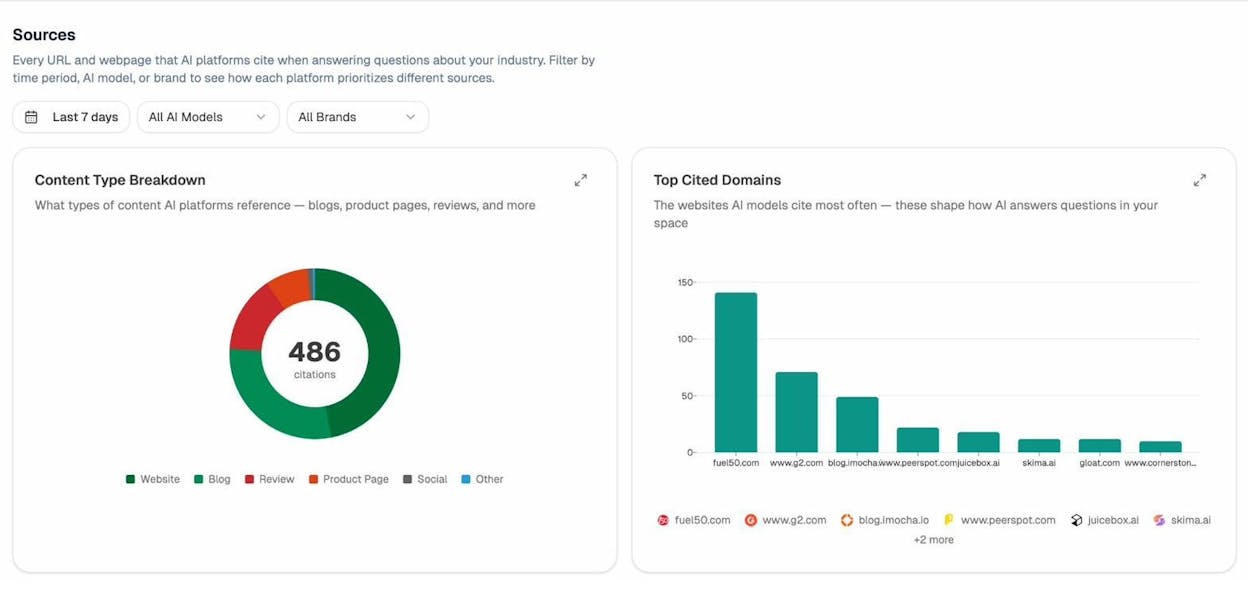
This is a lead generation channel that compounds over time. As your AI visibility grows, more prospects find you through AI-generated answers before they ever visit Google. Track it. Measure it. Build content for it.
5. Test, Measure, and Refine
No automated workflow works perfectly on the first run. Here is how to iterate.
Start with a small batch. Run your outbound agent on 20 prospects, not 2,000. Review the output. Check lead quality, personalization accuracy, and enrichment completeness.
Track the metrics that matter. Conversion rate (leads to booked calls), response rate (for outbound), cost per lead (tool costs plus setup time), and time to conversion (how long leads sit in your pipeline). If your automated leads convert at a lower rate than manual outreach, something in your criteria or messaging needs adjustment.
Build in human checkpoints. The best automated systems still have a human reviewing leads before outreach goes out. Use a Conditional node to flag edge cases for manual review while letting clear-cut leads flow through automatically.
Refine your AI prompts. The LLM nodes in your workflow are only as good as the instructions you give them. If personalization feels generic, improve your system prompt. If lead scoring is too loose, add more qualifying criteria.
Add scheduled monitoring. Build a separate agent that runs weekly and reports on your lead gen performance. Pull data from HubSpot (deals created, win rate) and GA4 (inbound traffic, form fills), then send a summary to Slack or email. You’ll catch issues early instead of discovering them at the end of the quarter.
How to Tell if Your Lead Gen Automation Actually Works
Automation is only valuable if it produces leads that convert. Here are the numbers to watch.
Conversion rate. If automated leads convert at a lower rate than manual, revisit step 1. Your criteria may be too broad.
Response rate. For cold outreach, 1% to 5% is average. Below 1% means your targeting or messaging is off. Above 5% means your personalization is working.
Cost per lead. Add up your tool subscriptions, agent runtime costs, and setup time. Compare that to the revenue generated. The math needs to work.
Sales team feedback. Ask your reps directly. Are the leads worth their time? If reps ignore automated leads, the system is broken regardless of what the dashboard says.
Inbound metrics. For content-driven lead gen, track which pages attract form fills and demo requests. Use AI Traffic Analytics to see which content draws visitors from AI search engines, and double down on what converts.
Quality always beats quantity. Five qualified leads per week will outperform 500 random contacts that never respond. If your automation is producing garbage, go back to step 1 and tighten your criteria. The beauty of agent-based automation is that you can adjust the workflow in minutes and see results the same day.
Start Building
The shift from manual lead generation to AI-powered agents is not about replacing your sales team. It’s about removing the repetitive work that keeps them from selling.
Define your criteria. Map your tools. Build agents that handle research, enrichment, content, and outreach. Measure what works. Cut what doesn’t.
If you want to try this yourself, Analyze AI offers a free trial with full access to the Agent Builder, Content Writer, Sheets, and every integration covered in this guide. You can build and test your first lead gen agent in under 15 minutes.

Ernest

Ibrahim


