



Summarize this blog post with:


In this article, you’ll learn how to build AI agents that handle real marketing work. Not chatbots. Not fancy prompt wrappers. Actual agents that research keywords, write content, refresh stale pages, run competitive analysis, and distribute outputs across your tools. You’ll see the exact steps to go from idea to working agent, the three things every agent needs to function, and six ready-to-use workflows you can build today for content marketing, SEO, and GTM operations.
Table of Contents
What Is an AI Agent (and What It Is Not)
An AI agent is software that takes a goal, decides which tools and data it needs, executes a sequence of steps, and delivers an output. It is not a chatbot. Chatbots answer questions. Agents do work.
The difference matters because most “AI agents” on the market are just prompt chains with a nice UI. You type something, the LLM responds, and you copy-paste the output somewhere else. That is not an agent. That is a conversation.
A real agent connects to your data sources (GA4, Google Search Console, Semrush, your CMS), pulls the information it needs, processes it through an LLM with specific instructions, and pushes the output to where it belongs (Notion, WordPress, HubSpot, Slack, email). You click “Run” once and the work gets done. Or better yet, you schedule it and the work gets done while you sleep.
For marketing teams, AI agents are the most practical way to scale operations without scaling headcount. If you manage content production, SEO audits, competitor monitoring, or lead enrichment, agents let you turn manual workflows into background processes that run on schedule.
Types of AI Agents
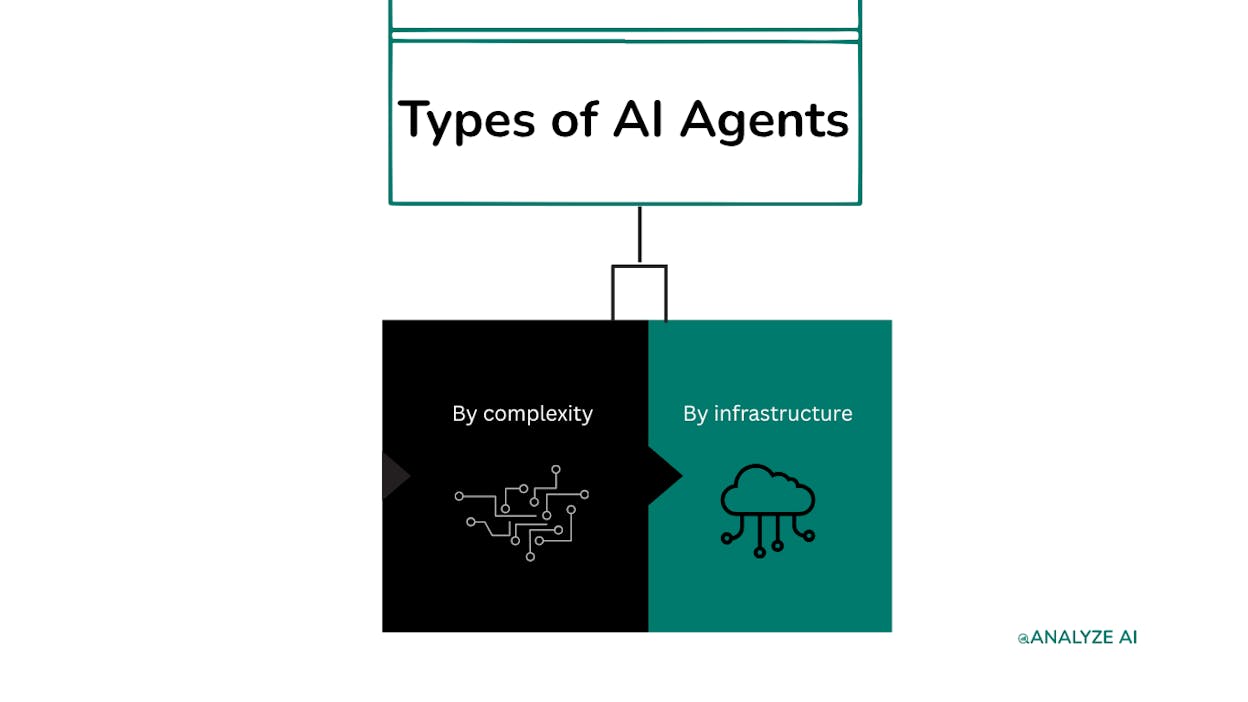
Before you build anything, you need to understand what kind of agent fits your situation.
By complexity. A single-task agent handles one job. It scrapes a list of URLs, audits them for content gaps, and delivers the recommendations to a Google Sheet. A multi-agent system chains several agents together. One agent researches, another writes the draft, a third scores it for quality, and a fourth publishes it. Start with a single-task agent. Expand only after it works reliably.
By infrastructure. Cloud-hosted agents run on a platform that handles everything for you. Self-hosted agents (built with frameworks like LangChain or AutoGPT) give you full control but require your own servers, security, and maintenance. For marketing and content teams, cloud-hosted is the practical choice. You want to build agents, not maintain infrastructure.
What Every AI Agent Needs Before It Works
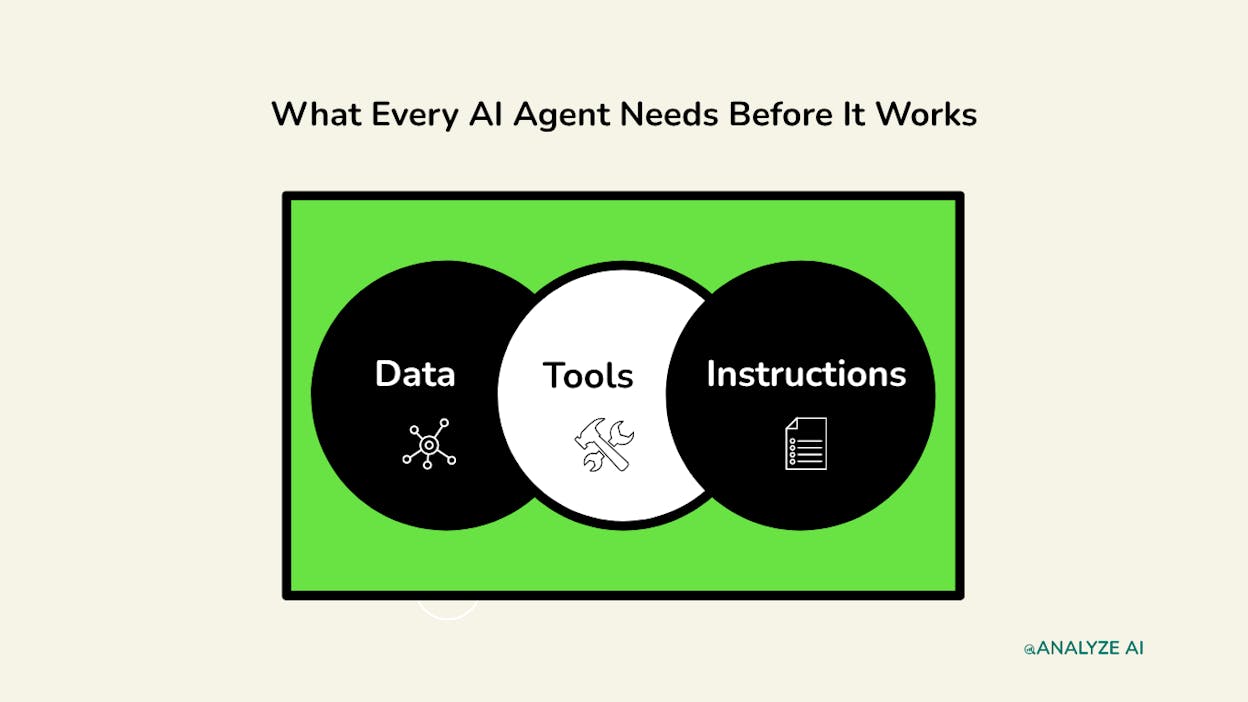
Every agent that does useful work depends on three things. Get these wrong and no amount of prompt engineering will save you.
Data. This is what the agent draws from. Your blog URLs, your keyword rankings from Google Search Console, your competitor visibility data, your CRM contacts, your analytics. The agent needs a source of truth. Without accurate data, the agent hallucinates or gives you generic output that could apply to any company.
Tools. These are the integrations that let your agent act. Scrape a webpage. Pull keyword volumes from DataForSEO. Create a post in WordPress. Send an email. Update a contact in HubSpot. Tools are your agent’s hands.
Instructions. This is the agent’s brain. The system prompt, the rules, the brand voice, the output format. Instructions tell the agent how to think, what to prioritize, what to avoid, and how to deliver its work. Vague instructions produce vague output.
Here is the key insight most teams miss. The quality of your agent is determined before you build it. If you cannot articulate exactly what good output looks like for the task you are automating, you are not ready to build an agent. Get good at the workflow manually first. Then automate it.
How to Build an AI Agent (Step-by-Step)
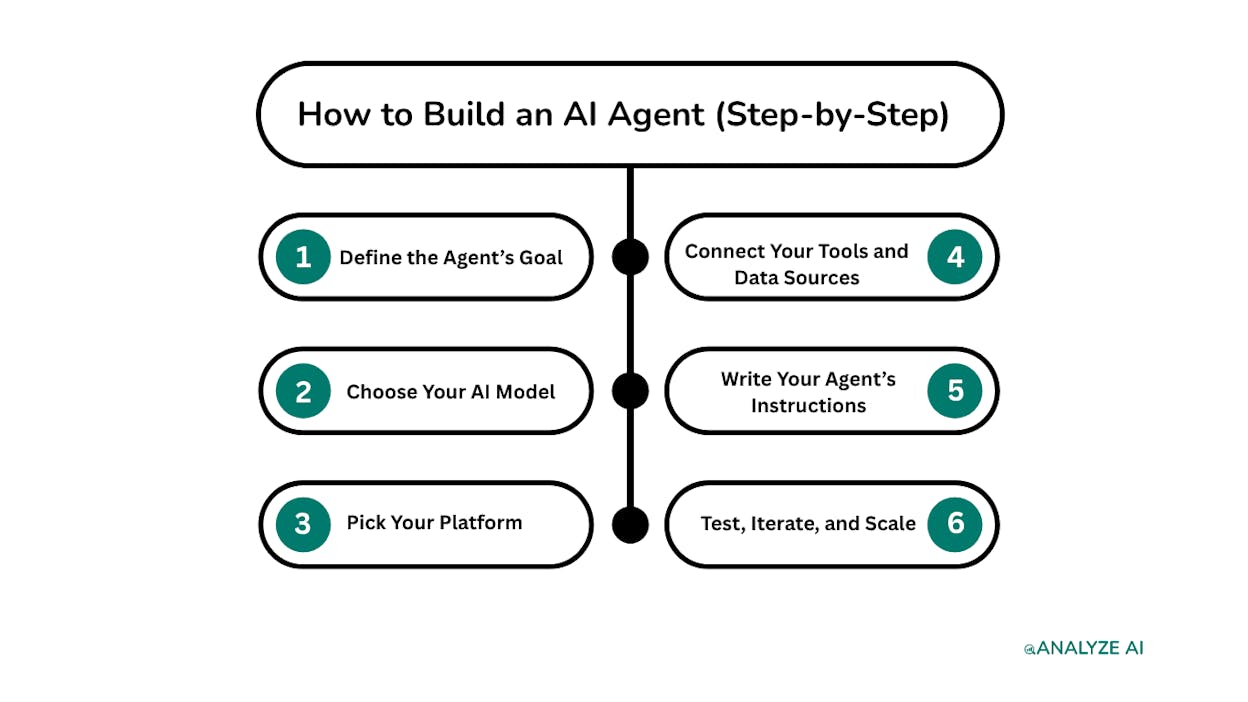
Step 1: Define the Agent’s Goal
Pick one specific task. Not “help with content marketing.” That is a department, not a task. Something like “audit my top 20 blog posts for keyword gaps and deliver recommendations in a spreadsheet.” Or “research a target keyword, write a content brief, and push it to Notion.”
The more specific the goal, the better the agent will perform.
Map the goal back to the three pillars. What data does the agent need? What tools does it need access to? What instructions will guide its decisions?
Here is an example. Say you want to build an agent that refreshes stale content. The data is your list of declining pages (pulled from GA4 and Google Search Console). The tools are a web scraper to grab the current content, an LLM to rewrite it, and a CMS connector to push the update. The instructions include your brand voice, word count guidelines, and a rule that says “only update pages that lost more than 20% traffic in the last 90 days.”
That is a complete agent definition. You have not built anything yet, but you know exactly what it needs.
Step 2: Choose Your AI Model
Different models are better at different tasks. For content writing and long-form analysis, Claude (Sonnet or Opus) is the strongest option right now. For research-heavy tasks that need web grounding, models with built-in search like Perplexity Sonar work well. For quick classification or tagging tasks where cost matters, faster models like GPT-4o or Claude Haiku keep costs down.
The right approach is to match the model to the task, not pick your favorite and use it everywhere.
Agent platforms like Analyze AI let you choose different models for each node in your workflow. Your research step might use Perplexity for web search grounding. Your writing step might use Claude Opus for quality. Your formatting step might use Claude Haiku because speed matters more than creativity there.
Step 3: Pick Your Platform
You need a place to build, run, and manage your agents. The two options are coding it yourself or using a no-code platform.
If you are a developer who wants total control, frameworks like LangChain or CrewAI let you build from scratch. But you will spend weeks on infrastructure, and sharing agents with non-technical teammates becomes a project in itself.
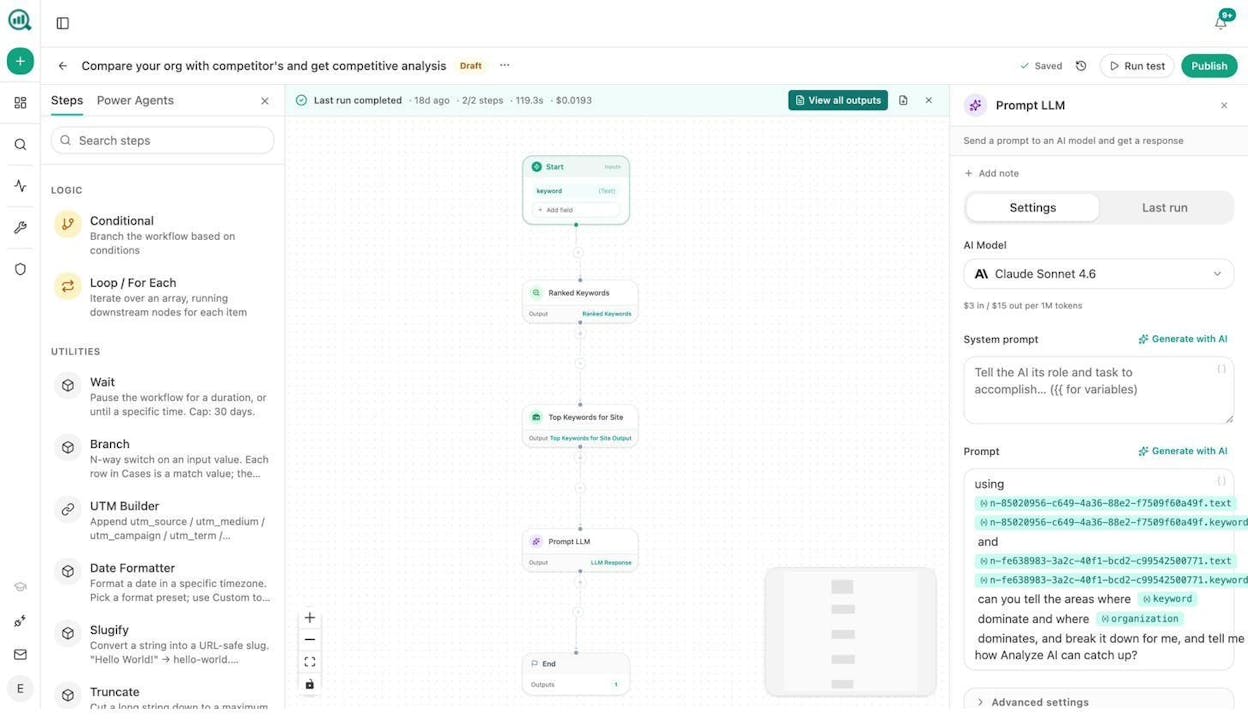
For marketing, content, and GTM teams, a no-code platform is faster and more practical. You drag nodes onto a canvas, connect them, configure each step, and hit “Run.”
Analyze AI’s Agent Builder is built specifically for this. It is a programmable platform with 180+ nodes across 16 categories, 34 pre-built data recipes, 13 input types, and 3 trigger modes (manual, scheduled, webhook). It connects to GA4, Google Search Console, Semrush, DataForSEO, HubSpot, Notion, WordPress, Mailchimp, and every major LLM.
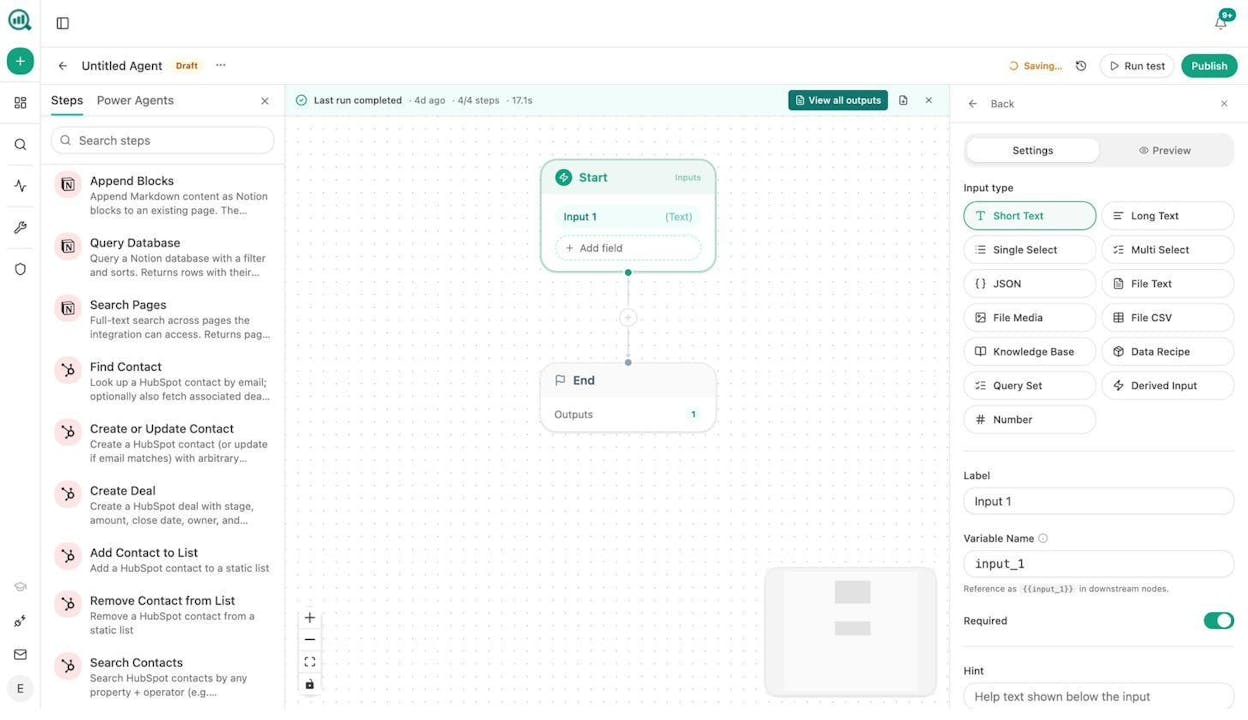
That is not just an automation layer. It is a full operating system for SEO, content, and GTM ops. You are not picking from a curated template library. You are composing workflows from primitives. The 168 production-ready nodes cover AI models, web research, SEO data (27 DataForSEO nodes, 7 Semrush nodes), Google Search Console, AI visibility analytics, content creation, content optimization, image generation, B2B enrichment, CRM operations (26 HubSpot nodes), CMS publishing, logic and control flow, and code execution.
The platform also includes a built-in Content Writer and Content Optimizer that go beyond basic AI drafting. The Writer runs a multi-step pipeline (research, outline, draft, quality gate) with your brand voice injected at every stage. The Optimizer audits existing pages against SEO and AI Engine Optimization scoring criteria and rewrites sections that underperform.
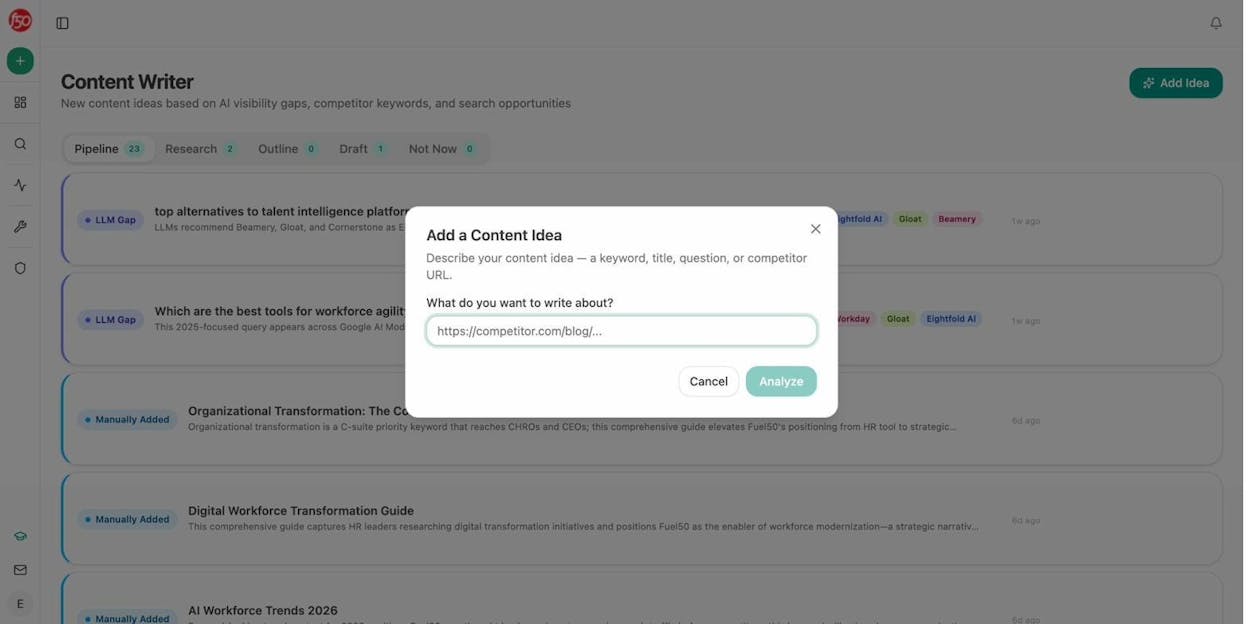
On top of that, Analyze AI offers AI Visibility Tracking, Prompt Tracking, AI Traffic Analytics, Citation Analytics, competitor dashboards, a Perception Map, AI Battlecards, and Weekly Email Digests. All of this data is exposed as nodes and data recipes inside the Agent Builder. So when your agent needs to check your AI visibility score or pull competitor citation data, the data is already in the room. No separate integration pass required.
Analyze AI offers a free trial so you can test the full platform before committing.
Step 4: Connect Your Tools and Data Sources
Once you have your platform, give your agent access to the tools and data it needs.
In Analyze AI, this happens through nodes. Each node is a discrete action. “Pull ranked keywords from DataForSEO.” “Scrape this URL.” “Send an email.” “Create a WordPress post.” You drag nodes onto the canvas, connect them in sequence, and configure each one.
For a content refresh agent, your node sequence might look like this:
-
Start node with a Data Recipe input that pulls your declining pages from GA4
-
Loop node to iterate through each page
-
Web Page Scrape to grab the current content
-
GSC Top Keywords for Page to see what queries each page ranks for
-
Prompt LLM (Claude Sonnet) with instructions to rewrite the content for freshness and AI search readiness
-
AEO Content Scorecard to score the rewrite
-
Conditional node that checks if the score passes your quality threshold
-
WordPress Update Post if it passes, or Slack notification to a writer if it fails
That is eight nodes. The agent runs through your entire blog and refreshes every declining page automatically. Schedule it weekly and the “quietly losing rankings” problem solves itself.
Step 5: Write Your Agent’s Instructions
Instructions are what separate a useful agent from one that produces generic junk.
In Analyze AI, you configure instructions at the Prompt LLM node level. Each node gets its own system prompt, model selection, temperature setting, and output format. You can also inject your Brand Vault (tone, style, messaging rules, proof points, disallowed phrases) directly into any prompt using the Inject Brand Context node.
Here is what good instructions look like for a content refresh agent:
“You are a senior content editor. Your task is to rewrite the provided blog post to improve freshness, accuracy, and AI search readiness. Maintain the original structure and target keyword. Update all statistics with current data. Add proof points and specific examples. Remove filler words and vague claims. Output in Markdown. Maximum 2,000 words.”
Compare that to: “Rewrite this blog post to make it better.” The second version will produce something mediocre every time.
A few rules for writing agent instructions. Define the role. Specify the exact output format. Include constraints (word count, what to avoid, what to include). Be specific about quality standards. And always tell the agent what tools to use and when.
Step 6: Test, Iterate, and Scale
Run your agent on a small batch first. If you built a content refresh agent, test it on five pages, not five hundred. Review every output. Check for hallucinated data, off-brand tone, and formatting issues.
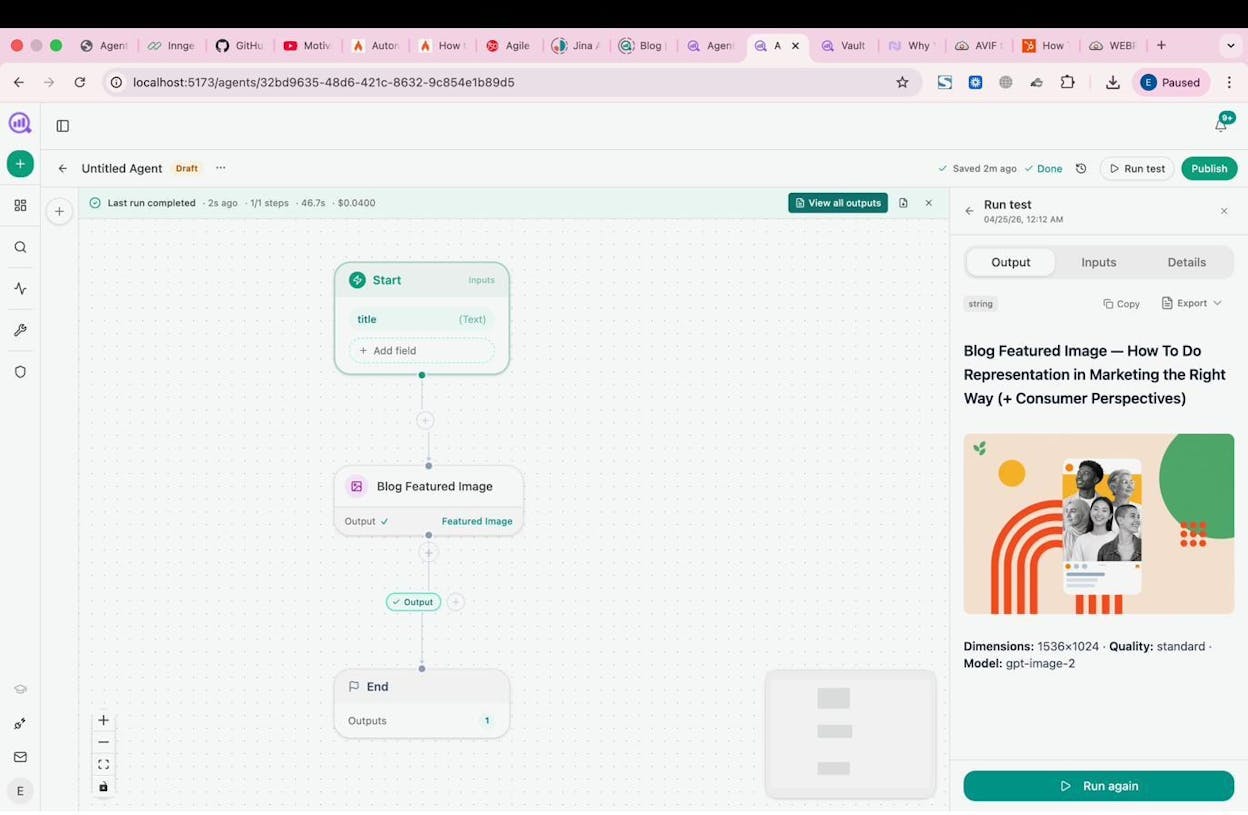
If the output is wrong, the fix is almost always in the instructions or the data. Tighten your prompt. Add examples of good output. Remove ambiguity.
Once a single-task agent works reliably, you can scale in two directions. First, schedule it. Analyze AI lets you set agents to run on a cron schedule (every morning, every Monday, first of the month) or trigger them via webhook when an event happens, such as a form fill, a deal closing, or a CMS publish. Second, chain agents together. The output of your research agent becomes the input for your writing agent, which feeds your publishing agent.
Six AI Agents Every Marketing Team Should Build First
Here are six practical agents you can build in Analyze AI today. Each one replaces a manual workflow that eats hours every week.
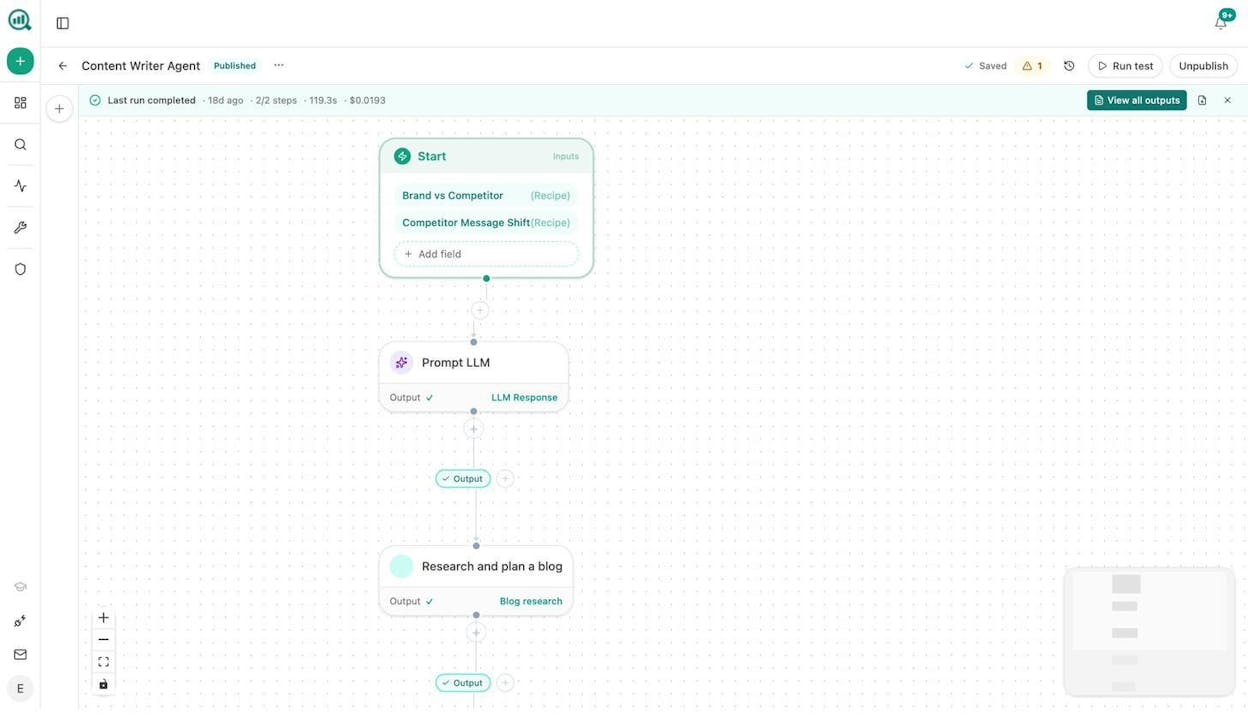
1. Content writing at scale. Start node with a keyword input and a Brand Vault recipe for voice. The agent runs Generate Research, Generate Outline, and Generate Full Draft in sequence, scores the draft with AEO Content Scorecard, generates a Blog Featured Image and inline Social Media Images, and publishes to WordPress if the score passes your quality threshold. One click produces a research-backed, on-brand, fully illustrated article.
2. Content refresh at scale. A scheduled agent that runs weekly. It pulls your declining pages from GA4, scrapes each one, rewrites for freshness and AI search readiness, runs the AEO scorecard, and either auto-publishes or flags a writer in Slack.
3. Keyword research at scale. Feed the agent a seed topic. It pulls keyword ideas from DataForSEO, gets search volumes, checks keyword difficulty, cross-references against your existing rankings in GSC, and outputs a prioritized list to a spreadsheet using the Sheets feature. Add the Prompt Cluster Brief recipe and it groups the keywords into editorial clusters with content briefs attached.
4. Internal linking at scale. A weekly scheduled agent that loops through your sitemap using the Get Sitemap node, runs On-Page SEO analysis and GSC Top Keywords for each page, prompts the LLM to suggest three internal links per page, and pushes the recommendations to Notion as tasks. For teams managing sites with hundreds of pages, this turns a week-long project into a background process.
5. Competitor intelligence and AI search monitoring. This agent uses the Competitor Gaps and Competitor Sources data recipes to find prompts where competitors outrank you in AI search results. It cross-references with Keyword Opportunities to identify content gaps, then generates briefs for the content team. Schedule it weekly and your editorial calendar always reflects where the opportunities actually are. You can also use the AI Sentiment Monitoring nodes to track how AI models talk about your brand versus competitors.
6. Lead enrichment and ABM outreach. Triggered by a webhook from HubSpot (new form fill or deal stage change). The agent runs Hunter Email Verifier, Tomba Author Finder, and DataForSEO Domain Overview on the prospect’s website. It pulls recent news about the company using News Research, drafts a personalized outreach email using your Brand Vault voice rules, and creates an enriched contact in HubSpot with all the research attached. Your sales team gets fully enriched, pre-researched leads before the AE even opens their inbox.
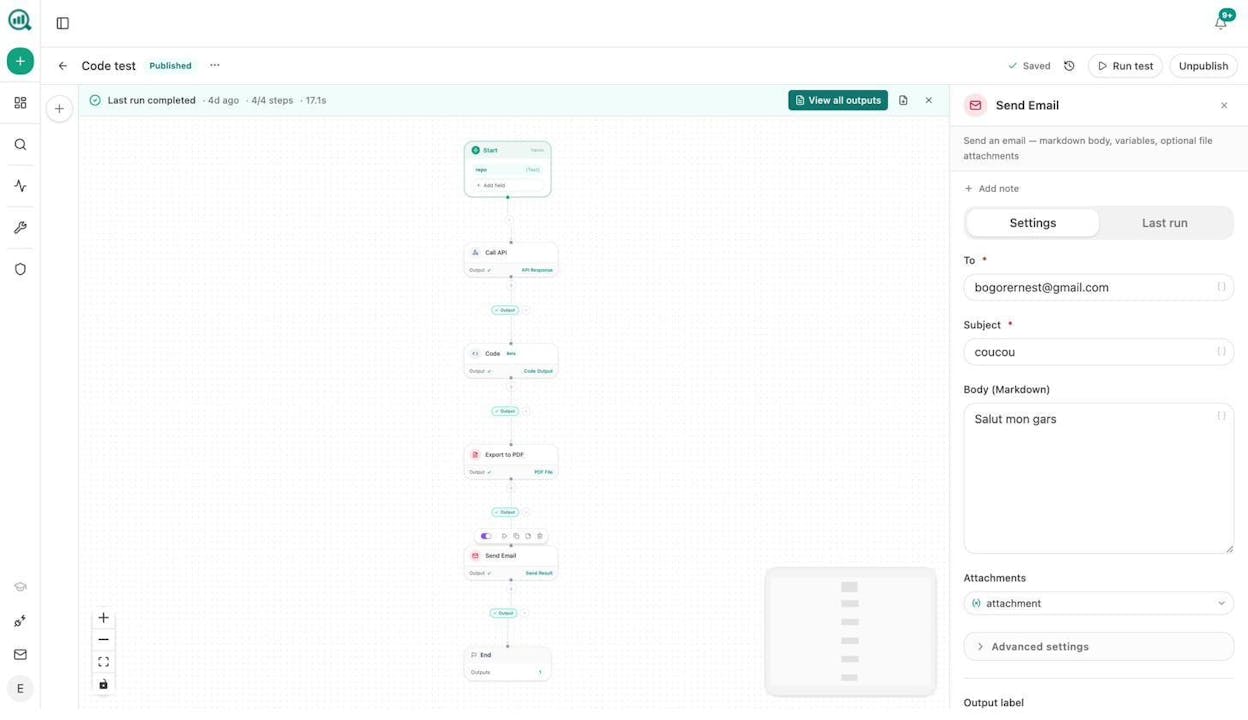
Each of these agents uses a different combination of the same 180+ nodes. That is the point of a programmable platform. You are not limited to pre-built templates. You compose exactly the workflow your team needs.
And these agents work for both traditional SEO and AI search. The same data recipes that pull your Google Search Console rankings also pull your AI visibility scores, citation analytics, and prompt tracking data. SEO is not dead. AI search is an additional organic channel alongside traditional search, and the teams that treat both channels as part of the same operation will have the advantage.
Common Mistakes When Building AI Agents
Automating what you cannot articulate. If you cannot do the task well yourself, you will not know whether the agent’s output is good or bad. Get good at the workflow manually first. Then automate it.
Over-engineering instructions. LLMs are surprisingly good at figuring out how to use tools on their own. Give the agent a clear goal, the right tools, and let it figure out the execution. Vercel published a case study where removing 80% of their agent’s tools improved results.
Trying to automate everything on day one. Start with one agent that handles one task. Get it working reliably. Then build the next one. The teams that try to automate their entire content pipeline in a single weekend end up with brittle workflows that break constantly.
Ignoring AI search as a channel. Your agents should not just optimize for Google. They should also optimize for how your brand appears in ChatGPT, Perplexity, and Gemini responses. Analyze AI’s AI Traffic Analytics shows you which landing pages receive AI-referred traffic, so you can build agents that monitor this channel and double down on what works.
Choosing the wrong model for the task. Using the most expensive model for every step wastes money. Use Claude Opus for high-stakes writing. Use Haiku for classification. Use Perplexity Sonar for research. Match the model to the job.
Start Building
The fastest way to get value from AI agents is to pick one manual workflow that eats your time every week and automate it.
If you run an SEO or content operation, start with a content refresh agent or a keyword research agent. If you run GTM, start with lead enrichment. If you are a content marketing manager, start with a brief-to-publish pipeline.
Analyze AI gives you the nodes, the data recipes, the LLM connections, and the scheduling infrastructure to build all of these without writing code. Start your free trial and have your first agent running today.

Ernest

Ibrahim


