



Summarize this blog post with:


In this article, you’ll learn how to scrape data from any website without writing code, and more importantly, how to turn that scraped data into competitive intelligence, content ideas, and outreach campaigns that actually move the needle for your business.
Table of Contents
Can You Web Scrape for Free?

Yes. Most AI-powered scraping tools offer free tiers or trial periods that let you test one-off scrapes without paying anything. You can typically scrape a handful of URLs and export the results before hitting a usage limit.
Where costs start to climb is when you need to scrape at scale or on a recurring schedule. Scraping 5,000 product pages daily, enriching each with contact data, and pushing the results to your CRM is a different workload than pulling 20 Reddit posts once. The tooling for that kind of volume usually costs between $50 and $500 per month depending on the platform.
If you are doing small experiments or one-off research, you can start for free. If you plan to build scraping into a repeatable marketing workflow, budget for a paid plan.
Can You Scrape a Website Without Coding?
Yes. Traditional web scraping required Python libraries like BeautifulSoup or Scrapy. You would write scripts, handle pagination, deal with anti-bot measures, and debug broken selectors every time a website changed its HTML structure.
That era is mostly over for marketing teams. No-code AI tools now let you describe what you want to scrape in plain language, and the tool handles the rest. You point it at a URL, tell it what data points to extract, and get structured output in minutes.
The workflow in this article works for anyone. If you can describe what you need in a sentence, you can scrape it.
How to Scrape Data From Any Website in 4 Steps
Here is the process:
-
Define your data target and use case
-
Pick a web scraping tool
-
Build your scraping workflow
-
Run the scraper and act on the data
1. Define Your Data Target and Use Case
Before you open any tool, get specific about two things. First, what data you need. Second, what you are going to do with it.
This matters because your use case determines which tool features you need. A one-off competitor pricing check is a completely different workflow than an ongoing lead enrichment pipeline.
Here are five common marketing use cases and the data each one requires:
|
Use Case |
What You Scrape |
Where You Scrape It |
Output |
|---|---|---|---|
|
Competitor content audit |
Blog post titles, publish dates, word counts, topic clusters |
Competitor blogs, sitemaps |
Content gap analysis |
|
ABM lead enrichment |
Company names, employee counts, tech stacks, contact emails |
LinkedIn, company websites, review sites |
Enriched CRM records |
|
Content idea mining |
Post titles, upvotes, comment threads, pain points |
Reddit, Quora, niche forums |
Editorial calendar |
|
Pricing intelligence |
Product names, price points, feature tiers, plan changes |
Competitor pricing pages |
Pricing strategy adjustments |
|
Domain authority, contact pages, editorial guidelines |
Resource pages, niche blogs |
Outreach target list |
The key decision at this stage is whether you are scraping one URL or many. If you are pulling data from a single page, almost any tool works. If you are scraping hundreds or thousands of URLs in a loop, you need a tool that handles bulk inputs and can process each URL in sequence or parallel.
![[Screenshot: Editor - show a simple Google Sheet with a list of competitor URLs in column A, with headers like “URL”, “What to Extract”, “Use Case”]](https://www.datocms-assets.com/164164/1780473259-blobid3.jpg?auto=format,compress&w=1248&fit=max)
2. Pick a Web Scraping Tool
The scraping tool market splits into three categories:
Code-based scrapers like Scrapy and BeautifulSoup give you full control but require Python knowledge. They break when HTML changes, and they need constant maintenance. For marketing teams, this is usually overkill.
Point-and-click scrapers like Octoparse and ParseHub let you select elements on a page visually. They work well for structured data like tables, but struggle with unstructured content and do not connect to the rest of your marketing stack.
AI-powered automation platforms combine scraping with downstream processing. You scrape a page, feed the output into an LLM for analysis, and push the results to your CRM, CMS, or Slack. This is where marketing teams get the most leverage because the scraping step connects directly to the action step.
The tool you choose should handle three things. Extracting data from any URL without custom selectors. Processing that data with AI. And pushing the output to wherever your team works.
Why Analyze AI Works for Marketing-Grade Scraping
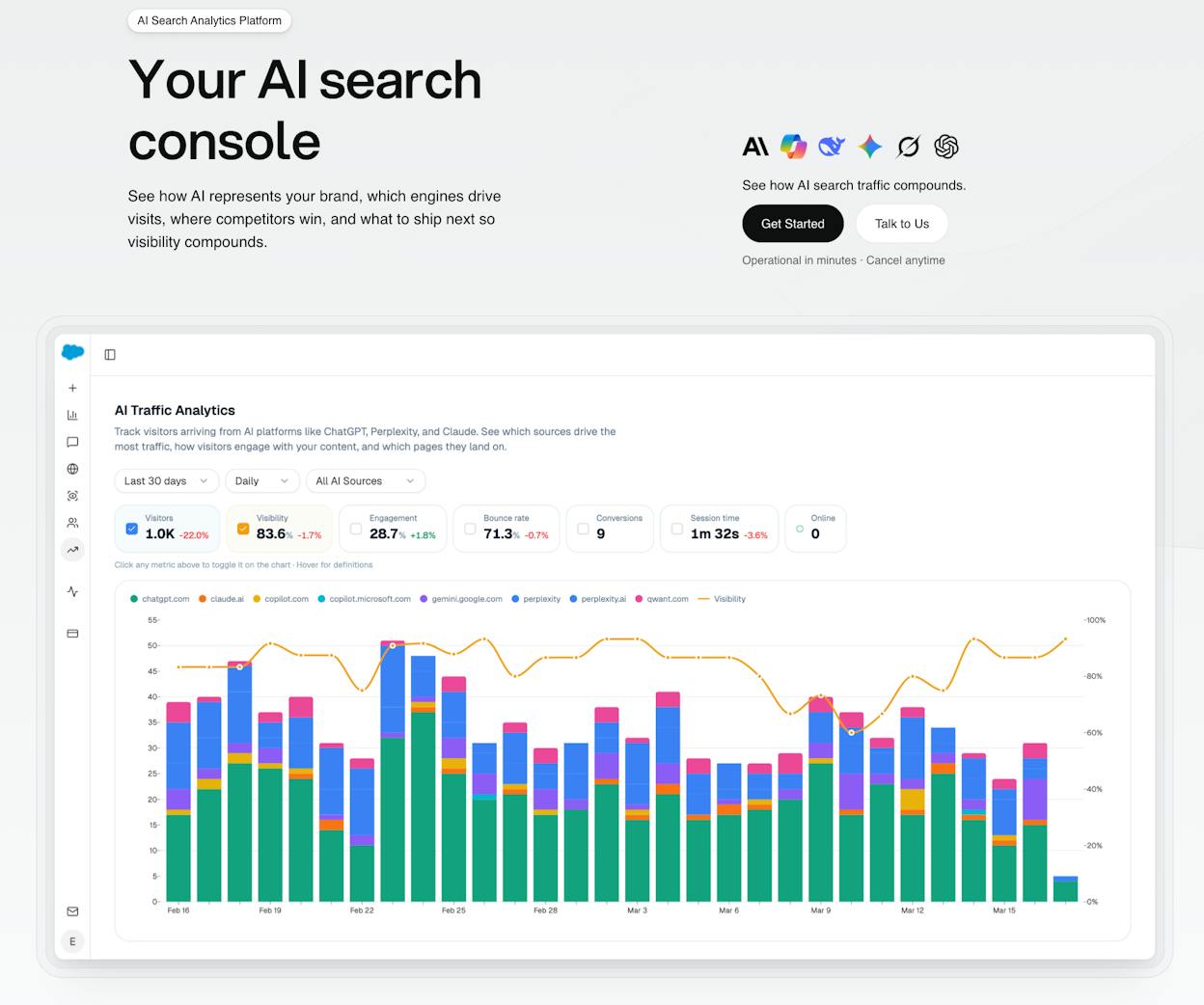
Analyze AI is an agentic platform for SEO, AEO, content, and GTM operations. It includes a full Agent Builder with 180+ nodes, and web scraping is just one of those nodes.
Here is what makes it different from standalone scraping tools:
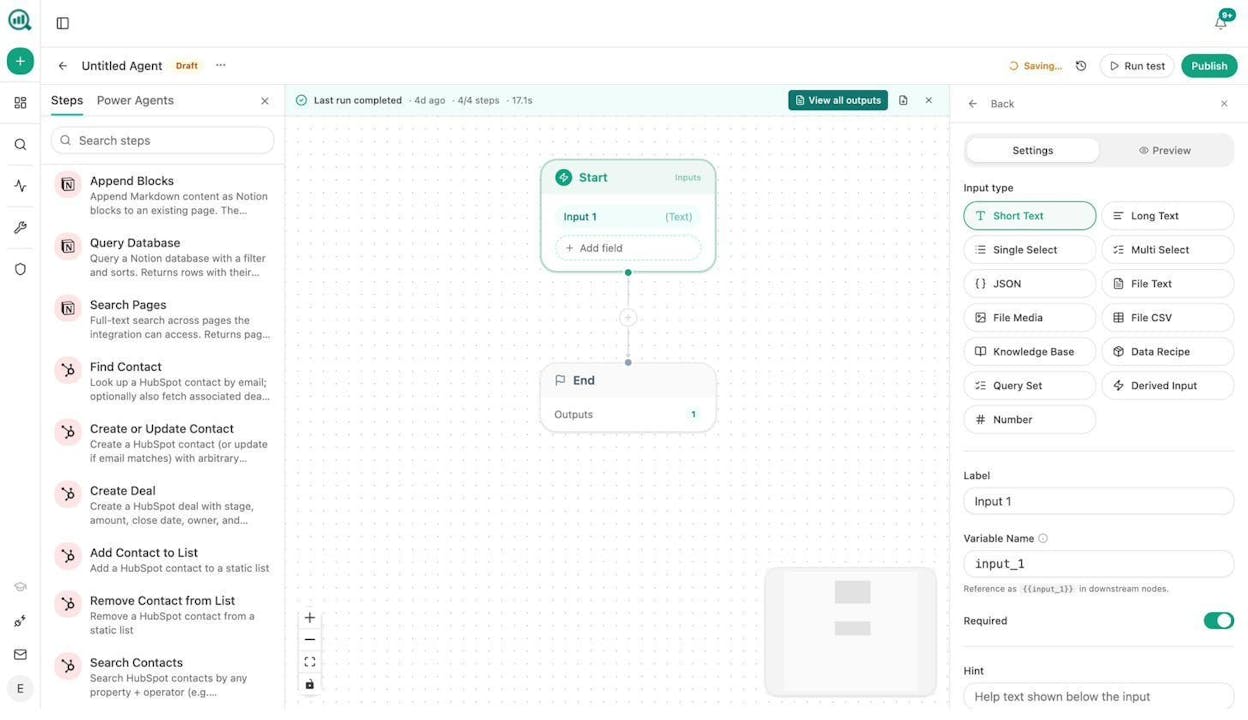
The Agent Builder has a Web Page Scrape node that extracts content from any URL. But that is node one of many. In the same workflow, you can connect that scraped data to a Prompt LLM node (Claude, GPT, Gemini, or Perplexity), run it through a Ranked Keywords or Domain Overview node from DataForSEO, push the enriched results to HubSpot or Notion, and trigger a Send Email node for outreach. All without leaving the same canvas.
The platform also includes a Content Writer and Content Optimizer that can take scraped data and turn it directly into publishable content. And the Sheets feature lets you manage bulk scraping jobs in a spreadsheet-like interface.
You can start a free trial and build your first scraping agent in minutes.
3. Build Your Scraping Workflow
Let’s walk through a real example. Say you want to scrape your top five competitors’ blog pages to find content topics they cover that you do not.
Step 1: Create a new agent. Open the Agent Builder and create a new agent. In the Start node, add a text input for the competitor’s blog URL.
Step 2: Add the Web Page Scrape node. Drag the Web Page Scrape node onto the canvas and connect it to the Start node. This node takes the URL from your input and pulls the raw HTML content of the page.
Step 3: Add a Prompt LLM node. Connect a Prompt LLM node after the scrape. Choose your preferred AI model. In the prompt field, write something like:
“From this blog page content, extract every article title, its URL, and the primary topic it covers. Return the results as a structured JSON array.”
This is where AI scraping beats traditional scraping. You do not need to identify CSS selectors or parse HTML tags. The LLM reads the page like a person would and returns structured data.
Step 4: Add a Get Sitemap node for deeper crawls. If you want to scrape beyond the main blog page, add a Get Sitemap node before the scrape step. This pulls every URL from the competitor’s sitemap, and you can loop through them with a Loop / For Each node to scrape each page in sequence.
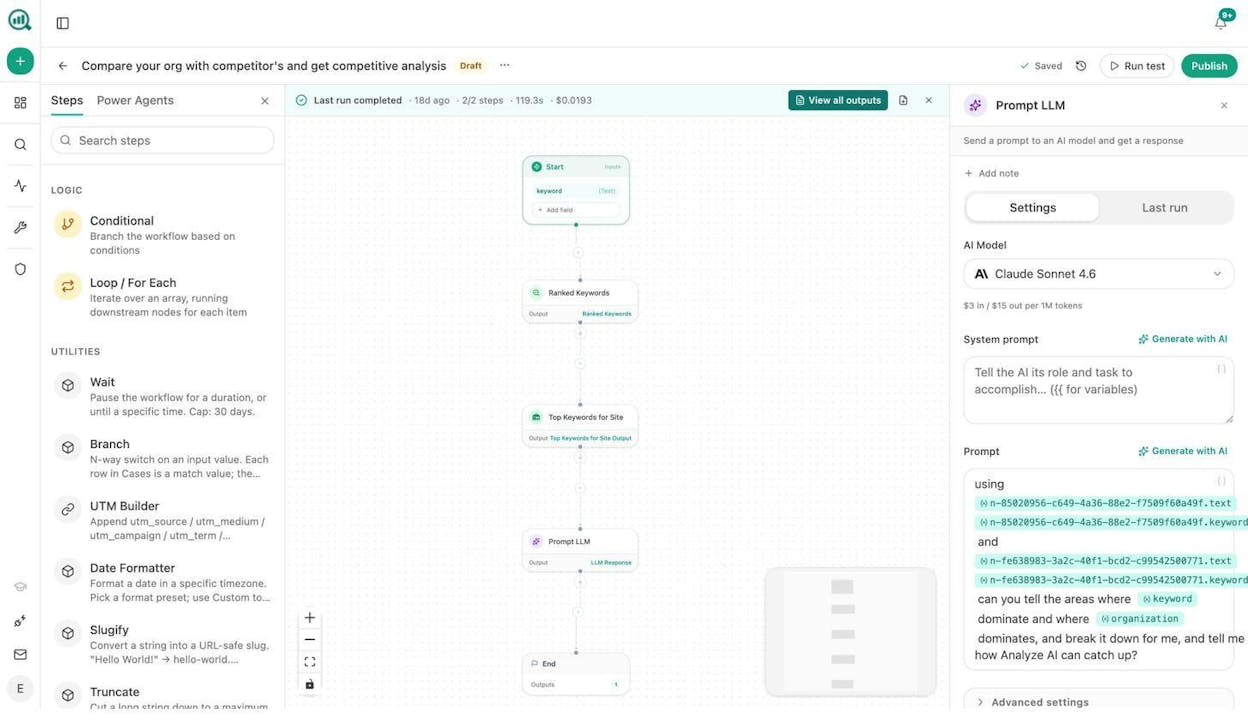
Step 5: Push the output somewhere useful. Connect a Notion, HubSpot, or CSV export node at the end. The scraped and analyzed data goes directly where your team will use it.
The entire workflow looks like this: Start (URL input) → Web Page Scrape → Prompt LLM (extract and analyze) → Export to Notion/CSV/HubSpot.
You can also schedule this agent to run weekly so your competitor intelligence stays current without anyone remembering to check.
4. Run the Scraper and Act on the Data
Click “Run test” in the Agent Builder to execute the workflow. The output panel on the right shows the results of each node as they complete.
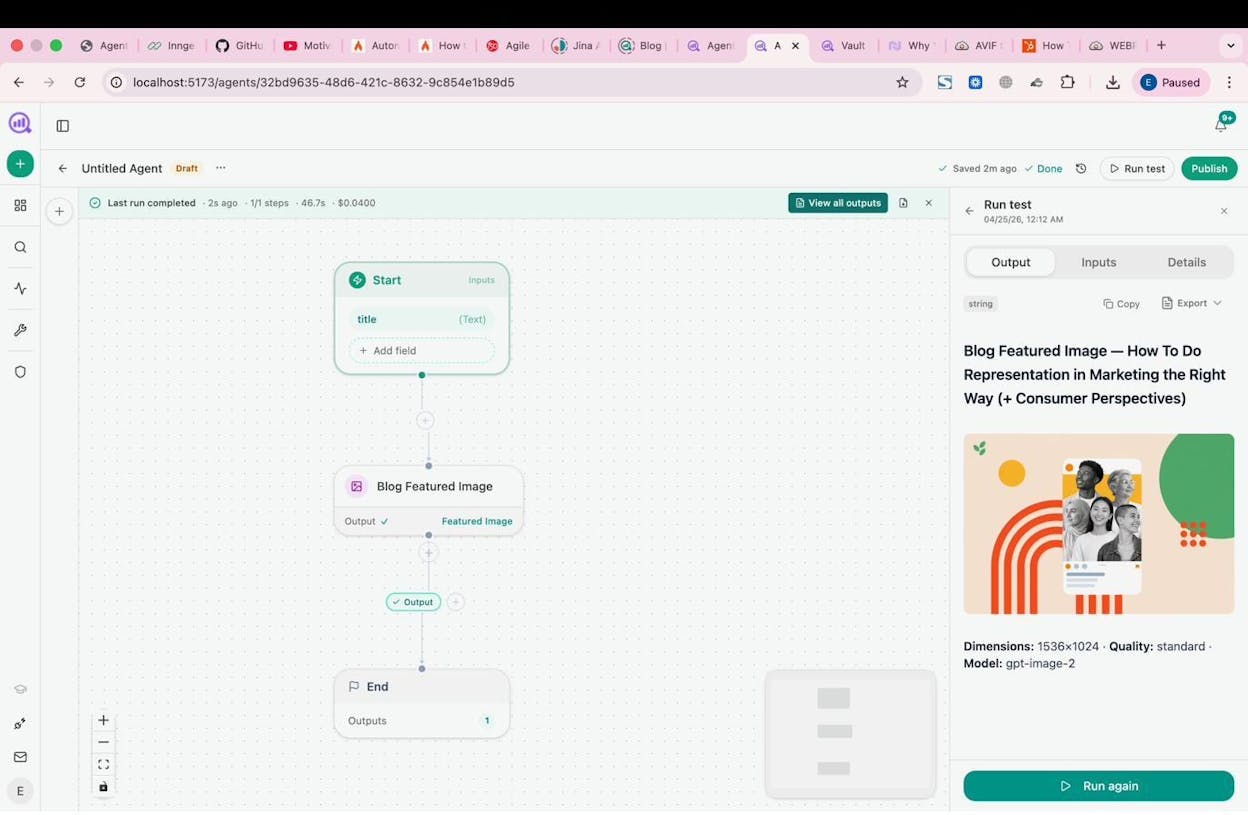
For the competitor content audit example, the output would be a structured list of every article your competitor has published, organized by topic. From there, you can cross-reference it against your own content library to find gaps.
If you added a scheduled trigger, this agent runs automatically. Set it to Monday at 7am, and the competitive content report is in your Notion workspace or Slack channel before your team’s weekly standup.
Five Marketing Workflows That Start With a Scrape
Web scraping gets interesting when you connect it to the workflows that follow. Here are five workflows marketing teams build inside Analyze AI’s Agent Builder, each starting with a scrape and ending with a deliverable.
1. Competitor Content Gap Analysis
Workflow: Get Sitemap (competitor domain) → Loop through URLs → Web Page Scrape each → Prompt LLM (“extract topic, word count, publish date, and target keyword”) → Compare against your own keyword research data using a DataForSEO Keyword Ideas node → Export gaps to Notion.
What you get: A list of topics your competitors rank for that you have not covered. This feeds directly into your editorial calendar.
2. ABM Lead Enrichment at Scale
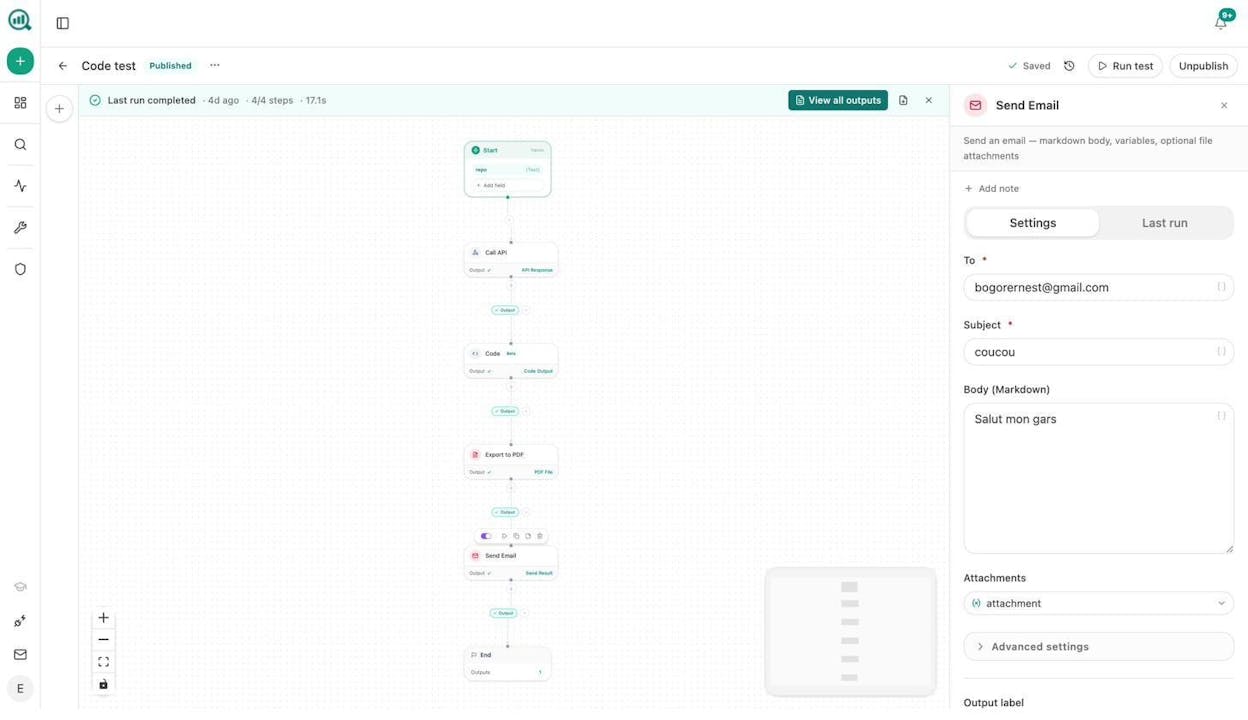
Workflow: Start with a CSV of target company URLs → Loop → Web Page Scrape (about page, leadership page) → Prompt LLM (“extract company size, industry, key decision-makers”) → Tomba Email Finder → HubSpot Create or Update Contact.
What you get: Enriched CRM records with verified contact details, without your sales team manually researching each prospect.
3. Content Refresh at Scale
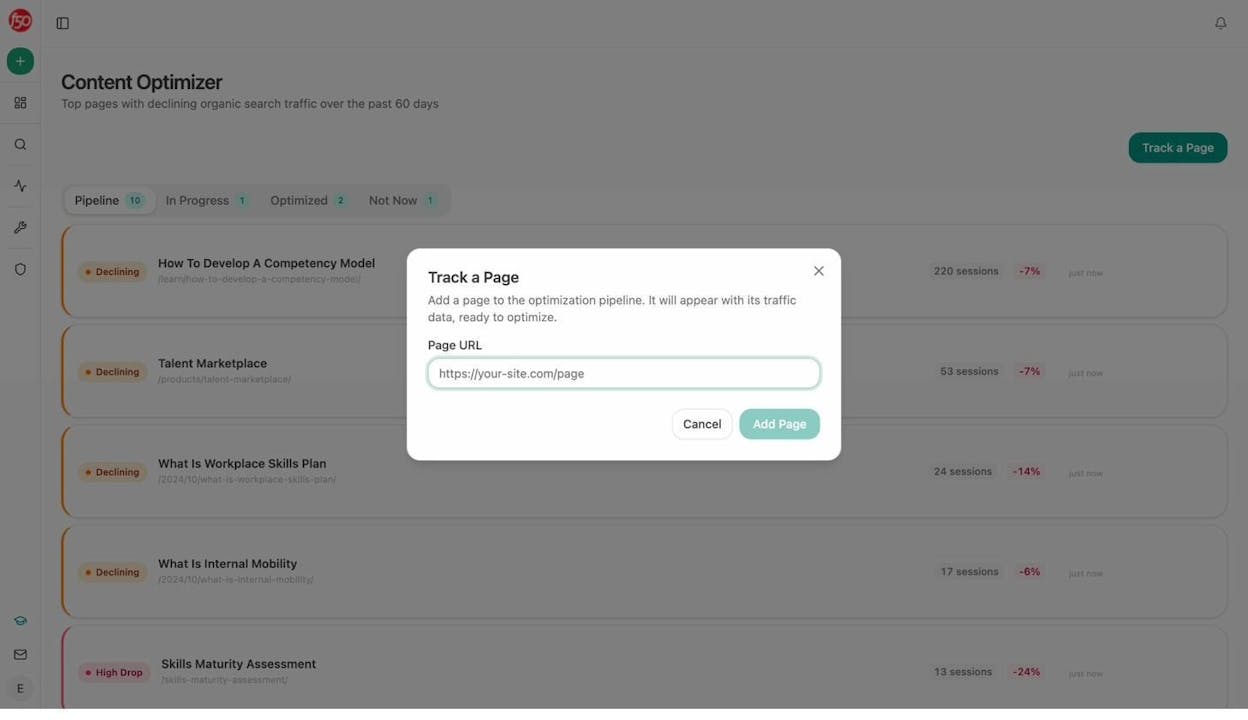
Workflow: Schedule (weekly) → Pull your sitemap → For each blog post, run an On-Page SEO audit → Identify pages with declining traffic using the declining-pages data recipe → Web Page Scrape each declining URL → Prompt LLM (“rewrite this content for freshness, add current statistics, improve structure”) → Push the updated draft to WordPress.
What you get: A content optimization pipeline that keeps your older posts competitive without manual review of every page. The Content Optimizer can also handle this with its built-in audit-to-rewrite pipeline.
4. Internal Linking Maintenance
Workflow: Schedule (weekly) → Get Sitemap (your domain) → Loop → On-Page SEO + GSC Top Keywords for Page → Prompt LLM (“suggest 3 internal links from this page to other relevant pages on the site”) → Export to Notion task list or auto-push via Call API.
What you get: An always-current internal linking map that keeps your site architecture tight, without an SEO specialist manually auditing every page.
5. Link Outreach Prospect Discovery
Workflow: Start with a seed keyword → DataForSEO Ranked Keywords → Filter for resource pages and roundup posts → Web Page Scrape each → Prompt LLM (“does this page accept guest contributions or link submissions?”) → Tomba Author Finder (get the editor’s email) → Export to CSV or HubSpot.
What you get: A qualified list of link building prospects with contact information, ready for outreach.
Each of these workflows uses the same pattern. Scrape first, analyze with AI second, distribute to where the work happens third. The Agent Builder’s 180+ nodes and 34 data recipes mean you can customize each step for your exact use case. The combinatorics are real. Pick any five nodes, and you have over 126 billion possible arrangements.
How Scraped Data Feeds AI Search Intelligence
Here is something most scraping guides skip entirely. The data you scrape can also improve your visibility in AI search engines like ChatGPT, Perplexity, and Gemini.
AI models pull their answers from web content. When you scrape competitor pages and discover what topics they cover, you are also discovering what content AI models are likely to cite. The Sources dashboard in Analyze AI shows exactly which URLs and domains AI platforms cite most frequently in your industry.
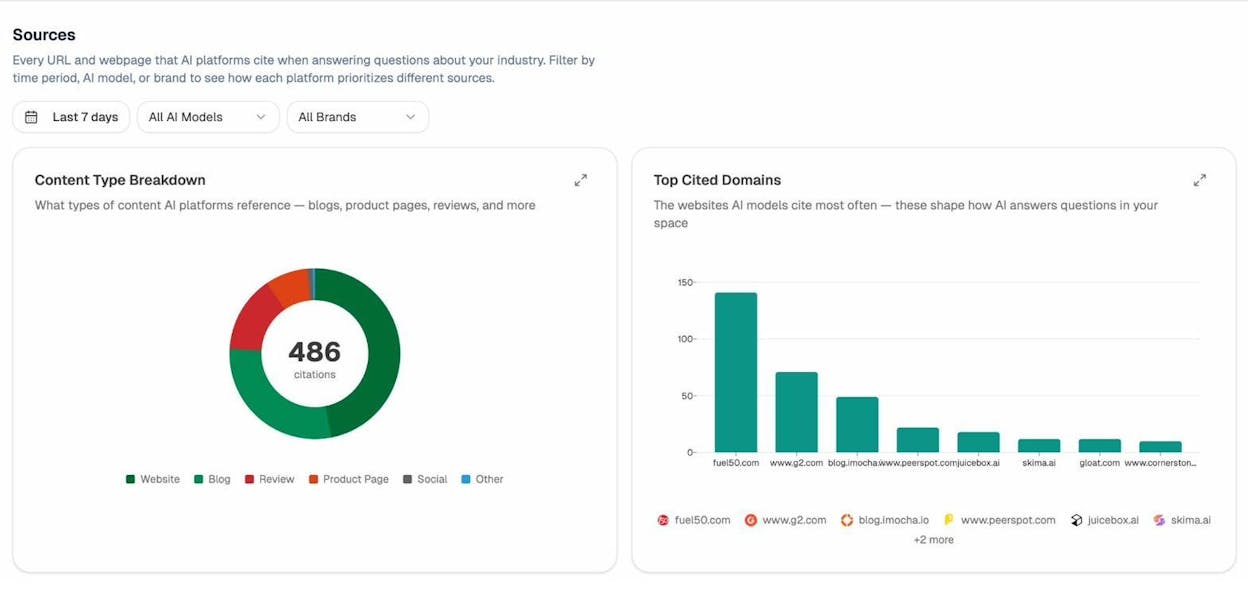
Combine this with scraped competitor data, and you get a clear picture of which content to create, update, or promote to win citations in AI answers.
For example, you can build an agent that scrapes the top 10 results for a target keyword, runs each through the AEO Content Scorecard node (which audits content for AI Engine Optimization readiness), and compares their scores against your own page. The output tells you exactly where your content falls short in structure, claim density, proof points, and source attribution.
The Competitor Intelligence feature takes this further by automatically tracking which competitors get cited in AI answers and where your brand is absent. The competitor-gaps data recipe shows prompts where competitors appear and you do not. The competitor-sources recipe shows URLs that cite competitors but never cite you.
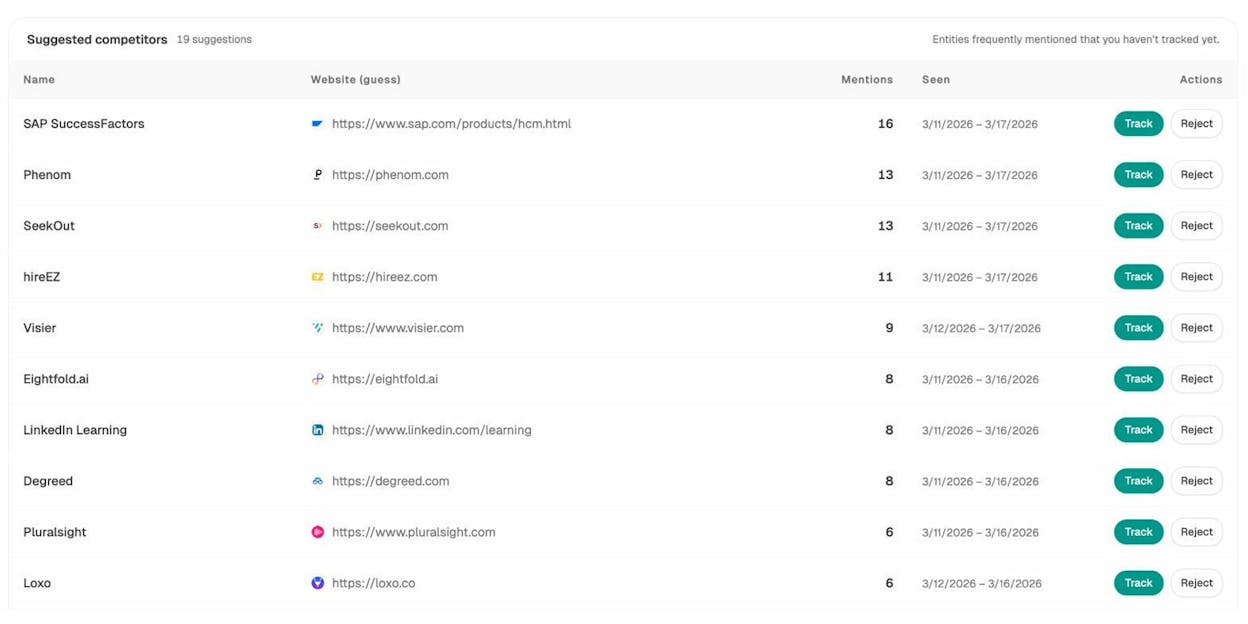
This is the evolution of competitive intelligence. It is not just about what competitors rank for in Google. It is about what AI models say about your competitors versus what they say about you.
You can check your current AI visibility and prompt tracking across every major AI platform, and use the Keyword Difficulty Checker or SERP Checker for the traditional SEO side of your research.
Start With a Scrape. End With a System.
Web scraping by itself is a utility. You pull data from a page. That is useful, but it is not a competitive advantage.
The advantage comes when you connect the scrape to the analysis, the analysis to the content, and the content to the distribution. That full loop is what turns a one-off data pull into a system that compounds over time.
Analyze AI’s Agent Builder was designed for this. It is not just a scraping tool. It is the agentic platform where your competitive intelligence, content marketing, SEO, and AI search operations run from a single workspace. With nodes for GA4, Google Search Console, Semrush, DataForSEO, HubSpot, WordPress, Notion, and every major LLM, the workflows you can build are limited only by the problems you need to solve.
Start your free trial and build your first scraping agent today.

Ernest

Ibrahim


