



Summarize this blog post with:


In this article, you’ll learn what HTTP status codes are, which ones affect SEO and AI search visibility, and how to find and fix them on your site. We’ll cover all five official ranges, walk through how Google and AI crawlers like ChatGPT, Perplexity, and Gemini treat each one, and end with a practical audit you can run today.
Table of Contents
What HTTP status codes are
An HTTP status code is a three-digit number a server returns to tell a browser or crawler what happened with a request. It is the answer to the question “did this page load, and if not, why?”
Status codes are defined by the Internet Engineering Task Force in RFC 9110, with the W3C maintaining the historical specifications. There are five official ranges plus a handful of unofficial codes used by specific platforms.
Here is the quick map of what each range means.
|
Range |
Meaning |
SEO and AI search impact |
|---|---|---|
|
1xx |
Informational |
Almost none |
|
2xx |
Success |
Page can be indexed and cited |
|
3xx |
Redirect |
Signals consolidate or split |
|
4xx |
Client error |
Page drops from index |
|
5xx |
Server error |
Crawl slows, page eventually drops |
|
6xx+ |
Unofficial |
Platform specific |
We’ll go through each range in order, but first you need a way to check codes on your own pages.
How to check the HTTP status code of any URL
Four methods cover almost every situation.
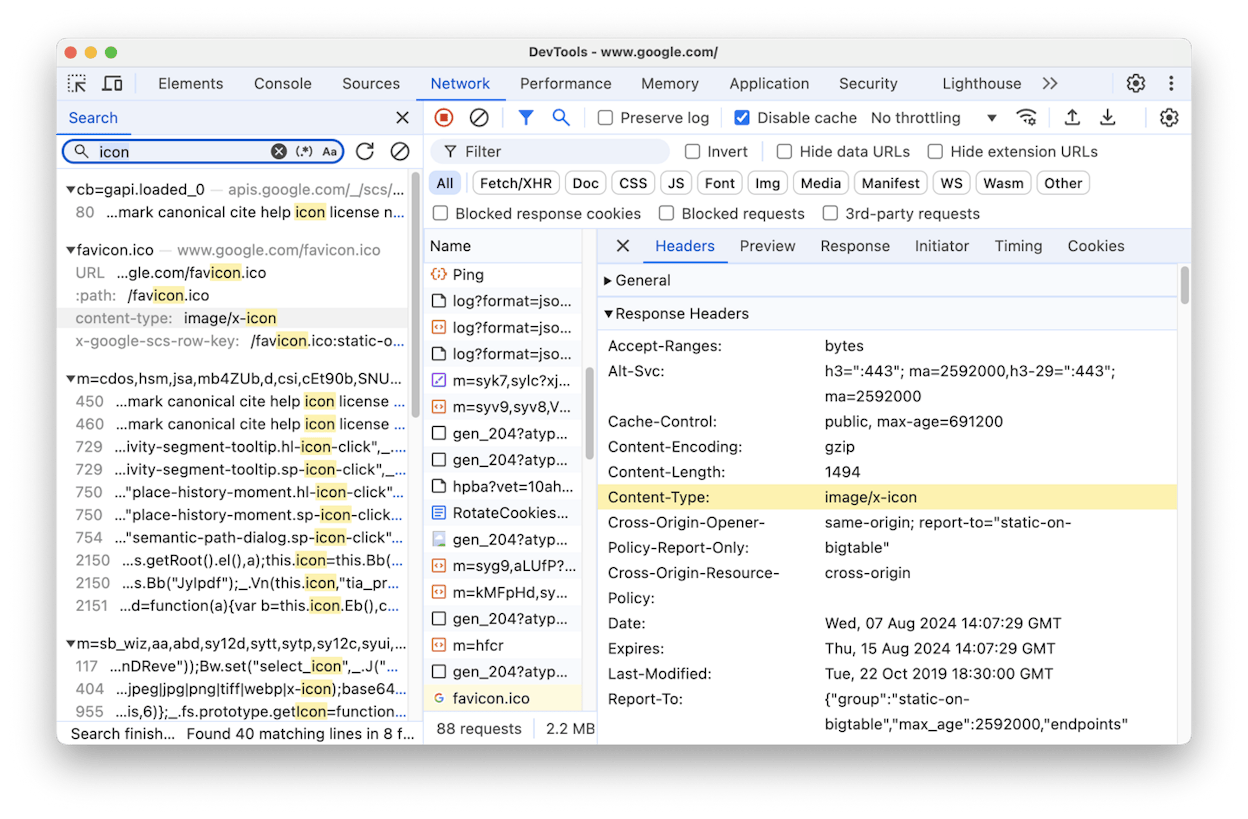
1. Browser DevTools. Open the page, right-click, choose Inspect, go to the Network tab, and reload. The Status column shows the code for every request.
2. SEO toolbar extensions. Free Chrome and Firefox extensions display the current page’s status code in the toolbar without opening DevTools.
3. Command line. Run curl -I https://example.com to see the full response header. This is useful when you need to test how a server responds to a non-browser request such as a search bot.
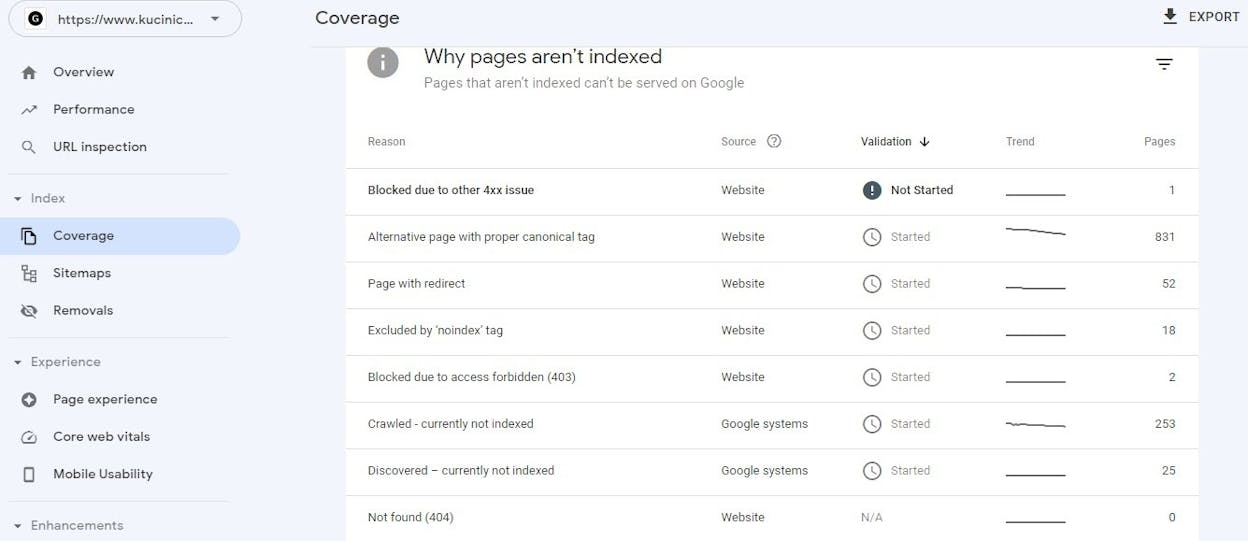
4. Google Search Console. The Page Indexing report shows which of your pages Google has crawled and what response it received. Issues are grouped by reason such as “Not found (404)” or “Server error (5xx).”
For sitewide audits, you’ll want a crawler like Screaming Frog, Sitebulb, or our free Broken Link Checker, which scans an entire domain and flags 4xx and 5xx errors.
1xx informational status codes
1xx codes tell the client the request was received and processing is continuing. You will almost never deal with them in SEO work.
100 Continue. The server is ready to receive the request body.
101 Switching Protocols. The connection is upgrading, usually to WebSockets.
102 Processing. The request is taking time.
103 Early Hints. The server suggests resources to preload, which can improve Core Web Vitals scores.
How Google and AI crawlers handle 1xx
They pass through. 1xx codes are intermediate signals before a 2xx, 3xx, 4xx, or 5xx response, so the indexing decision happens later.
2xx success status codes
2xx codes mean the request was received, understood, and accepted.
200 OK. The page returned successfully. This is the code most of your pages should return.
201 Created. A new resource was created on the server. Relevant for APIs, not SEO.
202 Accepted. The request was accepted but not yet completed.
204 No Content. The request succeeded but there is nothing to return.
206 Partial Content. Only part of the resource was sent. Used for video and large file streaming.
The other 2xx codes (203, 205, 207, 208, 226) are rare and not worth memorizing.
How Google handles 2xx
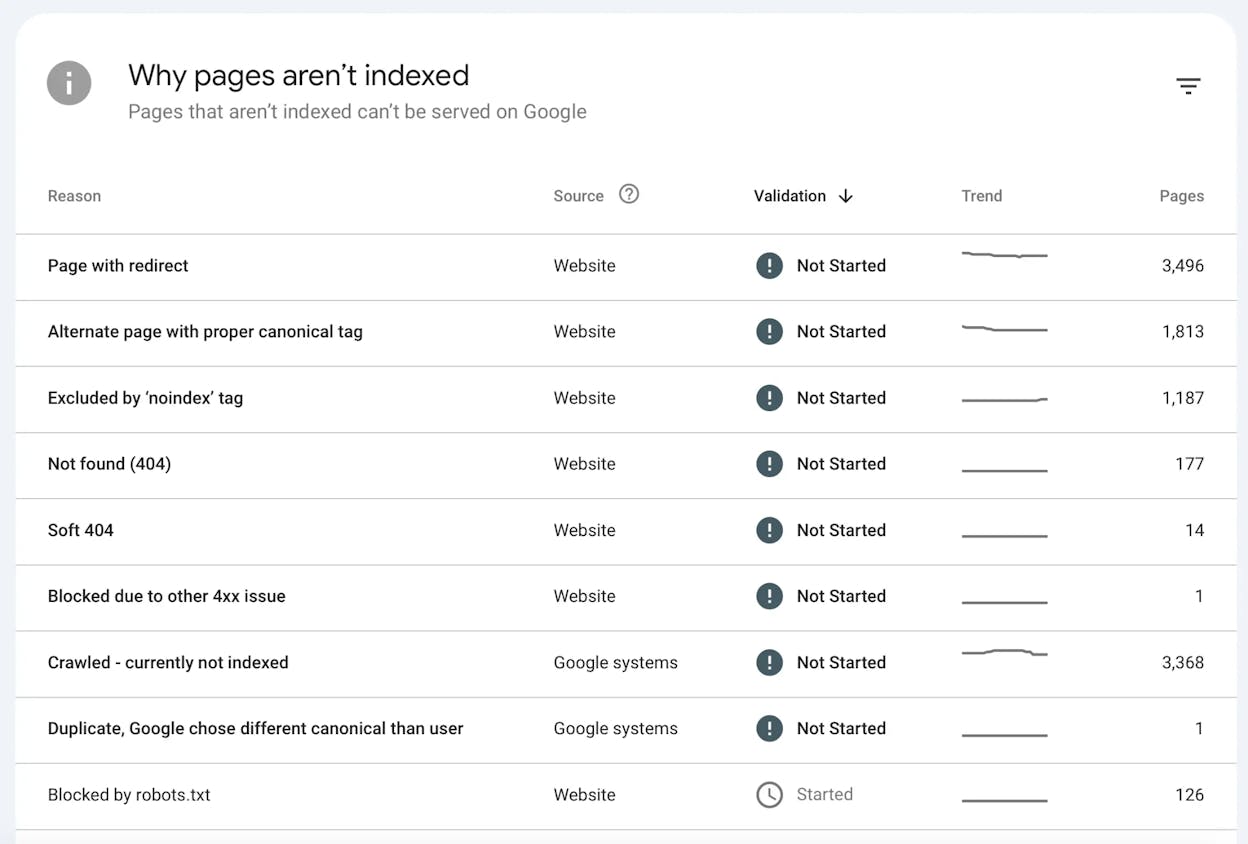
Most 2xx responses allow indexing, with one important exception. 204 No Content gets treated as a soft 404. The server says the page exists, but there is no content to serve, so Google will exclude these URLs from the index.
Soft 404s also occur when a page returns 200 OK but the content is essentially empty or duplicates another page. You can find them in the Page Indexing report inside Search Console.
How AI crawlers handle 2xx
ChatGPT’s GPTBot, Perplexity’s PerplexityBot, and Anthropic’s ClaudeBot all need a 200 response to crawl and reference your content. They are stricter than Googlebot in one way. Many AI crawlers do not render JavaScript, so a page that loads its content client-side may technically return 200 OK while delivering an empty document to the LLM.
If you want to know which of your pages are actually being read and cited by AI engines, open the Sources view in Analyze AI.
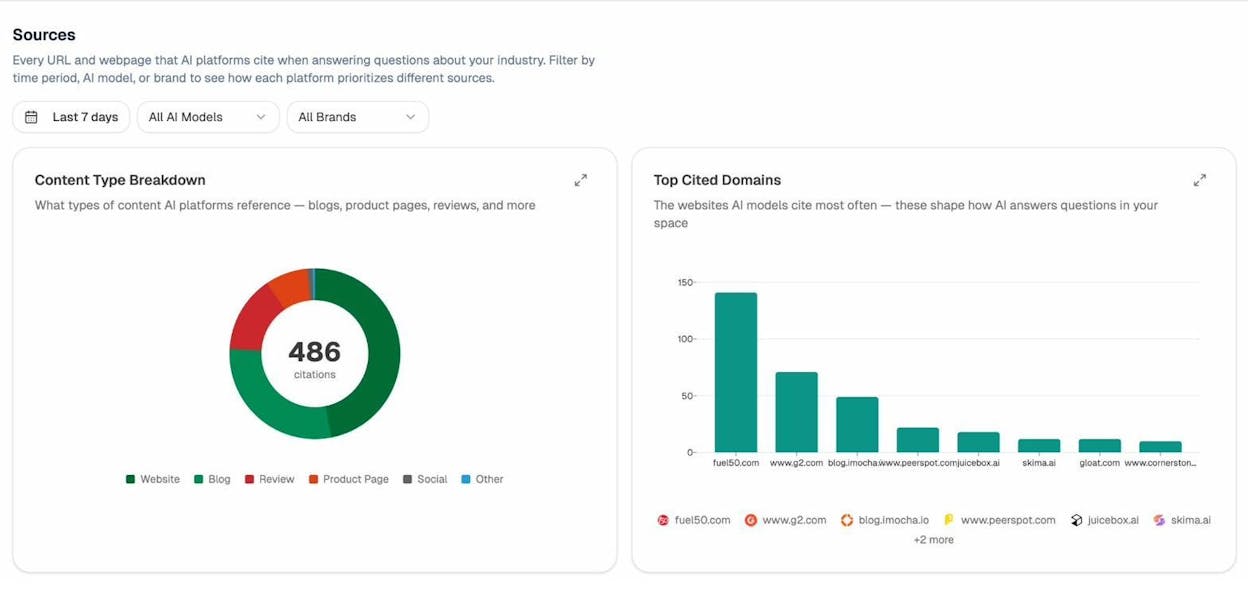
You can drill into the URL-level breakdown to see exactly which pages each AI engine is referencing.
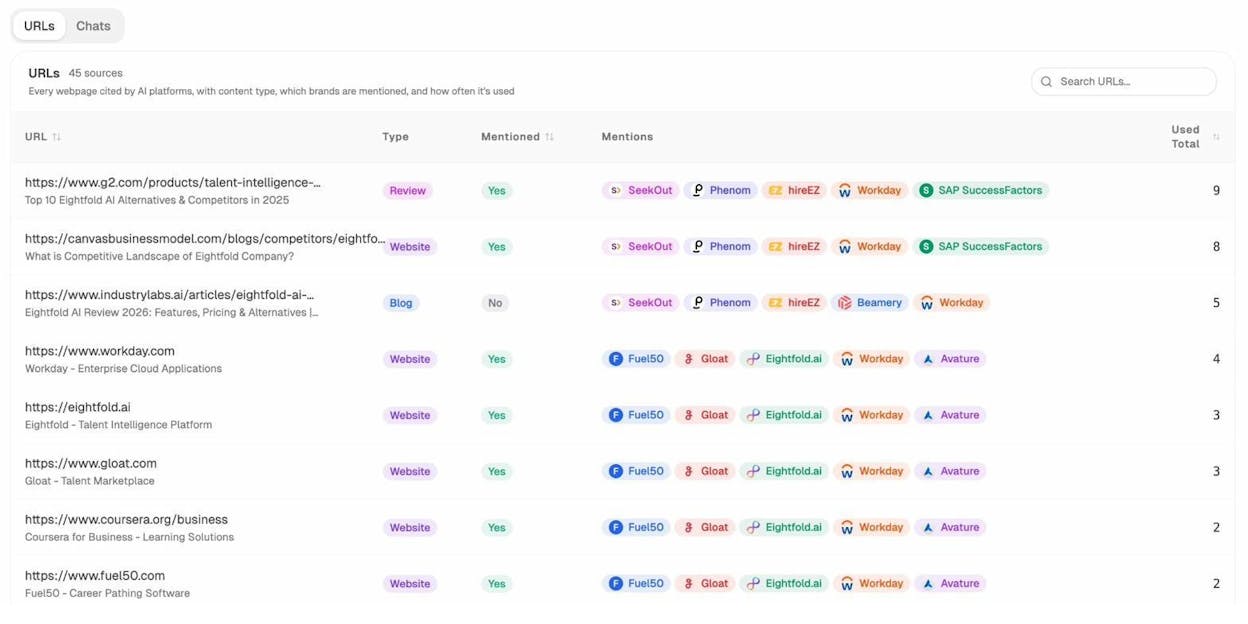
These are the URLs you cannot afford to break with a bad redirect, an accidental 404, or a server timeout. They are already earning you brand mentions in AI answers. Treat them like primary landing pages.
3xx redirect status codes
3xx codes tell the client to look somewhere else for the resource. This is where most SEO mistakes happen.
300 Multiple Choices. Rarely used. Multiple options for the resource.
301 Moved Permanently. The resource has a new permanent URL.
302 Found. Temporary redirect to a new URL.
303 See Other. Used after POST requests to redirect to a confirmation page.
304 Not Modified. The cached version is still valid. Helps with crawl efficiency.
307 Temporary Redirect. Like 302 but preserves the HTTP method.
308 Permanent Redirect. Like 301 but preserves the HTTP method.
The four redirects you’ll actually deal with are 301, 302, 307, and 308. Here is how they compare.
|
Code |
Permanence |
Method preserved |
SEO consolidation |
|---|---|---|---|
|
301 |
Permanent |
No (POST→GET allowed) |
Forward to new URL |
|
302 |
Temporary |
No |
Backward to old URL |
|
307 |
Temporary |
Yes |
Backward to old URL |
|
308 |
Permanent |
Yes |
Forward to new URL |
How Google handles 3xx
301s and 308s are canonicalization signals that pass PageRank forward to the new URL. 302s and 307s consolidate backward, meaning Google keeps the original URL in the index. If a 302 stays in place long enough, Google often promotes it to a 301.
303s are treated case by case. Google may interpret them as 301 or 302 depending on how they behave.
There is a hop limit. Google follows up to ten redirects in a chain across multiple sessions, but signals start to dilute after the first few. A redirect chain of A → B → C → D wastes crawl budget and weakens consolidation. Google’s redirect documentation recommends pointing each old URL directly to the final destination.
You can find chains using a site crawler. Look for URLs where the final destination is more than one hop away.
How AI crawlers handle 3xx
LLM crawlers are less forgiving than Googlebot. Many follow only one or two hops before giving up. If you’ve migrated content with chained redirects, which is typical after a CMS change or domain consolidation, you’re losing AI citations every day without knowing it.
The fix is mechanical. Update every redirect to point directly to the final destination. If a page is cited in AI answers and lives behind a chain, repoint the chain to a single 301.
Analyze AI’s Citation Analytics flags which of your URLs are currently cited by ChatGPT, Perplexity, Gemini, and Copilot, so you can cross-reference them against your redirect map.
4xx client error status codes
4xx codes mean the request was wrong or the resource does not exist. These are the codes that quietly destroy SEO performance.
The ones that matter most for SEO and AI search:
400 Bad Request. Malformed request, often caused by client-side errors.
401 Unauthorized. Authentication required. Search bots cannot index these.
403 Forbidden. The server understood but refused. This often hits crawlers blocked by IP or user-agent rules.
404 Not Found. The page does not exist.
410 Gone. The page existed but was permanently removed.
429 Too Many Requests. Rate limiting kicked in. Search bots will slow down.
451 Unavailable For Legal Reasons. Blocked due to a legal demand or DMCA notice.
The full 4xx range includes dozens of additional codes (405 Method Not Allowed, 408 Request Timeout, 413 Payload Too Large, 415 Unsupported Media Type, 422 Unprocessable Entity, 431 Request Header Fields Too Large) plus platform-specific codes used by Cloudflare, nginx, and AWS load balancers. Most are diagnostic. Fix them when they appear in your crawl reports, but don’t memorize them.
How Google handles 4xx
4xx responses cause pages to drop from the index. 404 and 410 are functionally similar, but 410 signals removal more decisively and is processed slightly faster.
403s are often misdiagnosed. If Googlebot is blocked at the firewall or CDN level, your pages will return 403 to the crawler while loading fine in your browser. Check Search Console’s URL Inspection tool to see what Google actually sees.
429s tell crawlers to back off. Google reads them as a server problem rather than a missing page, but if the rate limit persists, the page will drop too.
How to find and fix 4xx errors with backlinks pointing at them
A 404 page that has external backlinks is wasted equity. Those links should be redirected to a relevant live page so the link value flows where you want it. This is one of the highest-leverage fixes in technical SEO and a topic we cover in our internal linking guide.
Here is the workflow.
-
Run a crawl using Screaming Frog, Sitebulb, or our free Broken Link Checker and export all 404 URLs.
-
Cross-reference those URLs with your backlink data in Ahrefs, Moz, or Search Console’s Links report.
-
For each 404 with backlinks, choose the closest live equivalent.
-
Add a 301 redirect from the broken URL to the live one.
-
After deployment, recrawl to confirm the 301 resolves with a single hop.
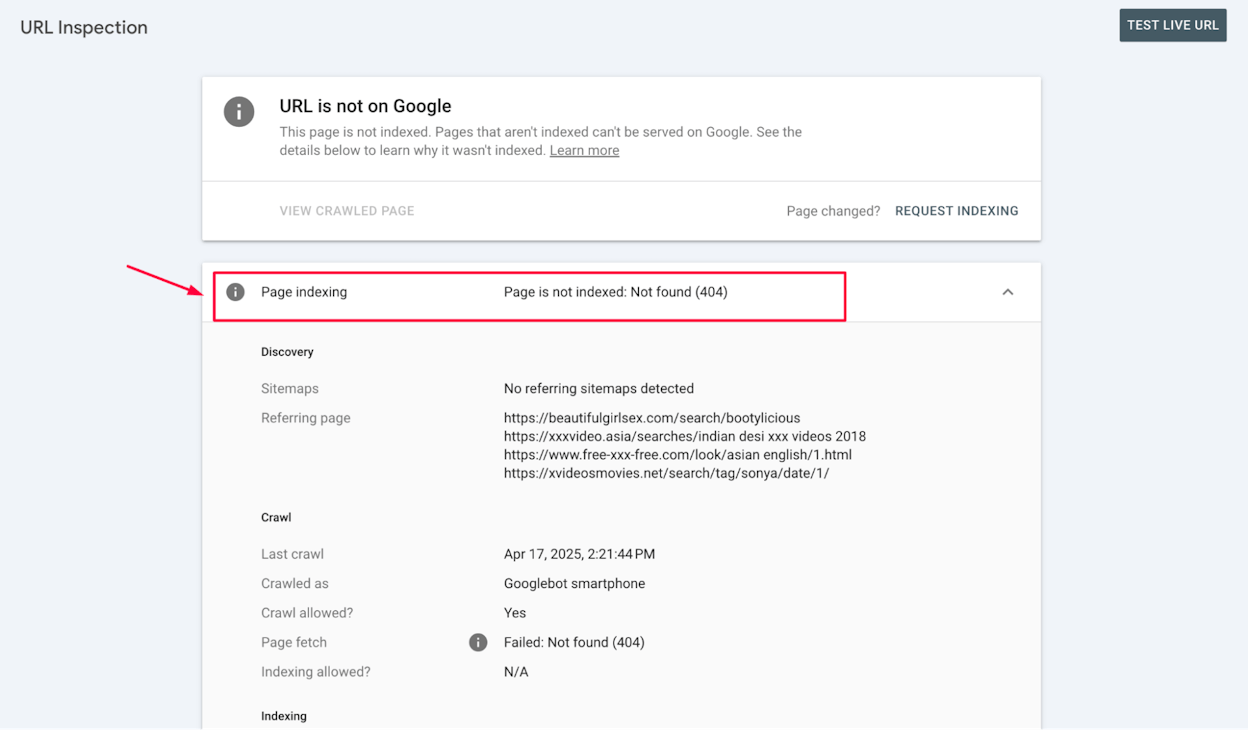
How 4xx errors hurt AI search visibility
This is where things get worse than for traditional SEO. When an LLM has previously cited a page and that page now returns 404, three things happen.
First, the citation gets dropped from subsequent answers. Second, the next time the engine recrawls and finds the page missing, it may stop referencing your domain for that topic and switch to a competitor that still has a working page. Third, you lose any direct AI traffic the page was sending you.
To find pages currently sending you AI traffic (the ones that absolutely cannot 404), open Analyze AI’s AI Traffic Analytics.
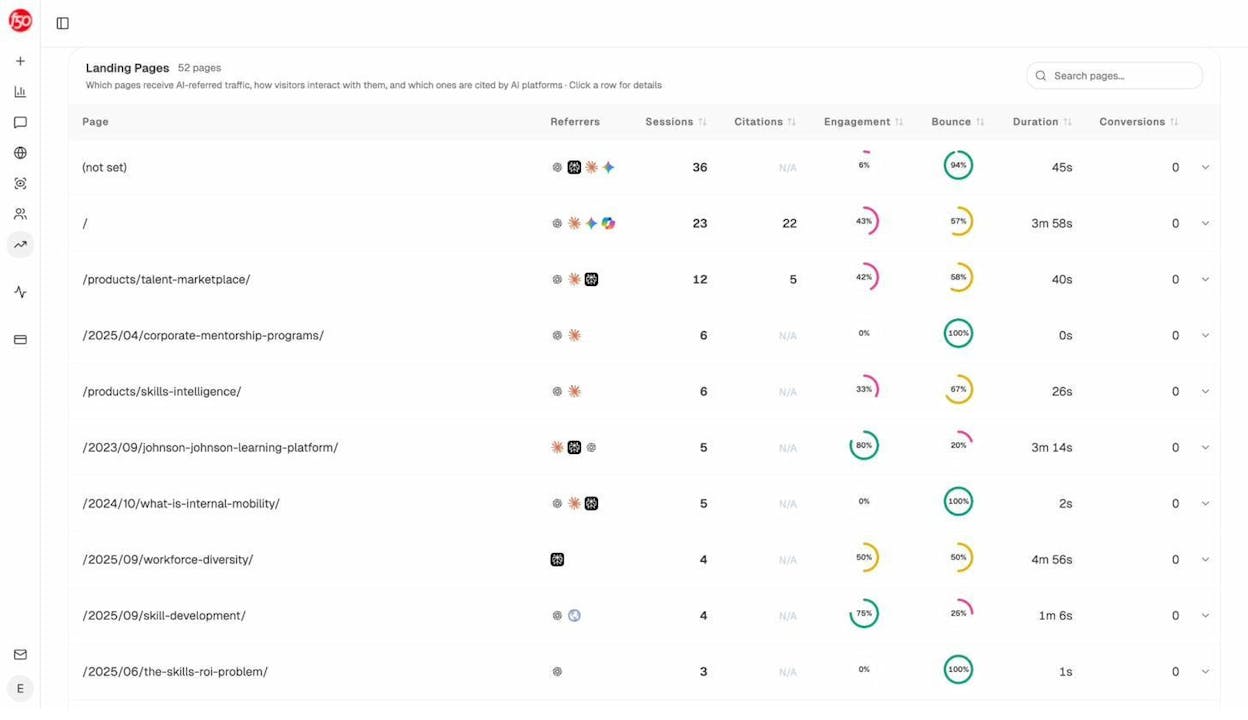
Sort by sessions or citations and protect those URLs first. Treat them as production-critical.
5xx server error status codes
5xx codes mean the server failed to fulfill a valid request.
The ones worth monitoring:
500 Internal Server Error. Generic server failure.
502 Bad Gateway. An upstream server returned an invalid response.
503 Service Unavailable. The server is overloaded or in maintenance mode.
504 Gateway Timeout. An upstream server did not respond in time.
The rest (501, 505 through 511, plus Cloudflare’s 520 to 530 range) are diagnostic. Send them to engineering when they appear.
How Google handles 5xx
5xx responses slow Google’s crawl rate. The reasoning is sensible. If your server is struggling, hammering it with crawl requests makes things worse.
Persistent 5xx errors will eventually drop pages from the index. Intermittent ones rarely cause permanent damage as long as recovery is fast. For planned maintenance, return 503 with a Retry-After header so Google knows to come back later instead of treating the outage as a sign the page is dead.
Why 5xx errors are particularly bad for AI search
LLM crawlers retry less aggressively than Googlebot. A page down for a few hours during Googlebot’s visit might recover before lasting damage. The same outage during a GPTBot or PerplexityBot crawl can cause the engine to drop your page from its citation pool and skip it the next time around.
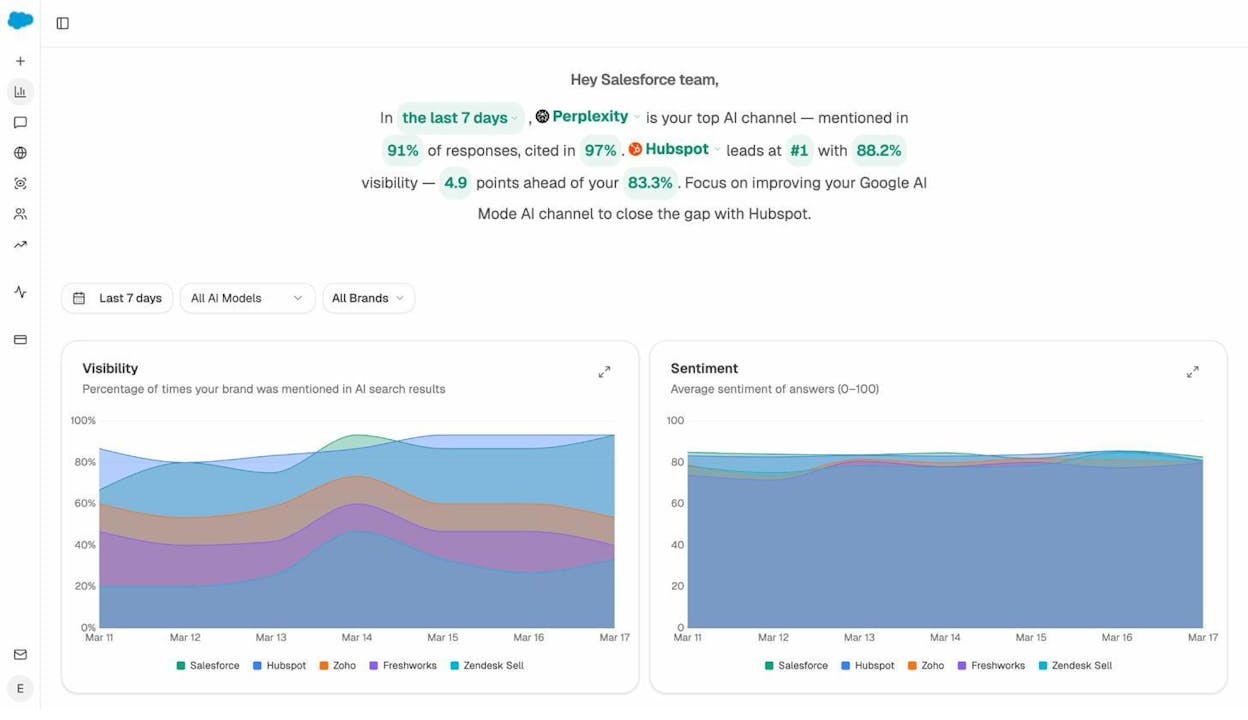
Monitor 5xx errors in real time, not weekly. Use uptime monitoring (UptimeRobot, Better Uptime, Pingdom) to alert on outages, and pair it with Analyze AI’s AI Visibility Tracking so you can correlate visibility drops with downtime windows.
6xx and above are unofficial codes
The HTTP specification only defines 1xx through 5xx. Anything 600 or higher is unofficial and platform-specific.
The code you’ll likely encounter is 999, which LinkedIn and a few other large platforms return when they detect automated access. If you’re running technical audits and start seeing 999s, you have been rate-limited or IP-blocked.
Treat unofficial codes as informational. They mean something specific on the platform that returned them, but they don’t have a standardized SEO interpretation.
Which status codes actually matter
If you only have time to monitor a handful of codes, focus on these.
|
Code |
Why it matters |
What to do |
|---|---|---|
|
200 |
Default healthy state |
Confirm pages are not soft 404s |
|
301 |
Permanent redirect |
Use for migrated content |
|
302 |
Temporary redirect |
Convert to 301 if the move is permanent |
|
404 |
Page missing |
Redirect if it has backlinks, otherwise return 410 |
|
410 |
Gone |
Use to remove pages decisively |
|
500 |
Server failure |
Treat as a production incident |
|
503 |
Service unavailable |
Use during planned maintenance with a Retry-After header |
Everything else is a diagnostic detail you fix as it appears.
How to audit your site for status code issues
Run this audit quarterly, or after any major site change. The first time you run it on a mid-size site, you’ll usually find dozens of fixable issues.
Step 1. Crawl the entire site. Use Screaming Frog or Sitebulb. Export the full URL list with status codes.
Step 2. Filter for non-200 responses. Group results by code so you can prioritize.
Step 3. Pull external backlink data. Identify any 404 URLs with referring domains. Redirect them to relevant pages.
Step 4. Find redirect chains. Any URL with more than one hop should be flattened to a single 301.
Step 5. Cross-check Google Search Console. Look at the Page Indexing report for soft 404s and server errors. Compare against your crawl.
Step 6. Cross-check AI search visibility. Open Analyze AI’s Sources report and AI Traffic Analytics. Confirm every cited or AI-trafficked URL returns 200.
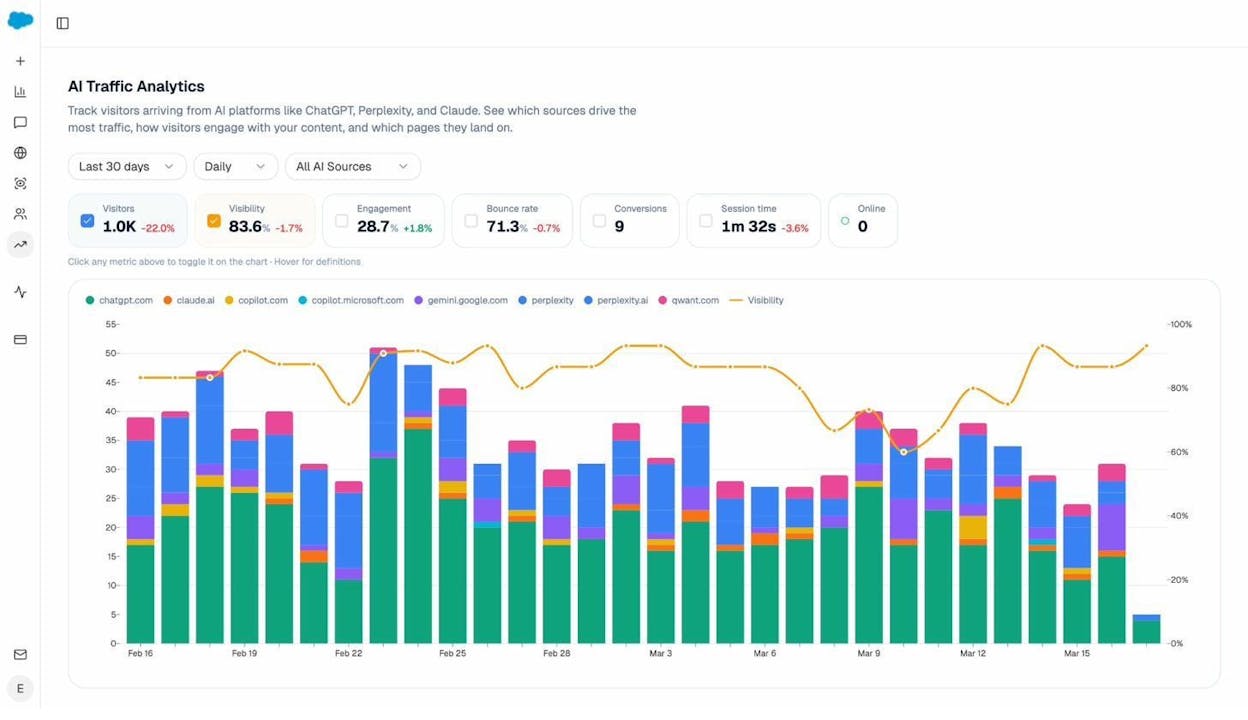
Step 7. Set up monitoring. Add uptime monitoring for 5xx alerts. Schedule a weekly crawl to catch new 4xxs before they accumulate.
This audit takes about half a day for a typical mid-size site. Recurring runs are mostly maintenance.
Common mistakes to avoid
A few patterns we see repeatedly.
Using 302 for permanent moves. This is the error we see most. The page moves, the developer reaches for 302 because it sounds safer, and rankings stick to the old URL. Use 301 for anything permanent.
Stacking redirects after migrations. Three migrations in, you have A → B → C → D chains everywhere. Flatten them at every migration.
Returning 200 for missing pages. Custom error pages that return 200 OK are soft 404s. Always serve a real 404 or 410 with your custom design.
Blocking crawlers with 403. Aggressive bot protection at the CDN often catches Googlebot, GPTBot, and PerplexityBot. Audit your firewall rules whenever AI traffic drops unexpectedly.
Ignoring AI search agents in robots.txt. If you’ve disallowed GPTBot, PerplexityBot, or ClaudeBot, your pages return 200 in browsers but are unreachable to LLMs. Decide deliberately, then verify with a curl test using the bot’s user agent.
Wrapping up
Status codes are one of the few areas of SEO where the rules are clear, the diagnostics are objective, and the wins compound. A clean site that returns the right code for every URL gets crawled efficiently, indexed reliably, and cited consistently across both Google and AI engines.
The catch is that most teams audit codes quarterly and forget about them between reviews. Pages break silently. Redirects pile up. AI engines drop your URLs and you don’t notice for weeks.
For a faster feedback loop on what is happening across organic and AI search, Analyze AI tracks visibility, citations, and AI traffic to your domain in one place. Pair it with our free Broken Link Checker for a no-cost first pass on your site’s HTTP health, and you’ll catch most issues before they cost you traffic.

Ernest

Ibrahim


