



Summarize this blog post with:


In this article, you’ll get an honest breakdown of 14 AI marketing tools across six categories. For each tool, you’ll learn what it does well, where it falls short, what it costs, and whether it’s worth your budget. You’ll also learn how to evaluate any AI marketing tool before you buy, and why the best stack in 2026 covers both traditional SEO and AI search visibility.
We tested, reviewed, and compared over 40 tools to narrow this list down. If a tool didn’t solve a real workflow problem or couldn’t justify its price against alternatives, it didn’t make the cut.
Here is the quick comparison.
|
Tool |
Category |
Best For |
Starting Price |
|---|---|---|---|
|
SEO, AEO, Content & GTM Ops |
Teams that need visibility, content, and automation in one platform |
Custom |
|
|
Content Optimization |
Writers who need semantic keyword guidance |
$129/mo |
|
|
Surfer SEO |
Content Optimization |
Data-heavy on-page optimization |
$69/mo |
|
Content Strategy |
Enterprise teams building topic clusters |
$149/mo |
|
|
AI Writing |
Marketing teams producing multi-channel campaigns |
$49/mo |
|
|
AI Copywriting |
Quick short-form copy variations |
Free tier available |
|
|
Enterprise Writing |
Regulated industries needing brand compliance |
Custom |
|
|
Email Automation |
Behavioral email targeting and predictive sending |
$29/mo |
|
|
Email Optimization |
B2B teams optimizing send-time personalization |
Custom |
|
|
Social Media |
Solo marketers scheduling posts with AI captions |
Free tier available |
|
|
Content Repurposing |
Brands repurposing long-form content into social posts |
Custom |
|
|
Ad Creative |
Rapid ad creative generation and A/B testing |
$29/mo |
|
|
Ad Optimization |
Automated audience targeting on Meta platforms |
Ad spend only |
|
|
Workflow Automation |
No-code automation between marketing tools |
Free tier available |
Table of Contents
AI Search Visibility and SEO Tools
These tools help your content rank in traditional search results and get cited by AI answer engines like ChatGPT, Perplexity, and Gemini. The category has changed significantly. It is no longer enough to optimize for Google alone. Your content now needs to work for AI models too.
Analyze AI
Best for: Marketing teams, agencies, and content ops teams that want SEO, AI search visibility, content production, and workflow automation in a single platform.
Most tools in this list solve one problem. Clearscope optimizes content. Surfer audits pages. Zapier connects apps. Analyze AI does all of this and more because it was built as an agentic platform for SEO, AEO, content, and GTM operations.
Here is what that means in practice.
Discover what AI engines say about you. Type a natural-language prompt into AI Search Explorer and see how ChatGPT, Claude, Gemini, Perplexity, and Copilot respond. You’ll see whether your brand is mentioned, who ranks above you, what sources get cited, and what sentiment each model assigns to your brand. No setup. No tracking configuration. Just real-time answers from real prompts.
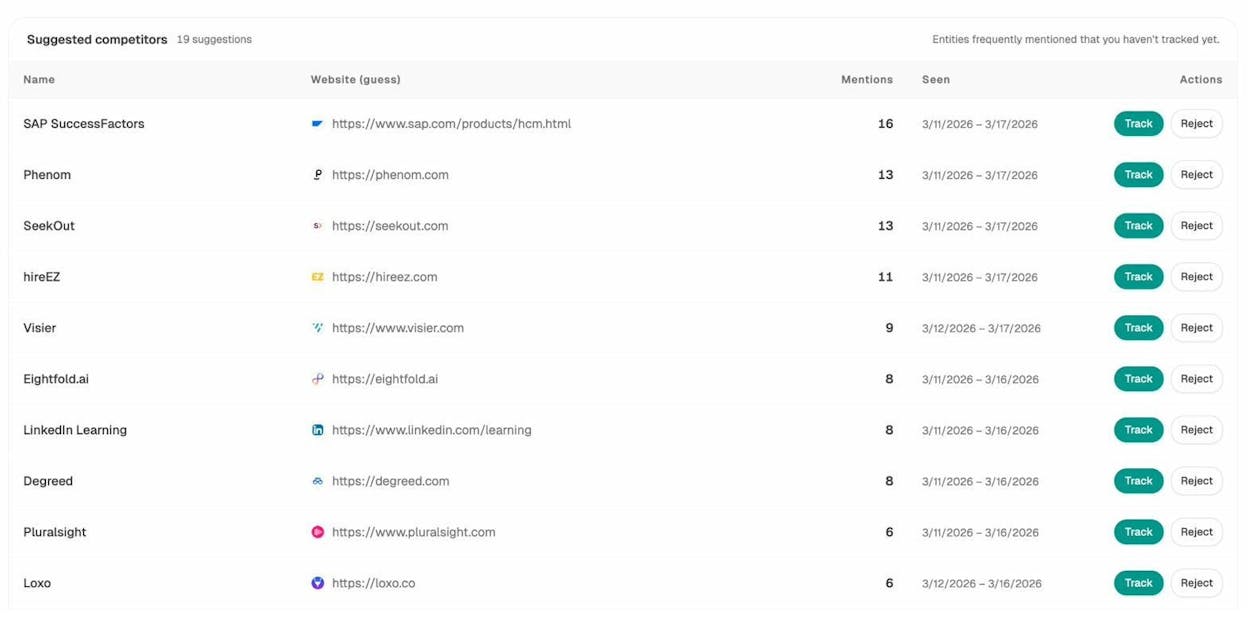
Track and monitor over time. Once you find high-value prompts, Prompt Tracking monitors them daily across all major models. You’ll see position changes, visibility trends, citation shifts, and sentiment movement. When you drop from position 2 to position 5, you’ll know exactly which competitor replaced you and when it happened.
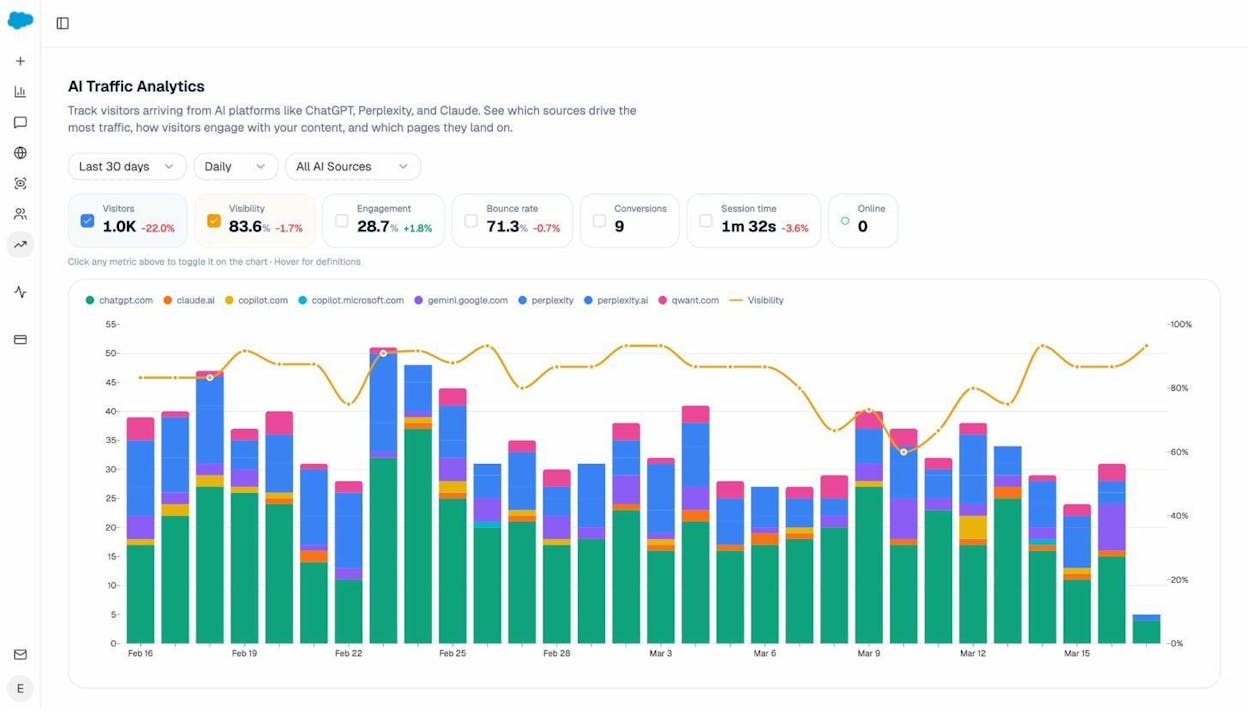
Prove AI search drives pipeline. AI Traffic Analytics connects to your GA4 and shows you exactly how many visitors come from ChatGPT, Perplexity, and Gemini. You’ll see which landing pages receive AI traffic, how those visitors behave, and whether they convert. This is the report your CMO actually wants to see.
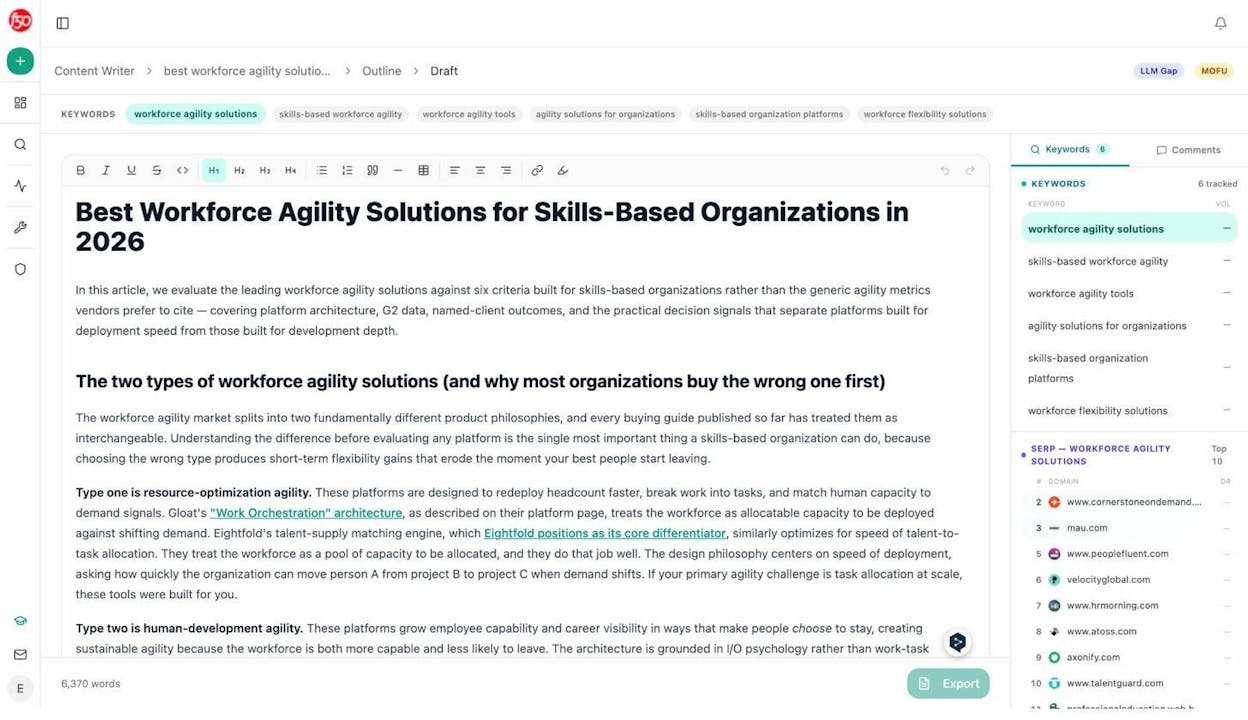
Write and optimize content that ranks in both channels. The AI Content Writer doesn’t just generate text. It researches your keyword, analyzes SERP competition, builds an outline with strategist-level comments, and produces a draft that targets both Google and AI engines. The AI Content Optimizer takes your existing URLs and audits them for AI Engine Optimization readiness, then rewrites the weak sections while preserving your brand voice through the Knowledge Base.
Automate entire marketing workflows with the Agent Builder. This is where Analyze AI separates from every other tool on this list. The Agent Builder gives you 180+ nodes, 34 pre-built data recipes, and direct integrations with GA4, Google Search Console, DataForSEO, Semrush, HubSpot, Notion, WordPress, Slack, and every major LLM. You can build agents that run on a schedule, fire from a webhook, or execute on demand.
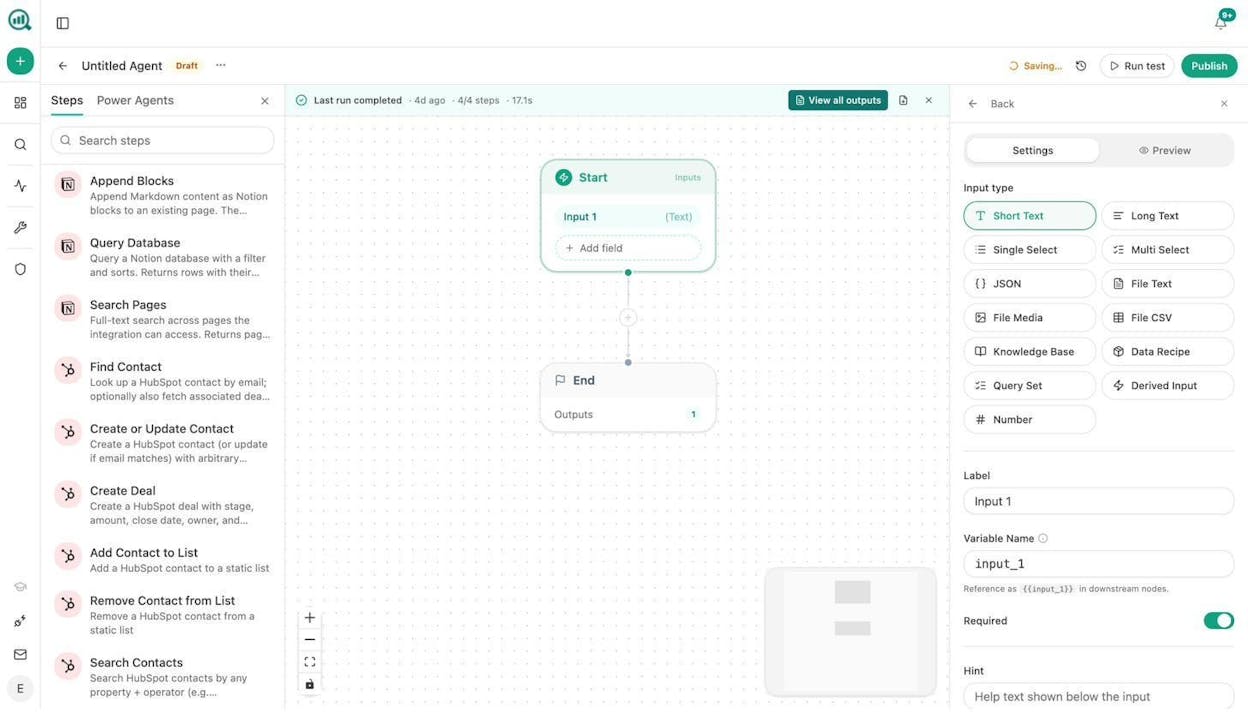
A few examples of what teams actually build with this:
-
A content team schedules a weekly agent that finds declining pages in GA4, cross-references them with AI citation data, rewrites the weak sections, and publishes to WordPress. No human touches it unless the quality gate flags a problem.
-
An agency runs a single agent that loops through every client account, pulls visibility data, generates a board-ready report as a DOCX, and emails each account manager on Monday at 7am.
-
A PR team sets up a webhook agent that fires when a brand mention with negative sentiment appears, drafts three response options, and posts them to Slack within seconds.
These are not templates. You are composing from primitives. The practical surface area runs into the millions of possible configurations. If Zapier connects apps, the Analyze AI Agent Builder runs the operations layer of your marketing org.
What about traditional SEO? Analyze AI also offers free SEO tools including a Keyword Generator, Keyword Difficulty Checker, SERP Checker, Website Authority Checker, Website Traffic Checker, and more.
Pros:
-
Covers SEO, AEO, content, and automation in one platform
-
Agent Builder with 180+ nodes replaces multiple standalone tools
-
AI Traffic Analytics proves ROI from AI search
-
Content Writer and Optimizer produce publication-ready output with brand voice control
-
Weekly Email Digests deliver prioritized actions every Monday without logging in
Cons:
-
Learning curve on the Agent Builder for non-technical users (though pre-built recipes help)
-
Newer platform compared to established SEO-only tools
Clearscope
Best for: Content teams that want simple, reliable on-page optimization without a full SEO suite.
Clearscope grades your writing against top-ranking pages for a target keyword. The interface is clean. You get a text editor with a keyword panel on the right that updates your Content Grade as you write. It integrates with Google Docs and WordPress.
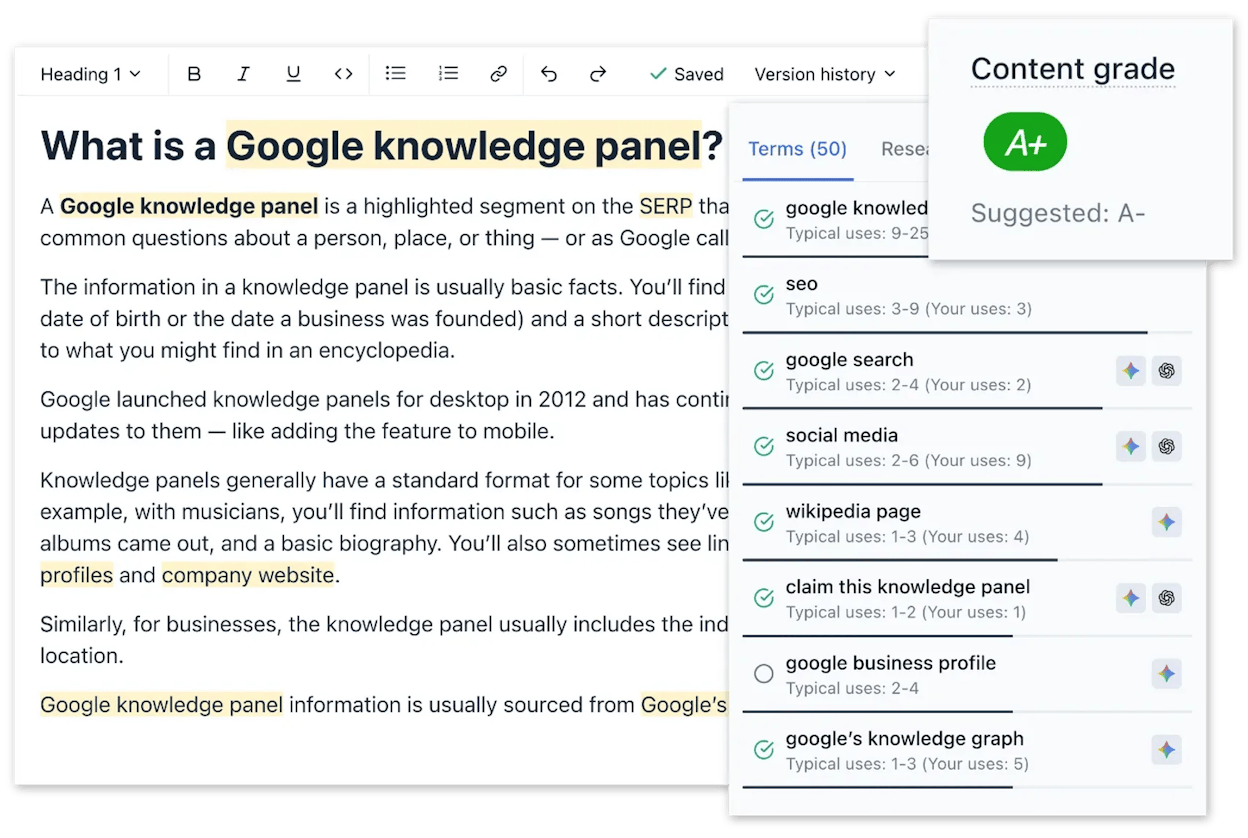
Clearscope focuses on semantic relevance rather than keyword stuffing, which makes it effective for writers who want guidance without drowning in data. At $129/mo for the Essentials plan (20 reports), the per-report cost is reasonable if you publish regularly. The Business plan at $399/mo adds AI drafts and a dedicated account manager.
Pros: Simple UI, high-quality keyword suggestions, Google Docs integration. Cons: No competitive research or SERP trends. No link tracking. Expensive for small teams who don’t use all 20 reports.
Surfer SEO
Best for: SEO leads who want data-rich optimization and are comfortable interpreting metrics.
Surfer’s Content Editor pulls data from top-ranking results and gives you a live Content Score. Its Audit tool analyzes existing URLs for missing terms, subheadings, and internal link opportunities. It also offers keyword clustering for multi-page strategies.
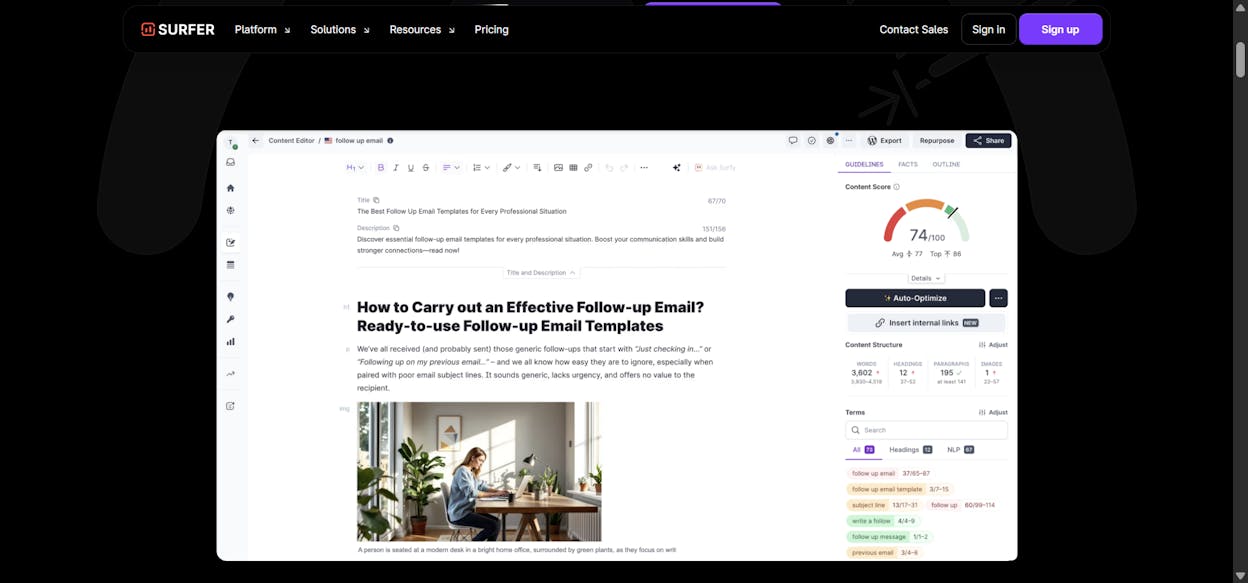
Surfer is data-heavy. You’ll see exact term frequency, word count ranges, and partial match usage. This makes it powerful for experienced SEOs but overwhelming for content writers who just want to write. Pricing starts at $69/mo, making it more accessible than Clearscope.
Pros: Detailed competitor content analysis, keyword clustering, audit functionality. Cons: The volume of metrics can encourage over-optimization. Interface can be cluttered.
MarketMuse
Best for: Large content teams building comprehensive, authority-driven topic clusters.
MarketMuse evaluates your entire domain’s topical authority and identifies content gaps. Its standout feature is “Content Difficulty,” which measures how hard it will be for your specific site to rank for a topic based on existing coverage. This is different from generic keyword difficulty scores.
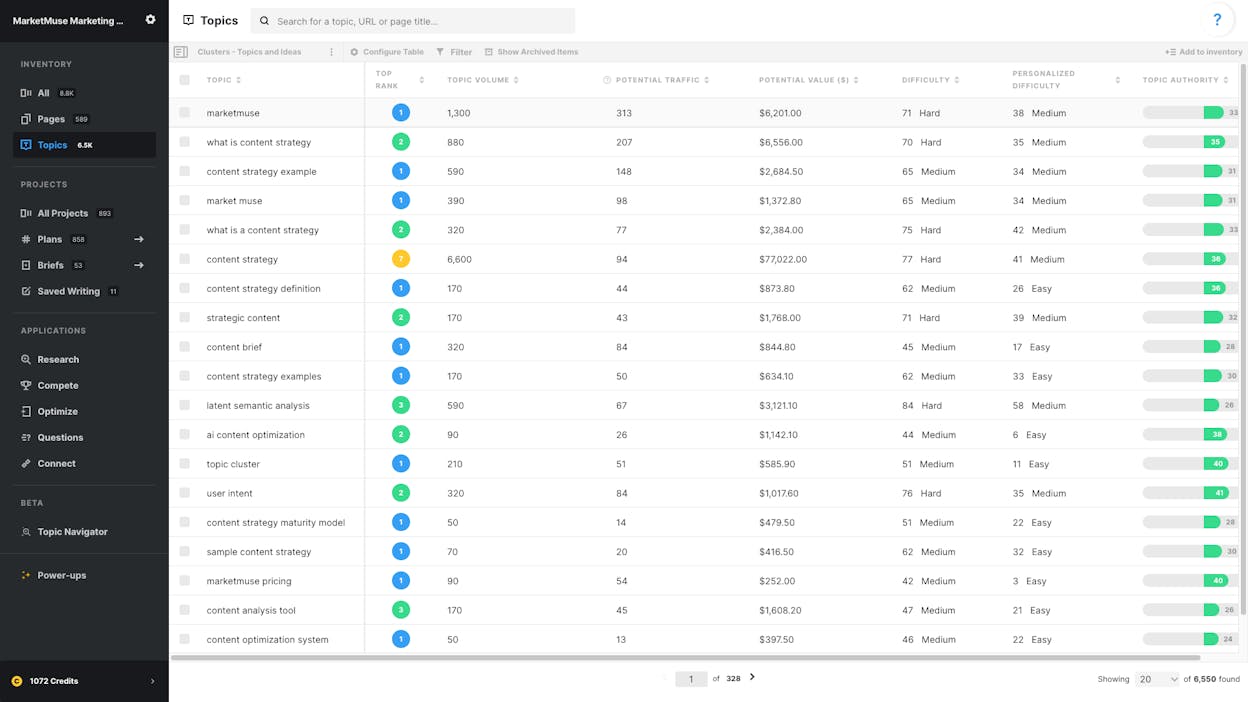
It is slower and pricier than Clearscope or Surfer (starting at $149/mo), but it’s the best option for editorial planning across large content libraries.
Pros: Domain-specific difficulty scoring, excellent for topic cluster planning. Cons: Slow interface, higher pricing, not built for fast content production.
The AI search gap in this category: Clearscope, Surfer, and MarketMuse all optimize for Google. None of them show you how your content performs in ChatGPT, Perplexity, or Gemini. None of them track AI citations or measure AI-driven traffic. If you want to optimize for both traditional search and AI search engines, you’ll need a tool that covers both channels. That is the specific gap Analyze AI fills. You can see a detailed comparison on the Analyze AI vs Surfer page.
Content Creation Tools
These tools generate marketing copy across text, image, and video. The quality gap between them is significant, so pay attention to the cons.
Jasper
Best for: Marketing teams producing multi-channel campaigns that need consistent brand tone.
Jasper offers a Brand Voice feature that learns your tone from uploaded samples. The campaign builder produces blog posts, emails, and ad copy from a single brief. Pricing starts at $49/mo (Creator) or $69/mo (Pro).
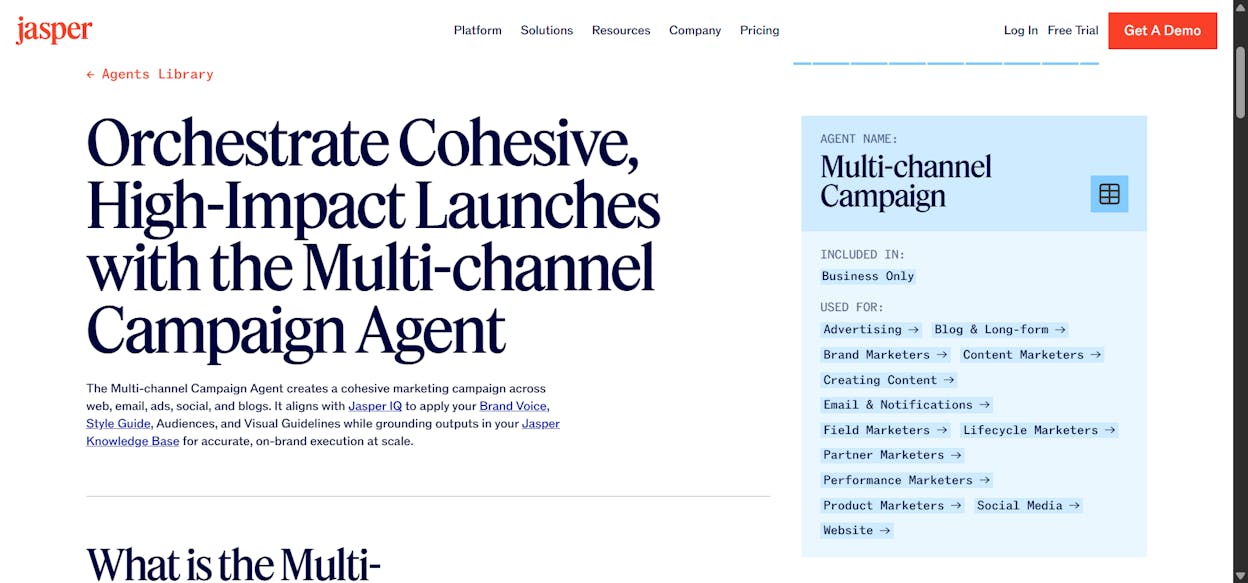
The output requires human editing. Brand Voice helps, but it won’t replace a good editor. At $69/mo per seat, costs add up fast for teams.
Pros: Brand Voice training, wide template range, campaign builder. Cons: Quality varies and requires editing. No plagiarism detection. Per-seat pricing gets expensive.
Copy.ai
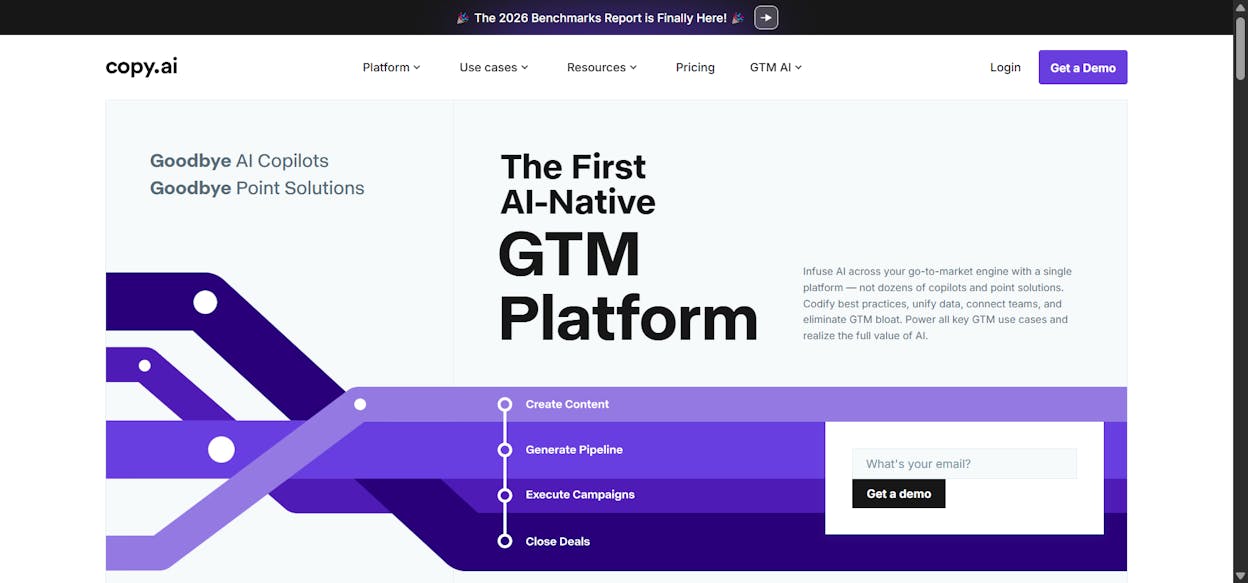
Best for: Marketers who need quick copy variations for short-form assets.
Copy.ai focuses on speed. You get templates for product descriptions, email subject lines, and social posts. It generates multiple variations per prompt so you can compare and pick. A free tier exists for light usage.
Pros: Large template library, fast generation, free tier available. Cons: Weak on long-form content. Limited tone control. No deep CMS integrations.
Writer.com
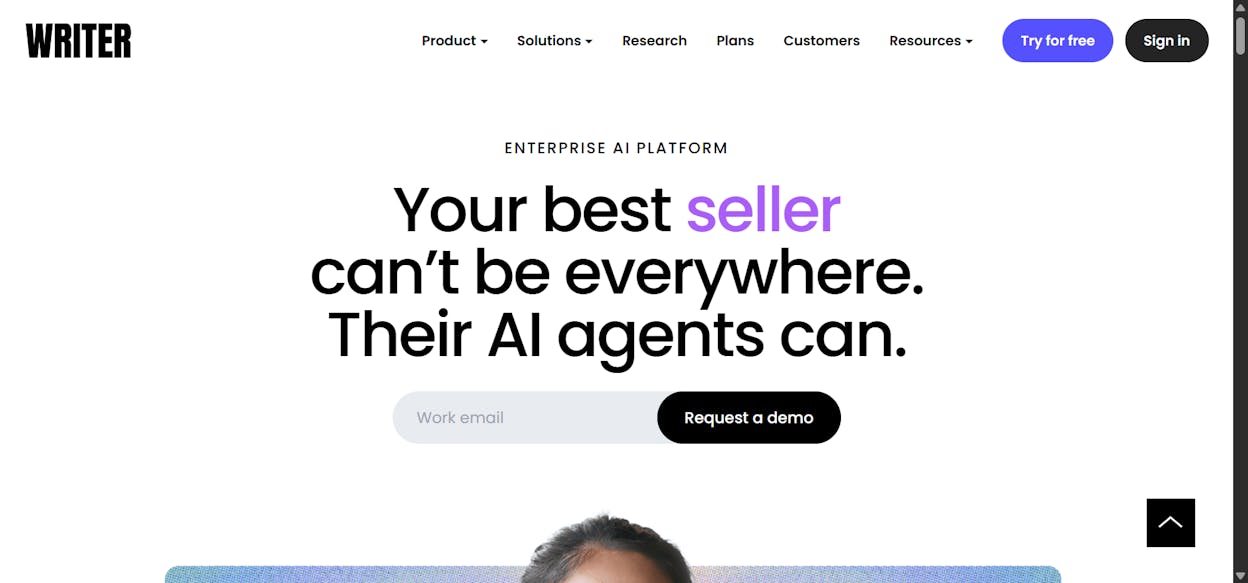
Best for: Enterprises and regulated industries where brand compliance is critical.
Writer.com includes style guide enforcement, terminology rules, and a plagiarism checker. The AI can be trained on internal documents. It integrates with Google Docs, Word, and Figma. Pricing is enterprise-focused.
Pros: Strong compliance and style enforcement, custom AI training. Cons: Less creative flexibility. Setup for style guide training takes time. Not small-business friendly.
Where AI search changes the game for content creation: Most AI writing tools generate content that ranks on Google. Few of them consider whether that content will get cited by AI models. Analyze AI’s Content Writer and Optimizer score content for both SEO and AEO readiness. They also inject your brand voice through the Knowledge Base, which means every piece matches your messaging rules automatically. And if you want to automate the entire pipeline from brief to publish, you can build that as an Agent with quality gates at every stage.
Email Marketing and Personalization Tools
ActiveCampaign
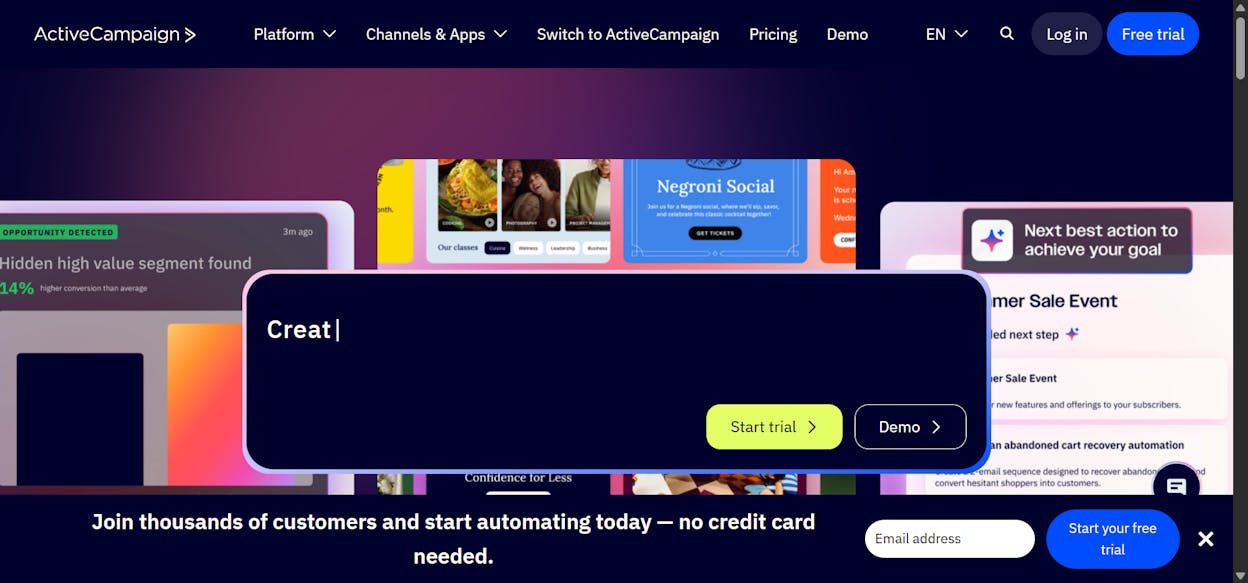
Best for: Marketers who want deep automation and behavioral targeting in one platform.
ActiveCampaign triggers campaigns based on behavioral data, predicts purchase likelihood, and adjusts messaging in real time. It combines email, CRM, and SMS automation. Pricing starts at $29/mo.
Pros: Advanced behavioral triggers, predictive sending, multi-channel automation. Cons: Steeper learning curve for complex automations. Reporting UI feels dated.
Seventh Sense
Best for: B2B marketers running high-volume email campaigns on HubSpot or Marketo.
Seventh Sense analyzes individual engagement patterns to determine the optimal send time for each person. Instead of blasting your entire list at once, it staggers delivery based on when recipients are most likely to open.
Pros: Granular send-time personalization, improves deliverability. Cons: Requires HubSpot or Marketo. Works best with large, active lists.
Social Media Management
Buffer (AI Assistant)
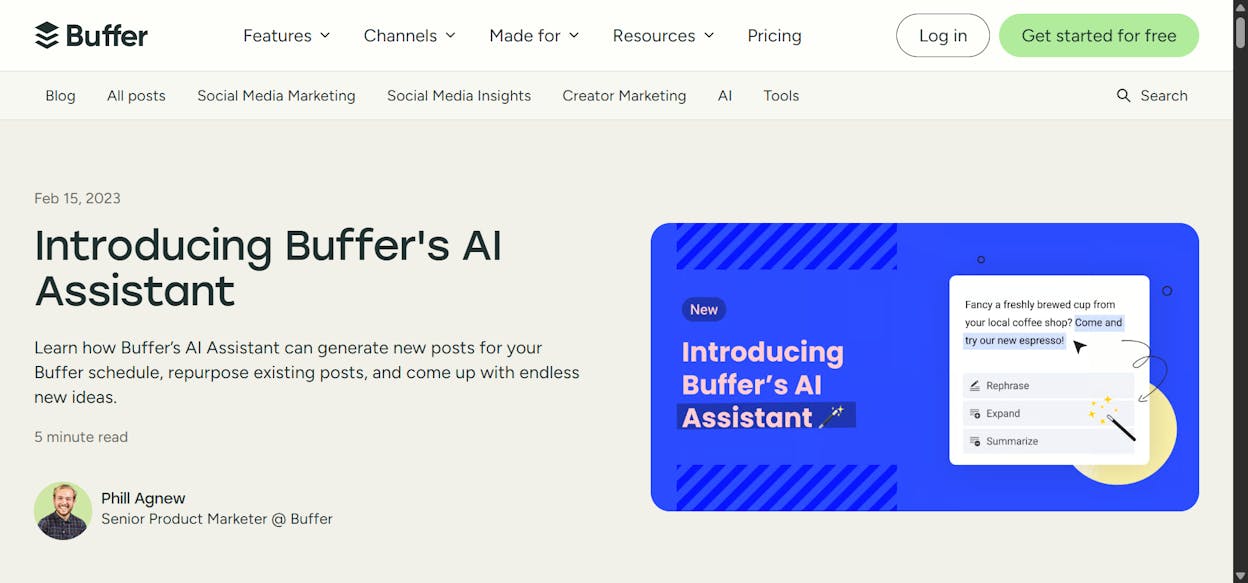
Best for: Small teams or solo marketers already using Buffer for scheduling.
Buffer’s AI generates post ideas, drafts captions, and suggests hashtags directly in its scheduling interface. A free tier exists. The AI output is basic compared to dedicated writing tools, but it keeps ideation and scheduling in one place.
Pros: Integrated with scheduling, clean UI, free tier. Cons: Simple AI output. No advanced analytics or social listening.
Lately.ai
Best for: Brands repurposing long-form content into social posts at scale.
Lately.ai takes a blog post, podcast transcript, or video script and creates bite-sized social snippets. The AI learns which styles work best for your audience over time. It supports text, audio, and video inputs.
Pros: Excellent content repurposing, learns from engagement data. Cons: Requires quality source material. Limited creative control over tone.
Ad Creative and Campaign Optimization
AdCreative.ai
Best for: Marketers who need quick ad creative variations for A/B testing.
AdCreative.ai generates ad images, headlines, and descriptions for Facebook, Instagram, and Google Display. You enter a brief with brand colors and campaign objective, and it outputs multiple variations with predicted performance scores. Pricing starts at $29/mo.
Pros: Rapid creative generation, predictive scoring, ad platform integrations. Cons: Output can feel generic. Limited customization beyond templates.
Meta Advantage+
Best for: Advertisers comfortable with Meta’s automated optimization.
Meta Advantage+ automates audience targeting, creative testing, and budget allocation using Meta’s conversion data. It reduces manual setup but requires trust in Meta’s black-box decisions.
Pros: Automated targeting and creative rotation, reduces setup time. Cons: Limited transparency. Less control over creative sequencing. Best with large budgets.
Marketing Automation and Workflow Orchestration
Zapier
Best for: Marketers needing quick, no-code connections between tools.
Zapier connects thousands of apps through “Zaps.” Its AI features allow conditional workflows that process and filter data before triggering the next step. Widely used for lead routing, content publishing, and notifications. A free tier handles basic automations.
Pros: Massive integration library, no-code setup, AI enrichment steps. Cons: Costs scale with task volume. Complex workflows get hard to manage.
The automation gap most teams ignore: Zapier connects apps. It doesn’t understand your marketing data. It can’t pull your AI visibility trends, cross-reference them with GA4 performance, and generate a board-ready report automatically. Analyze AI’s Agent Builder can. With 180+ nodes and integrations with GA4, GSC, Semrush, DataForSEO, HubSpot, Notion, WordPress, and every major LLM, the Agent Builder doesn’t just connect your tools. It runs the operations layer of your marketing org. An agent that fires every Monday morning, pulls your competitive data, generates a DOCX report, and emails it to leadership is not a “nice-to-have.” It is hours of analyst work that disappears. See how Analyze AI compares to automation tools on the Analyze AI vs AirOps page.
How to Evaluate an AI Marketing Tool Before You Buy
Before you add another tool to your stack, answer these four questions.
Does it solve one problem or many? Single-purpose tools (Clearscope, Seventh Sense) do one thing well. Platforms (Analyze AI) consolidate multiple workflows. The right choice depends on how fragmented your current stack is.
Can you measure ROI within 30 days? If a tool can’t show you a clear before-and-after metric (rankings gained, time saved, leads influenced) within a month, it’s probably not worth the subscription.
Does it account for AI search? SEO is not dead. But AI search is a real channel that is growing fast. Any tool in your stack that ignores how ChatGPT, Perplexity, and Gemini represent your brand is leaving a blind spot. The teams that add AI search as an organic channel alongside traditional SEO will compound their visibility across both.
Can it automate, or does it just assist? Assistance is a one-time interaction. You ask the tool, it gives you an answer, and you move on. Automation is continuous. The tool runs on a schedule, reacts to events, and delivers outputs without you thinking about it. The gap between the two is where operational leverage lives.
The tools on this list range from $0 to enterprise pricing. The right stack depends on your team size, your budget, and whether you need point solutions or a platform that consolidates your SEO, AI visibility, content, and automation workflows into one place.
If you want to see how AI engines represent your brand today, start with Analyze AI. You can be operational in minutes.

Ernest

Ibrahim
![50 GEO Statistics From Tracking 83,670 AI Citations [2026 Data]](/_next/image?url=https%3A%2F%2Fwww.datocms-assets.com%2F164164%2F1779314907-blobid0.png&w=3840&q=75)


