



Summarize this blog post with:


In this article, you’ll get a curated list of the 17 best AI productivity tools across writing, research, automation, coding, video, and design. For each tool, you’ll see what it does, what it costs, and whether it is worth your time. You’ll also learn how to extend your productivity gains into AI search, a channel most of these tools ignore entirely.
Table of Contents
What Makes an AI Productivity Tool Worth Using?
Over the past 17 months, we tested well over 100 AI tools across content, SEO, research, design, coding, and operations. We paid for about 30 of them. Most were noise. The 17 below are the ones that survived real daily and weekly use.
Before you evaluate any tool on this list, here is what matters most.
Does it integrate with your existing stack? The best tool in the world is useless if it cannot plug into Gmail, Slack, your CRM, or your CMS.
Can you use multiple AI models? Different models excel at different tasks. Tools that lock you into a single provider limit your output quality.
Is pricing transparent? Credit-based pricing can look cheap until your actual workflow burns through credits in three days.
Does it help you show up in AI search? This is the filter most lists miss. Google is no longer the only place your audience finds you. ChatGPT, Perplexity, Gemini, and Claude now surface brands directly in their responses. If your productivity stack does not help you show up in these channels, you are leaving an entire organic channel on the table.
17 Best AI Productivity Tools (2026)
-
Writing and Editing: Hemingway Editor | Lex | Cotypist
-
AI Agents and Content Ops: Analyze AI | Claude
-
Research: Perplexity | NotebookLM
-
Meetings and Voice: Granola | Wispr Flow
-
Video: Loom | Descript
-
Coding: v0 | Cursor | 21st.dev
-
Design: Figma Weave | Pomelli
-
Finance: Kick
1. Hemingway Editor
Category: Writing and Editing | Pricing: Free, paid from $10/mo | Website: hemingwayapp.com
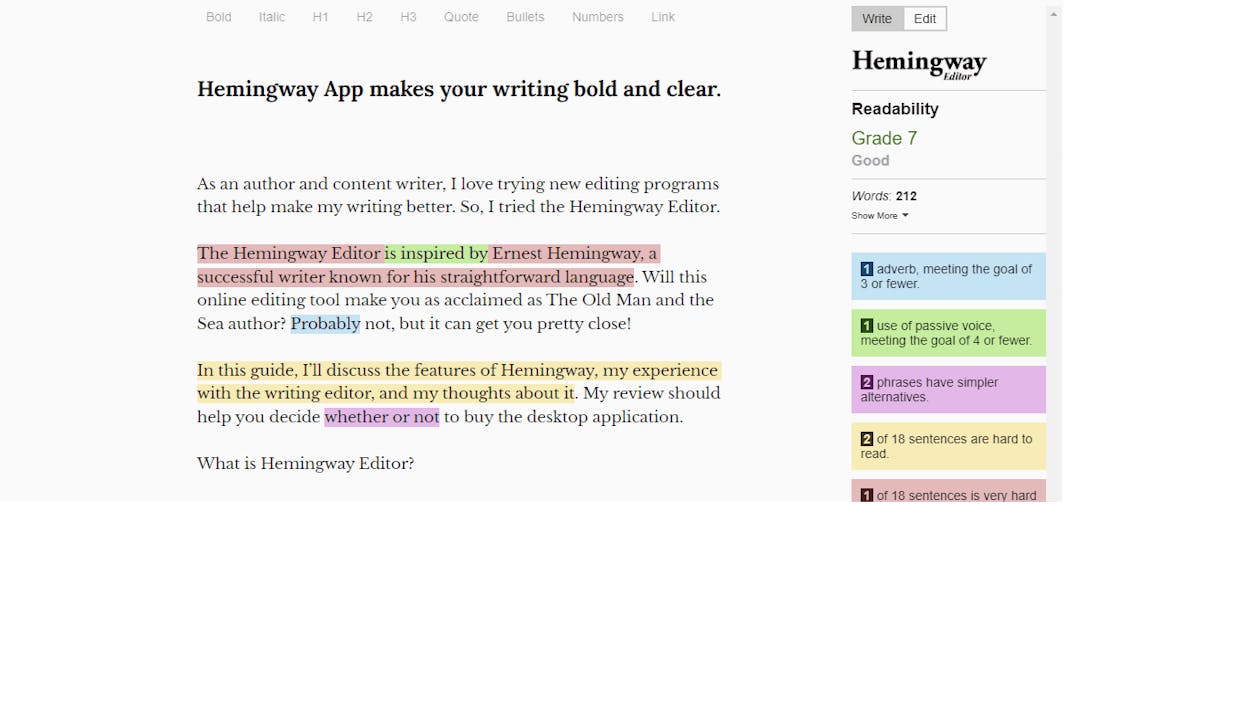
Hemingway Editor highlights hard-to-read sentences, flags passive voice, and scores your writing by grade level. The free version shows you what to fix. The paid Hemingway Editor Plus rewrites flagged sentences using AI.
What’s good: The free version alone is worth using. Color-coded highlights make problems obvious. Readability grading helps you write for your audience, not yourself.
What could be better: No AI on the free plan. Purely an editing tool with no draft generation. AI rewrite limits on paid plans feel restrictive for high-volume work.
Reviews: G2 4.4/5 (49+ reviews) | Capterra 4.5/5 (13+ reviews)
2. Lex
Category: Writing and Editing | Pricing: Free (400K credits), then $14.99/mo annual | Website: lex.page
Lex is an AI document editor for writers who want to write their own first drafts and use AI to refine them. The chat feature lets AI interview you about your ideas before you start writing, which is the right workflow.
What’s good: 400K free AI credits on signup. Premium models (GPT-5, Claude Opus) on the paid plan. Clean, distraction-free editor.
What could be better: No team plan. Once free credits run out, the only option is Lex Pro.
3. Cotypist
Category: Writing and Editing | Pricing: Free (paid plans coming) | Website: cotypist.app
Cotypist is a Mac autocomplete tool that runs locally. It watches your screen context and suggests completions. Hit tab, and the sentence finishes. Works across every app, no browser extension needed.
What’s good: 100% local, no data leaves your computer. Context-aware completions across all apps.
What could be better: Mac only. Paid pricing unclear.
4. Analyze AI
Category: AI Agents, SEO, AEO, and Content Ops | Pricing: Free trial, then from $49/mo | Website: tryanalyze.ai
Most tools on this list do one thing well. Analyze AI is the agentic platform for SEO, AEO, content creation, content optimization, and GTM operations.
Here is why that matters. If you are a content team, an agency, or a CMO, your actual workflow is not “use one AI tool.” Your workflow is research keywords, write content, optimize it, check rankings, track AI search visibility, monitor competitors, and run reports. Then do it all again next week. Analyze AI connects those steps and runs them at scale.
The Agent Builder
The Agent Builder is what separates Analyze AI from every other tool on this list. You get 180+ nodes, 34 pre-built data recipes, and integrations with GA4, Google Search Console, HubSpot, WordPress, Notion, Semrush, DataForSEO, Slack, and every major LLM.
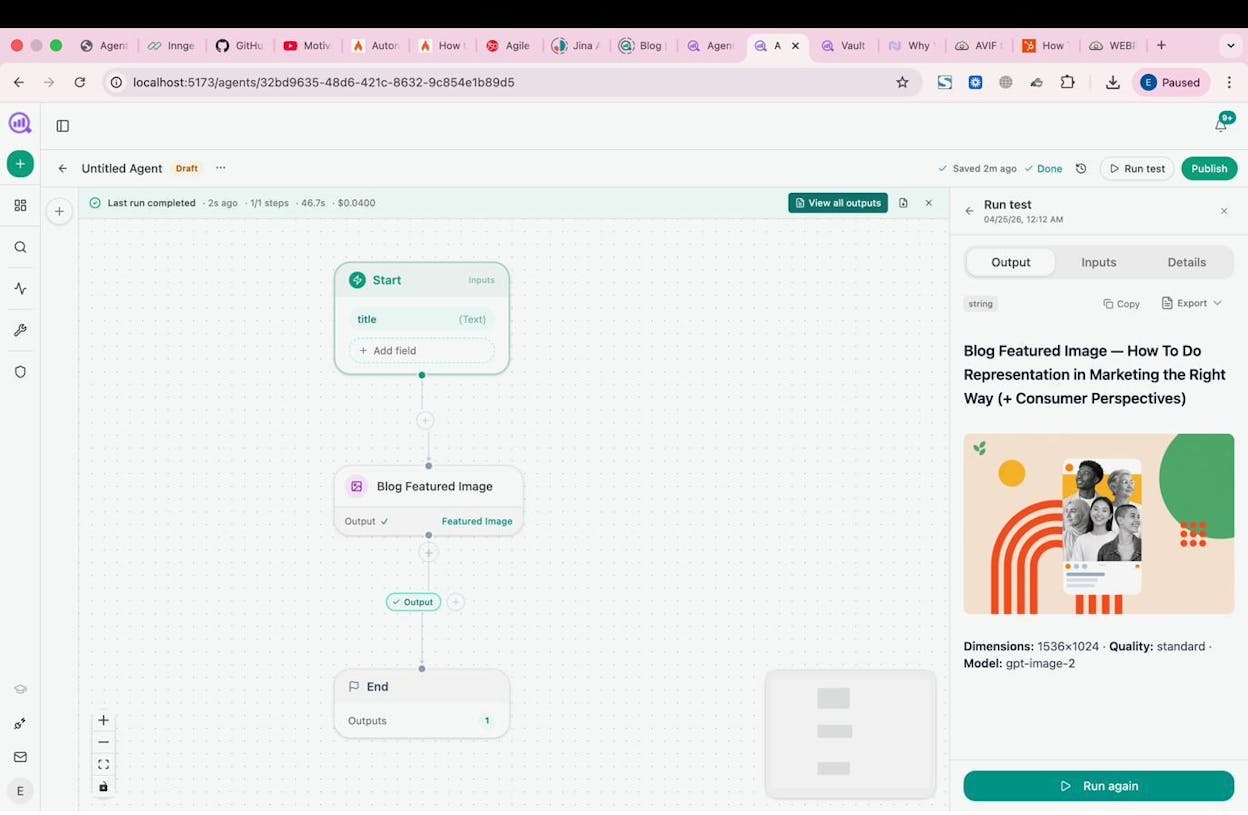
That is not an “automation layer.” It is a programmable operations substrate with billions of possible workflow combinations. You can build agents that do keyword research across thousands of terms, refresh stale content on a schedule, generate internal linking suggestions for a 2,000-page site, run competitor visibility reports every Monday, or send personalized outreach emails to journalists. All without writing code.
A content team can build a “content refresh fleet” agent that runs weekly. It pulls declining pages from GA4, cross-references them with AI citation data, rewrites for freshness and AEO readiness, and pushes updates to WordPress. The only human step is reviewing the diff.
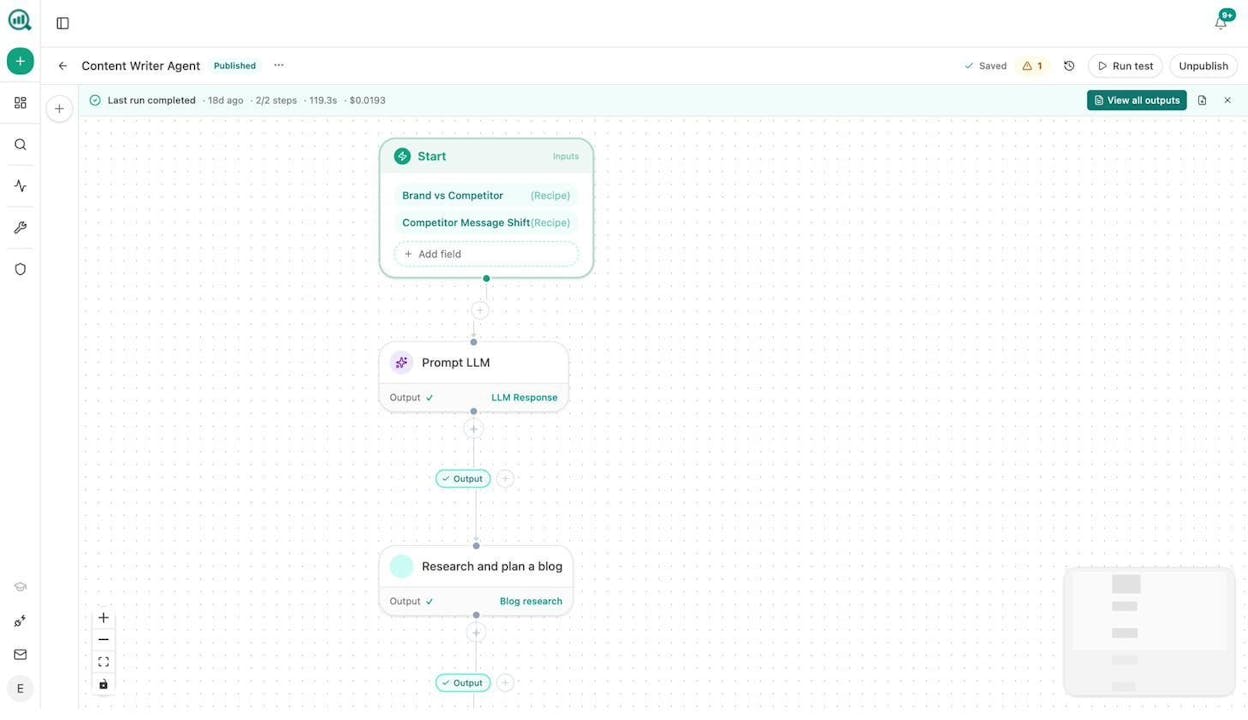
An agency can build a single agent that loops over every client account and produces a Monday briefing pack with visibility deltas, competitor movements, and GSC performance. Formatted in a branded DOCX and emailed to each account team automatically.
The Content Writer and Optimizer
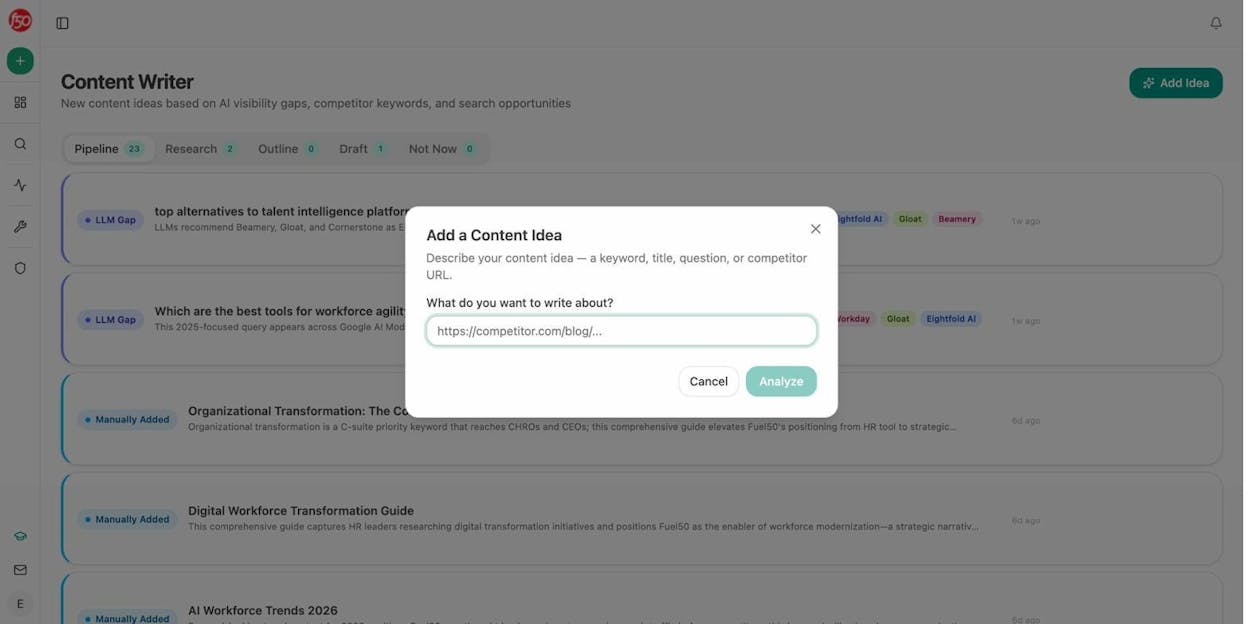
The Content Writer runs a multi-step pipeline. It performs searcher intent analysis, competitive research with AI-generated strategist comments, outline, and full draft. All informed by your Brand Vault, which stores your tone, differentiators, proof points, and disallowed phrases.
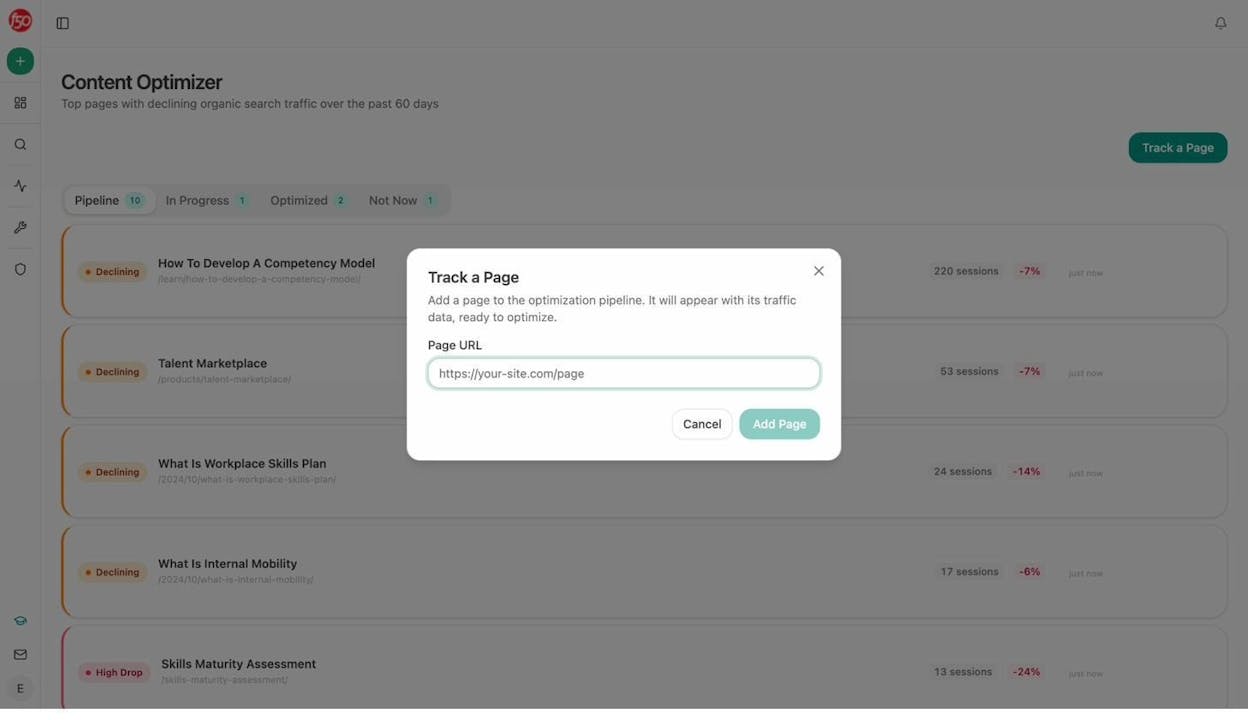
The Content Optimizer works the other direction. Give it an existing URL, and it audits for AI search readiness, scores structure and claim density, then produces optimization suggestions based on the gaps.
AI Search Visibility
Here is what no other tool on this list covers. AI search is not replacing SEO. It is an additional organic channel. ChatGPT, Perplexity, Claude, and Gemini now answer questions that used to send users to Google. If your brand is not showing up in those responses, you are invisible to a growing share of your audience.
Analyze AI tracks your visibility, sentiment, and citations across every major AI engine. You see which prompts mention your brand, which ones mention competitors instead, and exactly which pages get cited.
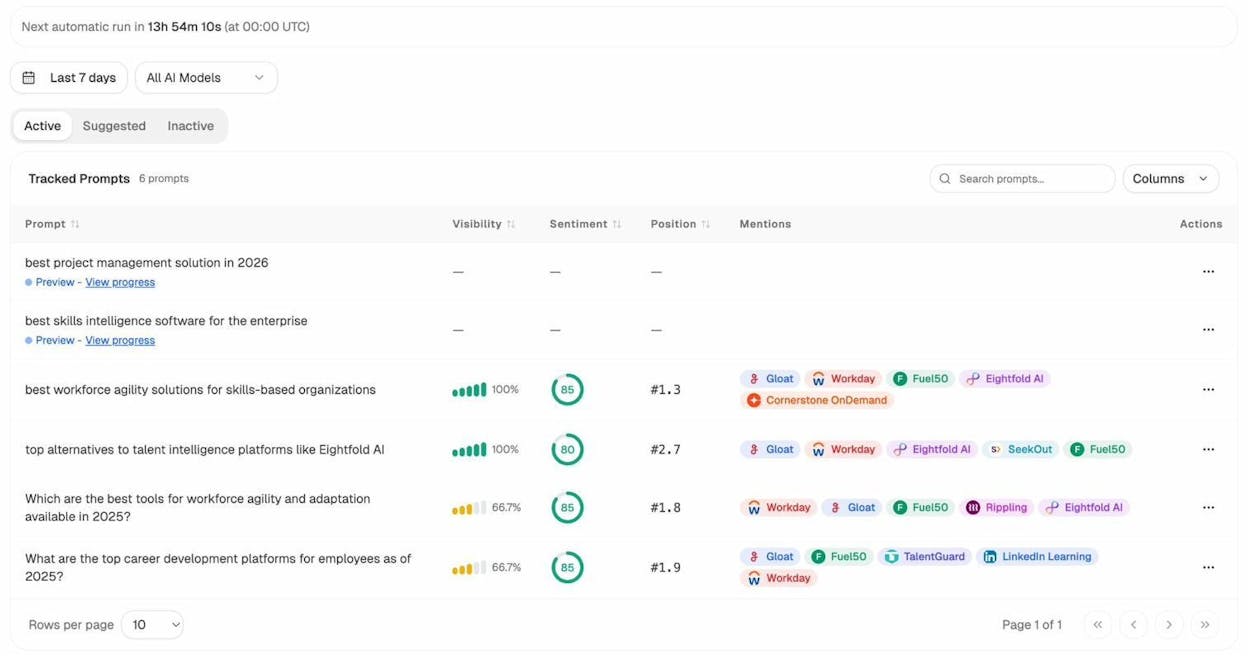
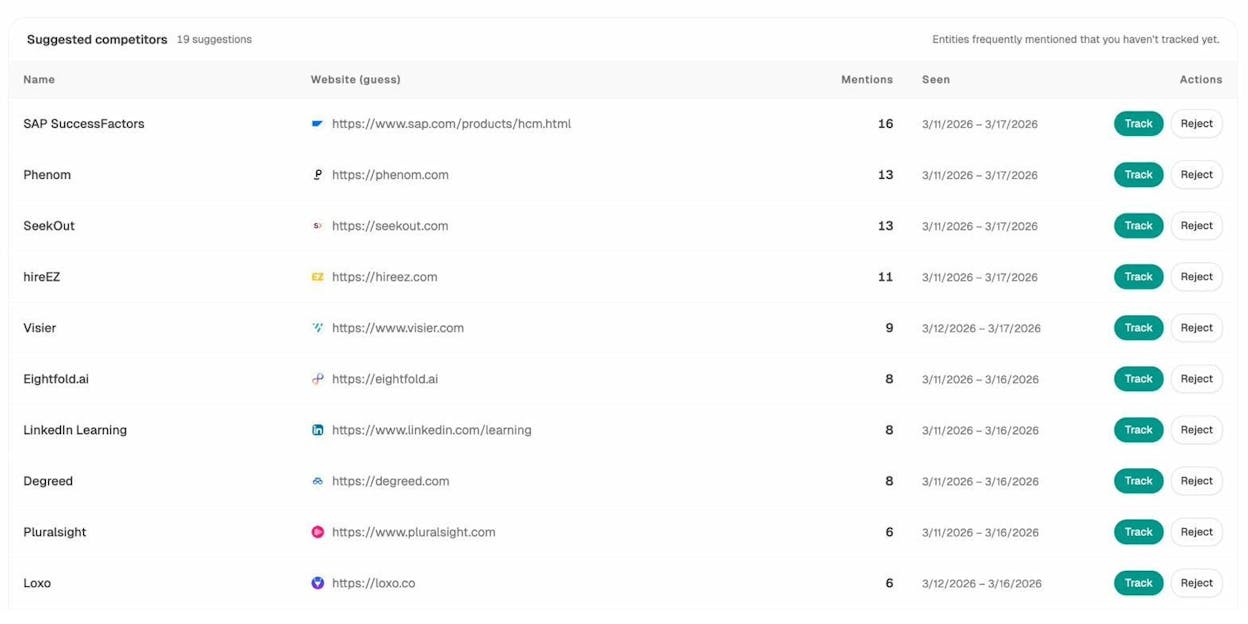
The Competitors dashboard shows where rivals rank in AI responses and where you do not.
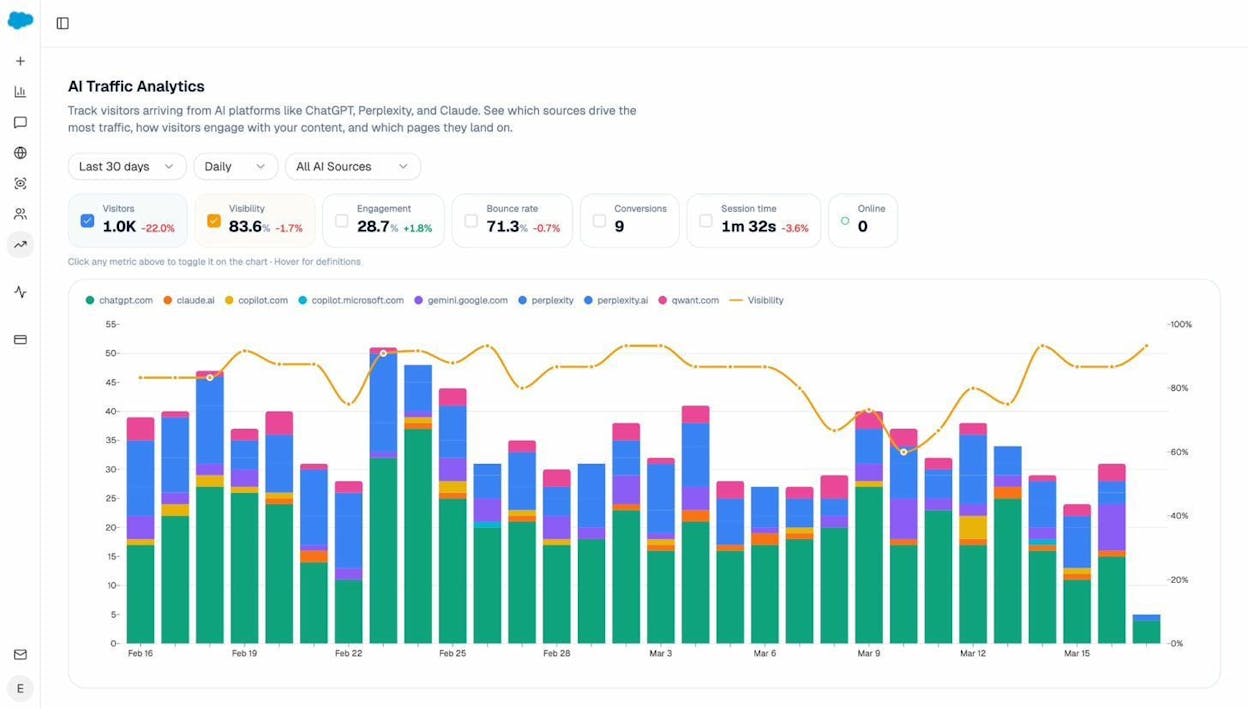
AI Traffic Analytics connects to GA4 and shows exactly how much traffic comes from AI engines, which landing pages receive it, and what patterns you can double down on.
What’s good: The Agent Builder with 180+ nodes replaces multiple tools in your stack. Content Writer and Optimizer produce outputs grounded in your brand voice and competitive data. AI search tracking across ChatGPT, Perplexity, Claude, and Gemini fills a gap no other tool here covers. Free trial available. Simple, transparent pricing. Free tools like the keyword generator, SERP checker, keyword difficulty checker, and AI visibility checker available without signup.
What could be better: Feature depth means a learning curve. If you only need a chatbot, this is more than you need. But if you run content or marketing operations, the depth is the point.
5. Claude
Category: AI Agents | Pricing: Free, Pro from $17/mo annual | Website: claude.ai
Claude by Anthropic handles writing, analysis, research, and coding. The free plan is generous. Claude Code builds internal tools locally. Cowork adds agent features.
What’s good: Free plan includes web search, memory, file creation, and MCP connectors. Extended thinking for complex tasks.
What could be better: Locked into Anthropic models. Cowork is early compared to dedicated agent builders. Local-first limits team collaboration.
6. Perplexity
Category: Research | Pricing: Free, Pro from $17/mo annual | Website: perplexity.ai
AI search platform that cites sources so you can verify claims. The Reddit search feature surfaces real user opinions and pain points.
What’s good: Source citations. Reddit search for real pain points. Multiple AI models on Pro.
What could be better: Free plan limiting for heavy research. Research-only, not a writing tool.
Perplexity is also one of the AI engines where your brand either appears or does not. Analyze AI tracks whether Perplexity cites your pages.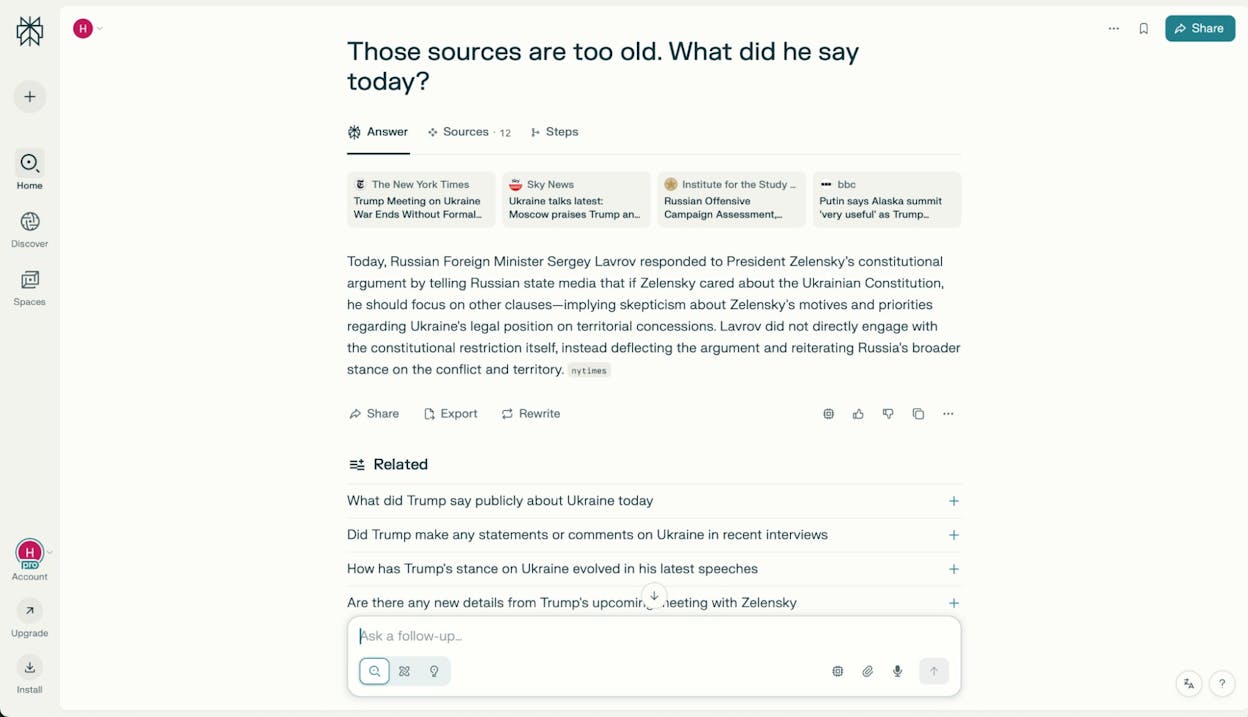
7. NotebookLM
Category: Research | Pricing: Free (Google account), expanded from $7.99/mo | Website: notebooklm.google
Google Gemini-powered research assistant. Upload documents and ask questions across all sources. Audio overviews turn documents into podcast-style conversations.
What’s good: Answers grounded only in your sources. Audio overviews for learning on the go. Free.
What could be better: Tied to Google ecosystem. Free plan limits on notebooks and audio.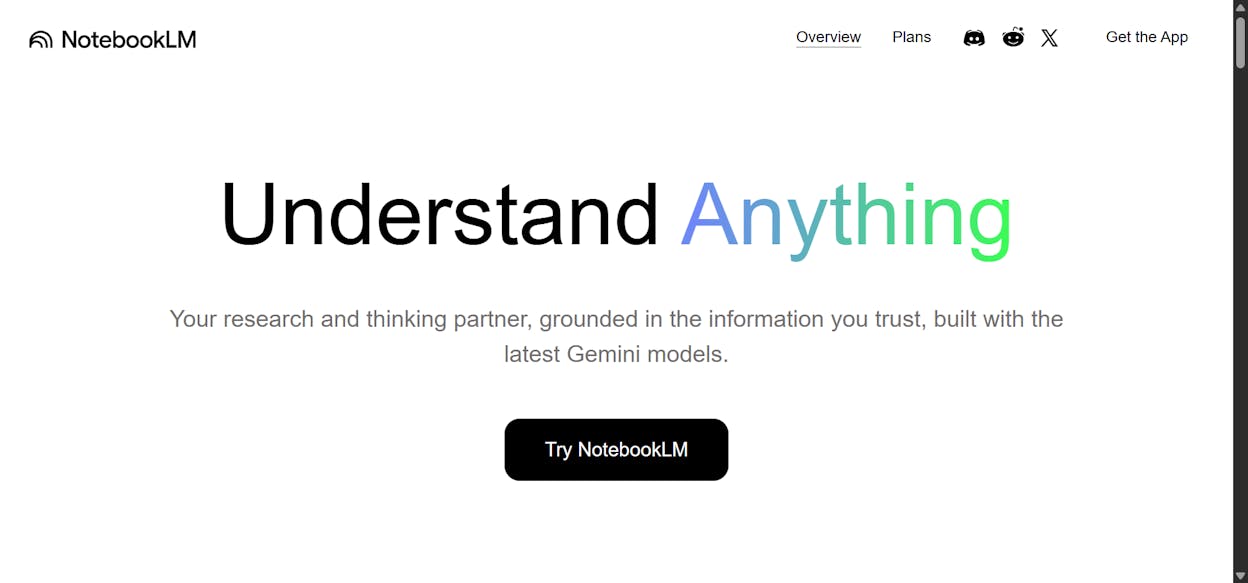
8. Granola
Category: Meetings | Pricing: Free, Business from $14/user/mo | Website: granola.ai
Granola captures meeting audio locally on your device, so there is no awkward “AI bot has joined” moment. You type your own notes during the call, and Granola combines your notes with the transcript. The output reflects what you found important, not just a generic summary of everything said.
It is used by companies like Ramp, Brex, Linear, and Replit. The Business plan adds integrations with Attio, Notion, Slack, HubSpot, and Zapier.
What’s good: Local audio capture. Personalized summaries based on your notes. Clean interface that stays out of the way.
What could be better: Limited integrations on the free plan. Meeting history is capped without upgrading.
Reviews: G2 4.9/5 (26+ reviews) | Product Hunt 4.8/5 (43+ reviews)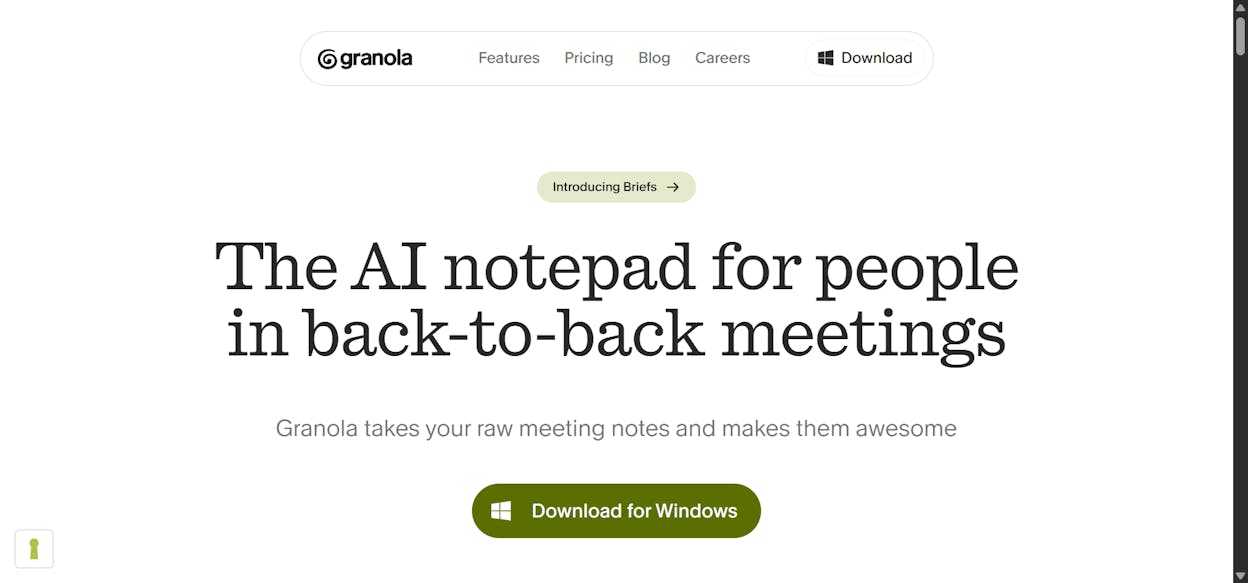
9. Wispr Flow
Category: Voice | Pricing: Free, Pro from $12/user/mo annual | Website: wisprflow.ai
Wispr Flow is a voice dictation tool that runs locally on your computer. You speak, it types. And it cleans up filler words and pauses automatically, so the output reads like you typed it. It works across every app on your Mac or Windows machine.
The free plan gives you 2,000 words per week on desktop. Wispr Flow supports 100+ languages and has a privacy mode with zero data retention.
What’s good: Clean output with automatic filler word removal. Works in any app. HIPAA-ready compliance.
What could be better: Free plan word limits can feel tight for heavy users. Voice dictation is not ideal for content that requires deep creative thinking.
10. Loom
Category: Video | Pricing: Free, Business from $18/user/mo | Website: loom.com
Loom records your screen, audio, and webcam and creates shareable links instantly. No downloads or accounts needed from viewers. Loom AI auto-generates summaries so your team gets the key points without watching the full video.
What’s good: Shareable links that work instantly. AI summaries save time. Free plan gives 25 videos with transcriptions in 50+ languages.
What could be better: Free plan caps recordings at 5 minutes. AI features like filler word removal are only on the Business + AI plan at $24/user/month.
Reviews: G2 4.7/5 (2,345+ reviews) | Capterra 4.7/5 (518+ reviews)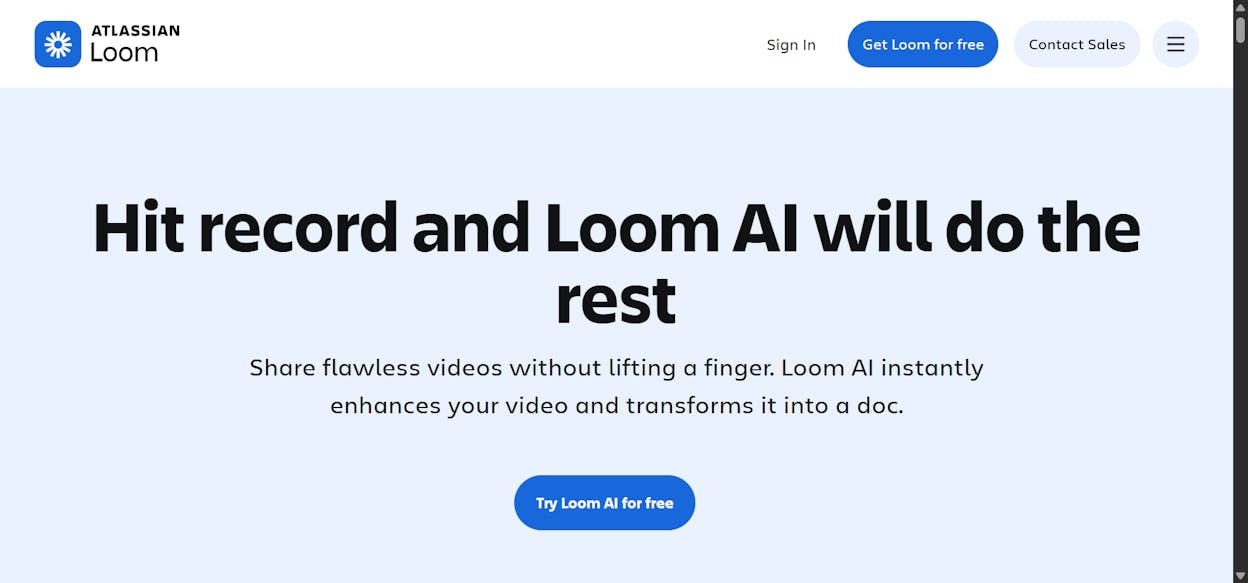
11. Descript
Category: Video | Pricing: Free, Hobbyist from $16/person/mo annual | Website: descript.com
Descript transcribes your video, then lets you edit the video by editing the transcript. Delete a sentence from the text, and that section of video disappears. It also includes AI features like Studio Sound, eye contact correction, and filler word removal that save hours of post-production work.
What’s good: Text-based editing is fundamentally faster than timeline scrubbing. AI Studio Sound and eye contact correction. Custom voice clones for creative options.
What could be better: Free plan is very limited. AI credits and media hours are capped on every plan.
Reviews: G2 4.6/5 (866+ reviews) | Capterra 4.7/5 (182+ reviews)
12. v0
Category: Coding | Pricing: Free, Team from $30/user/mo | Website: v0.app
v0 by Vercel generates website prototypes from natural language prompts. The design quality is noticeably better than other vibe coding platforms. You can deploy directly to Vercel, sync with GitHub, and use visual Design Mode for changes without writing code.
What’s good: Clean, modern design output out of the box. Direct deployment and GitHub sync. Visual Design Mode for non-developers.
What could be better: Free plan limits to 7 messages per day. Primarily a frontend tool, so complex backend logic needs another solution.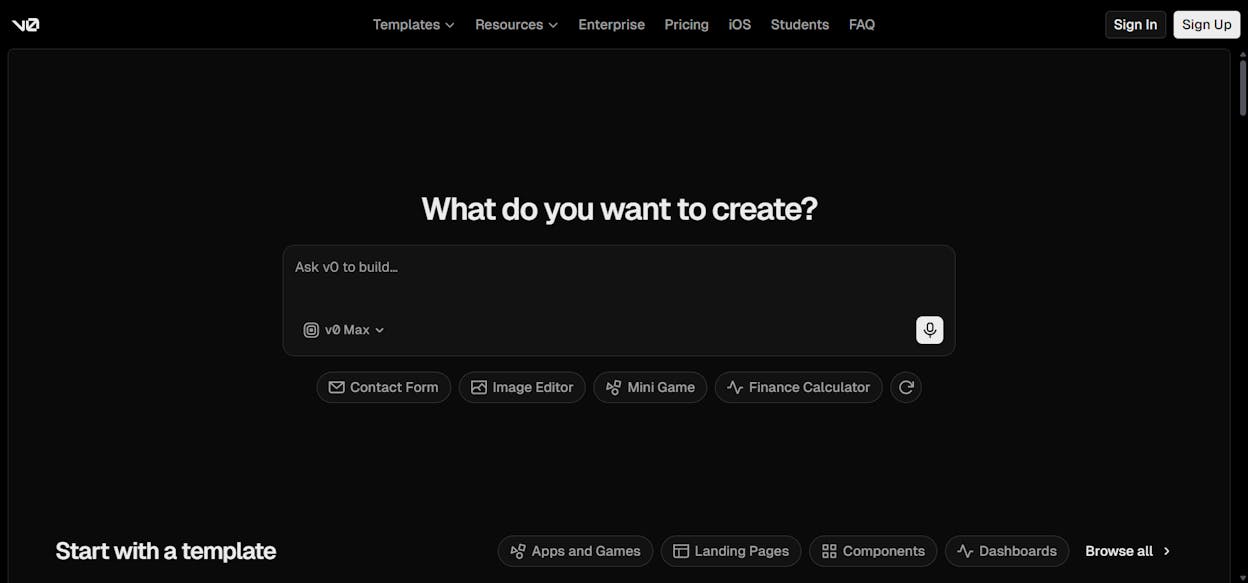
13. Cursor
Category: Coding | Pricing: Free, Pro from $20/mo | Website: cursor.com
Cursor is a fork of VS Code with AI autocomplete, agent mode, and MCP support baked in. If you already use VS Code, the learning curve is zero. Your extensions and settings carry over. It is LLM agnostic with access to OpenAI, Claude, and Gemini.
What’s good: Zero learning curve for VS Code users. Model flexibility. Agent mode goes beyond basic autocomplete.
What could be better: Free plan has limited agent requests. This is a developer tool, not for non-technical users.
Reviews: G2 4.5/5 (46+ reviews) | Product Hunt 5/5 (802+ reviews)
14. 21st.dev
Category: Design | Pricing: Free to browse, Magic from $20/mo | Website: 21st.dev
21st.dev is a community-driven UI component library built around AI prompts. You browse for a design element, copy the prompt, and paste it into Cursor, v0, or any AI coding tool. The result is interfaces that look polished and professional without needing a designer.
What’s good: Copy-prompt workflow is dead simple. Designs actually look good. Works with any AI coding tool.
What could be better: Free plan gives only 100 credits per month. Best for people already building with code.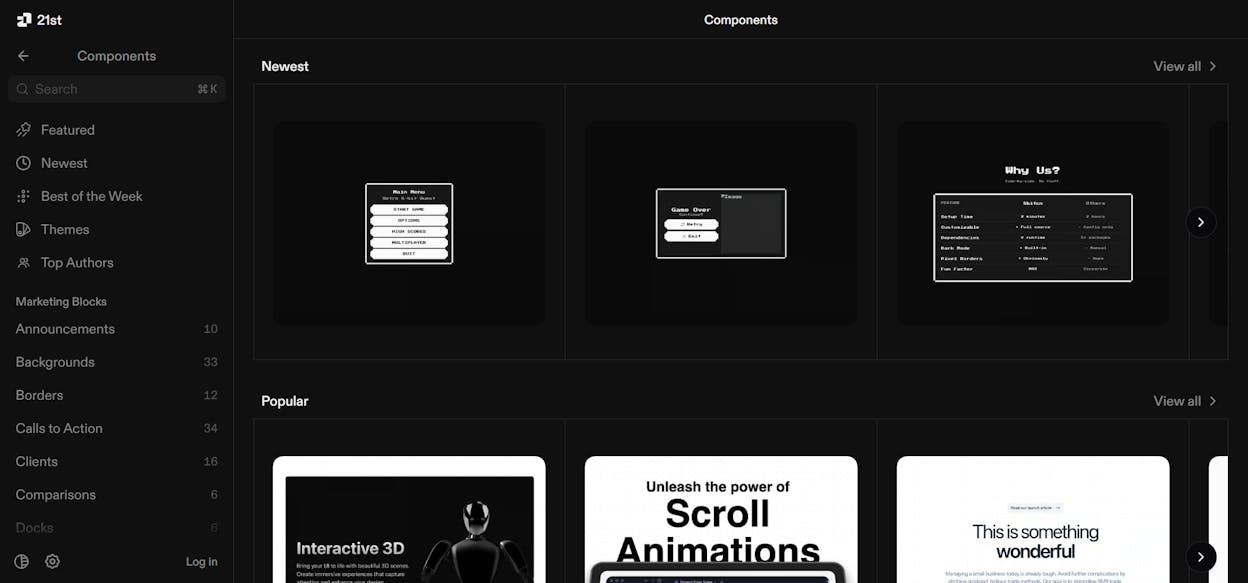
15. Figma Weave
Category: Design | Pricing: Free, Starter from $24/mo | Website: weave.figma.com
Figma Weave (formerly Weavy) is an AI image generation platform built around repeatable creative workflows. You connect LLMs, prompts, and editing steps on a node-based canvas to produce consistent, on-brand graphics. Useful for blog thumbnails, social images, and ad creatives.
What’s good: Workflow approach creates repeatable, brand-consistent graphics. All AI models on every plan. Figma integration for refinements.
What could be better: Free plan gives 150 credits per month. Node-based canvas has a learning curve.
Analyze AI also includes built-in image generation nodes for blog featured images, infographics, and social media images. All brand-kit-aware and integrated into your content workflow.
16. Pomelli
Category: Design | Pricing: Free (Google Labs) | Website: labs.google.com/pomelli
Pomelli is a free Google Labs experiment that creates a “Business DNA” from your website URL, then generates branded social media posts and ad creatives. Great for solo marketers without a design team who need to test multiple creative variations quickly.
What’s good: Pulls brand design from your URL automatically. Free. Quick for testing ad creative variations.
What could be better: Experimental project with no guarantee it becomes a full product. Outputs limited to social and ads.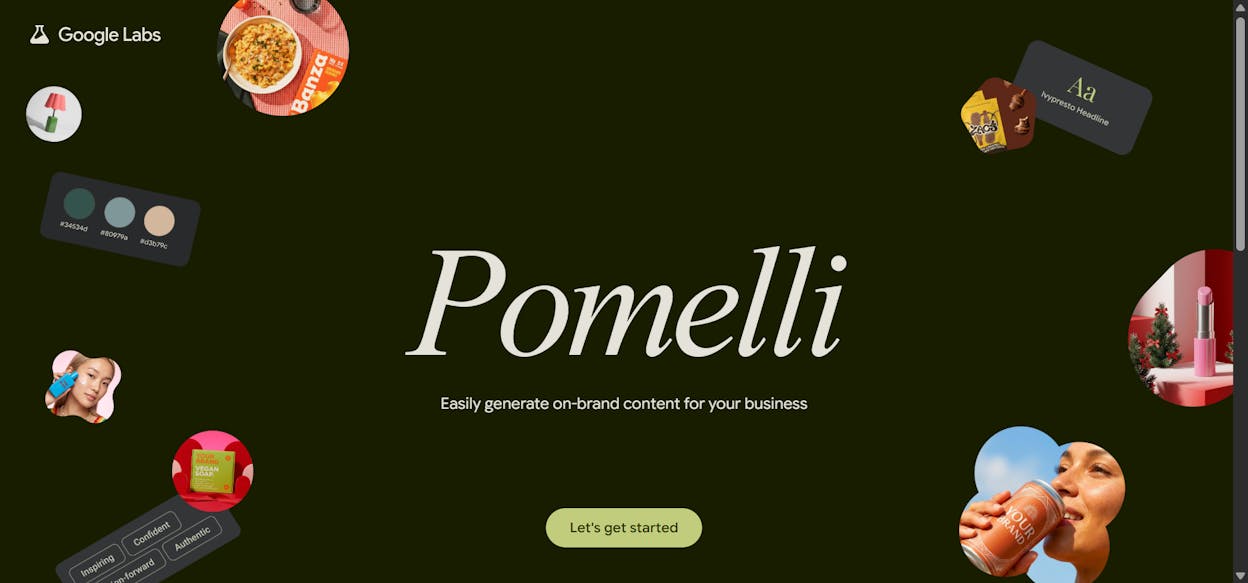
17. Kick
Category: Finance | Pricing: Free, Basic from $35/mo annual | Website: kick.co
Kick auto-categorizes expenses, matches receipts, and tracks deductions. Set custom rules and the AI learns how you want your finances organized. The free plan includes profit and loss reports, cash insights, and integrations with Stripe, PayPal, Ramp, and Mercury.
What’s good: Auto-categorization works out of the box. Custom rules teach the AI your preferences. Free plan includes P&L and payment integrations.
What could be better: Free plan caps annual expenses at $25K. Advanced features (balance sheets, bank reconciliation) require the Plus plan at $125/month.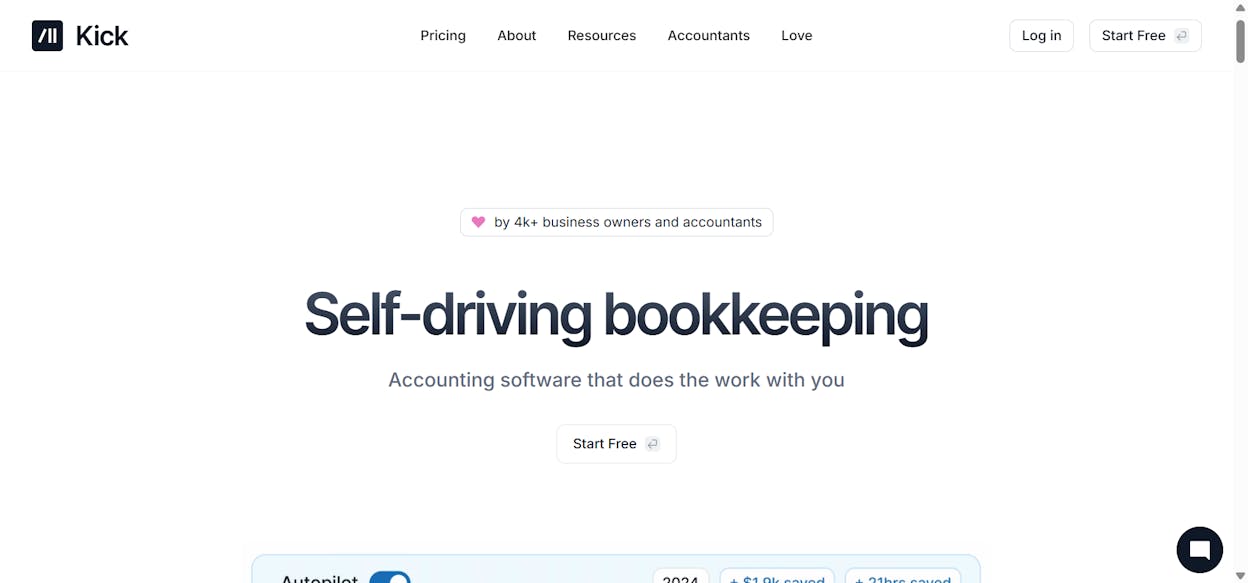
How to Pick the Right Stack
Every tool on this list solves a real problem. But no one needs 17 tools.
If you are a content team or agency, start with a writing editor (Hemingway or Lex), a content operations platform (Analyze AI), a research tool (Perplexity), and a meeting tool (Granola). That covers the full cycle from research to reporting.
If you are a solo marketer, you need to move fast with fewer tools. Analyze AI’s Agent Builder handles content creation, keyword research, competitor tracking, and AI search visibility in one platform. Add Loom for async communication and Kick for bookkeeping.
If you are a developer or PM, pair v0 with Cursor for rapid prototyping, use Claude for general assistance, and add 21st.dev for design polish.
The key principle is this. AI is an amplifier. These tools do not replace the need for you to understand the work. They multiply the output of people who already know what good looks like.
And one more thing. SEO is not dead. AI search is not a replacement for it. AI search is an additional organic channel, and it is growing. The brands that treat it as a second channel alongside traditional SEO are building durable visibility. The ones ignoring it are not even in the conversation.
Your productivity stack should reflect that reality.

Ernest

Moïse


