



Summarize this blog post with:


Most “AI workflow” advice stops at the idea. “Automate your content.” “Use AI for outreach.” That is not a workflow. That is a wish.
A real workflow has a trigger, a data source, a processing step, and a destination. It runs without you clicking anything. And it produces output your team actually uses, not a ChatGPT response pasted into a Google Doc.
The difference between teams that save 30 hours per week with AI and teams that save zero comes down to this. The first group builds systems. The second group opens ChatGPT, types a prompt, copies the output into a spreadsheet, and calls it automation. One approach scales. The other creates a new kind of busywork.
The five workflows below run inside Analyze AI’s Agent Builder, a programmable platform with 180+ nodes, 34 pre-built data recipes, and native connections to GA4, Google Search Console, Semrush, DataForSEO, HubSpot, Notion, WordPress, Slack, and every major LLM. These are not templates you copy and forget. They are composable systems you wire together from primitives, and they handle billions of possible configurations depending on what your team needs.
Table of Contents
1. Content Writing at Scale
The bottleneck in most content teams is not writing. It is everything before writing. Research takes two hours. Briefing takes another hour. Outline review takes a meeting. By the time a writer sits down, half the day is gone.
This workflow eliminates that entire front-end.
The agent flow:
Start node (input: a keyword, a competitor URL, or a content idea) > Generate Research > Generate Outline > Generate Full Draft > AEO Content Scorecard > Conditional (score above 80 = publish, below 80 = flag for review) > WordPress Create Post + Blog Featured Image > End.
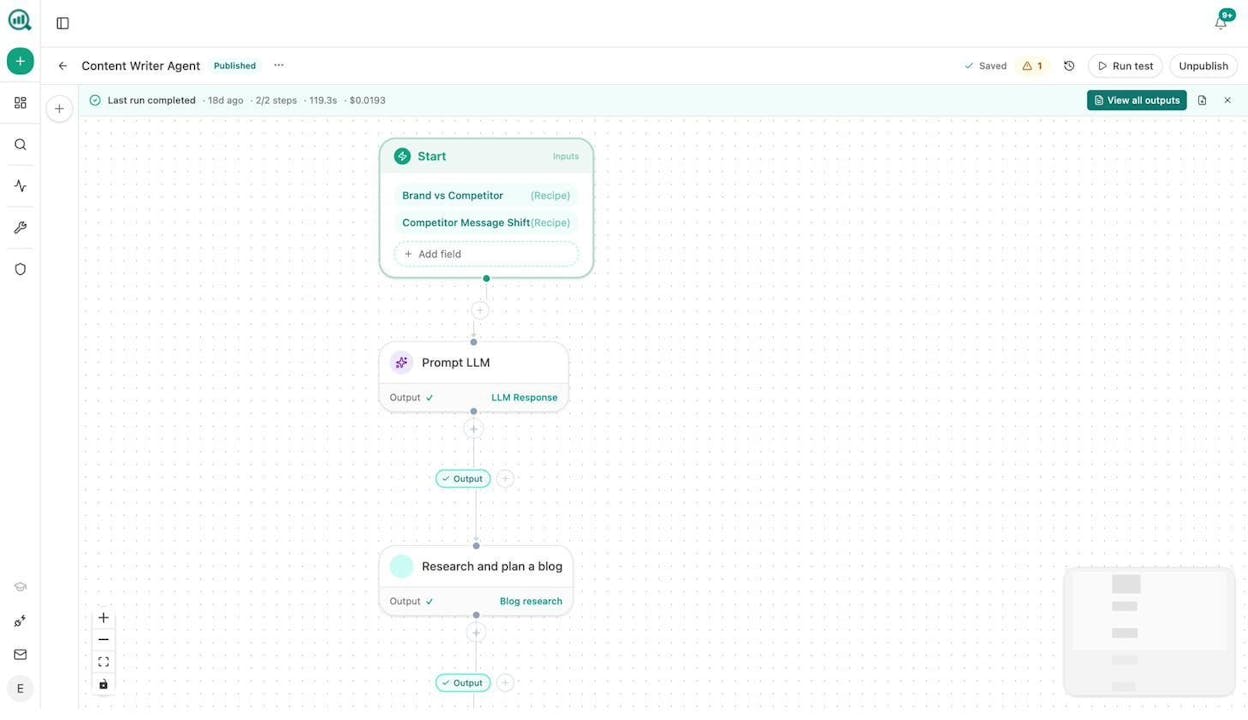
Every step in this pipeline feeds the next. The Research node pulls SERP data, competitor content, and AI visibility gaps. The Outline node structures that research into a logical brief. The Draft node writes the piece using your Brand Vault, which contains your tone, style, proof points, and messaging rules. Nothing publishes without passing the AEO Content Scorecard, which audits structure, freshness, claim density, and source mapping.
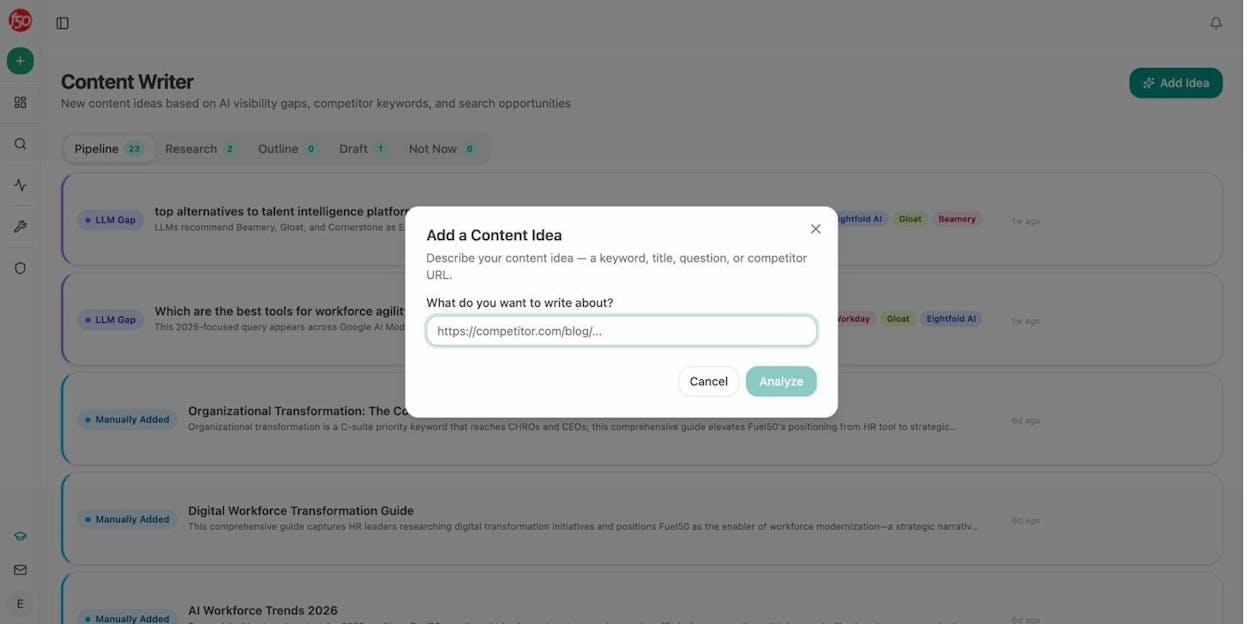
You can also set this agent to run on a schedule. Wire it to the content-suggestions or prompt-cluster-brief data recipe, and it generates a new article every week based on AI visibility gaps your competitors have not covered yet.
What this replaces: The “writer gets a keyword in Slack, Googles for an hour, writes a draft, sends it for review” loop. With this workflow, the research-to-draft pipeline takes under three minutes. Your writers review and polish instead of starting from scratch.
For teams producing content at volume, pair this with Analyze AI’s Content Writer for the interactive version, or use the Sheets feature to batch-process 50 articles from a single spreadsheet of keywords.
2. Content Refresh Fleet
Most content teams publish and forget. Six months later, rankings slip, traffic drops, and nobody notices until the quarterly review. By then, you have lost months of compounding traffic.
This workflow catches declining content before it becomes a problem and rewrites it automatically.
The agent flow:
Scheduled trigger (every Monday at 8am) > stale-content data recipe + declining-pages data recipe > Loop node (for each page) > Web Page Scrape > Prompt LLM (rewrite for freshness, brand voice, AEO readiness using Inject Brand Context) > Conditional (if rewrite is substantive) > WordPress Update Post > End.
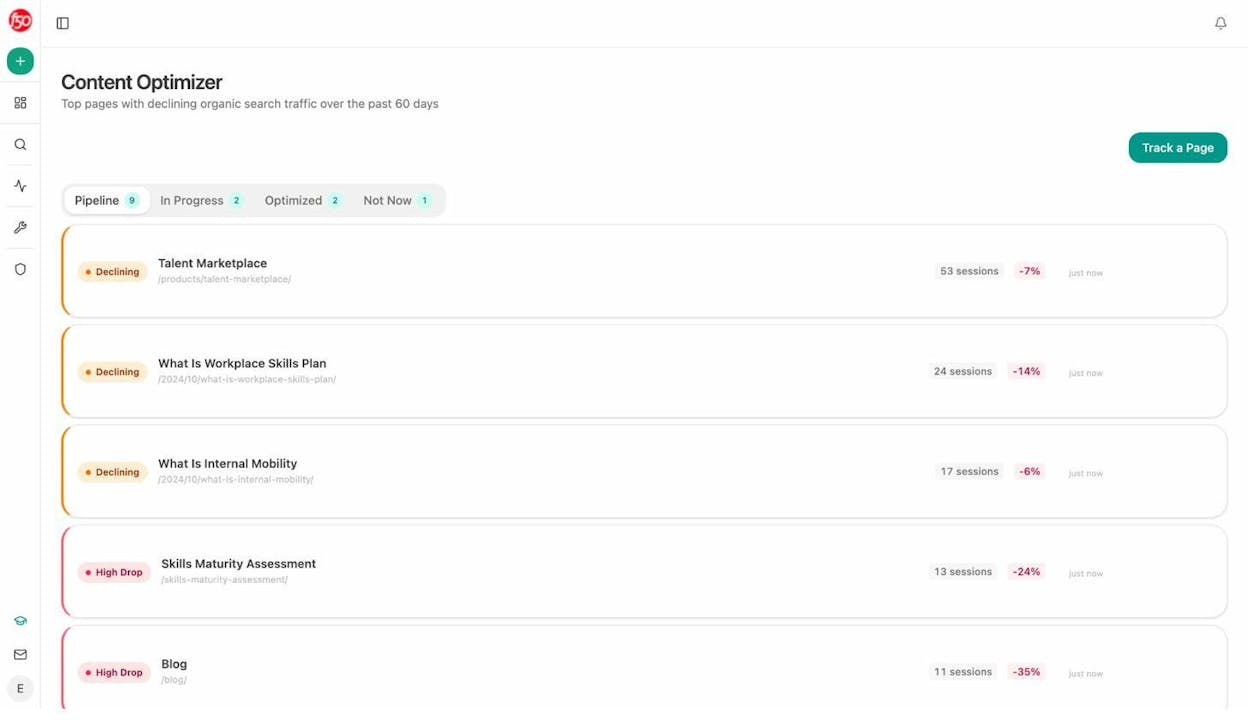
The declining-pages recipe pulls pages losing sessions and engagement from GA4. The stale-content recipe flags pages not updated within a set number of days. The Loop node runs the full refresh pipeline on each page individually.
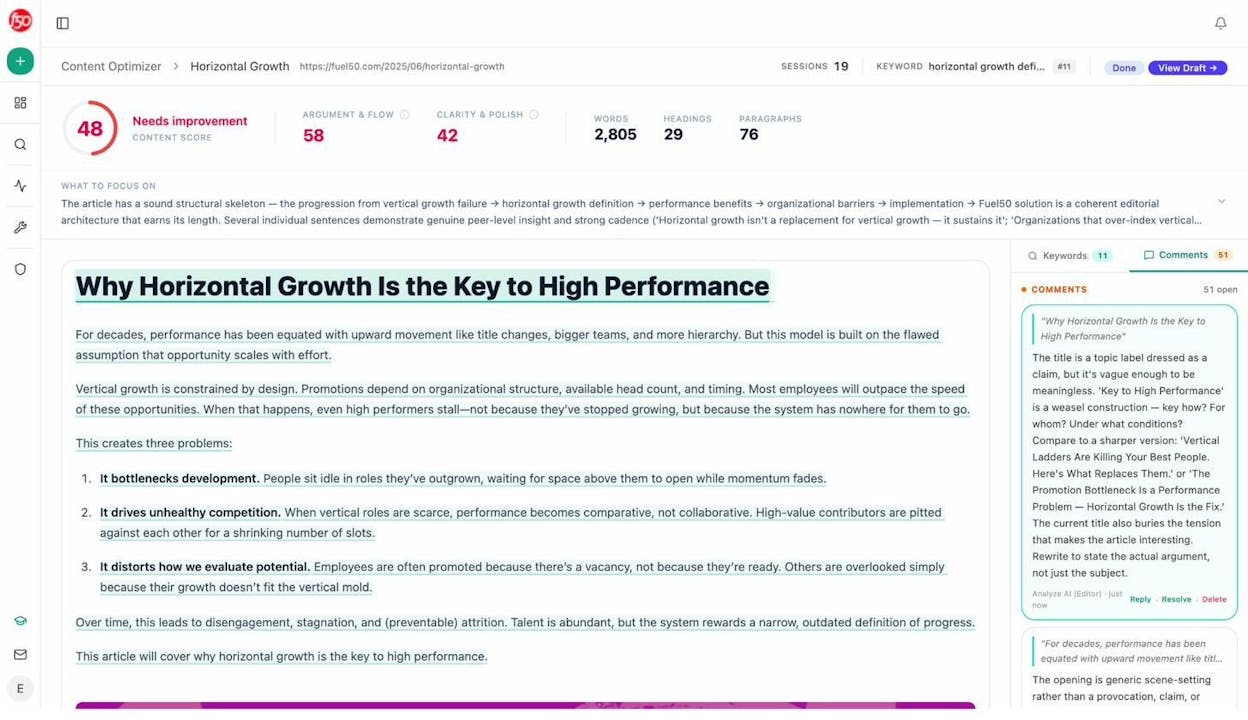
The Prompt LLM node is where the heavy lifting happens. It receives the scraped page content, your brand voice rules from the Vault, and instructions to rewrite for both search engines and AI models. The Conditional node ensures only meaningful rewrites push to your CMS. A tweaked comma does not trigger a republish.
What this replaces: The quarterly “content audit” panic where someone exports a spreadsheet, highlights red rows, and assigns updates that take weeks. This workflow runs every week. Declining pages get fixed before you lose the ranking.
You can also use the standalone Content Optimizer for one-off refreshes. It fetches your live page, runs an AI-powered audit, and generates optimization suggestions based on content gaps, keyword clustering opportunities, and AEO readiness.
3. Keyword Research and Topic Discovery Pipeline
Manual keyword research follows a familiar loop. Open a tool. Enter a seed keyword. Export a CSV. Filter in a spreadsheet. Repeat for the next seed. Two hours later, you have a list that still needs to be prioritized.
This workflow turns keyword research into a background process.
The agent flow:
Scheduled trigger (weekly) or Manual trigger (with seed keyword input) > DataForSEO Keyword Ideas + Semrush Keyword Research > keyword-opportunities data recipe (high volume, low competition) > competitor-topics data recipe (topics your competitors cover that you do not) > Prompt LLM (cluster by intent, prioritize by business value, score difficulty) > Notion database or CSV Export > End.
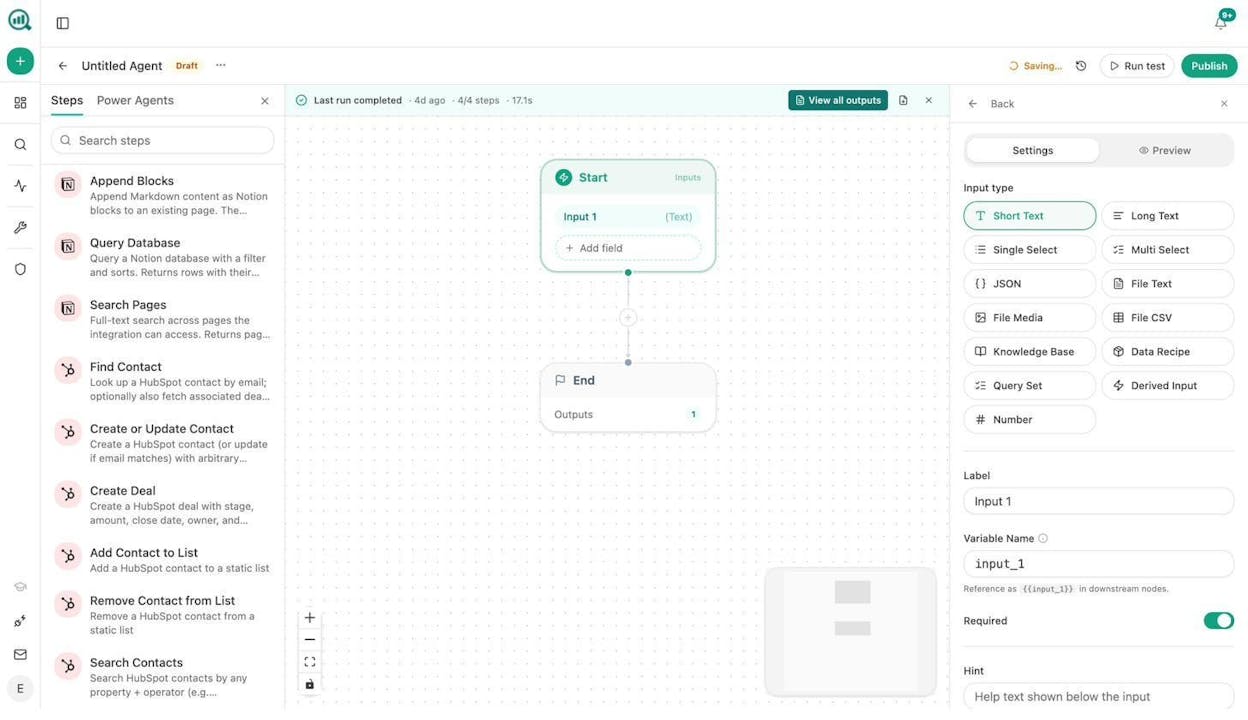
What makes this different from running keyword research in a standalone tool is the combination of traditional SEO data with AI visibility data. The competitor-topics recipe pulls topics from your AI search competitor analysis. The unmentioned-prompts recipe surfaces queries where AI models discuss your category but never mention your brand. These are gaps you will not find in any traditional keyword tool.
For quick, one-off research, you can also use Analyze AI’s free Keyword Generator, Keyword Difficulty Checker, or SERP Checker.
What this replaces: The weekly “keyword research session” where an SEO exports data from three tools and spends the afternoon organizing it. This agent runs on Sunday night. By Monday morning, your editorial calendar has a prioritized topic list waiting in Notion.
The AI search angle matters here. Traditional keyword research only shows what people search on Google. The unmentioned-prompts recipe shows what people ask AI models where your brand never appears. These are entirely different opportunity sets, and most teams only look at one of them. You can track both using Analyze AI’s Prompt Tracking and Prompt Discovery features.
4. Internal Linking Maintenance at Scale
Internal linking is one of those tasks everyone knows matters and nobody does consistently. On a site with 500+ pages, manually checking for linking opportunities after every new publish is not realistic.
This workflow handles it automatically.
The agent flow:
Scheduled trigger (weekly) > Get Sitemap > Loop node (for each URL) > On-Page SEO Analysis + GSC Top Keywords for Page > Prompt LLM (suggest 3 internal links per page based on topical relevance and anchor text) > Notion task list or Call API (to submit changes via CMS API) > End.
The On-Page SEO Analysis node from DataForSEO scans the page for existing links, structure, and keyword targets. The GSC Top Keywords for Page node shows what queries each page ranks for. The Prompt LLM node cross-references both data sets and suggests specific internal links with anchor text recommendations.
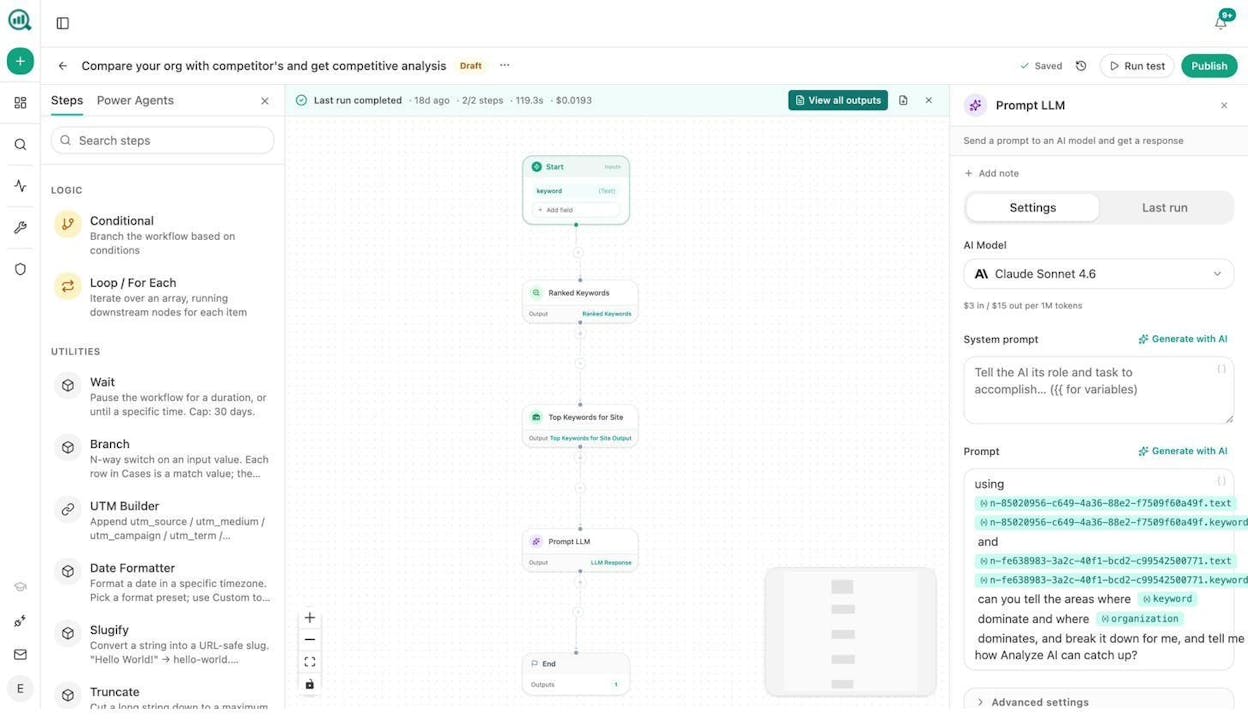
For a site with 2,000 pages, this workflow loops through the entire sitemap and produces a complete internal linking audit in one run. You can configure the Conditional node to auto-apply links on pages where the confidence score is high, or route lower-confidence suggestions to a human reviewer.
What this replaces: The “internal linking spreadsheet” that someone maintains manually and updates once a quarter. This workflow runs every week and catches new linking opportunities as soon as new content is published.
For more on the strategy behind this, see our guide on building topic clusters and content hubs.
5. Competitive Intelligence and AI Visibility Monitoring
Traditional competitive monitoring means checking a dashboard once a week and hoping you notice something important. By the time you spot a competitor’s new positioning, they have been running it for a month.
This workflow turns competitive intelligence into a continuous, event-driven operation.
The agent flow:
Scheduled trigger (daily at 8am) > competitor-gaps data recipe + rising-threats data recipe + competitor-message-shift data recipe > Conditional (if new competitor narrative score exceeds threshold) > Prompt LLM (summarize shift, suggest response) > Slack notification + DOCX Export > End.
The competitor-gaps recipe shows prompts where competitors outrank you in AI search results. The rising-threats recipe surfaces competitors gaining visibility fastest. The competitor-message-shift recipe detects when competitors start positioning themselves differently in AI responses.
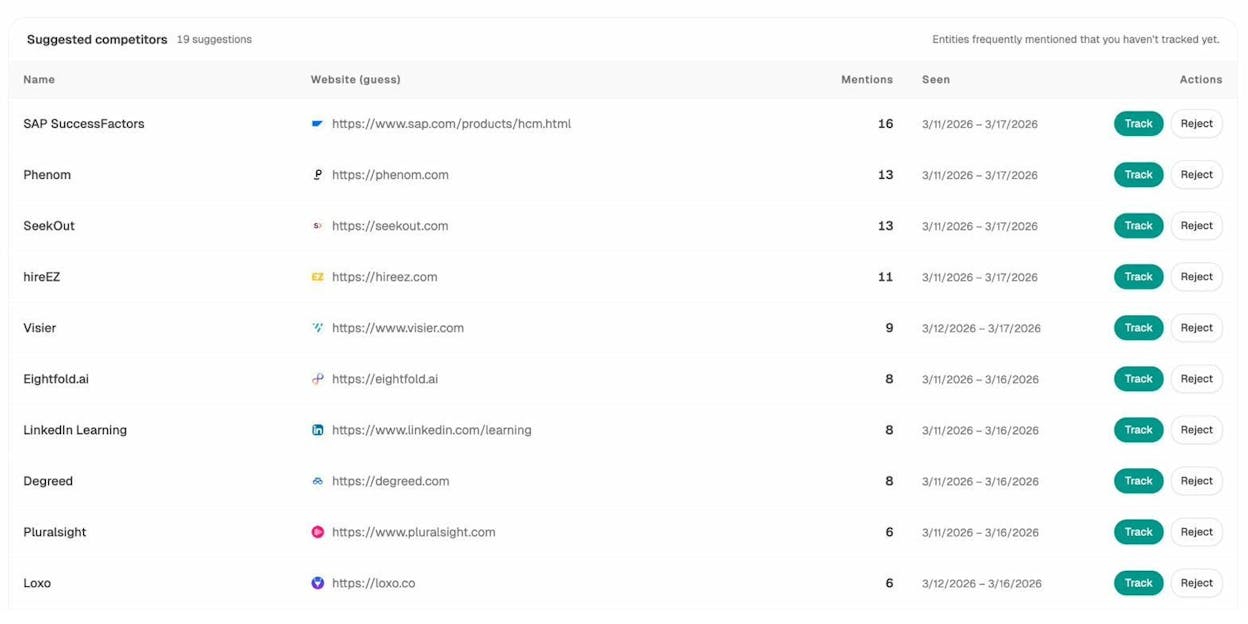
You can extend this workflow with the brand-contradictions recipe, which flags moments when AI models say something about your brand that contradicts your actual positioning. If ChatGPT tells someone your product “does not support enterprise deployments” when it does, you will know within 24 hours.
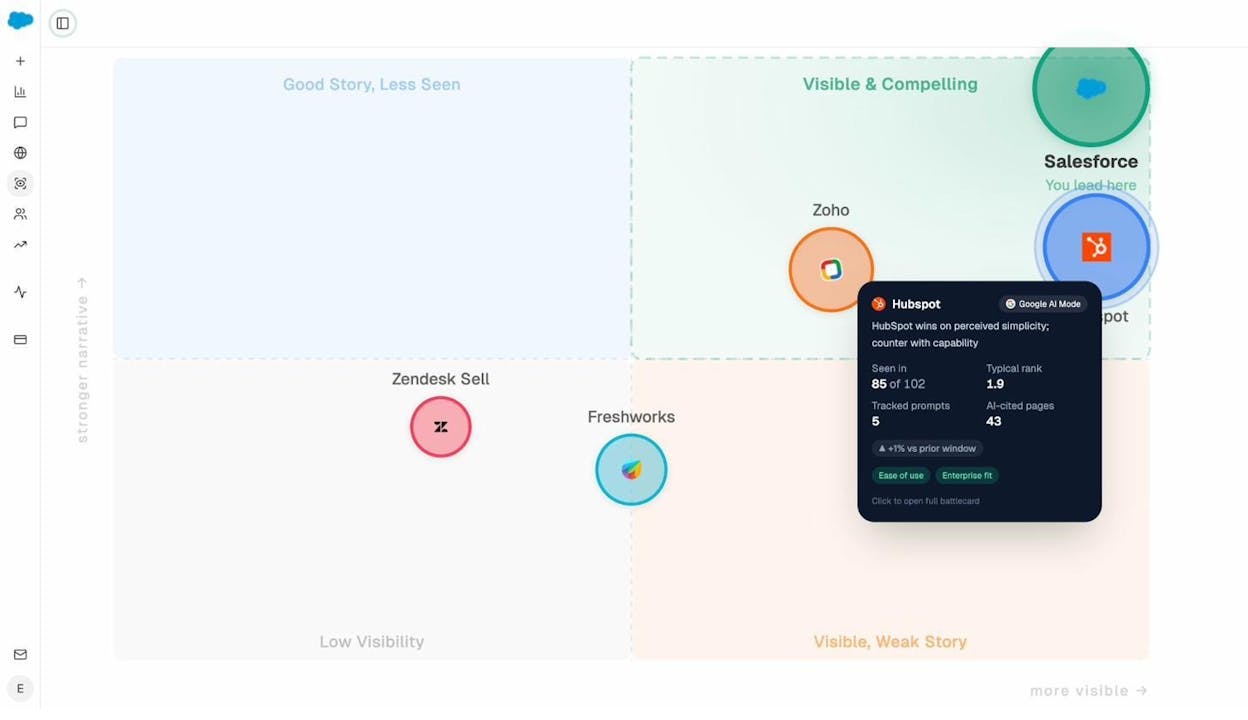
For a broader view of how AI models perceive your brand relative to competitors, use the Perception Map, which plots all tracked brands on a presence-versus-narrative-strength quadrant.
What this replaces: The monthly competitor review meeting where someone shares a slide deck of screenshots. This workflow delivers competitive intelligence to Slack every morning. Your team reacts in days, not quarters.
For teams that also track AI traffic, you can extend this workflow to cross-reference competitive gaps with your own landing page performance. If a competitor is gaining visibility on a prompt where you already have a high-performing page, the response is different from a prompt where you have no content at all. The AI Traffic Analytics Landing Pages view shows you exactly which pages receive traffic from AI models, so you can double down on what already works.
You can also pair this with Analyze AI’s AI Visibility Tracking and AI Sentiment Monitoring dashboards for a complete picture of how your brand shows up across ChatGPT, Perplexity, Gemini, Claude, and other AI models.
Beyond These Five: What Else You Can Build
These five workflows are a starting point. The Agent Builder supports workflows for every function in a marketing or content operation.
A few examples of what other teams have built.
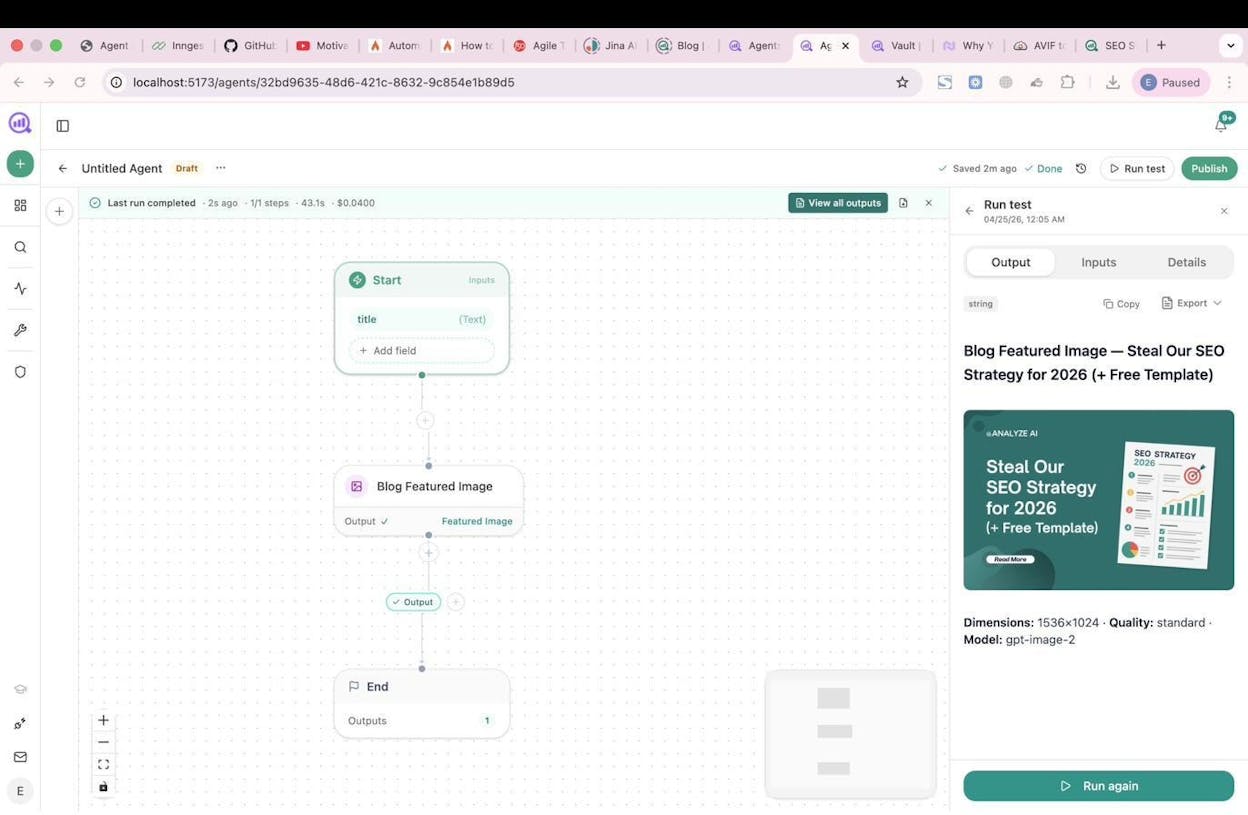
Social media content creation: Start node with a blog URL > Web Page Scrape > Prompt LLM (extract key points, generate platform-specific copy for LinkedIn, Twitter, and Instagram) > Social Media Image node (generates branded visuals per platform) > Mailchimp or Slack for distribution. The image nodes are brand-kit-aware, so every visual matches your style guide automatically. You can also add the Infographic Generator node to turn data-heavy blog posts into shareable visual assets without opening a design tool.
Link outreach at scale: DataForSEO Brand Mentions > filter for unlinked mentions > Tomba Author Finder (finds the writer’s email) > Prompt LLM (draft personalized pitch using Inject Brand Context) > Send Email. For every blog that mentions your brand without linking to you, this workflow finds the author, writes a pitch that references their article specifically, and sends it. This is the link outreach workflow that runs itself. You can also extend it with listicle outreach by filtering for roundup-style posts in your niche.
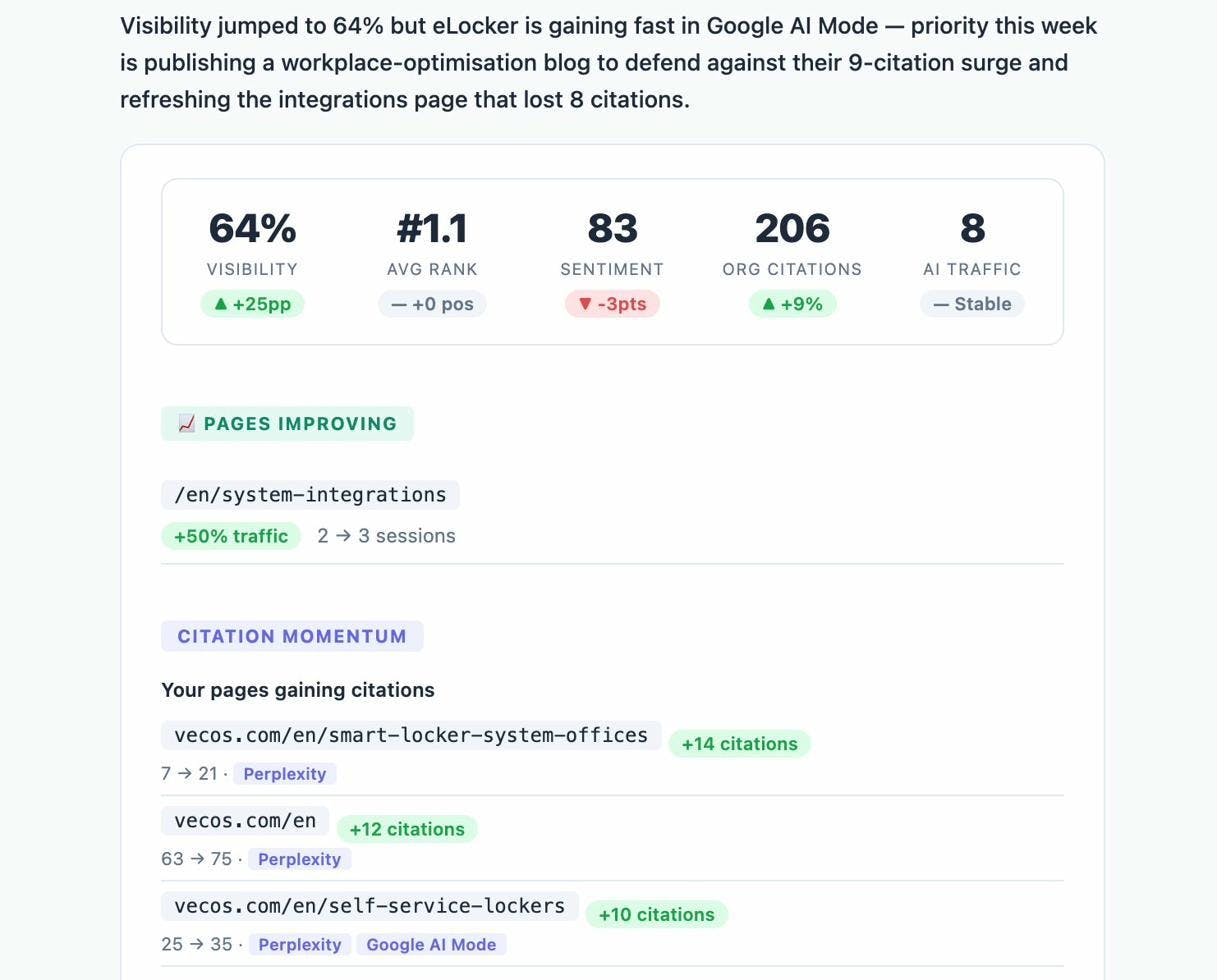
Weekly executive briefing: Schedule (Monday 7am) > exec-one-pager recipe + GA4 AI Traffic Overview + share-of-voice > Prompt LLM (executive summary in brand voice) > DOCX Export > Send Email to leadership. Your CMO gets a board-ready report before coffee.
AI traffic monitoring: Schedule (every 30 minutes) > GA4 Realtime AI Users > Conditional (if traffic exceeds threshold) > Slack alert with the prompt that likely drove the surge. You can track this data continuously using the AI Traffic Analytics dashboard and Weekly Email Digests.
The pattern is always the same. Pick a trigger (manual, scheduled, or webhook). Wire in data sources. Add reasoning with an LLM node. Route the output to where your team already works. The platform handles the rest.
How to Start Building
If you have never built an AI workflow before, start with the Content Writer agent. It has the shortest path from setup to value.
-
Open the Agent Builder and create a new agent.
-
Add a Start node with a text input for your keyword or topic.
-
Connect a Generate Research node, then a Generate Outline node, then a Generate Full Draft node.
-
Add an AEO Content Scorecard to gate quality.
-
Connect a WordPress Create Post node for publishing.
-
Hit Run Test.
The entire setup takes under ten minutes. Once it works manually, switch the trigger to Scheduled or Webhook and let it run on its own.
A few things to keep in mind as you build. First, use the Brand Vault. Every workflow that touches content should inject your brand voice, proof points, and messaging rules. Without it, you get generic AI output. With it, you get content that sounds like your team wrote it.
Second, layer in AI search data. This is where Analyze AI differs from general-purpose automation platforms. Every workflow you build has access to AI visibility scores, citation data, prompt tracking, and competitor intelligence baked into the substrate. You are not just automating tasks. You are automating decisions informed by how AI models actually see your brand.
Third, start with one workflow and expand. The team that tries to build all five on day one finishes none of them. Pick the workflow that addresses your biggest time sink, prove it works, then build the next one.
Analyze AI offers a free trial, so you can build and test these workflows before committing. Start here.

Ernest

Ibrahim


