



Summarize this blog post with:


In this article, you’ll see 12 AI workflows for marketing teams broken down by category with step-by-step breakdowns of how each one works. You’ll learn which manual tasks each workflow replaces, how to set them up so they run on autopilot, and how to extend every SEO workflow to cover AI search as a second organic channel.
Table of Contents
How to Think About AI Workflows for Marketing
The gap between a useful AI workflow and one that produces slop is almost always the planning, not the tools.
Before you automate anything, write down every step you take manually. Include the edge cases and the judgment calls that feel invisible. Then use that documentation as the instruction set for your workflow.
Here’s the principle. If you understand the manual process deeply enough to document it, you can automate it well. If you can’t, you’ll get garbage output regardless of which platform you use.
With that in mind, here are 12 workflows that marketing teams run every week.
SEO and AI Search Workflows
SEO still drives the majority of organic traffic for most businesses. But AI search is now a second organic channel worth investing in alongside it. These workflows cover both.
1. Keyword Research at Scale
What it replaces: Logging into Semrush or Ahrefs, pulling seed keywords, exporting CSVs, filtering manually, and repeating for every topic cluster. This takes hours.
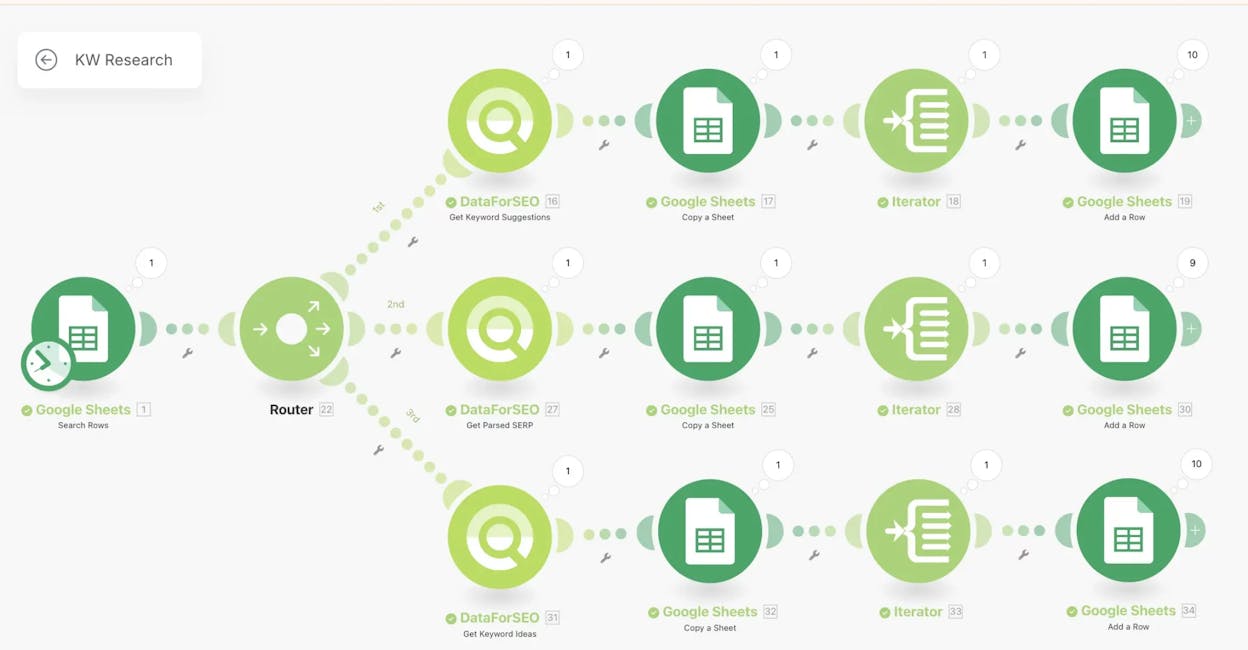
An automated keyword research workflow compresses that into minutes. You input a seed keyword or competitor domain, and the workflow pulls search volumes, difficulty scores, related keywords, and SERP data all at once.
In Analyze AI’s Agent Builder, you connect a DataForSEO Keyword Ideas node to a Semrush Domain Overview node, filter results by difficulty and volume thresholds using a Conditional node, and output a prioritized keyword list to Notion or a Google Sheet. The keyword-opportunities data recipe does this out of the box, returning high-volume, low-competition keywords ready for your editorial calendar.
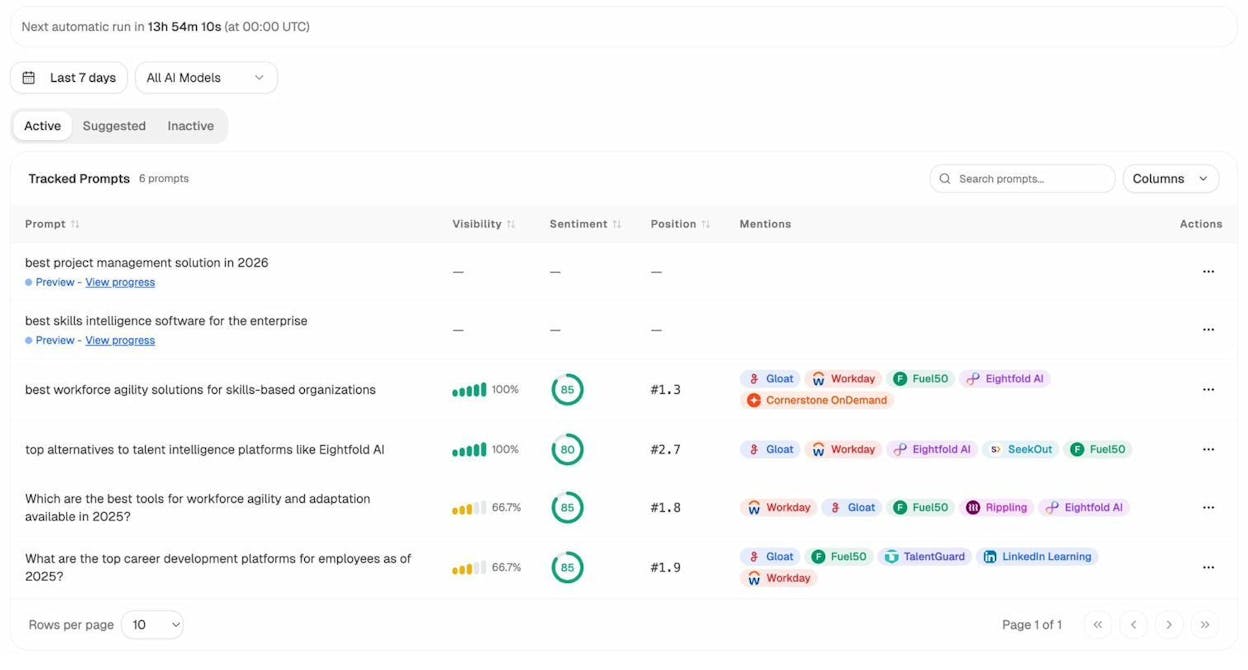
But here’s what most keyword research workflows miss. They only cover traditional search. You should also research what prompts people type into ChatGPT, Perplexity, and Gemini. Analyze AI’s Prompt Tracking shows you exactly which prompts mention your brand and which mention competitors but not you. That gap is your AI search keyword research.
You can also use Analyze AI’s free keyword generator and keyword difficulty checker for quick lookups before building full workflows.
2. AI Visibility Monitoring
What it replaces: Manually querying ChatGPT, Perplexity, and Gemini to see if your brand shows up. Nobody has time for this, which is why most teams have no idea how they perform in AI search.
You would never run SEO without tracking keyword rankings. The same logic applies to AI search. An AI visibility workflow tracks how often your brand gets mentioned and cited across AI models, and alerts you when something changes.
Analyze AI’s AI Visibility Tracking dashboard shows your visibility percentage across every major AI model. You see trends over time, compare against competitors, and drill into specific prompts.
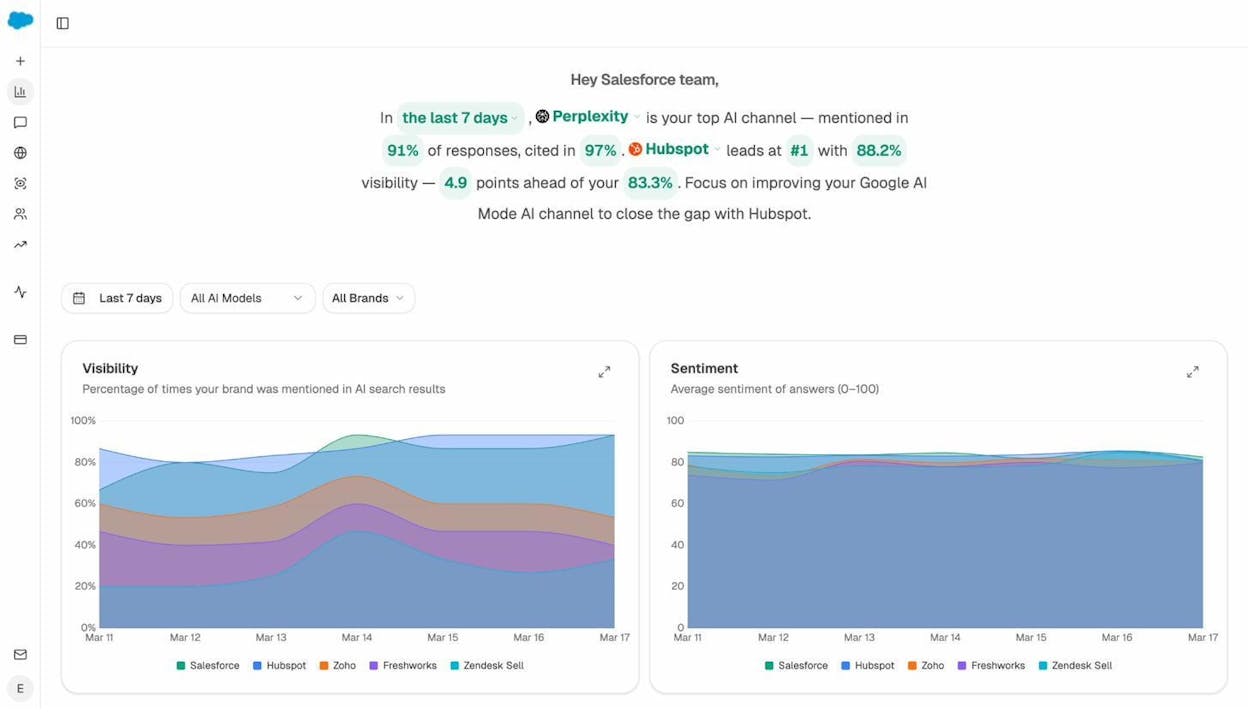
To run this on autopilot, set up a scheduled agent that triggers the visibility-losers recipe every morning. If your visibility dropped on any tracked prompt, the agent sends a Slack notification with the affected prompts and a draft counter-content brief. Your team gets a specific action plan before their first coffee.
3. Internal Linking at Scale
What it replaces: A spreadsheet, a sitemap, and someone spending days cross-referencing which pages should link to which. For sites with hundreds or thousands of pages, this is a full-time job nobody wants.
Here’s how to automate it:
Step 1: Pull your full sitemap using the Get Sitemap node.
Step 2: Loop through each page. For each one, pull on-page SEO data and top-ranking keywords from Google Search Console.
Step 3: Send that data to an LLM with instructions to suggest 3-5 internal links from other pages on your site that are topically relevant.
Step 4: Output the suggestions to Notion as a task list, or apply them directly via the WordPress API node.
In the Agent Builder, this is a scheduled agent using Get Sitemap, a Loop node, On-Page SEO Analysis, GSC Top Keywords for Page, and Prompt LLM. Schedule it weekly and you always have a fresh queue of internal links to implement. For a 2,000-page site, this workflow surfaces hundreds of linking opportunities that would take a human weeks to find manually.
Content Production Workflows
Content production eats more hours than almost any other marketing function. These workflows automate the research, drafting, and optimization layers so your team can focus on editorial judgment and strategy.
4. Content Writing Pipeline
What it replaces: The 4-6 hour process of researching a topic, studying the SERP, building an outline, writing a draft, and then checking it against your brand guidelines.
A content writing workflow automates the research-to-draft pipeline. You feed it a topic and it handles competitive research, outline creation, and a first draft ready for editorial review.
Analyze AI’s Content Writer does this in structured stages. Each step (research, outline, draft) builds on the previous one, and the platform’s AI strategist leaves comments on the outline with positioning suggestions and competitive context.
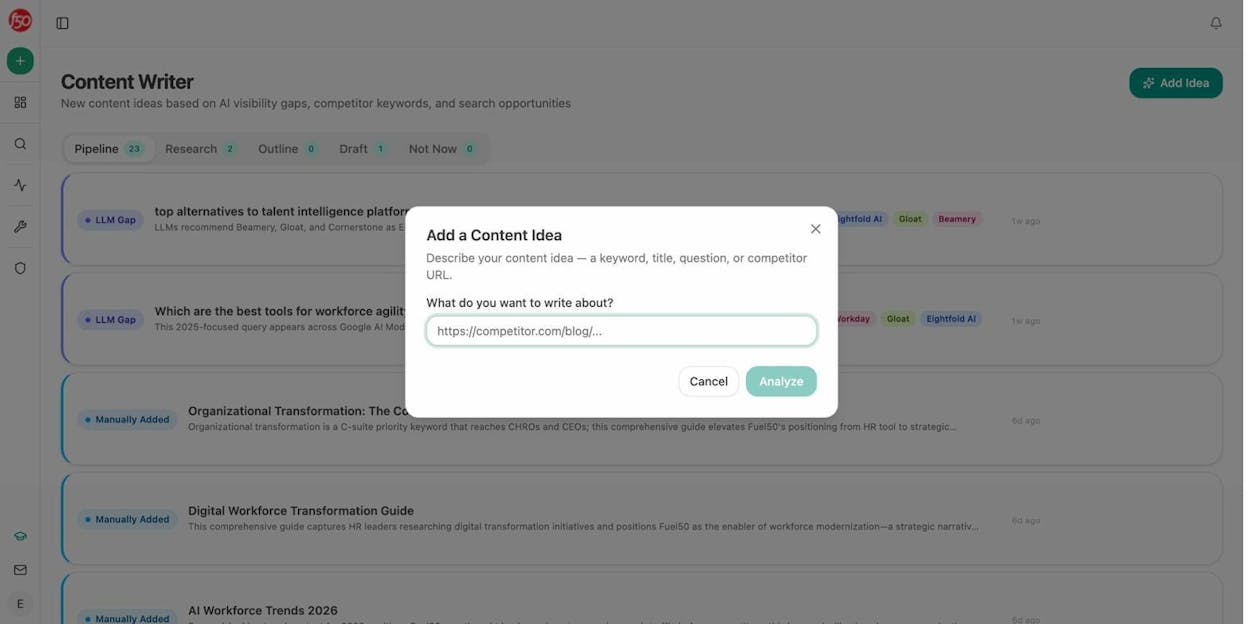
For higher volume, the Agent Builder turns this into a webhook-triggered pipeline. A brief gets approved in Notion, the agent runs research, generates an outline and draft, scores it for AEO readiness using the AEO Content Scorecard node, and publishes to WordPress if the score clears your threshold. If it doesn’t, the writer gets a Slack message with the specific gaps to fix.
5. Content Refresh at Scale
What it replaces: The quarterly “content audit” where someone exports a spreadsheet from GA, highlights declining pages in yellow, and then nothing happens for three months.
A content refresh workflow detects declining content and rewrites it automatically.
Step 1: Pull declining pages from GA4 (sessions down 15%+ over 90 days) using the declining-pages data recipe.
Step 2: Cross-reference with the citation-decay-alert recipe to find pages that are also losing AI citations.
Step 3: Scrape each page’s current content with the Web Page Scrape node.
Step 4: Send it to a Prompt LLM node with brand voice injected via the Brand Vault for a rewrite that updates stale data and improves structure.
Step 5: Push updates to WordPress, or flag for human review.
Schedule this weekly and the “quietly losing rankings” problem solves itself. You’re also refreshing content for AI citation, since models like ChatGPT and Perplexity favor recently updated pages with current data.
6. Content Optimization
What it replaces: Reading your article, reading the top 5 competitors, making notes, and then guessing what to change. Or paying a consultant to do the same thing over a two-week timeline.
Analyze AI’s Content Optimizer fetches your published content, runs a multi-factor analysis covering topical gaps, argument structure, proof density, and competitor comparison, and generates specific optimization ideas.
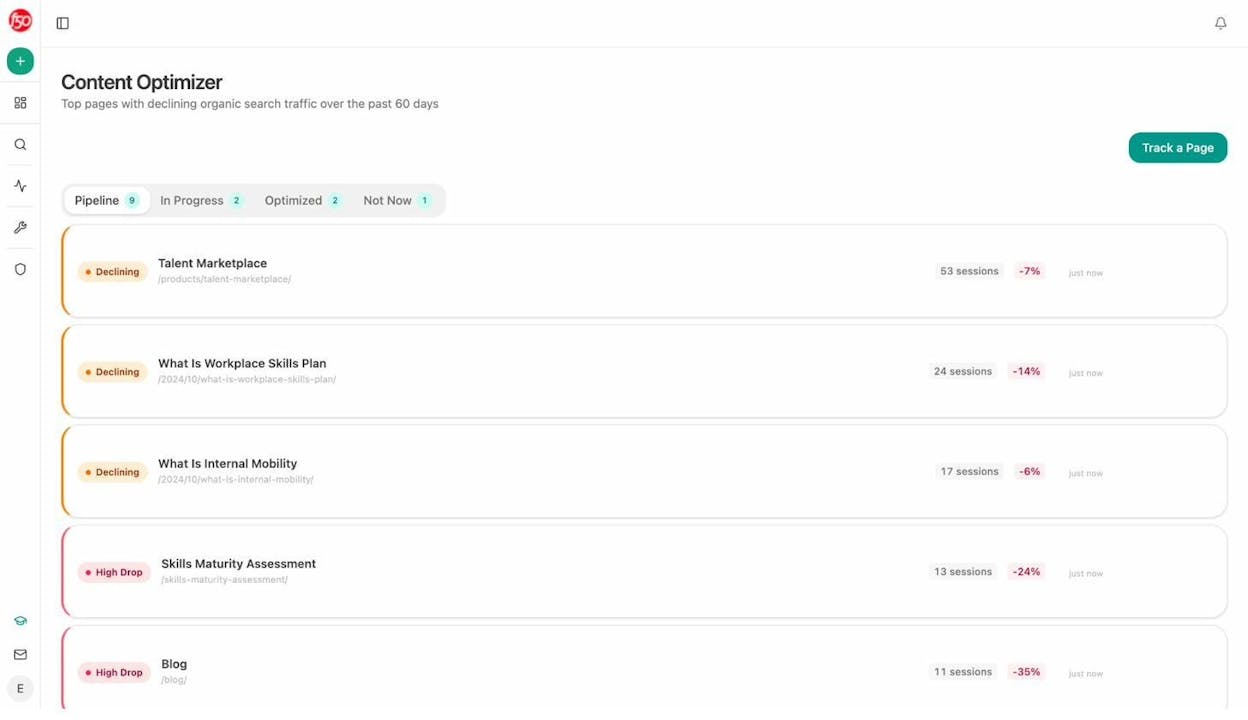
This goes beyond keyword density checks. It identifies what competing pages cover that yours doesn’t, flags claims that lack supporting evidence, and spots sections where structure makes it hard for AI models to extract clean answers. You can use this alongside the free SERP checker to verify where you currently rank before optimizing.
Brand and Competitive Intelligence Workflows
Knowing what your competitors are doing and how AI models talk about your brand gives you a strategic edge that compounds over time.
7. Social Media Sentiment Analysis
What it replaces: Your social media manager manually reading through comments and DMs to gauge how posts are landing. Or worse, looking at vanity metrics like likes and assuming they mean something.
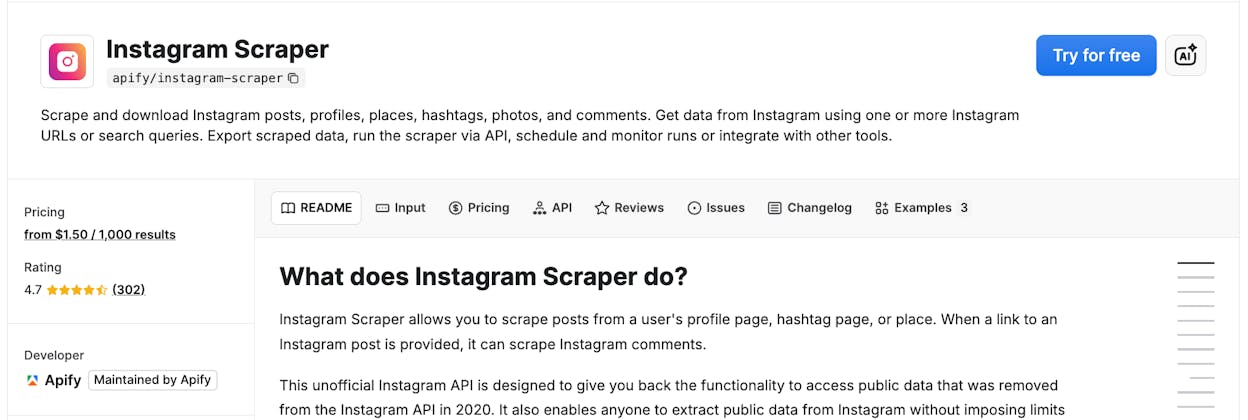
A sentiment analysis workflow scrapes posts from Instagram, LinkedIn, or X, runs the content through an LLM for sentiment scoring, and sends you a report.
In the Agent Builder, you use a web scraping step to pull posts by hashtag or account, feed them through a Prompt LLM node configured for sentiment classification, and output results to a Google Sheet or email report. Schedule it weekly to track sentiment trends over time. You can also run the same flow on competitor accounts to build a swipe file of content that resonates in your niche.
8. Competitor Gap Analysis in AI Search
What it replaces: The “I wonder how we compare” conversation that happens in every marketing standup but never gets answered because nobody has the data.
Analyze AI’s Competitors dashboard shows side-by-side how you and your competitors rank across AI prompts. You see which sources AI models cite for each competitor, and where you’re absent from conversations your competitors dominate.
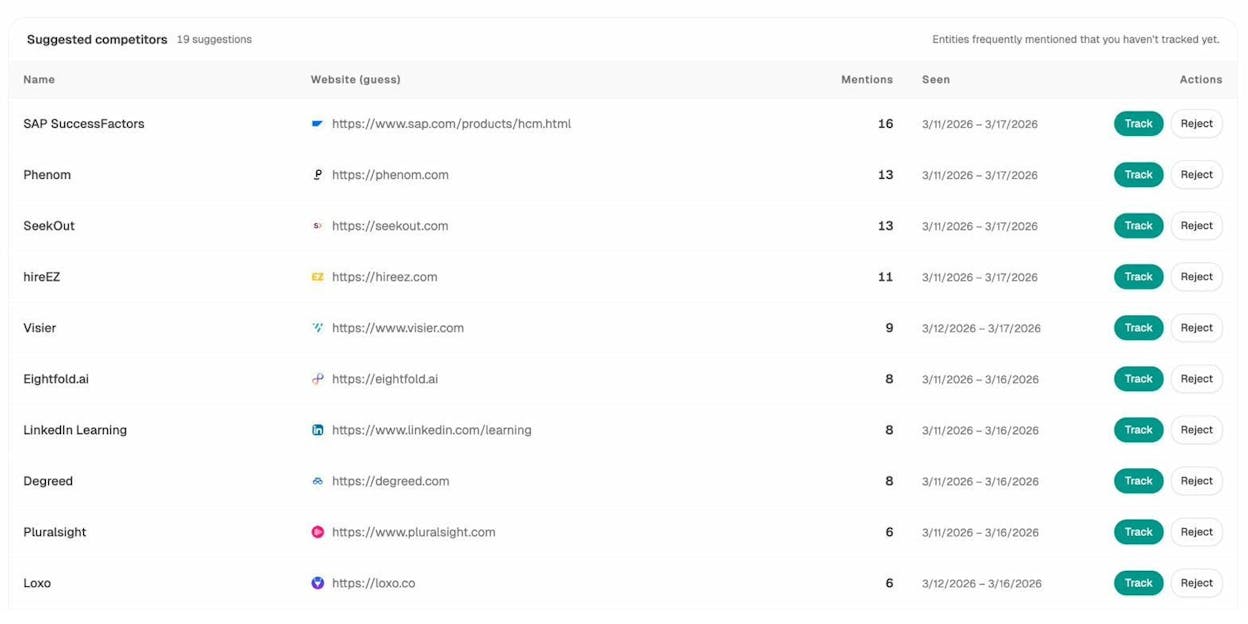
The competitor-gaps data recipe returns every prompt where competitors outrank you. Wire that into a weekly report agent with the competitor-message-shift recipe (which tracks emerging competitor narratives), and you have a living competitive intelligence feed that updates itself.
9. Brand Perception Monitoring in AI
What it replaces: Nothing, because most teams aren’t monitoring this at all. And that’s a problem.
If ChatGPT tells someone your product is “enterprise-only” when you also serve SMBs, that’s a positioning error happening at scale across millions of conversations.
Analyze AI’s Perception Map plots your brand on a quadrant measuring presence against narrative strength. The AI Battlecards feature shows exactly how AI models compare you to specific competitors, including the language they use.
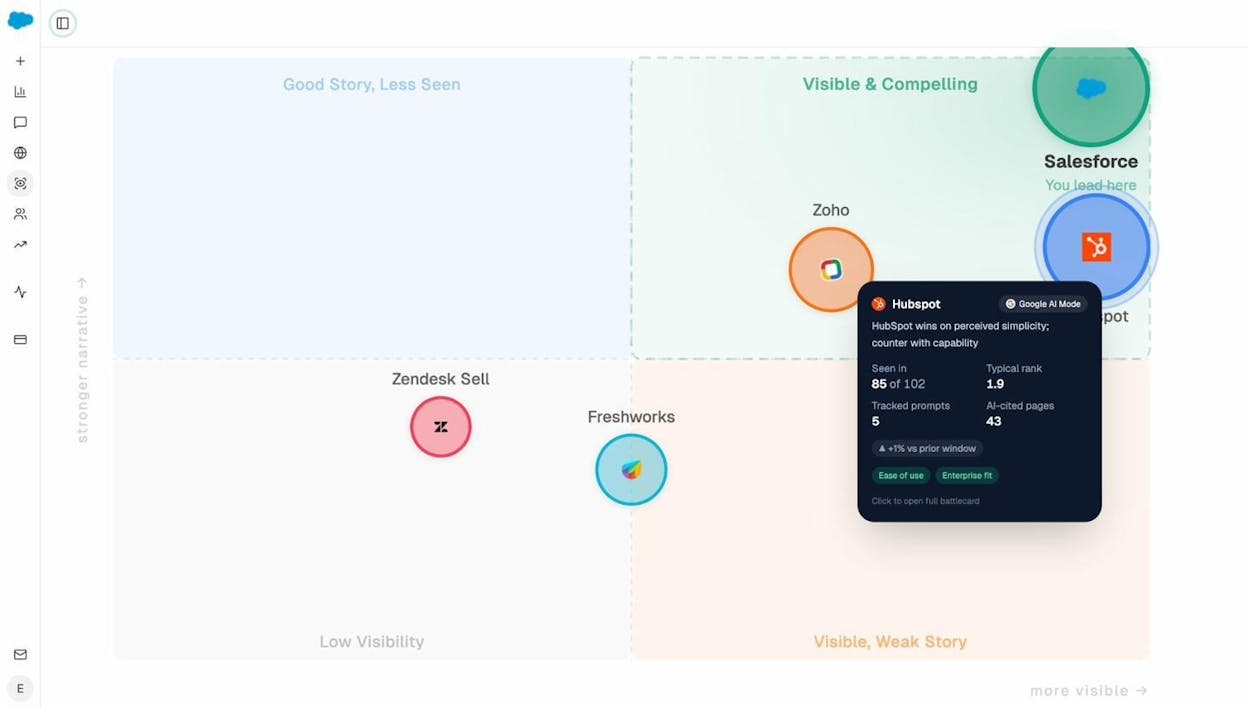
Automate this with a scheduled agent running the sentiment-alerts recipe. If AI sentiment drops below your threshold, the agent fires a Slack alert to your brand team with the source prompts and a draft response. The brand-contradictions recipe catches factual errors in AI responses about your company so you know which content to create or update to correct the record.
Reporting and Operations Workflows
The workflows nobody sees but everybody depends on. These automate the reports and data pulls that eat up Monday mornings.
10. Weekly Performance Digest
What it replaces: Your analyst logging into five dashboards on Monday, copying numbers into a deck, and presenting it at the 10am standup. Every week. Forever.
A weekly digest workflow pulls data from GA4, Google Search Console, AI visibility, and your CRM, then synthesizes it into a single report.
In Analyze AI, the exec-one-pager data recipe handles the heavy lifting. Wire it into a scheduled agent that runs Monday at 7am, add GA4 traffic data and HubSpot deal activity, run everything through Prompt LLM with brand voice injected, and export as DOCX or PDF. The report lands in your leadership team’s inbox before their first meeting.
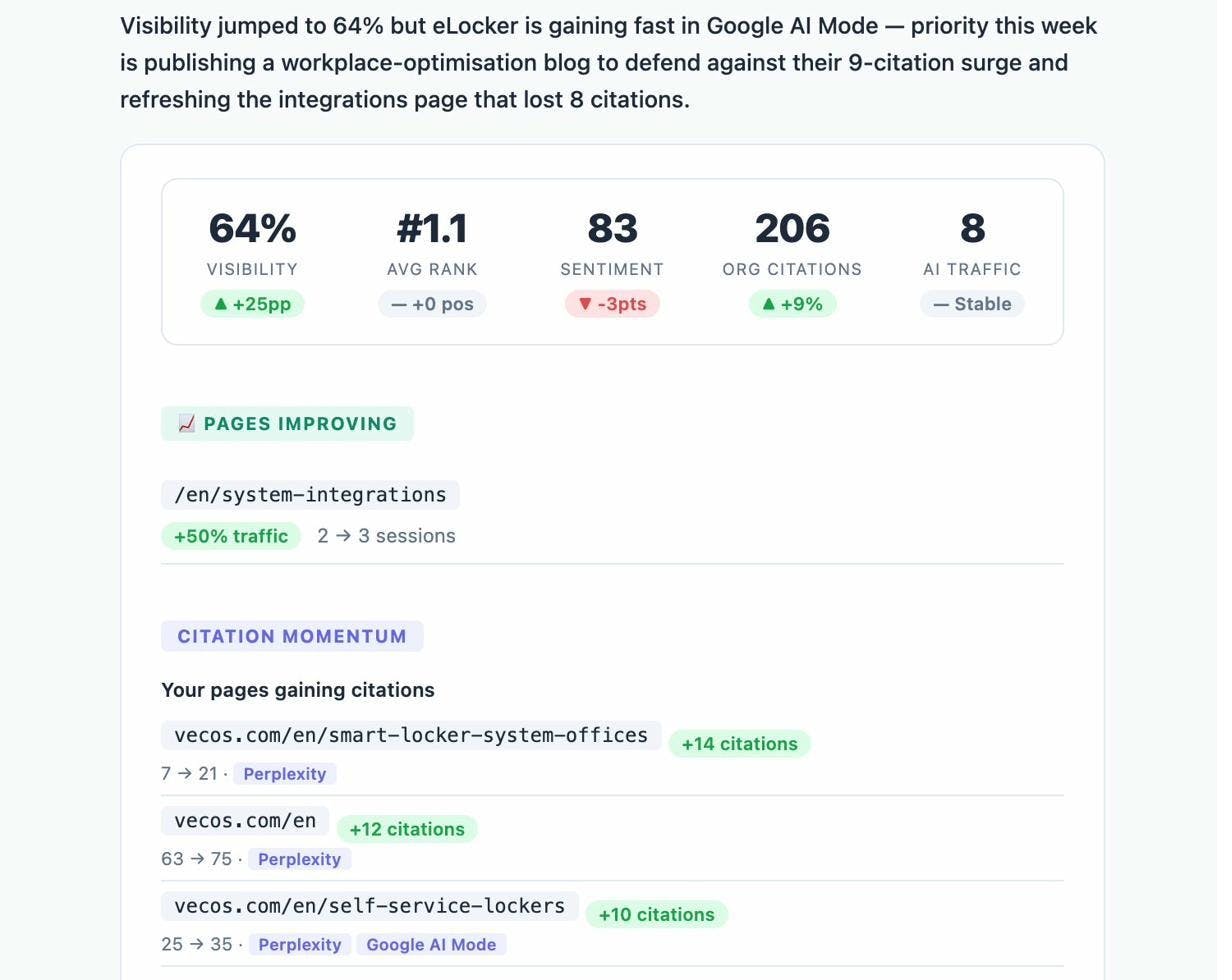
Analyze AI also sends automated weekly email digests with visibility changes, competitor movements, and action items. No agent setup required for this one. It’s built in.
11. Image Design for Content at Scale
What it replaces: The design bottleneck. Every blog post needs a featured image and social cards. Your designer is busy. Publishing gets delayed.
The Agent Builder has image generation nodes (Blog Featured Image, Social Media Image, Infographic Generator) that are brand-kit-aware. They automatically use your brand colors, fonts, and style preferences.
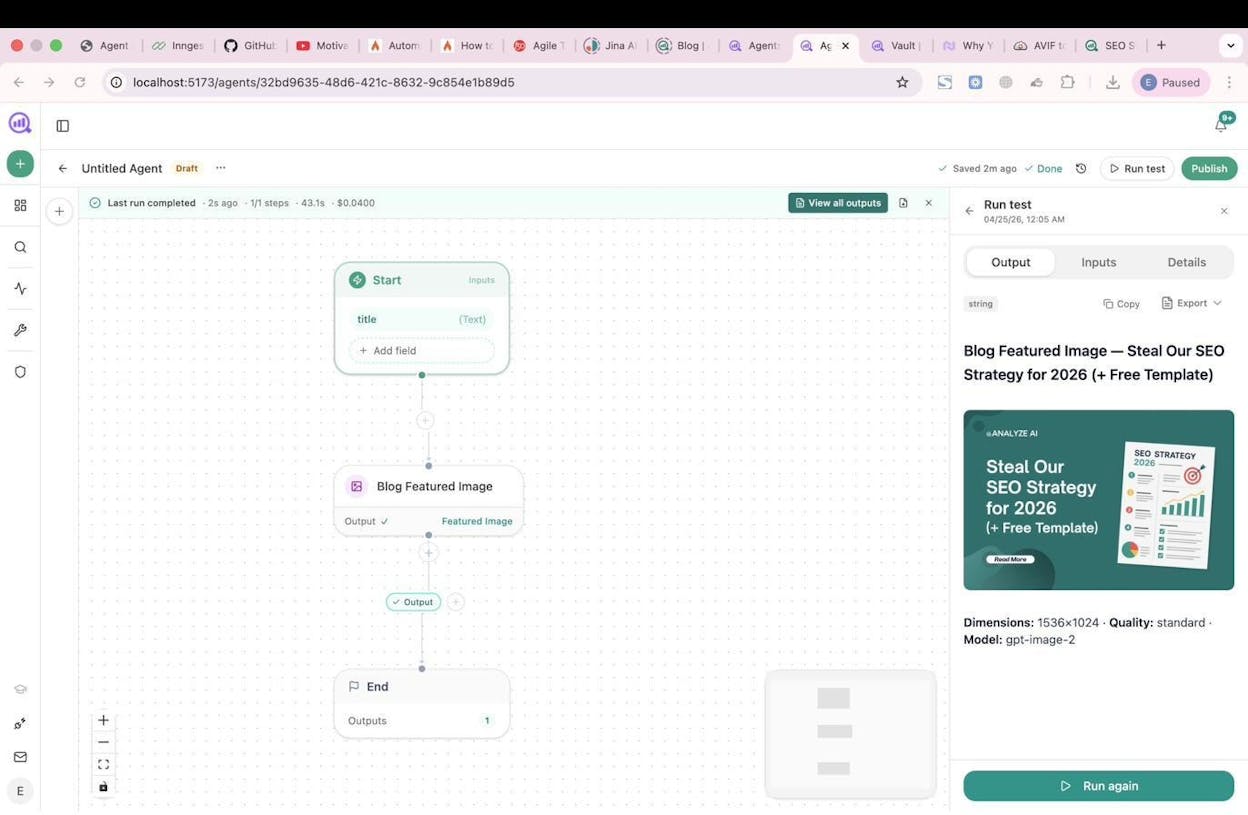
Add an image generation step to any content workflow. After a draft is generated and scored, the agent creates a featured image and inline illustrations, then publishes everything to WordPress in a single run. Your content pipeline goes from brief to published post without waiting on design.
12. Lead Enrichment and CRM Hygiene
What it replaces: Leads coming in with half-empty CRM records. Somebody has to Google each company, update the fields, and hope they don’t forget.
Step 1: A webhook fires when a new contact enters HubSpot.
Step 2: The workflow verifies their email using a Hunter.io or Tomba node, then pulls company data from DataForSEO Domain Overview.
Step 3: A Prompt LLM generates a short research brief on the company.
Step 4: The enriched data writes back to HubSpot via the Upsert Contact node.
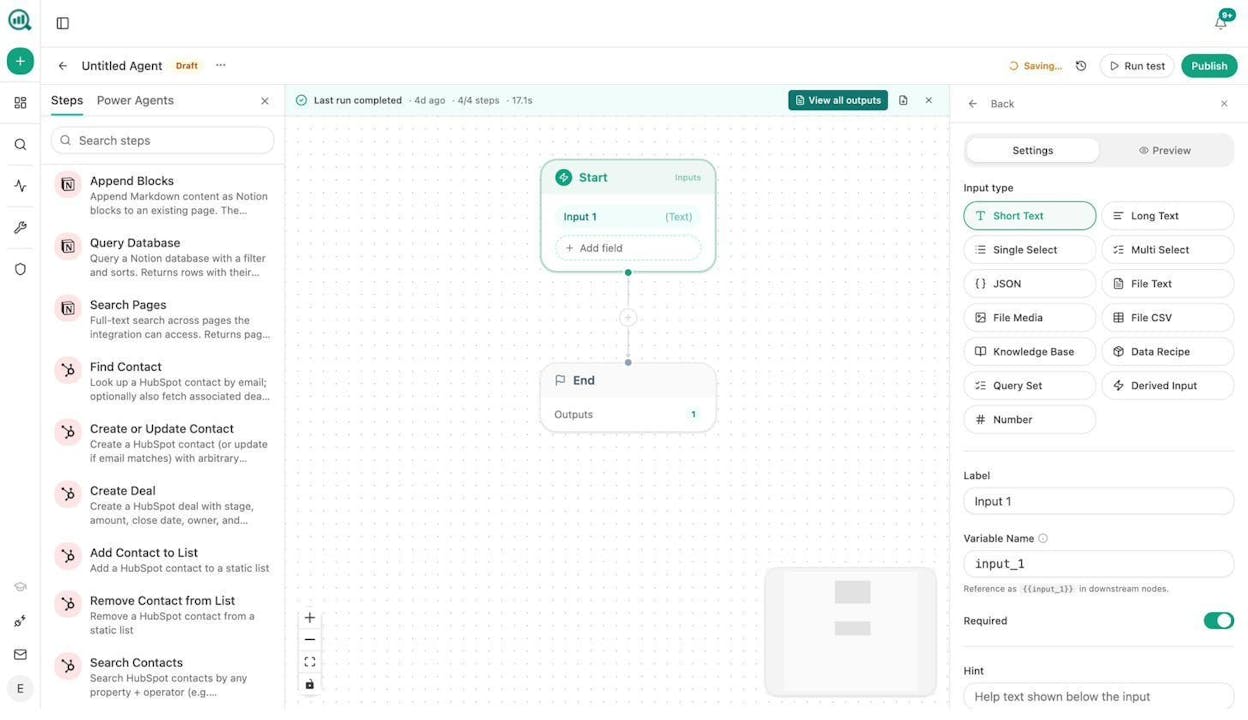
You can also run a daily scheduled agent that queries HubSpot for contacts with missing fields and enriches them in bulk. Your CRM stays clean without anyone manually updating records. The whole flow runs in under 30 seconds per lead.
How to Pick the Right Platform for AI Marketing Workflows
|
Capability |
Generic Automation (Zapier, Make) |
AI-First Workflow Tools (Gumloop, n8n) |
Agentic Platform (Analyze AI) |
|---|---|---|---|
|
Trigger types |
Webhooks, schedules |
Webhooks, schedules, manual |
Webhooks, schedules, manual |
|
AI model access |
Via API keys |
Built-in LLM access |
Built-in (Claude, GPT, Gemini, Perplexity) |
|
SEO and content data |
Requires integrations |
Requires integrations |
Native (GA4, GSC, DataForSEO, Semrush) |
|
AI search data |
Not available |
Not available |
Native (visibility, citations, prompts, sentiment) |
|
CRM nodes |
Yes |
Yes |
Yes (26 HubSpot nodes, Notion, WordPress, Mailchimp) |
|
Brand voice injection |
No |
No |
Yes (12-block Brand Vault) |
|
Pre-built data recipes |
No |
No |
Yes (34 recipes) |
|
Content creation pipeline |
No |
No |
Yes (Writer, Optimizer, AEO Scorecard) |
|
Total nodes |
Varies |
Varies |
180+ across 16 categories |
Generic tools like Zapier and Make handle simple, linear automation well. Move data from app A to app B. They work fine for that.
AI-first tools like Gumloop (starting at $37/month) and n8n add LLM capabilities to workflow automation. They’re solid choices for teams that want AI decision-making in their flows but don’t need deep SEO or content infrastructure.
Analyze AI is built for marketing teams that need the full stack. The Agent Builder has 180+ nodes across AI, web research, SEO research, Google Search Console, HubSpot, Notion, WordPress, image generation, and more. With 34 pre-built data recipes, any agent gets instant access to your AI visibility data, GA4 analytics, competitive intelligence, and brand context. The same platform includes a Content Writer, Content Optimizer, Prompt Tracking, Citation Analytics, and a suite of free SEO tools.
Start a free trial and build your first workflow in minutes.

Ernest

Ibrahim


