



Summarize this blog post with:


Botpress is a solid platform if you need a chatbot builder with NLU capabilities and dialog management. But most teams outgrow it for the same reason. They don’t just need a chatbot. They need AI that handles the operational work behind it, from content production to lead enrichment to competitive intelligence.
In this article, you’ll get a breakdown of seven Botpress alternatives that go beyond conversational chatbots. You’ll learn what each platform actually does well (and where it falls short), see real pricing comparisons, and understand which tool fits your specific use case, whether you’re building customer support bots, running multi-step marketing workflows, or scaling content operations across an entire team.
Table of Contents
What to Look for in a Botpress Alternative
The right platform depends on what you’re trying to do. A team building a customer FAQ bot has very different requirements than one automating weekly competitor reports or scaling content production.
Before you commit to any platform, evaluate these five areas.
Integration depth, not just count. Most platforms advertise hundreds of integrations. What matters more is whether those integrations let you do things with your data or just connect to it. Can you pull GA4 metrics into a workflow and act on them? Can you push optimized content directly to WordPress? The difference between “connects to Slack” and “can tag your AI agent in Slack and have it run a full research workflow” is enormous.
Agent intelligence vs. simple automation. There’s a difference between a chatbot that follows a decision tree and an agent that can pull data from multiple sources, reason about it, and produce an output. If you only need if/then logic, Botpress or a simple automation tool works fine. If you need something that can research a topic, write a brief, check it against brand guidelines, and publish it, you need a more capable platform.
Pricing transparency. Several platforms on this list use credit-based or consumption-based pricing that makes monthly costs hard to predict. A tool that costs $50 per month on the pricing page can cost $300 per month once you factor in LLM usage, premium actions, and overage charges. Pay attention to how each platform measures usage.
SEO and AI search capabilities. This is the part most lists miss entirely. If you’re a marketer, agency owner, or content leader, you’re not just building chatbots. You’re fighting for visibility across Google, ChatGPT, Perplexity, and Gemini. The platform you choose should help you win in both traditional search and AI search. Very few do.
Scalability for teams. Can a non-technical marketer use this tool on day one? Can a developer extend it when they need to? The best platforms serve both without forcing you into a single lane.
7 Best Botpress Alternatives in 2026
-
Analyze AI
-
StackAI
-
n8n
-
Relay.app
-
Lindy AI
-
Chatbase
-
Claude Code
1. Analyze AI
Best for: Marketing teams, agencies, and content operations that need AI agents wired directly to SEO data, AI search visibility, content tools, and GTM systems.
Pricing: Free trial available. Plans scale by usage and team size.
What stands out: This is the only platform on this list where your agents come pre-wired to your AI visibility data, Google Search Console, GA4, competitor intelligence, and a full content creation pipeline. You don’t need to build those connections from scratch.
Analyze AI started as an AI search visibility platform. It tracks how your brand shows up across ChatGPT, Perplexity, Gemini, and Claude. It monitors prompt-level visibility, citation sources, sentiment, and competitive positioning in real time.
But underneath that visibility layer sits something most people don’t expect. A full agent builder with 180+ nodes, 34 pre-built data recipes, and integrations with GA4, GSC, HubSpot, WordPress, Notion, Semrush, DataForSEO, Slack, and every major LLM.
That’s not a chatbot builder. That’s a programmable operations layer for your entire marketing org.
How Analyze AI Works
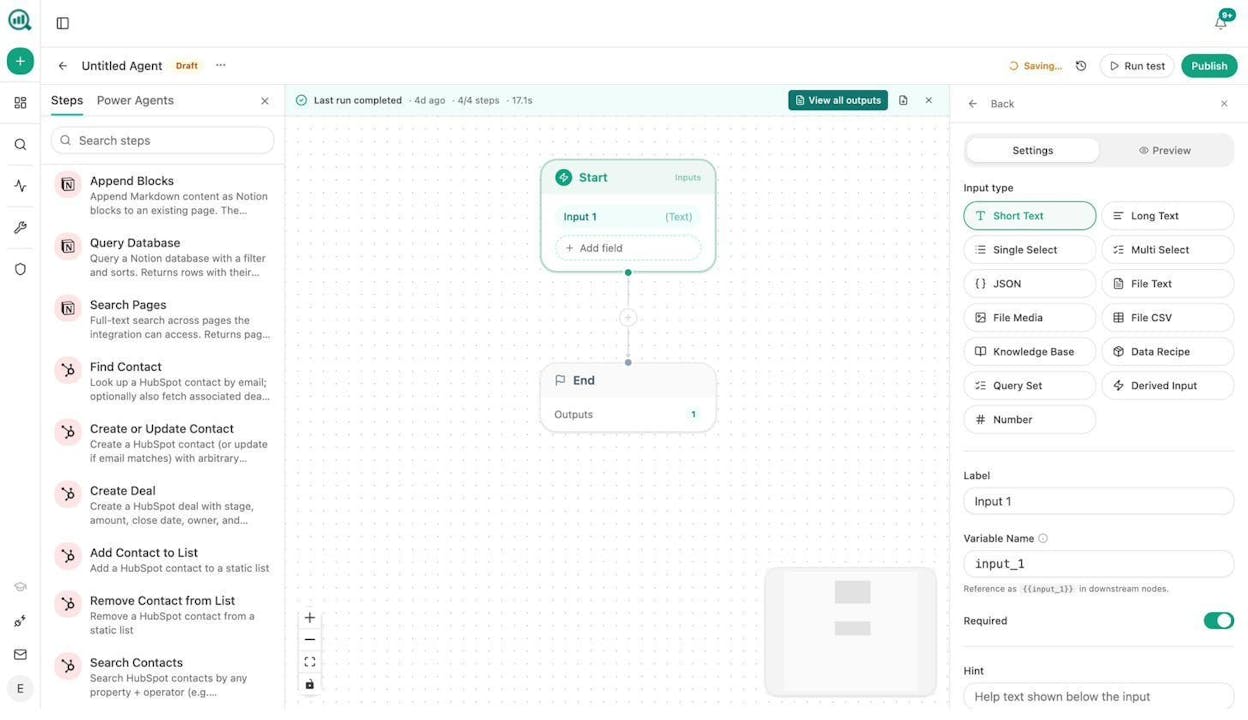
The agent builder uses a visual drag-and-drop canvas where you connect nodes to create workflows. But the nodes aren’t generic “send a message” blocks. They include things like Ranked Keywords, Keyword Ideas, On-Page SEO Analysis, Visibility Score, Citation Share, Sentiment Score, Content Brief generation, Full Draft generation, and Brand Vault injection.
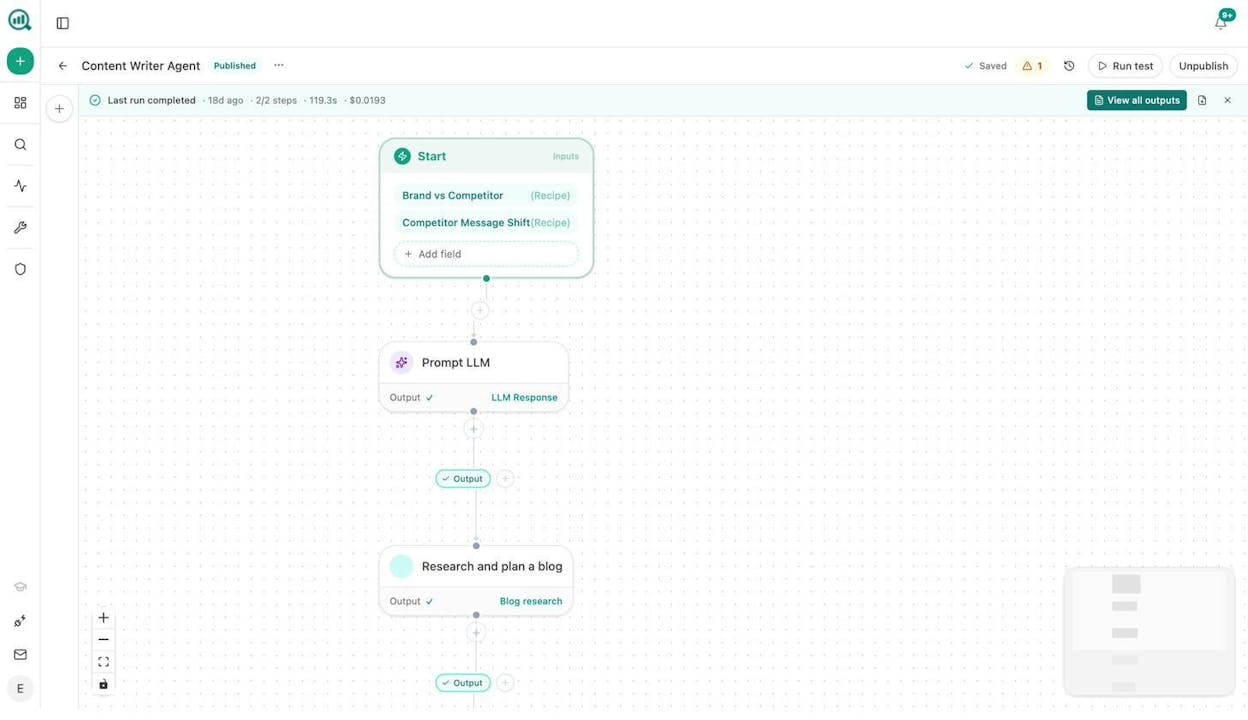
Here’s what makes this different from every other tool on this list. Pick a scenario.
Content refresh at scale. You set up a scheduled agent that runs every Monday. It pulls your declining pages from GA4, cross-references them with your AI citation data, scrapes each page, rewrites it using your brand voice from the Knowledge Base, runs an AEO Content Scorecard, and pushes passing content to WordPress. Failing content gets flagged in Slack with specific gaps to fix. Your content team stops spending Mondays finding what to refresh and starts spending them reviewing drafts.
Keyword research at scale. Instead of running keyword searches one by one, you build an agent that takes a seed list from a CSV, runs DataForSEO Keyword Ideas and Semrush Domain Overview for each, filters by difficulty and volume, clusters the results, and outputs a prioritized editorial calendar to Notion. That’s one agent. You run it whenever your strategy shifts. Use Analyze AI’s free keyword generator to seed your initial list.
Internal linking at scale. A weekly scheduled agent loops through your sitemap, pulls top keywords for each page from GSC, and uses an LLM to suggest three internal links per page based on topical relevance. Output goes to Notion as a task list or gets pushed as auto-PRs via API. You can do the same with Analyze AI’s free broken link checker to find link-fixing opportunities first.
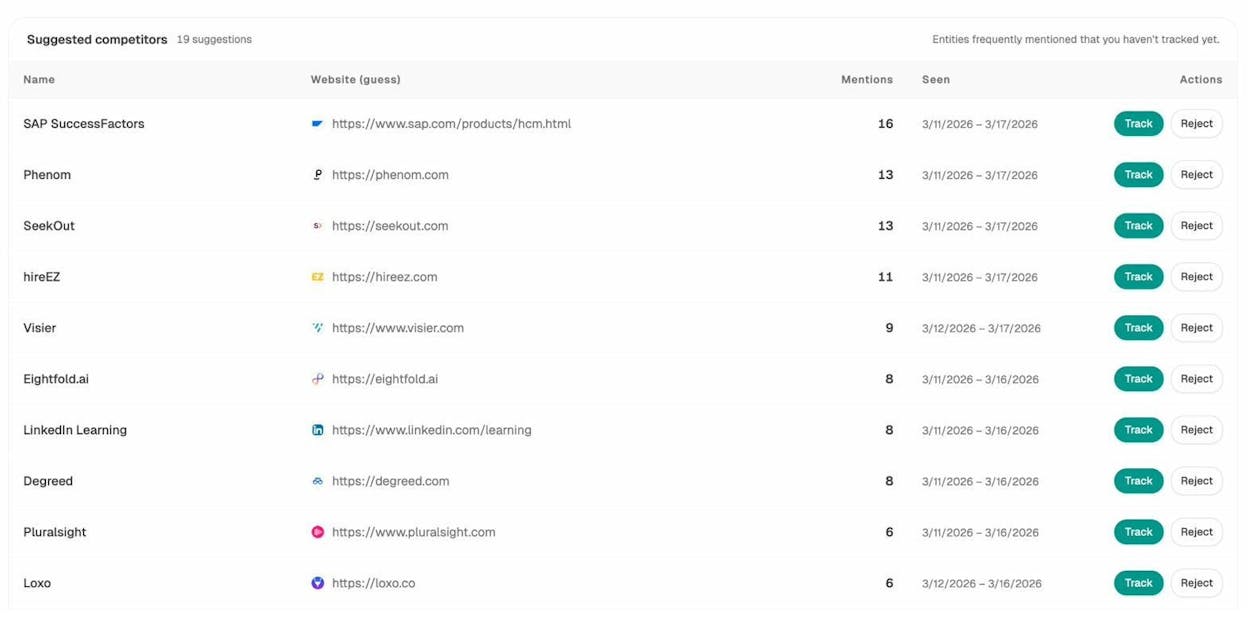
Competitive intelligence on autopilot. A daily agent tracks where competitors outrank you in AI search responses using the competitor-gaps data recipe, flags rising threats, and surfaces URLs that cite competitors but never you. The output lands in Slack before your morning standup. You can see this kind of data in the Competitors dashboard.
Link outreach. An agent takes a target topic, finds relevant articles via web research nodes, identifies authors using Tomba Author Finder, enriches them with Hunter.io email verification, drafts a personalized pitch using your brand voice, and logs everything to HubSpot. Manual outreach becomes a process, not a project.
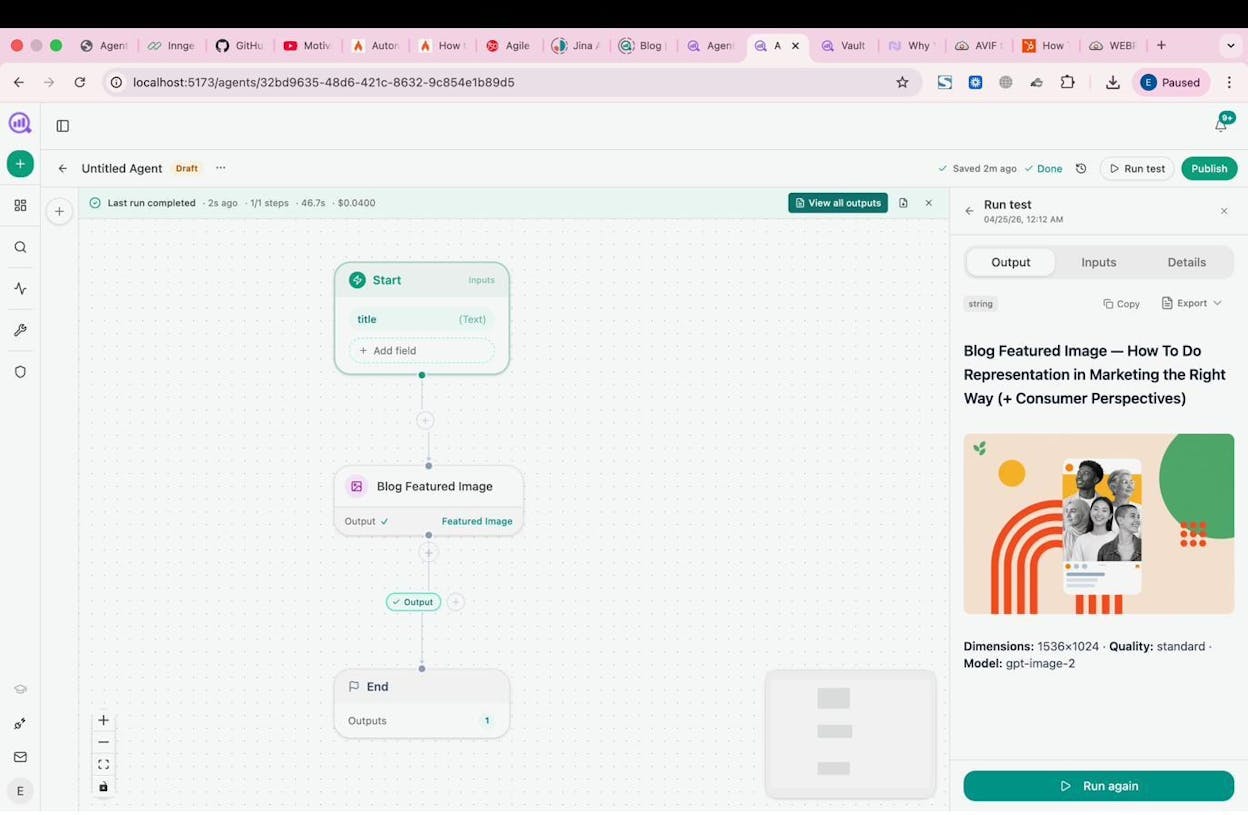
Image and infographic creation. Agents can generate blog featured images, social media graphics, and infographics using built-in image creation nodes, all brand-kit-aware. You can produce visual content at scale without leaving the platform.
Social media content creation. Feed an agent your latest blog posts, inject brand voice from the Vault, and have it generate platform-specific social copy for LinkedIn, Twitter, and Instagram, complete with images. Schedule it weekly, and your social pipeline runs itself.
The point isn’t that you can build one agent. It’s that the 180+ nodes, 34 data recipes, 13 input primitives, and 3 trigger modes (manual, scheduled, webhook) create billions of possible workflow combinations. Every node connects to SEO, content, AI visibility, or GTM data that’s already in the system.
On top of the agent builder, Analyze AI also includes a dedicated Content Writer and Content Optimizer that follow a multi-step research, outline, and drafting process with brand voice injection and AEO scoring built in.
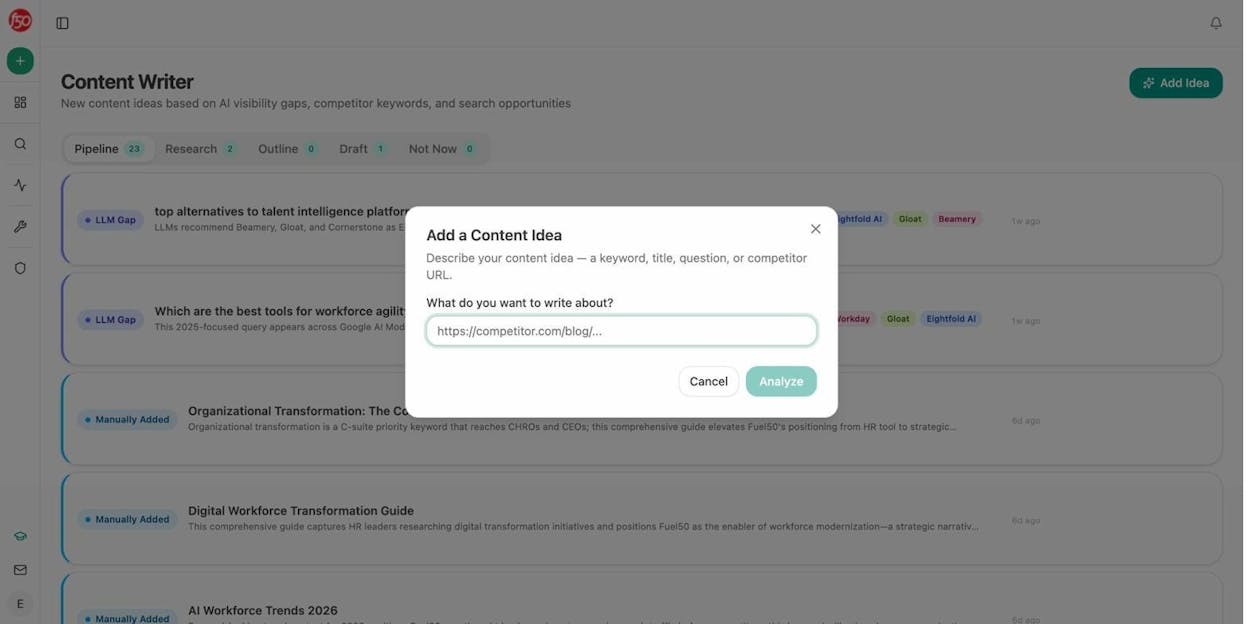
Why Choose Analyze AI Over Botpress
Botpress is built for conversational AI and chatbot development. Analyze AI is built for the entire marketing operations stack. If you need a website chatbot, Botpress makes sense. If you need to scale content, track AI visibility, automate competitive intelligence, enrich leads, and run SEO workflows, Analyze AI is the better fit.
The agent builder alone has more node variety than most standalone automation platforms. Add the native SEO and AI search data layer and you have a platform where marketing ops, content, PR, and sales teams all build on the same substrate.
Analyze AI Pros and Cons
Pros:
-
180+ nodes spanning AI, web research, SEO (DataForSEO + Semrush), GSC, GA4, content creation, image generation, B2B enrichment, CMS publishing, and email.
-
34 data recipes that eliminate the “wire up four nodes to get one input” problem. Pull share-of-voice, competitor gaps, declining pages, or keyword opportunities with a single recipe.
-
Three trigger modes (manual, scheduled, webhook) that turn agents into always-on operators, not one-off workflows.
-
Native AI search visibility tracking across ChatGPT, Perplexity, Gemini, and Claude.
-
Built-in Content Writer and Optimizer with AEO scoring, brand voice injection, and multi-step research.
-
Perception Map and AI Battlecards for competitive positioning in AI search.
-
Free trial available to test the platform before committing.
Cons:
-
The depth of the agent builder means there’s a learning curve if you want to build advanced multi-step workflows.
-
Focused primarily on marketing, content, and GTM use cases. Not designed for general IT automation or DevOps.
2. StackAI
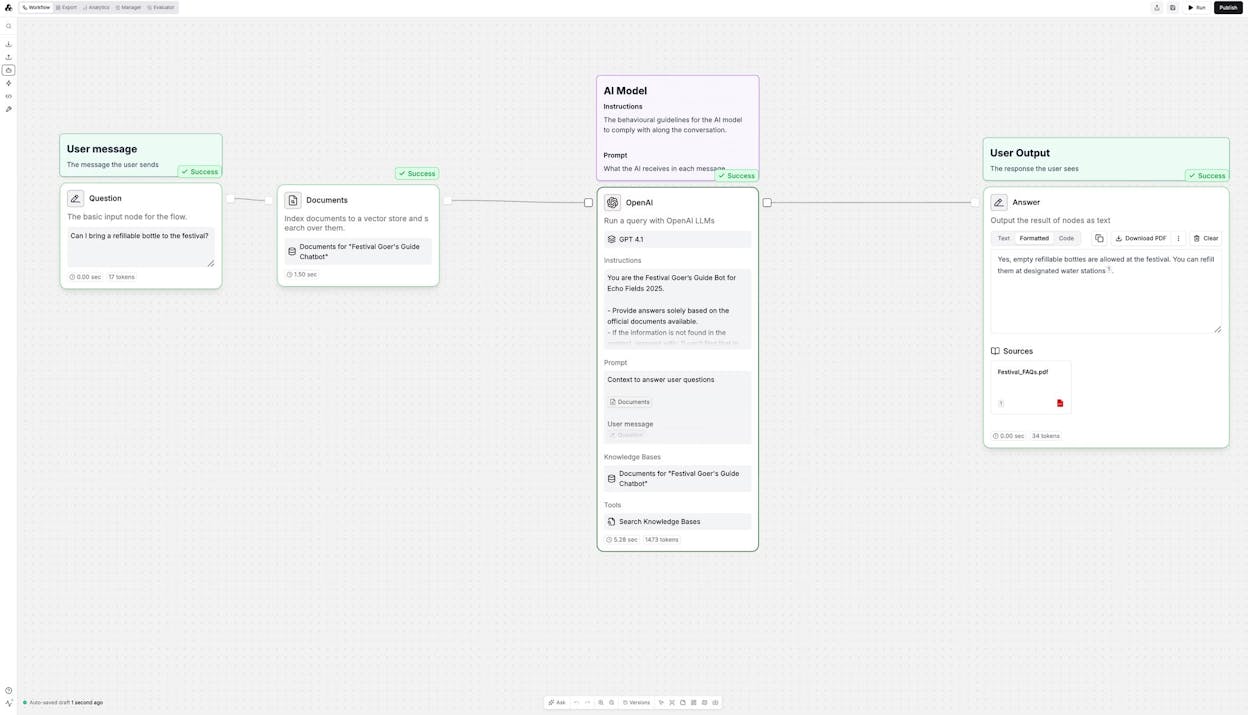
Best for: Enterprise teams in regulated industries (finance, healthcare, legal) that need governed AI workflows with compliance baked in.
Pricing: Free plan with 500 runs per month and 2 projects. Enterprise pricing is custom.
StackAI is a no-code AI workflow builder designed for enterprises that can’t afford compliance gaps. It gives you a visual canvas to build AI workflows with LLM-powered nodes, document extraction pipelines, and RAG systems over internal knowledge bases. If you work in finance, healthcare, or legal, the built-in HIPAA, SOC 2 Type II, and GDPR compliance is the main draw.
Why Choose StackAI Over Botpress
StackAI’s strength is governance. You get data residency controls, RBAC, SSO, on-prem deployment, and audit trails without configuring them yourself. The tradeoff is pricing transparency. Beyond the free tier, everything requires contacting sales.
StackAI Pricing
|
Plan |
Price |
Includes |
|---|---|---|
|
Free |
$0/month |
500 runs/month, 2 projects, 1 seat |
|
Enterprise |
Custom |
Unlimited projects, custom runs, SSO, SOC 2, HIPAA, GDPR, on-prem deployment |
G2 rating: 4.5/5 (38+ reviews)
3. n8n
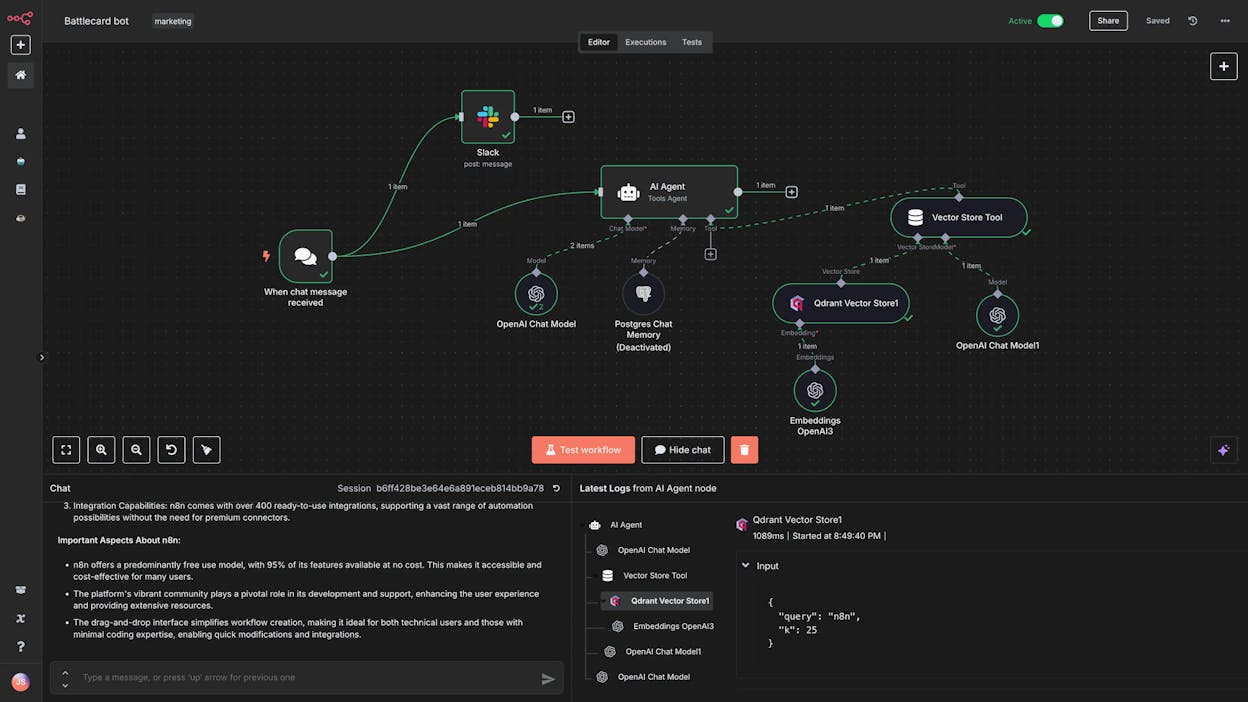
Best for: Developers and technical teams who want self-hosted workflow automation with full infrastructure control.
Pricing: Free self-hosted Community Edition (unlimited). Cloud starts at $24/month.
n8n is the open-source workflow automation tool that’s been steadily replacing Zapier for technical teams. It gives you a visual canvas for building multi-step automations, supports custom JavaScript and Python within workflows, and lets you self-host everything on your own infrastructure with unlimited executions.
Why Choose n8n Over Botpress
n8n gives you backend automation flexibility that Botpress doesn’t touch. The self-hosting option is the biggest differentiator. If data privacy is critical and you want zero dependency on a third-party cloud, n8n is one of the few platforms that makes this possible.
The downside is the learning curve. The UI is developer-oriented, and non-technical team members will struggle. You’ll also need your own API keys for any AI model usage, adding both cost and complexity.
n8n Pricing
|
Plan |
Price |
Includes |
|---|---|---|
|
Community (self-hosted) |
Free |
Unlimited executions, all integrations |
|
Starter (cloud) |
$24/month |
2,500 executions, 1 shared project |
|
Pro (cloud) |
$60/month |
10,000 executions, 3 shared projects |
|
Business (cloud) |
$800/month |
40,000 executions, SSO, 6 shared projects |
|
Enterprise |
Custom |
Unlimited executions, dedicated support |
G2 rating: 4.8/5 (204+ reviews)
4. Relay.app
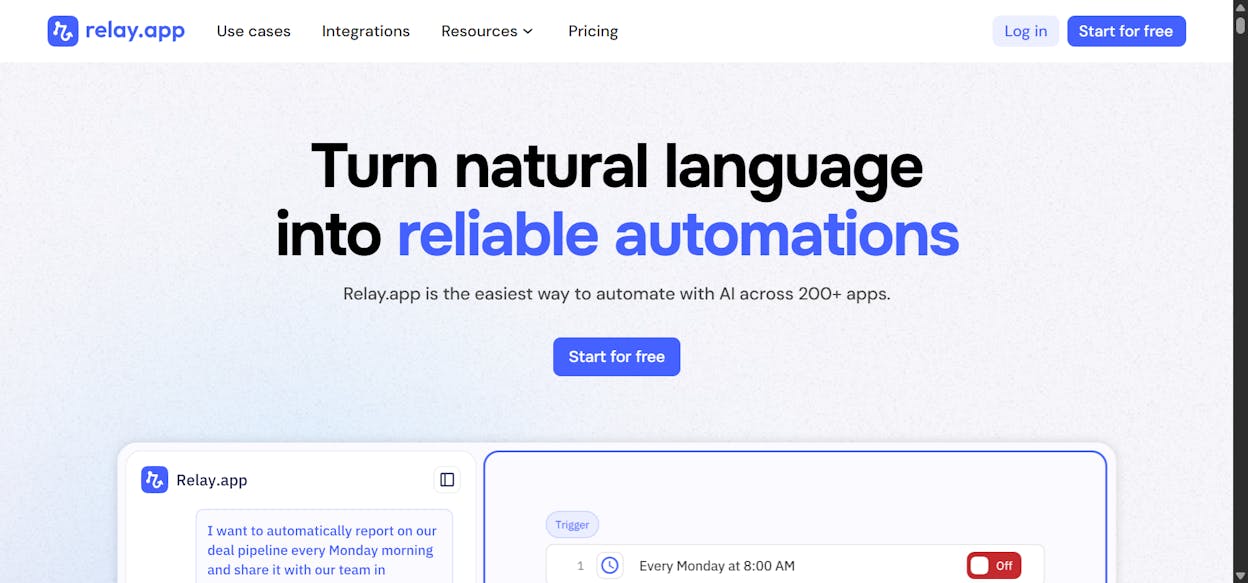
Best for: Small marketing and sales teams that want simple AI automation with human-in-the-loop approvals.
Pricing: Free plan available. Professional starts at $38/month.
Relay.app is the most beginner-friendly tool on this list. It gives you a clean visual workflow builder with human-in-the-loop approval steps that pause a workflow when it needs someone to review or add context before continuing.
Why Choose Relay.app Over Botpress
Relay.app is simpler and faster to get started with. Where Botpress requires you to build conversational flows with NLU models, Relay.app lets you set up a working automation in minutes using pre-built templates. The limitation is depth. It doesn’t have a large integration suite and is focused on marketing and sales use cases. You’ll outgrow it quickly if you need complex orchestration.
Relay.app Pricing
|
Plan |
Price |
Includes |
|---|---|---|
|
Free |
$0/month |
1 user, 500 AI credits/month |
|
Professional |
$38/month |
1 user, 5,000 AI credits, 750 steps/month |
|
Team |
$138/month |
10 users, 2,000 steps/month |
|
Enterprise |
Custom |
SOC 2, GDPR, custom limits |
G2 rating: 4.9/5 (72+ reviews)
5. Lindy AI
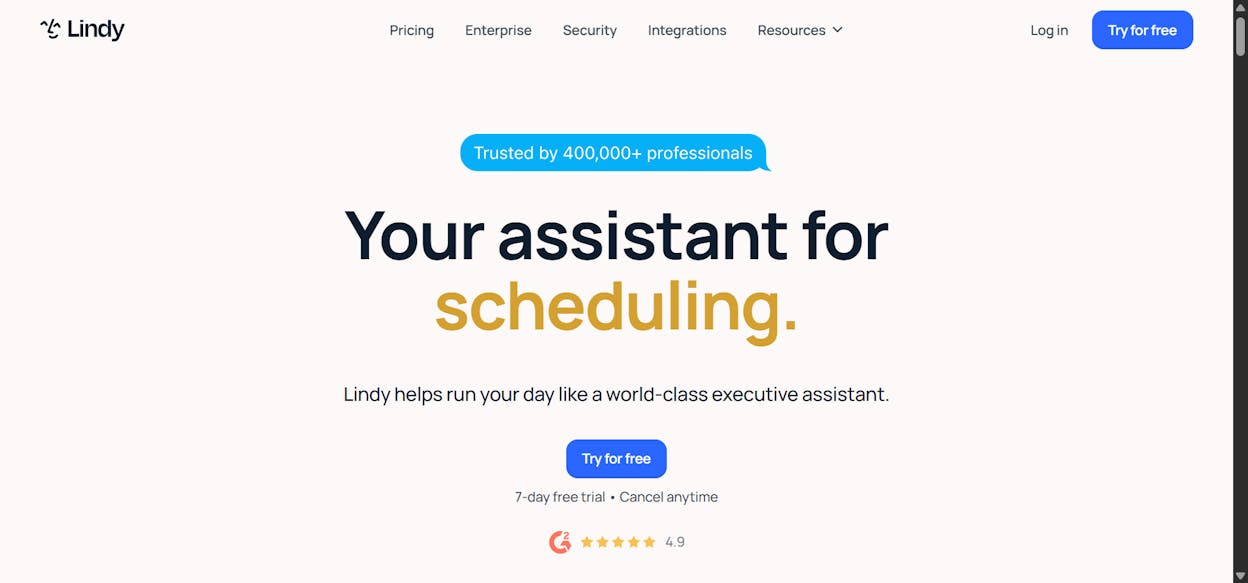
Best for: Operations teams that want AI employees for email triage, meeting management, CRM updates, and sales outreach.
Pricing: Free plan with 400 credits. Plus starts at $49.99/month.
Lindy AI positions itself as an “AI employee” platform. You create agents by describing what you want in plain language, connect your apps (Gmail, calendar, CRM, help desk), and Lindy generates an agent that handles the work autonomously.
Why Choose Lindy AI Over Botpress
Lindy is built for autonomous task execution across your entire tech stack, not just chat-based interactions. Agents can join calls, send email sequences, update CRMs, and handle multi-channel workflows.
The catch is credit consumption. A single lead-generation sequence (knowledge base search + email + follow-up call) can consume 275 credits. On the Pro plan, that’s roughly 18 leads before you hit your monthly limit. Model your actual usage carefully before committing.
Lindy AI Pricing
|
Plan |
Price |
Includes |
|---|---|---|
|
Free |
$0/month |
400 credits, 40 tasks |
|
Plus |
$49.99/month |
5,000 credits, unlimited agents |
|
Pro |
$59.99/month |
More credits, all integrations |
|
Enterprise |
Custom |
SSO, HIPAA, dedicated support |
G2 rating: 4.9/5 (170+ reviews)
6. Chatbase
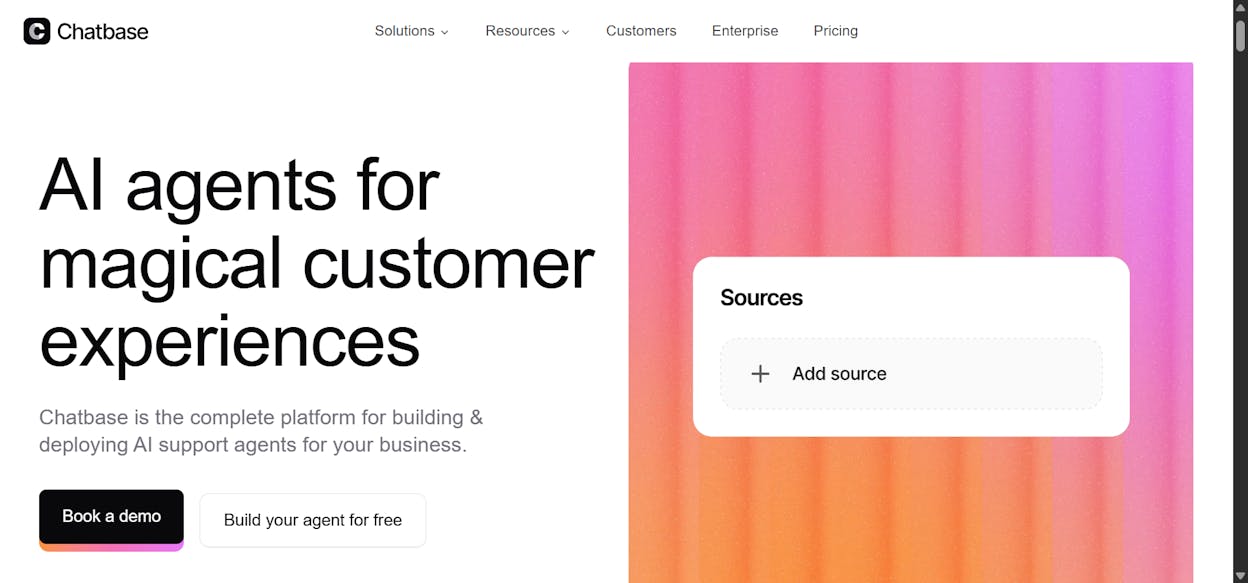
Best for: Customer support teams that need a fast-deploying AI chatbot trained on their documentation.
Pricing: Free plan available. Hobby starts at $40/month.
Chatbase is purpose-built for customer support chatbots. You upload your help docs, connect your knowledge base, and deploy a chatbot on your website, WhatsApp, Messenger, or Slack within minutes. It includes pre-built actions for ticketing, order lookup, subscription management, and human handoff.
Why Choose Chatbase Over Botpress
Chatbase is faster to deploy and easier to manage for support-focused use cases. You upload content, configure actions, and go live. The tradeoff is scope. If you need workflows beyond FAQ handling and ticket creation, you’ll need a different tool.
Chatbase Pricing
|
Plan |
Price |
Includes |
|---|---|---|
|
Free |
$0/month |
50 messages/month, 400 KB per agent |
|
Hobby |
$40/month |
1,500 messages, 5 AI actions, API access |
|
Standard |
$150/month |
10,000 messages, 10 AI actions |
|
Pro |
$500/month |
40,000 messages, advanced analytics |
|
Enterprise |
Custom |
Priority support, SSO, SLAs |
G2 rating: 4.7/5 (13+ reviews)
7. Claude Code
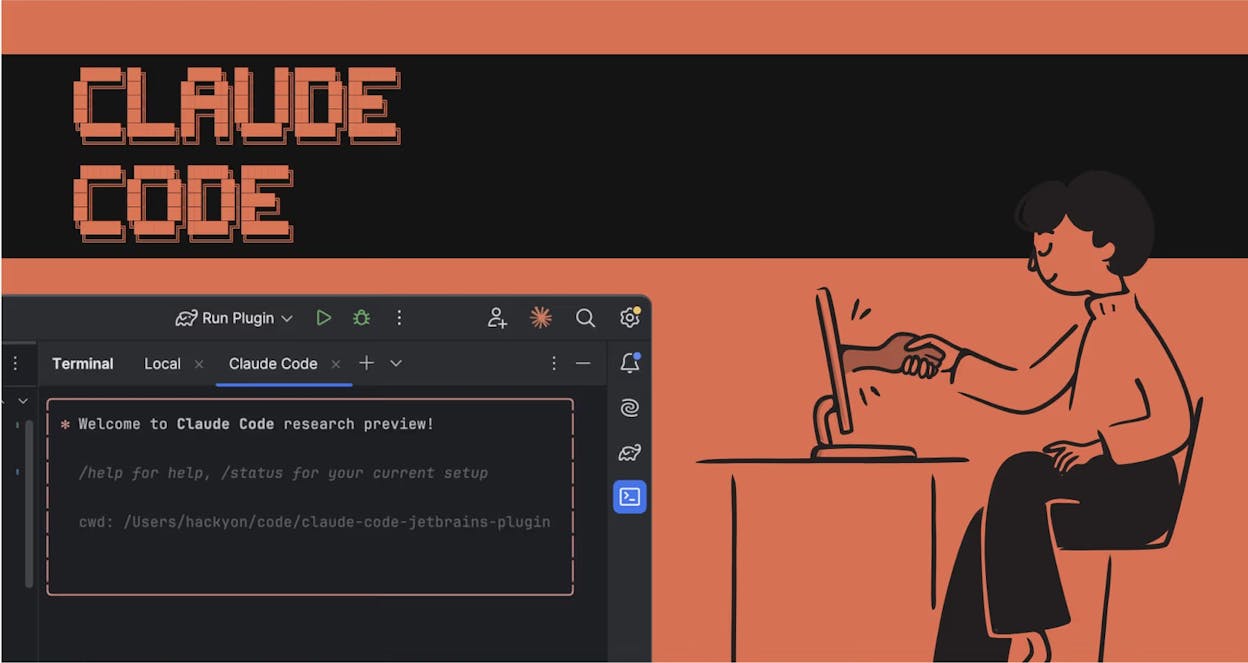
Best for: Developers who want to build fully custom AI agents and workflows using code.
Pricing: Free to start. Pro at $20/month. Max from $100/month.
Claude Code is Anthropic’s agentic coding tool. It lets you use natural language to build custom applications, workflows, and agents directly in your terminal or IDE. If you’re a developer who wants total control over architecture, security, and deployment, Claude Code removes all platform constraints.
Why Choose Claude Code Over Botpress
Claude Code gives you unlimited flexibility with no predefined nodes, no template limitations, and no vendor lock-in. The obvious downside is that everything is custom. You handle security, API management, deployment, and maintenance yourself.
Claude Code Pricing
|
Plan |
Price |
Includes |
|---|---|---|
|
Free |
$0/month |
Basic chat, code generation |
|
Pro |
$20/month |
Claude Code access, extended thinking, memory |
|
Max |
From $100/month |
5x-20x more usage, priority access |
G2 rating: 4.4/5 (91+ reviews)
Which Botpress Alternative Should You Choose?
The answer depends on what you’re actually trying to build.
If you need a customer support chatbot that deploys fast and handles FAQs, order lookups, and ticket creation, go with Chatbase. It’s focused, affordable, and requires zero technical expertise.
If you need simple marketing and sales automation with human approval steps and you’re not technical, start with Relay.app. It’s the easiest tool on this list.
If you need self-hosted backend automation with full infrastructure control and you have a developer on the team, n8n is the standard. The open-source Community Edition is free with unlimited executions.
If you need governed AI workflows in a regulated industry with HIPAA or SOC 2 requirements, StackAI is built for that.
If you need AI employees for email, meetings, and CRM operations and you’re comfortable with credit-based pricing, Lindy AI does the job well, but model your usage carefully.
If you’re a developer who wants to build fully custom agents without platform constraints, Claude Code gives you complete control.
If you need a platform that covers content operations, SEO, AI search visibility, competitive intelligence, and GTM workflows in one place, Analyze AI is the most complete option on this list. The 180+ node agent builder, 34 data recipes, native AI visibility tracking, and built-in content tools mean you’re not just automating tasks. You’re running your marketing operations on a single, programmable substrate.
Most teams that outgrow Botpress don’t need a better chatbot builder. They need a platform that handles the operational work that lives behind the chatbot. That’s the shift worth making.
Start a free trial of Analyze AI to see how the agent builder, AI visibility tracking, and content tools work together.

Ernest

Ibrahim


