



Summarize this blog post with:


In this article, you’ll get a tested breakdown of seven Claude Cowork alternatives that fit content, SEO, and marketing workflows. You’ll see what each tool costs, where it excels, where it falls short, and which one makes sense depending on whether you run a content team, an agency, or a growth operation. If you’ve tried Claude Cowork and hit its limits with repeatable marketing tasks, sharing agents across a team, or connecting to the tools your stack already runs on, this is where to look next.
Table of Contents
What to look for in a Claude Cowork alternative for content and marketing work
Claude Cowork is a strong personal assistant. It runs locally on your machine, handles one-off tasks well, and gives you direct access to Claude’s reasoning. That setup works if you’re an individual operator solving problems one conversation at a time.
It breaks down when you need marketing-specific infrastructure. Here is what to evaluate when picking an alternative.
Repeatable, trigger-based workflows. Content teams do not run tasks once. They refresh pages on a schedule, generate briefs every Monday, and enrich leads when a form fills. If the tool only runs when you click a button, you’re still the bottleneck.
Integrations with your marketing stack. Does it connect to GA4, Google Search Console, HubSpot, WordPress, Notion, Slack, and your CMS without workaround scripts? Marketing agents that cannot read your analytics or push to your publishing tools create more glue work, not less.
Content quality controls. Can you inject brand voice, editorial guidelines, and proof points into every output? Without this, you’re editing every piece an agent produces back to baseline.
Cloud-based collaboration. Claude Cowork runs on your desktop. If your editor, your strategist, and your client all need access to the same workflows, someone is sharing ZIP files.
AI search visibility, not just traditional SEO. The best tools in 2026 handle both Google rankings and AI engine citations. If a tool only thinks about traditional search, it’s missing half the discovery surface buyers now use.
Not every alternative on this list checks every box. But these are the criteria that separate tools built for marketing operations from general-purpose AI assistants.
7 Claude Cowork alternatives for content and marketing teams in 2026
-
Analyze AI
-
Relay.app
-
Lindy AI
-
Perplexity Computer
-
Notion Agent
-
Gemini Agent
-
Cursor
1. Analyze AI
-
Best for: Content teams, agencies, and marketing ops that need a programmable platform for SEO, AEO, content, and GTM operations
-
Pricing: Starts at $99/month (Growth). $250/month (Pro). Custom for enterprise. Free trial available. Unlimited seats on all plans.
-
What stands out: Agent Builder with 180+ nodes, built-in Content Writer and Content Optimizer, AI search visibility tracking across ChatGPT, Perplexity, Gemini, and more
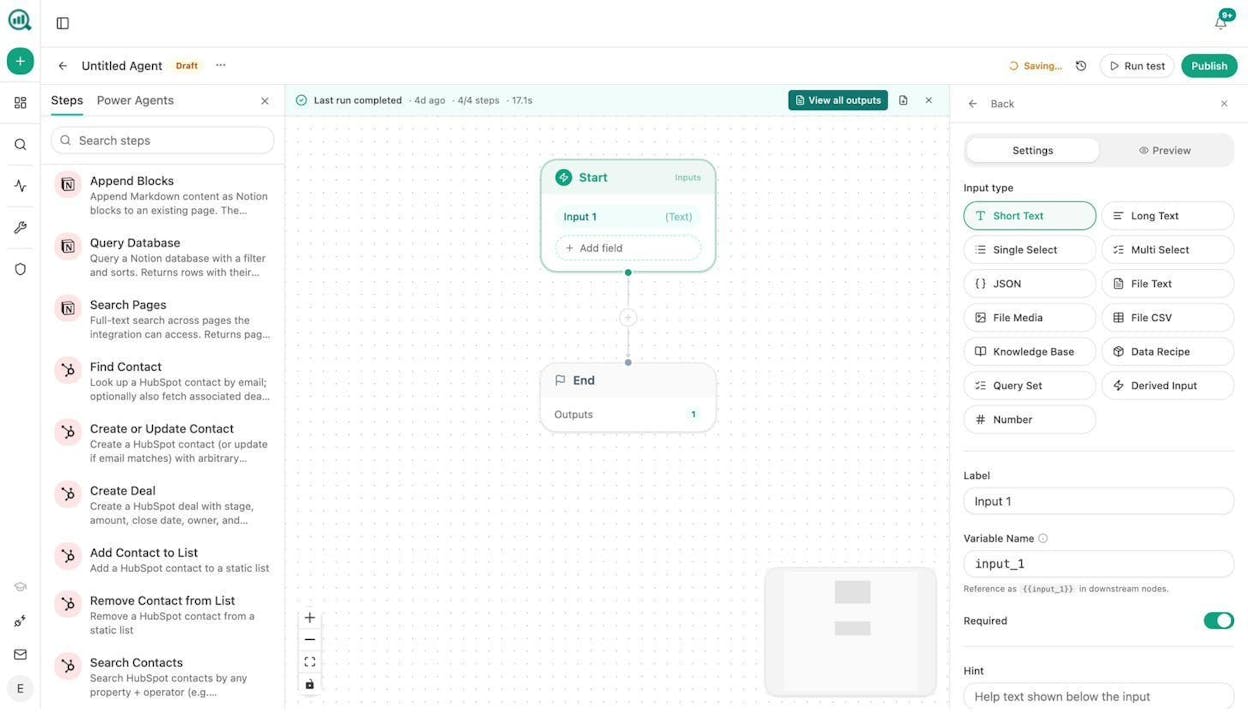
Analyze AI is an agentic platform for SEO, AEO, content, and GTM operations.
Unlike Claude Cowork, which gives you a personal assistant that runs on your laptop, Analyze AI gives you a programmable substrate where you compose workflows from 180+ nodes, 34 pre-built data recipes, and 13 input primitives, then run them on a schedule, via webhook, or on demand.
That sounds abstract, so here is what it looks like in practice.
Content writing and optimization at scale. The built-in Content Writer takes you from idea to research to outline to draft, with AI visibility gaps baked into every step. The Content Optimizer audits existing pages for both traditional SEO and AI citation readiness, then produces rewritten versions that address the specific gaps it found.
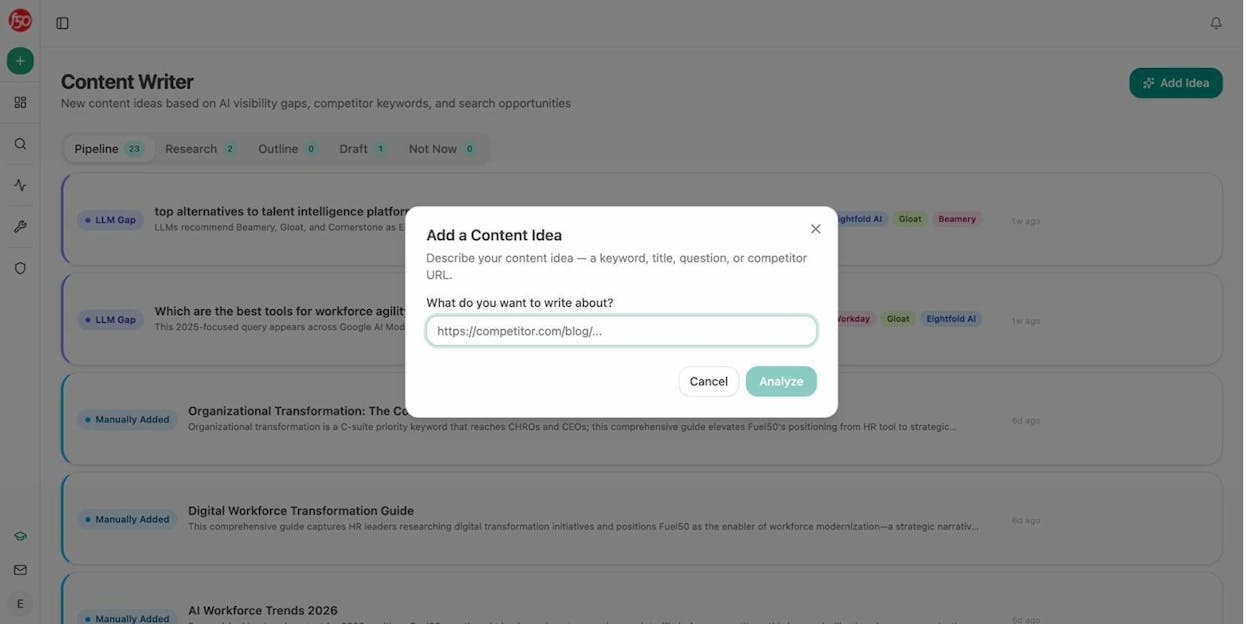
Both tools produce better outputs than most alternatives because they pull from your Brand Vault (tone, voice, proof points, differentiators, claims rules) and inject that context into every generation step. You’re not re-prompting the same guidelines into ChatGPT twelve times a day.
The Agent Builder is where the real leverage is. This is not an automation layer you bolt on top. It is the operating system. You get nodes for GA4, Google Search Console, Semrush, DataForSEO, HubSpot, Notion, WordPress, Contentful, Sanity, Mailchimp, and every major LLM. You get logic nodes (conditionals, branches, loops), code execution, API calls, and image generation (blog featured images, infographics, social media graphics).
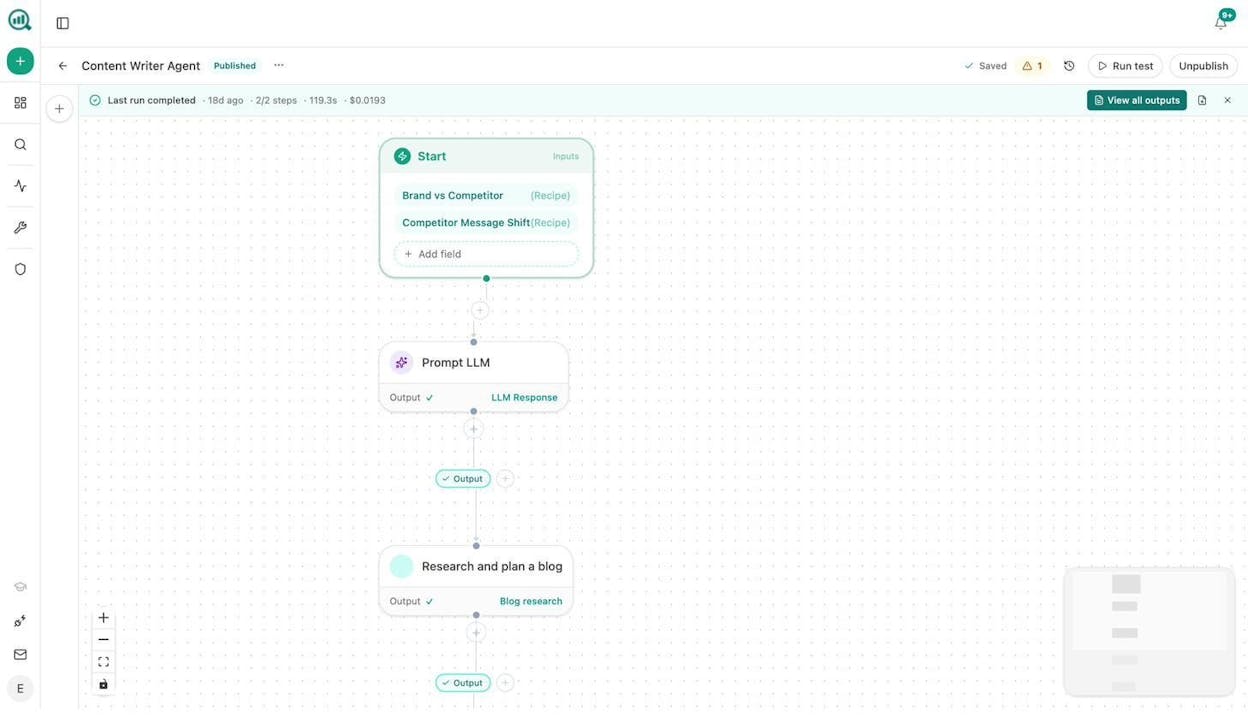
Here are workflows content and marketing teams build with it.
Content refresh at scale. Schedule a weekly agent that pulls your declining pages from GA4, cross-references them with AI citation data, scrapes each page, rewrites it with brand voice injected, and pushes the update to WordPress. The “quietly losing rankings” problem solves itself.
Keyword research at scale. Drop 500 seed keywords into an agent that runs them through DataForSEO for search volumes, Semrush for competitor gaps, and an LLM to cluster them by intent. The output lands in Notion as a prioritized editorial calendar. What used to take a strategist three days takes 90 seconds.
Internal linking at scale. A weekly agent loops your sitemap, runs on-page SEO analysis and pulls top keywords per page from GSC, then uses an LLM to suggest three internal links per page. The suggestions go to Notion as tasks or directly as pull requests via the API node.
Social media content creation. Take a published blog post URL, have the agent scrape it, generate five LinkedIn posts and three Twitter threads in your brand voice, create matching social images with the Social Media Image node, and drop everything into a Notion board for review.
Link outreach. An agent that finds domains citing your competitors but not you (using the competitor-sources data recipe), enriches each with Tomba Author Finder to get the writer’s email, drafts a personalized pitch with brand context injected, and logs the outreach to HubSpot.
Image and infographic design. The agent builder includes Blog Featured Image, Illustrate Any Text, Infographic Generator, and Social Media Image nodes. All of them are brand-kit aware. Feed them a headline or data points and they produce on-brand visuals without opening Canva.
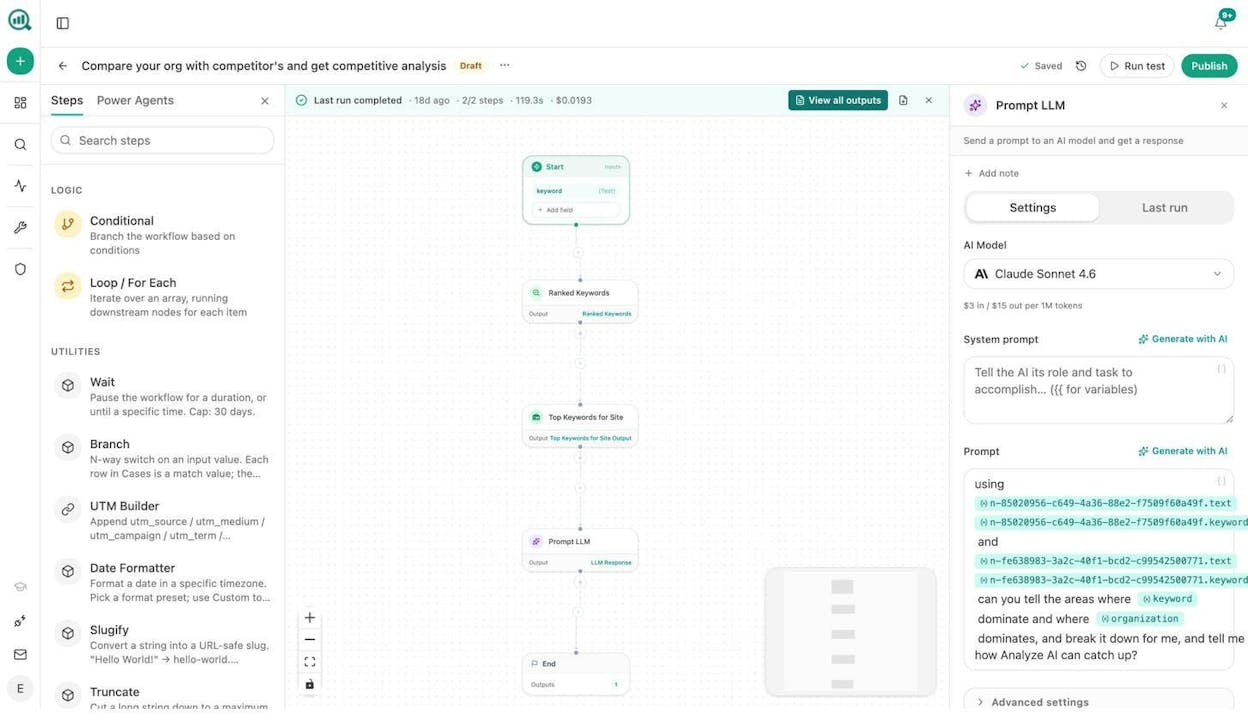
You can trigger any of these on a schedule (every Monday at 7am), via webhook (when a HubSpot deal closes or a CMS publish event fires), or manually. Every run costs cents. Every run logs its outputs and cost so you can audit what happened.
AI search visibility is baked in. Unlike most tools on this list, Analyze AI also tracks how AI engines represent your brand. You see which prompts mention you, where competitors outrank you, which sources AI trusts, and how AI referral traffic converts via GA4. Weekly email digests land in your inbox every Monday with prioritized actions, citation changes, and competitor shifts.
This matters because SEO is not dead. AI search is an additional organic channel alongside traditional SEO, not a replacement. The teams winning in 2026 are the ones compounding what works across both.
Where Analyze AI falls short. It’s built for marketing and GTM teams. If you need a general-purpose desktop assistant that can reorganize your file system or manage your personal calendar, Claude Cowork is a better fit. Analyze AI is designed for teams that produce, optimize, distribute, and measure content at scale, not for solo personal productivity tasks.
You also get a suite of free tools including a Keyword Generator, Keyword Difficulty Checker, SERP Checker, Website Traffic Checker, and a Broken Link Checker if you want to test the platform before committing.
2. Relay.app
-
Best for: Teams that need human approval steps baked into AI workflows
-
Pricing: Free plan available. Professional at $19/month. Team at $138/month for 10 users.
-
What stands out: Clean UI, human-in-the-loop approval flows, supports GPT, Claude, and Gemini
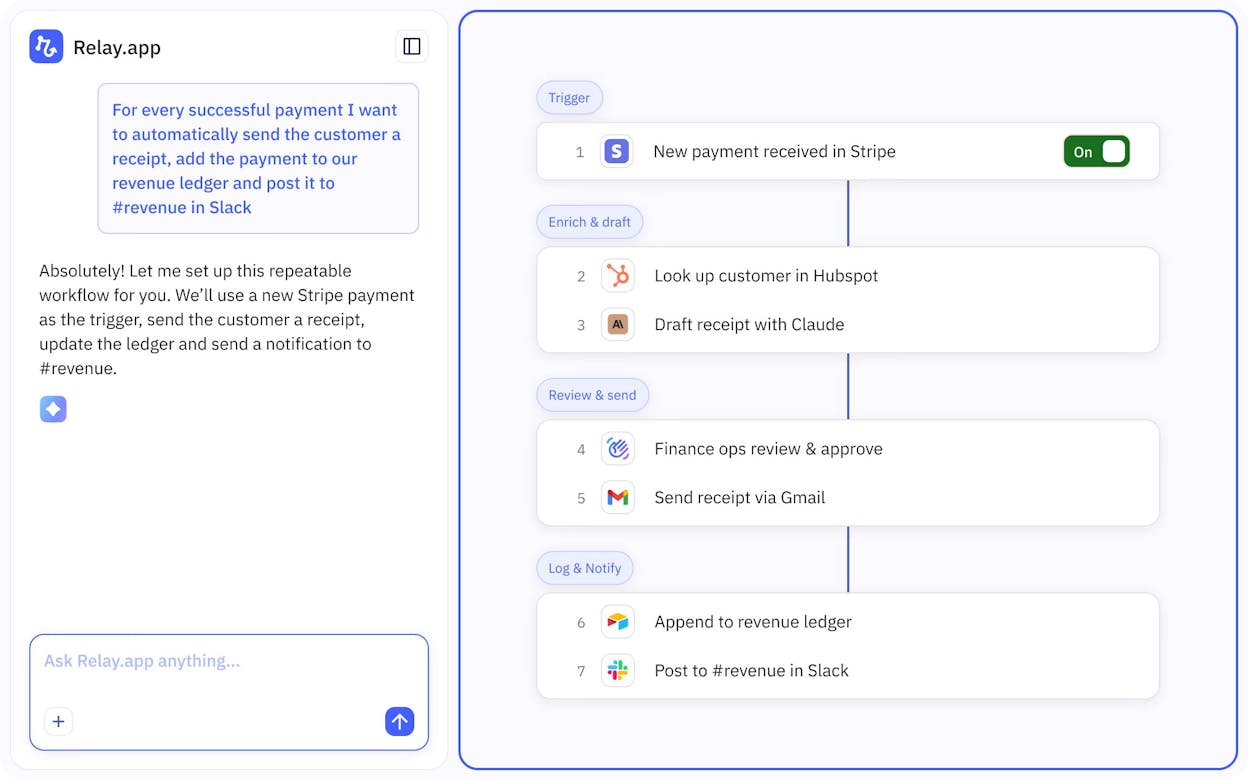
Relay.app is a cloud-based workflow builder with a strong focus on human-in-the-loop automation. You build multi-step workflows that handle most of the work automatically but pause when a team member needs to review or approve before the agent moves forward.
For content teams, this is useful when you want AI to draft but a human to approve before anything publishes. It connects to Gmail, Slack, HubSpot, Notion, and about 100 other apps.
The limitation for marketing teams is depth. Relay.app does not have built-in SEO research nodes, AI visibility tracking, or content optimization tools. You’re building general automation workflows and routing AI outputs through approval gates. It also doesn’t offer content-specific features like brand voice injection or editorial quality scoring.
If your main pain is “we need a human to sign off before this goes live,” Relay.app handles that well. If your pain is “we need to produce, optimize, and distribute content across channels at scale,” you’ll outgrow it quickly.
3. Lindy AI
-
Best for: Solo operators who want a personal AI assistant for email, calendar, and meeting prep
-
Pricing: Free plan (400 credits/month). Pro at $49.99/month (5,000 credits). Business at $299.99/month (30,000 credits).
-
What stands out: Plain-English agent creation, persistent memory across sessions, meeting note automation
Lindy AI lets you describe an agent in plain English and it builds the workflow for you. It’s strong for personal productivity tasks like email triage, meeting summaries, and lead research. The persistent memory feature means the agent gets better over time as it learns your patterns.
For marketing teams, Lindy’s limitation is scale. The credit-based pricing burns fast when you’re running content workflows. A single lead-generation workflow can consume 275 credits (knowledge base search + email + follow-up call), which means you’ll deplete the Pro plan’s 5,000 credits on about 18 runs. Complex content pipelines that loop over multiple pages or keywords will hit credit walls quickly.
It also lacks dedicated SEO, content optimization, or AI search analytics features. It’s a general-purpose agent builder, not a marketing operations platform.
4. Perplexity Computer
-
Best for: Autonomous research projects and multi-step investigations that run in the background
-
Pricing: Pro at $17/month (limited). Max at $200/month for the full Computer experience.
-
What stands out: Multi-model orchestration, parallel sub-agents, deep research capabilities
Perplexity Computer acts like a digital coworker that can break a large task into smaller chunks, route each to a different AI model, and run for hours without needing your input. It’s impressive for research-heavy work like competitor analysis, market reports, and content briefs that require pulling from multiple sources.
The catch is cost. The full Computer experience requires the Max subscription at $200/month. That’s more than double Analyze AI’s Pro plan ($250/month), which includes content writing, optimization, agent workflows, Sheets, and AI visibility tracking on top of research capabilities.
Perplexity Computer also doesn’t connect to your CMS, CRM, or analytics tools natively. It’s research-and-output, not an end-to-end content operations platform. You’ll still need another tool to publish, track, and measure.
5. Notion Agent
-
Best for: Teams already embedded in the Notion ecosystem who want to automate tasks inside their workspace
-
Pricing: Available on Business ($24/member/month) and Enterprise plans. Custom Agents cost $10 per 1,000 credits on top.
-
What stands out: Deep integration with Notion docs and databases, MCP connections to Linear, Figma, HubSpot, and GitHub
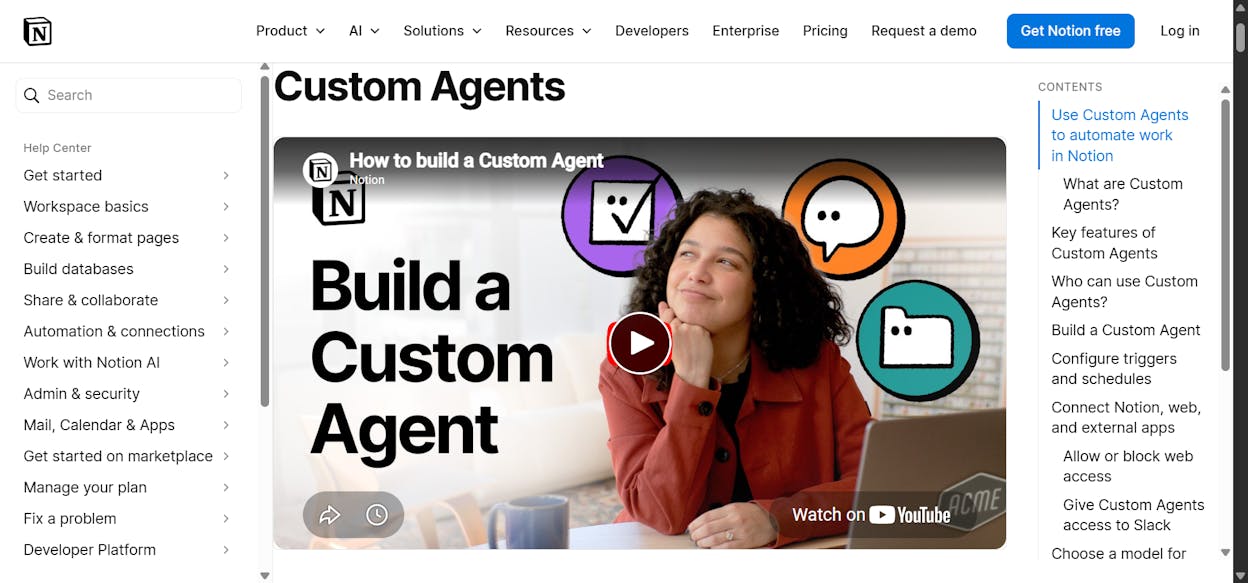
Notion Agent turns your existing Notion workspace into an automation layer. Custom Agents can run on schedules or triggers, pull context from your docs and databases, and connect to external tools through MCP integrations.
If your editorial calendar, content briefs, and team wiki all live in Notion, this is a natural extension. You can set up an agent that generates status reports, routes tasks, or answers questions from your knowledge base.
The limitation is obvious. It’s tied to the Notion ecosystem. If your workflows span multiple tools outside Notion, if you need deep SEO research with DataForSEO or Semrush data, or if you need to publish directly to WordPress, Notion Agent won’t stretch that far. Custom Agents are also only available on Business and Enterprise plans, so smaller teams on free or Plus plans don’t get access.
6. Gemini Agent
-
Best for: People who live in Google Workspace and want AI to manage email, calendar, and research inside that ecosystem
-
Pricing: Requires Google AI Ultra at $249.99/month (introductory $124.99/month for 3 months)
-
What stands out: Live web browsing, tight Gmail/Calendar/Drive integration, powered by Gemini’s latest model
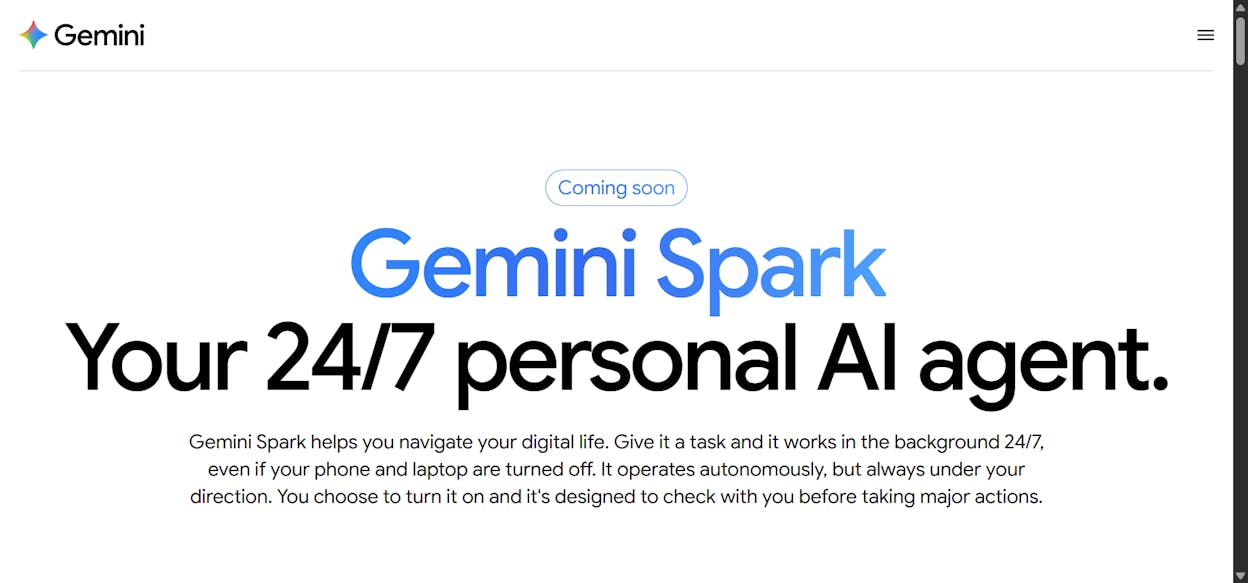
Gemini Agent is Google’s agentic AI built into the Gemini app. It can draft emails, create calendar events, research topics across multiple websites, and take action across your connected Google apps. It asks for confirmation before sensitive actions like sending an email.
For marketing teams, the fit is narrow. It only works with Google apps. No Slack, no HubSpot, no WordPress, no Notion. It’s US-only, English-only, and still labeled experimental. At $250/month (or $125/month introductory), it’s the most expensive option on this list for the most limited scope.
If your entire content operation runs inside Google Workspace and you just need help managing the daily grind of emails, docs, and calendar, it works. For anything beyond that, the ecosystem lock-in is a dealbreaker.
7. Cursor
-
Best for: Developers and technical content teams who work with code
-
Pricing: Free plan available. Pro at $20/month. Teams at $40/user/month.
-
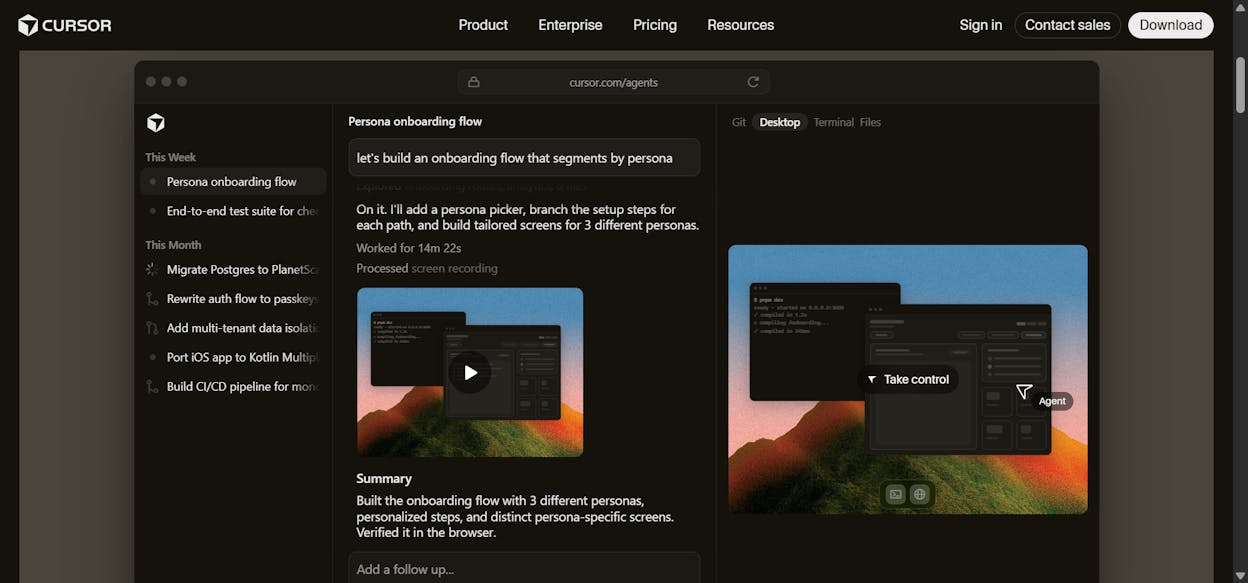
What stands out: Codebase indexing, subagents that run in parallel, cloud agents you can access from a browser
Cursor started as an AI-powered code editor and has expanded into agentic territory with cloud agents, MCP support, and skills. It’s the best Claude Cowork alternative if your work revolves around a codebase.
For marketing teams, Cursor is relevant only if your content engineering work involves building custom tools, scripts, or internal apps. It won’t help you write blog posts, optimize landing pages, or track AI visibility. If you have a technical content team that maintains a docs site or builds internal SEO tools, Cursor is worth a look. For everyone else, it’s overkill.
Which Claude Cowork alternative should you choose?
It depends on what your team actually needs to do every week.
If you need a programmable platform that handles content writing, optimization, keyword research, internal linking, AI search visibility tracking, and agent workflows that run on schedules and connect to your entire marketing stack, Analyze AI is the most complete option on this list. It’s the only tool here that combines content production, content optimization, SEO research, AI search analytics, and a 180+ node agent builder in one platform. Start a free trial here.
If your biggest need is human approval gates in automated workflows, Relay.app handles that well at a lower price point. If you want a personal AI assistant for email and meeting management, Lindy AI does the job for solo operators. If your team lives entirely in Notion, Notion Agent is a natural fit within that ecosystem.
The rest of the tools on this list, Perplexity Computer, Gemini Agent, and Cursor, each have a specific strength (research, Google Workspace, and code, respectively) but none of them are built for marketing operations at scale.
The teams that compound results in 2026 are the ones treating AI as an additional organic channel alongside traditional SEO, not a replacement for it. They’re investing in platforms that handle both, not tools that only solve half the problem.

Ernest

Ibrahim


