



Summarize this blog post with:


Browse AI is a solid no-code web scraper. You point it at a page, train a robot, and it extracts data on a schedule. For monitoring competitor pricing or pulling lead lists from directories, it works.
But most marketing teams don’t stop at extraction. You scrape data, then you need to do something with it. You need to turn scraped competitor content into briefs, feed keyword data into content pipelines, enrich leads and push them to your CRM, or refresh dozens of blog posts based on what the scrape reveals. Browse AI doesn’t handle any of that. It gives you the data and leaves the rest to you.
In this article, you’ll get a hands-on look at five Browse AI alternatives I tested across real marketing workflows. You’ll see what each tool does well, where it falls short, what it costs, and which one fits your team depending on whether you need simple page scraping, full content pipelines, or an agent-driven platform that handles SEO, content, and GTM operations end to end.
Table of Contents
What to look for in a Browse AI alternative
Before you pick a tool, think about what happens after the scrape. The scraping itself is a commodity. Every tool on this list can pull data from a web page. The differences show up in what you can do next.
Can it connect to your existing stack? A scraper is only useful if the data flows into Google Sheets, your CRM, Notion, WordPress, or wherever your team actually works. Look for native integrations, not just CSV exports.
Does it fit your technical level? Some tools need XPath selectors and regex. Others let you describe what you want in plain English. Know which camp your team falls into before you commit.
Can it handle volume? Scraping one page is easy. Scraping 500 URLs from a spreadsheet, enriching each row, and routing the results to different workflows is where most tools break.
Does it go beyond extraction? This is the big question. Can the tool analyze what it scrapes, generate content from the findings, trigger actions in other apps, or run the whole process on a schedule without you clicking anything? If your workflow ends at a CSV file, you’ll spend more time on manual follow-up than you saved by automating the scrape.
What does pricing actually look like at your scale? Credit-based models can spiral fast when you’re monitoring hundreds of pages daily. Compare total monthly cost at your expected usage, not just the sticker price.
5 best Browse AI alternatives in 2026
-
Analyze AI
-
Thunderbit
-
Octoparse
-
Apify
-
Claude
1. Analyze AI
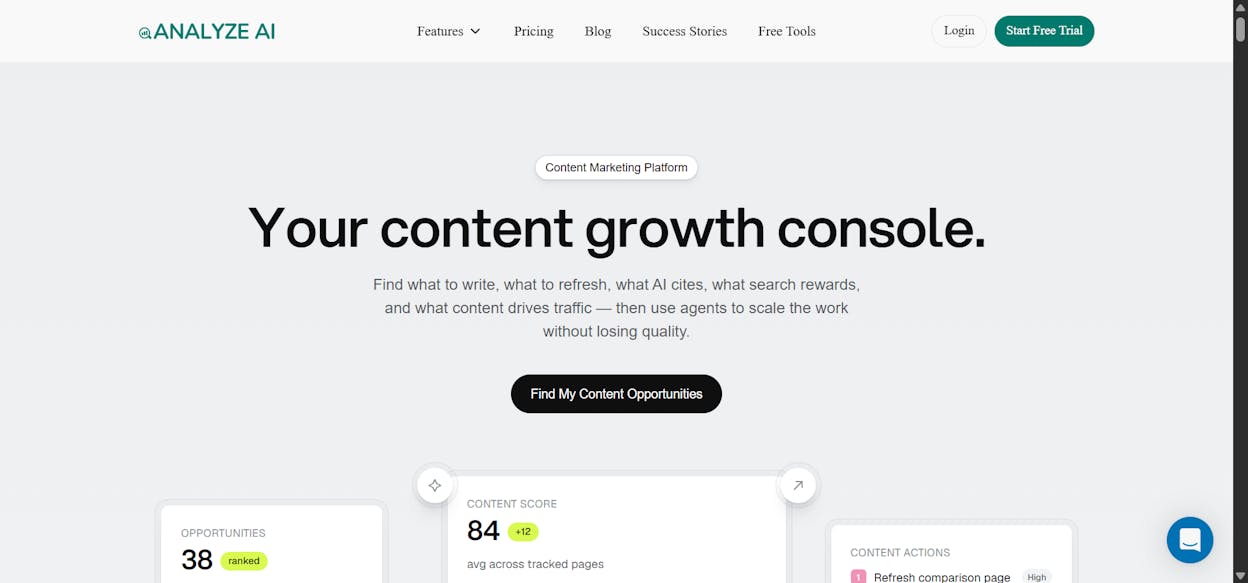
Best for: Marketing teams that need to scrape, research, write, optimize, and distribute content inside one platform.
Pricing: Growth plan at $99/month, Pro at $250/month, Custom for enterprise. Free trial available.
What I like: You don’t just scrape data. You build agents that scrape, analyze with any LLM, write content, optimize pages, enrich leads, and push results to your CMS, CRM, or Slack, all running on a schedule without you touching anything.
Analyze AI is not a web scraper. It’s an agentic platform for SEO, AEO, content, and GTM operations with a programmable Agent Builder that has 180+ nodes, 34 pre-built data recipes, and integrations with GA4, Google Search Console, Semrush, DataForSEO, HubSpot, Notion, WordPress, and every major LLM.
The reason it belongs on this list is that it replaces the entire chain of tools you’d normally need after Browse AI finishes its job. Instead of scraping data into a spreadsheet and then manually doing something with it, you build an agent that handles the full workflow from trigger to delivery.
How Analyze AI works
The Agent Builder is the core of the platform. You compose workflows by connecting nodes on a visual canvas. Each node does one thing. A Web Page Scrape node pulls content from a URL. A Prompt LLM node sends that content to Claude, GPT, or Gemini for analysis. A WordPress node publishes the result. A HubSpot node updates a contact record. A Loop node repeats the process for every item in a list.
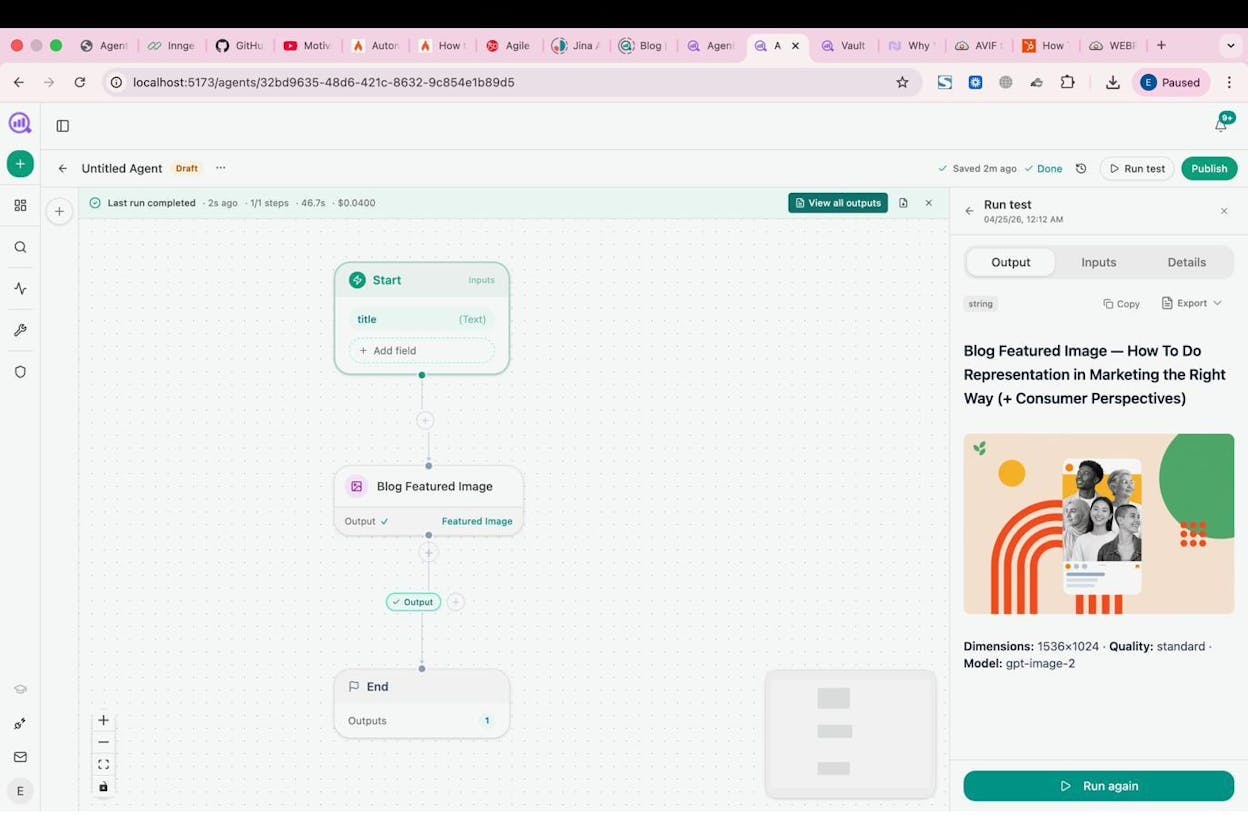
You set this up once. Then it runs on a manual trigger, a cron schedule, or a webhook. A content team can build an agent that scrapes competitor blog posts every Monday morning, compares them against their own content using an LLM, generates gap briefs, and drops them into Notion. An agency can build a single agent that loops through every client, pulls their GSC and AI visibility data, assembles a performance report, and emails it to each account manager. That agent runs at 7am every Monday and costs cents per execution.
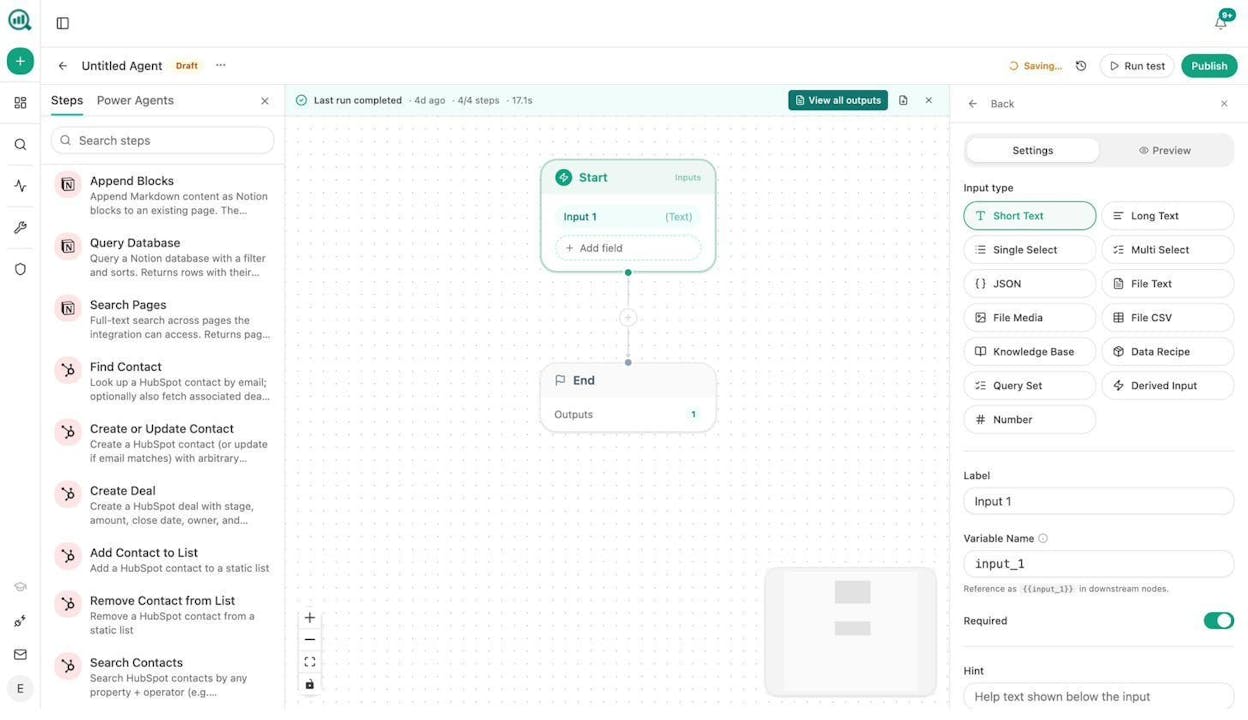
The left sidebar in the builder shows the full node library. You’ll see everything from Notion and HubSpot integrations to DataForSEO keyword research, Semrush backlink analysis, Google Search Console queries, email sending, image generation, and conditional logic.
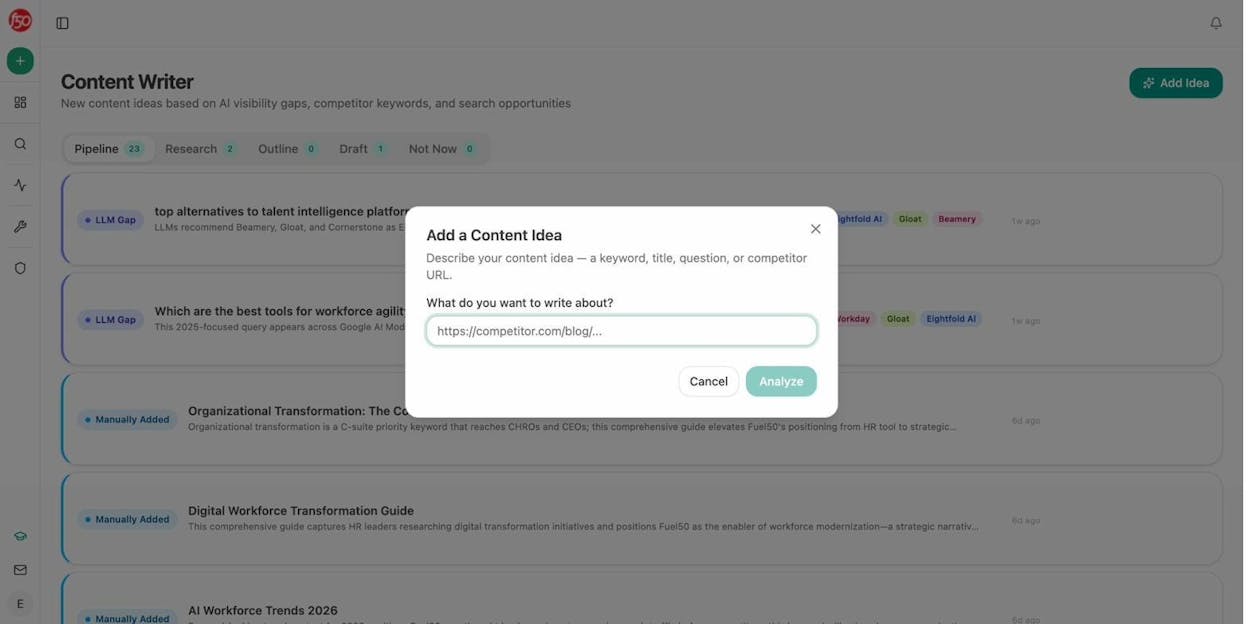
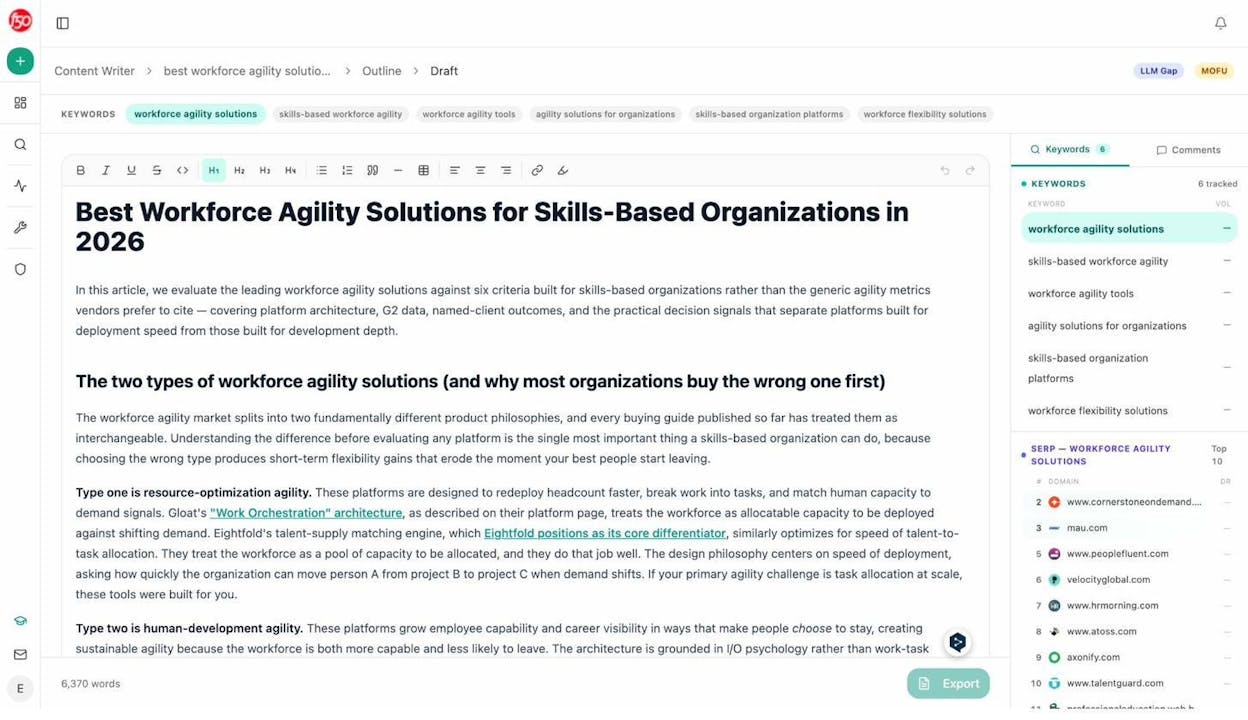
Beyond the Agent Builder, Analyze AI has a built-in Content Writer that runs a multi-step pipeline. You feed it a keyword, a competitor URL, or a topic. It researches, outlines, drafts, and produces a full article with keyword tracking and SERP data built into the editor.
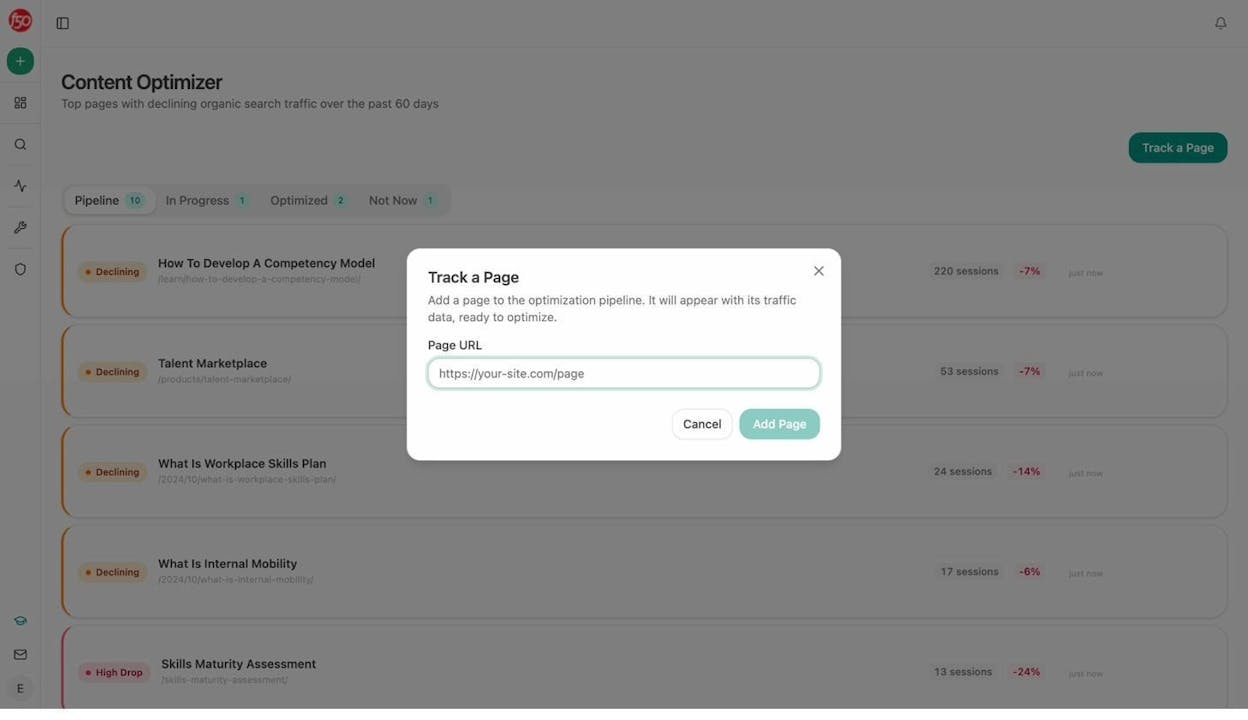
And there’s a Content Optimizer that surfaces your declining pages, fetches the original content, runs an editorial audit, and produces an optimized version. You can see each page’s traffic trend and session drop percentage right in the pipeline view.
Here’s what a finished Content Writer draft looks like inside the editor. You get tracked keywords in the sidebar, SERP competitor data, and a full rich-text editing experience with export options.
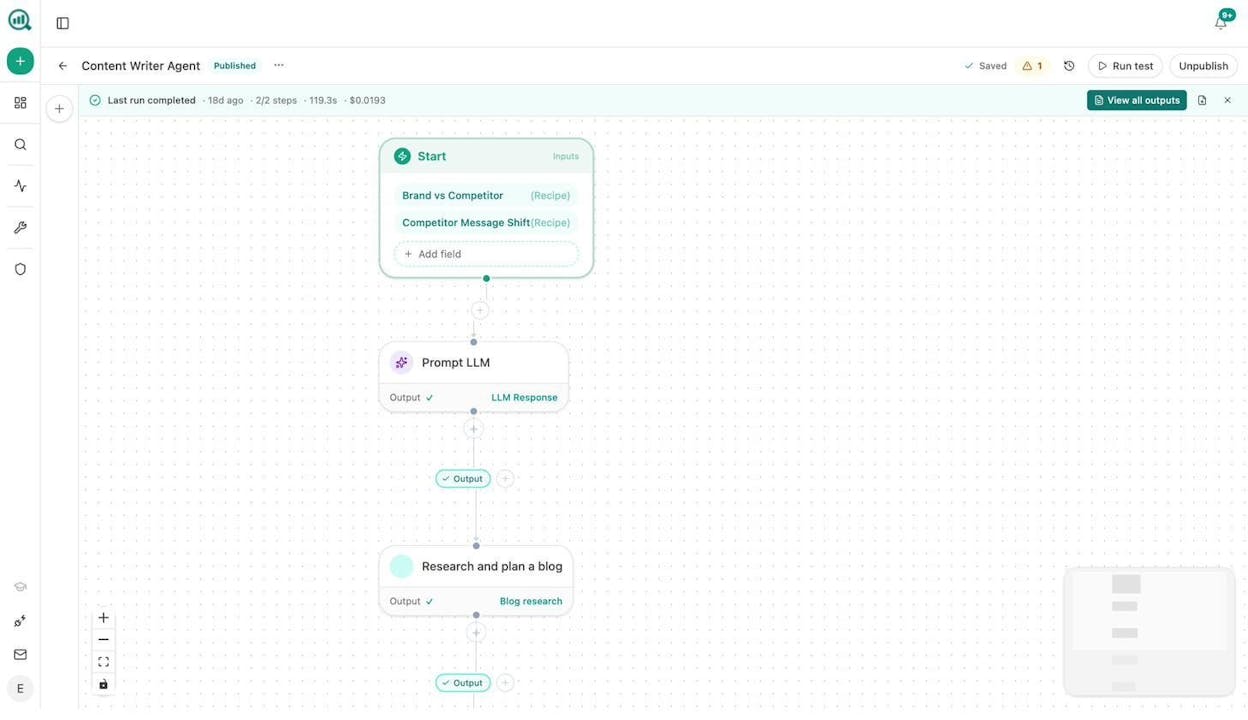
You can also turn these individual features into agent workflows. For example, here’s a Content Writer Agent that uses Brand vs Competitor and Competitor Message Shift data recipes as inputs, then runs through an LLM prompt and a research step to produce competitor-informed content automatically.
Why choose Analyze AI over Browse AI
Browse AI scrapes a page and gives you a spreadsheet. Analyze AI scrapes, analyzes, writes, optimizes, and distributes in one workflow. Here’s what that looks like in practice.
Content refresh at scale. Build an agent that pulls your declining pages from GA4, scrapes each one, rewrites the content for freshness and AEO readability, and pushes updates to WordPress. Schedule it weekly. The “quietly losing rankings” problem solves itself.
Keyword research at scale. Connect DataForSEO or Semrush nodes to pull keyword volumes, difficulty scores, and SERP competitors for a seed list. Loop through hundreds of seeds in one run. The output goes straight into your content calendar in Notion.
Internal linking at scale. An agent can loop your sitemap, pull top keywords for each page from GSC, and use an LLM to suggest three internal links per page. The suggestions land in Notion as tasks or go directly to your CMS as updates.
Lead enrichment and outreach. A webhook fires when a new lead hits your HubSpot. The agent enriches the lead with Hunter.io or Tomba email data, researches their company via DataForSEO domain overview, and drops a fully enriched profile into HubSpot before your sales rep even sees the notification.
Image and infographic creation. The Agent Builder includes Blog Featured Image, Infographic Generator, and Social Media Image nodes. All of them are brand-kit-aware, so the visual output matches your brand without manual design work.
You can explore more use cases for content marketing, marketing operations, and content engineering on the Analyze AI site.
Analyze AI also offers a suite of free SEO tools including a Keyword Generator, Keyword Difficulty Checker, SERP Checker, Website Traffic Checker, Broken Link Checker, and a Website Authority Checker.
Analyze AI pricing
|
Plan |
Price |
AI Engines |
Tracked Prompts/Day |
Content Writer Workflows |
Content Optimizer Workflows |
|---|---|---|---|---|---|
|
Growth |
$99/mo |
3 |
25 |
1 |
1 |
|
Pro |
$250/mo |
4 |
35 |
10 |
5 |
|
Custom |
Custom |
All |
Custom |
Unlimited |
Unlimited |
All plans include unlimited competitor tracking, unlimited seats, and a free trial. The Pro plan adds AI Traffic Analytics (GA4 integration) and weekly recommendations.
2. Thunderbit
Best for: Sales teams that need quick lead scraping without leaving their browser.
Pricing: Free plan available, paid plans start at $15/month.
What I like: It’s a Chrome extension. You land on any page, click scrape, and the AI structures the data into columns automatically.
Thunderbit is a lightweight Chrome extension scraper built for sales and operations teams. You install it, navigate to any webpage, and click to extract structured data. The built-in AI figures out which fields to pull and how to organize them into a table.
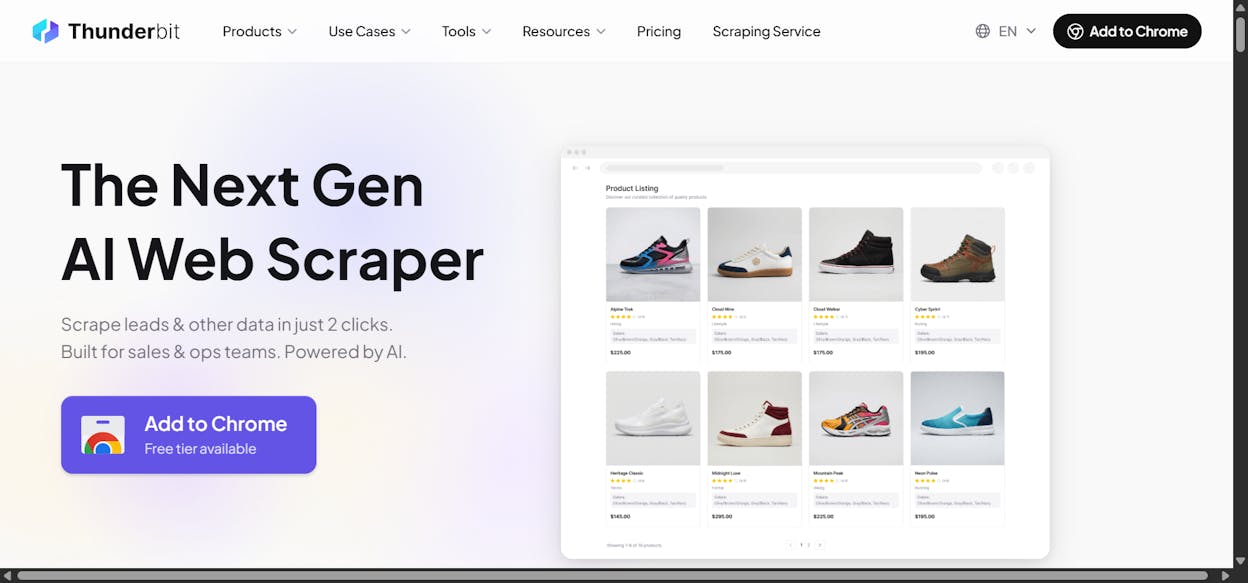
It comes with pre-built templates for LinkedIn, Amazon, Zillow, Glassdoor, TikTok, and other popular sites. You can also use natural language to tell it what to scrape, and it handles PDFs, images, and subpage scraping where it follows links and appends enriched data to your table.
Why choose Thunderbit over Browse AI
Thunderbit lives in your browser. You don’t switch to a separate dashboard to configure scrapers. You’re on a page, you see data you want, you click a button. For one-off lead scraping and quick data pulls, that workflow is faster than anything Browse AI offers. The $15/month entry point is also significantly cheaper than Browse AI’s $48/month starter plan.
The trade-off is flexibility. Thunderbit handles simple extraction and enrichment well, but it doesn’t connect into larger workflows. If you need to take the scraped data and feed it into a content pipeline, CRM automation, or reporting flow, you’ll need a separate tool for that.
Thunderbit pricing
Thunderbit’s paid plans start at $15/month (Starter) with 500 credits, subpage scraping, and data enrichment. The Pro plan at $38/month adds 3,000 credits, scheduled scrapers, and unlimited data retention. A Business plan with custom pricing covers high-volume needs.
3. Octoparse
Best for: Technical teams that need flexible, workflow-heavy web scraping at enterprise scale.
Pricing: Free plan available, paid plans start at $83/month.
What I like: It handles complex interactions like logins, form fills, CAPTCHA solving, and IP rotation out of the box.
Octoparse is a no-code scraping platform used by Sony, Honda, Audi, and other large brands. It leans heavily on the workflow side. You paste a URL, the AI scans the page, and you build a step-by-step scraping flow that defines exactly what the scraper should click, scroll, and extract.
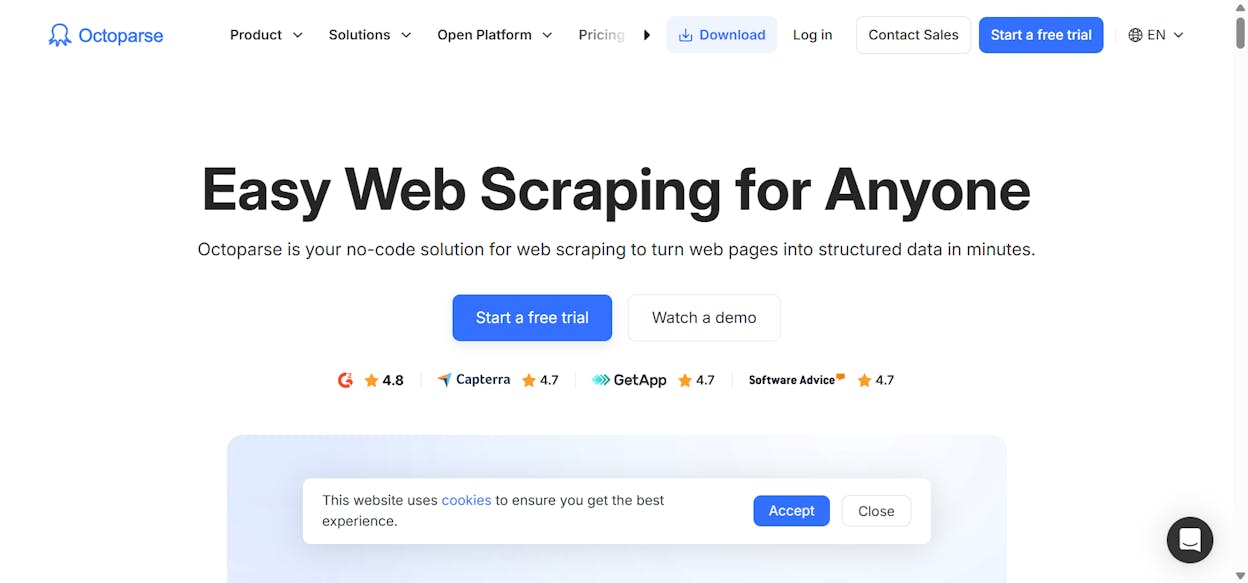
It has a wide library of templates for Google Search, Google Maps, Amazon products, and more. Advanced features include XPath selectors, regex, IP rotation, proxy support, scheduled scrapes, and exports to databases, spreadsheets, or APIs.
Why choose Octoparse over Browse AI
Octoparse gives you more control over complex scraping scenarios. If you need to log into a site, navigate through multi-step forms, or scrape behind authentication, Octoparse handles it. Browse AI is built more for simple point-and-click extraction.
The trade-off is a steeper learning curve. Octoparse is powerful, but if you’re not scraping large datasets or dealing with complex page structures, the feature set is overkill. It also lacks any AI analysis or content workflow capabilities. It’s purely a scraper.
Octoparse pricing
The Standard plan starts at $83/month with 100 tasks, cloud processing, IP rotation, and CAPTCHA solving. The Professional plan at $299/month adds 250 tasks, 20 concurrent cloud processes, Google Sheets/Dropbox exports, and priority support. Enterprise pricing is custom.
4. Apify
Best for: Developer teams and enterprises that need scalable, programmable scraping infrastructure.
Pricing: Free plan available, paid plans start at $39/month plus pay-as-you-go compute.
What I like: Over 10,000 pre-built “Actors” in the marketplace, plus JavaScript and Python SDKs for full customization.
Apify is the enterprise-grade option. It’s used by T-Mobile, Square, and Intercom. The platform runs on a concept of “Actors,” which are serverless scraping applications you can pull from a marketplace or build from scratch.
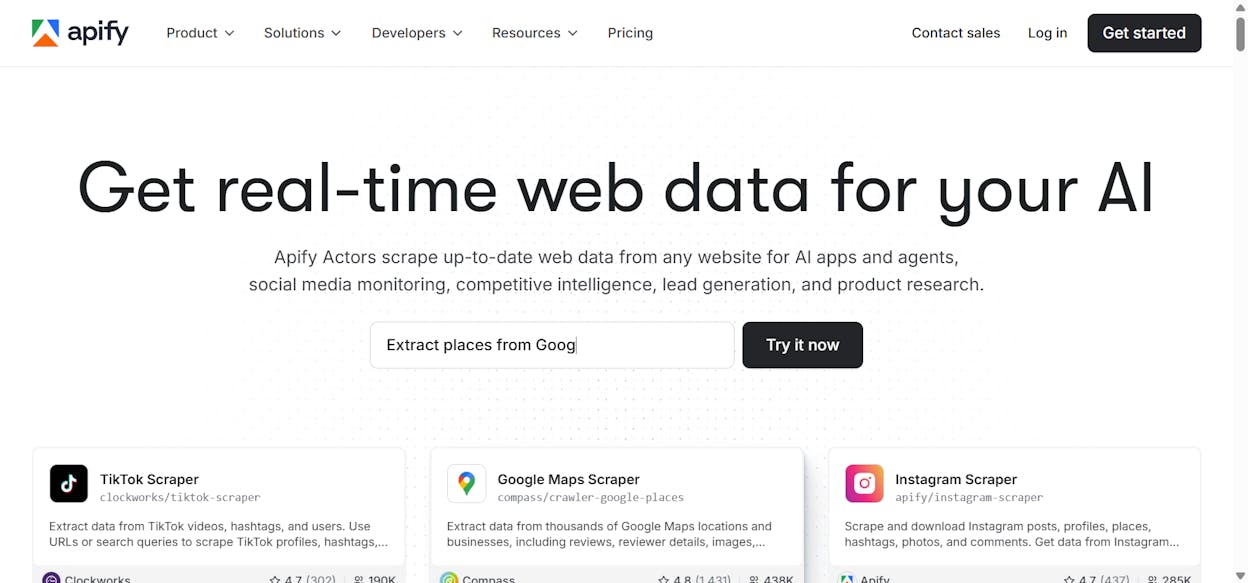
The Actor marketplace has solutions for Google Maps, Instagram, Facebook, TikTok, and general web crawling. Each Actor can run on a schedule, export to Slack, Google Sheets, or Zapier, and store results as cloud datasets in CSV, JSON, or Excel format.
Apify also includes a Website Content Crawler designed for LLM pipelines, RAG databases, and vector stores. If you’re building AI applications that need fresh web data as training material, this feature is hard to beat.
Why choose Apify over Browse AI
Apify scales. Browse AI’s credit system gets expensive fast when you’re monitoring hundreds of pages. Apify’s infrastructure handles proxy management, IP rotation, and compute scaling at an enterprise level, with SOC2 and GDPR compliance baked in.
The trade-off is complexity. Apify is developer-focused. Customizing Actors requires JavaScript or Python knowledge. If your team doesn’t have engineering resources, the platform will feel overwhelming.
Apify pricing
Apify’s Starter plan is $39/month with $0.30 per compute unit. The Scale plan at $199/month drops the compute rate to $0.25. The Business plan at $999/month gets you $0.20 per compute unit plus a dedicated account manager. A free plan gives you $5 worth of compute to test with.
5. Claude
Best for: Ad-hoc page analysis and one-off scraping tasks with zero setup.
Pricing: Free plan available, Pro at $20/month.
What I like: You describe what you want in plain English, paste a URL, and Claude fetches, parses, and analyzes the page in seconds.
Claude is not a dedicated scraper. It’s an AI assistant built by Anthropic. But its web agent can fetch and analyze web pages directly from the chat interface, which makes it surprisingly useful for lightweight scraping tasks.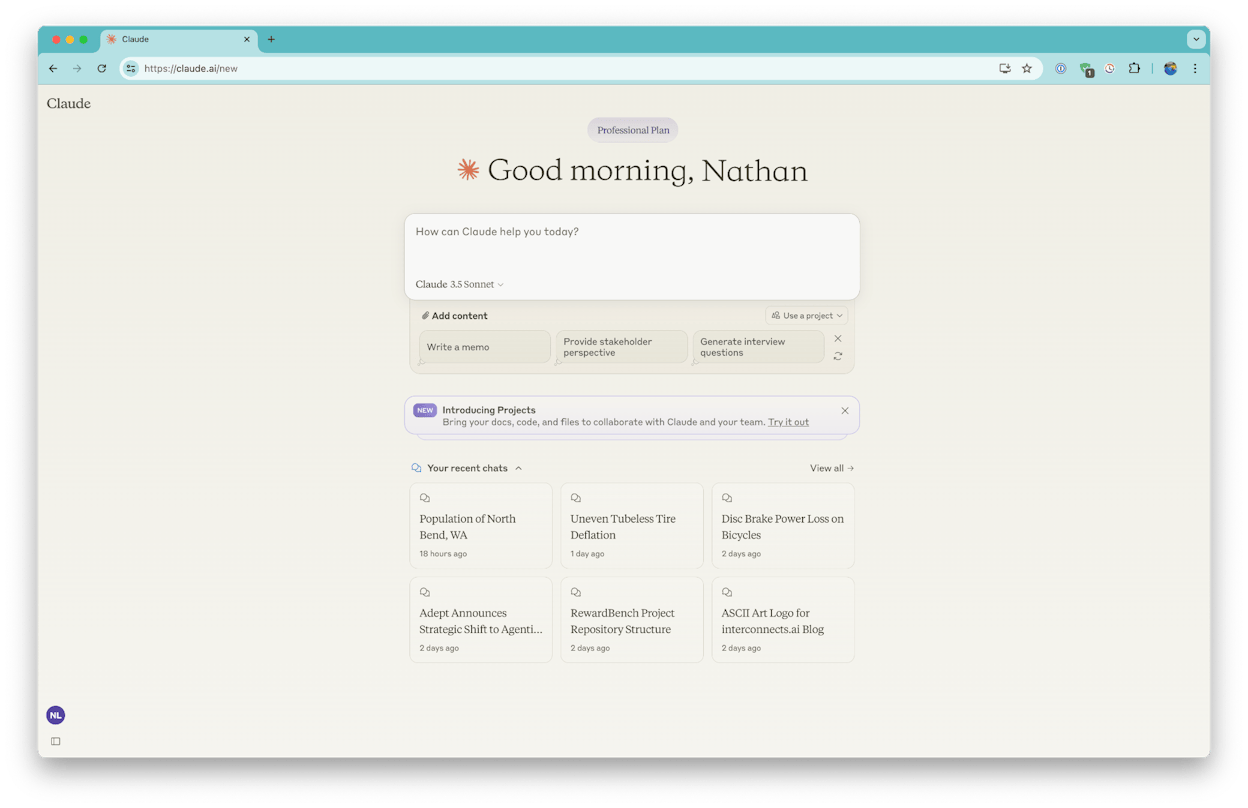
You can give Claude a sitemap and ask it to identify which blog posts mention an outdated year. You can paste a competitor URL and ask for a content gap analysis. You can feed it a product page and ask it to extract pricing tiers into a structured table. No configuration, no robot training, no workflow setup. You just ask.
Why choose Claude over Browse AI
Claude’s strength is speed and zero setup. For one-off research tasks where you need to understand what’s on a page and get structured output from it, Claude is faster than configuring a Browse AI robot. The large context window lets you process entire sitemaps or long pages in a single conversation.
The trade-off is that Claude doesn’t scale. You can’t schedule recurring scrapes, loop through a spreadsheet of URLs, or connect scraped data to other tools automatically. It handles one page, one conversation at a time. For ongoing monitoring or batch scraping, you need a dedicated tool.
Claude pricing
Claude’s free plan includes web search and page analysis. The Pro plan at $20/month gives you more usage, extended thinking, and access to additional models. The Max plan starts at $100/month with significantly higher usage limits.
What is the best Browse AI alternative?
It depends on what happens after the scrape.
If you just need to extract data from a page quickly and you’re comfortable in a browser, Thunderbit is the simplest option at the lowest price.
If you need enterprise-grade scraping infrastructure with developer tools and compliance certifications, Apify is the strongest choice.
If you need a powerful scraping workflow builder with complex interaction handling, Octoparse delivers the most flexibility.
If you need to analyze a single page fast with no setup, Claude handles it in seconds.
If you need to scrape data and then actually do something with it, whether that’s writing content, refreshing blog posts, enriching leads, building reports, or running an entire content pipeline on autopilot, Analyze AI is the platform that eliminates the gap between extraction and execution. Its Agent Builder turns what used to be a multi-tool, multi-step manual process into a single workflow that runs on a schedule and costs cents per execution.
You can start with a free trial and build your first agent in minutes.

Ernest

Ibrahim


