



Summarize this blog post with:


In this article, you will learn 12 business process automation examples that marketing, content, and SEO teams use to eliminate repetitive work and ship faster. You will also see the exact workflows behind each example, so you can build them yourself and stop wasting hours on tasks that should take minutes.
Table of Contents
What is business process automation?
Business process automation (BPA) is the use of technology to handle repetitive tasks that a person would otherwise do manually. In marketing, that means things like pulling keyword data, updating content, enriching leads, sending outreach emails, and generating reports.
The difference between old-school BPA and what is possible today is that large language models now sit in the middle of the workflow. Instead of just moving data from point A to point B, you can have an AI read, analyze, and create based on that data.
For example, a traditional automation might push a new blog post URL into a Slack channel. A modern one scrapes the competitor article, compares it against your content, identifies gaps, writes a better draft, scores it for AI search visibility, and publishes it to WordPress. That is the shift.
Here are 12 examples that show what this looks like in practice.
12 business process automation examples you can use today
-
Content writing at scale
-
Content refresh and optimization
-
Keyword research at scale
-
Internal linking at scale
-
Competitor monitoring across search and AI
-
Social media content generation
-
Image and infographic creation
-
Link outreach
-
Lead enrichment
-
Email outreach campaigns
-
Customer feedback analysis
-
Weekly reporting and executive briefs
1. Content writing at scale
What it replaces: The 4 to 6 hour cycle of researching a topic, writing an outline, drafting a post, creating a featured image, and publishing it to your CMS.
How the workflow runs:
-
You input a keyword, title, or competitor URL.
-
The system researches the topic by pulling SERP data, competitor content, and AI visibility gaps for that query.
-
It generates an outline with H2s, H3s, and talking points.
-
A full draft is written with your brand voice injected from a knowledge base.
-
A featured image is generated to match the post title.
-
The finished article is published to WordPress, Contentful, Sanity, or Notion.
In Analyze AI’s Agent Builder, this is a six-step flow. The Start node takes a topic as input. It connects to the Generate Research node, then Generate Outline, Generate Full Draft (with the Brand Vault injected for voice and messaging rules), Blog Featured Image, and finally WordPress Create Post.
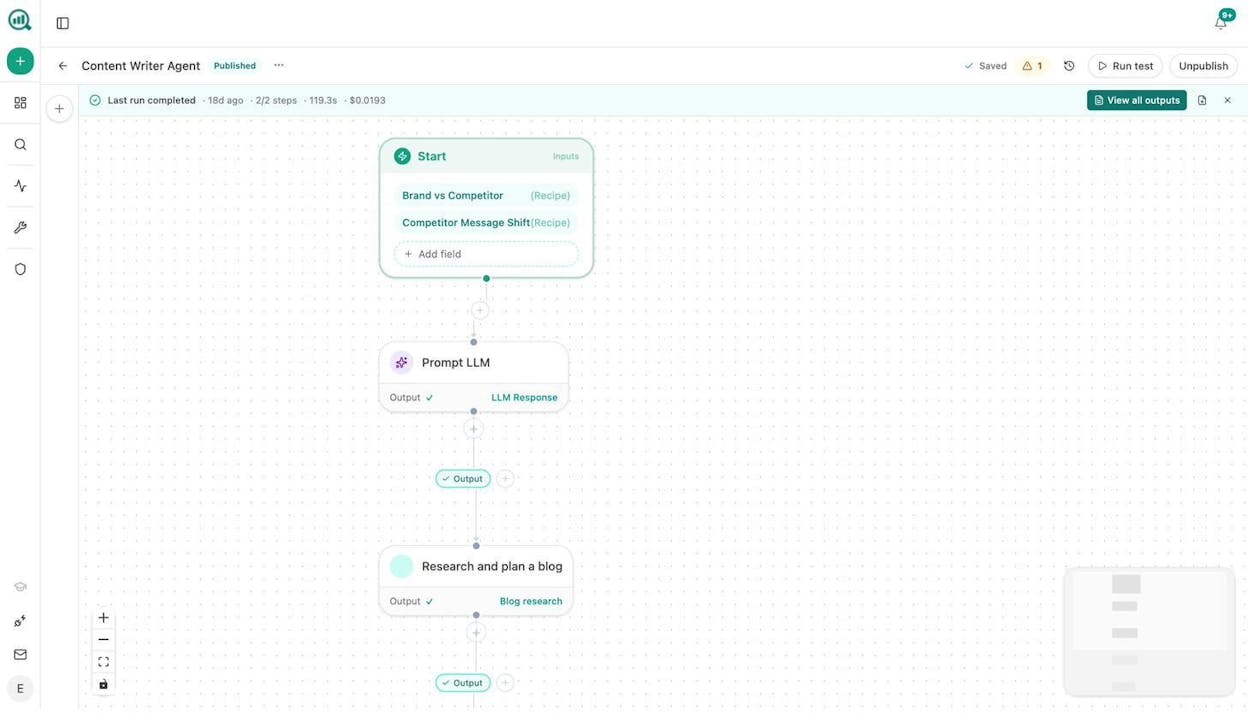
The key differentiator here is the Brand Vault. Analyze AI stores 12 blocks of brand context (company overview, differentiators, tone rules, disallowed phrases, proof points, and more). Every draft that ships through this pipeline speaks in your voice, not generic AI voice.
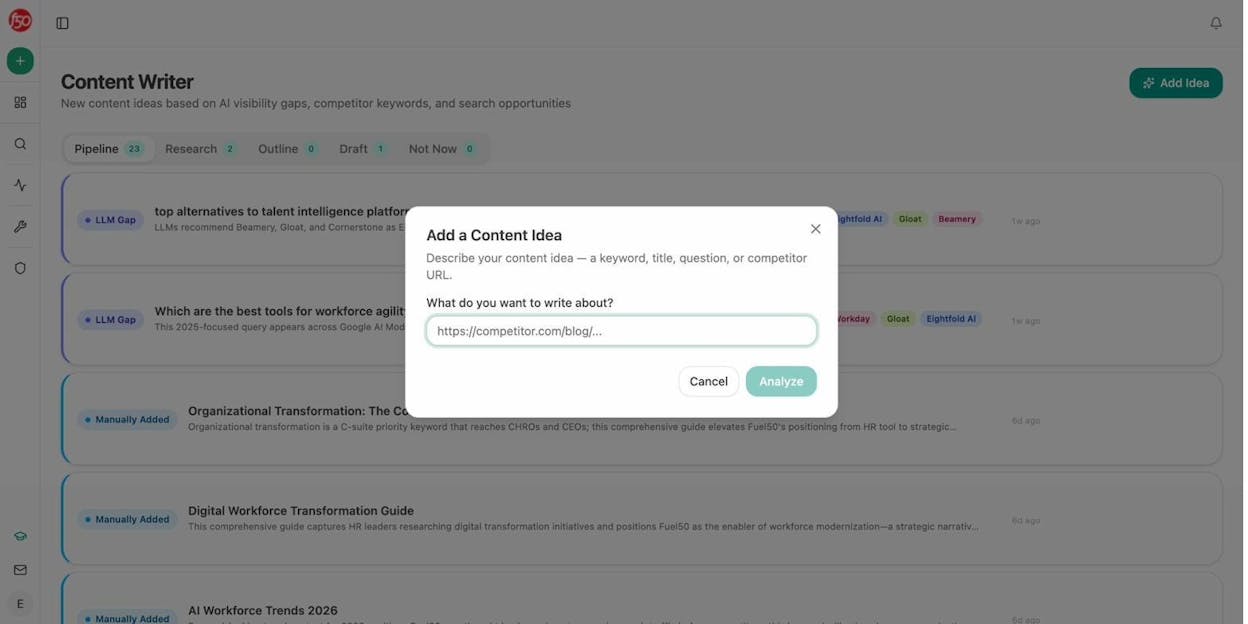
You can schedule this agent to run weekly, turning a backlog of 50 content ideas into published posts without a single manual handoff.
2. Content refresh and optimization
What it replaces: Manually auditing old posts, identifying what is outdated, rewriting sections, and republishing.
How the workflow runs:
-
The agent pulls a list of pages with declining traffic from GA4 using the declining-pages data recipe.
-
It cross-references those pages against AI citation data to find posts that are also losing AI search visibility.
-
For each page, it scrapes the current content, feeds it to an LLM with your brand voice rules, and rewrites it for freshness and improved structure.
-
If the rewritten version passes a quality threshold (via the AEO Content Scorecard), it updates the post in WordPress automatically.
-
If it does not pass, it sends the gaps to Slack so a writer can handle the revision.
This is one of the highest-ROI automations you can build. Most sites have dozens of posts that ranked well 12 months ago and are now sliding. A weekly scheduled agent catches these before they fall off page one.
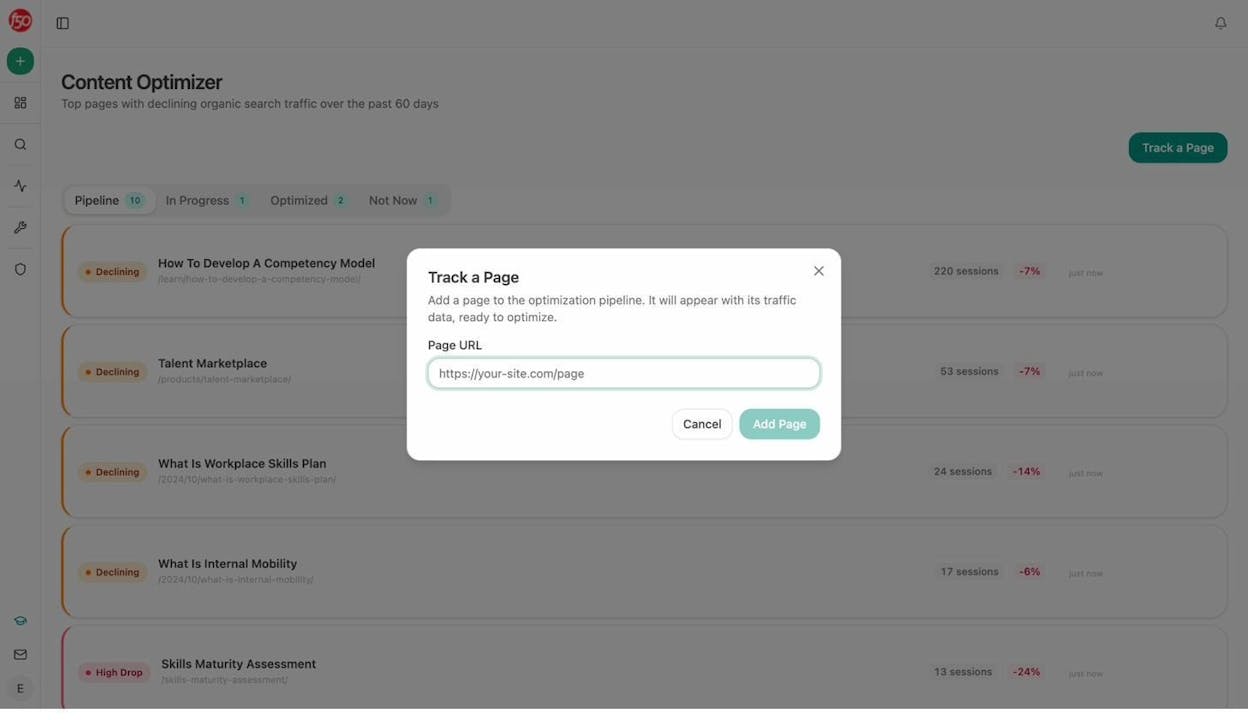
The Analyze AI Content Optimizer surfaces these declining pages automatically. The agent just acts on them.
3. Keyword research at scale
What it replaces: Logging into Semrush or Ahrefs, running searches one keyword at a time, exporting CSVs, and combining them in spreadsheets.
How the workflow runs:
-
You input a list of seed keywords (or the agent pulls them from your GSC top-performing queries).
-
DataForSEO nodes return keyword ideas, search volumes, difficulty scores, and trends.
-
Semrush nodes add domain-level keyword data and competitor organic keywords.
-
An LLM filters and clusters the results by topic, intent, and funnel stage.
-
The output lands in a Google Sheet or Notion database, ready for your editorial calendar.
The Agent Builder has 27 DataForSEO nodes and 7 Semrush nodes built in. That means you can run keyword research across multiple data providers in a single flow, without jumping between tools.
Analyze AI also offers free keyword research tools including a Keyword Difficulty Checker, Keyword Rank Checker, and a SERP Checker that you can use alongside these agents.
What makes this different from just using Semrush directly is the AI search layer. Analyze AI can overlay which of those keywords your competitors are already visible for in ChatGPT, Gemini, and Perplexity, giving you a prioritization filter that pure SEO tools miss. The prompts where competitors rank in AI answers but you do not are your highest-leverage content opportunities.
4. Internal linking at scale
What it replaces: The tedious process of reading through every article on your site, identifying link opportunities, and manually adding them.
How the workflow runs:
-
A scheduled agent loops through your sitemap.
-
For each page, it pulls the on-page SEO data and GSC top keywords.
-
An LLM matches those keywords against other pages on your site and suggests 3 to 5 internal links per page.
-
The suggestions are sent to Notion as tasks (or, if you want full automation, added directly via API).
If you run a site with 500+ pages, doing this manually is not realistic. This agent handles it weekly in the background. The SEO automation tools landscape has changed, and internal linking is one of the first things teams automate because the impact-to-effort ratio is massive.
5. Competitor monitoring across search and AI
What it replaces: Checking competitor websites manually, tracking pricing page changes in a spreadsheet, and guessing what competitors are doing in AI search.
How the workflow runs:
-
The agent runs daily using a competitor-gaps data recipe that pulls prompts where competitors outrank you in AI engines.
-
It also scrapes competitor pricing and product pages to detect changes.
-
DataForSEO Brand Mentions picks up any new mentions of competitors across news and social platforms.
-
An LLM summarizes what changed, what the risk is, and what action you should take.
-
The summary goes to Slack or email before your morning coffee.
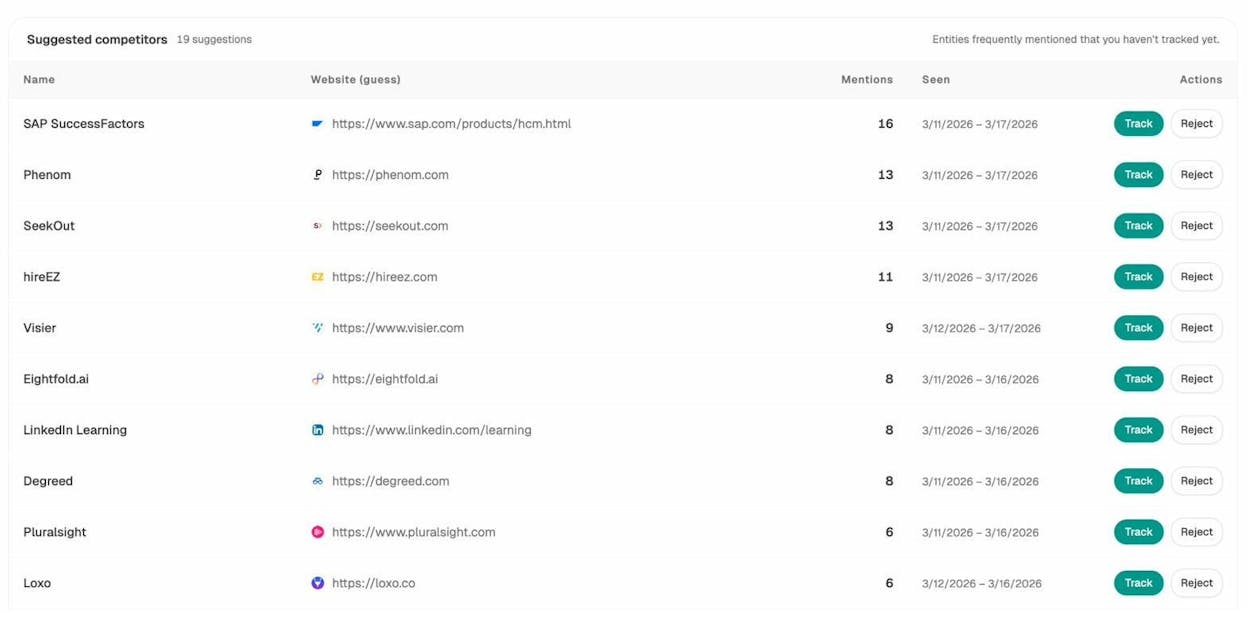
Most competitor monitoring tools only track traditional search. Analyze AI tracks competitor visibility across ChatGPT, Gemini, Perplexity, Copilot, and other AI engines. You see not just where they rank on Google, but where AI models recommend them over you. That is a blind spot most teams do not know they have.
6. Social media content generation
What it replaces: Manually rewriting blog posts into LinkedIn posts, X threads, and Instagram captions.
How the workflow runs:
-
When a new blog post is published (triggered via webhook from your CMS), the agent scrapes the content.
-
An LLM generates platform-specific posts. Professional tone for LinkedIn, concise for X, visual-first for Instagram.
-
Each post pulls from your Brand Vault for voice consistency.
-
The output goes to a Google Sheet for review, or directly to your scheduling tool.
The Sheets feature in Analyze AI lets you run this at scale. Load 20 blog URLs into a sheet, attach the social media generation agent, and get 60+ platform-specific posts in one run.
You can take this further by adding the Social Media Image node to generate a custom visual for each post, so every piece ships with both copy and a branded graphic.
7. Image and infographic creation
What it replaces: Requesting images from a designer, waiting for revisions, and creating infographics in Canva one at a time.
How the workflow runs:
-
You input a topic or article title.
-
The Blog Featured Image node generates a brand-aware header image.
-
The Infographic Generator node creates a data visualization based on key stats from the article.
-
The Social Media Image node produces platform-sized variants for LinkedIn, X, and Instagram.
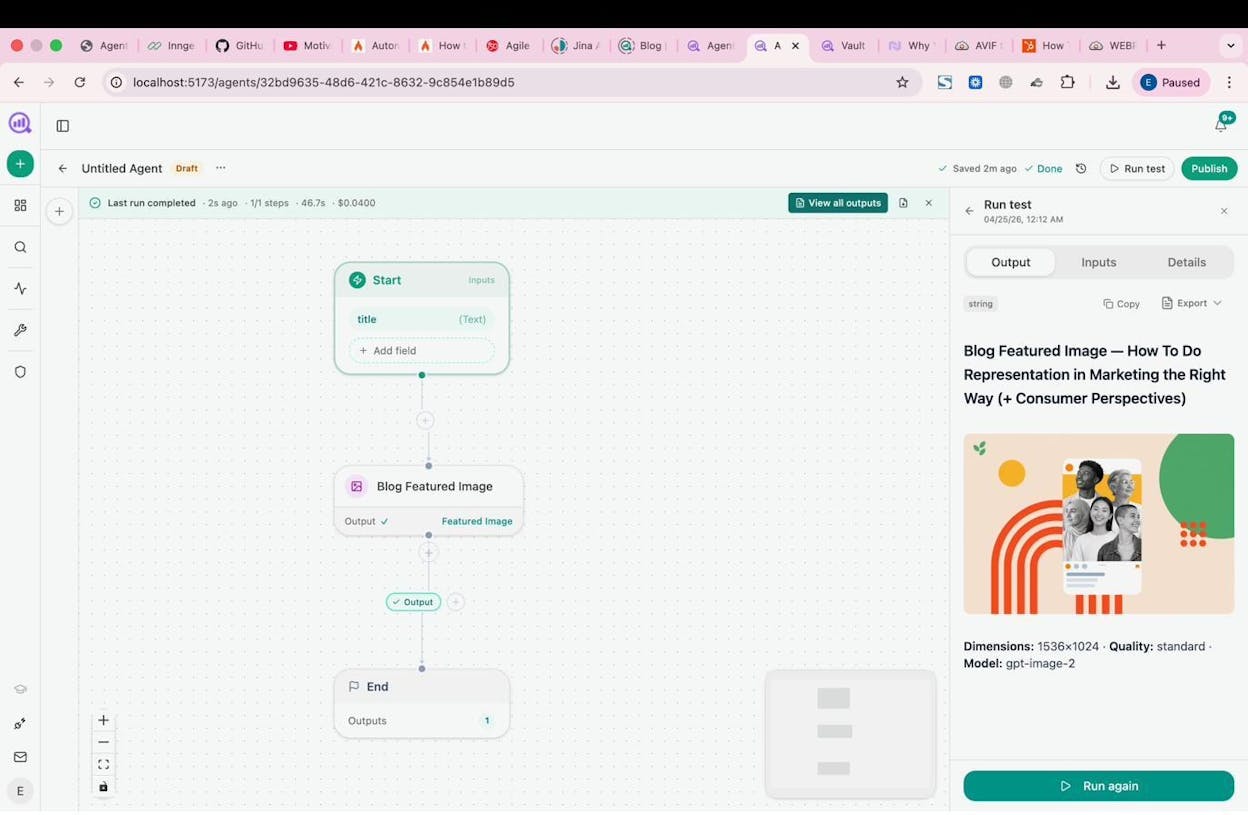
This is especially useful for teams publishing 10+ articles per month. Instead of one designer becoming the bottleneck, the agent generates images that match your brand kit. The designer reviews and refines rather than creating from scratch.
8. Link outreach
What it replaces: Finding journalist emails manually, writing personalized pitches one by one, and tracking responses in a spreadsheet.
How the workflow runs:
-
A research phase uses DataForSEO News Research and Web Page Scrape to find relevant articles in your niche.
-
The Tomba Author Finder node extracts the email of the writer behind each article.
-
An LLM writes a personalized pitch using your Brand Vault context and proof points.
-
The pitch is sent via email and logged to HubSpot as an engagement.
Analyze AI’s listicle outreach capabilities and link building strategies go beyond traditional backlink acquisition. When you earn citations in AI answers, those citations compound your visibility across every prompt in that topic cluster. The agent can identify which sources AI engines currently trust (using the Sources dashboard), so you target the domains that actually influence AI recommendations.
9. Lead enrichment
What it replaces: Manually researching every inbound lead in LinkedIn, checking their company website, and filling in CRM fields.
How the workflow runs:
-
A webhook fires when a new form submission arrives (from Typeform, Tally, or your website).
-
Hunter.io and Tomba nodes verify and enrich the email address.
-
DataForSEO pulls a domain overview and Lighthouse audit of the prospect’s website.
-
News Research surfaces recent company mentions.
-
Everything is pushed to HubSpot as a new or updated contact with a note summarizing the findings.
-
Slack notifies the assigned account executive with the enriched profile.
The 26 HubSpot nodes in the Agent Builder give you full read/write access to contacts, companies, deals, tickets, and lists. Your CRM stays clean without anyone touching it.
10. Email outreach campaigns
What it replaces: Paying for a dedicated outreach tool, manually personalizing emails, and managing follow-up sequences.
How the workflow runs:
-
The agent imports a lead list from Google Sheets or HubSpot.
-
For each prospect, it researches their company and role via web scraping and enrichment nodes.
-
An LLM generates a personalized email using the prospect’s context and your value proposition.
-
The email is sent with proper delays to avoid spam flags.
-
Follow-ups are triggered automatically if no response is received within a set number of days.
-
Replies stop the sequence and alert your team.
The difference between this and a tool like Instantly or Lemlist is that the personalization layer has access to your full Brand Vault. Every email sounds like it came from your team, not from a template.
11. Customer feedback analysis
What it replaces: Reading through support tickets, survey responses, and review sites to figure out what customers are saying.
How the workflow runs:
-
The agent collects feedback from multiple sources: Typeform surveys, support tickets, G2 reviews, and social mentions via DataForSEO Brand Mentions.
-
An LLM analyzes sentiment (positive, negative, neutral) and extracts key themes.
-
Results are categorized by product area, urgency, and customer segment.
-
Negative feedback creates support tickets automatically. Feature requests go to a Jira or Notion backlog. Positive feedback is flagged for testimonial outreach.
-
A weekly summary lands in Slack with trends and actionable insights.
You can extend this to competitor feedback analysis. Use the same pipeline to monitor what people say about competitors on Reddit, G2, and industry forums. When someone posts a complaint about a competitor, your social team can respond with context.
12. Weekly reporting and executive briefs
What it replaces: The Monday morning scramble where an analyst spends 4 hours pulling data from GA4, GSC, HubSpot, and AI visibility dashboards to build a report.
How the workflow runs:
-
A scheduled agent runs every Monday at 7am.
-
It pulls data from multiple recipes: exec-one-pager for AI visibility summary, share-of-voice for competitive position, GA4 for traffic and conversions, GSC for keyword performance, and HubSpot for pipeline data.
-
An LLM assembles the data into a structured executive summary with insights and recommended actions.
-
The report exports as a DOCX and is emailed to leadership.
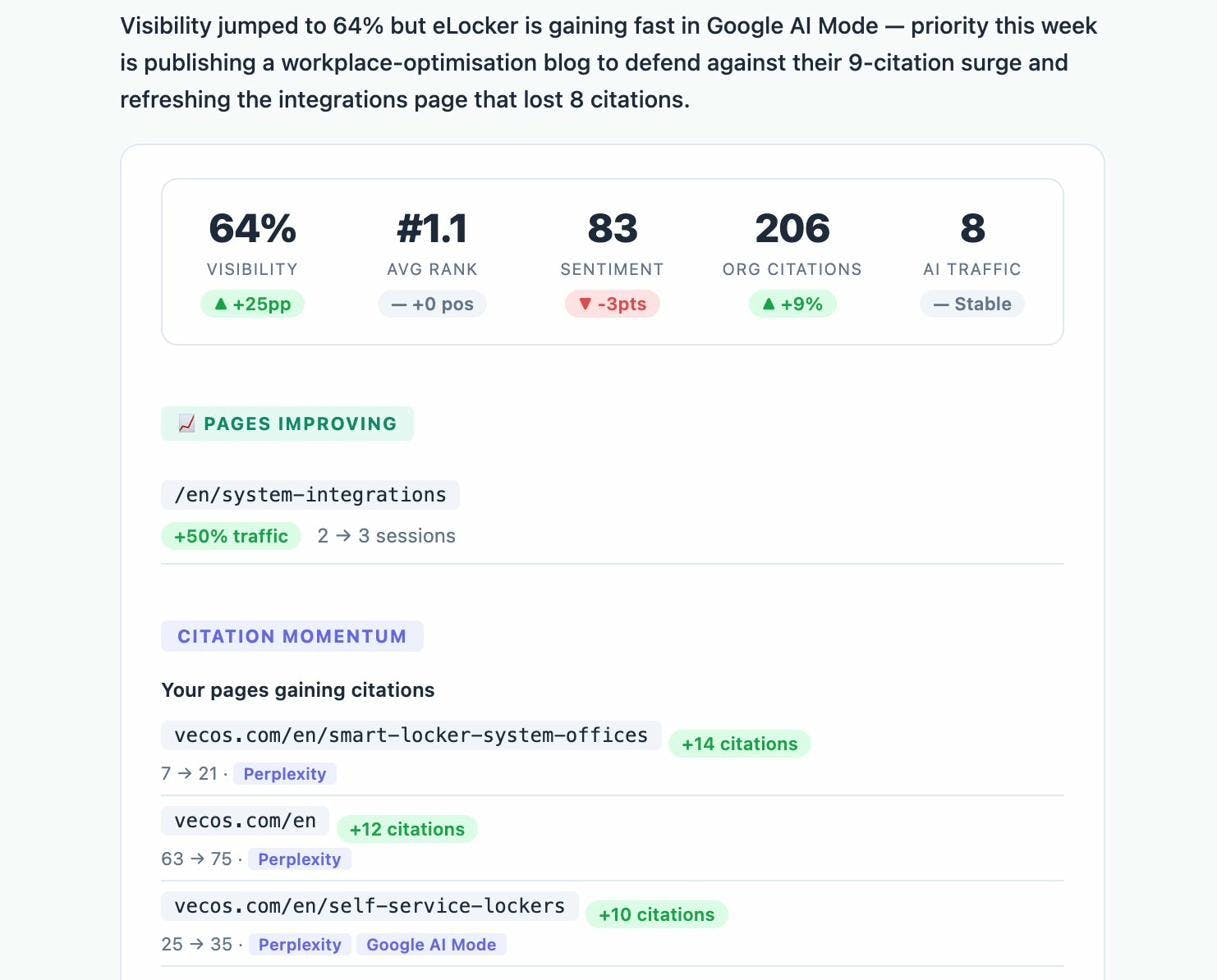
Analyze AI also sends Weekly Email Digests with prioritized actions, citation changes, and competitor shifts, so you get a baseline report without building anything. The agent extends this with custom data sources and formatting.
Why these automations are different
Traditional automation tools like Zapier and Make move data between apps. They are good at that, and if all you need is “when X happens, do Y,” they work fine.
But marketing work is not simple data movement. It requires reading context, making judgments, and creating new content. That is where an agentic platform changes the math.
The Analyze AI Agent Builder has 180+ nodes across 16 categories, including integrations with GA4, Google Search Console, Semrush, DataForSEO, HubSpot, Notion, WordPress, Slack, and every major LLM. It offers 34 pre-built data recipes that give you instant access to your AI visibility data, content performance metrics, competitive intelligence, and brand context.
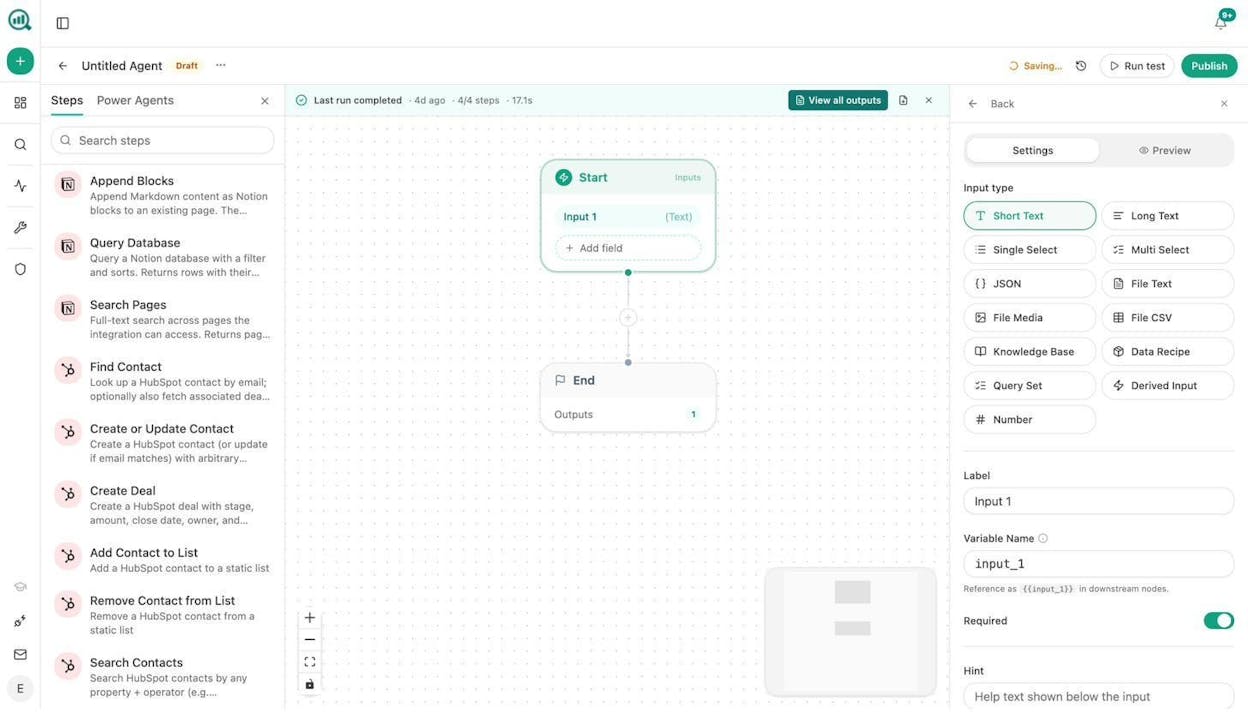
You have three trigger modes. Manual for on-demand runs. Scheduled for recurring agents (every morning, every Monday, first of the month). Webhook for event-driven automation (a form gets filled, a deal closes, a blog post publishes, and the agent fires immediately).
That means you are not building simple automations. You are building an operations layer that runs continuously in the background, handling the work your team used to spend half their week doing.
The combination of SEO data, AI search analytics, content creation, and CRM integrations in one substrate means these 12 examples are just the starting point. The practical surface of what you can build is in the millions of workflow combinations.
Start building
Every example in this article can be built in Analyze AI today. Start a free trial, pick the automation that would save your team the most time this week, and build it. Most agents take less than 15 minutes to set up.
If you want to see how your brand currently performs in AI search before building anything, the AI Visibility Audit is a good first step. And if you want to explore what other teams are building, check out 10 ways to use Analyze AI for more ideas.

Ernest

Ibrahim


