



Summarize this blog post with:


In this article, you’ll get a clear breakdown of five Gumloop alternatives that handle marketing workflow automation, from content production and keyword research to competitor monitoring and AI search optimization. You’ll see what each platform costs, what it does well, where it falls short, and which tool fits your team based on how you actually work.
Table of Contents
What is Gumloop?
Gumloop is a no-code AI automation platform that lets teams build and run AI-powered workflows through a visual drag-and-drop canvas. Companies use it to chain together actions like LLM prompts, API calls, data transformations, and web scraping into multi-step pipelines. It connects to business apps, executes Python code, and runs flows triggered by schedules, webhooks, or events.
The platform is popular with marketing, sales, and growth teams that need to automate repetitive tasks involving AI models. Pricing is credit-based, with a free tier at 5,000 credits/month and a Pro plan starting at $37/month.
Why marketing teams look for Gumloop alternatives
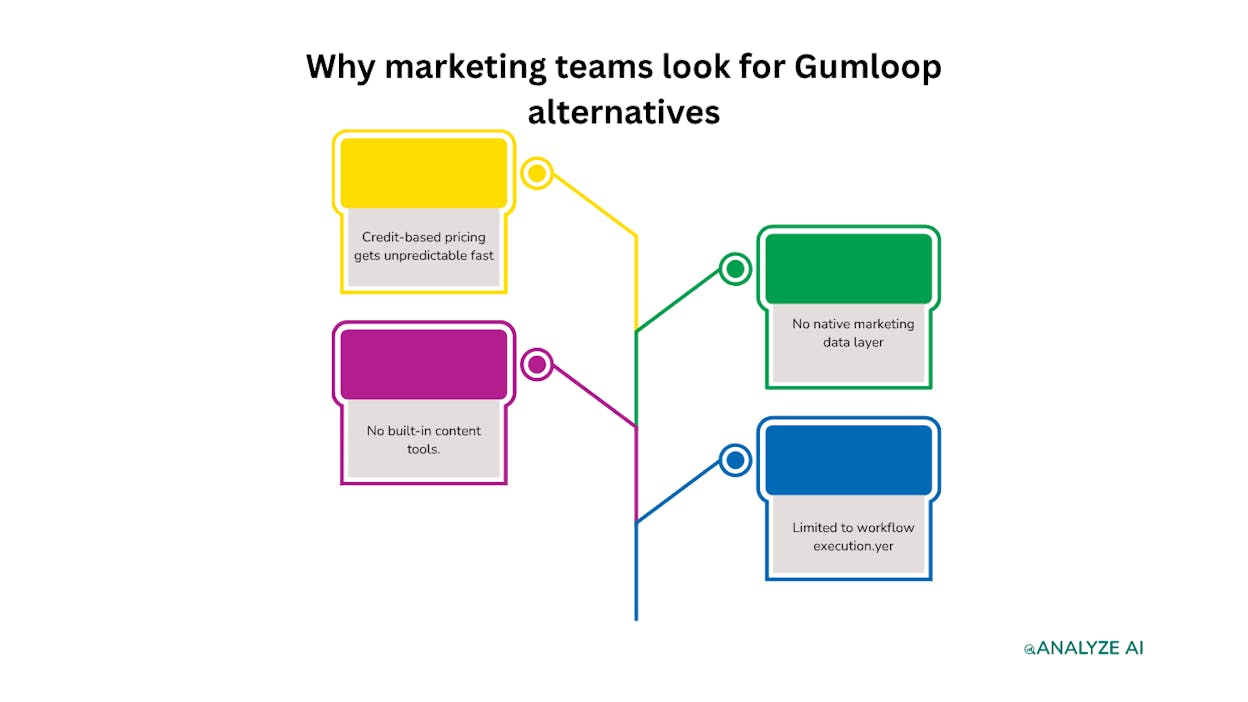
Gumloop is a capable automation builder. But marketing teams hit specific friction points as they scale.
Credit-based pricing gets unpredictable fast. Different AI models and operations consume different credit amounts. A simple workflow might cost pennies. A batch workflow that runs LLM prompts across 200 URLs can burn through an entire month’s allocation in a single run. For marketing teams running content operations at volume, this makes budgeting difficult.
No native marketing data layer. Gumloop moves data through pipelines, but it does not index or store your SEO, content performance, or AI visibility data. If you want a workflow that pulls your Google Search Console rankings, checks your AI search visibility, and generates a content brief based on the gaps, you need to build every data connection from scratch.
No built-in content tools. Marketing teams need content writers, content optimizers, and editorial workflows. Gumloop gives you raw LLM nodes, but no structured research-to-outline-to-draft pipeline, no scoring against AI citation patterns, and no brand voice enforcement.
Limited to workflow execution. Gumloop automates processes. But marketing teams also need to monitor brand visibility, track competitors, measure AI traffic, and govern brand perception across AI engines. A workflow builder alone does not cover that.
5 best Gumloop alternatives for marketing teams
1. Analyze AI
Analyze AI is the agentic platform for SEO, AEO, content, and GTM operations. Where Gumloop gives you a visual workflow canvas, Analyze AI gives you that same canvas plus the marketing data layer, the content tools, the AI visibility tracking, and the competitive intelligence already wired in.
The Agent Builder is the foundation. It has 180+ nodes, 34 pre-built data recipes, 13 input primitives, and 3 trigger modes (manual, scheduled, webhook). It connects natively to GA4, Google Search Console, Semrush, DataForSEO, HubSpot, WordPress, Notion, Slack, and every major LLM. You are not building from a blank canvas. You are composing from primitives that already understand your marketing data.
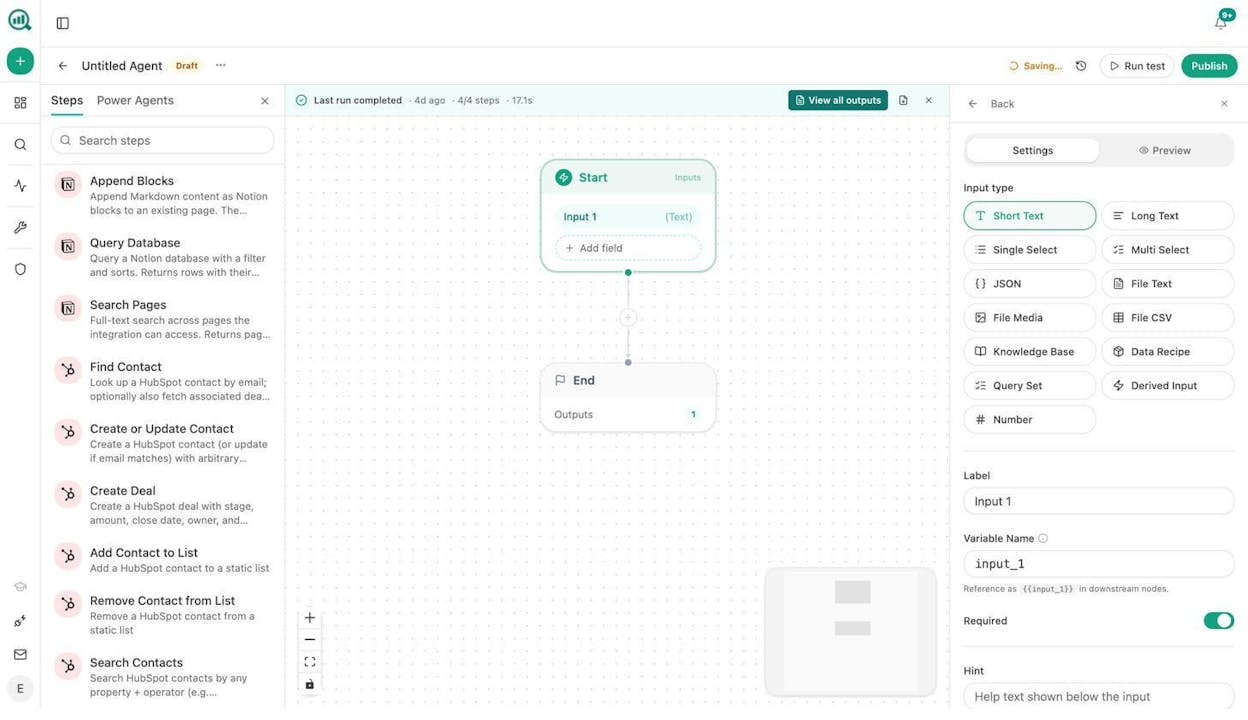
What marketing teams actually build with it.
Content production at scale is the most common use case. Build an agent that takes a keyword or competitor URL as input, runs research through DataForSEO and web scraping nodes, generates an outline, writes a full draft using your brand voice from the Knowledge Base, scores it against AI engine citation patterns, and publishes directly to WordPress. Schedule it, or fire it from a webhook when a Notion card moves to “approved.”
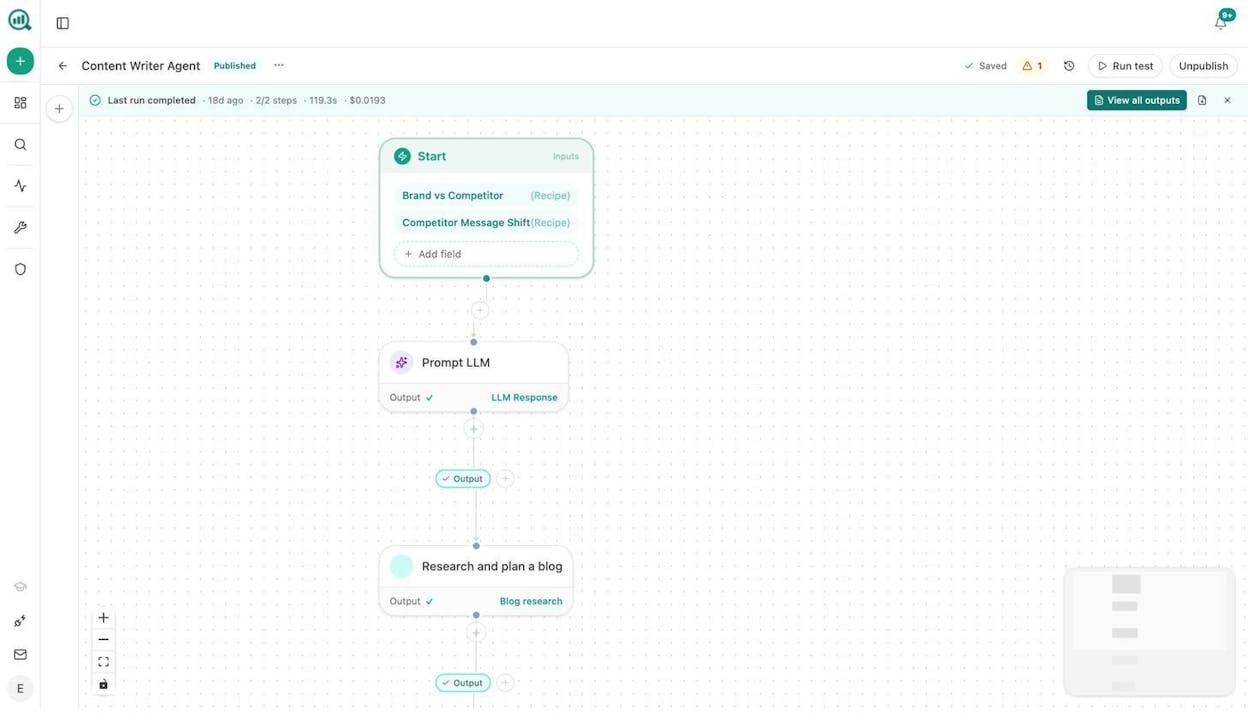
Content refresh at scale runs a scheduled agent weekly. It pulls your declining pages from GA4, loops through each one, scrapes the current content, rewrites it for freshness and brand voice, and updates the WordPress post automatically. The “quietly losing rankings” problem solves itself.
Keyword research at scale loops a seed list through DataForSEO, filters by volume and difficulty, and outputs to a Notion database. Internal linking at scale loops your sitemap, pulls GSC top keywords per page, and uses an LLM to suggest three internal links per page. Link outreach discovers relevant publications through news research nodes, finds journalist emails with the Tomba integration, and sends personalized pitches. Image design generates blog featured images with the image generation node and attaches them to posts. Social media content creation repurposes blog content into platform-specific posts using LLM prompts with brand voice rules injected from the Knowledge Base.
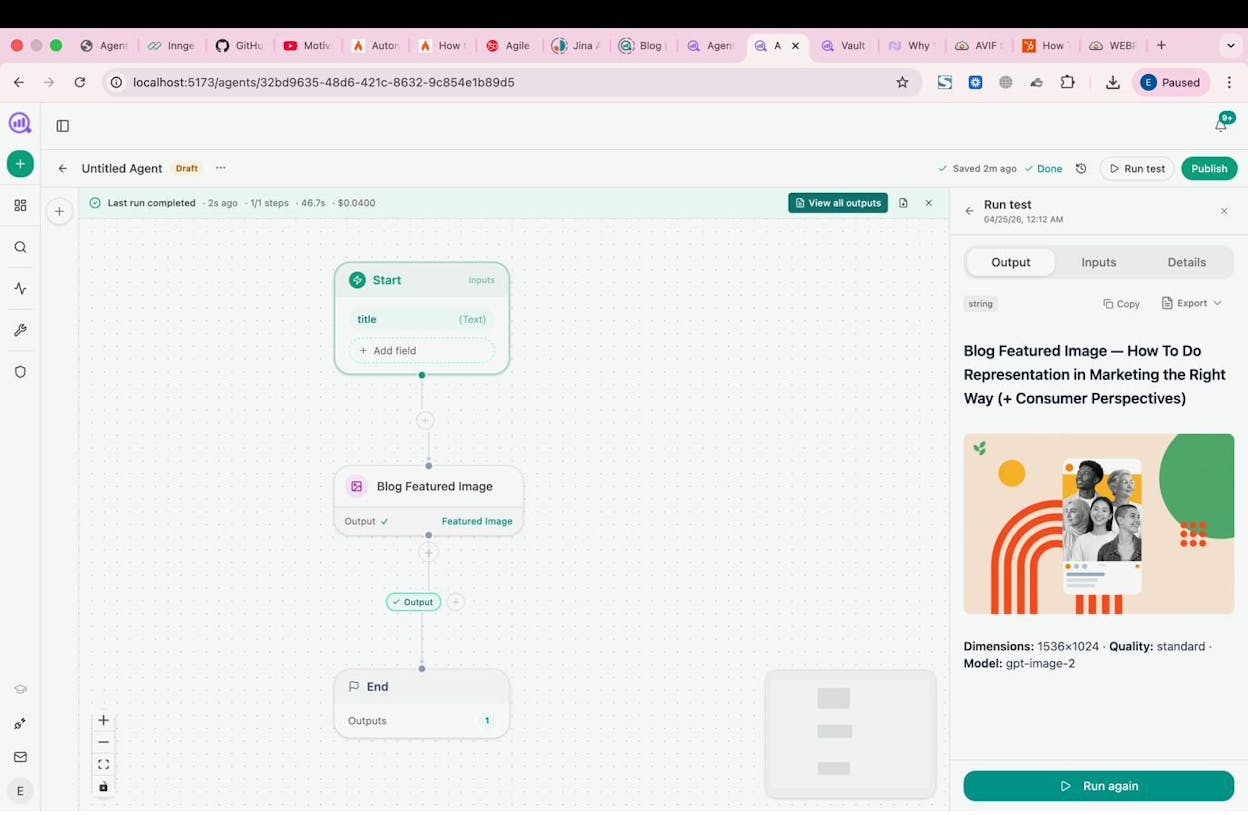
Agencies get a specific advantage here. The Loop node lets you run one workflow across every client. A Monday client briefing agent fires at 7am, loops through your client list, pulls each client’s AI visibility delta, GSC top pages, new backlinks, and competitor movement, assembles a DOCX report, and emails each account team automatically. Reporting day stops existing.
All of this works with the Sheets feature too, which lets you run bulk operations across hundreds of inputs at once.
On top of agents, Analyze AI includes a Content Writer with a full Research-to-Outline-to-Draft pipeline, a Content Optimizer that fetches your live page and produces a publish-ready rewrite scored against AI citation patterns, AI Traffic Analytics that shows which landing pages receive AI-referred visits, Competitor Intelligence across all major AI engines, a Perception Map for brand positioning, and AI Battlecards with strategic recommendations.
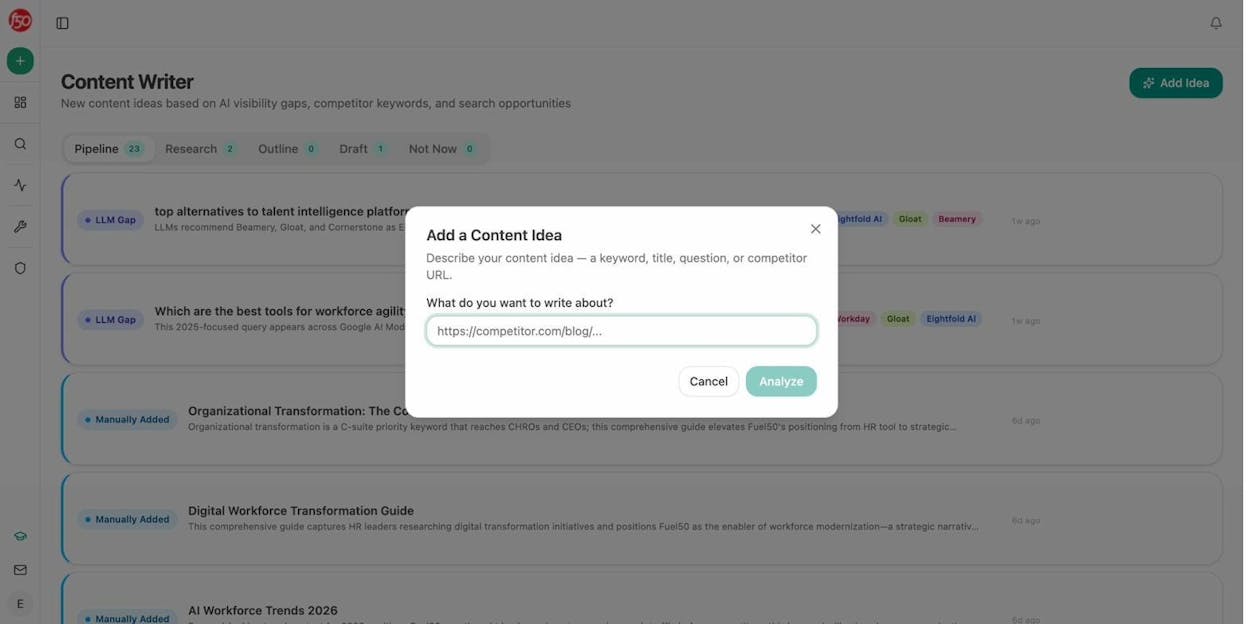
Pricing. Growth at $99/month with 3 AI engines, 25 tracked prompts daily, and 1 Content Writer/Optimizer workflow. Pro at $250/month with 4 AI engines, 100 ad hoc prompts, 10 Content Writer workflows, and 5 Content Optimizer workflows. Custom plans with all engines and unlimited workflows. All plans include unlimited seats and a free trial.
Pros. 180+ nodes with native marketing data integrations (GA4, GSC, Semrush, DataForSEO, HubSpot, WordPress, Notion, Slack). Content Writer and Optimizer produce better outputs than raw LLM prompts because of the multi-step methodology (research, outline, draft, scoring). Scheduled and webhook triggers turn agents into always-on operators. Unlimited seats on every plan. Simpler pricing with no credit guessing.
Cons. The depth of the Agent Builder means there is a learning curve for teams building complex multi-step workflows for the first time. The platform is designed for marketing and content operations, so teams looking for generic IT automation may find the focus too specific.
Best for. Marketing teams, content operations, agencies, and SEO/AEO teams that need workflow automation pre-wired to the data they already use.
2. n8n
n8n is a self-hostable, fair-code workflow automation platform built for technical teams that want full control over their data and infrastructure.
Key features. A visual workflow builder with the ability to inject custom JavaScript or Python code at any step. Self-hosting with no vendor lock-in. Native integrations with databases, APIs, and business tools. Unlimited workflows and users on all plans.
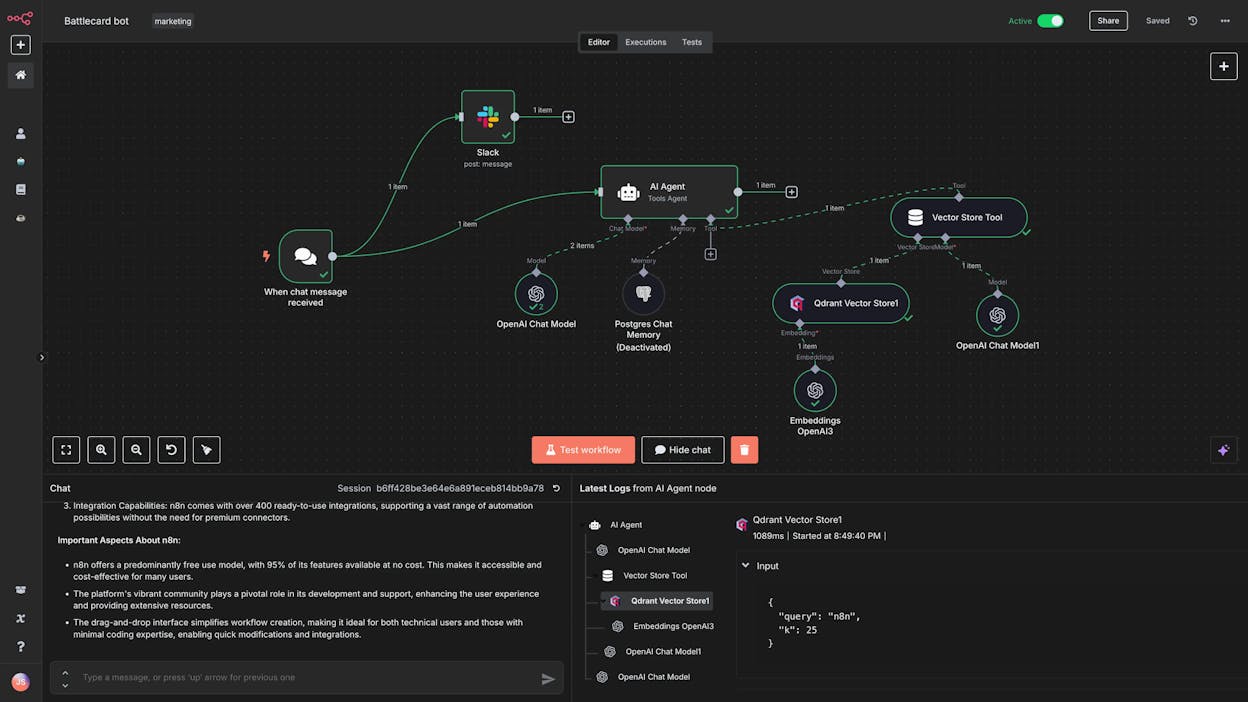
Pros. Free self-hosted Community Edition with unlimited executions. Workflow history on all paid plans. Version control and environment management (dev/staging/prod) on Business and Enterprise tiers.
Cons. Steeper learning curve than no-code tools. Self-hosting requires infrastructure expertise for deployment, updates, and security. No pre-built marketing data recipes or content tools. You build every data connection from scratch.
Pricing. Free self-hosted Community Edition. Cloud Starter at $24/month with 2,500 executions. Cloud Pro at $60/month with 10,000 executions. Business at $800/month with 50,000 executions. Enterprise at custom pricing.
Best for. Developer-led teams that need self-hosted automation, custom code execution, and full control over their workflow infrastructure.
3. Make
Make (formerly Integromat) is a visual-first automation platform known for its intuitive drag-and-drop scenario builder and strong data transformation capabilities.
Key features. A visual scenario builder with real-time data preview as you build. Over 3,000 app integrations including AI providers. Advanced routing with parallel processing paths, conditional branches, and error handlers. Built-in AI toolkit for content extraction and web search.
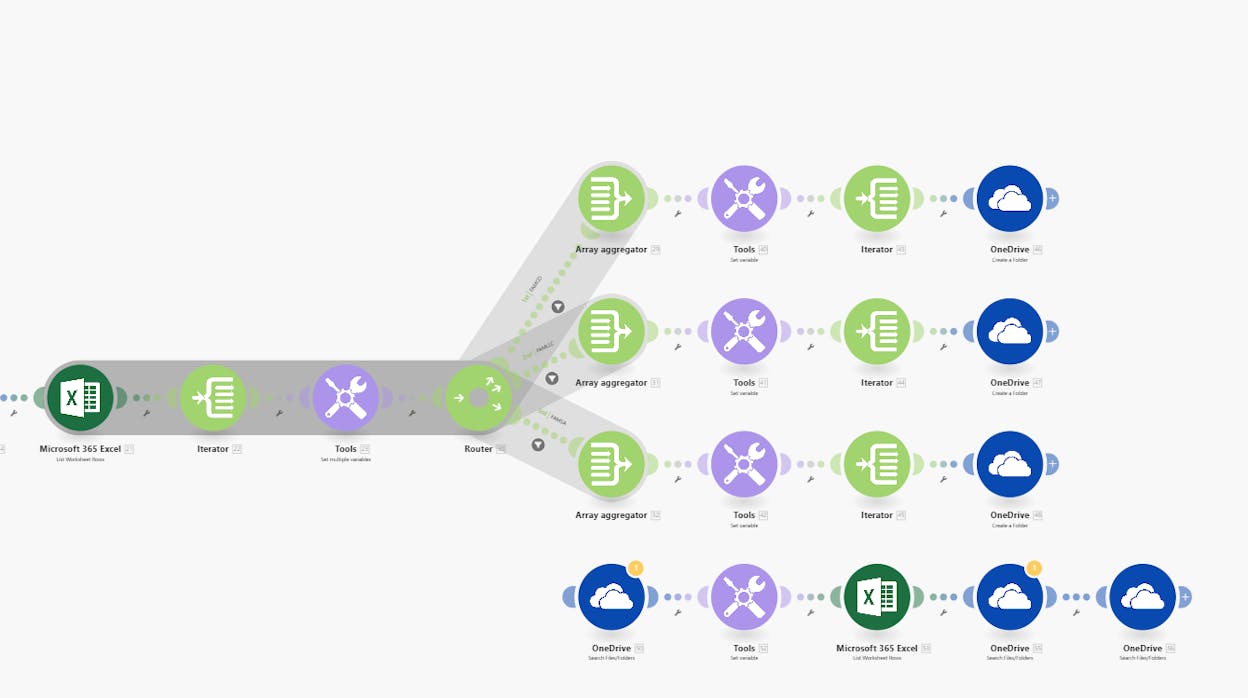
Pros. Powerful data transformation tools for aggregation, text parsing, and custom variables. Free plan with 1,000 credits/month. Priority execution on Pro and Teams plans.
Cons. Credit-based pricing can be confusing. Standard actions consume one credit each, but AI features and code execution consume additional variable credits. Learning curve for advanced features like iterators and error routing. No native marketing data layer or content production tools.
Pricing. Free plan with 1,000 credits/month. Core at $10.59/month for 10,000 credits. Pro at $18.82/month. Teams at $34.12/month. Enterprise at custom pricing. All prices for annual billing.
Best for. Teams that need visual workflow building with advanced data manipulation and prefer not to write code.
4. Zapier
Zapier is the largest no-code automation platform by integration count, connecting over 7,000 apps with a simple trigger-action model.
Key features. The largest integration library in the category (7,000+). Multi-step Zaps with conditional logic, filters, delays, and formatting. AI-powered Copilot for natural language workflow creation.
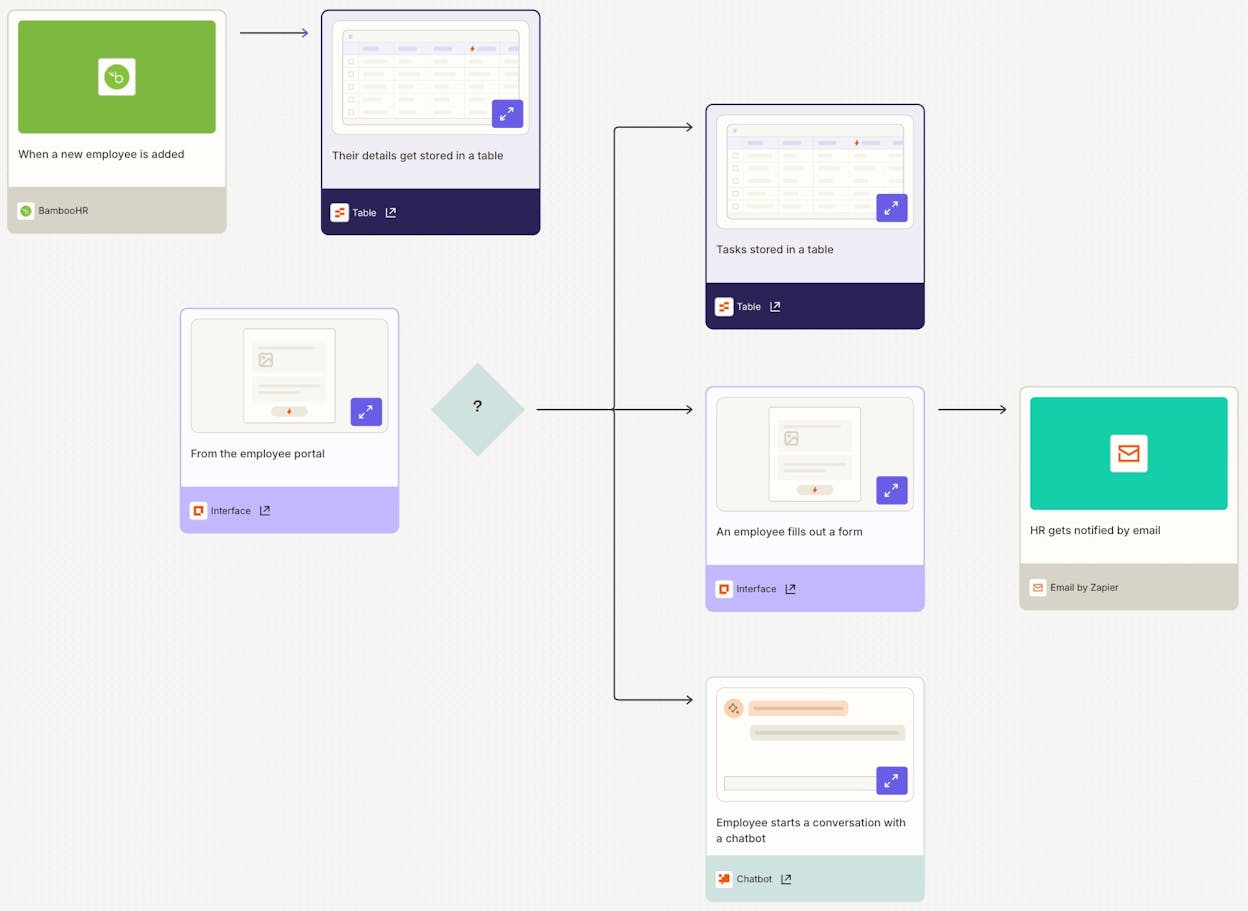
Pros. The most user-friendly interface for non-technical team members. Reliable infrastructure with minimal downtime. Comprehensive documentation and active community.
Cons. The most expensive option at scale (3-5x more than Make for equivalent volume). Free plan caps at 100 tasks/month. Integration depth varies by app. No self-hosting option. No native SEO, AI visibility, or content data integrations.
Pricing. Free plan with 100 tasks/month. Professional at $29.99/month for 750 tasks (annual billing). Team at $103.50/month for 2,000 tasks. Enterprise at custom pricing.
Best for. Non-technical teams that need broadly integrated, reliable app-to-app automation with the lowest possible learning curve.
5. Lindy
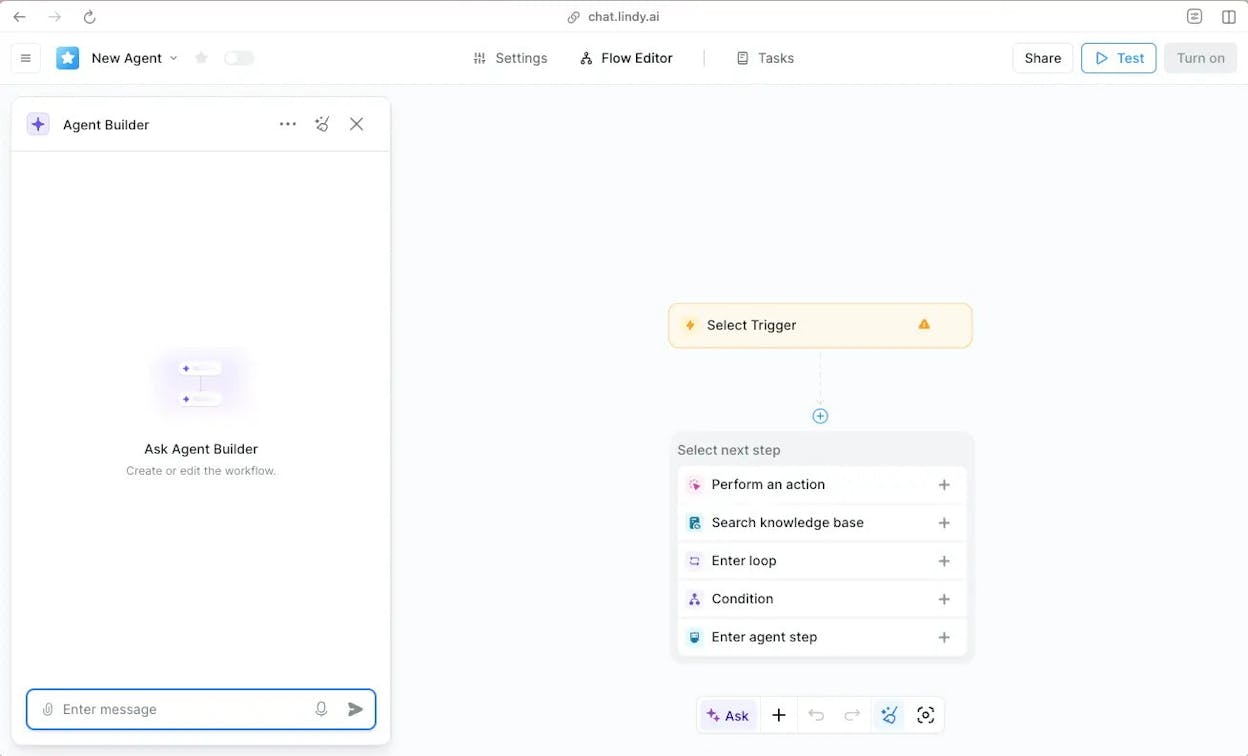
Lindy is an AI assistant platform that automates work through natural language conversation and a visual no-code builder. You can text it via iMessage or SMS to delegate tasks without building a formal workflow.
Key features. Conversational AI assistant accessible via text message. Automated inbox management, meeting prep, and scheduling. Over 3,000 integrations. Pre-built templates for outbound sales, customer support, and research tasks.
Pros. Lowest barrier to entry. No workflow design or technical knowledge needed. Learns your communication style and preferences over time.
Cons. Credit-based usage can lead to unpredictable costs, especially with complex workflows. A single lead generation workflow can consume 275 credits (knowledge base search, email, follow-up call). Voice capabilities can have noticeable latency. No native SEO or marketing data integrations.
Pricing. Free plan with 400 credits/month. Starter at $19.99/month with 2,000 credits. Pro at $49.99/month with 5,000 credits. Business at $299.99/month. Enterprise at custom pricing.
Best for. Professionals and small teams that want an AI assistant for communication and scheduling with agent-building capabilities for broader task automation.
How these Gumloop alternatives compare
|
Tool |
Type |
Best marketing use case |
Starting price |
Biggest strength |
|---|---|---|---|---|
|
Agentic platform for SEO, AEO, content, GTM |
Content ops, AI visibility, competitor intel at scale |
$99/mo |
180+ nodes with native marketing data (GA4, GSC, Semrush, HubSpot) + Content Writer/Optimizer |
|
|
n8n |
Self-hosted workflow automation |
Custom data pipelines for developer-led teams |
Free (self-hosted) |
Full code access and self-hosting control |
|
Make |
Visual workflow automation |
Data transformation and complex branching logic |
Free (1,000 credits) |
Visual builder with real-time data preview |
|
Zapier |
No-code automation |
Simple cross-app automation for non-technical teams |
Free (100 tasks) |
7,000+ integrations and ease of use |
|
Lindy |
AI assistant platform |
Personal productivity and inbox management |
Free (400 credits) |
Conversational task delegation without workflows |
The core difference between Analyze AI and the other four tools on this list is the data layer. Zapier, Make, n8n, and Lindy are general-purpose automation platforms. They connect apps and run flows. But they do not understand your marketing data. You still need to pull keyword data manually, export GA4 reports, and configure every data transformation from scratch.
Analyze AI starts with the data already in the room. Your AI visibility metrics, your search rankings, your competitor intelligence, your content performance, and your brand vault are all native to the platform. When you build an agent, you pick a data recipe and the agent has your data at runtime. That difference compounds across every workflow you build.
Frequently asked questions
What is the main difference between Gumloop and Analyze AI?
Gumloop is a general-purpose AI automation platform for building workflows through a visual canvas. Analyze AI is an agentic platform built specifically for SEO, AEO, content, and GTM operations. The Agent Builder has the same visual canvas and drag-and-drop workflow building, but it comes pre-wired with 180+ nodes, 34 data recipes for marketing data (GA4, GSC, Semrush, DataForSEO), a Content Writer, Content Optimizer, AI visibility tracking, citation analytics, and competitor intelligence. Gumloop gives you the building blocks. Analyze AI gives you the building blocks plus the marketing data and content tools already assembled.
What should you look for in a Gumloop alternative?
It depends on your use case. If you need self-hosting and code flexibility, look at n8n. If you want a visual builder for general automation, Make is a strong option. If you need the simplest possible setup, Zapier works. If you want AI workflow automation pre-wired to your marketing data with content production, AI search optimization, and competitive intelligence built in, Analyze AI covers all of that in one platform.
How does Gumloop pricing work?
Gumloop uses a credit-based model where different AI models and operations consume varying credit amounts. The free plan includes 5,000 credits/month. Pro starts at $37/month with 20,000+ credits. Enterprise is custom. Costs can be difficult to predict when running workflows with advanced language models or large batch operations.
Can these tools handle AI search optimization (AEO)?
Most general-purpose workflow tools (Zapier, Make, n8n, Lindy, Gumloop) have no native understanding of AI search. They can connect to APIs, but they do not track your brand’s visibility in ChatGPT, Perplexity, Gemini, or other AI engines. Analyze AI is the only platform on this list with built-in prompt tracking, AI traffic analytics, sentiment monitoring, and optimization workflows designed for AI search. If AEO is part of your strategy, that capability gap matters.
Do any of these tools offer a free trial?
Yes. Analyze AI offers a free trial on all plans. n8n has a free self-hosted Community Edition. Make has a free plan with 1,000 credits/month. Zapier has a free plan with 100 tasks/month. Lindy has a free plan with 400 credits/month. Gumloop has a free tier with 5,000 credits/month.

Ernest

Ibrahim


