



Summarize this blog post with:


Make.com is a solid tool for connecting apps and running simple automations. But if you manage a content pipeline, run multi-channel campaigns, or need to combine live marketing data with AI reasoning, you’ve likely hit the ceiling. Make connects tools. It does not understand your marketing stack.
The alternatives below take different approaches. Some add AI to the same trigger-action model. Others rethink the entire workflow layer around how marketing teams actually operate. The differences matter when you’re choosing where to invest.
In this article, you’ll get a breakdown of eight Make.com alternatives that go beyond basic triggers and actions. You’ll see what each one costs, where it fits, and which one gives marketing teams the most leverage when running SEO, content, and GTM workflows at scale.
Table of Contents
What to Look for in a Make.com Alternative
Not every automation platform solves the same problem. Before picking one, get clear on what matters for your team.
Can it reason, not just relay? Make.com passes data between apps. That works for simple handoffs. But marketing workflows need decision-making. Can the platform use an LLM to analyze a competitor’s content, decide whether your page needs an update, and then draft the rewrite? That’s the gap between a connector and an agent.
Does it understand marketing data natively? Most automation tools treat Google Analytics, Search Console, and your CMS as generic APIs. A platform built for marketing teams should already know how to pull keyword rankings, AI visibility scores, citation data, and traffic trends without you wiring up custom API calls for every query.
How does it handle scale? Running one workflow is easy. Running 200 content refreshes in a loop, each pulling live SEO data and writing against your brand voice, is where platforms break. Look for batch processing, loop nodes, and the ability to handle large datasets through a Sheets-like interface.
What does pricing actually look like at volume? Many tools price per execution or per task. That gets expensive fast when you’re running scheduled agents daily. Check whether the platform charges per workflow run, per step, or per seat, and model out what your real monthly cost looks like at your actual usage.
8 Make.com Alternatives for Marketing Workflows in 2026
|
Platform |
Best For |
Starting Price |
AI-Native |
Key Strength |
|---|---|---|---|---|
|
Marketing, content, and GTM teams |
$99/mo |
Yes |
180+ nodes with SEO, AEO, and content data built in |
|
|
Developers and technical teams |
$24/mo |
Partial |
Self-hosting and complex workflow logic |
|
|
Non-technical teams needing reliability |
$29.99/mo |
Partial |
7,000+ app integrations |
|
|
Small teams wanting human-in-the-loop |
$27/mo |
Yes |
Approval steps built into workflows |
|
|
Customer support and sales teams |
$49.99/mo |
Yes |
Pre-built AI employee templates |
|
|
Personal and home automation |
$3.99/mo |
No |
Budget-friendly simple automations |
|
|
Enterprise companies |
Custom |
Yes |
Enterprise-grade security and compliance |
|
|
Ecommerce businesses |
$29.99/mo |
No |
1,400+ app integrations with ready-made automations |
1. Analyze AI
-
Best for: Marketing teams, agencies, and content operations that need AI-native automation with SEO, AEO, and GTM data built into the workflow layer
-
Pricing: Starts at $99/month with a free trial
-
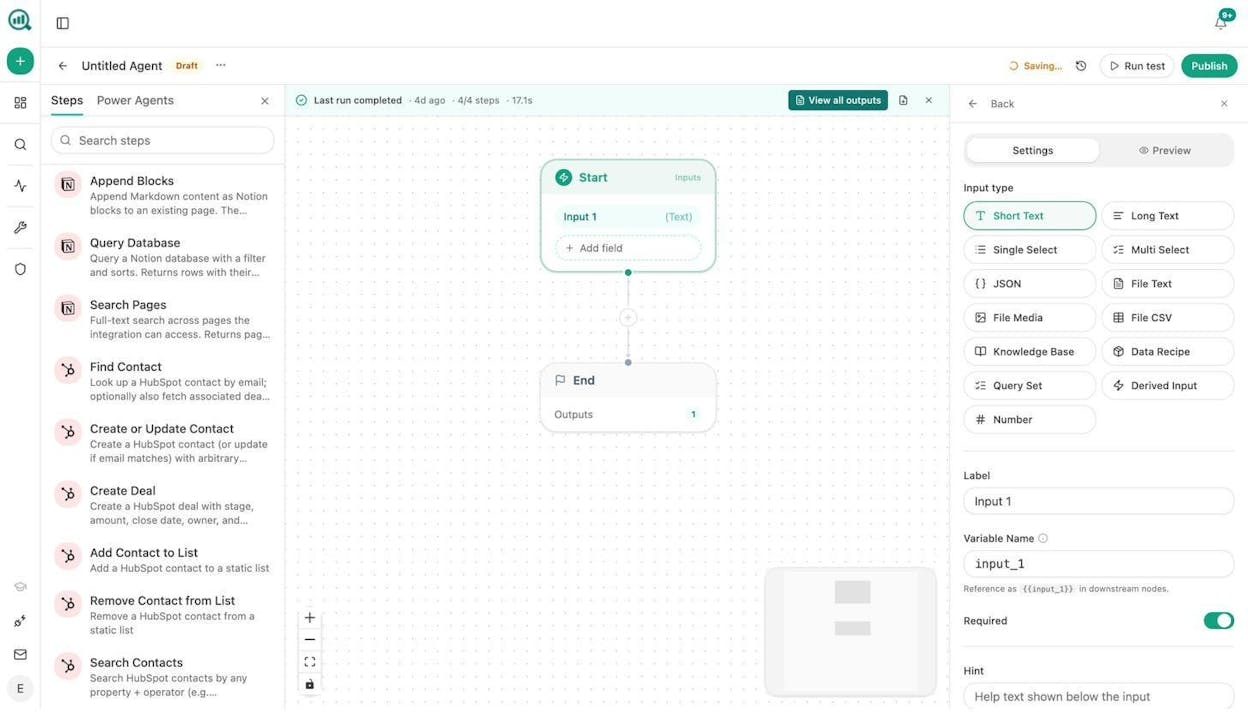
Standout feature: An Agent Builder with 180+ nodes, 34 pre-built data recipes, and native integrations with GA4, GSC, Semrush, DataForSEO, HubSpot, WordPress, Notion, Slack, and every major LLM
Analyze AI is the agentic platform for SEO, AEO, content, and GTM ops. While most Make.com alternatives connect your tools and leave you to figure out the logic, Analyze AI starts with the data your marketing team already needs and builds workflows around it.
The Agent Builder is the core of the platform. It gives you a visual canvas where you drag nodes for keyword research (DataForSEO, Semrush), web scraping, content generation, SEO analysis, AI visibility tracking, CRM operations (HubSpot), CMS publishing (WordPress, Notion, Contentful, Sanity), email outreach (Hunter, Tomba), and image generation, then wire them to any LLM (Claude, GPT, Gemini, Perplexity, DeepSeek) for reasoning.
That is not just an automation layer. With 180+ production-ready nodes across 16 categories, the practical workflow combinations number in the billions. You are composing from primitives, not picking from a template library.
What marketing teams actually build with it:
Content writing at scale. Set up a scheduled agent that pulls keyword opportunities from DataForSEO, cross-references them with your AI visibility gaps, generates a research brief, builds an outline, and produces a full draft with your brand voice injected from the Brand Vault. The Content Writer pipeline handles research, outline, and draft stages with editorial comments at each step.
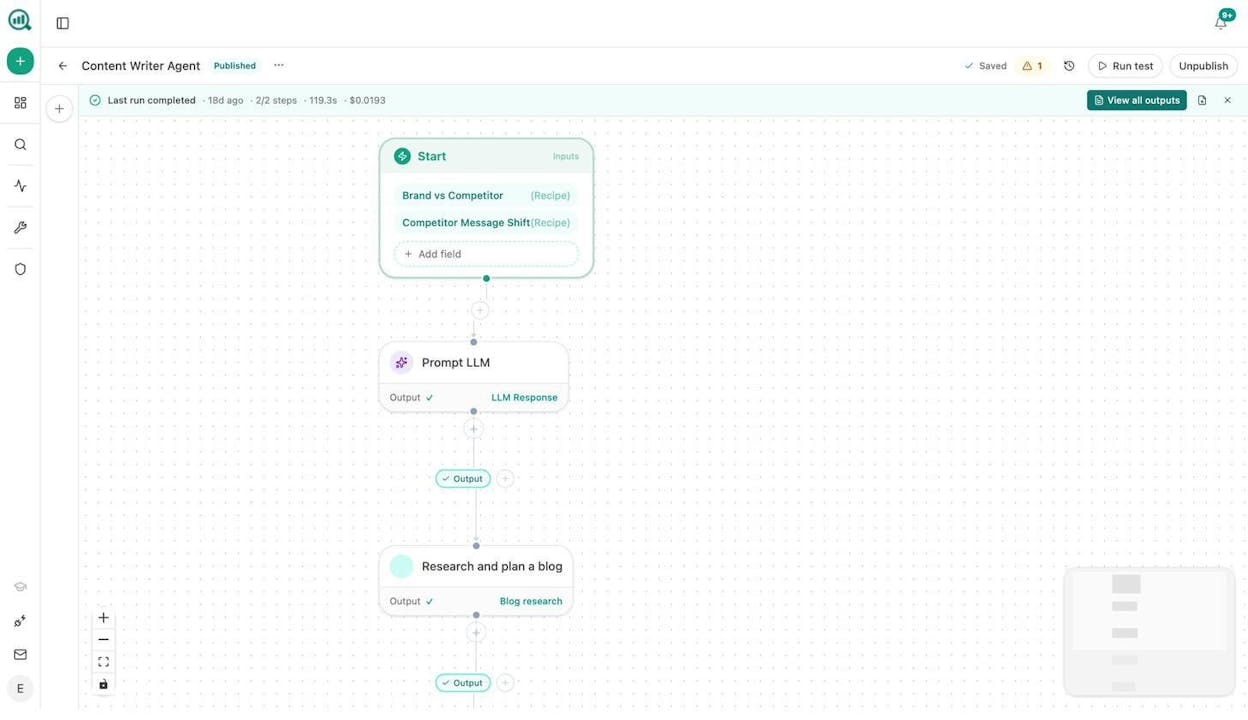
Content refresh at scale. A weekly scheduled agent pulls your declining pages from GA4, scrapes each one, runs it through the Content Optimizer for an AEO content scorecard, and rewrites the sections that need updating. If the optimized version scores above your threshold, it publishes directly to WordPress. If not, it sends the gaps to your team in Slack.
Keyword research at scale. Use the Loop node to iterate over a seed list and pull search volumes, keyword difficulty, SERP competitors, and related queries from DataForSEO and Semrush in one run. Export the results to Sheets or push them directly to your editorial calendar in Notion.
Internal linking at scale. Schedule a weekly agent that loops through your sitemap, pulls top GSC keywords for each page, and uses an LLM to suggest three internal links per page. The output goes to a Notion task board or creates pull requests through the Call API node.
Competitor intelligence. Build an agent that takes a keyword input, pulls ranked keywords and SERP competitors from DataForSEO, fetches your AI visibility data from Analyze AI’s native nodes, and uses Claude or GPT to generate a competitive analysis report. The screenshot below shows exactly this workflow in action.
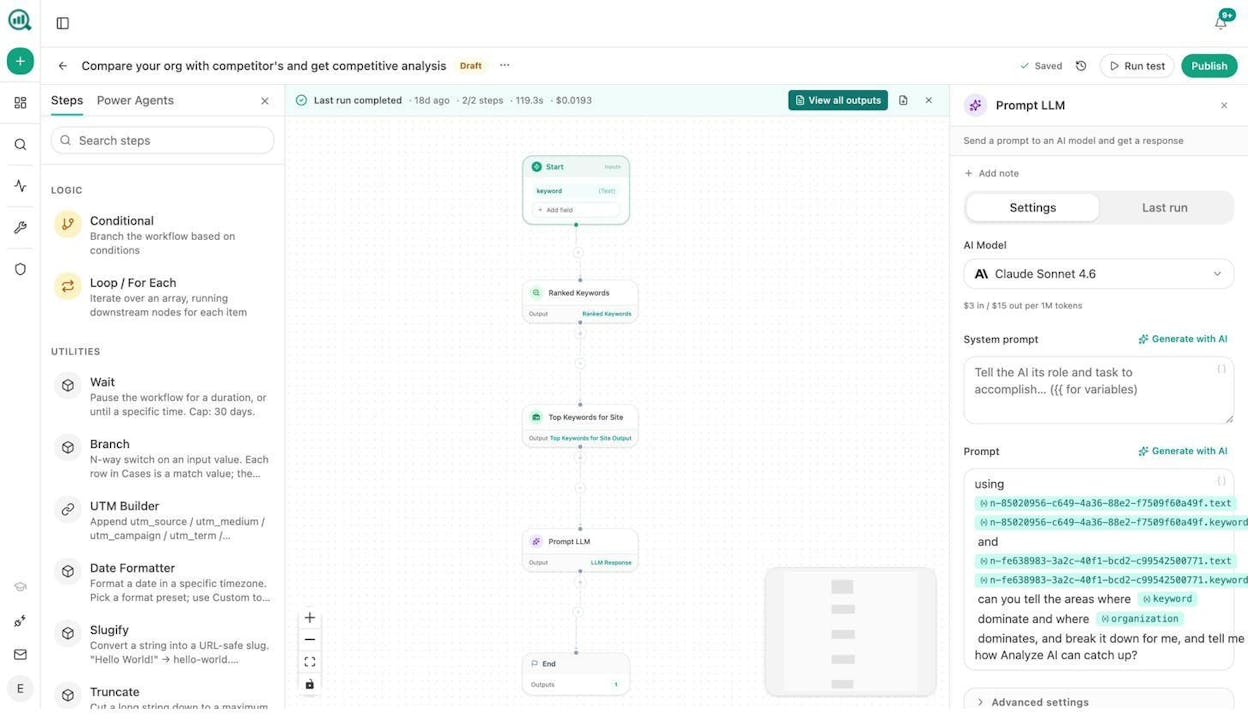
Image design at scale. The platform includes Blog Featured Image, Infographic Generator, Social Media Image, and Illustrate Any Text nodes. All of them pull from your Brand Kit automatically, so every image matches your visual identity without manual design work.
Link outreach. Combine DataForSEO Brand Mentions with Tomba Author Finder to identify journalists covering your topic. Use an LLM to personalize each pitch, then log the outreach in HubSpot automatically.
Every agent runs on one of three triggers. Manual (click to run), Scheduled (cron-based, from every minute to monthly), and Webhook (fires when an external event happens, such as a HubSpot deal closing or a form submission). Scheduled agents are where the real leverage is. The Monday board prep runs at 7am. The content refresh runs every Sunday night. The competitive analysis runs daily. You stop remembering to check things because the system checks for you.
On top of the Agent Builder, Analyze AI also tracks your brand’s visibility across ChatGPT, Perplexity, Gemini, Copilot, Claude, and other AI search engines. It ties that visibility to GA4 sessions, conversions, and revenue through AI Traffic Analytics. So you’re not just automating workflows. You’re automating workflows with live AI search data flowing through them.
The platform also offers a suite of free SEO tools including a Keyword Generator, Keyword Difficulty Checker, SERP Checker, Broken Link Checker, and Website Traffic Checker.
What you’ll like: The Agent Builder covers the full marketing stack in a single platform. No separate tools for SEO research, content writing, AI monitoring, CRM updates, and CMS publishing. The Brand Vault injects your tone and messaging rules into every workflow. And the 34 pre-built data recipes let you drop pre-queried datasets (like “prompts where competitors outrank you” or “pages losing citations”) into any agent without wiring up data nodes from scratch.
What could be better: The platform is still shipping new nodes and integrations fast. Gmail and Google Sheets nodes are in development but not yet live. And because the surface area is large, there is a learning curve to designing complex multi-step agents.
Analyze AI pricing:
-
Growth: $99/month with 3 AI engines, 25 tracked prompts/day, 1 Content Writer workflow, and 1 Content Optimizer workflow
-
Pro: $250/month with 4 AI engines, 35 tracked prompts/day, 10 Content Writer workflows, AI Traffic Analytics, and weekly recommendations
-
Custom: Custom pricing for enterprises with all AI engines, unlimited content workflows, and a dedicated account manager
You can start a free trial without a credit card.
2. n8n
-
Best for: Developers and technical teams who want self-hosting options
-
Pricing: Free (self-hosted), then $24/month for cloud
-
Standout feature: Open-source with full self-hosting capability
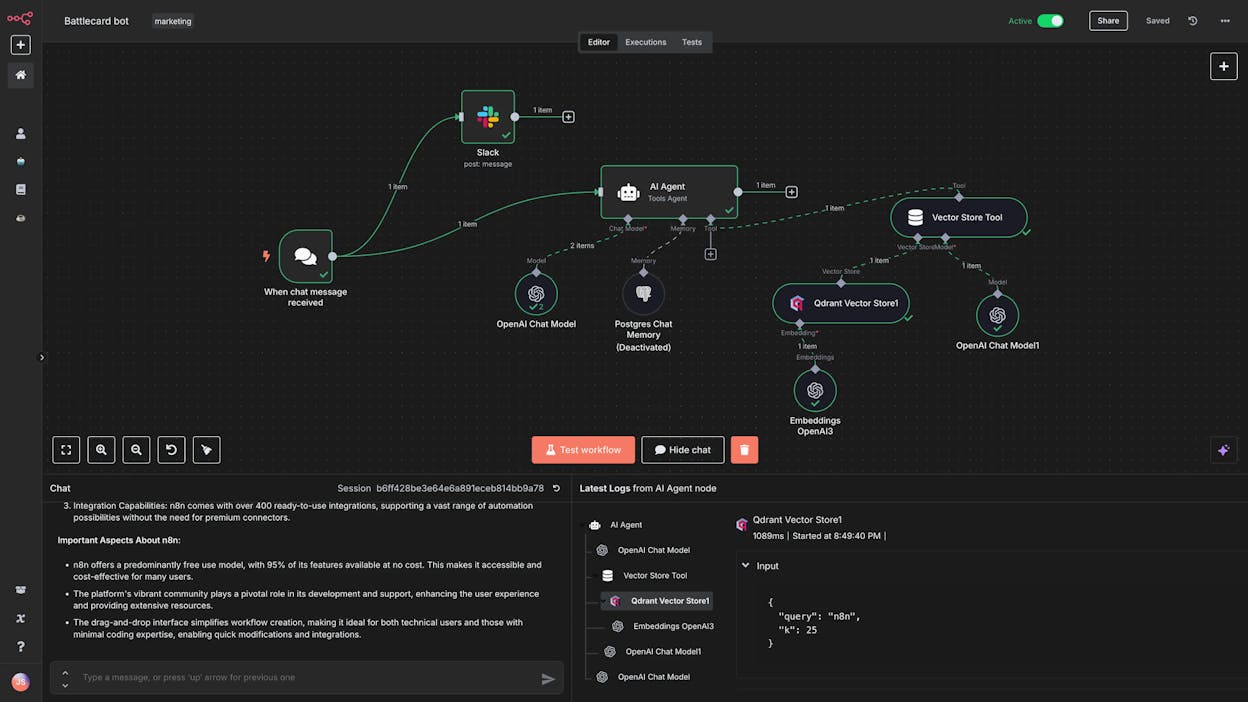
n8n is a workflow automation platform built for developers. It has a visual node-based editor similar to Make.com but leans heavily toward technical users who want full control over their infrastructure.
The biggest draw is self-hosting. You can run n8n on your own server for free with unlimited executions. That makes it attractive for teams with strict data privacy requirements or those who want to avoid per-execution pricing entirely. The trade-off is that you need a developer to set it up and maintain it.
n8n supports LLM integrations, but you bring your own API keys. There are no built-in marketing data sources like keyword research APIs or AI visibility tracking. You wire up each API connection yourself. If your team has the technical skills, you can build powerful workflows. If not, the learning curve is steep.
What you’ll like: Self-hosting with unlimited executions, a large community with tutorials, and support for complex multi-step workflows. What could be better: The interface can feel intimidating. There are no built-in marketing data nodes. And cloud pricing scales by execution count, which gets expensive at volume.
n8n pricing: Free (self-hosted), Starter at $24/month (2,500 executions), Pro at $60/month (10,000 executions), Business at $800/month with SSO and self-hosting options, and Enterprise at custom pricing.
3. Zapier
-
Best for: Non-technical teams who need reliable, set-it-and-forget-it automation
-
Pricing: Free, then $29.99/month
-
Standout feature: 7,000+ app integrations and rock-solid reliability
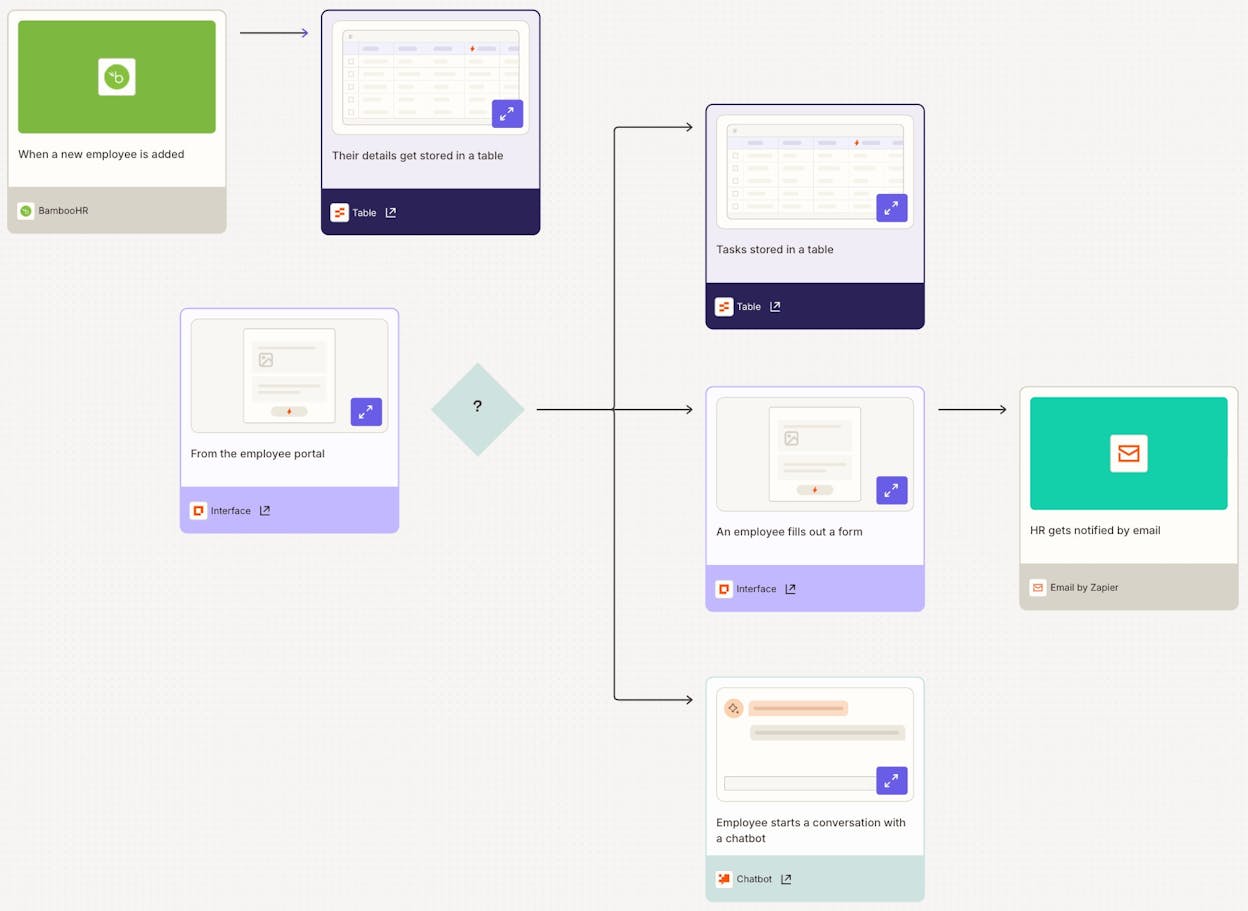
Zapier is the most established automation platform on this list. It connects more apps than any other tool, and the interface is clean enough that anyone on your team can build a workflow.
Zapier recently added AI features and agent capabilities, but these live on separate pricing plans. The core product is still a trigger-action automation tool, and it does that job very well. If you need to connect Slack to Google Sheets to your email tool, Zapier handles it reliably.
The downside is cost. Zapier charges per task (each action step counts as one task), and that adds up fast with multi-step workflows. A 5-step Zap running 100 times uses 500 tasks. The free plan only gives you 100.
What you’ll like: The widest integration library available, a user-friendly interface, and stable execution. What could be better: Pricing gets expensive at scale. AI workflows and agents require separate paid plans. And the platform still thinks in triggers and actions rather than end-to-end campaigns.
Zapier pricing: Free (100 tasks/month), Professional at $29.99/month (750 tasks), Team at $103.50/month (2,000 tasks with shared workspace), and Enterprise at custom pricing.
4. Relay.app
-
Best for: Small marketing and sales ops teams who need human approval steps
-
Pricing: Free, then $27/month
-
Standout feature: Human-in-the-loop approvals built into workflows
Relay.app is a workflow builder designed for teams that want AI-powered automation but don’t want to hand over full control. Its standout feature is human-in-the-loop steps, where a workflow pauses and asks a person to review, approve, or modify the output before continuing.
That makes it useful for marketing teams where someone needs to sign off on content, review a lead score, or approve a social post before it goes live. The platform integrates with common tools like Gmail, Slack, and Google Calendar, and it connects to LLMs for AI-powered steps.
The limitation is complexity. Relay.app handles straightforward linear workflows well, but it’s not built for the kind of multi-branch, data-heavy workflows that marketing ops teams need at scale. If your workflow involves looping through 50 blog posts, pulling SEO data for each one, and making branching decisions, you’ll hit the walls quickly.
What you’ll like: The approval-step feature is genuinely useful. The interface is clean and approachable. What could be better: Not built for complex, data-heavy workflows. No native SEO or marketing data integrations.
Relay.app pricing: Free (500 AI credits/month), Professional at $27/month (5,000 AI credits), Team at $98/month (10 users), and Enterprise at custom pricing.
5. Lindy AI
-
Best for: Customer support and sales teams who want pre-built AI agents
-
Pricing: Free, then $49.99/month
-
Standout feature: Pre-built AI employee templates for common business tasks
Lindy AI takes a different approach. Instead of giving you a blank canvas, it offers pre-built AI agents designed to act like virtual employees for specific roles. There are agents for customer support triage, meeting scheduling, CRM updates, and sales outreach.
For marketing teams, the use cases are narrower. Lindy AI works well if you need to automate repetitive administrative tasks like logging CRM notes or triaging inbound requests. But it doesn’t have native integrations with SEO tools, content management systems, or AI search analytics platforms. The marketing workflow surface is limited compared to platforms built specifically for content and GTM teams.
What you’ll like: Quick setup with pre-built agents. SOC 2 and GDPR compliant. What could be better: Focused on support and sales, not marketing. The $49.99/month starting price is higher than most tools on this list for what you get.
Lindy AI pricing: Free (400 credits/month), Pro at $49.99/month (5,000 credits), Business at $199.99/month (20,000 credits), and Enterprise at custom pricing.
6. IFTTT
-
Best for: Personal automation and simple home integrations
-
Pricing: Free, then $3.99/month
-
Standout feature: The cheapest automation tool available
IFTTT (If This Then That) is one of the oldest automation platforms. It’s built for simple, single-trigger automations like “when I post on Instagram, save the photo to Google Drive.”
For marketing teams, IFTTT is not a serious option. It has no LLM integration, no multi-step workflows, and no marketing data connectors. If you need marketing automation, look at the other tools on this list.
What you’ll like: Affordable and simple. What could be better: No AI capabilities. Not built for business use cases.
IFTTT pricing: Free (2 Applets), Pro at $3.99/month (20 Applets), Pro+ at $11.99/month (unlimited Applets with AI services).
7. Stack AI
-
Best for: Enterprise companies needing secure, compliant AI workflows
-
Pricing: Free tier, then custom enterprise pricing
-
Standout feature: Enterprise-grade security with SOC 2, HIPAA, and GDPR compliance
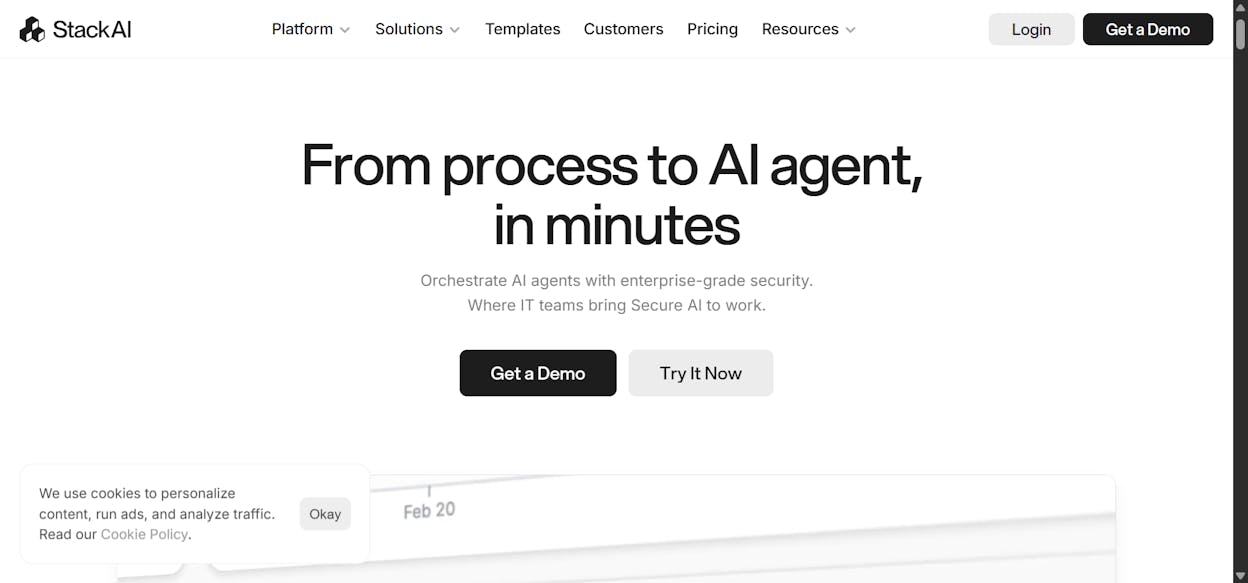
Stack AI is an enterprise AI agent builder with one of the cleanest interfaces in the space. It’s designed for large organizations (300+ employees) that need to build internal AI workflows with strict security requirements.
If you’re a startup or mid-size marketing team, Stack AI is likely overkill. The pricing reflects enterprise buyers. But if you work at a large organization and need AI workflows that comply with HIPAA, SOC 2, and GDPR, it checks those boxes.
What you’ll like: Beautiful UI. Enterprise security compliance. Free tier to test. What could be better: Enterprise-focused pricing puts it out of reach for smaller teams. Requires technical skills to build workflows.
Stack AI pricing: Free (500 runs/month), Enterprise at custom pricing with dedicated infrastructure and compliance certifications.
8. Integrately
-
Best for: Ecommerce businesses looking for budget-friendly automation
-
Pricing: Free, then $29.99/month
-
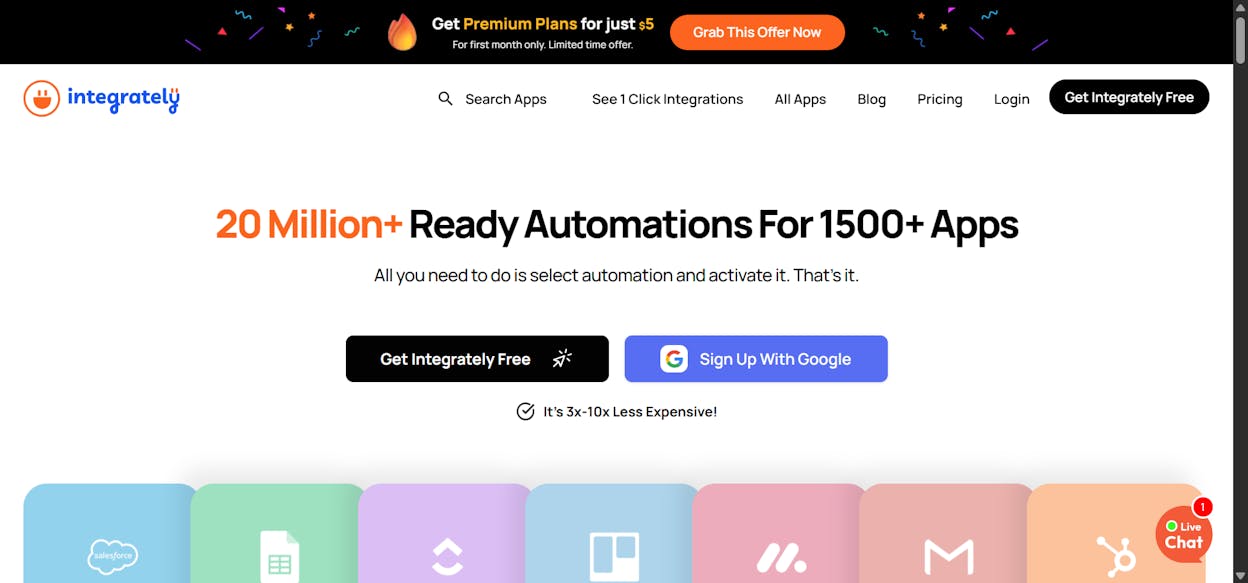
Standout feature: 20 million+ ready-made automations across 1,400+ apps
Integrately is a straightforward automation platform with a massive library of pre-built automations. It works well for ecommerce businesses that need to connect their store, CRM, email marketing tool, and shipping platform without building workflows from scratch.
The platform does not have meaningful AI features. It’s a connector tool, similar to Make.com but with more templates. For marketing teams that need content creation, SEO data, or AI-powered reasoning, Integrately is not the right fit.
What you’ll like: Huge library of ready-made automations. Budget-friendly pricing. What could be better: No AI or LLM capabilities. Limited for marketing teams beyond basic integrations.
Integrately pricing: Free (100 tasks), Starter at $29.99/month (2,000 tasks), Professional at $49/month (10,000 tasks), Growth at $124/month (30,000 tasks), and Business at $299/month (150,000 tasks).
Which Alternative Fits Your Team?
The right Make.com alternative depends on what you’re trying to build.
If you need a developer-first platform with self-hosting, go with n8n. If you need the most app integrations and a simple interface, Zapier is hard to beat. If you need enterprise security for AI workflows, check out Stack AI. And if you need personal automations on a budget, IFTTT is the cheapest option available.
But if you’re a marketing team, content operation, or agency that needs to combine SEO data, AI search visibility, content generation, CRM operations, and CMS publishing in a single workflow layer, Analyze AI is the platform built for that job. Its Agent Builder gives you 180+ nodes with integrations across GA4, GSC, Semrush, DataForSEO, HubSpot, and WordPress, plus 34 pre-built data recipes that eliminate setup overhead. You’re not wiring up API connectors. You’re building agents that understand your marketing stack.
You can start a free trial here and build your first agent in minutes.

Ernest

Ibrahim


