



Summarize this blog post with:


In this article, you’ll learn eight marketing automation workflows that go far beyond email sequences and lead nurturing. Each one is built to replace manual work that currently takes your team hours per week, from writing content at scale to monitoring how AI search engines talk about your brand.
Table of Contents
What is marketing automation with AI?
Marketing automation has existed for over a decade. You could connect a form to a spreadsheet, trigger a welcome email, or schedule social posts. Those automations still work, but they only handle logistics. They move data from point A to point B.
AI-powered marketing automation is different. It adds a reasoning layer on top. Instead of just moving data, the automation can research a topic, draft a blog post, score a lead, generate an image, and publish the result to your CMS. All in one workflow.
The difference is that you can now automate entire processes, not just individual tasks.
The best marketing automation tools in 2026 combine triggers that start the workflow automatically, data connectors that pull information from your existing tools, and LLM nodes that reason over that data. The result is an agent that can do what used to require a coordinator, a writer, an analyst, and a designer working together.
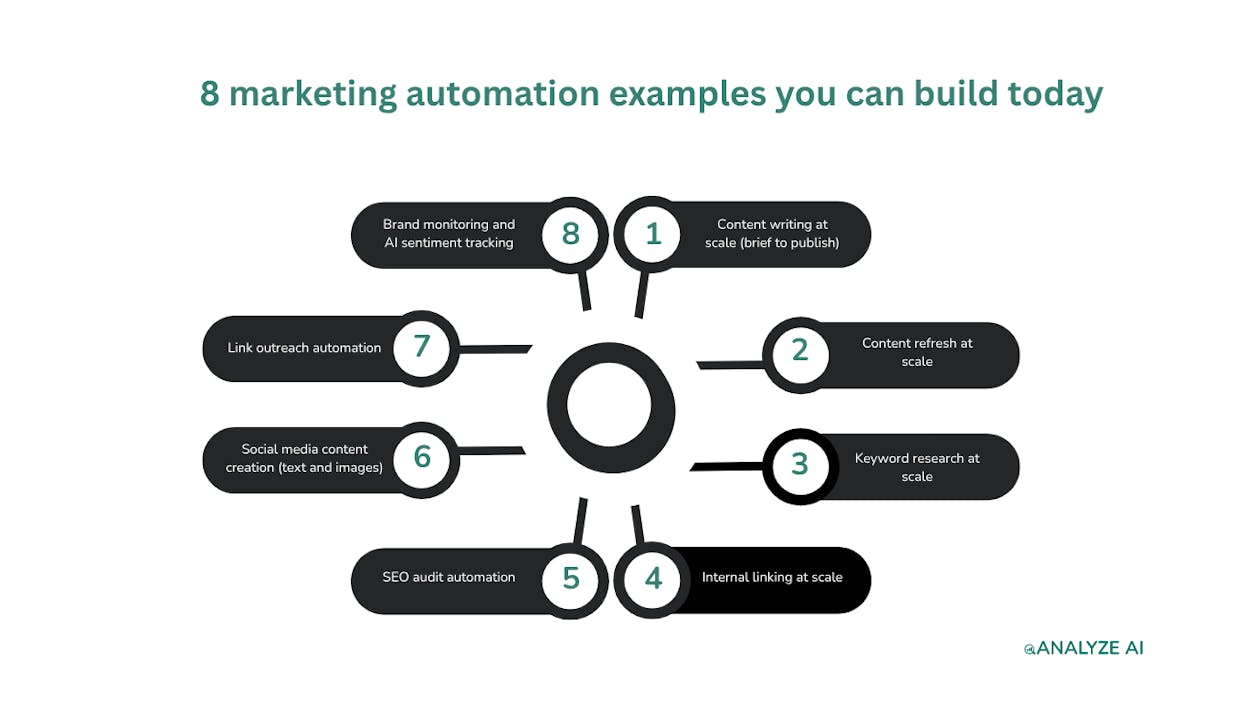
8 marketing automation examples you can build today
Here are the eight workflows, ordered from content production to monitoring.
1. Content writing at scale (brief to publish)
Who this is for: Content teams publishing 10+ articles per month who need to maintain quality and brand voice without burning out writers.
The biggest bottleneck in content marketing is not ideas. It is the pipeline from idea to published article. Research takes half a day. Outlining takes another few hours. The first draft takes a full day. Editing adds another round. Multiply that by 10 articles a month and you have a full-time writer doing nothing but grinding through the same steps.
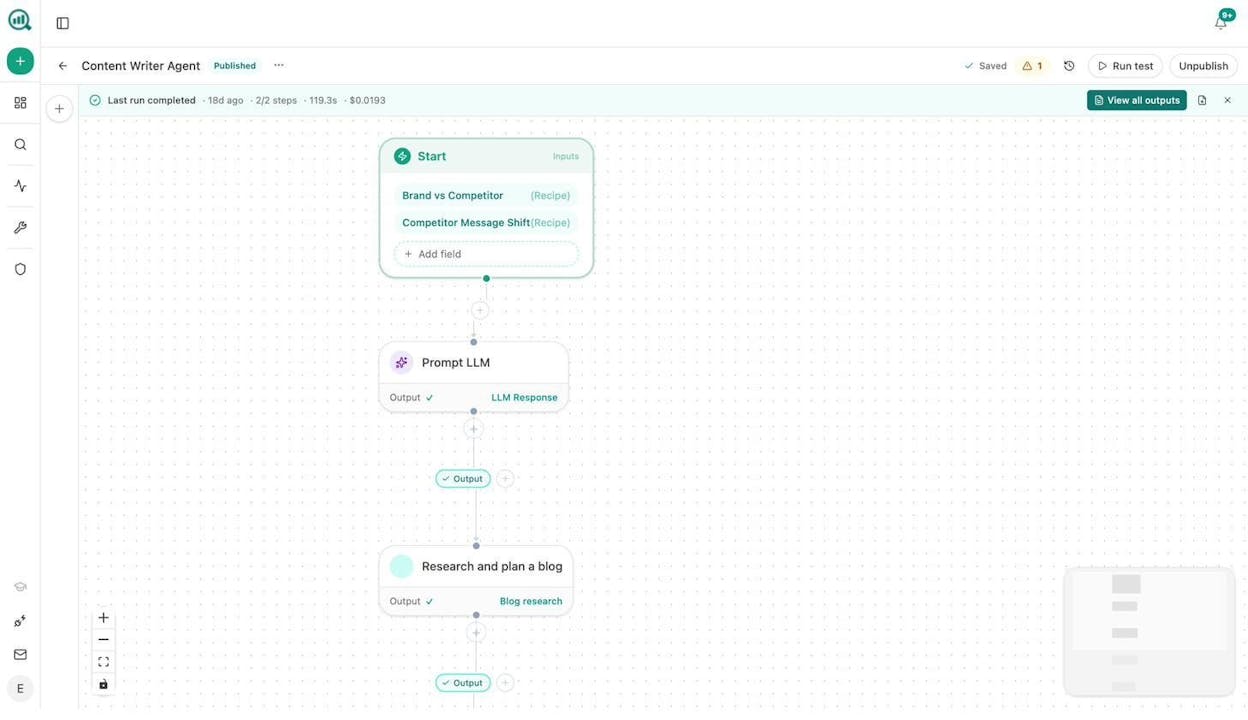
With Analyze AI’s Agent Builder, you can create an agent that runs this entire pipeline. The workflow looks like this: Start node takes a keyword or competitor URL as input. The agent feeds that into a Brand vs Competitor data recipe and a Competitor Message Shift recipe. A Prompt LLM node (Claude, GPT, or Gemini) analyzes the competitive landscape. Then the Generate Research, Generate Outline, and Generate Full Draft nodes produce a complete article with your brand voice injected from the Brand Vault.
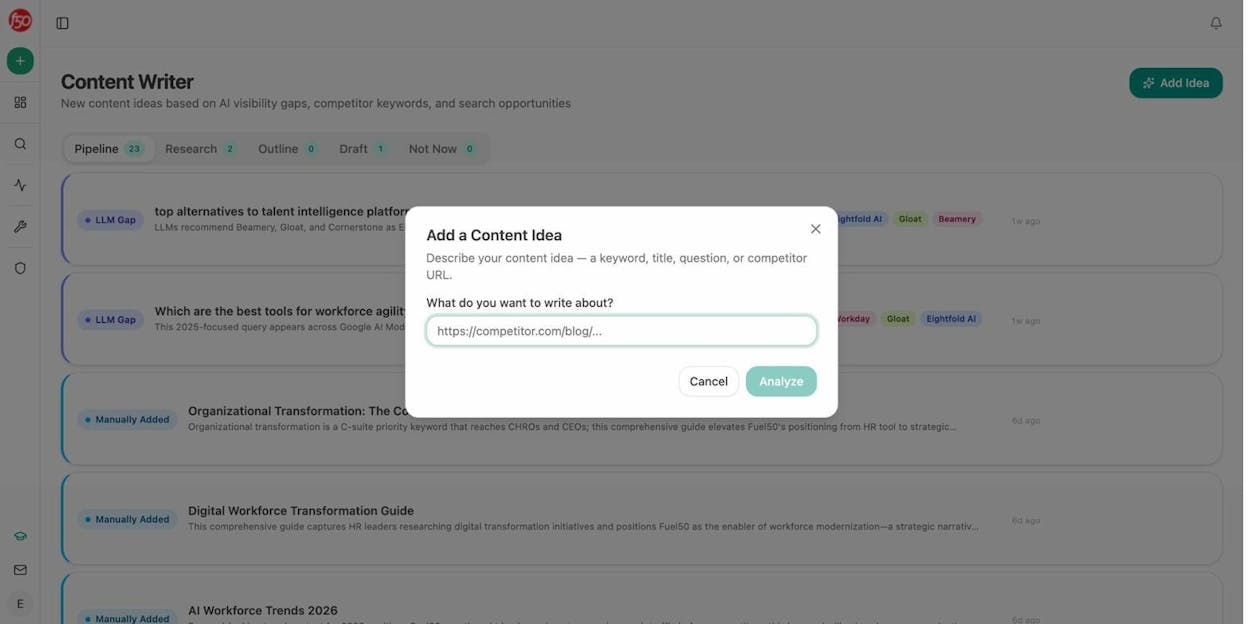
The output flows directly into the Content Writer, where your editor reviews the draft with AI-generated editorial comments already in place. If you add a Conditional node, you can gate publication on a content score. Articles scoring above 80 go straight to WordPress. Articles below 80 get sent back to a Slack channel with the specific gaps listed.
The workflow also injects your Knowledge Base, your tone rules, and your list of disallowed phrases. That means every article sounds like your brand, not like generic AI output.
You can also add a Blog Featured Image node and an Infographic Generator node to produce visuals for every article. These nodes are brand-kit-aware, so images match your design system without a designer touching them.
What makes this different from ChatGPT: ChatGPT gives you a draft. This gives you a pipeline with research, competitive data, editorial review, quality gates, image generation, and CMS publishing in one click.
2. Content refresh at scale
Who this is for: SEO teams managing large sites where dozens of pages lose traffic every month without anyone noticing.
Most content teams publish new articles and forget about old ones. But on a site with hundreds of pages, content decay is constant. Pages that ranked last year quietly drop. Stats become outdated. Competitor articles get refreshed and overtake yours.
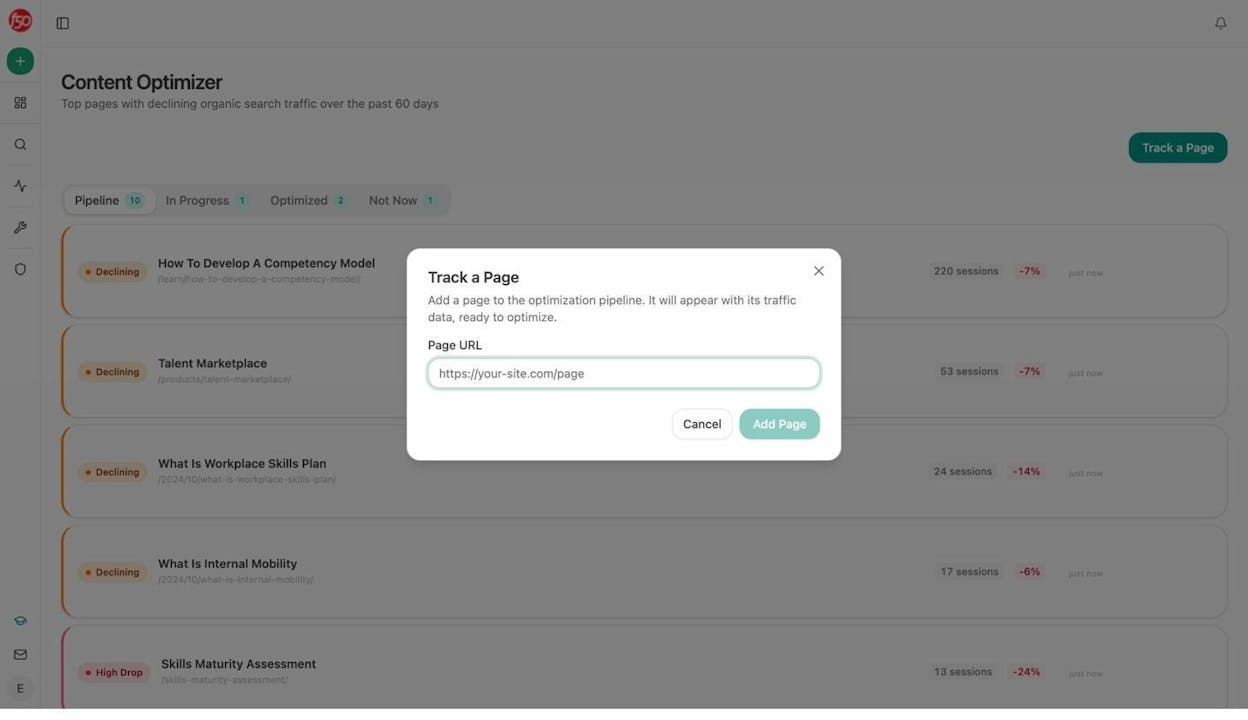
The Content Optimizer in Analyze AI already surfaces your declining pages with traffic data from Google Analytics. But the real power is automating the entire refresh cycle with an agent.
Here is the agent workflow: Schedule it to run weekly. The agent pulls the stale-content and declining-pages data recipes, which return pages that have not been updated in 90+ days and pages losing sessions month over month. A Loop node iterates over each page. For each one, a Web Page Scrape node fetches the current content. A Prompt LLM node rewrites sections for freshness while keeping the brand voice intact (injected from the Vault). A Conditional node checks whether the rewrite is substantive enough to warrant an update. If yes, a WordPress Update Post node pushes the refresh live.
The entire “content audit” process that agencies charge thousands for now runs in the background every Monday morning.
AI search angle: Pages that lose citations in AI search results are a leading indicator of content decay. The citation-decay-alert data recipe in Analyze AI flags pages that are losing AI citations faster than they are losing Google traffic. You can feed this directly into your refresh agent, so you are fixing visibility problems in both channels from the same workflow.
3. Keyword research at scale
Who this is for: SEO strategists and agency teams who need keyword research across multiple clients or topic clusters without spending hours in spreadsheets.
Manual keyword research follows the same pattern every time. Open a keyword tool, type in a seed keyword, export the results, filter for volume and difficulty, group by intent, then build a content calendar. This process takes 2-4 hours per topic cluster. Do it for five clients and you have lost a full week.
In the Analyze AI Agent Builder, you can wire together DataForSEO Ranked Keywords, Keyword Ideas, and Get Search Volumes nodes with Semrush Domain Overview and Keyword Research nodes. Add a Prompt LLM node to cluster the results by topic and intent. Finish with a CSV or Excel export node that delivers a ready-to-use keyword map.
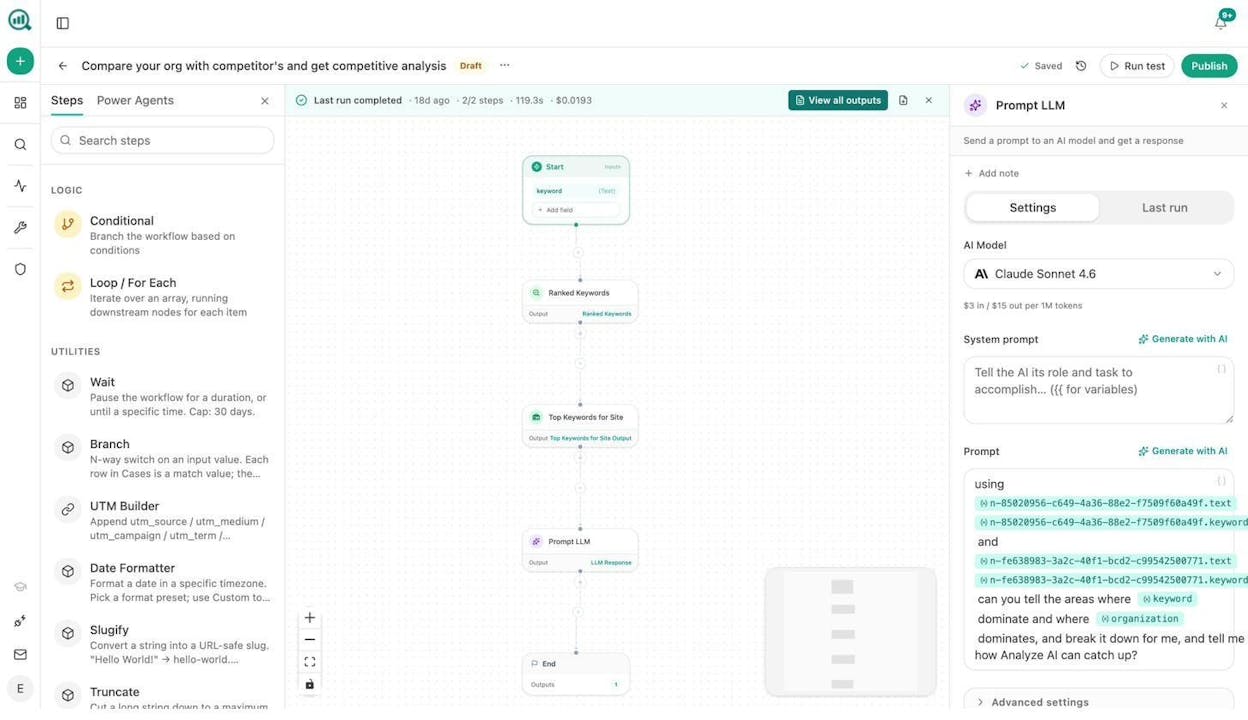
The agent takes a seed keyword or competitor domain as input and returns a clustered keyword plan in under two minutes. No tab-switching between tools. No manual exports. The Sheets feature in Analyze AI also lets you run this research across hundreds of keywords in batch, with results populating a spreadsheet-style interface.
You can also use Analyze AI’s free Keyword Generator, Keyword Difficulty Checker, and Keyword Rank Checker for quick manual checks before running the full agent.
AI search angle: Traditional keyword research misses prompts that people ask AI engines. Analyze AI’s Prompt Discovery feature shows the actual questions people are asking ChatGPT, Perplexity, and Gemini in your category. You can feed these prompts into your keyword research agent as an additional data source, so your content plan covers both Google queries and AI search queries.
4. Internal linking at scale
Who this is for: Content and SEO teams managing sites with 500+ pages where manual internal linking audits are no longer feasible.
Internal linking breaks down at scale. Writers do not know what other pages exist. Editors do not have time to check. The result is orphan pages, missed topical connections, and link equity that pools at the top of the site instead of flowing to pages that need it.
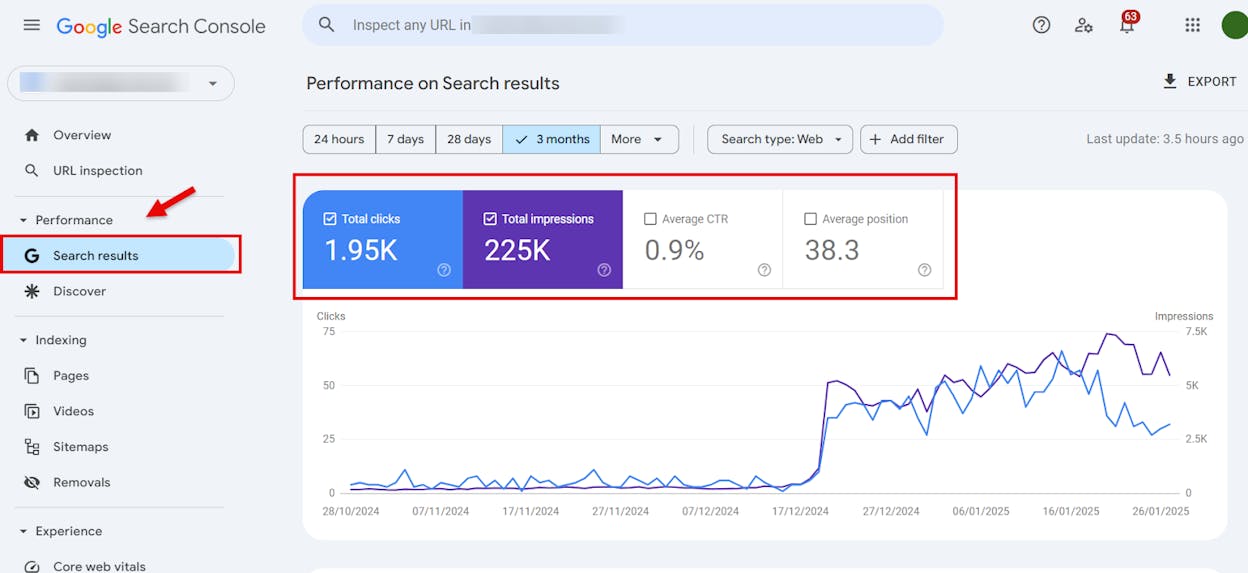
Here is the automation: Schedule a weekly agent. The Start node takes your sitemap URL. A Get Sitemap node fetches all URLs. A Loop node iterates over each page. For each page, a Google Search Console Top Keywords for Page node pulls the keywords that page ranks for. A Prompt LLM node cross-references those keywords against the titles of all other pages on the site and suggests 3-5 internal links per page. The output goes to a Notion task board or directly to a CSV export.
This is the same process a dedicated SEO analyst would follow, except it runs every week without anyone thinking about it. On a 1,600-page site, manually auditing internal links would take days. The agent does it in minutes.
For a deeper dive on internal linking strategy, check out our SEO tips guide.
5. SEO audit automation
Who this is for: Agency owners and freelance SEOs who need to produce detailed audit reports for clients without spending a full day pulling data from five different tools.
An SEO audit typically requires pulling data from Google Search Console, running a crawl, checking Core Web Vitals, reviewing backlinks, and analyzing on-page elements. Then you need to assemble all of that into a coherent report. For agency teams, this happens for every new client and every quarterly review.
The Analyze AI Agent Builder has 27 DataForSEO nodes and 7 Semrush nodes built in. You can create an audit agent that takes a domain as input and runs On-Page SEO Analysis, Lighthouse Audit, Domain Overview, Backlinks Overview, and Ranked Keywords in parallel. A Prompt LLM node synthesizes the findings into an executive summary. An Export to PDF or DOCX node packages the report with your branding.
For agencies, the Loop node is where the margin lives. Build one audit agent and loop it across your client list. Every client gets a fresh audit report delivered to their account manager every month, without any analyst touching a keyboard.
You can also use Analyze AI’s free SEO audit tools and Website Authority Checker for quick checks.
AI search angle: A standard SEO audit only covers Google. But your brand also appears (or does not appear) in AI search results. The AEO Content Scorecard node audits any URL for AI Engine Optimization readiness, scoring structure, freshness, claim density, and citation mapping. Add it to your audit agent and you deliver a report that covers both traditional search and AI visibility in one document. That is a deliverable your competitors are not offering yet.
6. Social media content creation (text and images)
Who this is for: Marketing teams that need a steady stream of social media posts without a dedicated designer or social media manager.
Most social media automation tools help you schedule posts. They do not help you create them. The actual bottleneck is not publishing. It is producing the text, the images, the carousels, and the short-form videos consistently.
In the Analyze AI Agent Builder, you can build a social media content agent that works like this: A scheduled trigger runs every Monday. The agent pulls your best-performing blog posts from the last week using GA4 nodes. A Prompt LLM node repurposes each article into three social posts (LinkedIn, X, and a newsletter teaser). A Social Media Image node generates branded graphics for each post. The output goes to a Google Sheet or Notion board where your social media manager reviews and schedules.
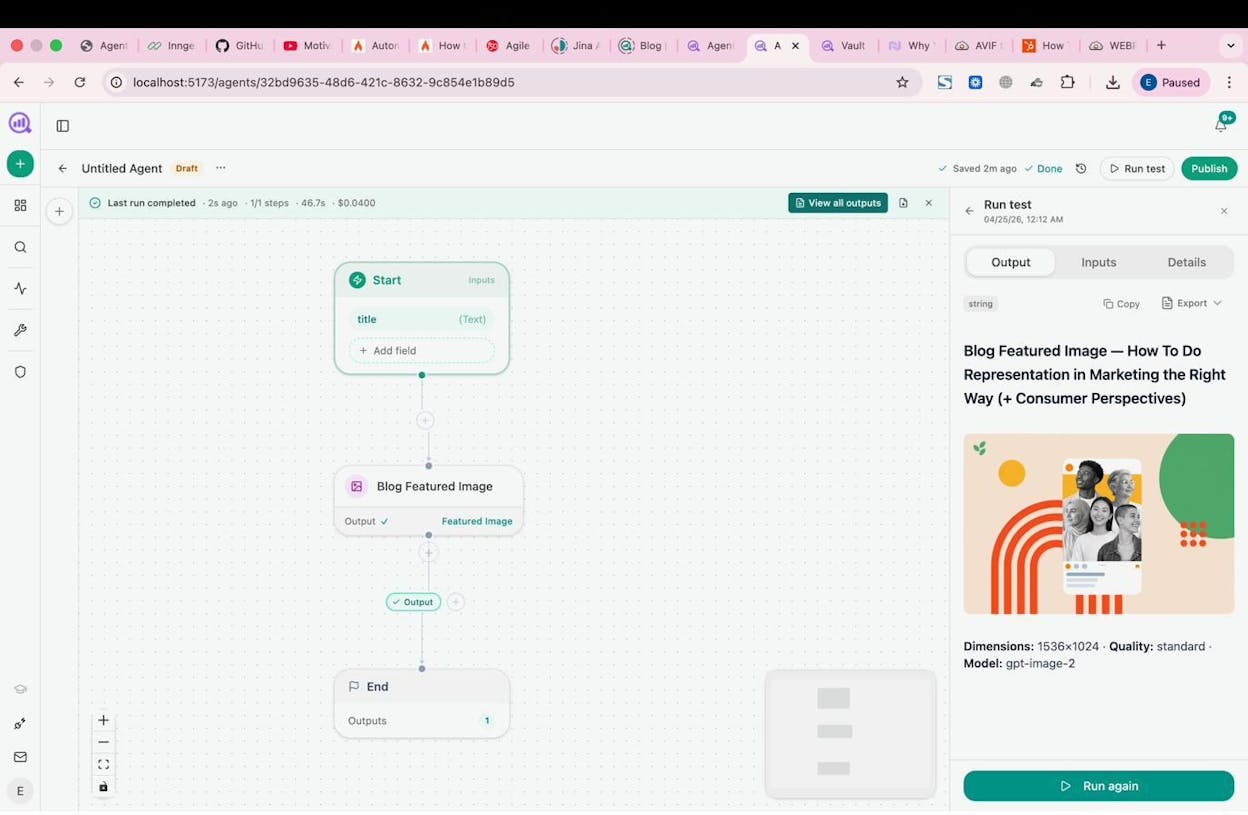
The Social Media Image, Infographic Generator, and Illustrate Any Text nodes are all brand-kit-aware. That means they pull your colors, fonts, and design guidelines from the Brand Vault automatically. No Canva. No back-and-forth with a designer for simple assets.
You can also wire in a Web Page Scrape node that monitors competitor social accounts and feeds their topics into your content calendar as inspiration.
7. Link outreach automation
Who this is for: SEO and PR teams running link building campaigns who want to find prospects, verify emails, and send personalized pitches without manual research.
Link building outreach is one of the most time-consuming activities in SEO. Finding relevant sites, locating the right contact, verifying their email, personalizing the pitch, and following up. Most of this is repetitive research that follows the same pattern for every prospect.
The agent workflow looks like this: Start with a DataForSEO Brand Mentions node or a News Research node to find sites that mention your topic but do not link to you. A Tomba Author Finder node pulls the email address of the article author. A Hunter Email Verifier node confirms the email is valid. A Prompt LLM node drafts a personalized outreach email using the article content and your brand context from the Vault. A Send Email node delivers the pitch. Every contact gets logged to HubSpot via a Create or Update Contact node.
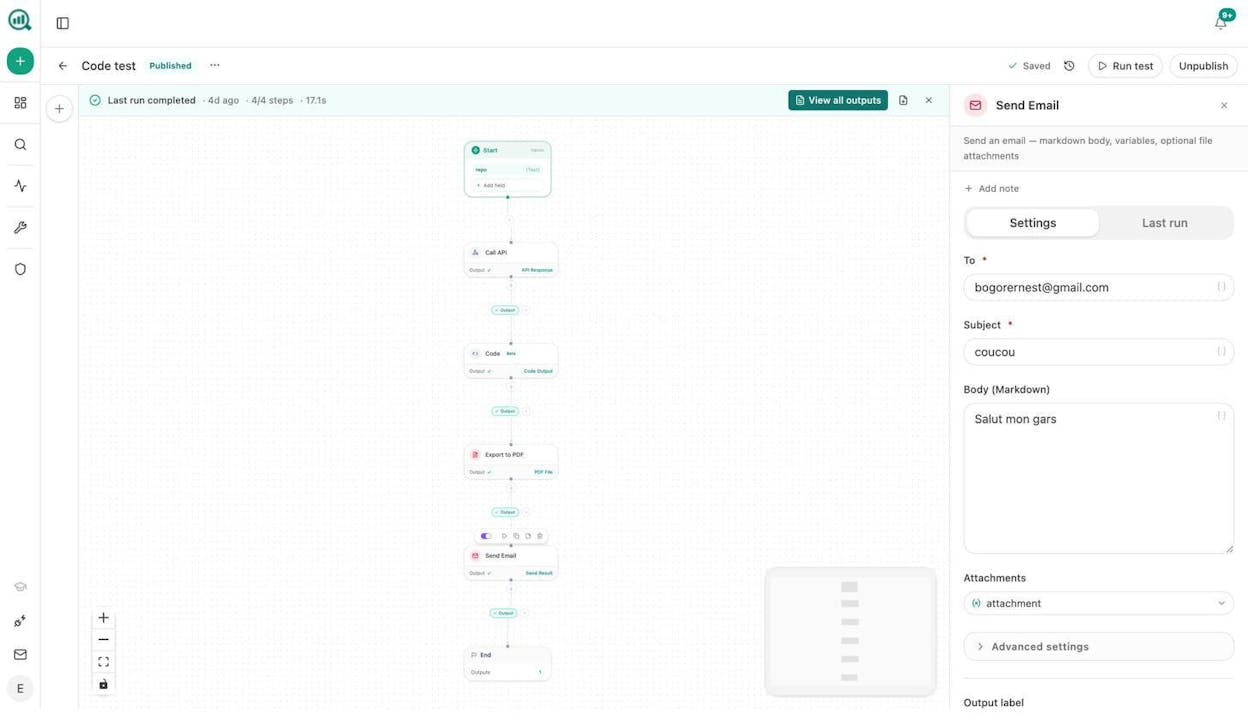
You can schedule this agent to run daily. Every morning, it finds new link prospects, verifies their emails, drafts personalized pitches, and queues them for your review. What used to take an SDR or link builder 20 hours a week now runs in the background.
For outreach email tips, see our guide on writing outreach emails that get opened.
8. Brand monitoring and AI sentiment tracking
Who this is for: Brand and communications teams that need to know what people (and AI engines) are saying about them in real time.
Traditional brand monitoring covers social media and news. But in 2026, you also need to monitor what ChatGPT, Perplexity, Gemini, and Copilot say about your brand. A negative sentiment shift in AI answers can quietly steer thousands of potential buyers away from you before your team even notices.
Analyze AI’s AI Sentiment Monitoring tracks how every major AI engine portrays your brand. The Perception Map shows where you sit relative to competitors on a visibility-versus-narrative-strength grid. And the Weekly Email Digests deliver a prioritized summary of changes every Monday morning without anyone logging in.
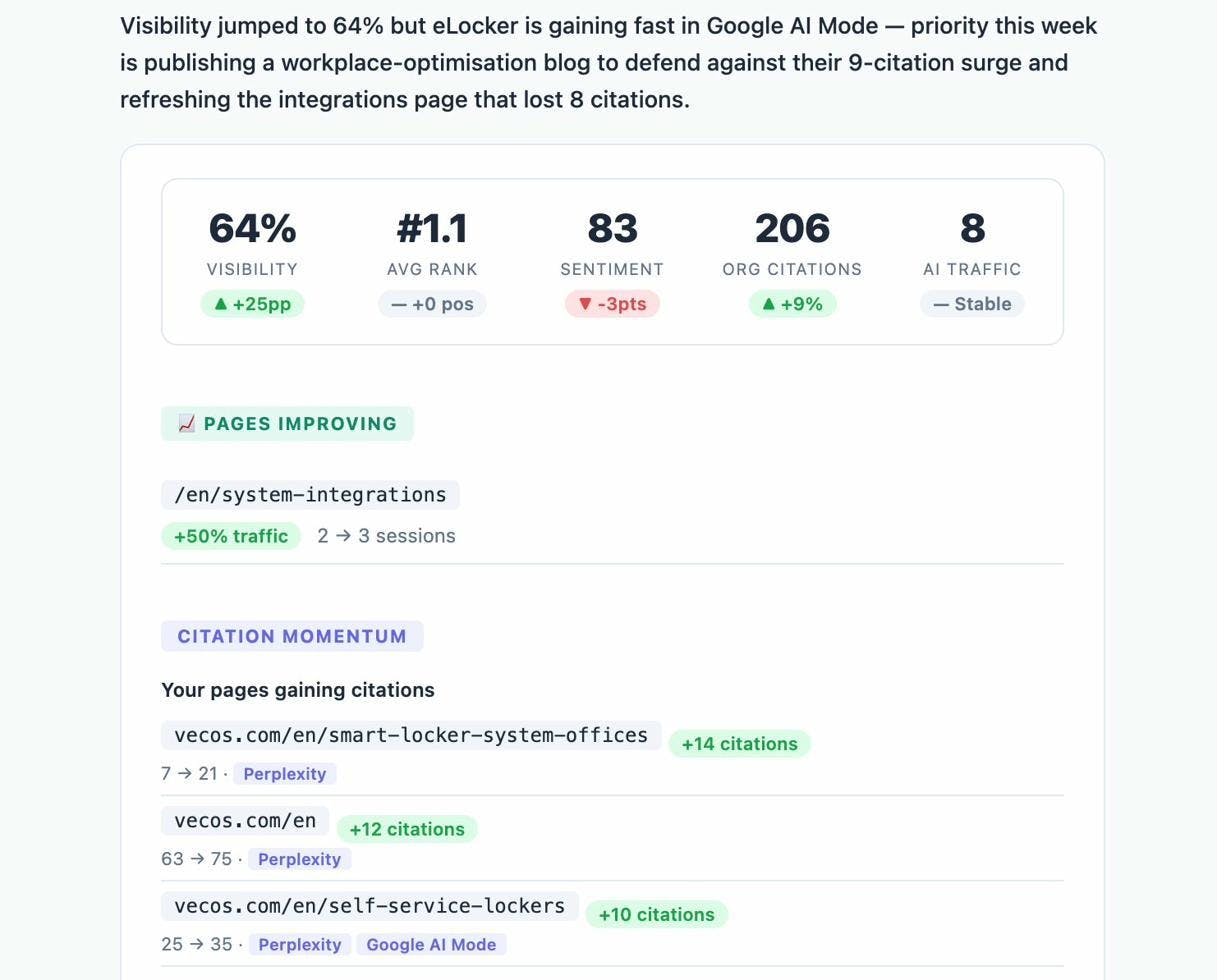
But monitoring is only half the job. With the Agent Builder, you can create an automated response system. Schedule an agent to run the sentiment-alerts data recipe every morning. If sentiment drops below your threshold on any AI engine, the agent triggers a Slack notification with the specific prompt, the engine, and the exact negative narrative. A Prompt LLM node drafts three response options, including a counter-narrative blog post, a press statement, and a product page update. Your comms team reviews and acts. The gap between “something went wrong” and “we have a plan” shrinks from days to minutes.
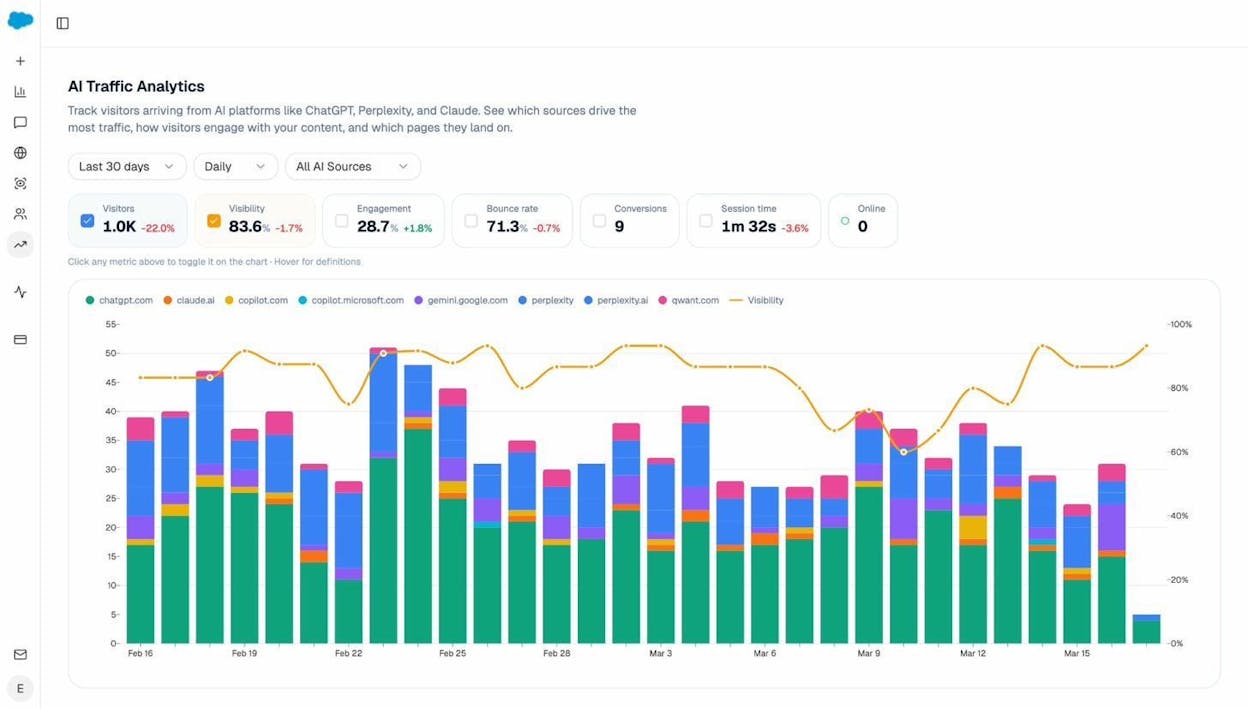
You can also pair this with AI Traffic Analytics to see whether sentiment changes actually affect your traffic from AI engines. If Gemini starts saying negative things about your pricing and your Gemini referral traffic drops, you have a direct line from perception to pipeline impact.
How to get started with marketing automation
You cannot automate what you have not done manually first. Every workflow above started as a process that someone on the team did by hand. The automation came after the process was proven.
Here is the practical path. First, pick the workflow that eats the most time on your team right now. For most content teams, that is either content production (#1) or content refresh (#2). For agencies, it is audit reports (#5). For brand teams, it is monitoring (#8).
Second, build it manually once. Document every step, every tool you open, every decision you make. This becomes the blueprint for your agent.
Third, open the Analyze AI Agent Builder and wire together the nodes that match your manual steps. The Agent Builder has 180+ nodes spanning GA4, Google Search Console, Semrush, DataForSEO, HubSpot, WordPress, Notion, Mailchimp, and every major LLM. You are not building on a limited automation layer. You are composing from the same data sources and integrations you already use, with an LLM reasoning layer on top.
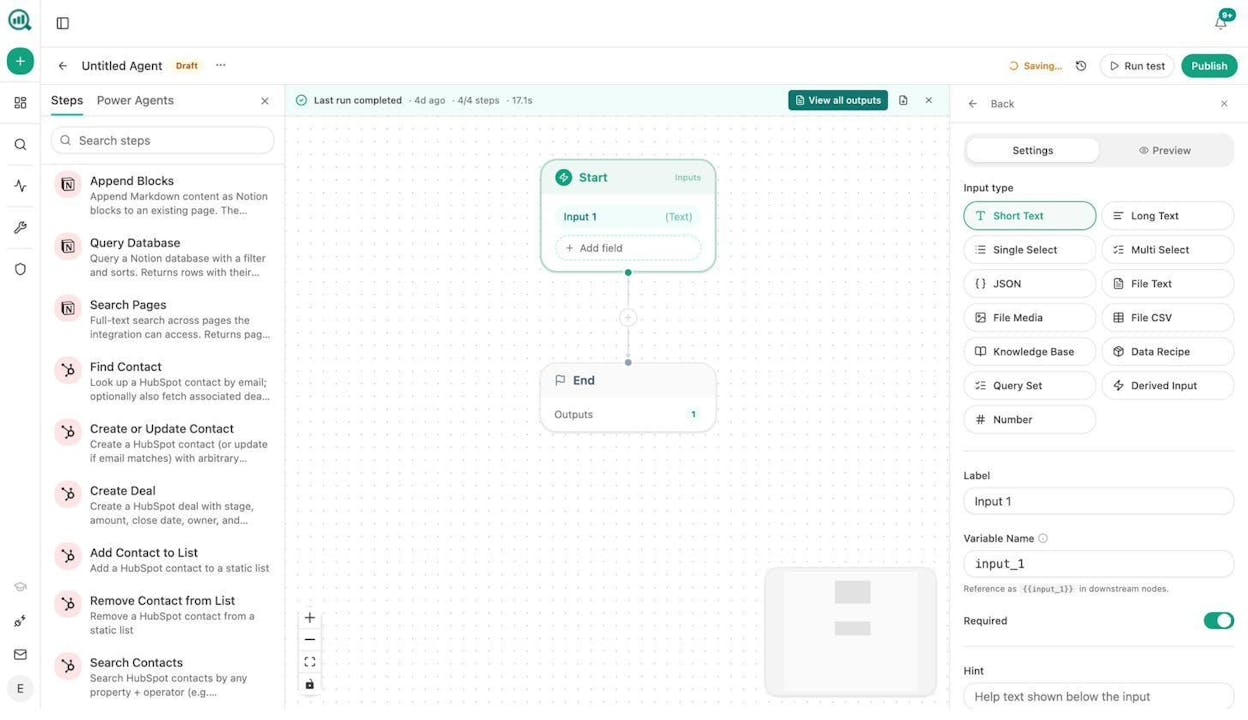
Start with a manual trigger. Run it a few times. Fix the prompts. Once the output is consistent, switch to a scheduled or webhook trigger and let it run. That is how you go from “marketing automation” as a buzzword to marketing automation as an operating system for your team.
You can also explore Analyze AI’s Sheets feature for batch operations, and the AI Battlecards to stay ahead of competitors across both traditional search and AI search.
Start your free trial and build your first marketing automation agent today.

Ernest

Ibrahim


