



Summarize this blog post with:


Julius AI is a solid tool for uploading a CSV and asking questions in plain English. It handles visualizations, forecasts, and basic statistical analysis well. But if you run a marketing team, you already know the problem. Your data lives across GA4, Google Search Console, your CRM, your CMS, and now AI search engines. A tool that only reads spreadsheets creates more manual export work, not less.
The alternatives below are evaluated through a marketing lens. Not just “can it make a chart,” but “can it help you write content, track AI visibility, run competitive intelligence, and automate the reporting you do every week?”
In this article, you’ll learn which Julius AI alternatives actually help marketing teams move from raw data to decisions, why most data analysis tools fall short for content and campaign workflows, and which platform connects your marketing data to revenue instead of just generating charts.
Table of Contents
What to Look for in a Julius AI Alternative
Before picking a tool, figure out what your marketing team actually needs from a data platform. Here are the criteria that matter most.
Marketing data integrations. Does it connect to GA4, Google Search Console, your CRM, and your ad platforms natively? If you have to export a CSV every time you want to analyze campaign performance, the tool is creating work instead of eliminating it.
Natural language querying. Can you ask a question in plain English and get a useful answer? This is table stakes. Every tool on this list does this to some degree.
Content and SEO capabilities. Can the tool help you go from insight to action? Finding that your organic traffic dropped 15% is useful. Getting a list of pages to optimize, with specific recommendations, is more useful. Getting those pages rewritten and published automatically is a different league.
AI search visibility. This is the new blind spot. Your brand now appears (or doesn’t) in ChatGPT, Perplexity, Gemini, and Copilot answers. Most data analysis tools have zero visibility into this channel. The ones that do give you a meaningful edge.
Automation and reporting. Can it run reports on a schedule and deliver them to Slack or email? If your Monday morning involves manually pulling the same dashboards every week, that time is recoverable.
Pricing transparency. Some tools charge per user per month. Others charge per query. A few lock critical features behind enterprise tiers. Know what you are paying for before you commit.
7 Best Julius AI Alternatives for Marketing Teams
-
Analyze AI
-
ChatGPT (Advanced Data Analysis)
-
Tableau
-
Microsoft Power BI
-
Rows
-
ThoughtSpot
-
Coefficient
1. Analyze AI
-
Best for: Marketing teams that need data analysis, content creation, AI visibility tracking, and workflow automation in one platform
-
Pricing: Starts at $99/month (Growth), $250/month (Pro), Custom for enterprise. Free trial available. Unlimited seats on all plans.
-
What makes it different: The only platform on this list with a full Agent Builder (180+ nodes, 34 pre-built data recipes), a built-in Content Writer, a Content Optimizer, and native AI search visibility tracking across ChatGPT, Perplexity, Gemini, Copilot, and Claude.
Analyze AI is the agentic platform for SEO, AEO, content, and GTM ops. Where Julius AI stops at analyzing your spreadsheet, Analyze AI connects directly to GA4, Google Search Console, Semrush, DataForSEO, HubSpot, WordPress, Notion, and every major LLM to give you a complete picture of your marketing performance, including AI search.
Here is what that looks like in practice.
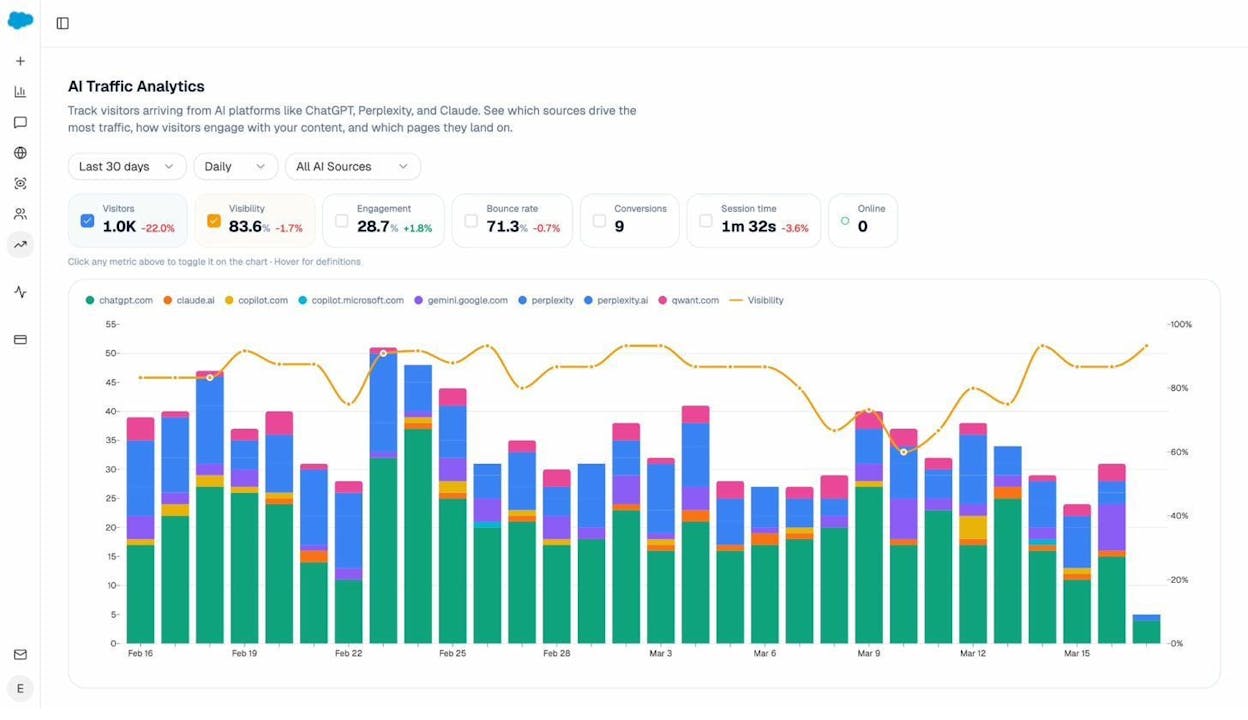
Track how AI search engines drive real traffic. The AI Traffic Analytics dashboard connects to your GA4 property and shows exactly how many visitors come from ChatGPT, Perplexity, Gemini, and other AI engines. You see which pages they land on, how they engage, and whether they convert. This is the data your CMO will ask about in the next board meeting, and most tools have no answer.
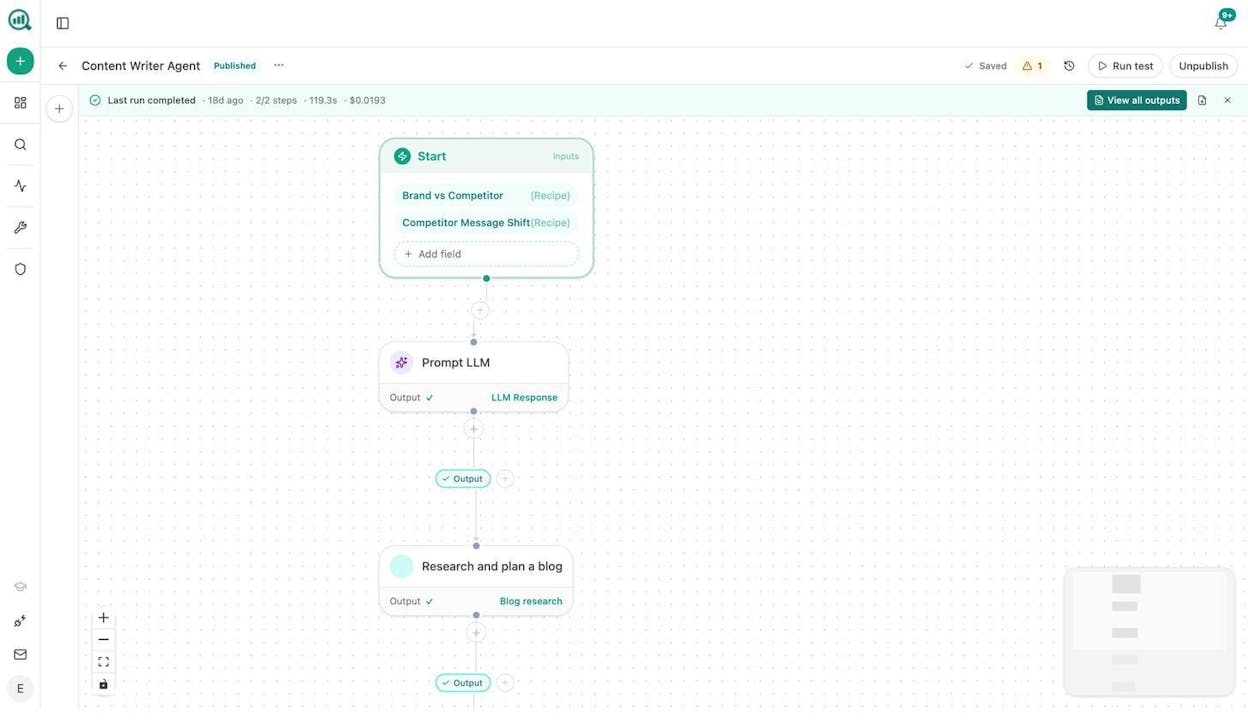
Build agents that run your marketing ops. The Agent Builder is not a simple automation layer. It is a programmable substrate with 180+ nodes spanning GA4, GSC, Semrush, DataForSEO, HubSpot, Notion, WordPress, Contentful, Mailchimp, and all major LLMs. You can build agents that run keyword research at scale, refresh stale content automatically, generate weekly competitive intelligence reports, enrich inbound leads, and distribute content across channels. Each agent can be triggered manually, on a schedule, or via webhook.
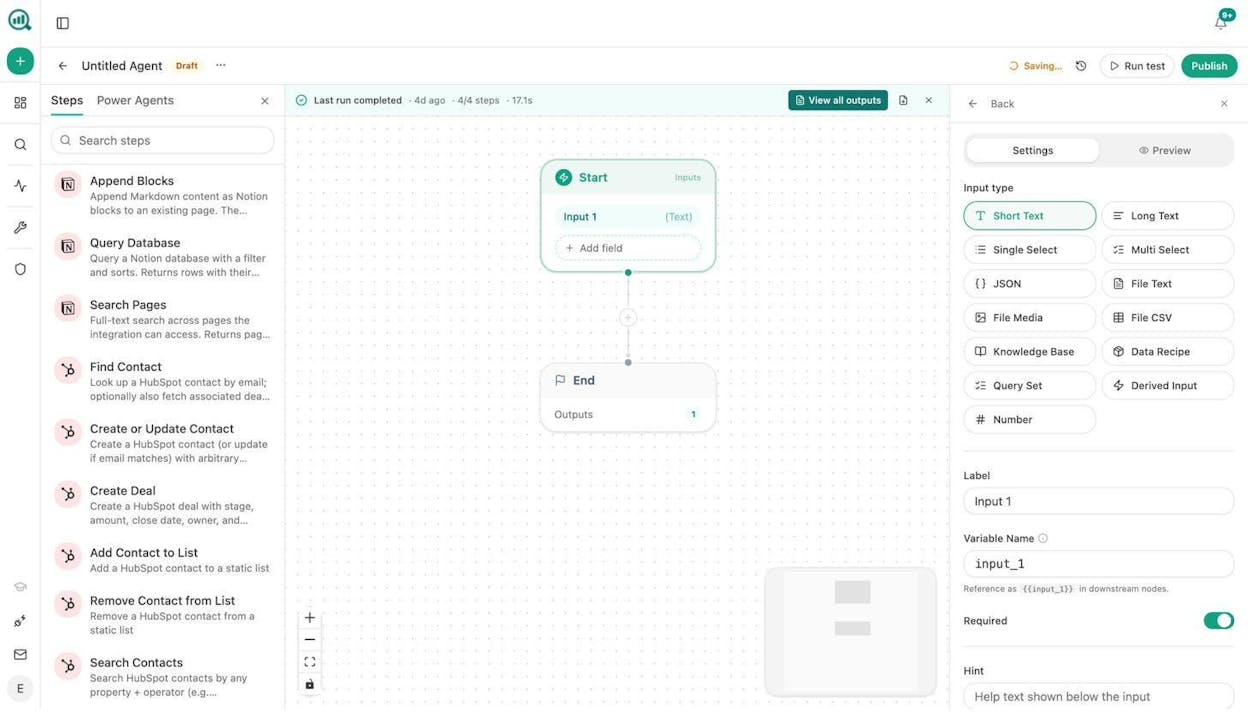
For example, you could build a content refresh agent that runs every Monday. It pulls your declining pages from GA4, identifies the ones losing AI citations, rewrites each page using your brand voice from the Brand Vault, scores the rewrite against AI optimization criteria, and publishes the update to WordPress if it passes the quality gate. That workflow would normally take a content team two full days. The agent runs in minutes and costs cents.
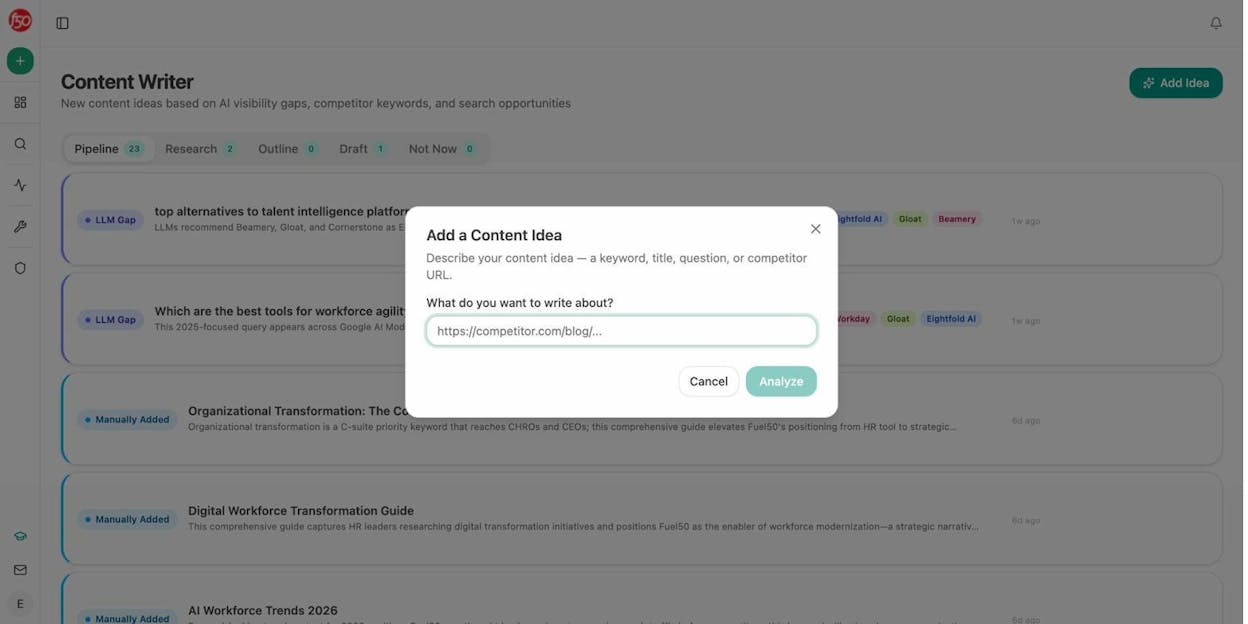
Write and optimize content built for both search engines and AI. The Content Writer takes a keyword, competitor URL, or content idea and moves it through a research, outline, and drafting pipeline with editorial comments at every step. The Content Optimizer audits existing pages for argument gaps, missing entities, and citation opportunities, then rewrites them with your brand voice injected.
Run competitive intelligence across AI search. The Competitor Intelligence dashboard shows which brands AI engines recommend instead of yours, on which prompts, and how that changes over time. The platform even suggests competitors you should be tracking based on which entities appear alongside your brand in AI answers.
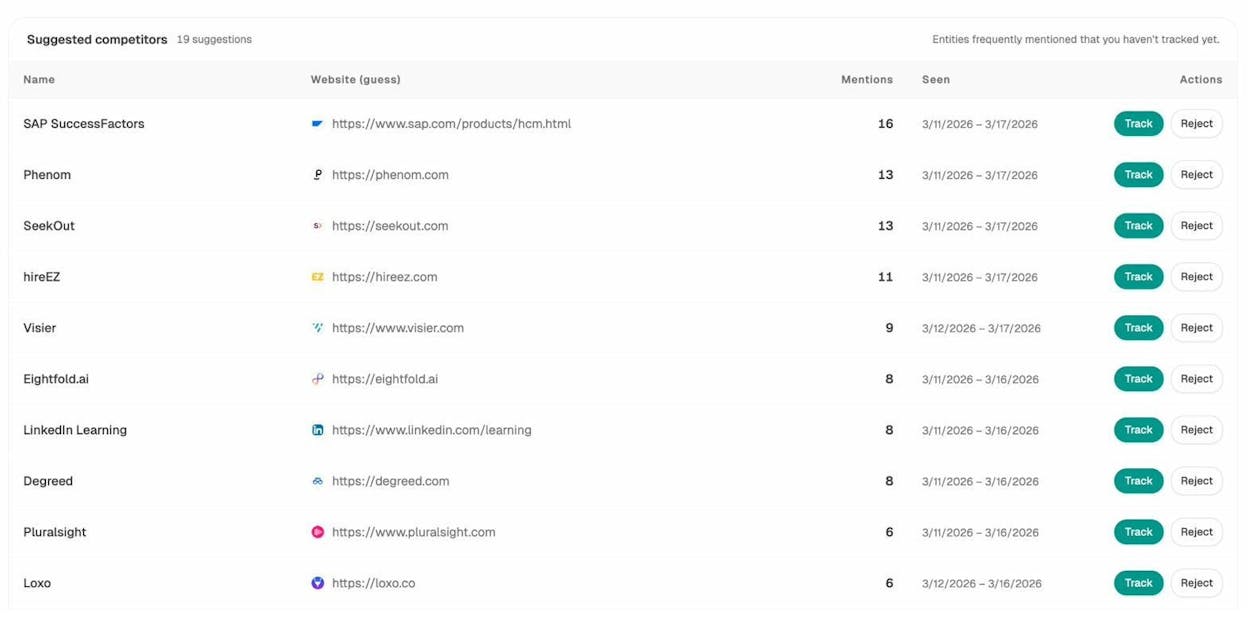
When to use Analyze AI over Julius AI. Choose Analyze AI if you need more than spreadsheet analysis. If your team creates content, tracks SEO performance, monitors AI search visibility, runs competitive intelligence, or automates reporting across marketing channels, Analyze AI handles all of that in one platform. Julius AI is a data analysis tool. Analyze AI is the operations layer for your entire marketing and content function.
The Agent Builder alone gives you capabilities that would otherwise require separate subscriptions to a workflow automation tool, a content writing tool, an SEO research tool, and an AI visibility tracker. With 180+ production-ready nodes, 34 data recipes, integrations with GA4, GSC, Semrush, DataForSEO, HubSpot, WordPress, and every major LLM, the number of workflows you can build is effectively unlimited. You can use agents to generate social media images, design infographics, produce blog featured images, create internal linking strategies at scale, run link outreach campaigns, and much more.
Analyze AI also offers a suite of free SEO tools including a Keyword Generator, Keyword Difficulty Checker, SERP Checker, Website Traffic Checker, and Broken Link Checker.
2. ChatGPT (Advanced Data Analysis)
-
Best for: Quick, one-off analysis when you need a fast answer and already pay for ChatGPT Plus
-
Pricing: Free tier available. Plus at $20/month. Pro at $200/month.
-
What makes it different: You already use it. The Advanced Data Analysis mode lets you upload CSVs, Excel files, and PDFs, then ask questions in natural language.
ChatGPT’s data analysis mode is the tool most marketers reach for first. Upload your Google Ads export, ask “which campaigns had the highest CPA last month,” and you get an answer in seconds. It can generate charts, run statistical tests, and write Python code behind the scenes.
The strength is speed and accessibility. There is no setup, no integrations to configure, and no learning curve beyond typing a question.
The limitation is persistence. Every session starts fresh. Your datasets are not saved between conversations. You cannot schedule a report, connect it to your CRM, or build a workflow that runs automatically. For recurring analysis, you end up re-uploading the same files every week.
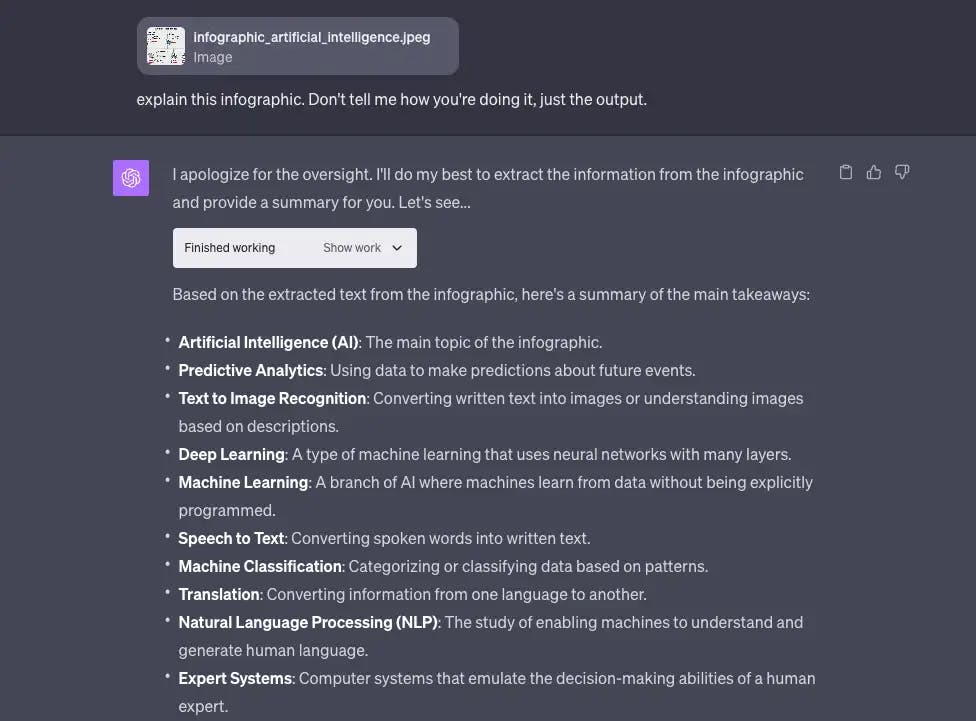
When to use ChatGPT over Julius AI. Choose ChatGPT if you need a quick answer from a single dataset and do not want to sign up for another tool. It is best for ad hoc exploration, not for building repeatable marketing workflows.
3. Tableau
-
Best for: Enterprise teams with dedicated analysts who need complex, interactive dashboards
-
Pricing: Creator at $75/user/month. Explorer at $42/user/month. Viewer at $15/user/month. All billed annually.
-
What makes it different: The gold standard for data visualization. No tool produces more polished, interactive dashboards.
Tableau is what most enterprise marketing teams already use for reporting. It connects to virtually every data source, and its visualization engine is the most flexible on the market. If you need a custom dashboard that combines data from Salesforce, GA4, and your data warehouse, Tableau can build it.
The tradeoff is cost and complexity. A 10-person marketing team with 2 Creators, 3 Explorers, and 5 Viewers pays roughly $4,200 per year. That scales fast. And building dashboards in Tableau requires either SQL skills or a dedicated analyst. The new Tableau+ bundle adds AI capabilities, but pricing requires a sales conversation.
Tableau also has no built-in content creation, SEO research, or AI search monitoring capabilities. It is a visualization tool, not a marketing operations platform.
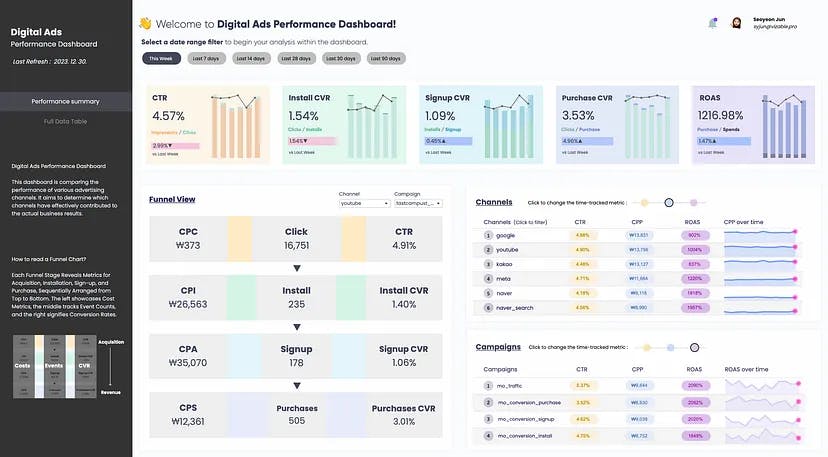
When to use Tableau over Julius AI. Choose Tableau if your organization already has a data team, needs enterprise-grade dashboards shared across departments, and has the budget for per-user licensing. It is not the right choice for lean marketing teams that need to move from data to action quickly.
4. Microsoft Power BI
-
Best for: Organizations already invested in the Microsoft ecosystem (Azure, Dynamics 365, Teams)
-
Pricing: Power BI Pro at $14/user/month. Power BI Premium starts at $24.99/user/month.
-
What makes it different: The most affordable enterprise BI tool, especially if your company already pays for Microsoft 365.
Power BI is the default choice for Microsoft-centric organizations. If your marketing team runs on Teams, uses SharePoint, and tracks deals in Dynamics 365, Power BI integrates seamlessly. The Pro tier at $14 per user per month is significantly cheaper than Tableau.
The AI capabilities have improved with Copilot integration, which lets you ask questions in natural language and get visualizations. But like Tableau, Power BI is a reporting tool. It does not create content, optimize pages for search, or track your brand across AI engines.
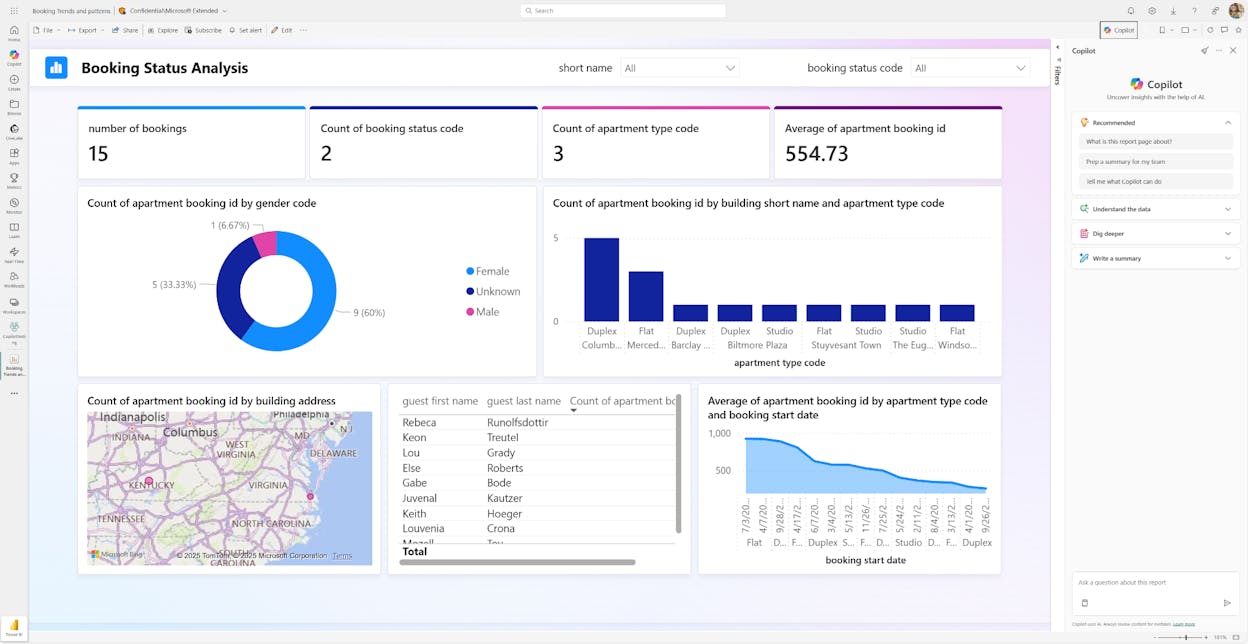
When to use Power BI over Julius AI. Choose Power BI if your company already pays for Microsoft 365 and you need affordable dashboards that integrate with your existing Microsoft stack. Skip it if you need marketing-specific workflows beyond visualization.
5. Rows
-
Best for: Teams that want AI analysis inside a familiar spreadsheet interface
-
Pricing: Free tier available. Pro at $9.38/user/month (billed annually). Enterprise pricing on request.
-
What makes it different: An AI-powered spreadsheet that connects to 50+ data sources, including Google Analytics, Stripe, and social media platforms.
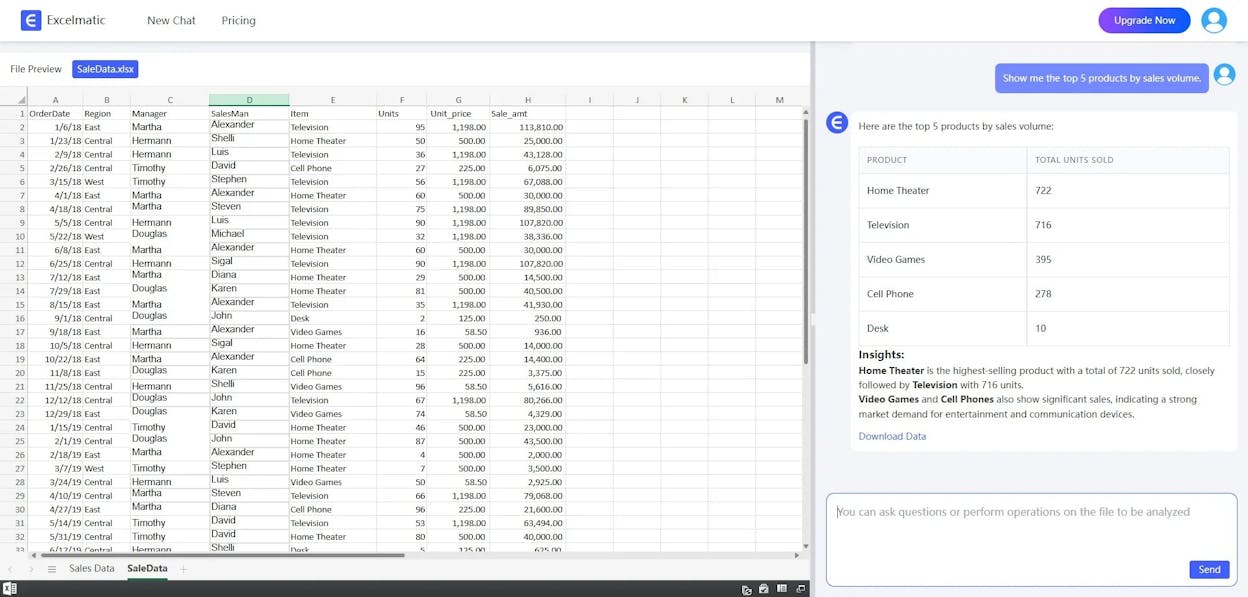
Rows solves a specific problem well. Marketing teams that live in spreadsheets can connect their data sources directly and use AI to ask questions without leaving the spreadsheet environment. Ask “what was our top-performing blog post last month” and Rows pulls the answer from your connected GA4 property.
It is more accessible than Tableau or Power BI because it looks and feels like Google Sheets. The AI assistant can generate charts, summarize data, and even create reports. But it does not go beyond the spreadsheet paradigm. There is no content creation pipeline, no agent builder, and no AI search tracking.
When to use Rows over Julius AI. Choose Rows if your team is comfortable in spreadsheets, needs live data connections (not just CSV uploads), and wants a more affordable option than enterprise BI tools.
6. ThoughtSpot
-
Best for: Large organizations that want self-service analytics with a search-first experience
-
Pricing: Starts at $1,250/month for 25 users. Enterprise pricing on request.
-
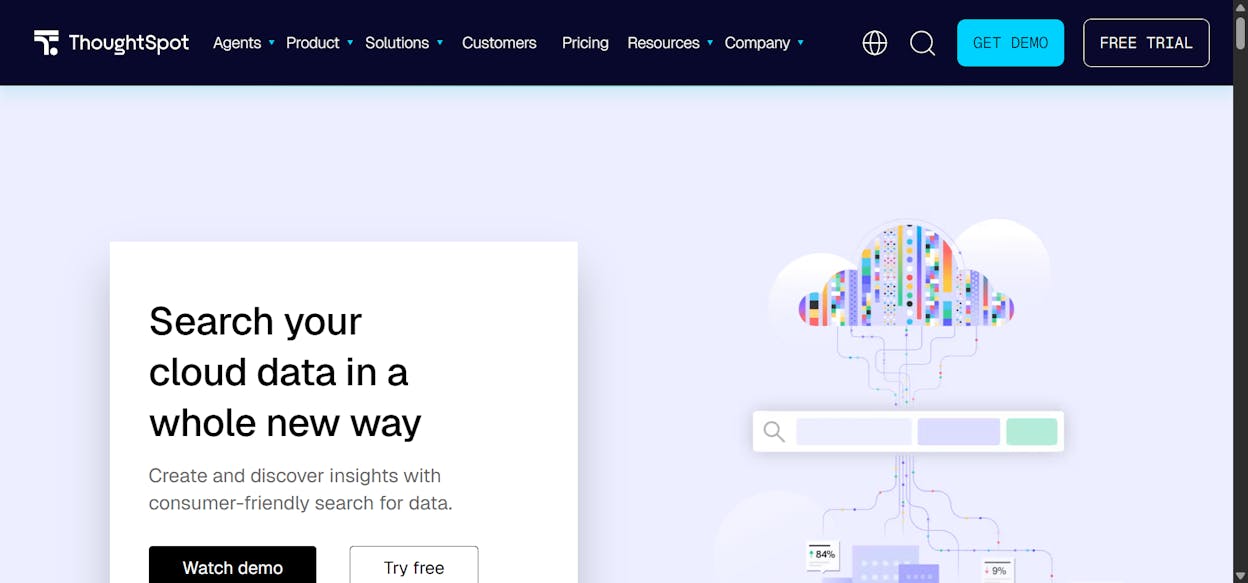
What makes it different: Replaces traditional dashboards with a Google-like search experience. Type a question, get an instant visualization.
ThoughtSpot is the closest enterprise tool to Julius AI’s conversational approach, but built for governed data at scale. It connects to data warehouses like Snowflake and BigQuery, and lets business users type questions to get instant answers. The AI engine (ThoughtSpot Sage) understands context and can drill into root causes automatically.
The price point puts it firmly in enterprise territory. At $1,250 per month minimum, it is not for small teams. And like other BI tools, it focuses entirely on analysis and visualization. There is no content workflow, no SEO automation, and no AI visibility tracking.
When to use ThoughtSpot over Julius AI. Choose ThoughtSpot if you need self-service analytics across a large organization, have data in a warehouse, and want business users to find their own answers without bothering the data team.
7. Coefficient
-
Best for: Marketing teams that live in Google Sheets and need live data pipelines without leaving the spreadsheet
-
Pricing: Free tier available. Pro at $59/month. Enterprise pricing on request.
-
What makes it different: A Google Sheets add-on that pulls live data from HubSpot, Salesforce, GA4, and 50+ other sources directly into your spreadsheet.
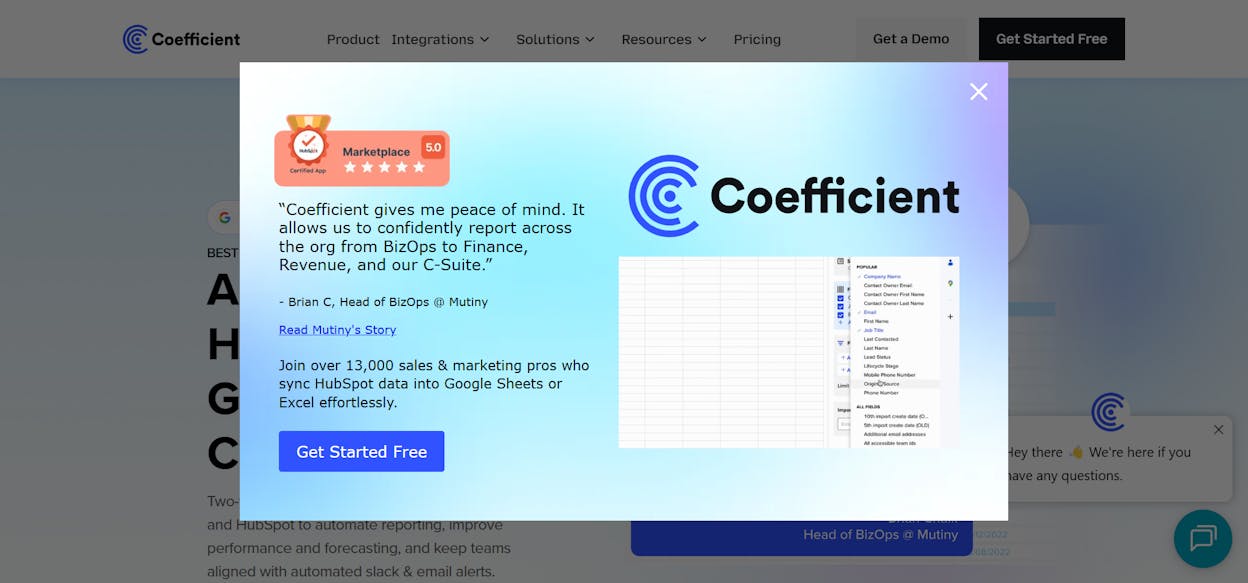
Coefficient takes a different approach. Instead of replacing your spreadsheet, it turns Google Sheets into a live dashboard. Connect your HubSpot account, pull pipeline data into a sheet, and set it to auto-refresh every hour. Your existing formulas, charts, and processes keep working, but the data stays current.
This works well for teams that already have complex spreadsheet workflows and do not want to migrate to a new tool. The GPT-powered formula builder can also help with complex calculations.
The limitation is scope. Coefficient enhances your spreadsheet. It does not analyze data conversationally, create content, build agents, or track AI search visibility. It is a connector, not a platform.
When to use Coefficient over Julius AI. Choose Coefficient if you have invested heavily in Google Sheets workflows and need live data without switching tools. Skip it if you want a platform that goes beyond spreadsheets.
Pricing Comparison
|
Tool |
Starting Price |
Free Plan |
Seats |
Marketing-Specific Features |
AI Search Tracking |
|---|---|---|---|---|---|
|
Analyze AI |
$99/mo |
Free trial |
Unlimited |
Content Writer, Content Optimizer, Agent Builder, AI Visibility, Competitor Intelligence |
Yes |
|
ChatGPT |
$20/mo |
Yes |
Per user |
None |
No |
|
Tableau |
$75/user/mo |
Free Public edition |
Per user |
None (visualization only) |
No |
|
Power BI |
$14/user/mo |
Free tier |
Per user |
None (visualization only) |
No |
|
Rows |
$9.38/user/mo |
Yes |
Per user |
Live data connectors for marketing tools |
No |
|
ThoughtSpot |
~$1,250/mo |
No |
25 users minimum |
None (analytics only) |
No |
|
Coefficient |
$59/mo |
Yes |
Per user |
Live data from HubSpot, Salesforce, GA4 |
No |
Notice the column on the right. Only one platform on this list tracks how your brand appears across AI search engines. As AI search traffic continues to grow (63% of websites now receive measurable AI referral traffic), this gap will only widen.
How to Pick the Right Alternative
The decision depends on what you need your data tool to do beyond making charts.
If you just need to upload a spreadsheet and ask questions, Julius AI is fine. ChatGPT works too, and you probably already pay for it.
If you need enterprise dashboards shared across a large organization, Tableau or Power BI are the proven choices. ThoughtSpot is worth the premium if you want search-driven self-service analytics.
If you need live data in your existing Google Sheets workflows, Rows or Coefficient solve that problem affordably.
But if you need a platform that connects data analysis, content creation, SEO optimization, competitive intelligence, AI search visibility, and workflow automation into a single tool, Analyze AI is the only option on this list that does all of it.
The Agent Builder alone replaces what most teams cobble together from three or four separate tools. With 180+ nodes, integrations spanning GA4, GSC, Semrush, DataForSEO, HubSpot, WordPress, Notion, Slack, and every major LLM, and 34 pre-built data recipes, the workflows you can build cover everything from content marketing to revenue ops to digital PR.
You can start a free trial today. No credit card required.

Ernest

Ibrahim


