



Summarize this blog post with:


Lindy AI positions itself as an “AI employee” platform. You describe a task in plain English, and it builds a workflow to handle it. That works for scheduling meetings and triaging inbound emails. But if you run a content team, manage SEO at scale, or need to track how AI search engines talk about your brand, Lindy’s general-purpose approach starts to feel thin.
The tools below are not ranked. They each solve a different slice of the marketing automation problem. Some handle simple app-to-app connections. Others let you build full agent workflows with branching logic, loops, and live data from GA4, Google Search Console, HubSpot, and every major LLM.
In this article, you’ll learn what to look for in a Lindy AI alternative when your goal is marketing automation, which ten platforms handle marketing agent workflows, what each one costs, and where Analyze AI fits when you need agents that write content, track AI visibility, refresh pages, and push work to your CMS without you clicking through each step.
Table of Contents
What to Look for in a Lindy AI Alternative for Marketing
Before you sign up for anything, run it against these five criteria. They separate tools that move data from tools that ship marketing work.
Depth of marketing data access. The tool should connect to GA4, Google Search Console, your CMS, your CRM, and your SEO data sources natively. If it only connects via Zapier as a middleman, every workflow adds latency and another point of failure.
Content production capabilities. Can it research, outline, draft, and publish? Or does it stop at “send this text to ChatGPT and paste the output into a Google Doc”? Real content automation means the agent handles the full pipeline.
AI search visibility. This is the new layer most tools miss. AI search engines like ChatGPT, Perplexity, and Gemini now drive real traffic. You need agents that track how these models talk about your brand, not just how Google ranks you. Traditional SEO automation tools handle half the job. The other half is AI visibility tracking.
Workflow complexity. Can you add conditional logic, loops, and parallel execution? Can you schedule agents to run every Monday at 7 AM? Can a webhook trigger a workflow when a deal closes in HubSpot? If the answer to any of these is no, you will hit a ceiling fast.
Pricing transparency. Credit-based models sound affordable until you run a workflow at scale. A tool that charges per “action” can drain a monthly budget on a single campaign. Look for plans where you can predict costs before you commit.
10 Best Lindy AI Alternatives for Marketing Teams
1. Analyze AI
|
Best for |
Marketing teams that need agents, content production, and AI visibility in one platform |
|
Pricing |
Free trial, then paid plans on tryanalyze.ai/pricing |
|
What stands out |
180+ nodes, 34 pre-built data recipes, direct integrations with GA4, GSC, Semrush, DataForSEO, HubSpot, WordPress, Notion, and every major LLM |
Analyze AI is the agentic platform for SEO, AEO, content, and GTM ops. It started as an AI search visibility tool and grew into a full workflow substrate that marketing teams use to build, schedule, and run agents across content, competitive intelligence, outreach, and reporting.
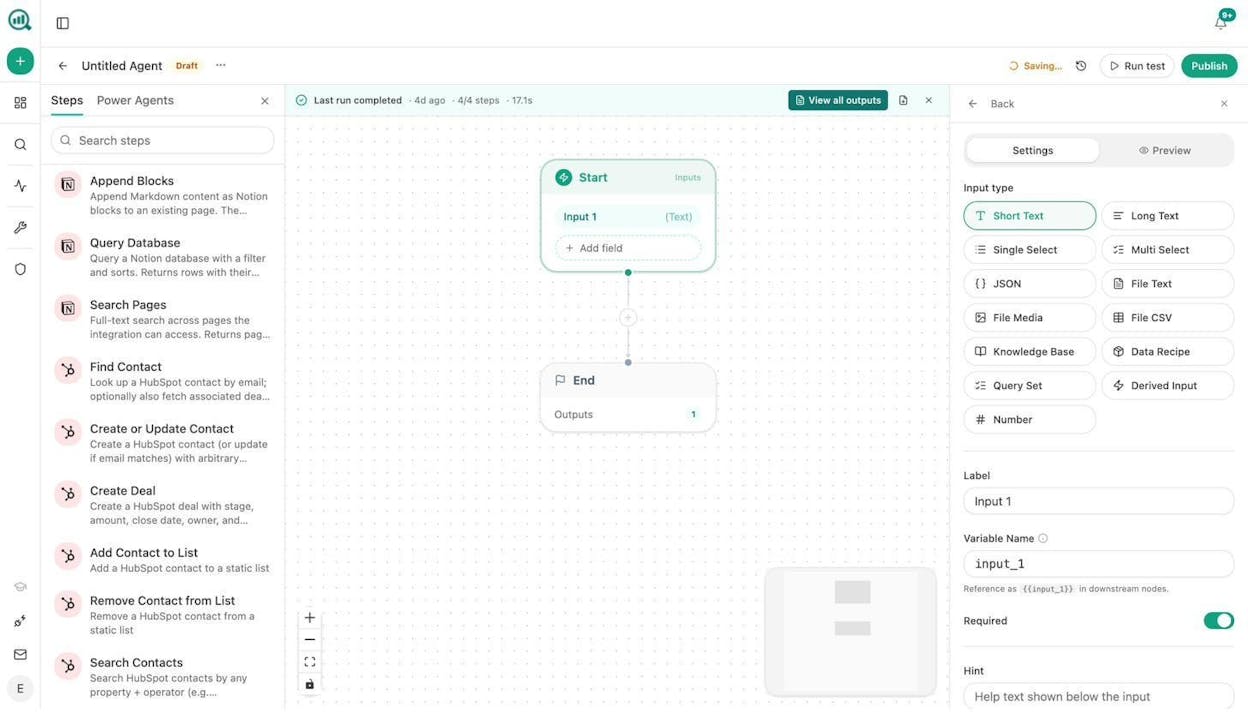
The Agent Builder is the core. You get 180+ production-ready nodes across 16 categories. That includes 27 DataForSEO nodes, 7 Semrush nodes, 8 Google Search Console nodes, 26 HubSpot nodes, full CMS connectors for WordPress, Notion, Sanity, and Contentful, and AI nodes for Claude, GPT, Gemini, and Perplexity. You can run agents manually, on a schedule (cron with timezone support), or via webhook when an external event fires.
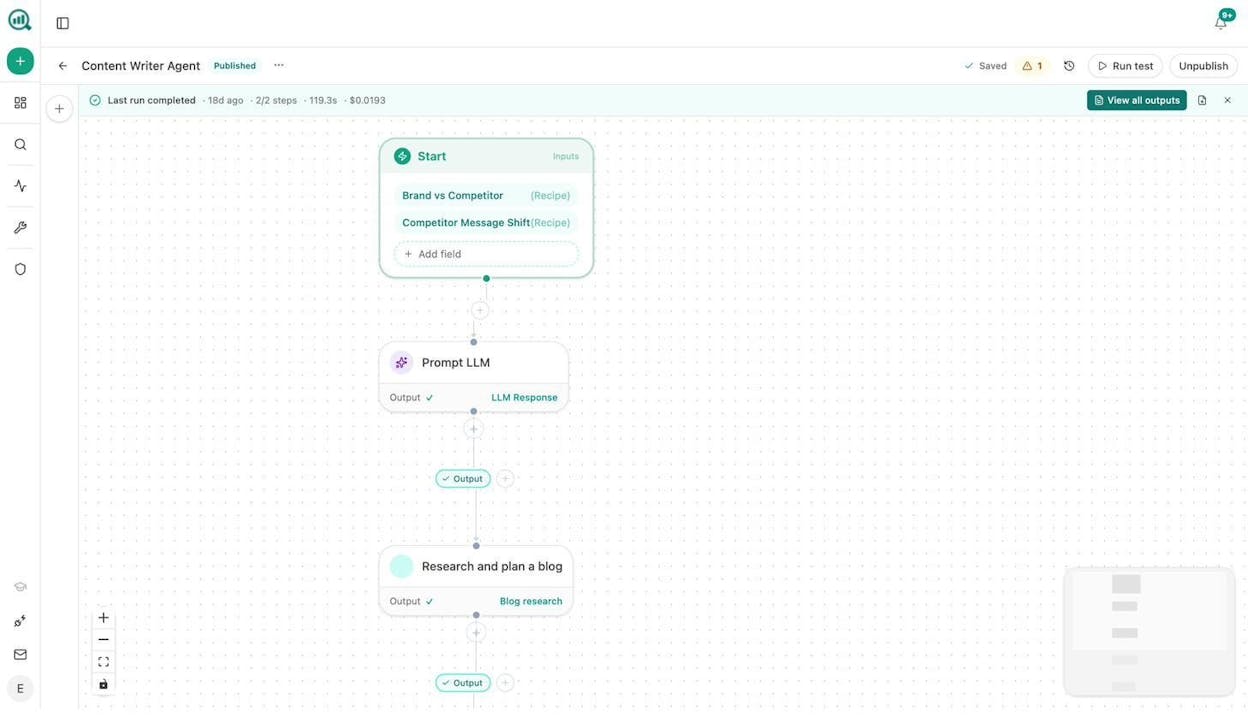
Here is what a content production agent looks like. The Start node pulls a Brand vs Competitor data recipe and a Competitor Message Shift recipe. The Prompt LLM node analyzes the competitive gap. The Research and Plan node generates a full brief. Downstream, you can wire in Generate Outline, Generate Full Draft, AEO Content Scorecard, and WordPress Create Post nodes to push a finished, brand-voice-injected article live. Total cost per run is typically under $0.02.
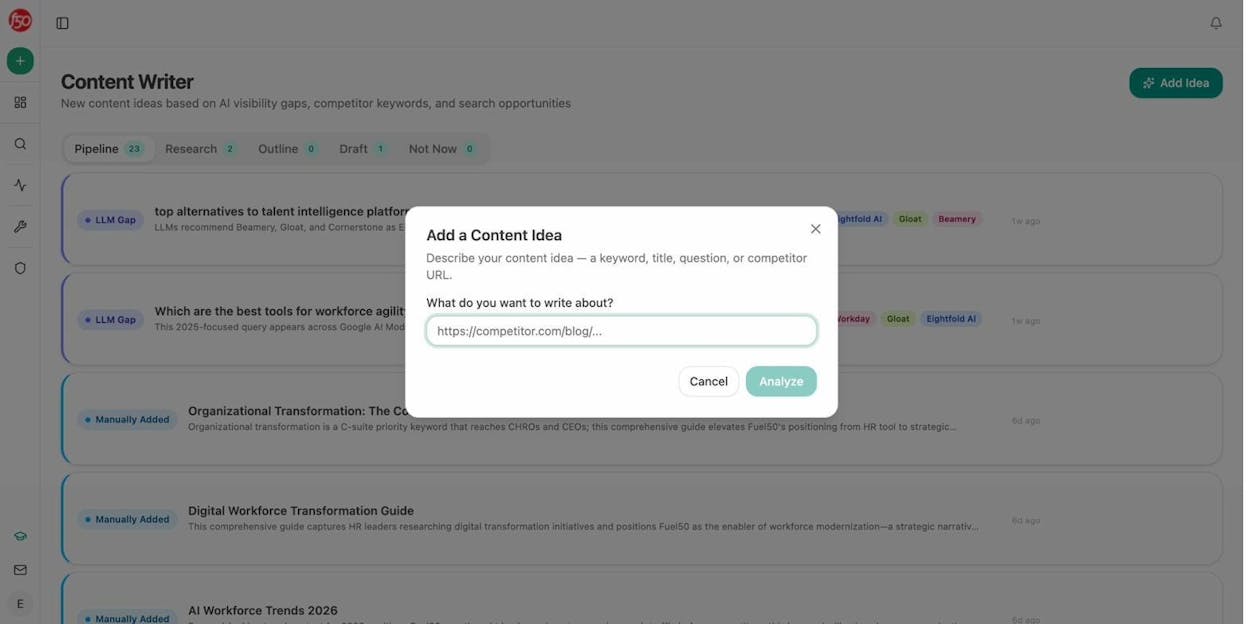
The platform also ships a dedicated Content Writer and Content Optimizer with multi-step pipelines that research, outline, draft, and score content for both SEO and AI engine readiness.
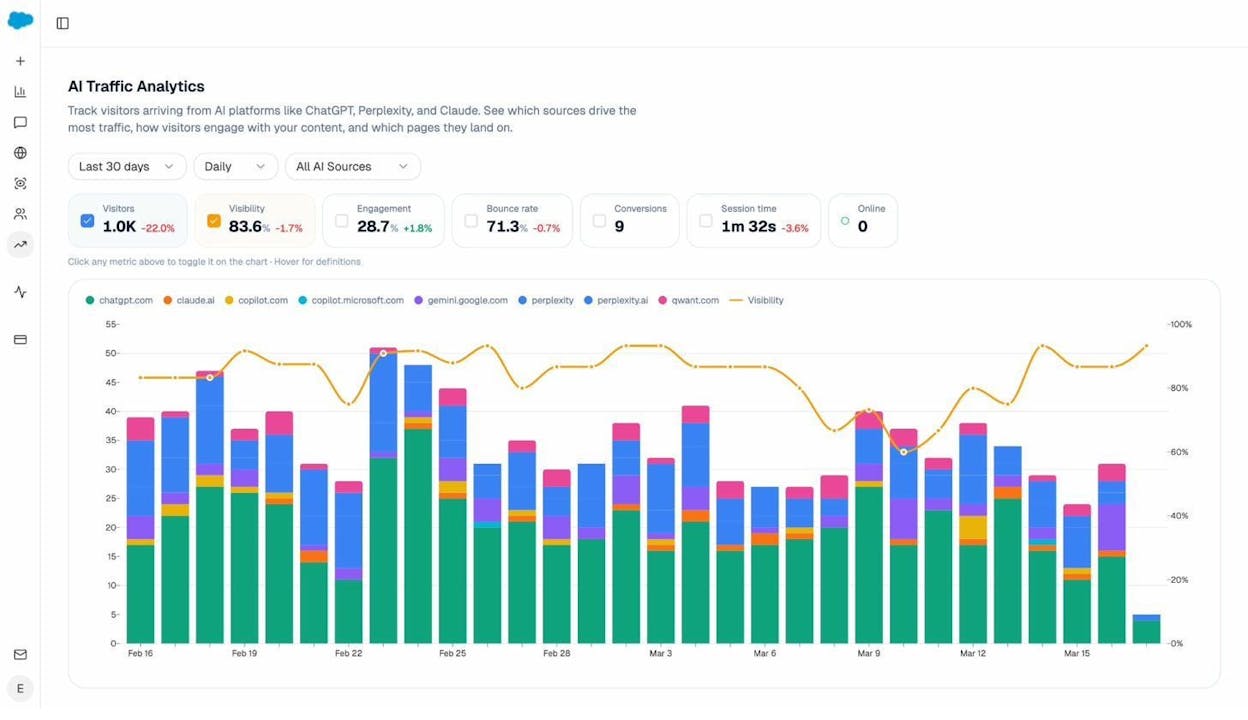
The AI visibility side tracks your brand across ChatGPT, Perplexity, Gemini, Copilot, Claude, and DeepSeek. You see prompt-level rankings, citation analytics, AI traffic by engine with landing pages, and competitor intelligence that shows where rivals win and you do not.
A Sheets feature handles bulk operations. Upload a CSV of 500 URLs and run an AEO audit, keyword research, or content refresh across all of them in parallel. Image generation nodes (Blog Featured Image, Infographic Generator, Social Media Image) are brand-kit-aware, so you can build an agent that researches a topic, writes a draft, generates the featured image, and publishes to WordPress on a schedule.
Pros: Native marketing data (GA4, GSC, Semrush, DataForSEO, HubSpot), content writer and optimizer built in, AI visibility tracking included, scheduled and webhook triggers, image generation, free tools suite for keyword research and site audits, free trial available.
Cons: Newer platform with fewer third-party reviews, some integrations (Gmail, Google Slides) are still rolling out.
2. Zapier
|
Best for |
Simple app-to-app marketing automations |
|
Pricing |
Free for 100 tasks/month, then starts at $29.99/month |
|
What stands out |
7,000+ app integrations |
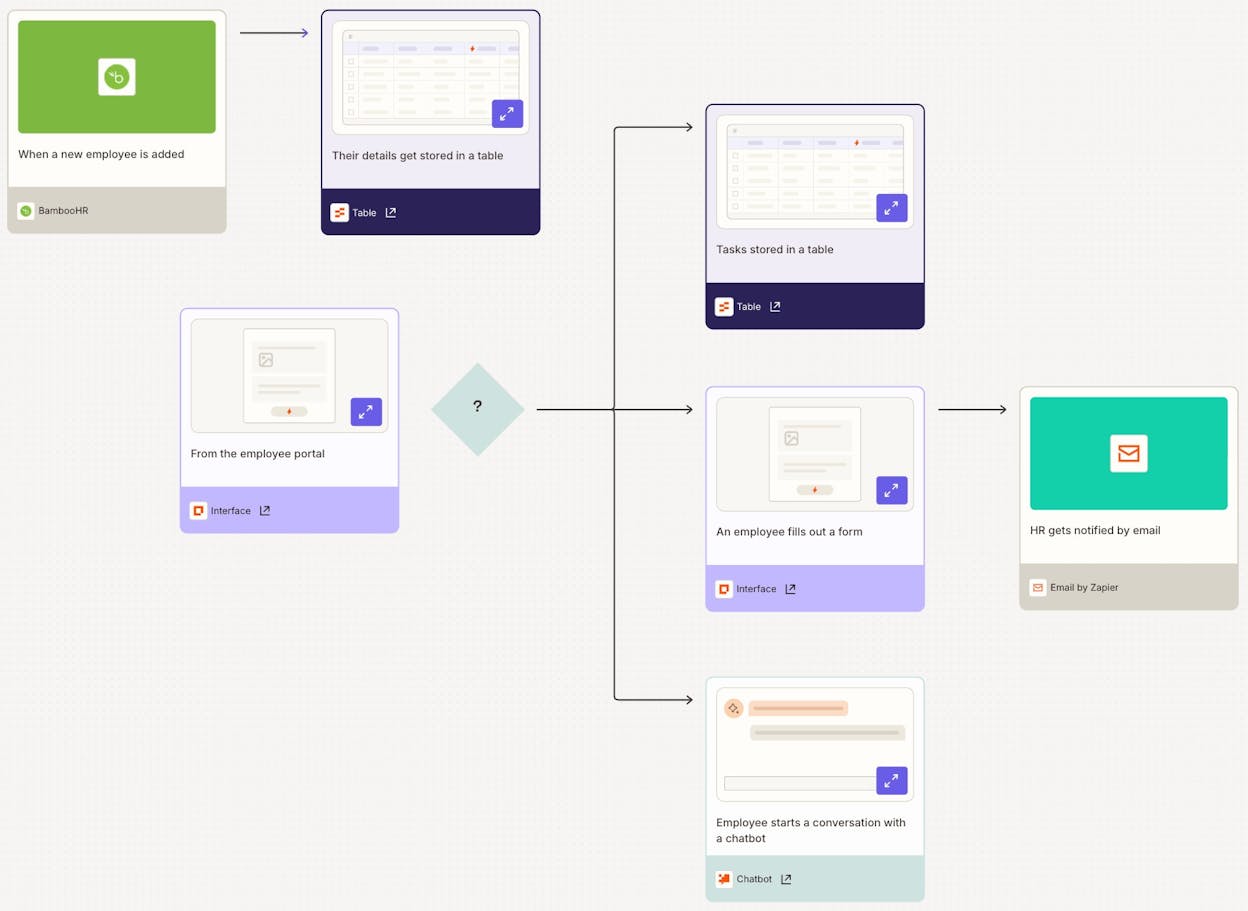
Zapier is the oldest automation platform on this list, founded in 2011. It connects apps using a trigger-and-action model. When something happens in one app (a form submission, a new row in Google Sheets), Zapier does something in another app (creates a HubSpot contact, sends a Slack message).
For marketing teams, Zapier handles the basics well. You can route leads from Typeform to your CRM, post social updates on a schedule, or sync data between Google Sheets and Mailchimp. The integration library is massive, and the reliability is proven.
Where it falls short is AI-native workflows. You can add ChatGPT steps to a Zap, but they feel bolted on. There is no built-in content pipeline, no SEO data access, and no AI visibility tracking. For simple two-step connections, Zapier remains reliable. For content creation or competitive analysis, you need a more specialized tool.
Pros: Huge integration library, proven reliability, lots of tutorials and documentation, strong free tier for testing.
Cons: Gets expensive at scale (pricing is per-task), AI features feel added on rather than native, no built-in marketing intelligence, requires your own LLM API keys.
Reviews: G2: 4.5/5 (1,392+ reviews), Capterra: 4.7/5 (3,021+ reviews)
3. Make
|
Best for |
Budget-friendly marketing workflow automation |
|
Pricing |
Free, then starts at $10.59/month |
|
What stands out |
Strong data transformation and branching logic at a low price |
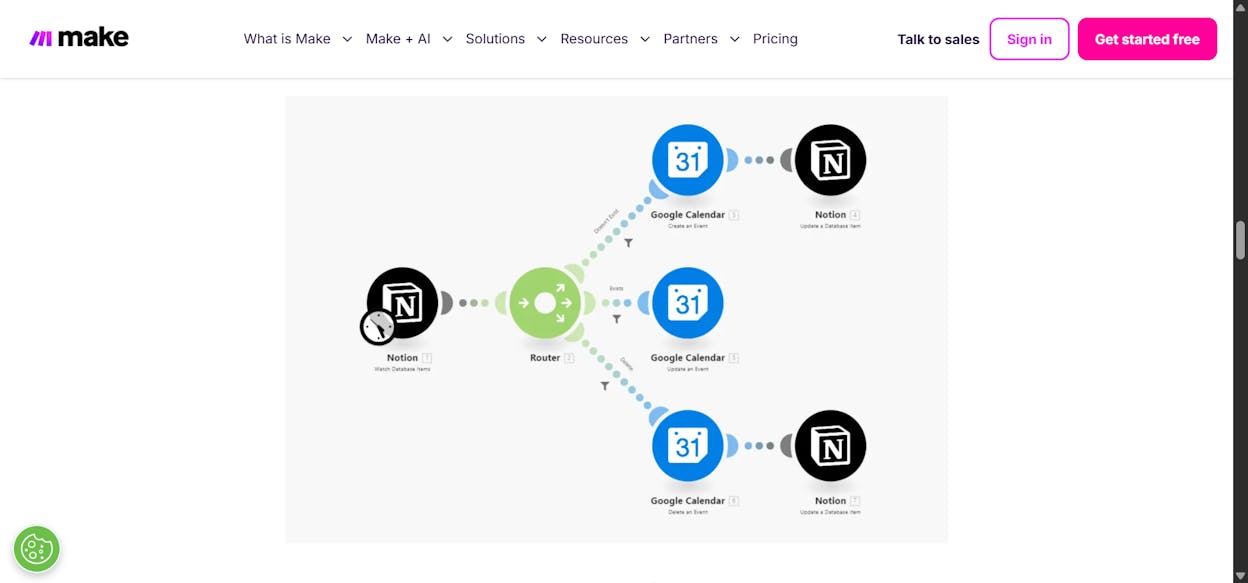
Make (formerly Integromat) is a visual workflow automation platform with 2,500+ app integrations. It uses a canvas-based editor where you connect modules and define data flow between them.
For marketing teams, Make works well for data transformation tasks. You can pull campaign data from Facebook Ads, reshape it, merge it with CRM records, and push a formatted report to Slack. The branching logic and error handling are stronger than Zapier’s, and the price is lower.
The drawback mirrors Zapier’s. Make was not built for AI workflows. The AI modules were added after the fact and do not cover content production or competitive intelligence. If you are comfortable building custom API calls to LLMs, Make gives you the pieces. But you will build everything from scratch.
Pros: Affordable entry point, good error handling and debugging, strong branching logic, 2,500+ integrations.
Cons: Steep learning curve, AI features feel basic, complex workflows get cluttered on the canvas, no built-in marketing data sources.
Reviews: G2: 4.7/5 (249+ reviews), Capterra: 4.8/5 (406+ reviews)
4. n8n
|
Best for |
Technical marketing teams that want self-hosting |
|
Pricing |
Free (self-hosted), cloud starts at $24/month |
|
What stands out |
Open-source with self-hosting option |
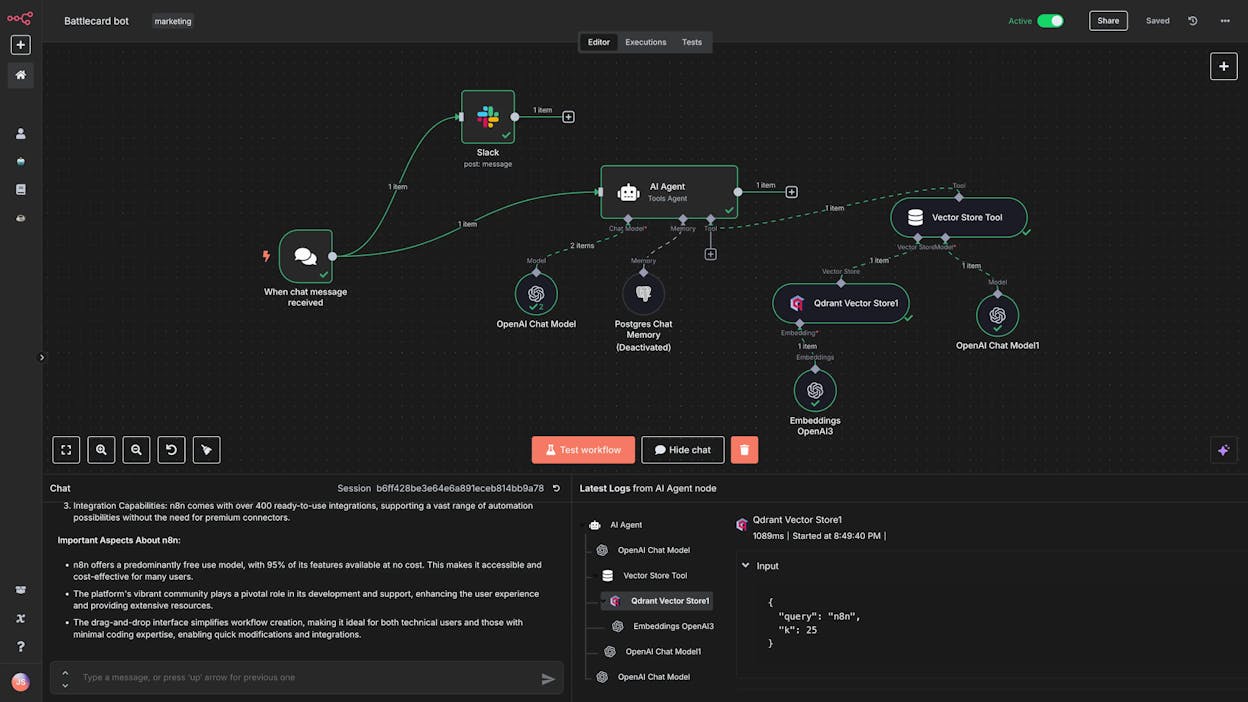
n8n is an open-source workflow automation tool popular with developers. You can self-host it on your own server or use their cloud version. The platform has a visual editor similar to Make, but it allows custom code at any step.
For marketing teams with engineering support, n8n gives you full control. You can write custom JavaScript nodes, build complex logic flows, and connect to any API. The community has built hundreds of workflow templates for common marketing tasks.
The catch is that n8n requires technical skill. You bring your own LLM API keys, configure every integration manually, and manage hosting if you self-host. There is no built-in content pipeline, no marketing data access, and no support for non-technical users.
Pros: Self-hosting for data control, custom code support, large community, strong template library.
Cons: Requires technical expertise, no built-in AI model access, outdated UI/UX, not designed for marketing-specific workflows.
Reviews: G2: 4.8/5 (118+ reviews), Capterra: 4.6/5 (37+ reviews)
5. Relevance AI
|
Best for |
Data-heavy marketing research and prospecting workflows |
|
Pricing |
Free, then starts at $19/month |
|
What stands out |
Strong at handling unstructured data and research tasks |
Relevance AI is an agent builder focused on creating AI-powered workflows for sales, marketing, and operations. The platform uses a no-code visual interface and positions itself around the “AI workforce” concept, similar to Lindy.
For marketing teams, Relevance AI handles research-heavy tasks well. You can build agents that analyze documents, extract insights from competitor content, or process large volumes of text data. The pre-built templates cover common BDR and research use cases.
Where it gets complicated is pricing. Relevance AI uses a dual-currency model with Actions and Vendor Credits, and costs can scale quickly when you run high-volume workflows. The free plan is limited to 200 Actions per month, which is enough to test but not enough to run a real marketing operation.
Pros: Good at data analysis and research, no-code builder, backed by Bessemer Venture Partners, pre-built templates.
Cons: Dual-currency pricing model is hard to predict, limited free plan, steep learning curve, not US-based.
Reviews: G2: 4.5/5 (17+ reviews)
6. Chatbase
|
Best for |
Customer support chatbots trained on your data |
|
Pricing |
Free, then starts at $40/month |
|
What stands out |
Purpose-built for AI support agents that take actions |
Chatbase is an AI chatbot platform designed for customer support. You train it on your business data, connect it to systems like your CRM and order management, and deploy it across web, Slack, or WhatsApp.
For marketing teams, Chatbase is useful if your primary need is a customer-facing chatbot. It handles queries, updates subscriptions, and escalates to humans when needed. The guardrails feature controls what the bot can and cannot say, which matters for brand safety.
But Chatbase is narrowly focused on support agents. It does not handle content creation, SEO workflows, or competitive intelligence.
Pros: Purpose-built for support, can take actions in connected systems, white-label options, model comparison feature.
Cons: Narrow focus on customer support, limited integrations (needs Zapier for most connections), no content or SEO capabilities.
Reviews: G2: 4.7/5 (13+ reviews), Capterra: 4.3/5 (73+ reviews)
7. Relay.app
![Relay.app’s clean workflow interface]](https://www.datocms-assets.com/164164/1780636238-blobid10.jpg?auto=format,compress&w=1248&fit=max)
|
Best for |
Simple marketing automations for non-technical teams |
|
Pricing |
Free, then starts at $27/month |
|
What stands out |
Clean, simple interface designed for marketers |
Relay.app is a lightweight agent builder built for marketing use cases. You can qualify leads, schedule social posts, and generate meeting briefs using pre-built templates. Companies like Ramp and Cursor use it for simple marketing automations.
The interface is clean and approachable. If your team needs basic marketing automations without the complexity of n8n or Make, Relay.app delivers. The template library covers LinkedIn post writing, demo request qualification, and basic lead routing.
The limitation is depth. Relay.app handles simple workflows well but struggles with multi-step processes involving complex data transformations or high-volume operations. It does not offer SEO data access, content pipelines, or AI visibility features.
Pros: Clean UI, affordable, good template selection, used by established companies.
Cons: Fewer integrations than competitors, limited to simple marketing workflows, no content production pipeline.
Reviews: G2: 4.9/5 (70+ reviews)
8. Stack AI
|
Best for |
Enterprise marketing teams with compliance requirements |
|
Pricing |
Free plan, then custom pricing |
|
What stands out |
Enterprise-grade security and compliance |
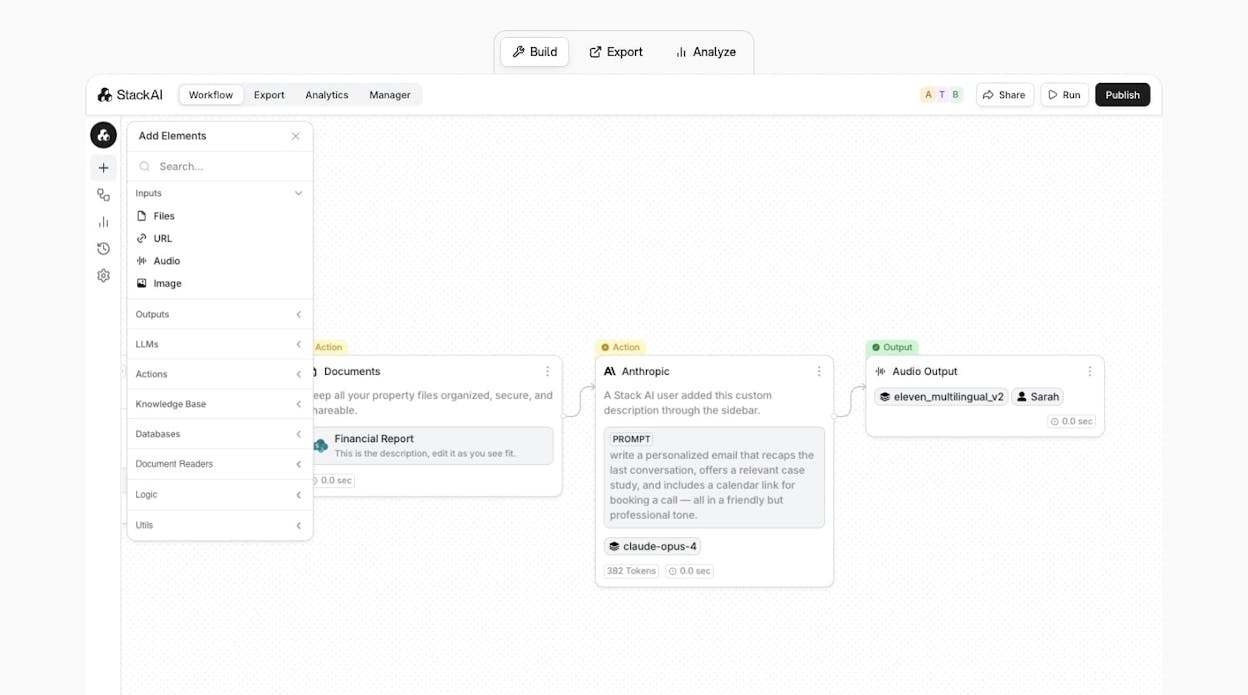
Stack AI targets large organizations that need AI agents with SOC 2 compliance, SSO, and audit logs. The platform handles IT support, customer service, CRM enrichment, and RFP responses, primarily in government, insurance, and finance.
For enterprise marketing teams that need strict security controls, Stack AI delivers. The UI is clean, and the security features are genuine. But the custom pricing and lengthy implementation process make it overkill for most marketing teams. If you are a 5-person content team, Stack AI is not built for you.
Pros: Enterprise security and compliance, clean UI, handles complex workflows.
Cons: Opaque pricing, overkill for small teams, limited community resources, longer setup time.
Reviews: G2: 4.7/5 (18+ reviews)
9. IFTTT
|
Best for |
Personal automations and simple marketing triggers |
|
Pricing |
Free, paid plan at $3.99/month |
|
What stands out |
The most affordable option on this list |
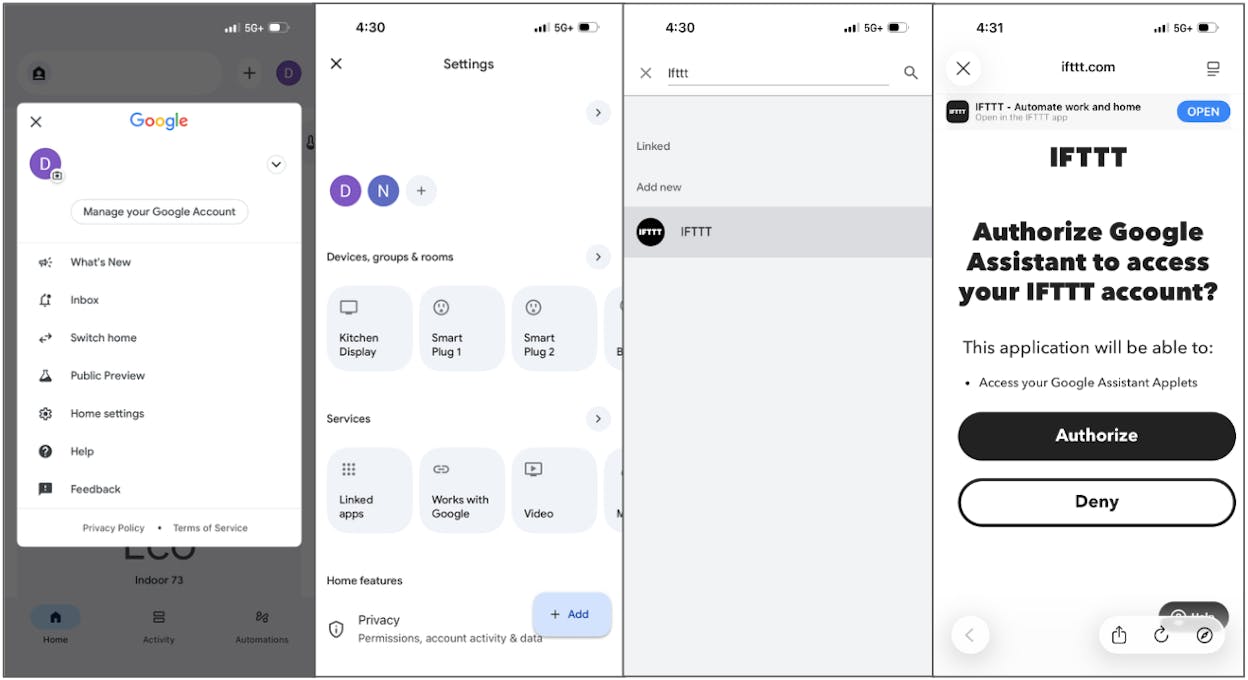
IFTTT (“If This Then That”) is the original automation platform. It connects apps with simple one-trigger, one-action rules. You can auto-post Instagram content to Twitter, save email attachments to Google Drive, or get a Slack notification when a competitor publishes a blog post.
IFTTT is not an AI agent builder. It has no LLM integration, no content production capability, and no marketing data access. But at $3.99/month, it handles basic marketing triggers that do not need intelligence. If your team uses more advanced tools for the heavy lifting and just needs a simple connector for minor tasks, IFTTT still works.
Pros: Extremely affordable, simple to use, mobile app, works with smart home devices.
Cons: No AI features, limited to single-step automations, not built for business workflows.
Reviews: G2: 4.5/5 (114+ reviews), Capterra: 4.6/5 (221+ reviews)
10. Integrately
|
Best for |
Pre-built automations for e-commerce marketing |
|
Pricing |
Free plan, then starts at $29.99/month |
|
What stands out |
Large library of one-click automation templates |
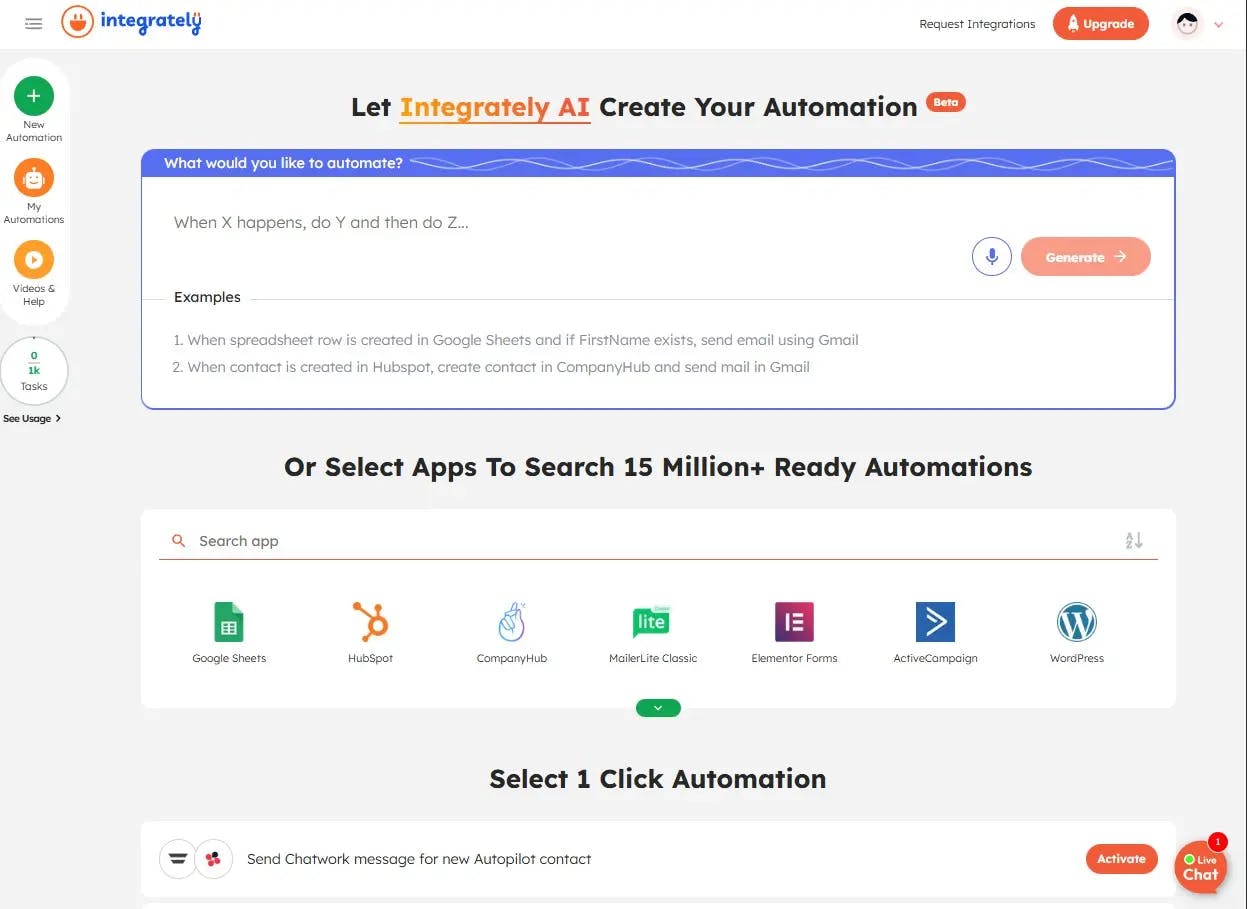
Integrately connects 1,300+ apps with pre-built automation templates. Companies like Accenture and Adobe use it for straightforward workflow connections. The one-click templates make it easy to set up common automations without building from scratch.
For marketing teams in e-commerce, Integrately has good coverage of Shopify, WooCommerce, and other retail platforms. But the UI feels outdated compared to newer tools, and the AI features are minimal. It handles data movement between apps, not intelligent marketing workflows.
Pros: 1,300+ integrations, one-click templates, affordable, good for e-commerce.
Cons: Outdated interface, limited AI capabilities, not intuitive for complex workflows.
Reviews: G2: 4.7/5 (688+ reviews), Capterra: 4.1/5 (319+ reviews)
How AI Search Changes the Agent Equation
Most tools on this list were built for a world where Google was the only search engine that mattered. That world is expanding.
ChatGPT, Perplexity, and Gemini now send measurable traffic to websites. Analyze AI’s traffic analytics show that some brands get hundreds of sessions per month from AI engines, with real conversions attached. This is not speculative. It shows up in GA4 data right now.
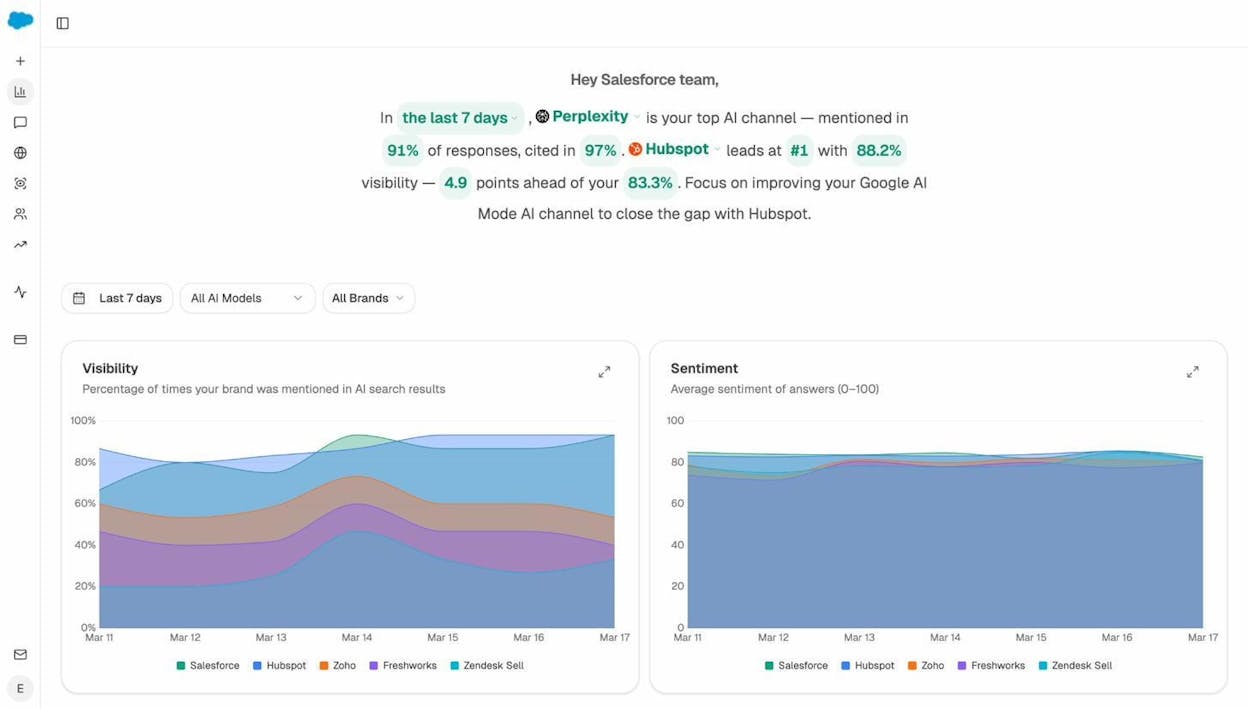
The marketing agents that matter going forward operate across both channels. An agent that refreshes a blog post for SEO but ignores how AI engines cite that page is doing half the job. Knowing that a competitor outranks you on Google tells you one thing. Knowing that ChatGPT recommends them instead of you on 14 prompts tells you something different and equally actionable.
This does not mean SEO is dead. AI search is an additional organic channel that compounds on top of traditional search when you optimize for both. The platforms that give you the data and agents to act on both are the ones worth investing in.
Choosing the Right Alternative
If you need simple app connections, Zapier and Make handle that. If you need self-hosted workflows with custom code, n8n is built for it. If customer support chatbots are the priority, Chatbase is purpose-built.
But if you run a content operation, manage SEO and AI visibility, or need agents that pull live data from GA4, GSC, Semrush, and HubSpot to produce real marketing output, Analyze AI covers the widest surface. The platform ships a Content Writer, a Content Optimizer, an Agent Builder with 180+ nodes across 16 categories, and the only AI visibility tracking layer that connects prompt rankings to actual traffic and conversions.
You can start a free trial and test the agent builder without a credit card commitment.

Ernest

Ibrahim


