



Summarize this blog post with:


In this article, you’ll get a breakdown of seven link outreach tools, what each one does well, where each falls short, what they cost, and how to pick the right one for your team. You’ll also learn how to automate the entire outreach pipeline from prospect discovery to personalized pitch to CRM logging, so your team spends less time on manual email work and more time closing placements.
Table of Contents
What is a link outreach tool?
A link outreach tool helps you find websites in your niche, locate the right contact at each site, send personalized pitch emails, and track responses. The goal is to earn backlinks, guest post placements, mentions in resource pages, or inclusion in editorial roundups.
Some tools focus on one step. Hunter.io is primarily a contact finder. BuzzStream is an outreach CRM. Others like Pitchbox and Respona combine prospecting, contact finding, and email sequencing into a single platform.
The newer category, which Analyze AI represents, takes a different approach. Instead of giving you a fixed workflow, it gives you a programmable agent builder where you wire together the exact steps your team needs and run the whole thing on autopilot.
What to look for in a link outreach tool
Not every tool on this list checks every box. Here is what matters most when evaluating them.
Prospecting quality. The tool should help you find relevant, high-authority sites in your niche, not just scrape Google results and dump them into a spreadsheet. Look for integration with domain authority metrics from providers like Ahrefs, Moz, or DataForSEO so you can filter by quality before you ever send a pitch.
Contact accuracy. Bad email data kills campaigns. If 30% of your emails bounce, your sender reputation drops, future emails land in spam, and the whole campaign collapses. The tools that verify emails or pull from multiple data sources tend to produce cleaner lists.
Personalization at scale. Generic templates get ignored. The tools worth paying for let you personalize at scale, whether through merge fields, AI-generated openers, or the ability to inject context about each prospect’s recent content into your pitch.
CRM and integration depth. Outreach data should flow into whatever system your team already uses. If the tool cannot sync with HubSpot, Salesforce, or at minimum export clean CSVs, your outreach lives in a silo.
Pricing transparency. Some of these tools are expensive. A few charge per seat, others per email, and some require annual contracts with no public pricing. You should know the full cost before committing.
AI search intelligence. This is the newer criterion most teams overlook. The domains that AI engines cite most frequently in your space are also the ones worth prioritizing for link outreach. A tool that shows you which sources AI trusts gives you a smarter target list than one that only looks at domain authority.
7 best link outreach tools in 2026
Here are the top link outreach tools:
-
Pitchbox
-
Analyze AI
-
BuzzStream
-
Respona
-
Hunter.io
-
Prowly
-
Postaga
1. Pitchbox
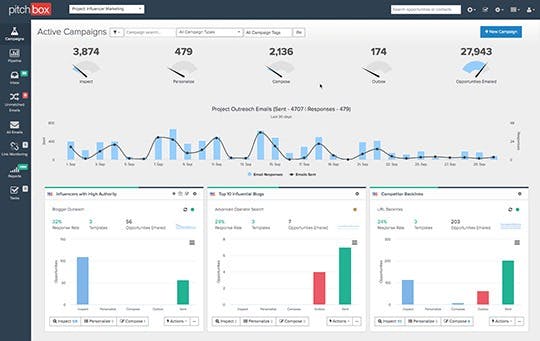
Best for: Agencies running high-volume link building campaigns across multiple clients
Pricing: Starts at $165/month (Pro plan). Advanced plan for agencies with higher limits. Enterprise pricing is custom.
Standout feature: Built-in SEO integrations with Ahrefs, Semrush, Moz, and Majestic pull domain metrics directly into prospecting workflows.
Pitchbox is the workhorse of the link building world. It handles the full outreach cycle from prospecting to placement tracking, built for teams that run outreach at volume.
The prospecting engine pulls results from Google and layers on SEO metrics from whichever provider you connect. You filter by domain rating, traffic, and relevance before any prospect enters your pipeline. From there, you build email sequences with automated follow-ups, schedule sends by timezone, and rotate email accounts to protect deliverability.
Where Pitchbox earns its price is campaign management at scale. Agencies running 10+ client campaigns need multi-workspace support, team features, and reporting that shows placement rates per campaign. Pitchbox delivers on all of that. The downside is cost. At $165/month for entry and significantly more for agency features, it is one of the priciest tools on this list.
What works well: Deep SEO integrations eliminate tab-switching during prospecting. Multi-campaign automation with email rotation protects sender reputation. Reporting tracks placement rates across campaigns.
Where it falls short: Pricing starts high and scales steeply. The interface has a learning curve. Smaller teams doing fewer than a few hundred outreach emails per month will struggle to justify the cost.
Reviews: G2: 4.7/5 (98 reviews), Capterra: 4.5/5 (62 reviews)
2. Analyze AI
Best for: Teams that want to build custom outreach workflows with agents, tie outreach to AI visibility data, and automate the full pipeline end-to-end
Pricing: Free trial available. Plans start at a flat monthly rate with no per-seat pricing on most tiers.
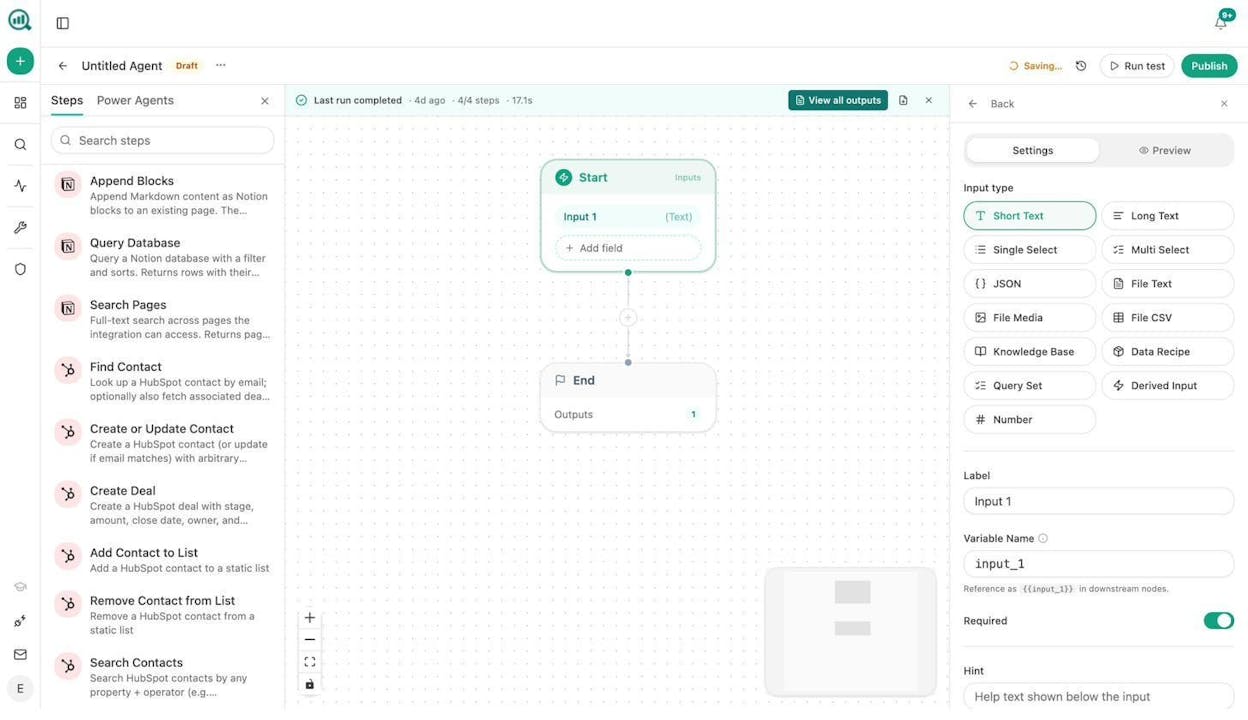
Standout feature: The Agent Builder with 180+ nodes, including Hunter.io, Tomba, DataForSEO, HubSpot, and every major LLM, lets you compose a complete outreach pipeline that runs on a schedule, a webhook, or a manual trigger.
Analyze AI is not a traditional outreach tool. It is the agentic platform for SEO, AEO, content, and GTM ops, and link outreach is one of the workflows you can build on top of it.
Here is how it works in practice. You open the Agent Builder and compose a workflow. A typical link outreach agent might look like this:
Start (scheduled weekly) → DataForSEO Brand Mentions (find new articles mentioning your topic) → Web Page Scrape (pull content from each article) → Prompt LLM (filter for relevance and outreach fit) → Tomba Author Finder (get the email of each article’s author) → Hunter Email Verifier (verify deliverability) → Inject Brand Context (load your tone, style, and pitch templates from the Brand Vault) → Prompt LLM (generate a personalized pitch per prospect) → HubSpot Upsert Contact (log the prospect and pitch to your CRM) → Send Email (deliver the pitch).
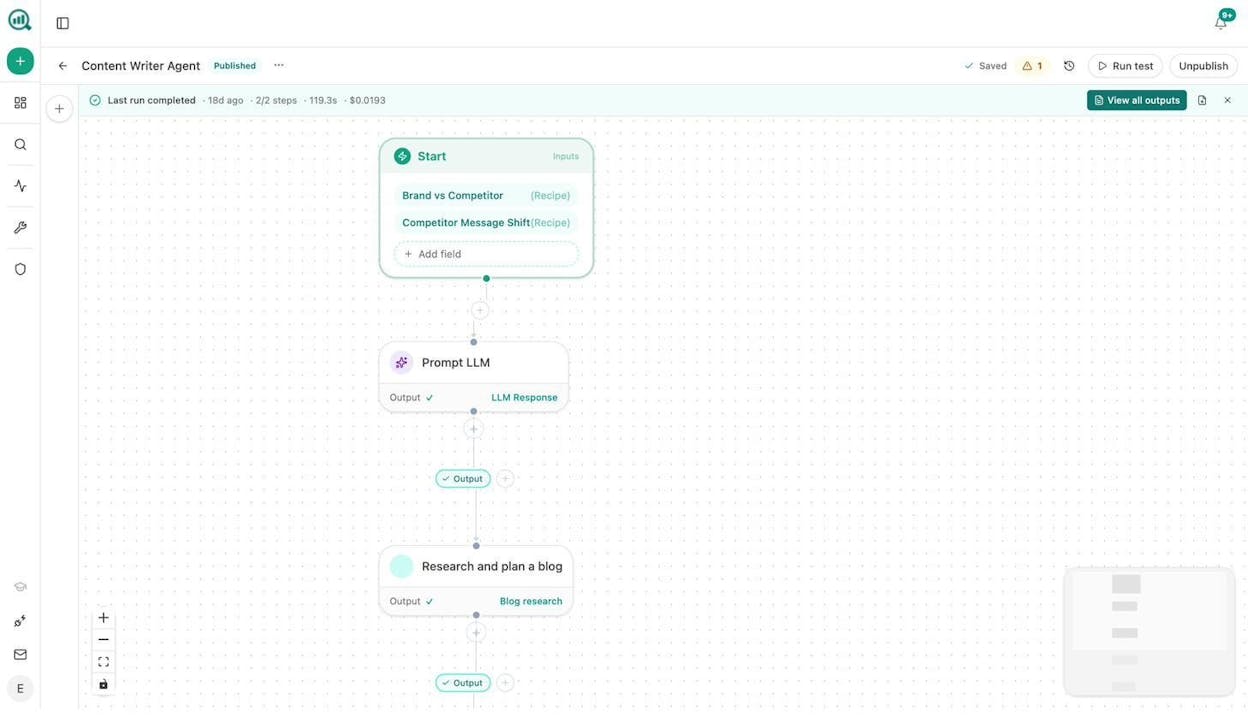
That entire chain runs hands-free on a weekly schedule. No spreadsheets, no copy-pasting, no forgetting to follow up.
What makes this different from a dedicated outreach tool is the substrate underneath. Analyze AI has nodes for GA4, Google Search Console, Semrush, DataForSEO, and 26 HubSpot operations. It has content creation nodes that can generate the linkable asset your outreach pitches around. It has image generation nodes that can create infographics and social media visuals. And it has AI visibility nodes that show you which domains AI search engines trust most in your space.
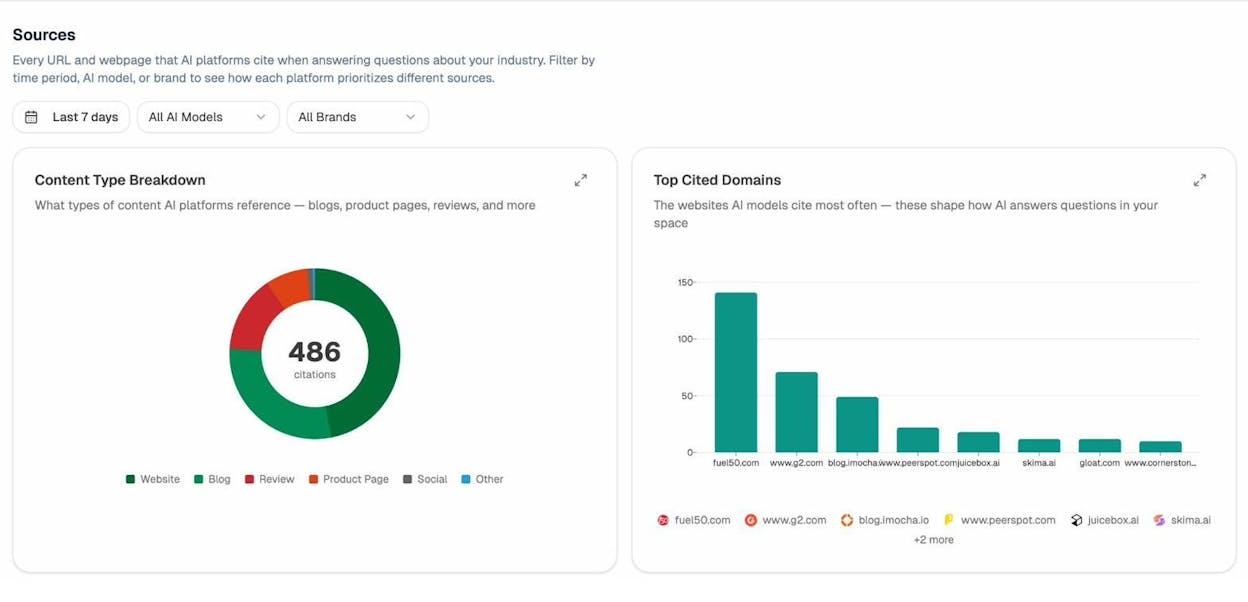
That last point is the real unlock for outreach strategy. The Sources dashboard shows every domain that AI engines cite when answering questions in your category. If G2.com or a specific industry blog appears as a top-cited source across ChatGPT, Perplexity, and Gemini, that domain is worth prioritizing for outreach. A link from that site does not just pass PageRank. It makes your brand more likely to appear in AI answers too.
You can also use Sheets, the spreadsheet-like interface inside Analyze AI, to manage and score your prospect lists alongside live AI visibility data before launching an outreach campaign.
What works well: The Agent Builder gives you complete flexibility to design outreach workflows that match exactly how your team operates. Built-in B2B enrichment (Hunter.io and Tomba nodes) eliminates the need for separate email finding tools. AI visibility data gives you a smarter target list. The Brand Vault keeps pitches on-voice automatically. Scheduled agents mean the workflow runs in the background without anyone clicking “go.”
Where it falls short: It is not an opinionated outreach tool with pre-built email sequences and deliverability dashboards. You need to build the workflow yourself, which takes upfront time. Teams looking for a plug-and-play solution may prefer a dedicated outreach CRM.
3. BuzzStream
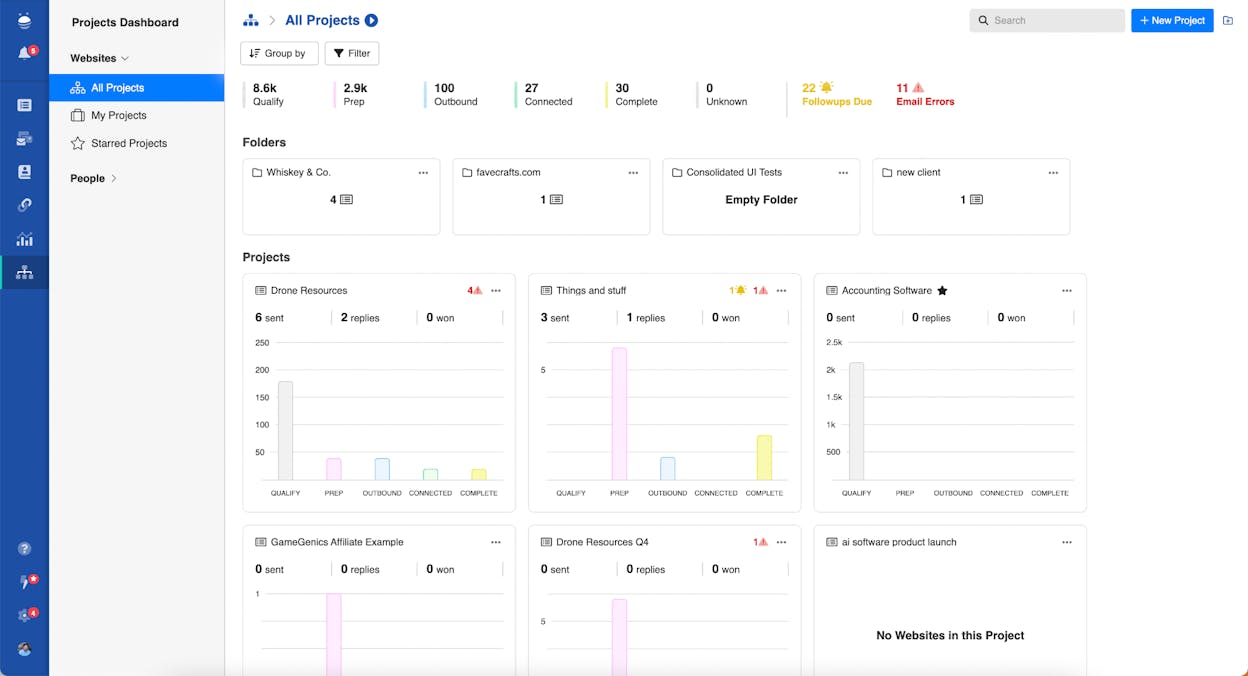
Best for: Small teams and solo link builders who want an affordable outreach CRM with contact management
Pricing: Starts at $24/month (Starter plan). Growth plan at $124/month adds bulk email, Ahrefs integration, and team reporting.
Standout feature: The BuzzMarker Chrome extension lets you add prospects to your outreach lists while browsing, automatically pulling contact info and site metrics.
BuzzStream is the budget-friendly option for teams that need outreach management without enterprise pricing. It works as a CRM for link building. You add websites, the tool detects contact information, and you organize prospects by project with tags, notes, and team assignments.
The outreach workflow is straightforward. Create email templates, send pitches from the platform, and track opens, clicks, and replies. Follow-ups can be automated. The BuzzMarker extension adds sites to your pipeline while you browse.
Where BuzzStream falls short is data quality and interface. The tool does not verify emails natively, so bounces are a risk without a separate verification step. The UI feels dated, and several users have flagged a recent 25% price hike without corresponding feature improvements.
What works well: Pricing is accessible for solo operators and small teams. The Chrome extension streamlines prospecting. Contact management and tagging keep campaigns organized.
Where it falls short: No built-in email verification increases bounce risk. The UI is aging. Price increases without feature improvements have frustrated long-time users. Bulk email and integrations are locked behind higher tiers.
Reviews: G2: 4.2/5 (165 reviews), Capterra: 4.5/5 (22 reviews)
4. Respona
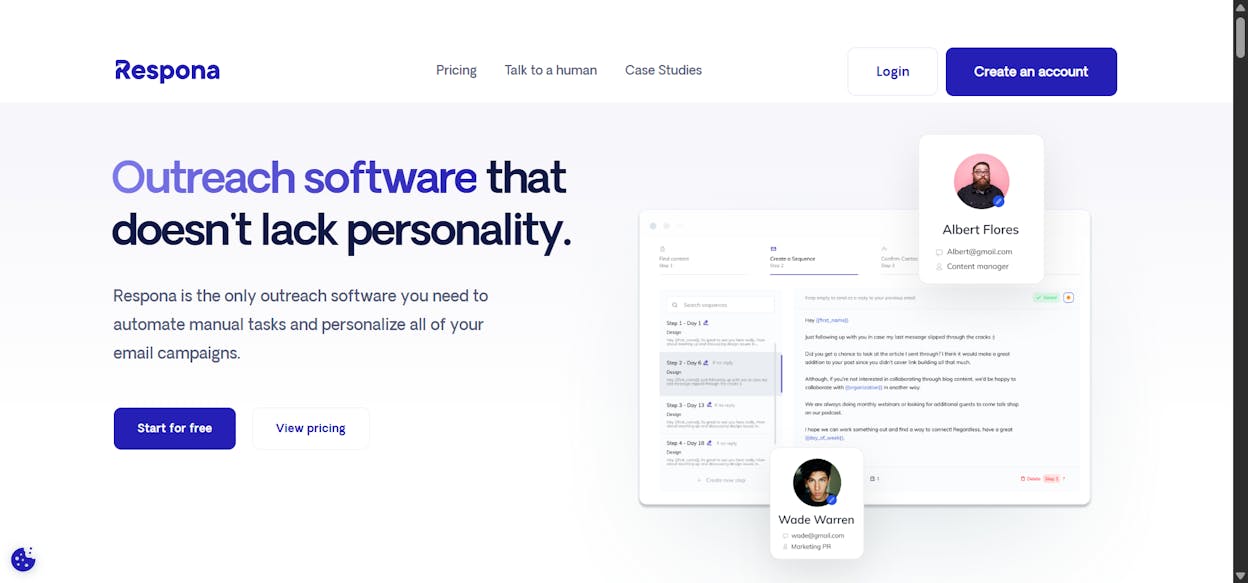
Best for: B2B SaaS companies and agencies that want prospecting and outreach in a single platform
Pricing: Respona pivoted in 2026 to a pay-per-placement model at $100/placement, with bulk discounts starting at $3,000/month. Some sources still list the older SaaS pricing (Starter at $197/month, Pro at $399/month).
Standout feature: AI-powered email personalization trained specifically on outreach patterns, not generic copywriting.
Respona was originally built as a self-serve outreach tool for link building and digital PR. It handles the full cycle from opportunity search to automated follow-up sequences, with integrated metrics from Ahrefs and a built-in contact finder.
The AI personalization is where Respona differentiates. It analyzes each prospect’s content and generates opening lines that reference specific articles or data points the prospect has covered. This lifts reply rates compared to tools that only support merge-field personalization.
The major shift in 2026 is Respona’s pivot toward a managed placement model. Instead of selling software seats, the primary offer is now a done-for-you service at $100 per placement. This works for teams with budget but limited bandwidth. It is less appealing for teams that want hands-on campaign control.
What works well: Purpose-built for link building and PR outreach. AI-powered personalization produces more relevant pitches than template-based tools. If you go the managed route, placements are guaranteed within agreed timelines.
Where it falls short: The pivot to pay-per-placement pricing means you are paying for a service, not software. At $100/placement, costs add up fast for high-volume campaigns. Teams that want to own and iterate on their outreach process may find the managed model too rigid.
Reviews: G2: 4.8/5 (199 reviews), Capterra: 4.8/5 (55 reviews)
5. Hunter.io
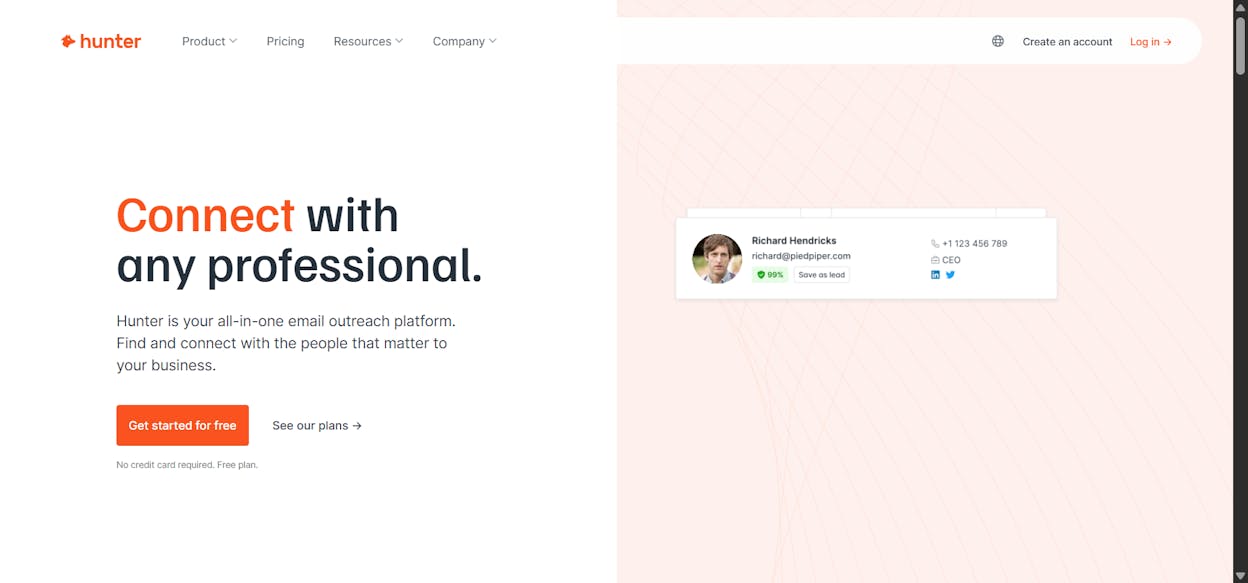
Best for: Finding and verifying professional email addresses for outreach campaigns
Pricing: Free plan with 25 monthly searches. Starter at $34/month (annual). Growth at $104/month. Business at $349/month.
Standout feature: Domain search that returns all known email addresses at a company, with confidence scores and source links.
Hunter.io is the original email finder. You enter a domain, and it returns known email addresses associated with that company along with the sources where each email was found. This makes it a core tool in most outreach stacks, even when another platform handles the actual email sending.
The Email Verifier checks deliverability before you send. The Campaigns feature lets you send cold outreach directly from Hunter, though it is more limited than dedicated outreach platforms.
Hunter operates on a credit-based system. Every search and verification consumes credits from your monthly pool. This works fine for targeted outreach but gets expensive at high volume. If you use Analyze AI, Hunter.io’s Domain Email Search, Person Email Search, and Email Verifier are all available as Agent Builder nodes, so you can plug them directly into automated workflows.
What works well: Email finding accuracy is strong for B2B contacts. The verification feature protects sender reputation. Clean API for integration with other tools. The free plan is generous enough for small-volume outreach.
Where it falls short: Email-only platform. No phone numbers, no intent data, no enrichment beyond email. Credits get consumed quickly on high-volume campaigns. The Campaigns feature is basic compared to dedicated outreach tools.
Reviews: G2: 4.4/5 (560 reviews), Capterra: 4.6/5 (612 reviews)
6. Prowly
Best for: PR teams managing media outreach, press releases, and journalist relationships
Pricing: Basic plan at $369/month ($258/month on annual billing). Pro plan at $589/month ($416/month annually). Enterprise pricing is custom.
Standout feature: A media database with over 1 million journalist and influencer contacts, filterable by beat, location, and outlet.
Prowly is built for PR, not SEO link building. Its media database helps you find journalists covering your industry, build targeted media lists, and send personalized pitches with open and click tracking.
The database is its biggest asset and its biggest liability. Over 1 million contacts give you broad global coverage, but user reviews consistently flag outdated emails and bounced messages. For tier-one publications, the data tends to be reliable. For niche industry outlets, expect to supplement with manual research.
Prowly was acquired by Semrush and is being phased into the Semrush AI PR Toolkit, making the standalone product’s long-term future uncertain. The Basic plan at $369/month also does not include automated follow-ups. You need the Pro plan at $589/month for that, which is a hard sell when BuzzStream starts at $24.
What works well: Large media database with global coverage. Clean interface that PR teams can adopt quickly. Newsroom builder is useful for hosting press materials.
Where it falls short: Expensive. Basic plan lacks automated follow-ups. Contact data accuracy is inconsistent in niche markets. Being phased into Semrush creates migration risk for new users.
Reviews: G2: 4.2/5 (114 reviews), Capterra: 4.5/5 (63 reviews)
7. Postaga
Best for: Small teams that want AI-assisted campaign creation with built-in prospecting
Pricing: Starts at $84/month. Higher tiers available for teams with larger volumes.
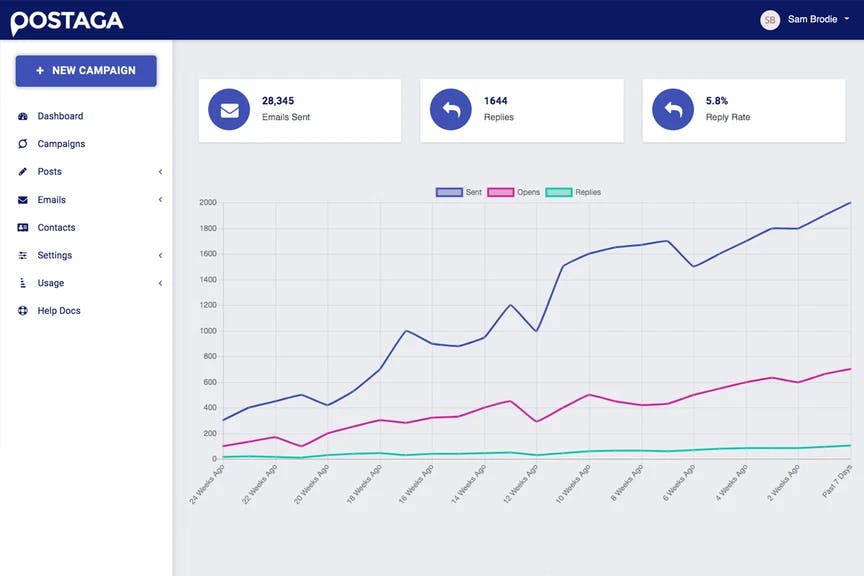
Standout feature: The AI campaign assistant analyzes your content and automatically suggests outreach opportunities, contact info, and personalized email sequences.
Postaga takes a content-first approach to outreach. You input a URL, whether your own blog post, a competitor’s article, or a resource page, and the tool analyzes it to suggest outreach opportunities. It then finds contacts at those sites and generates email sequence drafts using AI.
This makes Postaga fast for getting campaigns off the ground. Instead of manually building prospect lists, you start with content and let the tool identify where your link could fit. The AI-generated emails still need editing, but they give you a starting point that is more relevant than generic templates.
The trade-off is scale. Postaga works well for teams running a few campaigns per month, but it lacks the multi-client management features of Pitchbox and the deep CRM capabilities of BuzzStream. It also does not have the flexibility of a platform like Analyze AI, where you can wire in any data source or action your workflow needs.
What works well: Content analysis speeds up prospect discovery. AI-generated emails save time on first drafts. Lower price point than Pitchbox and Prowly.
Where it falls short: Limited scalability for agencies managing multiple clients. AI-generated copy still needs human editing. Less robust reporting than enterprise tools.
Reviews: G2: 4.5/5 (45 reviews), Capterra: 4.6/5 (30 reviews)
How to choose the right tool (and why most teams need more than one)
Here is the honest answer. Most link outreach workflows involve at least two tools. One handles contact discovery. Another manages campaigns and follow-ups. Hunter.io finds emails. BuzzStream manages relationships. Pitchbox tries to combine both. Each approach has trade-offs.
The question worth asking is whether you want to keep adding single-purpose tools to your stack, or whether you want a platform that lets you compose the exact workflow you need from primitives.
If your outreach process is simple and repeatable, a dedicated tool like BuzzStream or Pitchbox will serve you well. If your process involves custom research steps, CRM writes, content creation, brand voice injection, and AI-driven personalization, a platform like Analyze AI gives you more room to build exactly what fits.
The other factor worth weighing is where link outreach fits within your broader marketing operations. A backlink is not just a ranking signal anymore. The domains you earn links from influence whether AI engines recommend your brand. Tools that connect outreach targeting to AI citation data give you a strategic advantage that standalone outreach CRMs simply do not offer.
If you want to test how AI search engines currently see your brand and identify which sources they trust most in your space, start a free trial of Analyze AI. You can explore the Sources dashboard, competitor intelligence, and Agent Builder to see how outreach fits into a larger visibility strategy.

Ernest

Ibrahim


