



Summarize this blog post with:


In this article, you’ll learn seven brand marketing workflows that eliminate the manual reporting, competitive monitoring, and content production loops that eat 15-20 hours per week on most marketing teams. Each workflow includes a step-by-step breakdown you can build today, plus how to extend each one into AI search, a channel most brand teams are still ignoring.
Table of Contents
Why Manual Brand Marketing Workflows Don’t Scale
Before diving into the workflows, it helps to understand where the bottlenecks actually sit.
Most brand marketing teams handle between five and eight recurring workflows manually. Competitive monitoring, content production, social media scheduling, performance reporting, PR tracking, brand perception analysis, and now AI search visibility. Each one involves a repeating loop of pulling data, processing it, making a decision, and distributing the output.
The math works against you. If each workflow takes three hours per week and you run six of them, that is 18 hours of analyst time that produces no original thinking. You are paying smart people to do data plumbing.
Automation tools like Zapier and Make solve parts of this. But they lack the marketing-specific data layer. You end up spending as much time wiring integrations as you saved. What you actually need is a substrate that already understands your SEO data, your AI search visibility, your competitors, and your brand voice, so you can compose workflows from those primitives instead of starting from scratch.
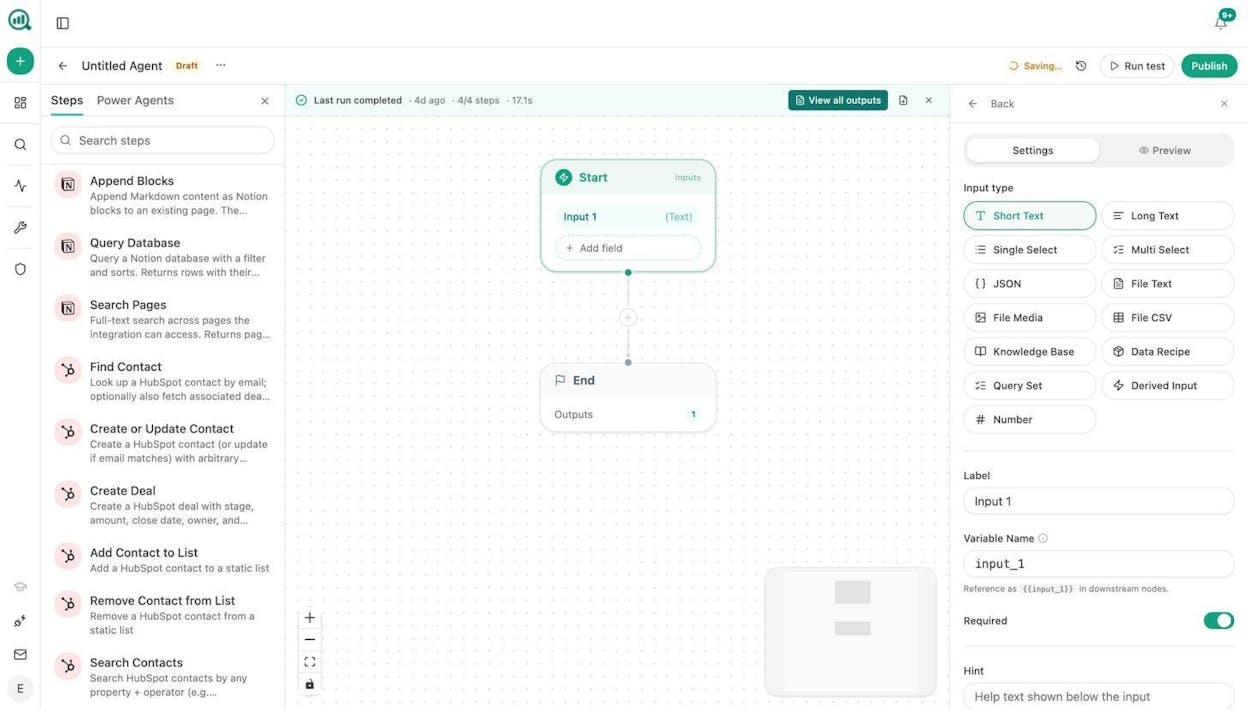
That is exactly what the Agent Builder in Analyze AI was designed for. It gives you 180+ nodes across SEO research, AI visibility, content creation, CRM, web scraping, and logic controls, all pre-wired to the data you already track. Think of it as the operating system for your marketing ops, not an automation add-on.
Workflow 1: Competitor Creative and Ad Tracking
Knowing what your competitors are running in paid and organic creative used to mean assigning someone to screenshot ads manually. That is not sustainable when you are tracking five or more competitors across Meta, Google, and LinkedIn.
How to set it up:
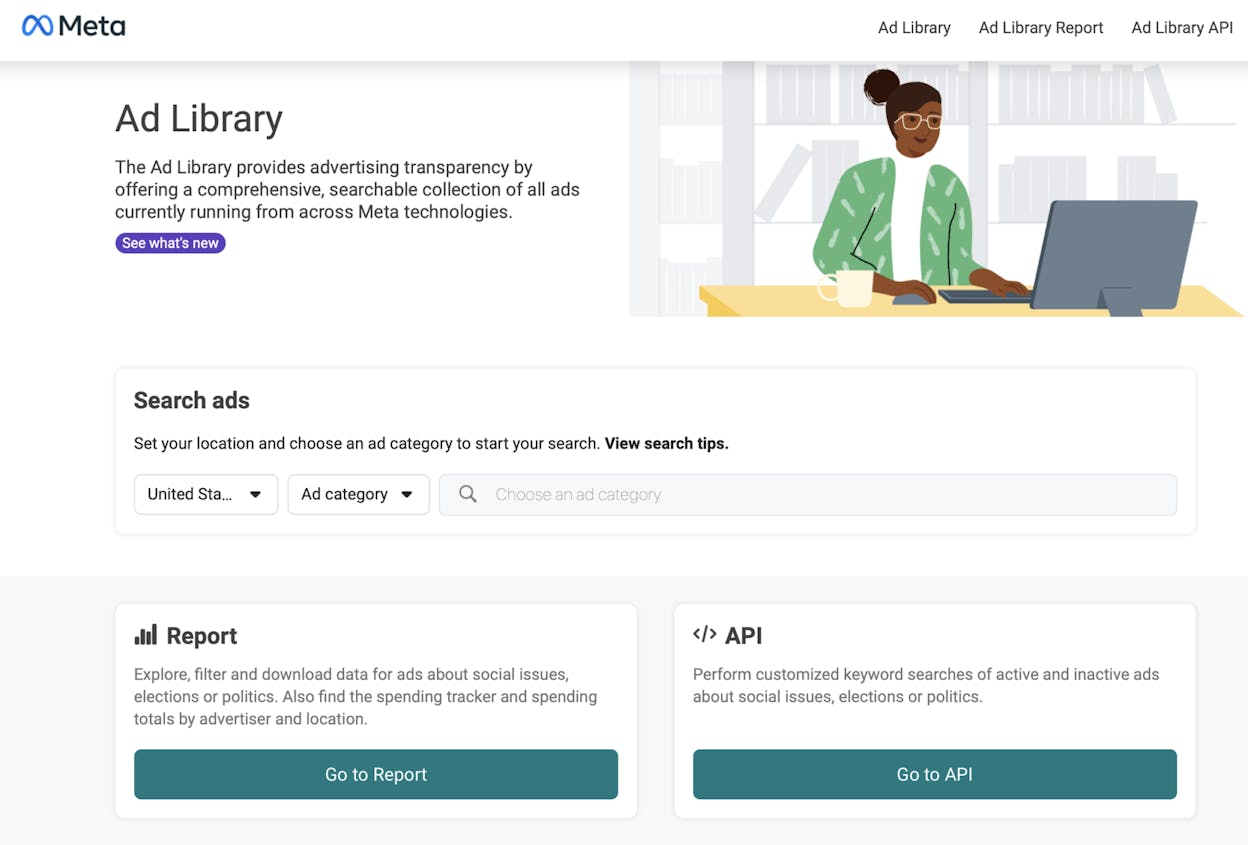
Start by identifying the competitors you want to track. Pull their active ads from Meta Ad Library and monitor their organic social accounts for posting patterns.
In Analyze AI, you can automate this entirely with an agent. Build a workflow that starts on a weekly schedule, pulls competitor domain data using the DataForSEO Brand Mentions node, runs the results through the Prompt LLM node to identify recurring themes and creative formats, and pushes a summary report to Slack or email.
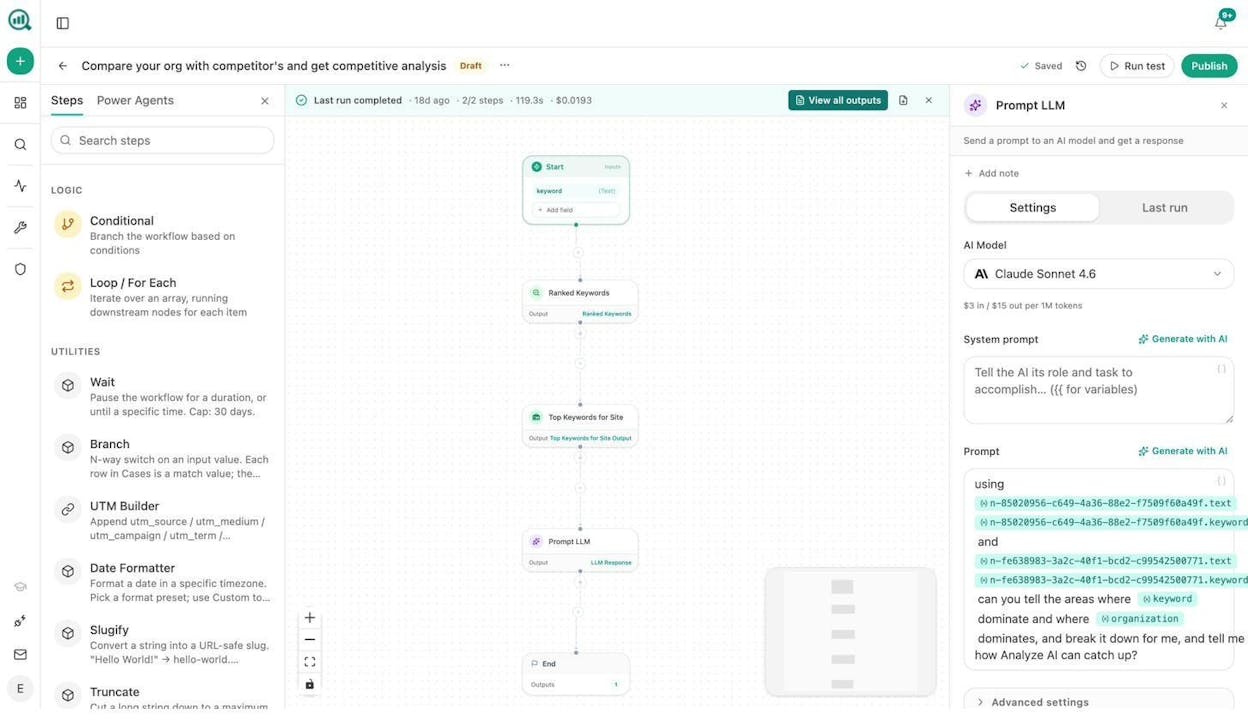
The output is not just a list of ads. The LLM node can categorize creative by format (static vs. video vs. carousel), extract messaging themes, flag new positioning angles, and compare them against your own brand voice using the Brand Vault.
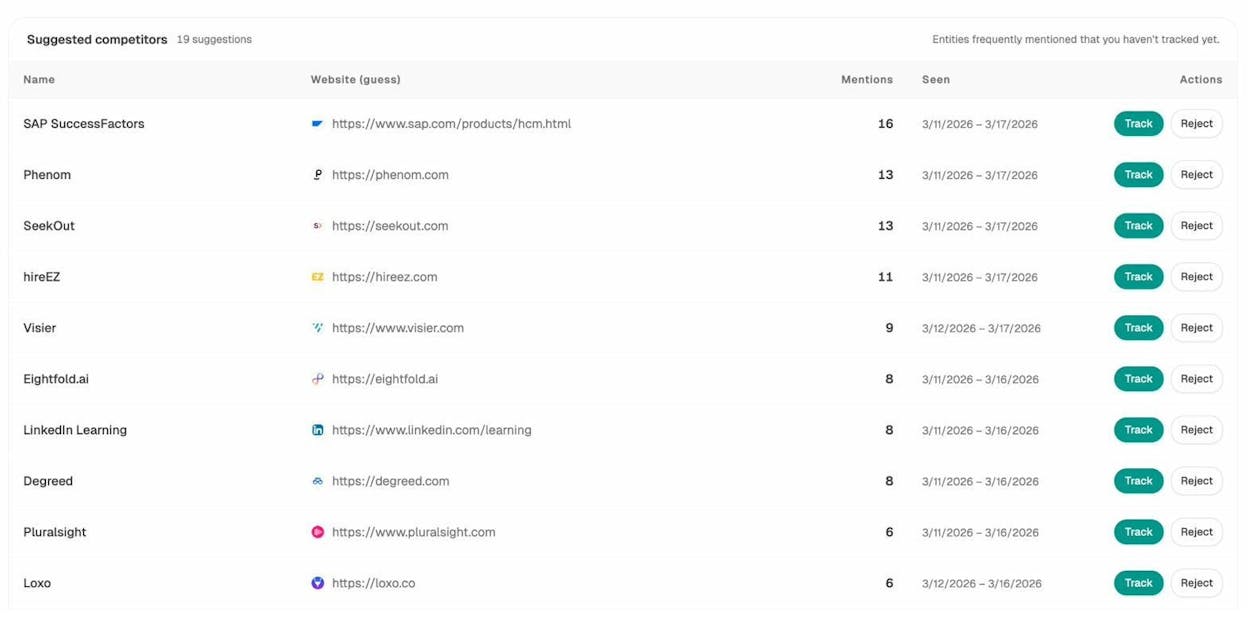
Extending this to AI search: Use the Analyze AI Competitors dashboard to see which brands AI engines mention alongside yours and how often. The Suggested Competitors feature surfaces entities you did not know were competing for your AI visibility, giving you a complete picture beyond just paid media.
Workflow 2: Brand Perception Monitoring Across AI Engines
This is the workflow most teams do not have yet, and the one that will matter most over the next two years.
When someone asks ChatGPT or Perplexity about your category, what does the AI say about your brand? Is the sentiment positive? Does it mention your differentiators, or does it position your competitor as the default?
Traditional brand monitoring tools track news mentions and social posts. They do not track how AI models talk about you. That is a blind spot.
How to set it up:
In Analyze AI, the Perception Map plots your brand and every tracked competitor on a two-axis quadrant. One axis measures visibility (how often AI mentions you). The other measures narrative strength (how well the story AI tells aligns with your actual positioning).
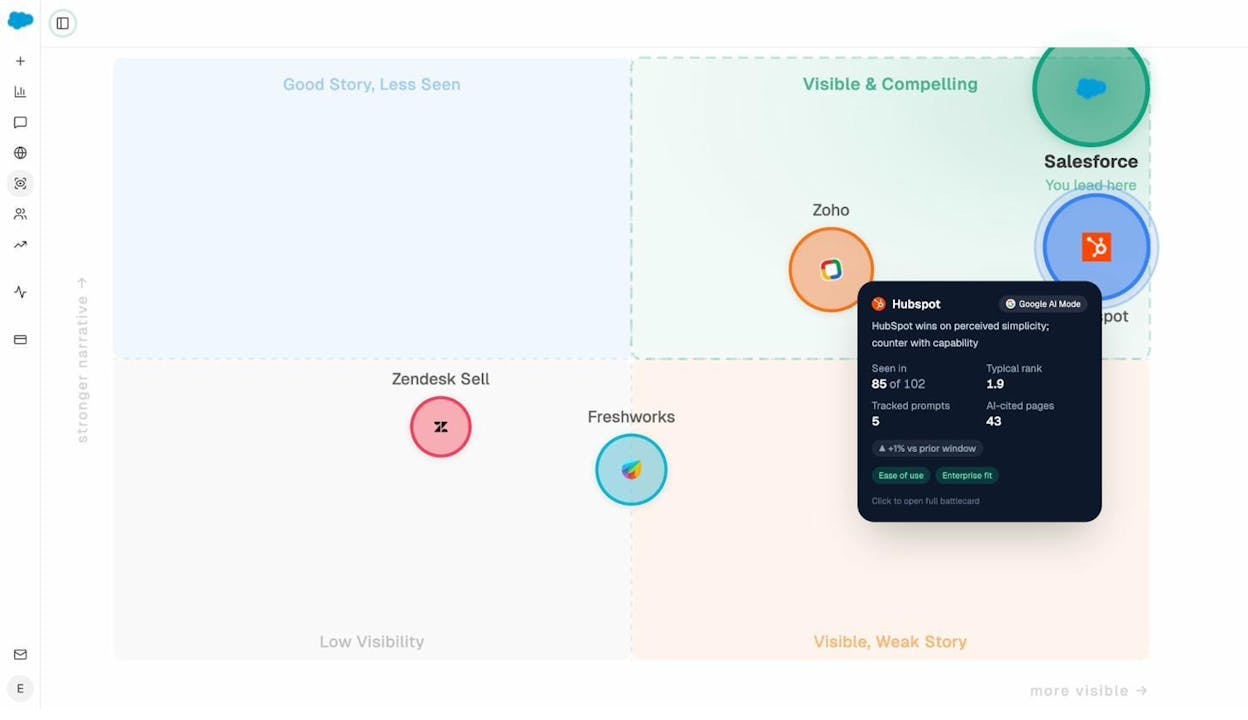
This is not a vanity metric. It tells you exactly where to invest. A brand in the “Visible, Weak Story” quadrant needs messaging work, not more content. A brand in the “Good Story, Less Seen” quadrant needs distribution and citation-building, not a rebrand.
Building the automated version: Set up a scheduled agent that runs weekly. Use the narrative-themes and sentiment-alerts data recipes as inputs. Wire them through the Prompt LLM node to generate a one-page narrative diff from the prior week. Push the output to Slack or generate a DOCX and email it to leadership.
The result is that every Monday morning, your leadership team has a brand perception brief without anyone touching a dashboard.
Why this matters for SEO teams too: The brands that AI models cite most are often the same ones ranking in traditional search. Monitoring your AI visibility is not a replacement for SEO. It is a leading indicator of brand authority that feeds back into your organic performance.
Workflow 3: Content Refresh at Scale
Content decay is the silent killer of brand marketing ROI. You published 200 blog posts over two years. Forty of them drove real traffic at launch. Today, half of those are losing rankings because the data is stale, the screenshots are outdated, or a competitor published something better.
Most teams know they should refresh content. Few do it systematically because the audit-and-rewrite loop is painful and manual.
How to set it up:
Start by identifying your declining pages. Connect Google Analytics and Google Search Console to spot pages where traffic dropped more than 20% over the last 90 days. Cross-reference that with your AI traffic data to see if those pages are also losing AI-referred visits.
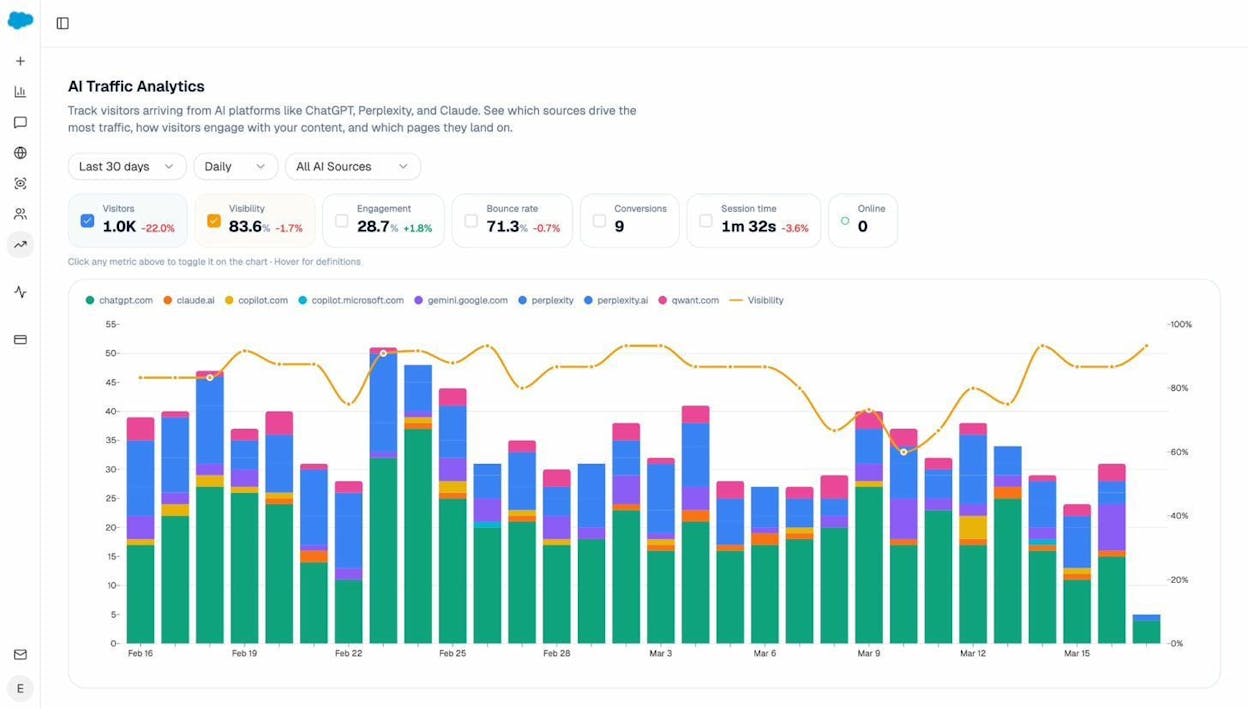
In Analyze AI’s Agent Builder, build a refresh workflow that runs weekly. The agent pulls declining-pages and stale-content data recipes, loops through each URL, scrapes the current page content, runs it through the Prompt LLM node with your Brand Vault injected for voice consistency, generates a rewritten draft, and pushes it to your CMS via the WordPress node.
Add a quality gate using the AEO Content Scorecard node. If the refreshed version scores below 80, it goes to a human editor via Slack instead of auto-publishing.
The AI search layer: Pages that are losing traditional search traffic may still be getting cited by AI models, or they may be losing citations too. The citation-decay-alert recipe flags pages where AI citations are dropping faster than organic traffic. Those are your highest-priority refreshes because you are losing ground in two channels simultaneously.
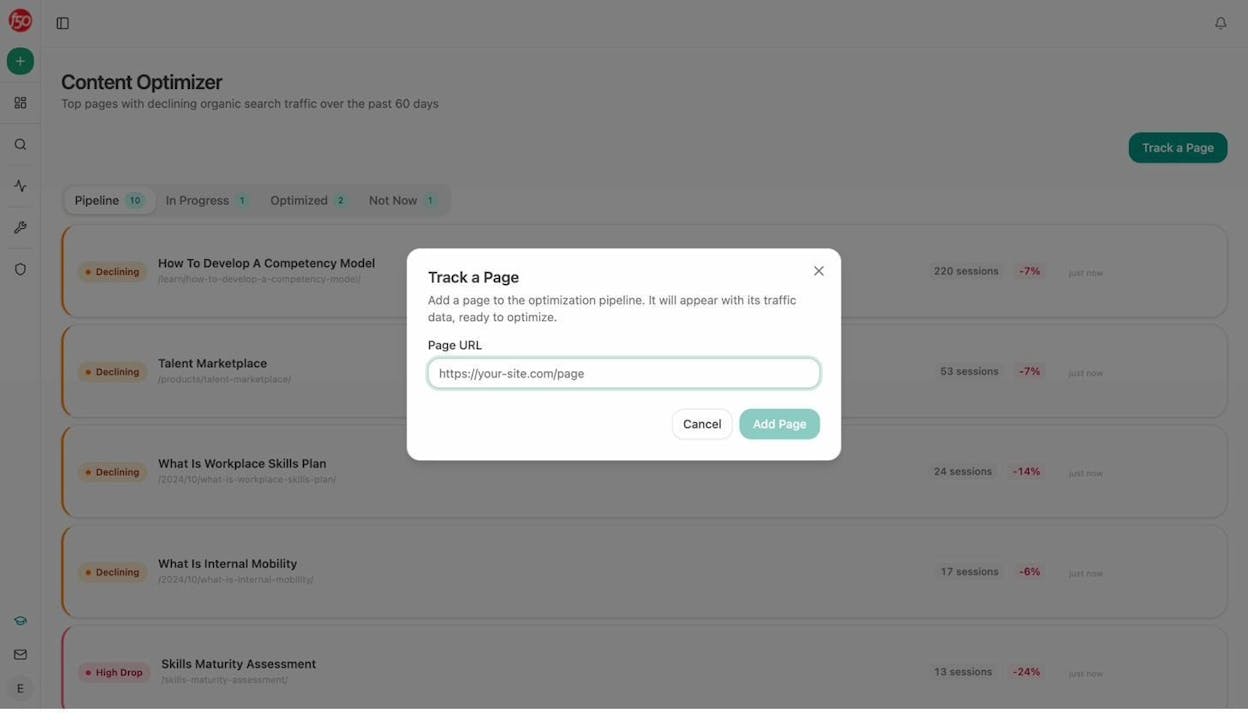
You can also use the Content Optimizer to run an AEO-focused audit on any page and get specific recommendations for improving AI citability.
Workflow 4: Content Writing Pipeline on Autopilot
Writing net-new content is where most brand marketing teams hit a wall. The brief sits in a Google Doc. The writer needs context from three different tools. The draft goes through four rounds of feedback. Publishing takes another day.
A proper content pipeline should go from topic to published post with minimal human bottlenecks. Humans should be making judgment calls, not copy-pasting between tools.
How to set it up:
In Analyze AI, the Content Writer follows a research-first approach. It generates a research brief, builds an outline with strategic comments, and produces a draft that reflects your brand voice through the Knowledge Base.
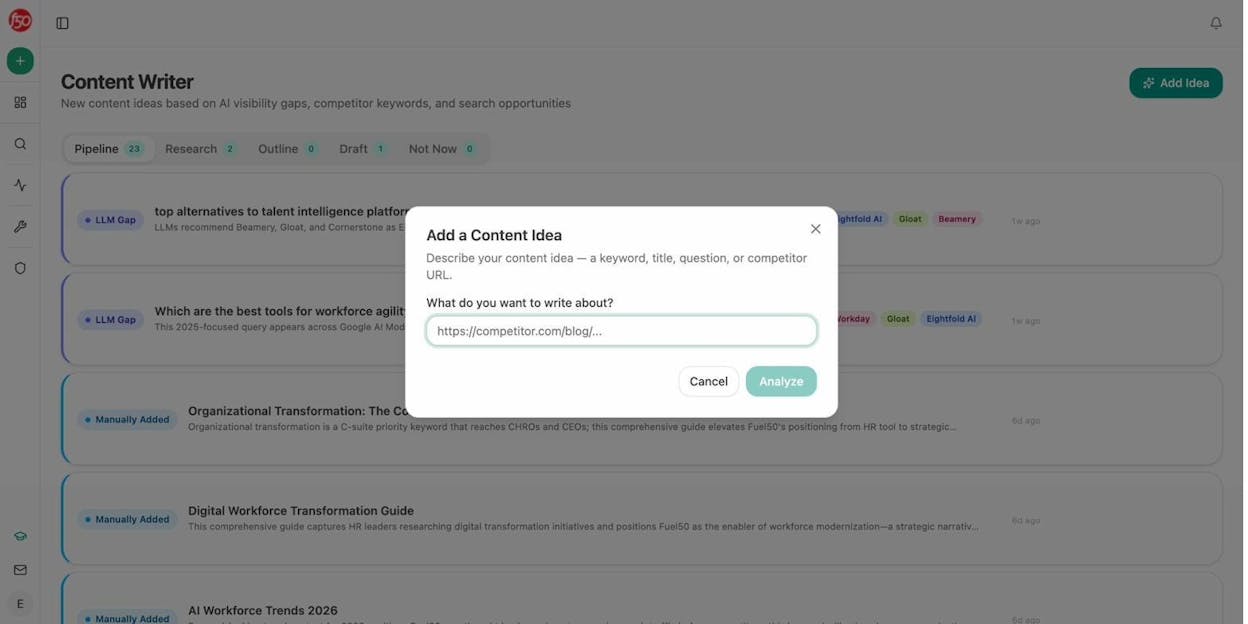
For teams that need to produce content at scale, the Agent Builder turns this into an automated pipeline. Here is what that looks like as an agent:
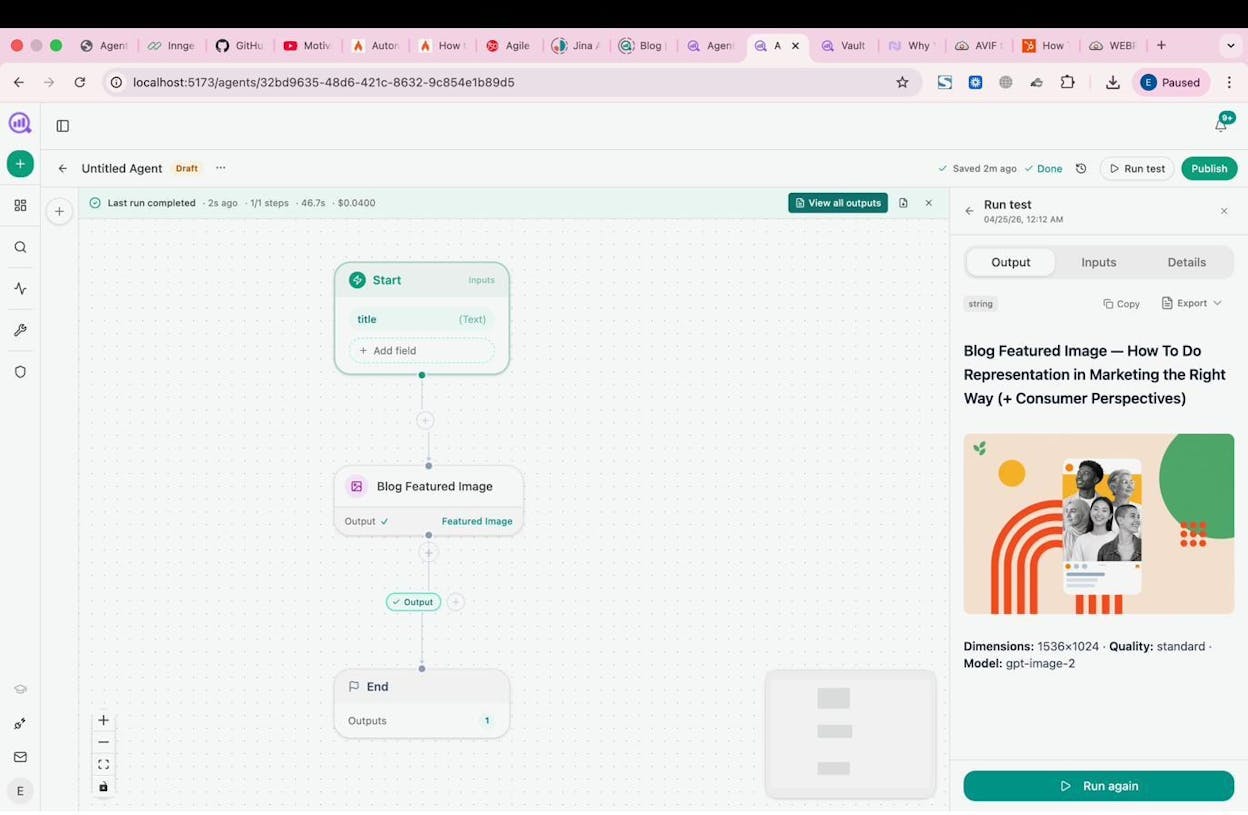
Start (Scheduled, Sunday night) > Pull prompt-cluster-brief recipe for uncovered AI prompts from the last 14 days > Cross-reference with keyword-opportunities from DataForSEO > Generate Research > Generate Outline > Generate Full Draft with Brand Vault injected > AEO Content Scorecard > If score > 80: WordPress Create Post + generate a featured image > If score < 80: send to the writer via Slack with the gaps flagged.
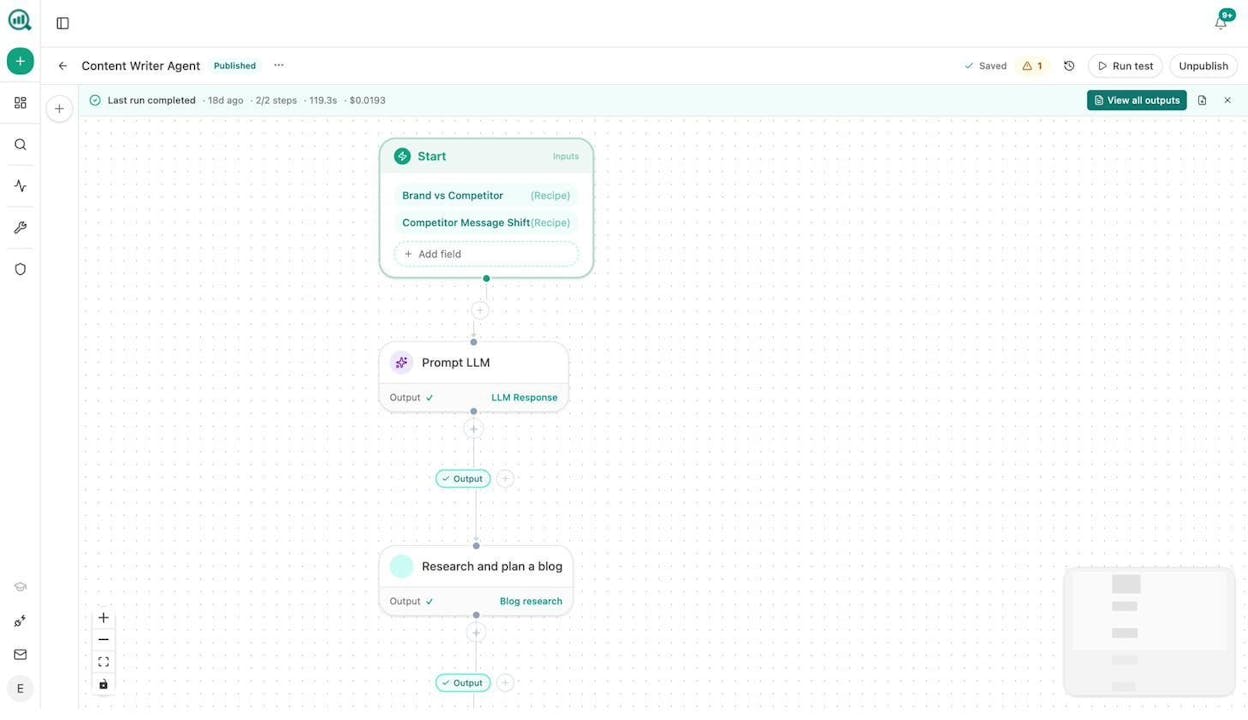
That is not a template. That is a system that discovers what to write, writes it, checks it, and publishes it, all while preserving your brand voice through the Vault.
For keyword research at scale: Use the Keyword Generator or the Keyword Difficulty Checker for quick validation. For deeper research, the Agent Builder’s DataForSEO and Semrush nodes let you run keyword research across thousands of seeds in a single workflow, then cluster and prioritize them automatically.
Workflow 5: PR and Earned Media Intelligence
PR teams live and die by speed. When a competitor gets coverage, you need to know within hours, not days. When a journalist writes about your category, you want to be in their inbox before they finish the follow-up piece.
How to set it up:
Build a scheduled agent that runs every 15 minutes using the DataForSEO Brand Mentions node filtered by sentiment and reach thresholds. If a negative mention exceeds a certain reach level, the agent fires a Slack notification and drafts three response options using the Prompt LLM node with your Brand Vault’s tone and messaging rules injected.
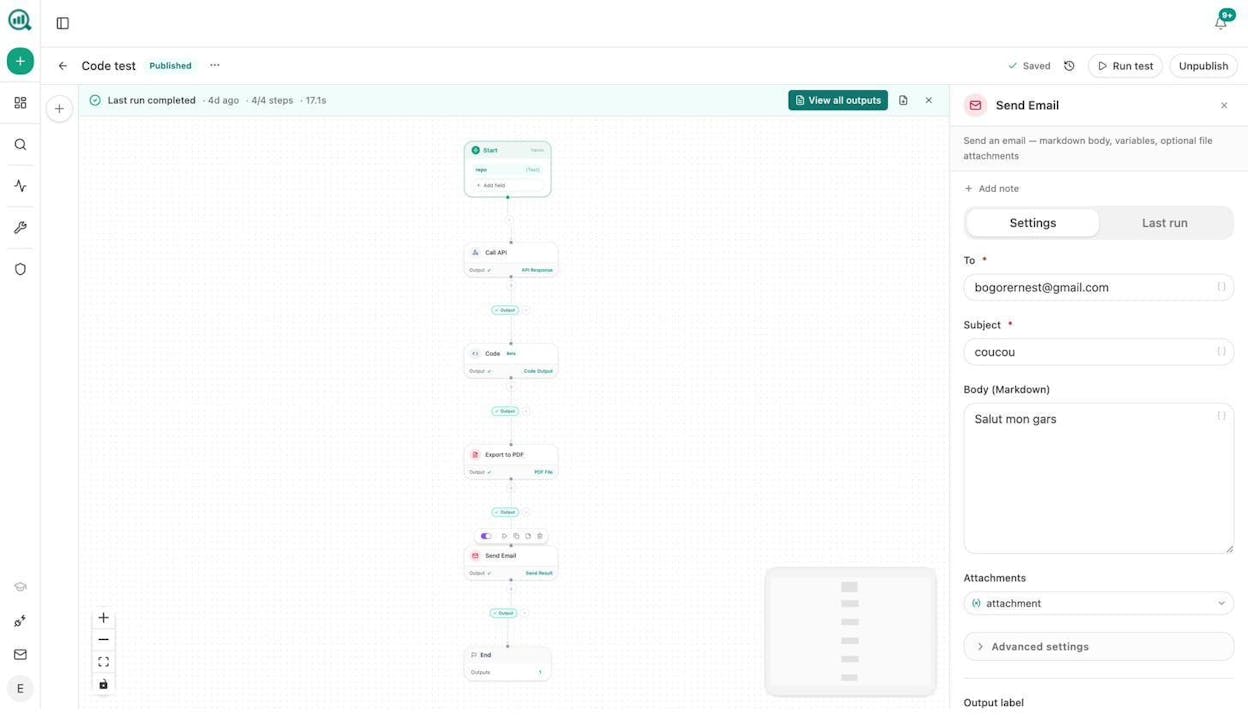
For proactive outreach, build a separate agent that runs weekly. It uses the DataForSEO News Research node to find journalists covering your space, the Tomba Author Finder node to get their contact information, and the Prompt LLM node to draft personalized pitches. Every contact gets logged to HubSpot automatically.
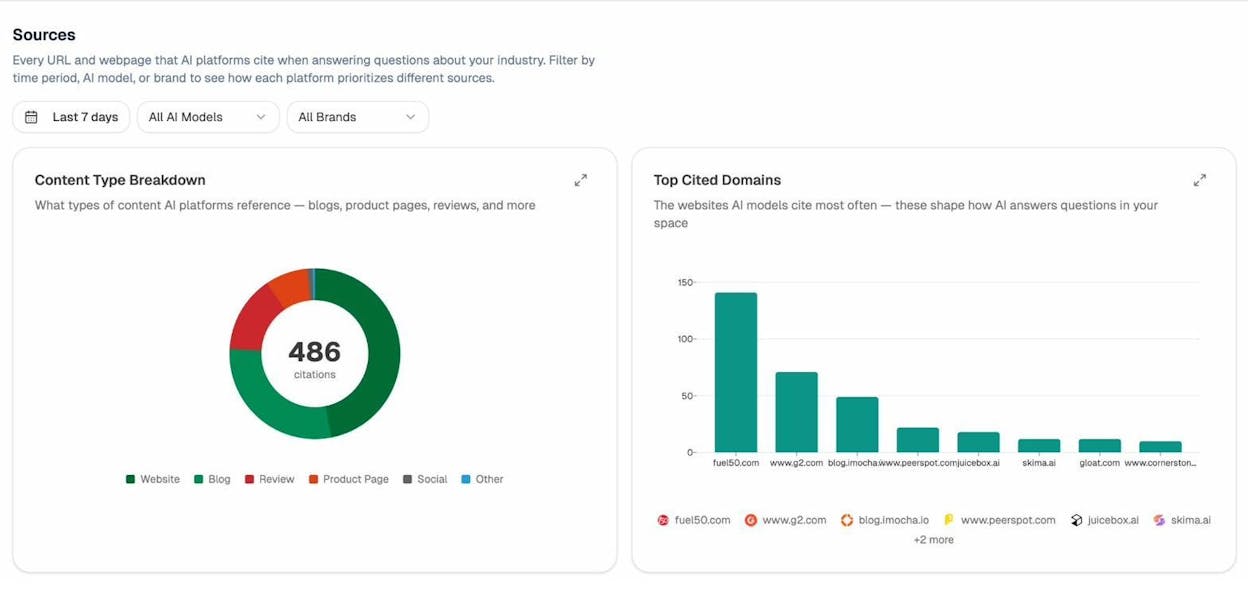
The AI search angle: Check the Sources dashboard to see which domains AI models cite most in your industry. These are your highest-value earned media targets. Getting featured on a site that AI models already trust will amplify both your traditional authority and your AI visibility.
Workflow 6: Weekly Brand Health Reporting
The Monday board prep is the workflow that everyone hates and nobody kills. It survives because leadership needs a consistent pulse check and nobody has built the alternative.
How to set it up:
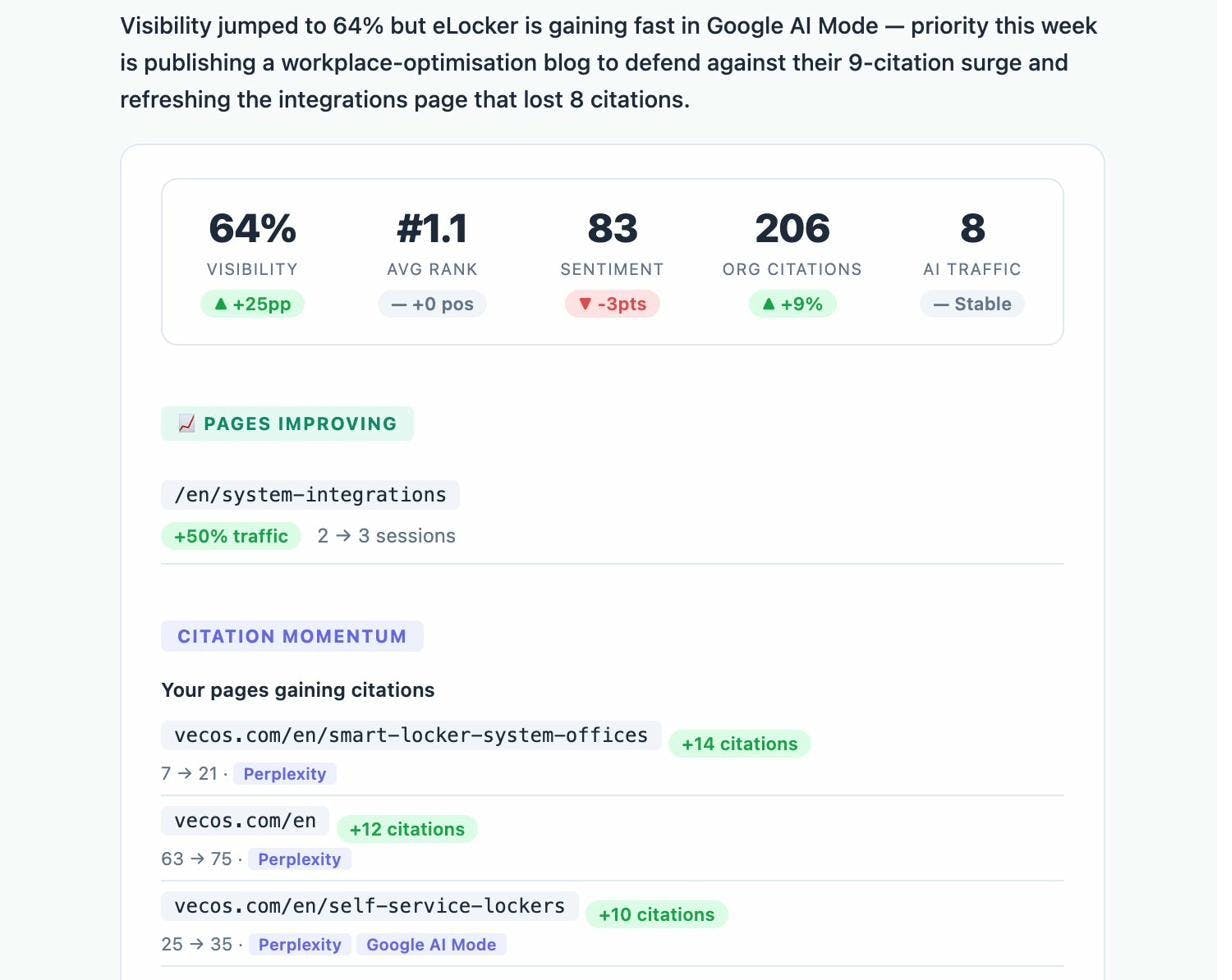
Schedule an agent for Monday at 7am. Wire in the exec-one-pager data recipe for AI visibility, the share-of-voice recipe for competitive positioning, GA4 traffic and AI traffic data, and new HubSpot deals from the past week. The Prompt LLM node synthesizes everything into an executive summary that matches your brand voice. Export as DOCX and email to leadership.
The agent costs pennies to run. It replaces a four-hour weekly task that typically requires an analyst, an ops person, and a designer.
For agencies, this workflow multiplies. Use a Loop node to iterate across a client list, generating one report per client with that client’s data. Monthly retainer reports stop existing as a task. They just show up.
Adding AI search data to brand health: Include the Weekly Email Digest metrics alongside your traditional KPIs. Leadership does not need a separate AI search report. They need one brand health report that includes AI visibility as another line item, alongside organic traffic, social engagement, and earned media mentions.
Workflow 7: AI Search Visibility as a Brand Channel
This is not a separate discipline. It is an extension of the brand marketing you already do.
When buyers ask ChatGPT for recommendations in your category, your brand either shows up or it does not. The brands that show up are the ones with clear, well-structured, original content, the same qualities that drive traditional SEO performance.
How to set it up:
Start by tracking the prompts your buyers actually use. In Analyze AI, the Prompt Tracking feature monitors how your brand appears across ChatGPT, Perplexity, Gemini, and other AI engines for the queries that matter to your business.
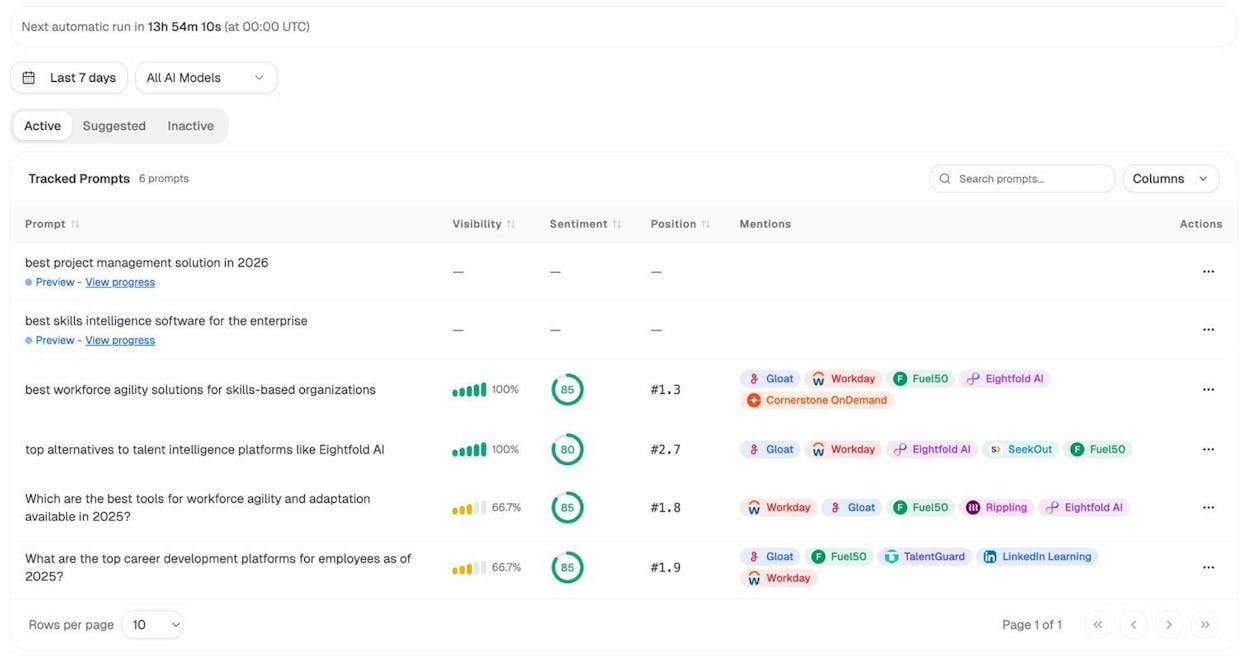
From there, identify your gaps. The Competitors dashboard shows where competitors get cited and you do not. The competitor-gaps data recipe gives you a ranked list of prompts where you are losing. These are your content priorities.
Build a scheduled agent that runs weekly. It pulls visibility-losers and competitor-sources data, identifies the pages competitors are getting cited for, and generates content briefs to close the gap. Those briefs flow directly into your content pipeline from Workflow 4.
The compound effect: When you close an AI visibility gap with strong content, you are not just winning in AI search. You are building the same authority signals that Google values. This is why SEO is not dead. AI search is an additional organic channel that reinforces your existing SEO investment instead of replacing it.
What to Look for in a Brand Marketing Workflow Tool
Not every automation tool is built for brand marketing. Most are general-purpose connectors that require you to build the data layer yourself. Here is what separates a tool that works from one that creates more maintenance than it saves.
Pre-built data access: The tool should already connect to your SEO data, analytics, CRM, and AI search visibility data. If you have to build integrations before you can build workflows, you will spend more time on plumbing than on strategy.
Brand voice preservation: Any tool that generates content should be able to inject your brand guidelines, tone rules, and messaging frameworks automatically. Look for a knowledge base or vault feature that persists across every workflow.
Scheduling and event triggers: Manual-run workflows are useful for exploration. But the real leverage comes from scheduled and webhook-triggered agents that run without intervention. Your Monday report, your daily competitor scan, and your content refresh pipeline should all run on autopilot.
Composability: You should be able to combine any node with any other node. The best marketing workflows are custom-built for your team’s specific pain points, not selected from a curated template library.
Analyze AI’s Agent Builder gives you all four. With 180+ nodes, 34 pre-built data recipes, integrations with GA4, GSC, HubSpot, WordPress, Notion, Semrush, DataForSEO, and every major LLM, the number of possible workflow combinations runs into the billions. That is not hyperbole. It is combinatorics.
You can start with the free trial and build your first workflow in minutes. The workflows in this article are a starting point. The substrate lets you build anything your marketing operation needs.

Ernest

Ibrahim


