



Summarize this blog post with:


Relay.app is a solid workflow automation tool. It connects apps, adds AI steps, and runs multi-step workflows with a clean visual builder. But if you run content operations, SEO campaigns, or marketing workflows at any real scale, you’ll hit its limits fast. It wasn’t built for marketing-specific data. It doesn’t know what a keyword is, what a SERP looks like, or how to audit a page for AI visibility.
That’s why more marketing teams are looking for alternatives that go beyond connecting apps and actually understand the data they work with every day.
In this article, you’ll learn which Relay.app alternatives actually handle the workflows that marketing, SEO, and content teams care about. You’ll see what each tool does well, where it falls short, how much it costs, and which one fits your specific situation. By the end, you’ll have enough detail to pick the right platform without wasting weeks on free trials that go nowhere.
Table of Contents
What to Look for in a Relay.app Alternative
Not every automation platform is built for the same user. If you’re evaluating tools for a marketing or content team, here’s what actually matters.
Does it connect to your marketing data? General automation tools connect to Slack and Gmail. That’s table stakes. What you need is a platform that connects to GA4, Google Search Console, keyword research APIs, your CMS, and your CRM without duct-taping five separate integrations together.
Can it handle multi-step content workflows? Research, outline, draft, optimize, publish. If the platform can’t chain those steps and pass outputs between them, you’re building the same manual process with a shinier interface.
Does it give you access to the latest AI models? Marketing teams use LLMs for content generation, analysis, and summarization daily. Your automation platform should let you choose between Claude, GPT, Gemini, and others without managing separate API keys.
Can it run on a schedule or trigger from an event? One-click workflows are fine for one-off tasks. But recurring reports, content refresh cycles, and monitoring require scheduled or webhook-triggered runs that work without anyone pressing a button.
Does it track AI search performance? SEO is evolving. AI engines like ChatGPT, Perplexity, and Gemini now drive real traffic. The best tools help you track and improve your visibility in these new channels alongside traditional search.
Is the pricing transparent and fair for what you get? Some platforms charge per task or per “step” and costs spiral once you automate at scale. Look for pricing that’s predictable and includes the features you need without surprise add-ons.
Quick Comparison
|
Tool |
Best For |
Starting Price |
Marketing Data Built In |
AI Models Included |
Agent Builder |
|---|---|---|---|---|---|
|
Marketing, SEO, content, and GTM ops |
$99/mo (free trial) |
Yes (GA4, GSC, Semrush, DataForSEO, HubSpot) |
Yes (Claude, GPT, Gemini, Perplexity) |
Yes (180+ nodes) |
|
|
Broad app-to-app automation |
$29.99/mo |
No |
Limited |
No |
|
|
Technical users wanting self-hosting |
$24/mo |
No |
BYOK (bring your own key) |
Yes (open-source) |
|
|
Budget-friendly visual workflows |
$10.59/mo |
No |
BYOK |
No |
|
|
Enterprise data and ops teams |
Free, then custom |
No |
Yes |
Yes |
|
|
Sales and support automation |
$49.99/mo |
No |
Yes |
Yes |
|
|
Ecommerce with legacy tool support |
$29.99/mo |
No |
Limited |
No |
7 Best Relay.app Alternatives in 2026
1. Analyze AI
-
Best for: Marketing, SEO, content, and GTM teams that need end-to-end workflow automation wired to their actual data
-
Pricing: $99/month (Growth), $250/month (Pro), Custom (Enterprise). Free trial available.
-
What stands out: 180+ nodes across SEO, AI visibility, CRM, CMS, and content tools. A built-in Content Writer and Content Optimizer. AI search visibility tracking across ChatGPT, Perplexity, Gemini, Copilot, and Claude.
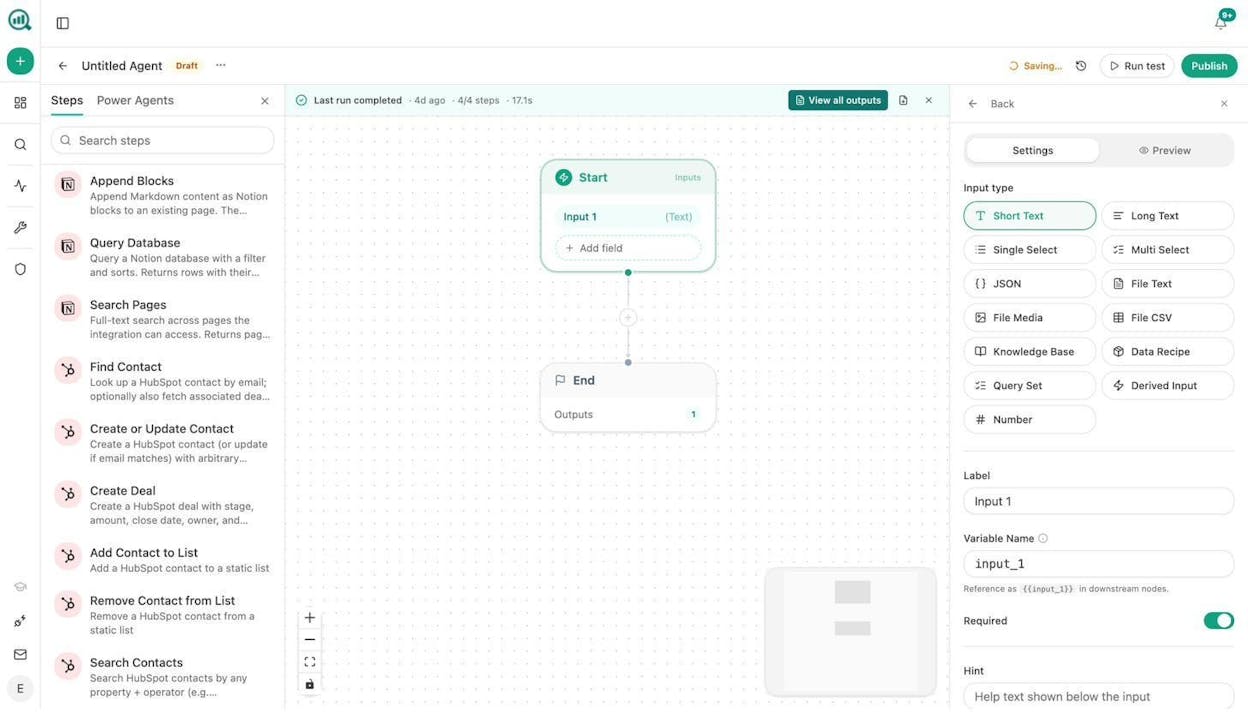
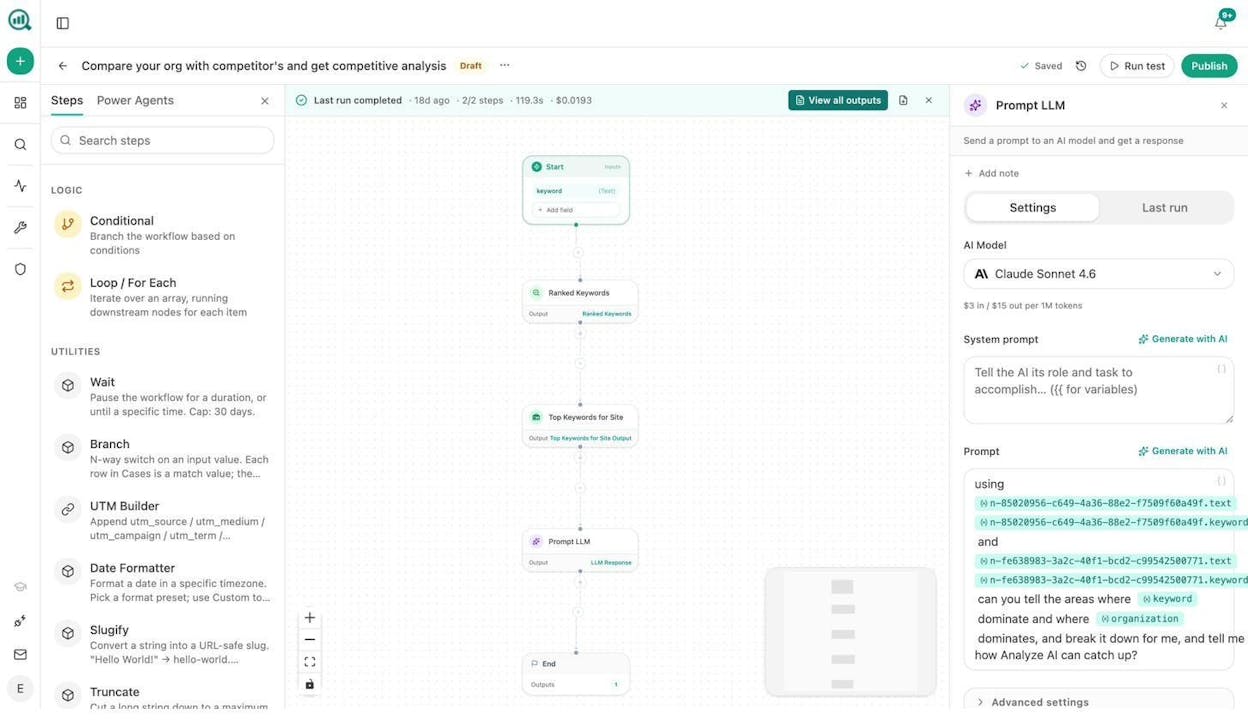
Analyze AI is the agentic platform for SEO, AEO, content, and GTM ops. Unlike general-purpose automation tools that just connect apps, Analyze AI’s Agent Builder is a programmable substrate with 180+ nodes, 34 pre-built data recipes, and integrations spanning GA4, Google Search Console, Semrush, DataForSEO, HubSpot, WordPress, Notion, Contentful, Mailchimp, and every major LLM.
That means you’re not wiring together five separate tools to pull a keyword report, run it through an LLM, and push the output to your CMS. You build one agent, and the data is already in the room.
Here’s what makes the Agent Builder different from other workflow tools.
The platform supports three trigger modes. Manual triggers let you run agents on demand for one-off tasks like generating a content brief. Scheduled triggers run agents on a cron (every Monday at 7am, every Friday at 3pm, first of the month) for recurring work like weekly competitive reports or content refresh cycles. Webhook triggers fire when an external event happens, such as a HubSpot deal closing, a form submission, or a CMS publish event.
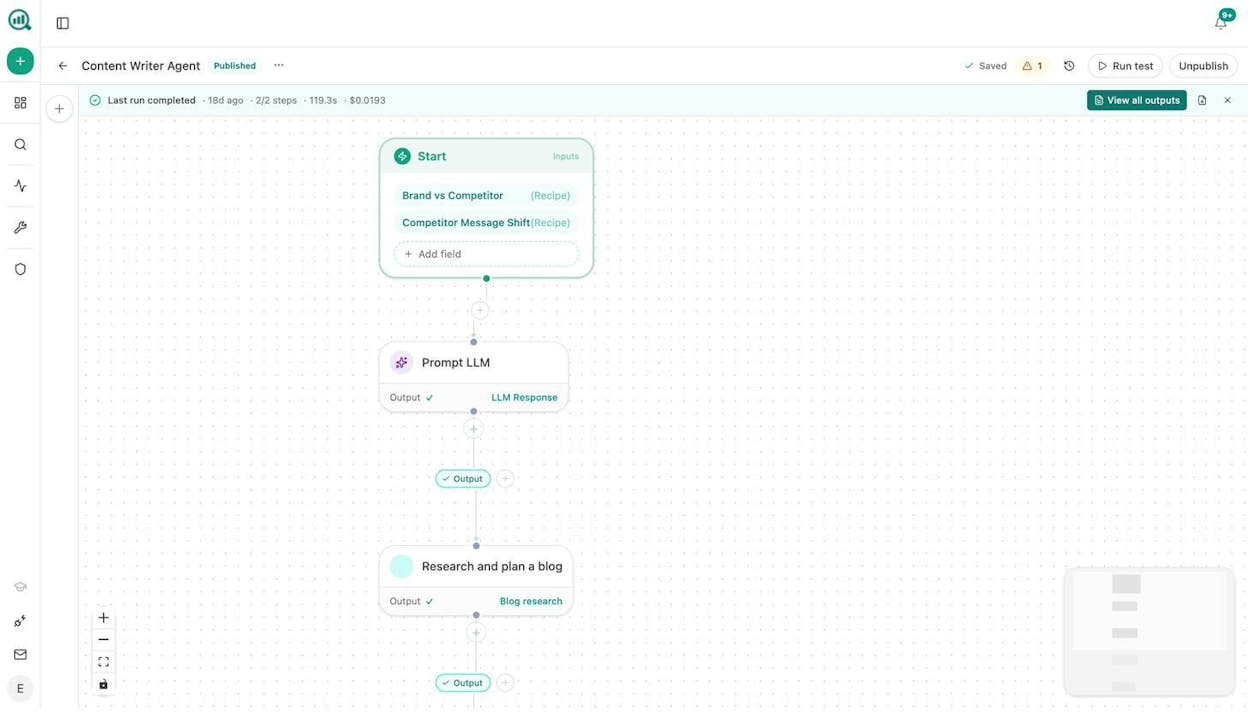
You can build agents for nearly any marketing workflow. Content writing at scale using the Generate Research, Generate Outline, and Generate Full Draft nodes. Keyword research at scale using DataForSEO and Semrush nodes piped through an LLM for analysis. Internal linking at scale using sitemap scraping, GSC keyword data, and LLM-generated link suggestions. Content refresh at scale by identifying declining pages through GA4, scraping the current content, rewriting it with brand voice injected from the Brand Vault, and pushing updates directly to WordPress. Link outreach using Tomba Author Finder and Hunter.io nodes to discover journalist emails, generate personalized pitches, and log everything to HubSpot. Image creation using Blog Featured Image, Infographic Generator, and Social Media Image nodes, all brand-kit-aware.
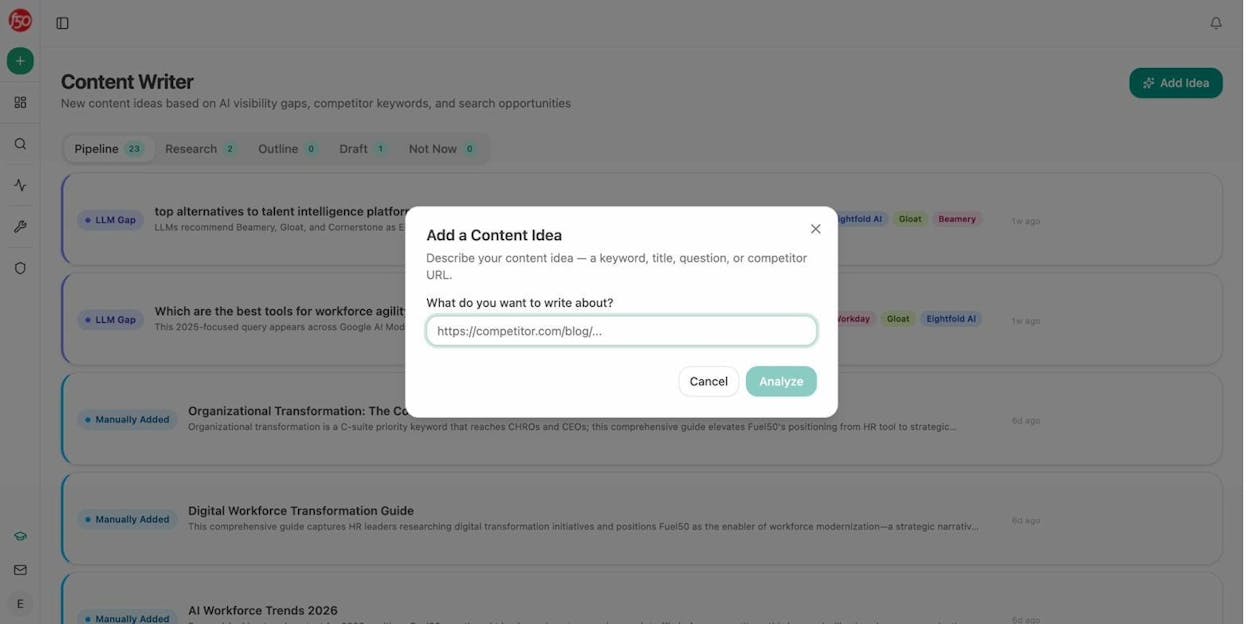
Beyond the Agent Builder, Analyze AI includes a dedicated Content Writer that follows a multi-step process. You input a topic, keyword, or competitor URL. The platform runs research with editorial comments, builds an outline, and generates a full draft with AI visibility gaps and competitor analysis baked into every step.
The Content Optimizer works the same way for existing pages. Paste a URL, get a content score, argument gaps, and line-by-line suggestions to improve performance for both search engines and AI engines.
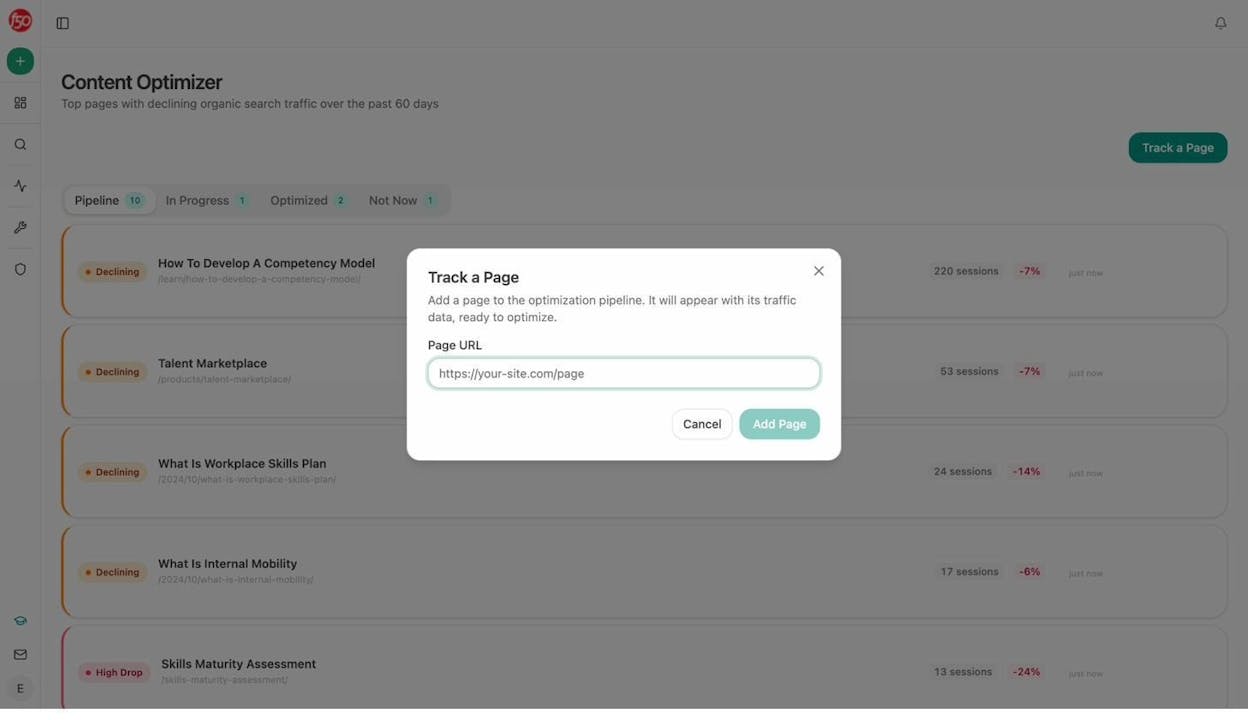
And here’s the capability that no other tool on this list offers. Analyze AI tracks your brand’s AI visibility across ChatGPT, Perplexity, Gemini, Copilot, and Claude. You see which prompts mention your brand, which engines cite your pages, how your sentiment trends over time, and how AI traffic converts on your site through GA4 integration. This is not a bolt-on feature. It’s integrated into every agent, every data recipe, and every content workflow on the platform.
The Sheets feature also lets you run operations across hundreds of rows at once, which means keyword research, content audits, or competitor analysis across your entire site can happen in a single run instead of one page at a time.
Pricing: $99/month (Growth) gets you 3 AI engines, 25 tracked prompts daily, the Content Writer, and the Content Optimizer. $250/month (Pro) adds a fourth AI engine, AI Traffic Analytics with GA4, weekly recommendations, and expanded content workflow limits. Enterprise plans are custom. A free trial is available on all paid plans. See the full pricing page for details.
Where it could improve: The platform is purpose-built for marketing, SEO, and content teams. If you need general business process automation for HR, finance, or IT operations, you’ll find fewer pre-built templates for those use cases. The learning curve for the Agent Builder is also steeper than a simple Zapier-style trigger-action setup, though the payoff in capability is proportional.
2. Zapier
-
Best for: Reliable app-to-app automation with the widest range of integrations
-
Pricing: Free, then starts at $29.99/month
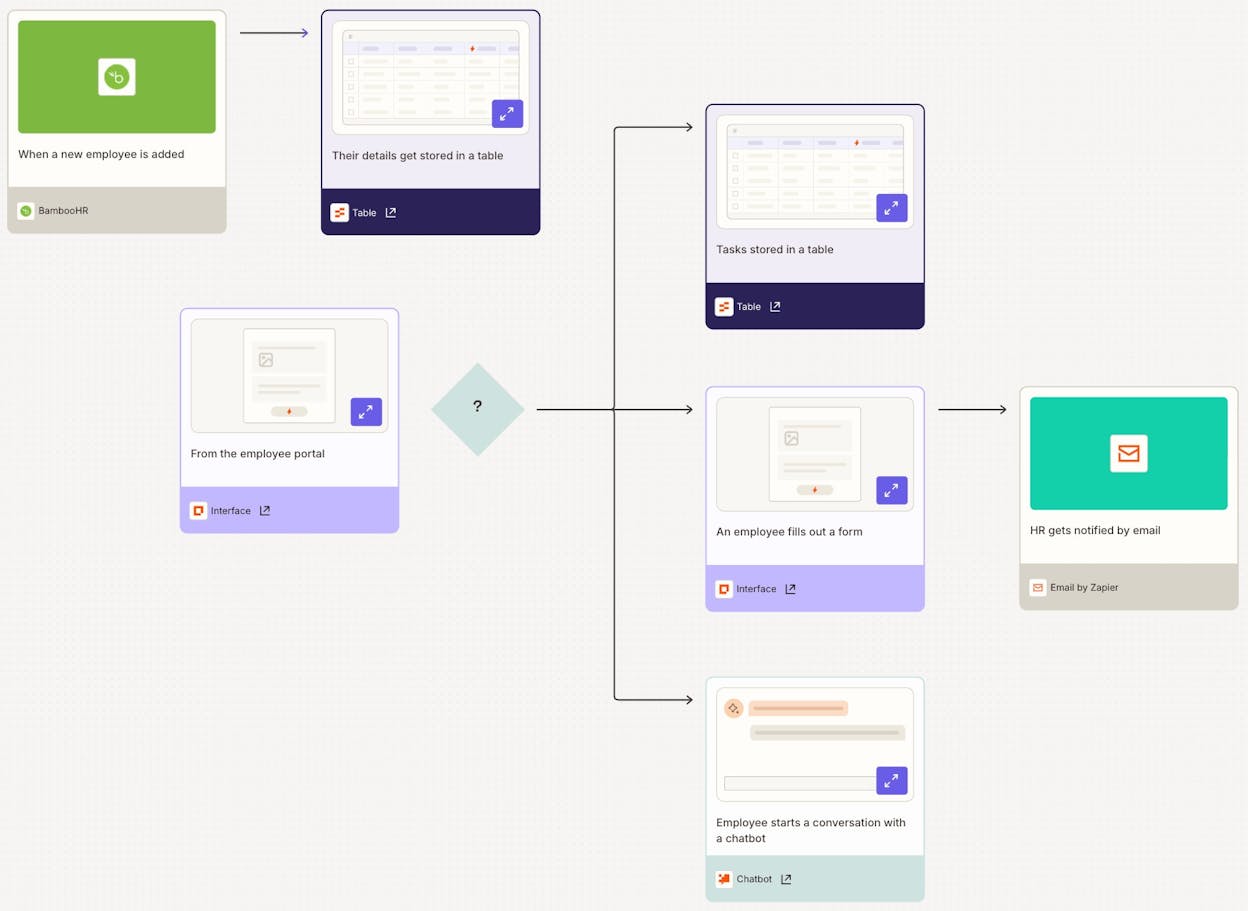
Zapier is the most established automation platform on the market. It connects over 7,000 apps with a simple if-this-then-that logic and a visual builder that most people can learn in an afternoon.
For marketing teams, Zapier works well for basic tasks. Sending a Slack notification when a new lead comes in. Adding a Google Sheets row when a form is submitted. Pushing new blog posts to social media. These are the kinds of straightforward, two-to-five-step automations where Zapier excels.
Where it falls short for marketing teams is in data depth. Zapier doesn’t have built-in SEO research nodes, content scoring, or AI visibility tracking. You can connect it to ChatGPT as a step in a workflow, but the AI integration feels added on rather than native. And pricing scales quickly once you need more tasks or more complex multi-step workflows.
Pricing: Free (100 tasks/month), Professional ($29.99/month), Team ($103.50/month), Enterprise (custom). See the Zapier pricing page for details.
Reviews: 4.5/5 on G2 (1,400+ reviews), 4.7/5 on Capterra (3,000+ reviews).
3. n8n
-
Best for: Technical users who want self-hosting options and full workflow control
-
Pricing: Free (self-hosted), then starts at $24/month (cloud)
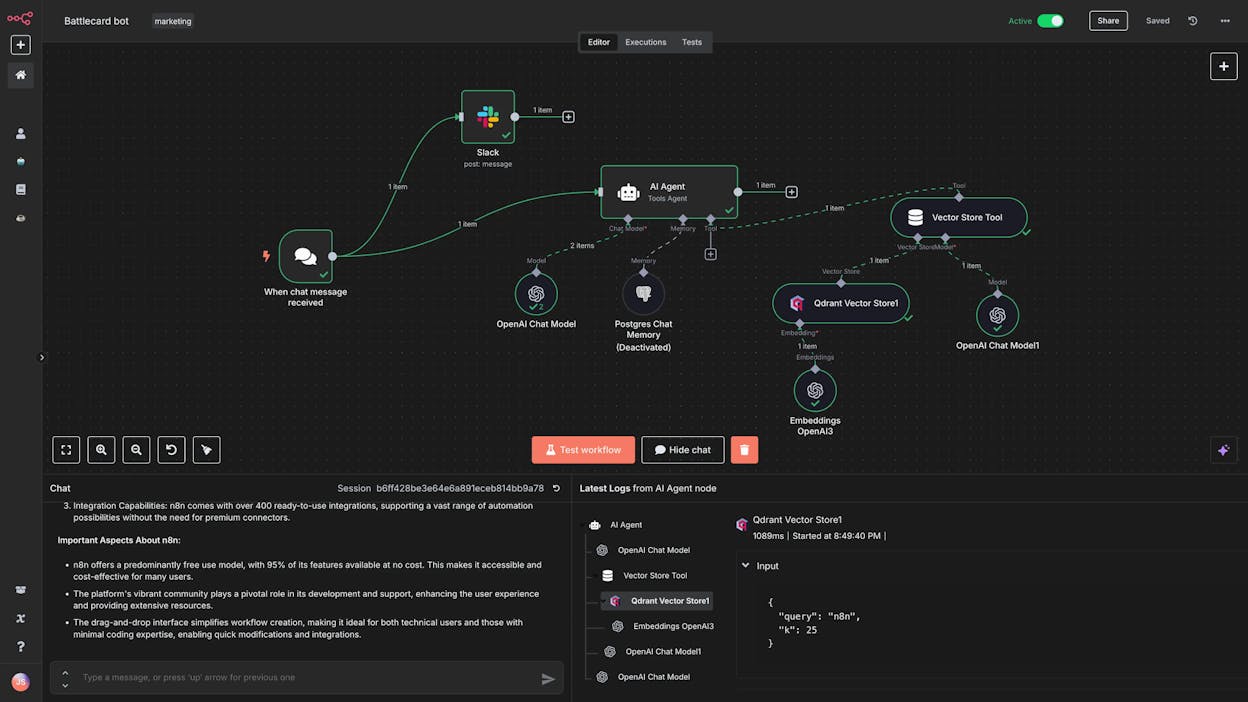
n8n has become one of the most popular open-source automation platforms. If your team has a developer who wants full control over the infrastructure, n8n gives you self-hosting, custom code nodes, and the ability to build complex conditional logic.
The platform has a massive library of community-created templates, and its YouTube ecosystem is one of the best for learning how to build advanced automations. For marketing use cases, n8n can handle things like scraping competitor pages, processing data through an LLM, and pushing results to a database.
The trade-off is that n8n requires you to bring your own API keys for AI models. There are no built-in SEO data sources or content-specific tools. And the interface, while powerful, can feel clunky for non-technical team members. If your content lead or marketing manager needs to build workflows independently, n8n might not be the right fit.
Pricing: Starter ($24/month for 2.5k executions), Pro ($60/month for 10k), Business ($800/month for self-hosted), Enterprise (custom). See the n8n pricing page for details.
Reviews: 4.8/5 on G2 (140+ reviews), 4.6/5 on Capterra (39+ reviews).
4. Make
-
Best for: Budget-friendly visual workflow automation with broad app support
-
Pricing: Free, then starts at $10.59/month
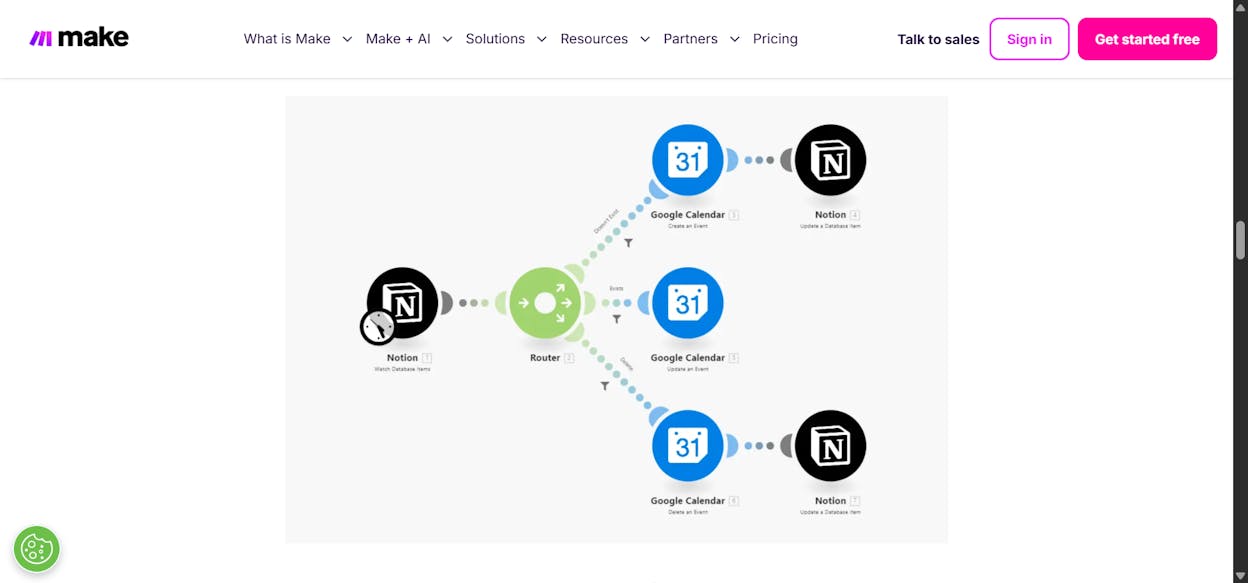
Make (formerly Integromat) is the budget-friendly option on this list. It includes over 2,500 pre-built app integrations and a visual builder that maps out your workflows as a flowchart.
For marketing teams on a tight budget, Make handles basic content automation tasks well. You can connect your CRM to your email platform, automate lead notifications, and push data between Google Sheets and your project management tool without spending much.
The downsides mirror n8n’s. No built-in marketing data, no SEO research tools, no content scoring, and you need your own API keys for AI models. The visual builder can also feel cluttered when workflows get complex, and stability can be inconsistent compared to more established platforms.
Pricing: Free (1,000 credits/month), Core ($10.59/month), Pro ($18.82/month), Teams ($34.12/month), Enterprise (custom). See the Make pricing page for details.
Reviews: 4.7/5 on G2 (255+ reviews), 4.8/5 on Capterra (406+ reviews).
5. Stack AI
-
Best for: Enterprise teams building AI agents for data-heavy operations
-
Pricing: Free, then custom (requires demo)
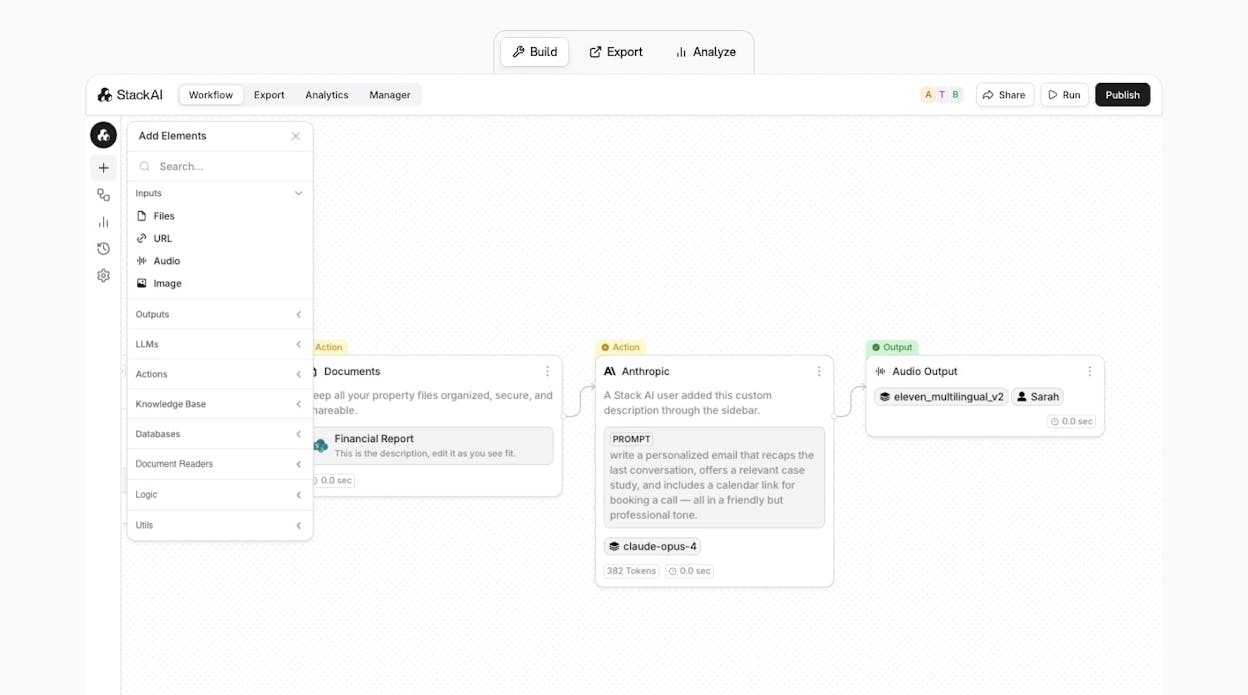
Stack AI is an AI agent builder aimed at larger organizations. The interface is clean, the drag-and-drop builder is well-designed, and the platform supports complex conditional logic for teams with technical resources.
Where Stack AI differs from marketing-focused tools is in its target audience. It’s built primarily for finance, risk, and operations teams that need enterprise-grade security and compliance. Marketing teams can use it, but you won’t find SEO data pipelines, content creation nodes, or AI visibility tracking.
The biggest hurdle is pricing transparency. Beyond the free tier, paid plans require a demo and custom quoting. For smaller marketing teams or agencies, this creates friction when you just want to test the tool against your actual workflows.
Pricing: Free (basic features), Enterprise (custom, requires demo). See the Stack AI pricing page for details.
Reviews: 4.8/5 on G2 (31+ reviews).
6. Lindy AI
-
Best for: Automating customer support, sales outreach, and lead qualification
-
Pricing: Free, then starts at $49.99/month
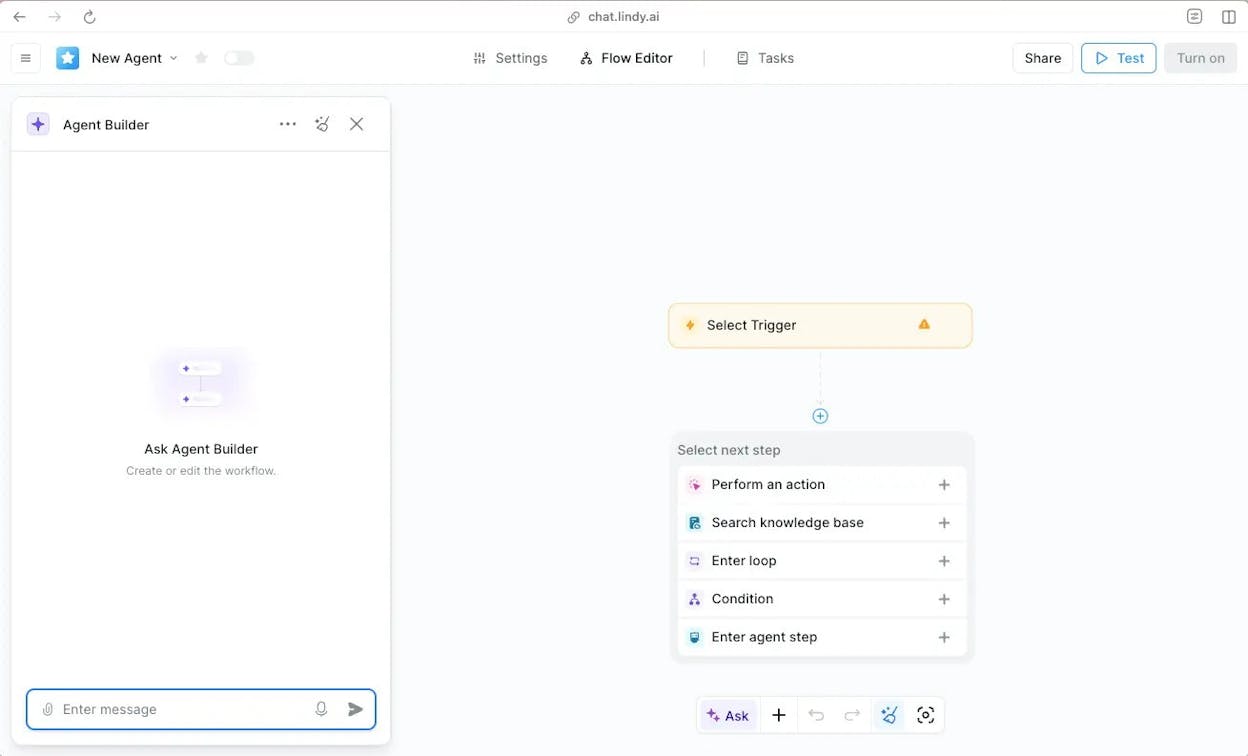
Lindy AI markets itself as an “AI employee builder.” You describe the type of agent you want, and the platform helps you build it through a conversational interface. It integrates with Slack, Gmail, Airtable, Stripe, Linear, and other tools commonly used by sales and support teams.
For sales-heavy marketing teams, Lindy has useful features like AI-powered lead qualification and automated outreach sequences. It’s a strong fit if your primary automation needs revolve around CRM management and customer interactions.
For content or SEO teams, Lindy is less relevant. It doesn’t have content creation pipelines, keyword research nodes, or any AI search tracking capability. The Pro plan at $49.99/month is also more expensive than several alternatives on this list for what you get.
Pricing: Free (400 credits/month), Pro ($49.99/month for 5,000 credits), Business ($199.99/month for 20,000 credits), Enterprise (custom). See the Lindy AI pricing page for details.
Reviews: 4.9/5 on G2 (112+ reviews).
7. Integrately
-
Best for: Ecommerce businesses with legacy tool integrations
-
Pricing: Free, then starts at $29.99/month
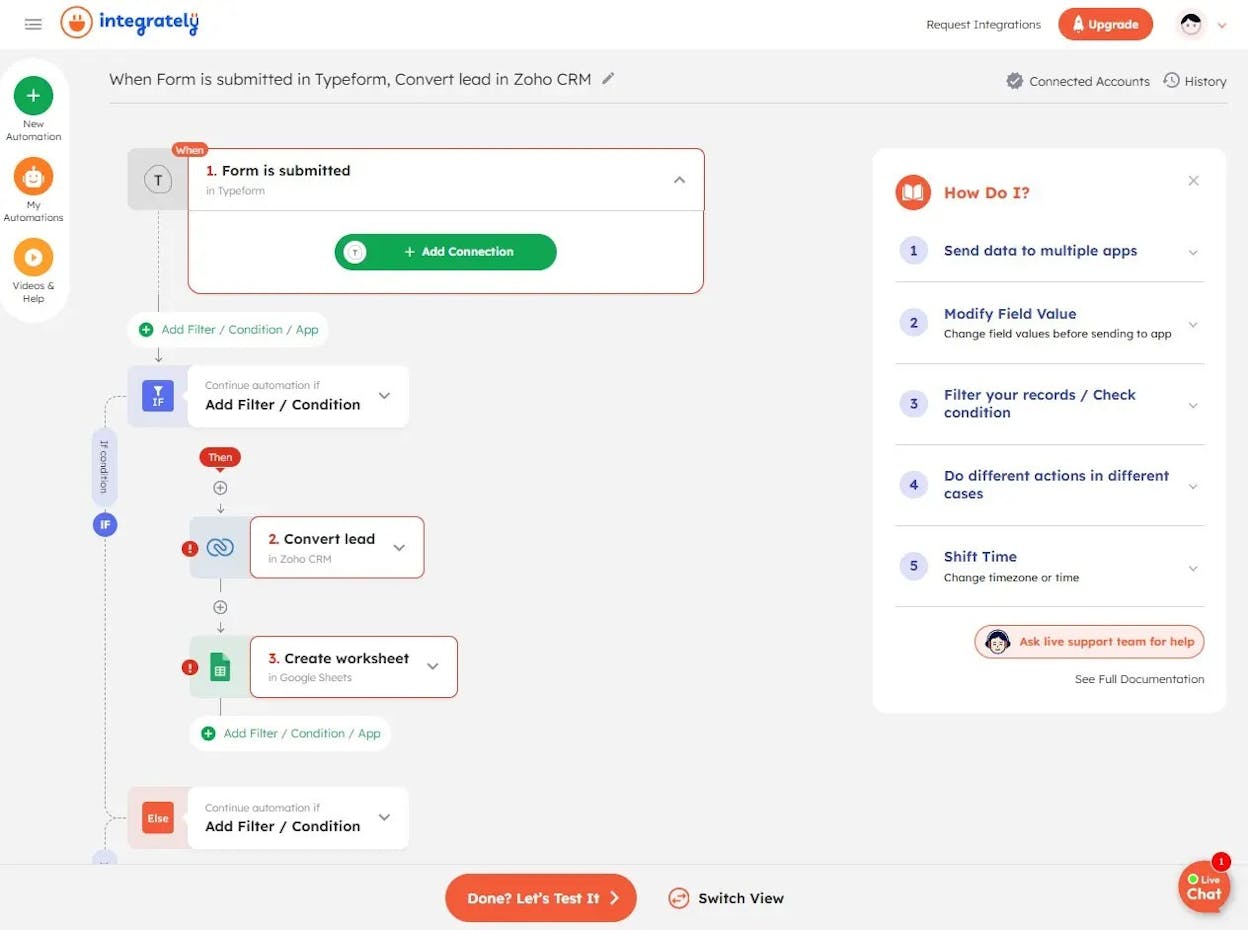
Integrately offers over 20 million pre-built automations across 1,400+ apps. The platform is best suited for ecommerce companies that need to connect older tools like BigCommerce, MailChimp, and Flowdesk with simple one-click connectors.
For marketing teams outside of ecommerce, Integrately is a harder sell. It doesn’t have AI-native features, content creation tools, or any SEO-specific integrations. The interface is functional but not as polished as other platforms on this list.
If you run an ecommerce business and need to connect specific legacy tools that other platforms don’t support, Integrately fills that gap. For everyone else, the alternatives above offer more capability.
Pricing: Free (100 tasks/month), Starter ($29.99/month for 2,000 tasks), Professional ($49/month for 10,000 tasks), Growth ($124/month for 30,000 tasks), Business ($299/month for 150,000 tasks). See the Integrately pricing page for details.
Reviews: 4.7/5 on G2 (694+ reviews).
Picking the Right Tool for Your Team
Every tool on this list fills a different need. Zapier works when you need reliable, broad app-to-app connections. n8n and Make are strong choices for technically skilled teams on a budget. Stack AI serves enterprises with data-heavy operations. Lindy AI fits sales-focused teams. Integrately handles ecommerce with legacy tools.
But if you run marketing, SEO, content, or GTM workflows, Analyze AI is the platform built specifically for that work. The Agent Builder with 180+ nodes gives you everything from keyword research and content creation to competitor analysis and CRM enrichment in a single substrate. The Content Writer and Content Optimizer produce better outputs because they follow a multi-step editorial process with research, AI visibility gap analysis, and brand voice enforcement built into every step. And the AI visibility tracking ties your content work to real traffic, citations, and conversions across every major AI engine.
The other platforms on this list require you to bolt together separate tools for each piece of that workflow. Analyze AI ships it as one platform with your data already connected.
You can start a free trial today and build your first agent in minutes.

Ernest

Ibrahim


