



Summarize this blog post with:


Octoparse is a solid web scraper. You configure selectors, set up extraction rules, and pull structured data from websites. But for marketing teams, scraping is never the goal. It is always step one.
You scrape competitor pages to inform content strategy. You pull contact data for outreach campaigns. You extract pricing tables for competitive analysis. You monitor review sites for brand mentions. In every case, the value comes from what happens after the data lands.
That is where Octoparse falls short. It stops at extraction. You still need to move the data somewhere, analyze it, act on it, and ideally feed it into a workflow that produces content, enriches leads, or updates your CRM. And that means stitching together three or four more tools to finish the job.
In this article, you’ll learn which Octoparse alternatives go beyond raw data extraction, what each one does well for marketing use cases, how their pricing works, and how to pick the right platform based on what you actually need to do with scraped data.
Table of Contents
What to Look for in an Octoparse Alternative
Before picking a tool, think about these criteria in terms of your marketing workflows.
What happens after the scrape. This is the single most important question. If you just need raw HTML turned into a CSV, Octoparse already does that. If you need to take that data and research keywords, write content, enrich leads, or push updates to your CRM, you need a platform that handles the full pipeline.
AI that understands context. Traditional scrapers extract elements you point at. Newer tools use LLMs to interpret page content, understand context, and structure data intelligently. For marketing use cases like competitive analysis or content research, that difference is enormous.
Integrations with your stack. Where does your scraped data need to end up? If it is Google Sheets, that is simple. If it is HubSpot, WordPress, Notion, or Mailchimp, check that the platform connects natively.
Scheduling and triggers. One-off scrapes are useful for research. Scheduled scrapers that monitor competitors, track pricing changes, or detect new content are where the real leverage lives.
Pricing at scale. Some tools look affordable until you run a lot of scrapers. Pay attention to credit limits, compute costs, and whether pricing is per-page, per-run, or subscription-based.
5 Best Octoparse Alternatives for Marketing Teams
Here are the tools worth your time:
-
Analyze AI
-
Clay
-
Apify
-
Browse AI
-
Thunderbit
1. Analyze AI
-
Best for: Marketing teams that need to scrape, research, create content, and distribute, all in one workflow
-
Pricing: Free trial available, then starts at $99/month
-
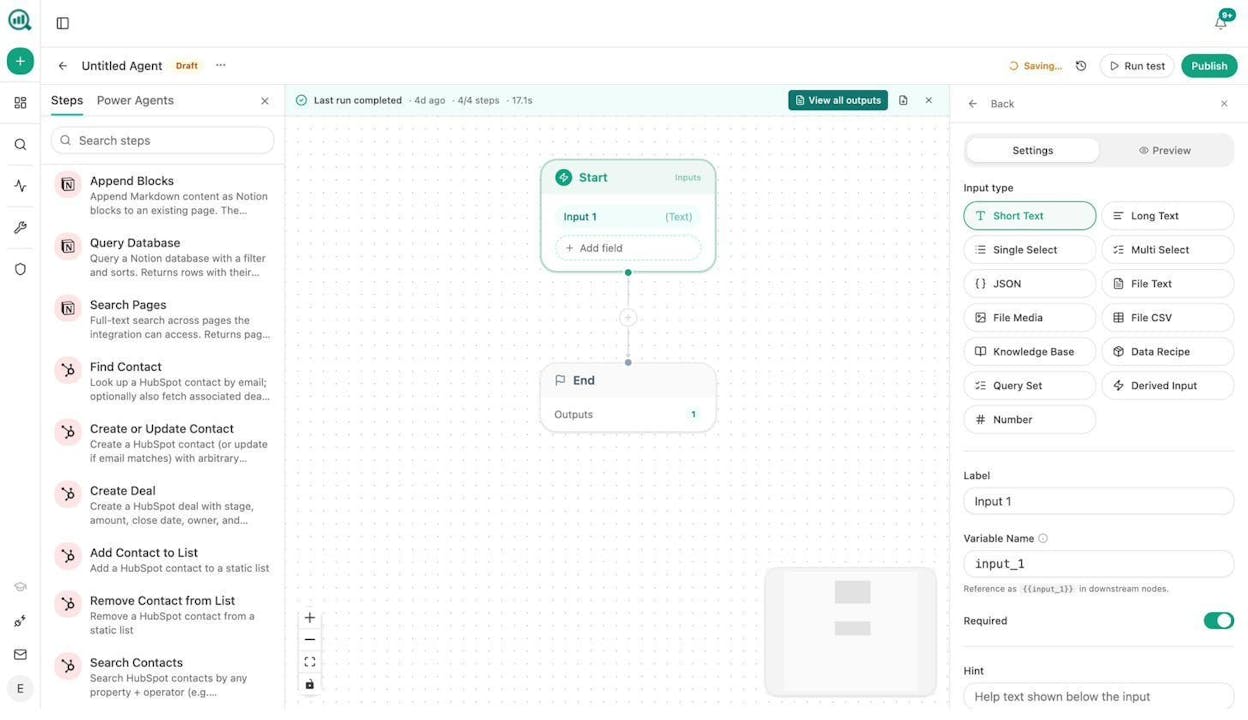
What stands out: Web scraping is just one of 180+ nodes. You can scrape a page, analyze it with any LLM, generate a content brief, write a full article, optimize it for AI search, and publish to WordPress in a single agent
Analyze AI is the agentic platform for SEO, AEO, content, and GTM ops. It has built-in web scraping nodes (Web Page Scrape, Get Sitemap, Parallel Web Search, Parallel Deep Research), but scraping is one capability inside a much larger substrate of 180+ nodes, 34 pre-built data recipes, and native integrations with GA4, Google Search Console, Semrush, DataForSEO, HubSpot, WordPress, Notion, Contentful, Mailchimp, Hunter.io, Tomba, and every major LLM.
The difference between Analyze AI and Octoparse is scope. Octoparse gives you data. Analyze AI gives you data and then does something with it in the same workflow.
How Analyze AI Works
You build agents by wiring nodes together on a visual canvas. Each agent starts with inputs (a URL, a keyword, a list of competitors, or a data recipe that auto-injects your AI visibility or GA4 data) and flows through research, reasoning, creation, and distribution nodes.
Here is what that looks like for common marketing use cases:
Competitive content research. Build an agent that scrapes competitor pages using Web Page Scrape, pulls their ranked keywords from Semrush, cross-references with AI prompt data from Analyze AI’s visibility layer to find gaps, then generates content briefs and drops them into Notion. Schedule it weekly. Your competitive intelligence updates itself.
Link outreach at scale. An agent that discovers journalists and bloggers using DataForSEO Brand Mentions and News Research, scrapes their latest articles for context, finds their emails via Tomba Author Finder, generates personalized pitches with an LLM (using your Brand Vault for tone and messaging), and logs everything to HubSpot. The full pipeline from discovery to send runs as a single agent.
Content writing at scale. Start with a keyword, pull search volume and difficulty from DataForSEO, scrape the top-ranking pages for structure and topic coverage, run Parallel Deep Research, generate a full draft with your Brand Vault injected for voice and messaging rules, score it with the AEO Content Scorecard, and publish to WordPress. Set it on a schedule. Your editorial calendar fills itself.
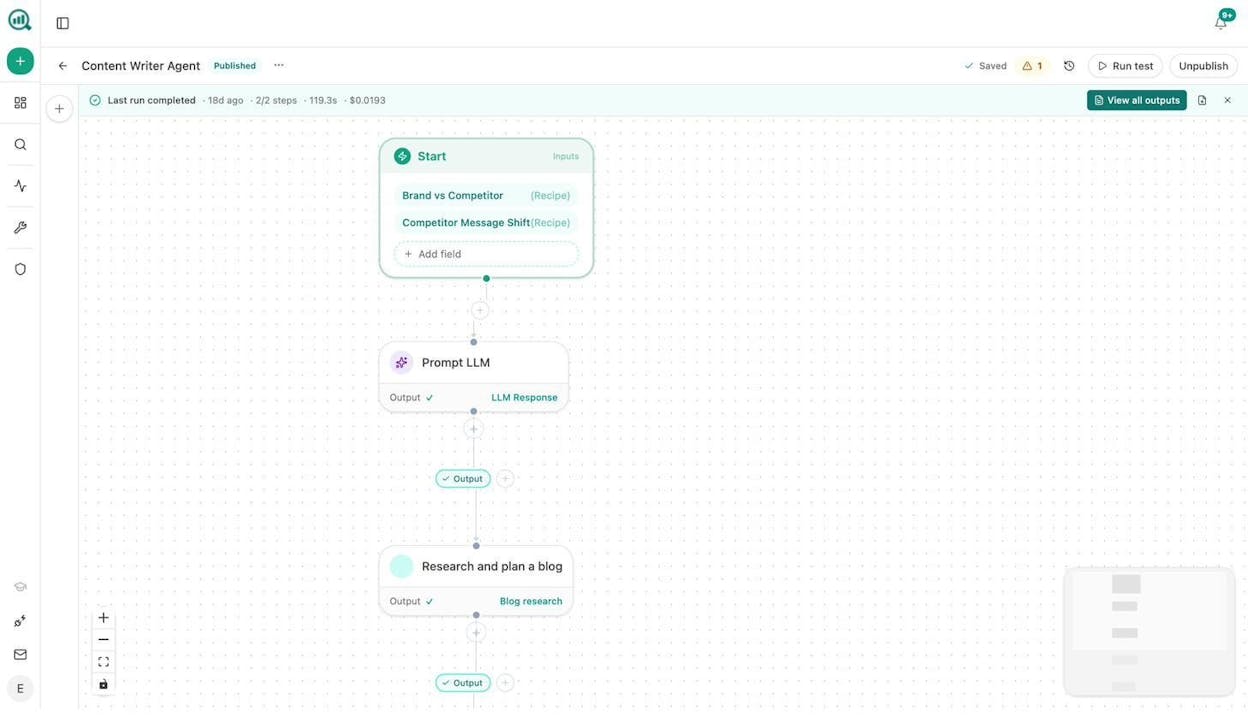
Content refresh at scale. An agent that pulls declining pages from GA4, scrapes each one, rewrites for freshness and AI visibility, scores with the AEO Content Scorecard, and publishes updates to WordPress. Your stale content problem stops existing.
Social media content and image creation. Feed your latest blog posts through a Prompt LLM node with platform-specific formatting, then use the Social Media Image node (which is brand-kit-aware) to generate on-brand visuals for each platform. One agent handles everything.
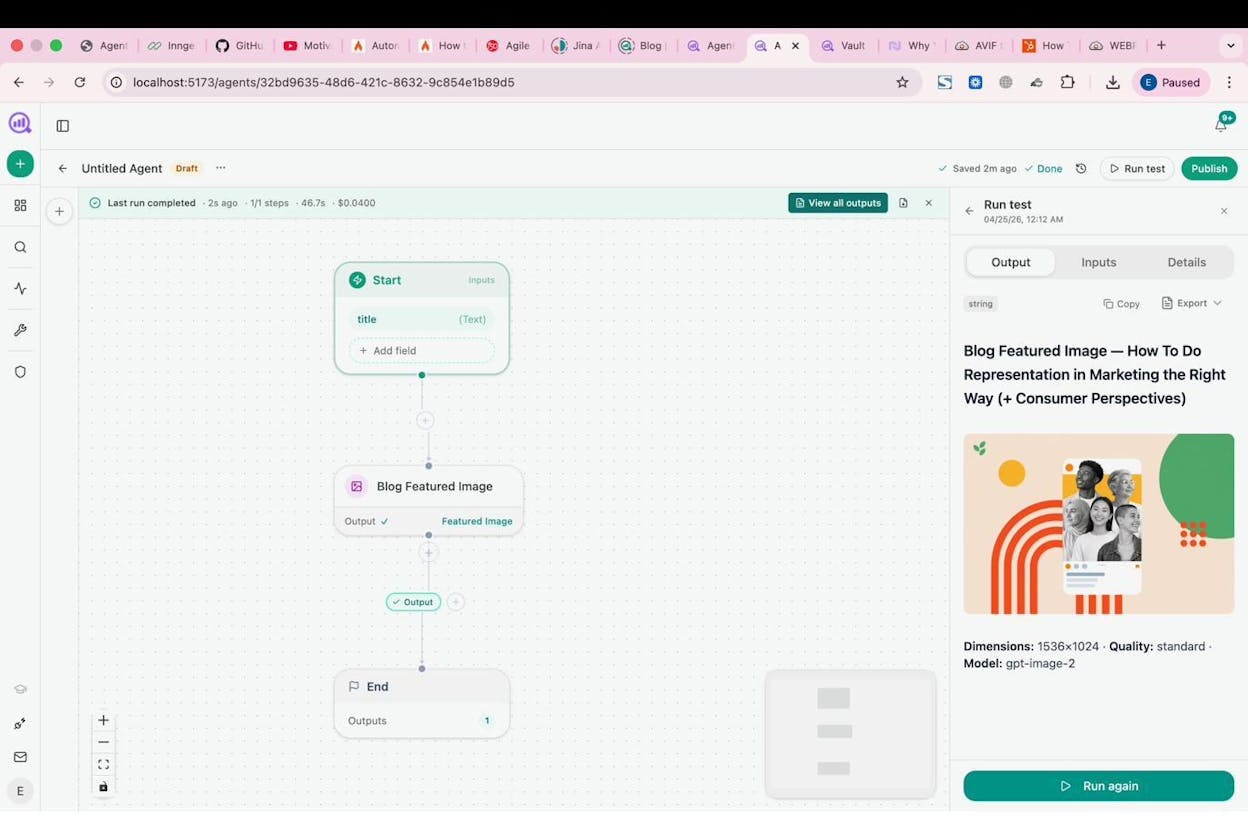
These agents run three ways. Manually for on-demand tasks. On a schedule for recurring work. Or via webhook, so a HubSpot deal closing or a form submission triggers the agent automatically.
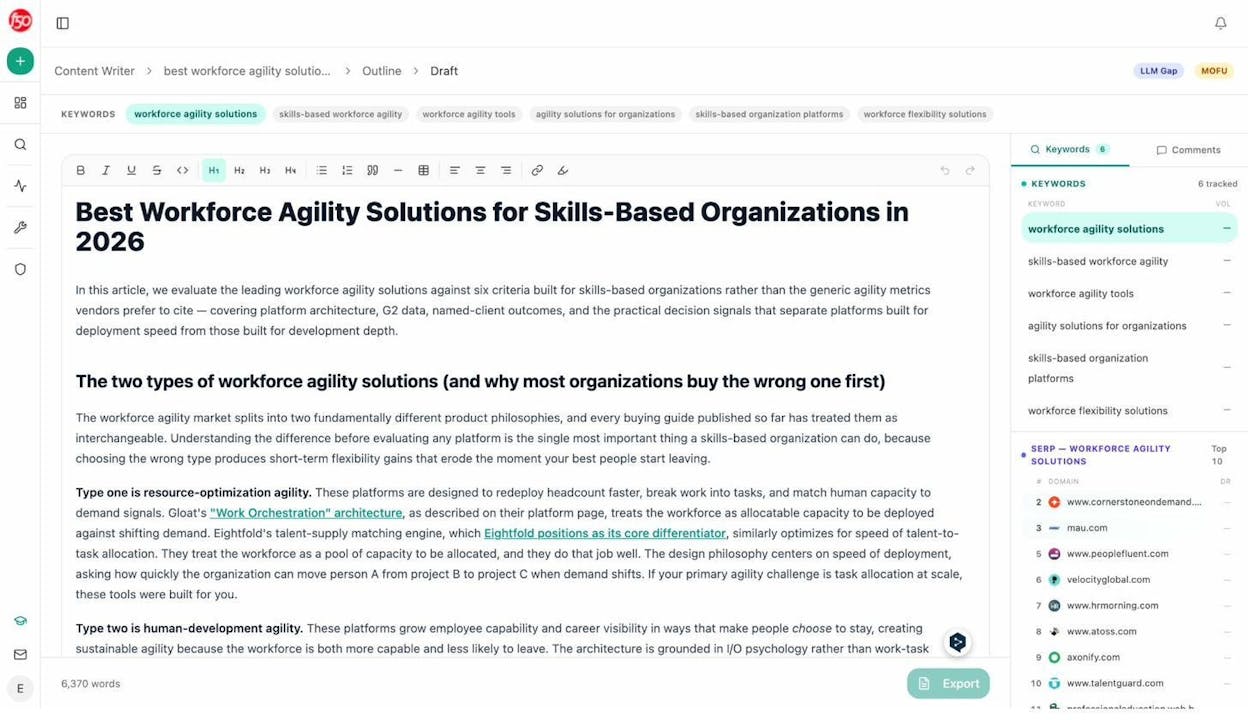
The Content Writer and Content Optimizer are worth calling out. The Writer takes you from idea to research to outline to full draft with SERP analysis and editorial comments at every step. The Optimizer audits existing pages for entity coverage, claim density, and AI engine readiness.
And Analyze AI tracks your brand’s visibility across ChatGPT, Perplexity, Gemini, Copilot, and Claude through AI Traffic Analytics, connecting that visibility to GA4 sessions and revenue. No other Octoparse alternative on this list does that.
Why Choose Analyze AI Over Octoparse
Octoparse extracts data. Analyze AI extracts data, analyzes it with any LLM, creates content from it, optimizes that content, and publishes it to your CMS. You are replacing a five-tool workflow with one agent.
Analyze AI Pros and Cons
Pros:
-
Web scraping is one of 180+ nodes including DataForSEO (27 SEO nodes), Semrush (7 nodes), GSC (8 nodes), GA4, HubSpot (26 CRM nodes), WordPress, Notion, Contentful, Mailchimp, image generation, and all major LLMs
-
Three trigger modes (manual, scheduled, webhook) turn agents into always-on operators
-
Brand Vault auto-injects tone, style, messaging, and disallowed phrases into every workflow
-
Content Writer and Optimizer use multi-step research pipelines
-
Free marketing tools including Keyword Generator, SERP Checker, Website Traffic Checker, and Broken Link Checker
Cons:
-
Newer platform than tools like Apify, so the community is still growing
-
Agent Builder depth means a steeper learning curve than simple point-and-click scrapers
Analyze AI Pricing
-
Growth: $99/month with 3 AI engines, 25 tracked prompts/day, 1 Content Writer workflow, 1 Content Optimizer workflow, unlimited seats
-
Pro: $250/month with 4 AI engines, 35 tracked prompts/day, 10 Writer and 5 Optimizer workflows, AI Traffic Analytics
-
Custom: Custom pricing with all engines, unlimited workflows, dedicated account manager
All plans include a free trial. See the full breakdown on the pricing page.
2. Clay
-
Best for: GTM and sales teams that need to scrape prospect data, enrich it, and act on it in one workflow
-
Pricing: Free plan available, Launch at $185/month
-
What stands out: Claygent AI research agent surfaces buying signals from company websites, LinkedIn, and press releases that static databases miss entirely
How Clay Works
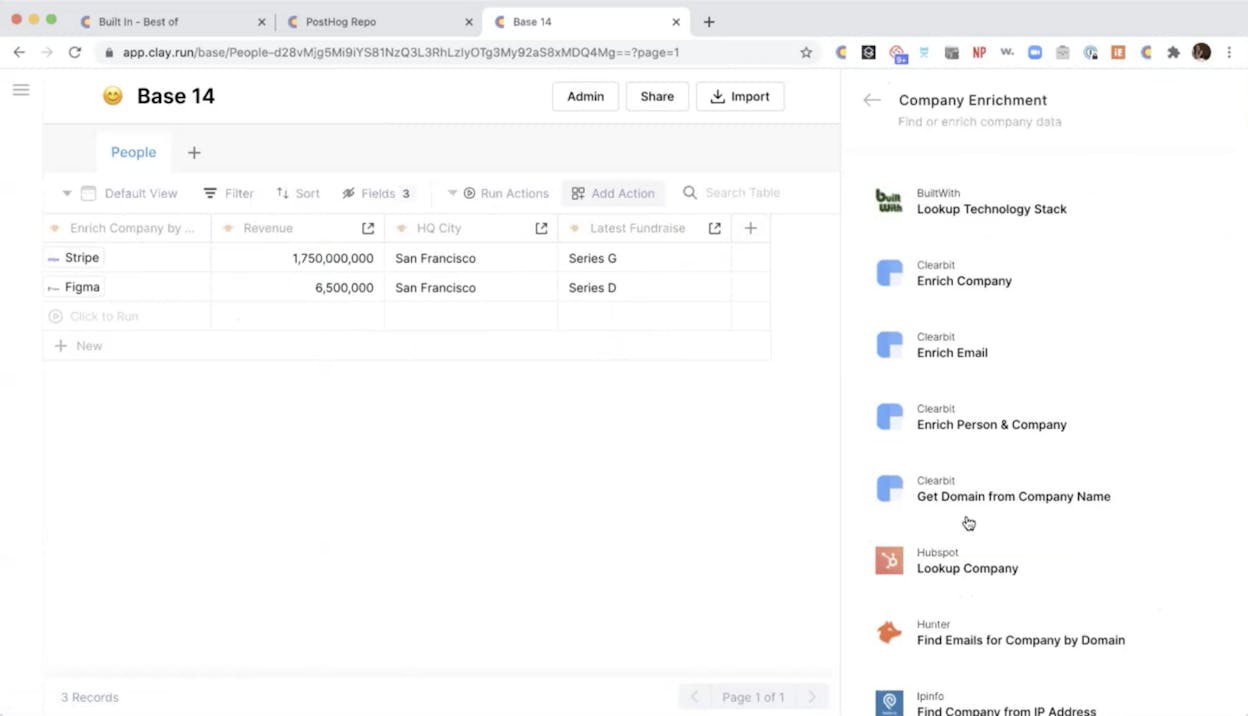
Clay is a data enrichment and prospecting platform built around a spreadsheet-like interface. You chain enrichers, AI scraping steps, and conditional logic together in a table. It connects to over 100 data sources and uses Claygent to scrape and interpret live web data.
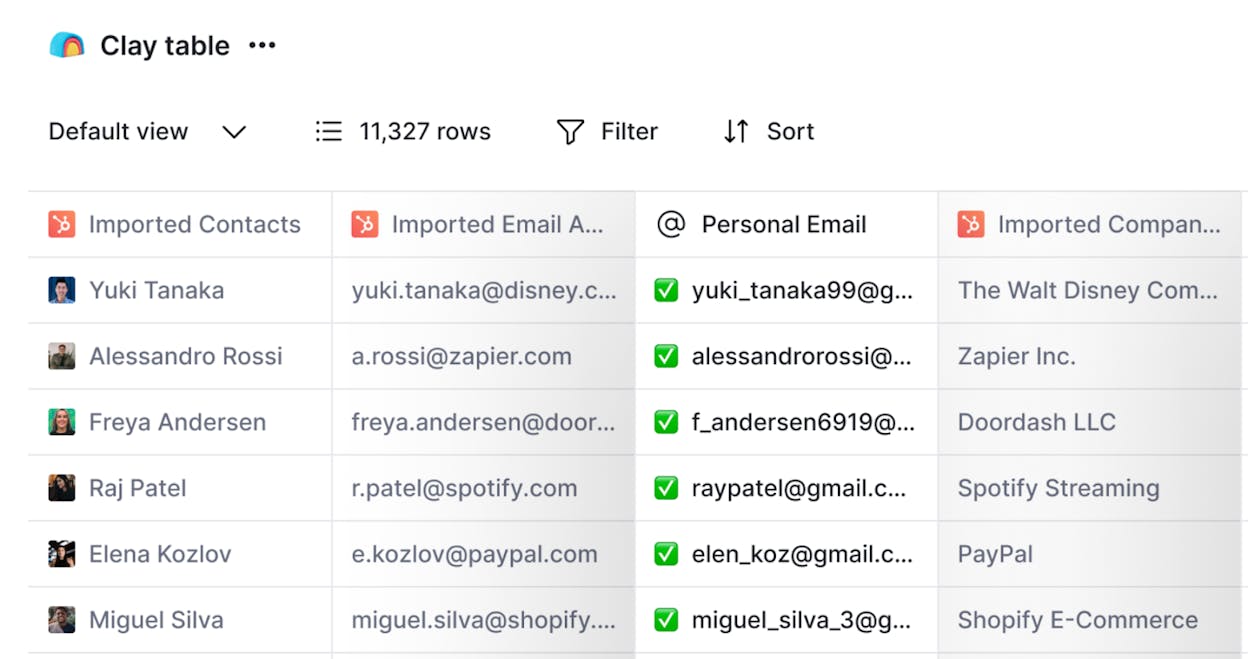
For marketing teams running ABM or outbound campaigns, Clay replaces the manual workflow of scraping LinkedIn, enriching with Apollo, researching with a browser, and writing personalized copy in Google Docs. Claygent handles the research and scraping, and the spreadsheet interface makes it approachable.
Why Choose Clay Over Octoparse
Octoparse scrapes raw HTML. Clay scrapes, enriches, and generates personalized output in one pass. If your scraping use case is prospect research for outreach campaigns, Clay does it with far less manual work.
Clay Pros and Cons
Pros: Claygent surfaces buying signals no static database has. Waterfall enrichment chains multiple data providers. Spreadsheet interface is approachable. Over 100 data integrations.
Cons: Pricing escalates fast at volume. Multi-step enrichment can push past $1,000/month. Failed lookups still cost credits. Not a general-purpose content automation tool.
Clay Pricing
-
Free: $0 with 500 actions/month and 100 data credits
-
Launch: $185/month with 15,000+ actions and 2,500 data credits
-
Growth: $495/month with 40,000+ actions, CRM sync, and webhook signals
-
Enterprise: Custom pricing
See the full breakdown on Clay’s pricing page.
Clay Reviews
-
G2: 4.7/5 (from 189+ reviews)
-
Product Hunt: 4.8/5 (from 39+ reviews)
3. Apify
-
Best for: Enterprise teams that need to scrape thousands of pages at scale with developer-level control
-
Pricing: Free plan available, Starter at $39/month plus pay-as-you-go compute
-
What stands out: Over 10,000 pre-built Actors in the marketplace for scraping virtually any website or platform
How Apify Works
Apify is a cloud-based scraping platform built for volume. You create or install “Actors” (pre-built scraping apps) from a marketplace of over 10,000 options. There are Actors for scraping Google Maps, LinkedIn, Amazon, TikTok, and almost any platform.
For marketing teams, Apify’s value comes from scheduled scraping at scale. You can monitor competitor pricing across hundreds of product pages, track review sentiment on G2 or Capterra, or pull social media data for content research. The platform integrates with Zapier, Make, and webhooks for downstream processing.
Why Choose Apify Over Octoparse
Apify handles higher volume, has a much larger template library (10,000+ Actors vs. Octoparse’s smaller set), and is built for technical teams that need enterprise-grade infrastructure. If you scrape thousands of pages regularly, Apify’s proxy rotation and scalable compute handle it more reliably.
Apify Pros and Cons
Pros: Massive Actor marketplace. Enterprise-grade infrastructure with SOC2 and GDPR compliance. Handles high-volume scraping reliably. Integrates with automation tools for downstream processing.
Cons: Developer-oriented. Requires more setup than no-code alternatives. Pay-as-you-go compute costs can escalate. Does not analyze or act on scraped data natively.
Apify Pricing
-
Free: $0 with $5 in platform credits
-
Starter: $39/month with $39 in credits and $0.30 per compute unit
-
Scale: $199/month with $199 in credits and $0.25 per compute unit
-
Business: $999/month with $999 in credits and dedicated account manager
See the full breakdown on Apify’s pricing page.
Apify Reviews
-
G2: 4.7/5 (from 333+ reviews)
-
Capterra: 4.8/5 (from 378+ reviews)
4. Browse AI
-
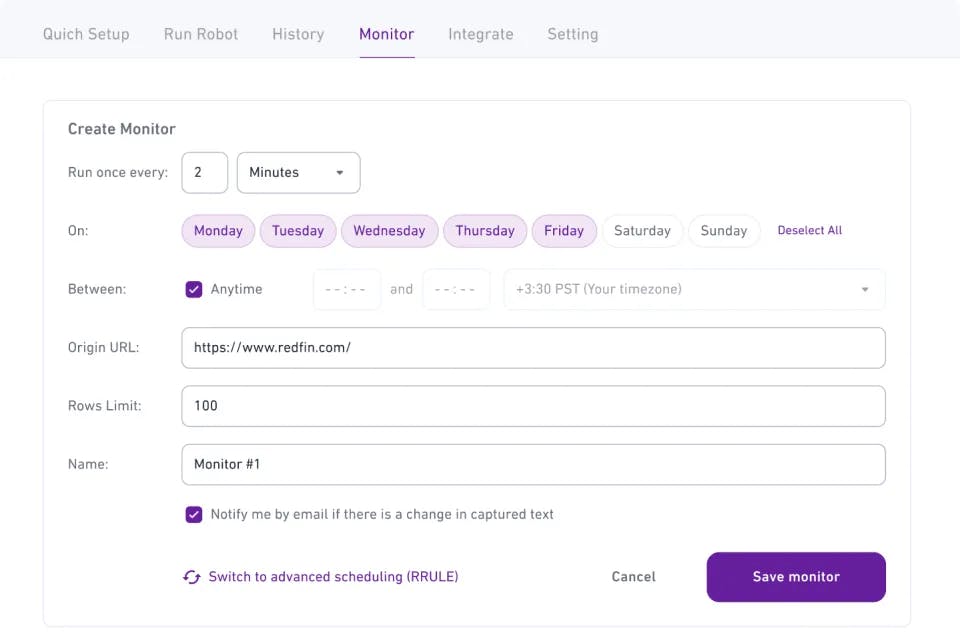
Best for: Web monitoring and scheduled scraping with pre-built robots for non-technical teams
-
Pricing: Free plan available, Personal at $48/month
-
What stands out: Over 250 built-in robots and 7,000+ integrations make setup fast for common scraping patterns
How Browse AI Works
Browse AI lets you create “robots” by recording yourself interacting with a page. You train the robot to understand what you want it to do by clicking elements, navigating pages, and selecting data. Then you set a schedule and the robot runs on autopilot.
For marketing teams, Browse AI is strongest for monitoring use cases. Track competitor pricing changes, monitor new job postings (a signal for budget allocation), watch review sites for brand mentions, or detect when competitors publish new content. The 7,000+ integrations let you pipe that data into Sheets, Slack, Notion, or your CRM.
Why Choose Browse AI Over Octoparse
Browse AI focuses on training robots that run on autopilot, making it better for ongoing monitoring. The 250+ pre-built robots and 7,000+ integrations get you to a working workflow faster than configuring Octoparse from scratch. Pricing is also more predictable for monitoring use cases.
Browse AI Pros and Cons
Pros: Easy to set up with record-and-train approach. Strong for scheduled monitoring. Chrome extension for on-the-fly scraping. 7,000+ integrations.
Cons: Less workflow control than agent-based platforms like Analyze AI. Cloud-only. Limited ability to act on scraped data beyond sending it to another tool.
Browse AI Pricing
-
Free: $0 with 50 credits/month and 2 websites
-
Personal: $48/month with 2,000 credits and 5 websites
-
Professional: $87/month with 5,000 credits and 10 websites
-
Premium: Starting at $500/month with managed setup
See the full breakdown on Browse AI’s pricing page.
Browse AI Reviews
-
G2: 4.8/5 (from 57+ reviews)
-
Capterra: 4.6/5 (from 61+ reviews)
5. Thunderbit
-
Best for: Quick Chrome-based scraping for lead generation, e-commerce data, and contact extraction
-
Pricing: Free plan available, Starter at $15/month
-
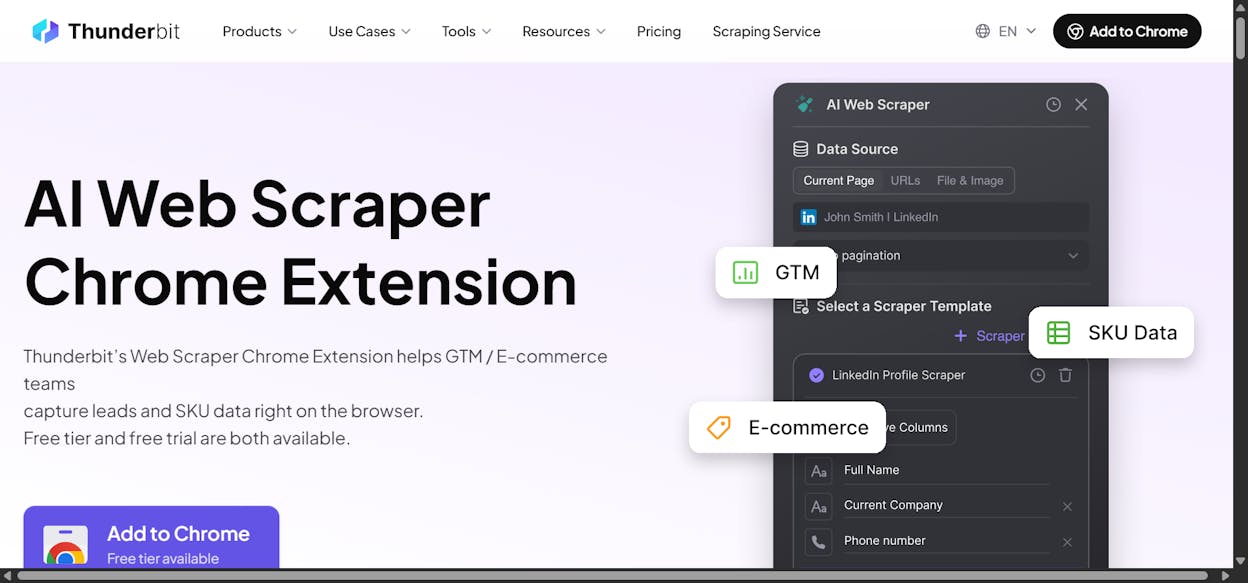
What stands out: Extremely fast setup. Install the Chrome extension, navigate to a page, tell it what to extract in plain English
How Thunderbit Works
Thunderbit is a Chrome extension that uses AI to extract and structure data from whatever page you are browsing. You describe what you want in natural language and it figures out how to organize the data into a table with appropriate column names.
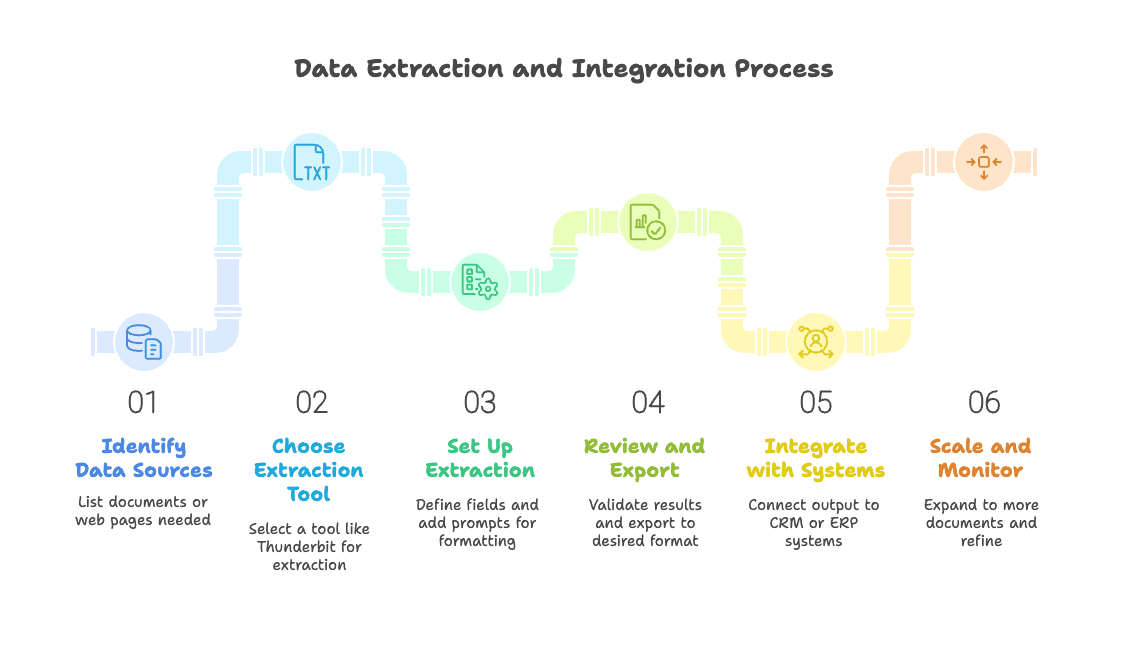
For marketing teams doing quick competitive research, pulling contact info for outreach, or extracting product data from marketplaces, Thunderbit is the fastest path from “I need this data” to “I have this data in a spreadsheet.”
Why Choose Thunderbit Over Octoparse
Thunderbit is simpler and faster for quick scraping tasks. No separate app, no workflow configuration. You install a Chrome extension, visit a page, and describe what you want. It also has built-in data enrichment for lead gen use cases, which Octoparse does not.
Thunderbit Pros and Cons
Pros: Fastest setup of any tool on this list. Natural language extraction means no learning curve. Built-in enrichment for lead gen. Handles PDFs, images, and docs.
Cons: Not designed for complex, multi-step workflows. No scheduling or monitoring depth. Not built for enterprise scale or high-volume scraping.
Thunderbit Pricing
-
Free: $0 with 6 pages/month
-
Starter: $15/month with 500 credits and scheduled scrapers
-
Pro: $38/month with 3,000 credits and unlimited scrapers
-
Business: Custom pricing
See the full breakdown on Thunderbit’s pricing page.
Thunderbit Reviews
-
Trustpilot: 4.3/5 (from 34+ reviews)
-
Chrome Web Store: 4.4/5 (from 115+ reviews)
Which Octoparse Alternative Should You Use?
It depends on what you need to do with the data after you scrape it.
If you need to scrape AND research, write, optimize, and publish in the same workflow, Analyze AI is the clear choice. No other tool on this list combines web scraping with content creation, content optimization, AI visibility tracking, and native integrations with GA4, HubSpot, WordPress, DataForSEO, Semrush, and every major LLM. The Agent Builder turns scraping from a standalone task into one step inside a full marketing automation workflow. And the free trial means you can test it before committing.
If your primary use case is scraping prospect data for outbound, Clay handles the enrichment-to-outreach pipeline well.
If you need enterprise-scale scraping with developer tools, Apify is built for that.
If you need monitoring that runs on autopilot, Browse AI makes it easy.
And if you just need to quickly pull data from a page you are looking at, Thunderbit is the fastest path.
Most marketing teams start with one scraping tool and realize they need more than raw data. Pick the one that matches where your data needs to end up.

Ernest

Ibrahim


